warning light DODGE RAM 1500 GAS 2004 3.G User Guide
[x] Cancel search | Manufacturer: DODGE, Model Year: 2004, Model line: RAM 1500 GAS, Model: DODGE RAM 1500 GAS 2004 3.GPages: 429, PDF Size: 7.52 MB
Page 122 of 429

WARNING!
Your motorized door or gate will open and close
while you are training the Universal Transceiver. Do
not train the transceiver if people or pets are in the
path of the door or gate. A moving door or gate can
cause serious injury or death to people and pets or
damage to objects.
2. Position the end of your hand-held transmitter 1-3
inches (3-8 cm) away from the HomeLink buttons while
keeping the indicator light in view.
3. Simultaneously press and hold both the HomeLink
button that you want to train and the hand-held trans-
mitter buttons.Do not release the buttons until step 4
has been completed.NOTE:Some gate operators and garage door openers
may require you to replace this Programming Step 3 with
procedures noted in the9Gate Operator/Canadian Pro-
gramming9section.
4. The HomeLink indicator light will flash slowly and
then rapidly after HomeLink successfully receives the
frequency signal from the hand-held transmitter. Release
both buttons after the indicator light changes from the
slow to the rapid flash.
5. Press and hold the just trained HomeLink button and
observe the indicator light. If the indicator lightstays on
constantly, programming is completeand your device
should activate when the HomeLink button is pressed
and released.
NOTE:To program the remaining two HomeLink but-
tons, begin with9Programming9step two. Do not repeat
step one.
122 UNDERSTANDING THE FEATURES OF YOUR VEHICLE
Page 136 of 429
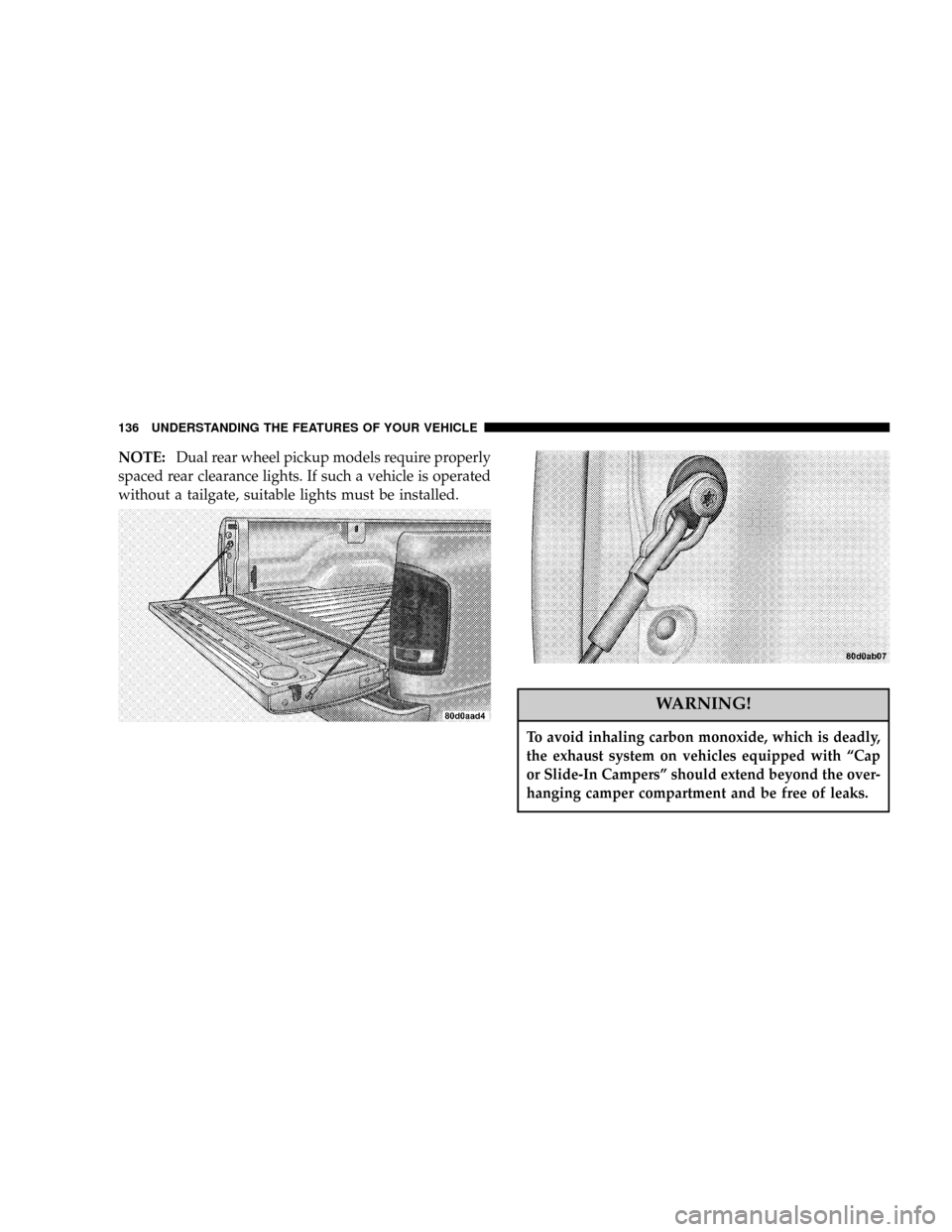
NOTE:Dual rear wheel pickup models require properly
spaced rear clearance lights. If such a vehicle is operated
without a tailgate, suitable lights must be installed.
WARNING!
To avoid inhaling carbon monoxide, which is deadly,
the exhaust system on vehicles equipped with ªCap
or Slide-In Campersº should extend beyond the over-
hanging camper compartment and be free of leaks.
136 UNDERSTANDING THE FEATURES OF YOUR VEHICLE
Page 145 of 429

7. Seat Belt Reminder Light
When the ignition switch is first turned ON, this
light will turn on for 5 to 8 seconds as a bulb check.
During the bulb check, if the driver's seat belt is
unbuckled, a chime will sound. After the bulb check or
when driving, if the driver seat belt remains unbuckled,
the Seat Belt Warning Light will flash or remain on
continuously. Refer to9Enhanced Driver Seat Belt Re-
minder System (BeltAlertŸ)9in the Occupant Restraints
section for more information.
8. Speedometer
The speedometer shows the vehicle speed in miles per
hour and/or kilometers per hour.
9. Oil Pressure Gauge
The pointer should always indicate some oil pres-
sure when the engine is running. A continuous
high or low reading, under normal driving conditions,
may indicate a lubrication system malfunction. Immedi-
ate service should be obtained.NOTE:If the gauge pointer moves to either extreme of
the gauge, the ªCheck Gagesº indicator will illuminate
and a single chime will sound.
10. Cargo Lamp
The Cargo Lamp light will illuminate when the Cargo
Lamp is activated from the dimmer control switch,
located next to the headlight switch.
11. Door Ajar
The Door Ajar light will illuminate when any
door is opened. When the ignition is ON the
Door Ajar light will stay illuminated until the
open door is closed. When the ignition is OFF
the Door Ajar light will stay illuminated until the open
door is closed or the battery saver feature automatically
turns the light off.
UNDERSTANDING YOUR INSTRUMENT PANEL 145
4
Page 147 of 429
CAUTION!
Do not leave your vehicle unattended with the
engine running as you would not be able to react to
the temperature indicator if the engine overheats.
14. Security
The light will flash rapidly for approximately 16 seconds
when the vehicle theft alarm is arming. The light will
flash at a slower rate after the alarm is set. The security
light will also come on for about two seconds when the
ignition is first turned ON.
15. Transmission Range Indicator (Automatic
Transmissions Only)
When the gear selector lever is moved, this indicator
shows the automatic transmission gear range selected.16. Cruise Light
This indicator lights when the electronic speed control
system is turned on.
17. Check Gages
This light illuminates when the Voltmeter, Engine
Oil Pressure or Engine Coolant Temperature
gages indicate a reading either too high or too low.
Examine the gages carefully, and follow the instructions
above for each indicated problem.
NOTE:When the ignition switch is turned to OFF, the
Fuel Gage, Voltmeter, Oil Pressure and Engine Coolant
Temperature gages may not show accurate readings.
When the engine is not running, turn the ignition switch
to ON to obtain accurate readings.
18. Brake System Warning Light
This light illuminates when the ignition key is turned to
the ON position and remains on for a few seconds. If the
light stays on longer, it may be an indication that the
UNDERSTANDING YOUR INSTRUMENT PANEL 147
4
Page 148 of 429

parking brake has not been released. This light will
illuminate if the brake fluid is low, especially when
braking or accelerating hard. This light will illuminate if
the ABS indicator light has a malfunction. This light will
flash if the engine is running and the parking brake is on.
If the light remains on when the parking brake is
released, it indicates a possible brake hydraulic system
malfunction. In this case, the light will remain on until
the cause is corrected.
If brake failure is indicated, immediate repair is necessary
and continued operation of the vehicle in this condition is
dangerous.
Acceleration which causes the rear wheels to slip for a
period of time may result in the red brake light illumi-
nating and a brake switch code being set on ABS
equipped vehicles. Depressing the brake pedal should
extinguish the red brake light.19. ABS Warning Light
This light monitors the Anti-Lock Brake System
which is described elsewhere in this manual. This
light will come on when the ignition key is turned to the
ON position and may stay on for five seconds. If the ABS
light remains on or comes on during driving, it indicates
that the anti-lock portion of the brake system is not
functioning and that service is required. See your autho-
rized dealer immediately. The ABS light could also
illuminate during loss of traction and remain illuminated
until the brake pedal is pressed.
20. Odometer/Trip Odometer
The odometer shows the total distance the vehicle has
been driven.
If the odometer reading is changed during repair or
replacement, be sure to keep a record of the reading
before and after the service so that the correct mileage can
be determined.
148 UNDERSTANDING YOUR INSTRUMENT PANEL
Page 150 of 429

24. Low Wash Light
This light comes on when the washer fluid level falls
below approximately 1/4 filled. The light will remain on
until fluid is added and one minute has elapsed.
25. Odometer/Trip Odometer Button
Press this button to toggle between the odometer and the
trip odometer display. Holding the button in resets the
trip odometer reading when in trip mode.
26. Fuel Gauge
Shows level of fuel in tank when ignition switch is in the
ON position.
27. Low Fuel Warning Light
Glows when the pointer is between ªEº and 1/8
indication mark (approximately 15% of tank vol-
ume) on the fuel gauge. When the fuel gauge
pointer is on ªEº (equivalent to Distance To Empty [DTE]
= 0 on the overhead console if so equipped) there isreserve fuel capacity, which corresponds to approxi-
mately 8% of tank volume. This reserve capacity was put
in place to prevent the likelihood of customers running
out of fuel when operating at maximum load conditions
in areas where there aren't many gas stations.
Ram fuel tank volumes are as follows:
²26 gallons (98L) - 1500 short box models
²34 gallons (129L) - 2500/3500 short box models
²35 gallons (132L) - 1500/2500/3500 long box models
28. Transmission Oil Temperature Warning Light
This light indicates that there is excessive trans-
mission fluid temperature that might occur
with severe usage such as trailer towing. If this
light comes on, stop the vehicle and run the
engine at idle or faster, with the transmission in NEU-
TRAL until the light goes off.
150 UNDERSTANDING YOUR INSTRUMENT PANEL
Page 202 of 429

NMaintenance.........................265
mCatalytic Converter.....................266
mVehicle Loading........................267
NCertification Label.....................267
mTrailer Towing.........................270
NTo Maintain Warranty Coverage...........270
NAxle Lubricant And Trailer Towing.........272
NTrailer Towing Recommendations..........273
NTrailer Towing Ð Hitches...............274
NConnecting Trailer Lighting And Electric
Trailer Brakes........................275
NTrailer Weight And Trailer Tongue Weight....276
NTrailer Towing Information
(Maximum Trailer Weight Ratings).........277NTrailer Towing Mirrors Ð If Equipped......278
NCooling System Tips Ð Trailer Towing......278
NAutomatic Transmission Oil Temperature
Warning Light.......................279
NTowing With An Automatic Transmission....279
mSnowplow............................280
NDodge Ram 1500 Models................280
NBefore Plowing.......................281
NSnowplow Model Prep Package Availability . . 281
NOver The Road Operation With Snowplow
Attached...........................282
NMethods For Removing Snow............283
NOperating Tips.......................283
NGeneral Maintenance...................284
202 STARTING AND OPERATING
Page 222 of 429

Transfer Case Position Indicator Lights Ð
Electronically Shifted Transfer Case Only
Transfer case position indicator lights are located on the
Four-Wheel-Drive Control Switch, found on your instru-
ment panel, and indicate the current and desired transfer
case selection. When you select a different transfer case
position, the indicator lights will do the following:
If All Shift Conditions are Met
1. The current position indicator light will turn OFF.
2. The selected position indicator light will flash until the
transfer case completes the shift.
3. When the shift is complete, the indicator light for the
selected position will stop flashing and remain ON.
If One or More Shift Conditions are not Met
1. The indicator light for the current position will remain
ON.2. The newly selected position indicator light will con-
tinue to flash.
3. The transfer casewill notshift.
NOTE:Before retrying a selection, make certain that all
the necessary requirements for selecting a new transfer
case position have been met. To retry the selection, turn
the control knob back to the current position, wait five (5)
seconds, and retry selection. To find the shift require-
ments, refer to the9Shifting Procedure9for your transfer
case, located in this section of the owner's manual.
The ªSERVICE 4WDº warning light monitors the electric
shift 4WD system. If this light remains on after engine
start up or illuminates during driving, it means that the
4WD system is not functioning properly and that service
is required.
222 STARTING AND OPERATING
Page 223 of 429

WARNING!
Always engage the parking brake when powering
down the vehicle if the(Service 4WD(light is
illuminated. Not engaging the parking brake may
allow the vehicle to roll which may cause personal
injury.
NOTE:Do not attempt to make a shift while only the
front or rear wheels are spinning. The transfer case is not
equipped with a synchronizer and therefore the front and
rear driveshaft speeds must be equal for the shift to take
place. Shifting while only the front or rear wheels are
spinning can cause damage to the transfer case.When operating your vehicle in 4LO, the engine speed is
approximately three times that of the 2WD/AWD or 4HI
positions at a given road speed. Take care not to over-
speed the engine and do not exceed 25 mph (40 km/h).
Proper operation of 4 wheel drive vehicles depends on
tires of equal size, type and circumference on each wheel.
Any difference in tire size can cause damage to the
transfer case.
Because 4 wheel drive provides improved traction, there
is a tendency to exceed safe turning and stopping speeds.
Do not go faster than road conditions permit.
STARTING AND OPERATING 223
5
Page 228 of 429

LIMITED-SLIP DIFFERENTIAL Ð IF EQUIPPED
The limited-slip differential provides additional traction
on snow, ice, mud, sand and gravel, particularly when
there is a difference between the traction characteristics
of the surface under the right and left rear wheels. During
normal driving and cornering, the limited-slip unit per-
forms similarly to a conventional differential. On slip-
pery surfaces, however, the differential delivers more of
the driving effort to the rear wheel having the better
traction.
The limited-slip differential is especially helpful during
slippery driving conditions. With both rear wheels on a
slippery surface, a slight application of the accelerator
will supply maximum traction. When starting with only
one rear wheel on an excessively slippery surface, slight
momentary application of the parking brake may be
necessary to gain maximum traction.WARNING!
On vehicles equipped with a limited-slip differen-
tial, never run the engine with one rear wheel off the
ground, since the vehicle may drive through the rear
wheel remaining on the ground. You could lose
control of the vehicle.
Care should be taken to avoid sudden accelerations when
both rear wheels are on a slippery surface. This could
cause both rear wheels to spin, and allow the vehicle to
slide sideways on the crowned surface of a road or in a
turn.
228 STARTING AND OPERATING