DODGE RAM 2500 DIESEL 2008 3.G User Guide
RAM 2500 DIESEL 2008 3.G
DODGE
DODGE
https://www.carmanualsonline.info/img/12/5493/w960_5493-0.png
DODGE RAM 2500 DIESEL 2008 3.G User Guide
Page 470 of 527
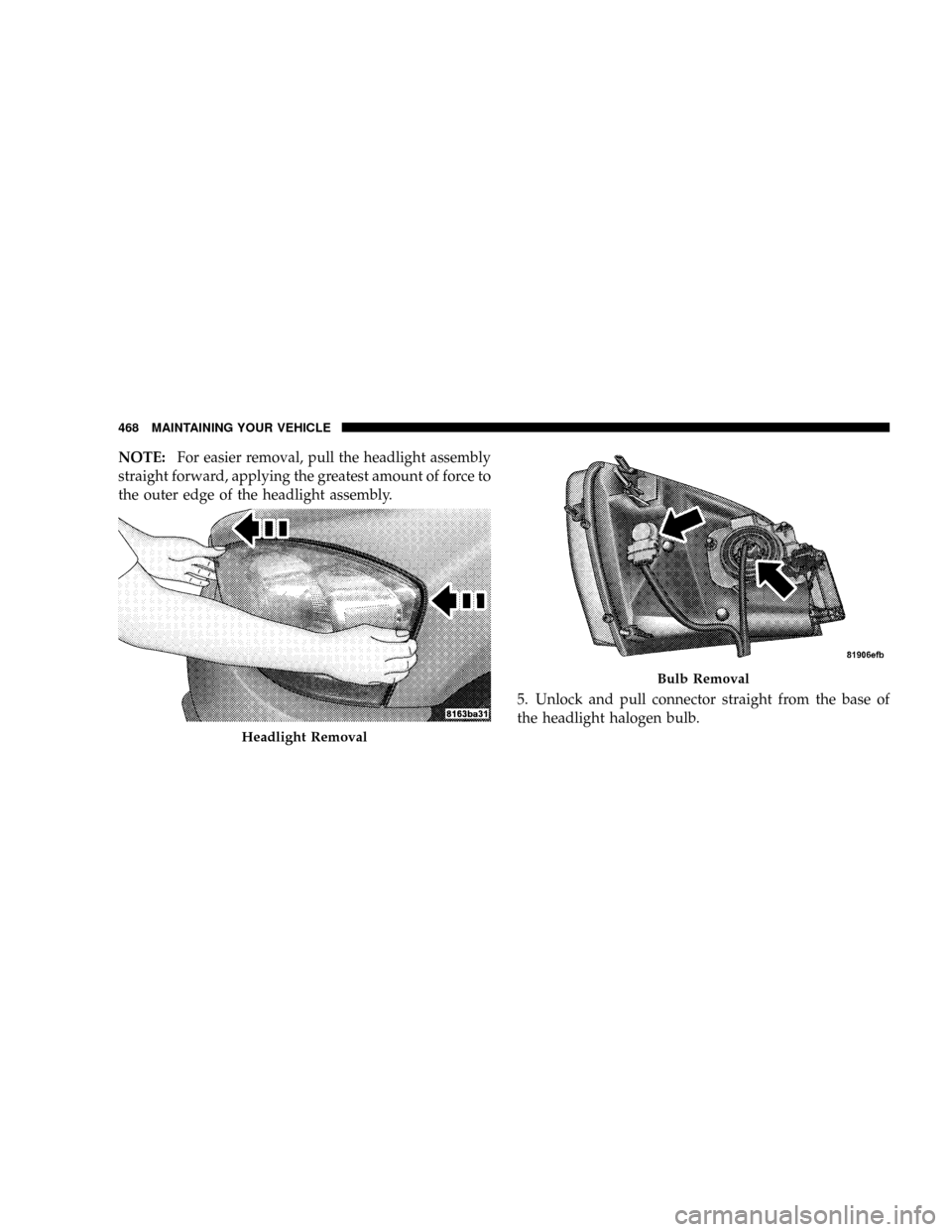
NOTE:For easier removal, pull the headlight assembly
straight forward, applying the greatest amount of force to
the outer edge of the headlight assembly.
5. Unlock and pull connector straight from the base of
the headlight halogen bulb.
Headlight Removal
Bulb Removal
468 MAINTAINING YOUR VEHICLE
Page 471 of 527
6. Twist connector on the side marker/turn signal/park
light bulb1¤4turn and remove connector and bulb from
housing.
7. Remove housing from vehicle with headlight halogen
bulb in housing.
8. Twist the headlight halogen bulb
1¤4turn and remove
headlight bulb from the housing.
9. Replace headlight or side marker/turn signal/park
light bulb. Do not touch the headlight halogen bulb.
10. Reverse procedure for installation of bulbs and hous-
ing.
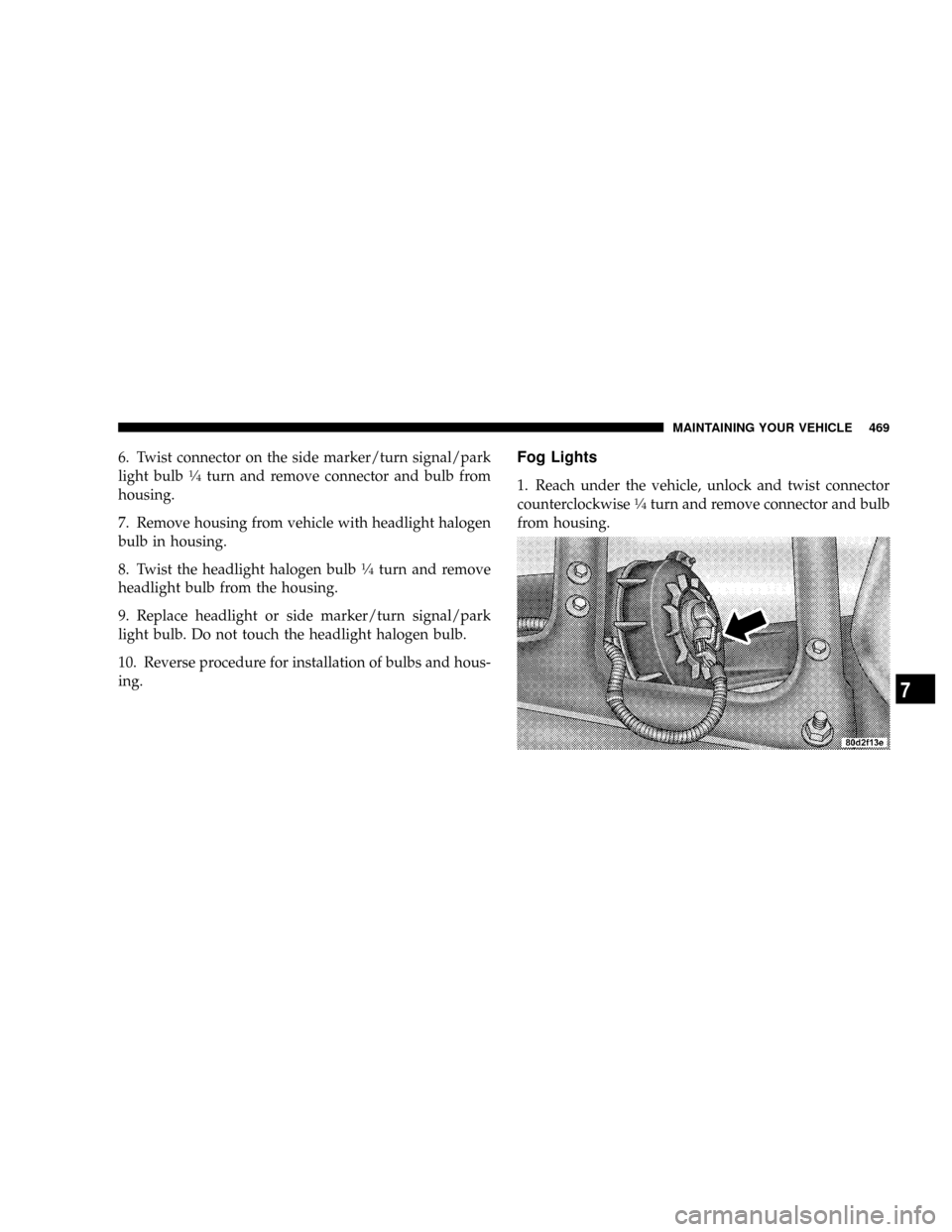
Fog Lights
1. Reach under the vehicle, unlock and twist connector
counterclockwise1¤4turn and remove connector and bulb
from housing.
MAINTAINING YOUR VEHICLE 469
7
Page 472 of 527
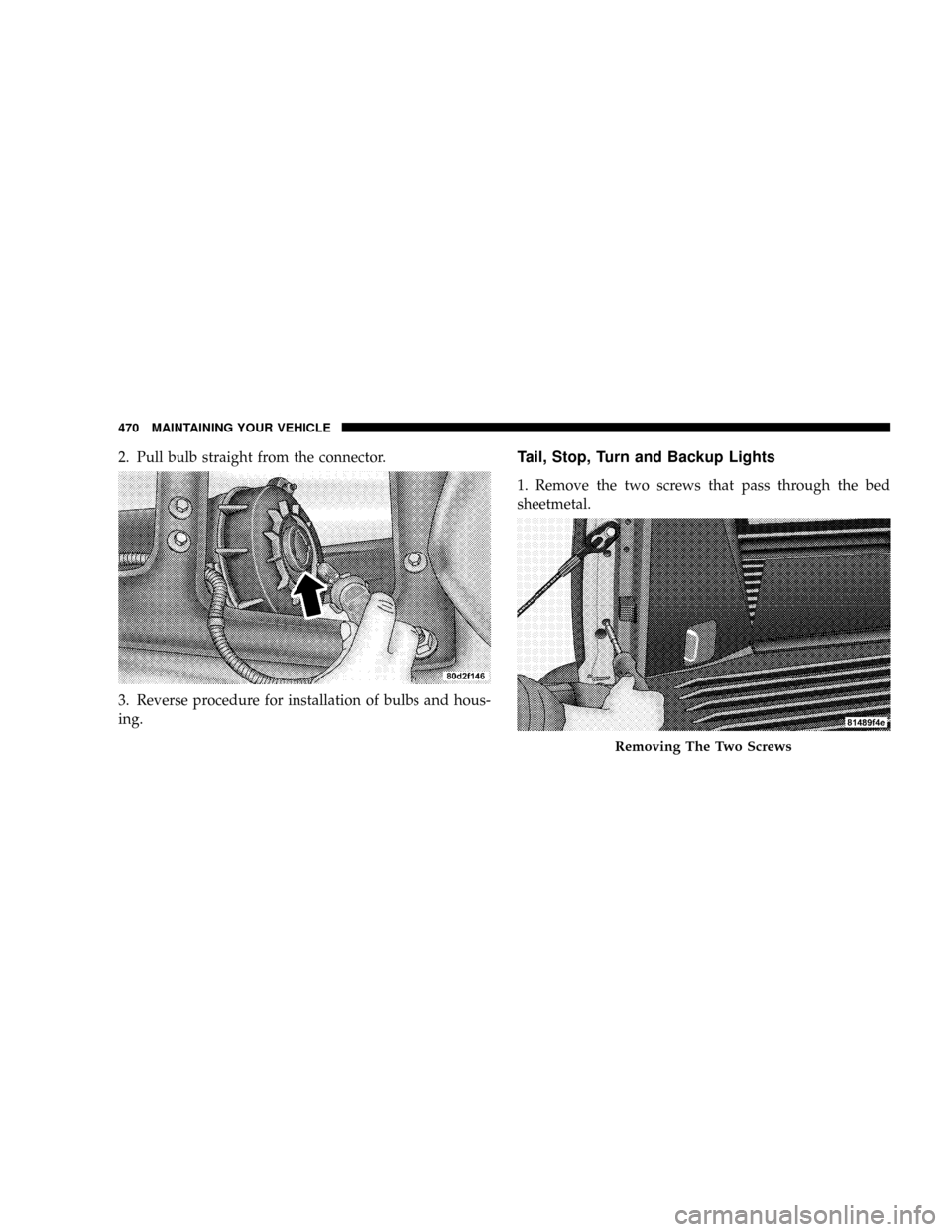
2. Pull bulb straight from the connector.
3. Reverse procedure for installation of bulbs and hous-
ing.Tail, Stop, Turn and Backup Lights
1. Remove the two screws that pass through the bed
sheetmetal.
Removing The Two Screws
470 MAINTAINING YOUR VEHICLE
Page 473 of 527
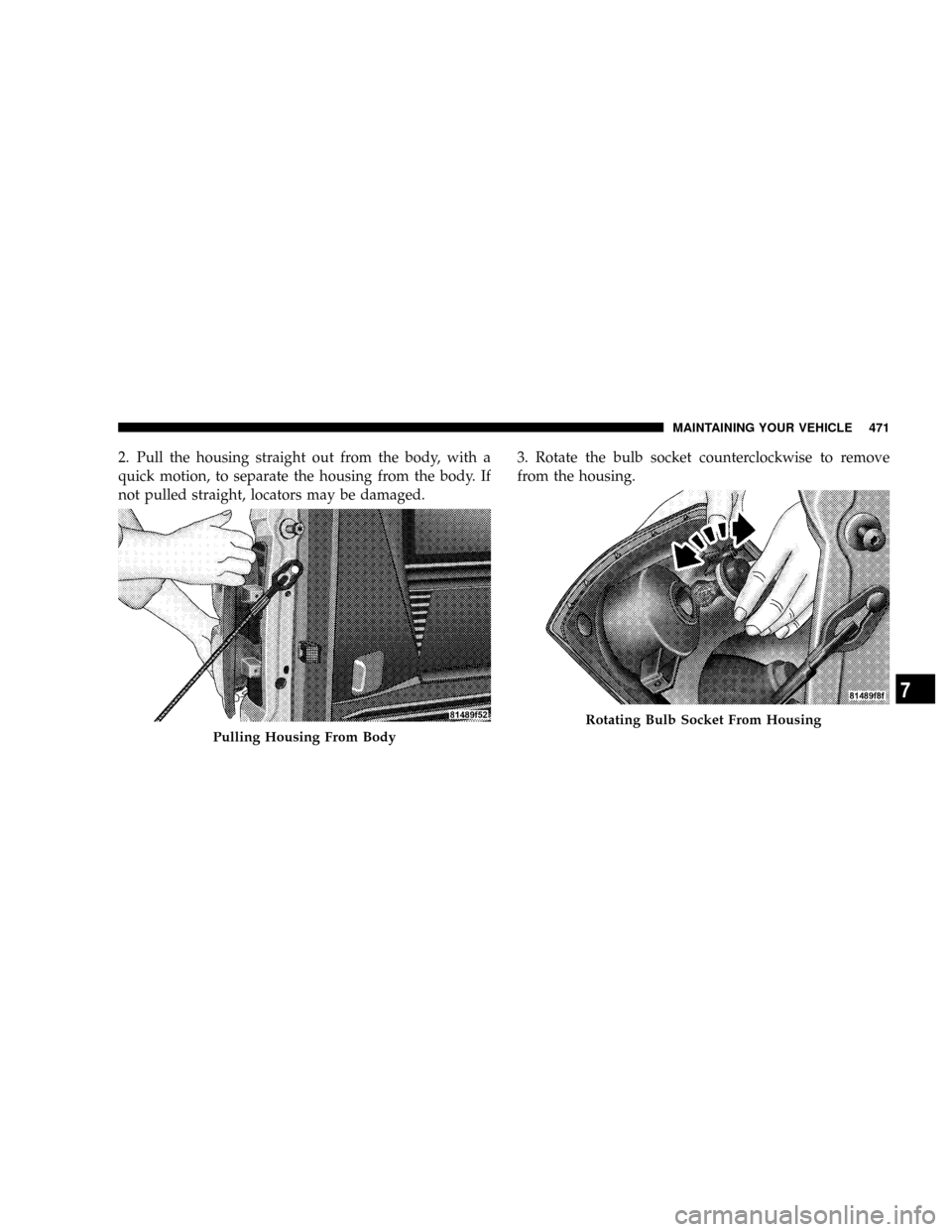
2. Pull the housing straight out from the body, with a
quick motion, to separate the housing from the body. If
not pulled straight, locators may be damaged.3. Rotate the bulb socket counterclockwise to remove
from the housing.
Pulling Housing From Body
Rotating Bulb Socket From Housing
MAINTAINING YOUR VEHICLE 471
7
Page 474 of 527
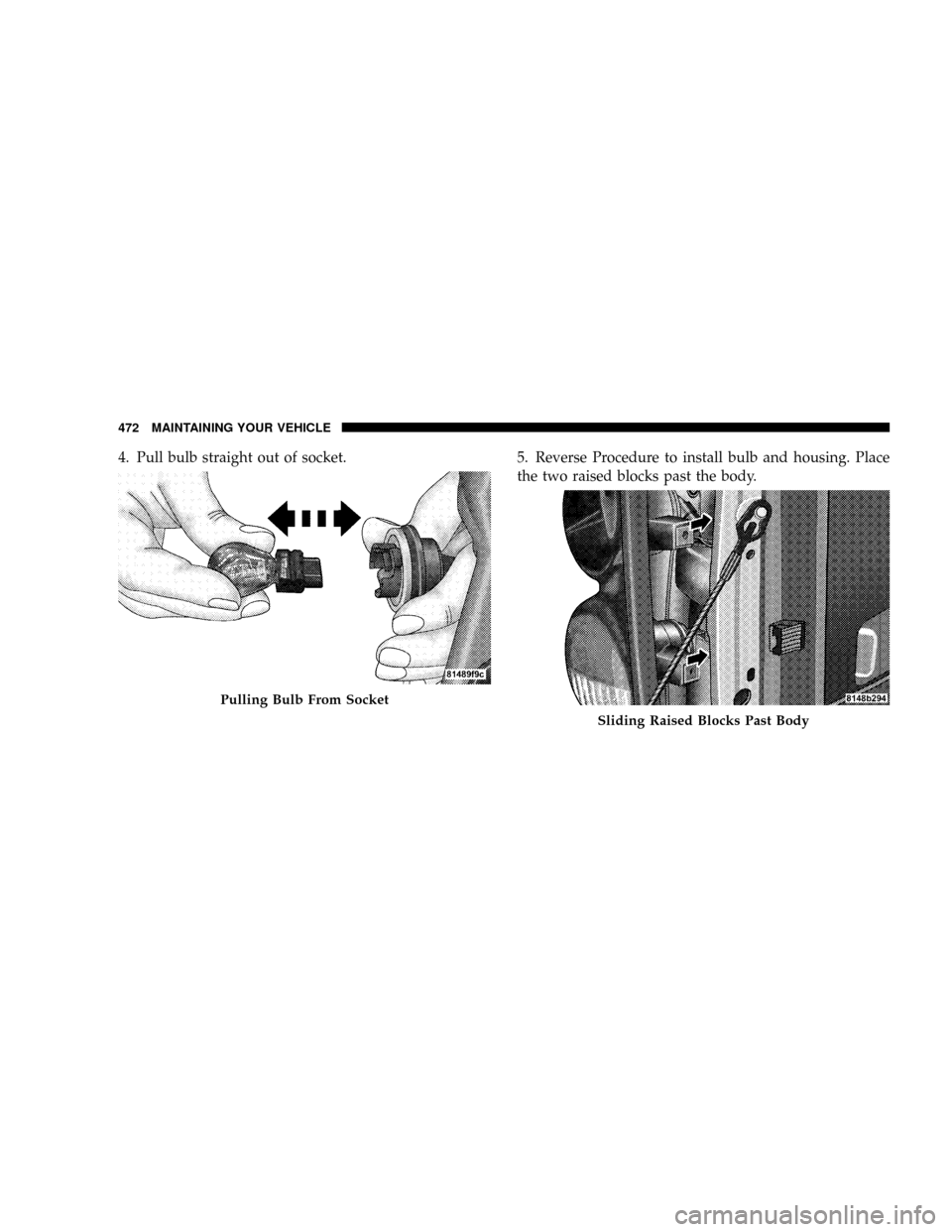
4. Pull bulb straight out of socket. 5. Reverse Procedure to install bulb and housing. Place
the two raised blocks past the body.
Pulling Bulb From Socket
Sliding Raised Blocks Past Body
472 MAINTAINING YOUR VEHICLE
Page 475 of 527
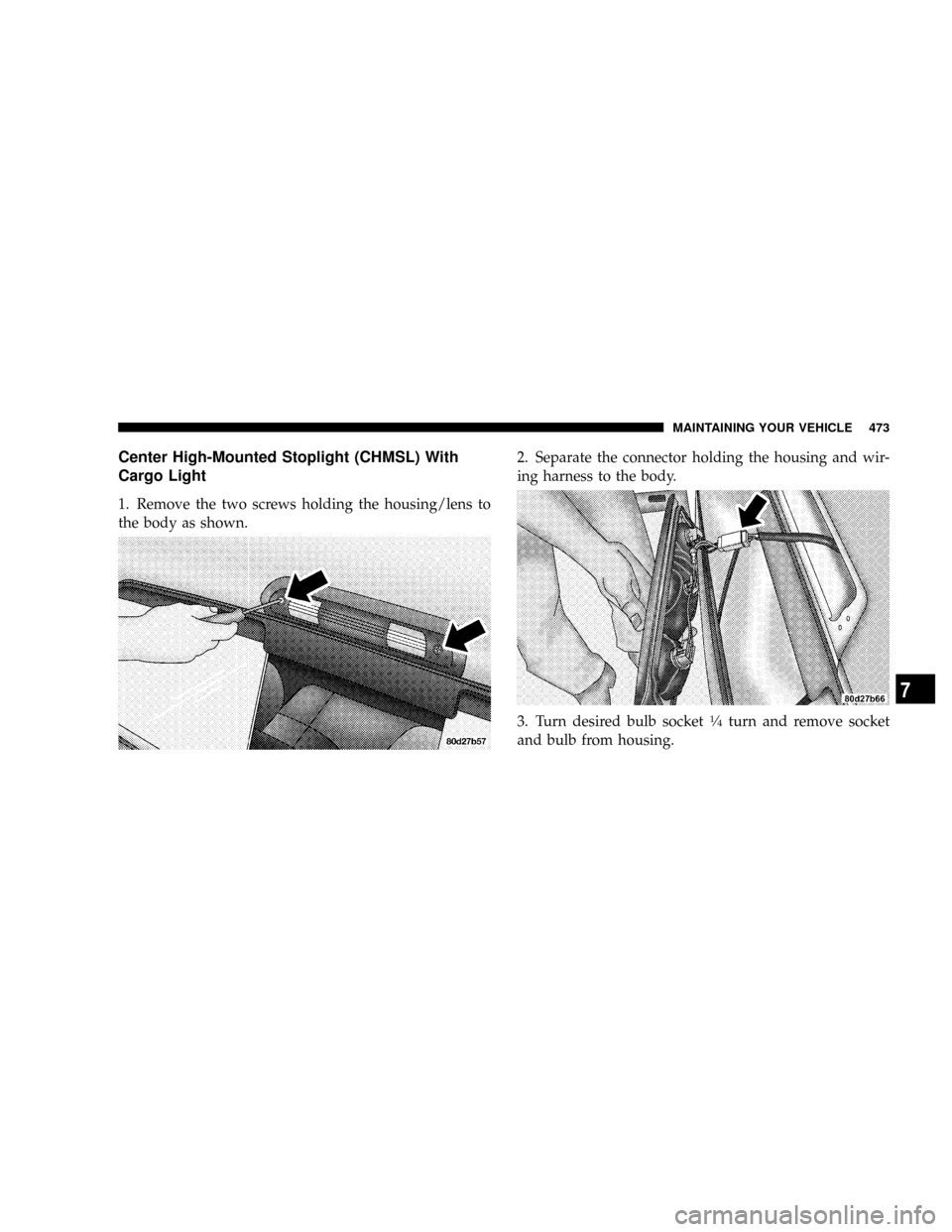
Center High-Mounted Stoplight (CHMSL) With
Cargo Light
1. Remove the two screws holding the housing/lens to
the body as shown.2. Separate the connector holding the housing and wir-
ing harness to the body.
3. Turn desired bulb socket
1¤4turn and remove socket
and bulb from housing.
MAINTAINING YOUR VEHICLE 473
7
Page 476 of 527
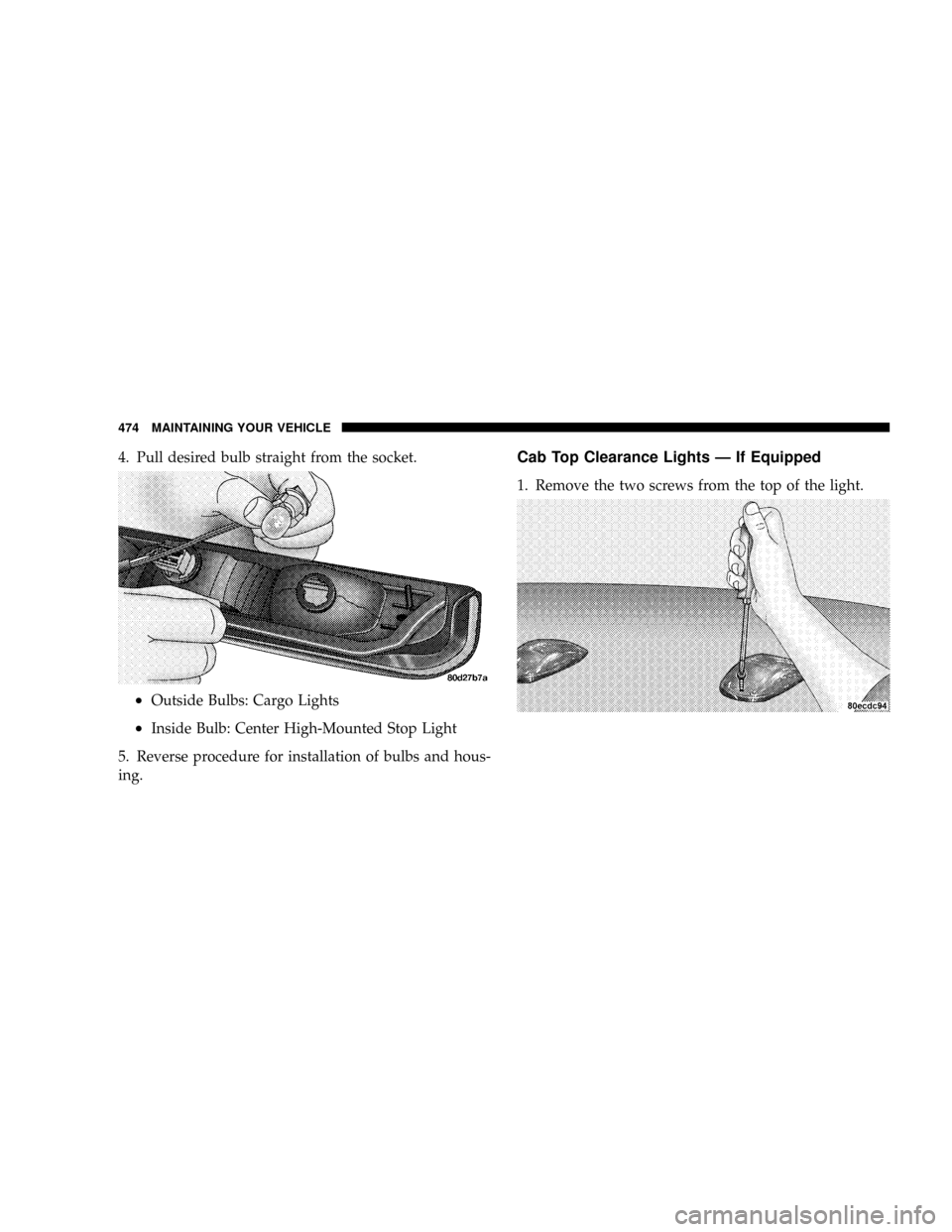
4. Pull desired bulb straight from the socket.
²Outside Bulbs: Cargo Lights
²Inside Bulb: Center High-Mounted Stop Light
5. Reverse procedure for installation of bulbs and hous-
ing.
Cab Top Clearance Lights Ð If Equipped
1. Remove the two screws from the top of the light.
474 MAINTAINING YOUR VEHICLE
Page 477 of 527
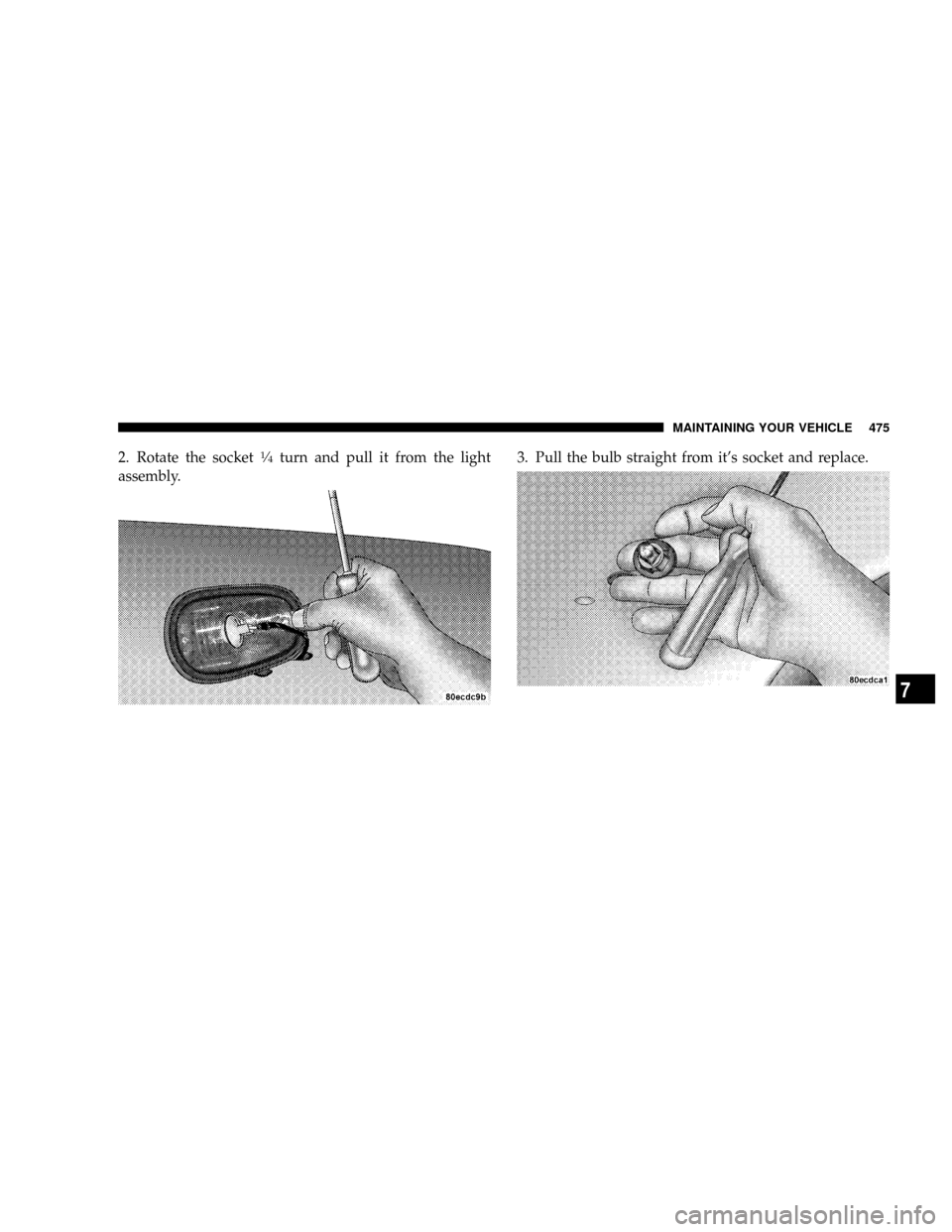
2. Rotate the socket1¤4turn and pull it from the light
assembly.3. Pull the bulb straight from it's socket and replace.
MAINTAINING YOUR VEHICLE 475
7
Page 478 of 527
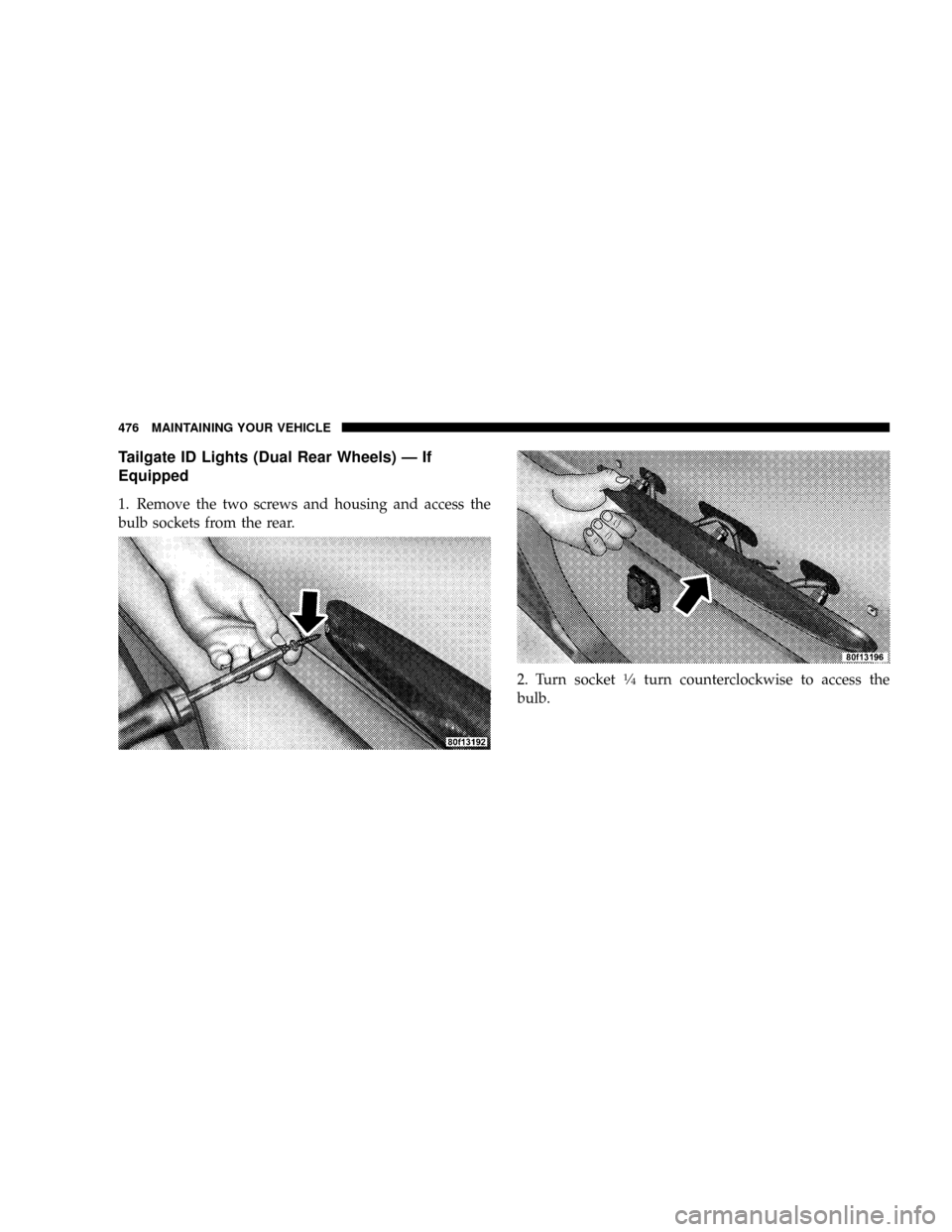
Tailgate ID Lights (Dual Rear Wheels) Ð If
Equipped
1. Remove the two screws and housing and access the
bulb sockets from the rear.
2. Turn socket
1¤4turn counterclockwise to access the
bulb.
476 MAINTAINING YOUR VEHICLE
Page 479 of 527
3. Pull bulb straight out from socket.
4. Reverse procedure for installation of bulbs and hous-
ing.
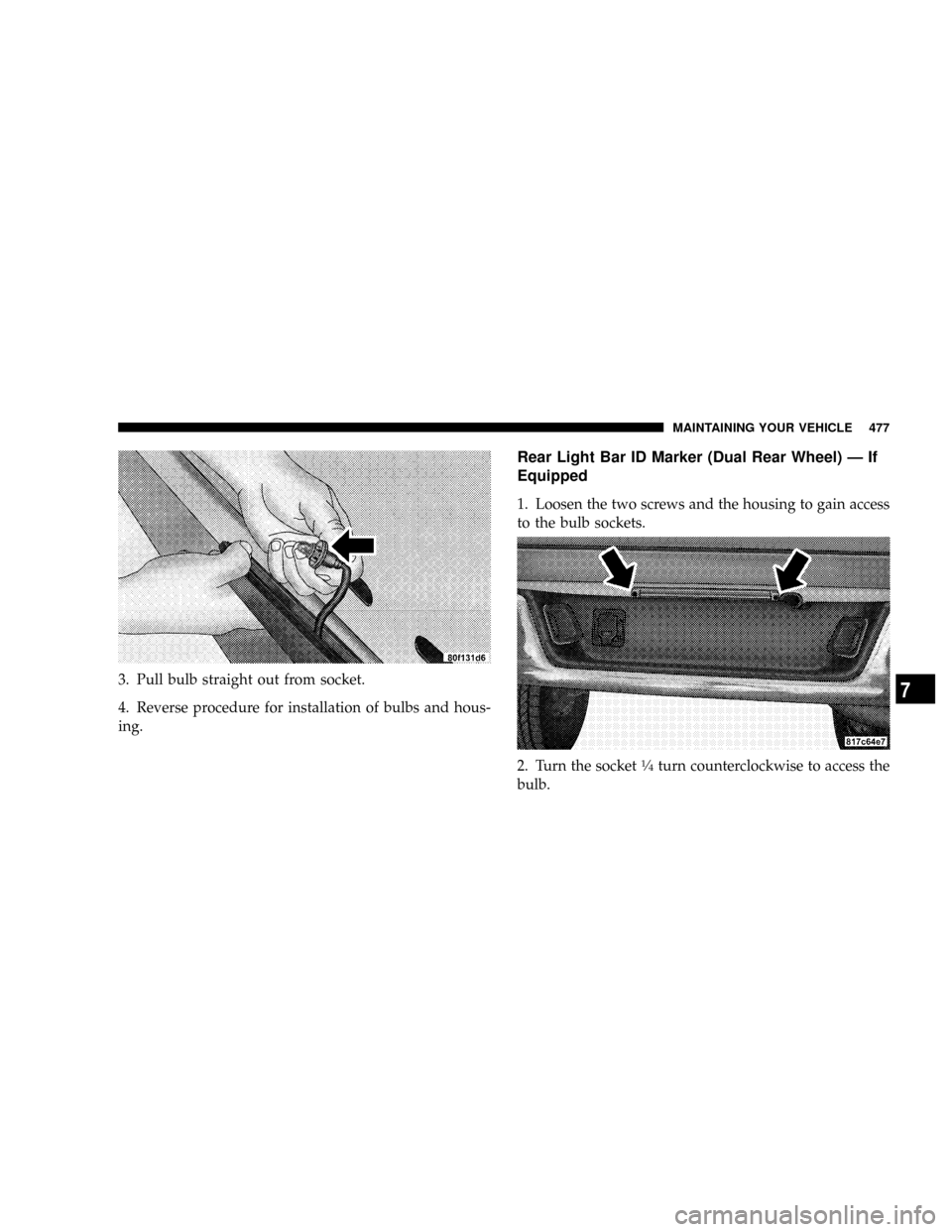
Rear Light Bar ID Marker (Dual Rear Wheel) Ð If
Equipped
1. Loosen the two screws and the housing to gain access
to the bulb sockets.
2. Turn the socket
1¤4turn counterclockwise to access the
bulb.
MAINTAINING YOUR VEHICLE 477
7