light DODGE RAM 2500 DIESEL 2008 3.G Owner's Guide
[x] Cancel search | Manufacturer: DODGE, Model Year: 2008, Model line: RAM 2500 DIESEL, Model: DODGE RAM 2500 DIESEL 2008 3.GPages: 527, PDF Size: 8.88 MB
Page 132 of 527
Courtesy and dome lights are turned on when the front
doors are opened, when the dimmer control (rotating
wheel on the right side of the switch) is rotated to the
upward detent position, or if equipped, when the UN-
LOCK button is pressed on the key fob. When a door is
open and the interior lights are on, rotating the dimmer
control all the way down to the OFF detent will cause all
the interior lights to go out. This is also known as the
9Party9mode because it allows the doors to stay open for
extended periods of time without discharging the vehi-
cle's battery.
The brightness of the instrument panel lighting can be
regulated by rotating the dimmer control up (brighter) or
down (dimmer). When the headlights are ON you can
supplement the brightness of the odometer, trip odom-
eter, radio and overhead console by rotating the control
up until you hear a click. This feature is termed the
ªParadeº mode and is useful when headlights are re-
quired during the day.Mega Cabt/Quad Cabtmodels may have an optional
switched dome lamp that may be operated by pressing
the lens.
Battery Saver
To protect the life of your vehicle's battery, load shedding
is provided for both the interior and exterior lights.
If the ignition is OFF and any door is left ajar for 10
minutes or the dimmer control is rotated upwards for 10
minutes, the interior lights will automatically turn off.
If the headlamps remain on while the ignition is cycled
OFF, the exterior lights will automatically turn off after
eight minutes. If the headlamps are turned on and left on
for eight minutes while the ignition is OFF, the exterior
lights will automatically turn off.
NOTE:Battery saver mode is cancelled if the ignition is
ON.
130 UNDERSTANDING THE FEATURES OF YOUR VEHICLE
Page 133 of 527
Headlamp Delay
To aid in your exit, your vehicle is equipped with a
headlamp delay that will leave the headlamps on for 90
seconds. This delay is initiated when the ignition is
turned OFF while the headlamp switch is ON, and then
the headlamp switch is cycled OFF. Headlamp delay can
be cancelled by either turning the headlamp switch ON
then OFF, or by turning the ignition ON.
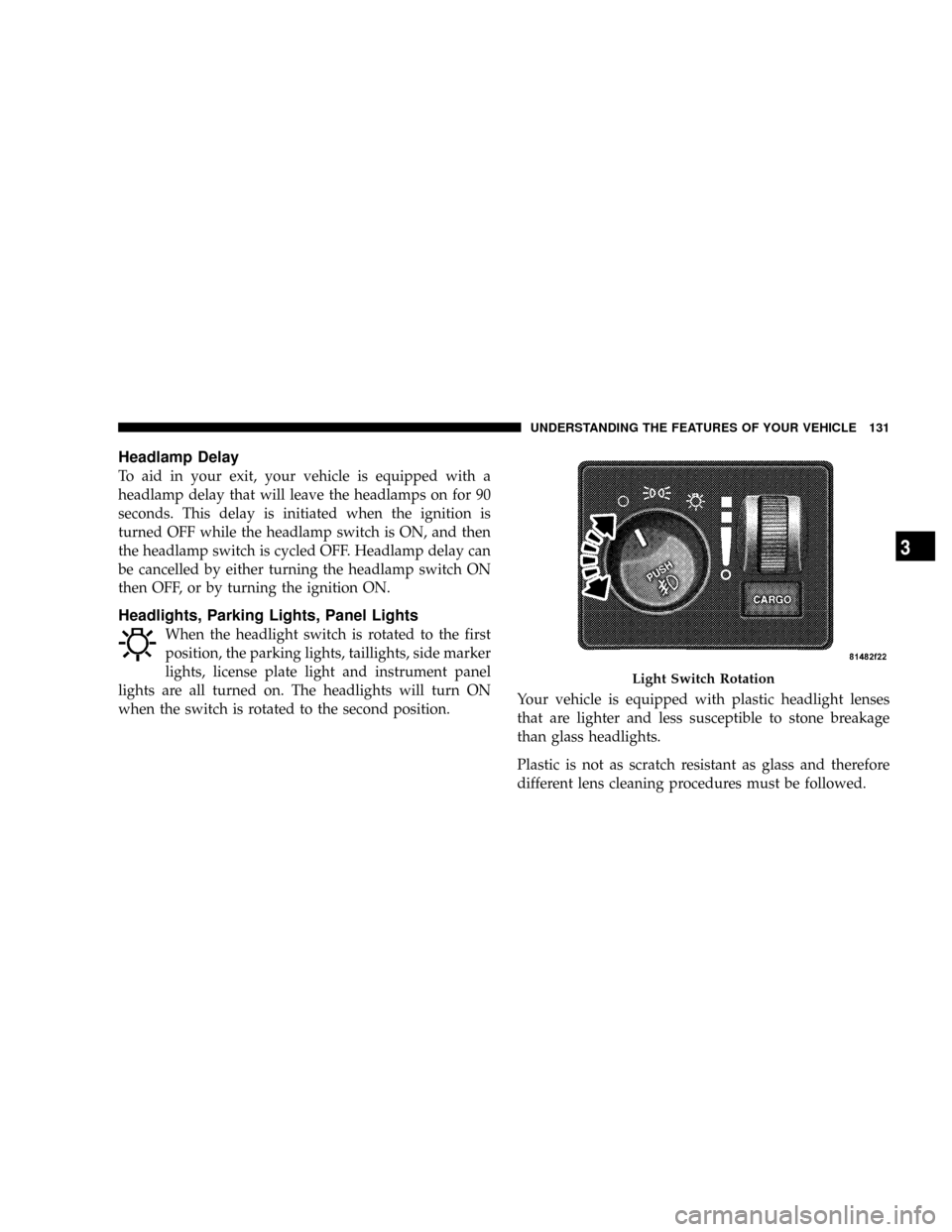
Headlights, Parking Lights, Panel Lights
When the headlight switch is rotated to the first
position, the parking lights, taillights, side marker
lights, license plate light and instrument panel
lights are all turned on. The headlights will turn ON
when the switch is rotated to the second position.Your vehicle is equipped with plastic headlight lenses
that are lighter and less susceptible to stone breakage
than glass headlights.
Plastic is not as scratch resistant as glass and therefore
different lens cleaning procedures must be followed.
Light Switch Rotation
UNDERSTANDING THE FEATURES OF YOUR VEHICLE 131
3
Page 134 of 527
To minimize the possibility of scratching the lenses and
reducing light output, avoid wiping with a dry cloth. To
remove road dirt, wash with a mild soap solution fol-
lowed by rinsing.
Do not use abrasive cleaning components, solvents, steel
wool or other abrasive materials to clean the lenses.
Daytime Running Lights (Canada Only and Fleet
Vehicles)
The headlights on your vehicle will illuminate when the
engine is started and the transmission is in any gear
except PARK. This provides a constant9Lights ON9
condition until the ignition is turned OFF. The lights
illuminate at less than 50% of normal intensity. If the
parking brake is applied, the Daytime Running Lights
(DRL) will turn OFF. Also, if a turn signal is activated, the
DRL lamp on the same side of the vehicle will turn off for
the duration of the turn signal activation. Once the turn
signal is no longer active, the DRL lamp will illuminate.
Lights-on Reminder
If the headlights, parking lights, or cargo lights are left on
after the ignition is turned OFF, a chime will sound when
the driver's door is opened.
Fog Lights Ð If Equipped
The fog lights are turned ON by placing the
headlight rotary control in the parking light or
headlight position and pushing in the headlight
rotary control. The fog lights will operate only when the
parking lights are on or when the vehicle headlights are
on low beam. An indicator light located in the instrument
cluster will illuminate when the fog lights are on. The fog
lights will turn off when the switch is pushed a second
time, when the headlight switch is rotated to the OFF
position, or the high beam is selected.
132 UNDERSTANDING THE FEATURES OF YOUR VEHICLE
Page 135 of 527
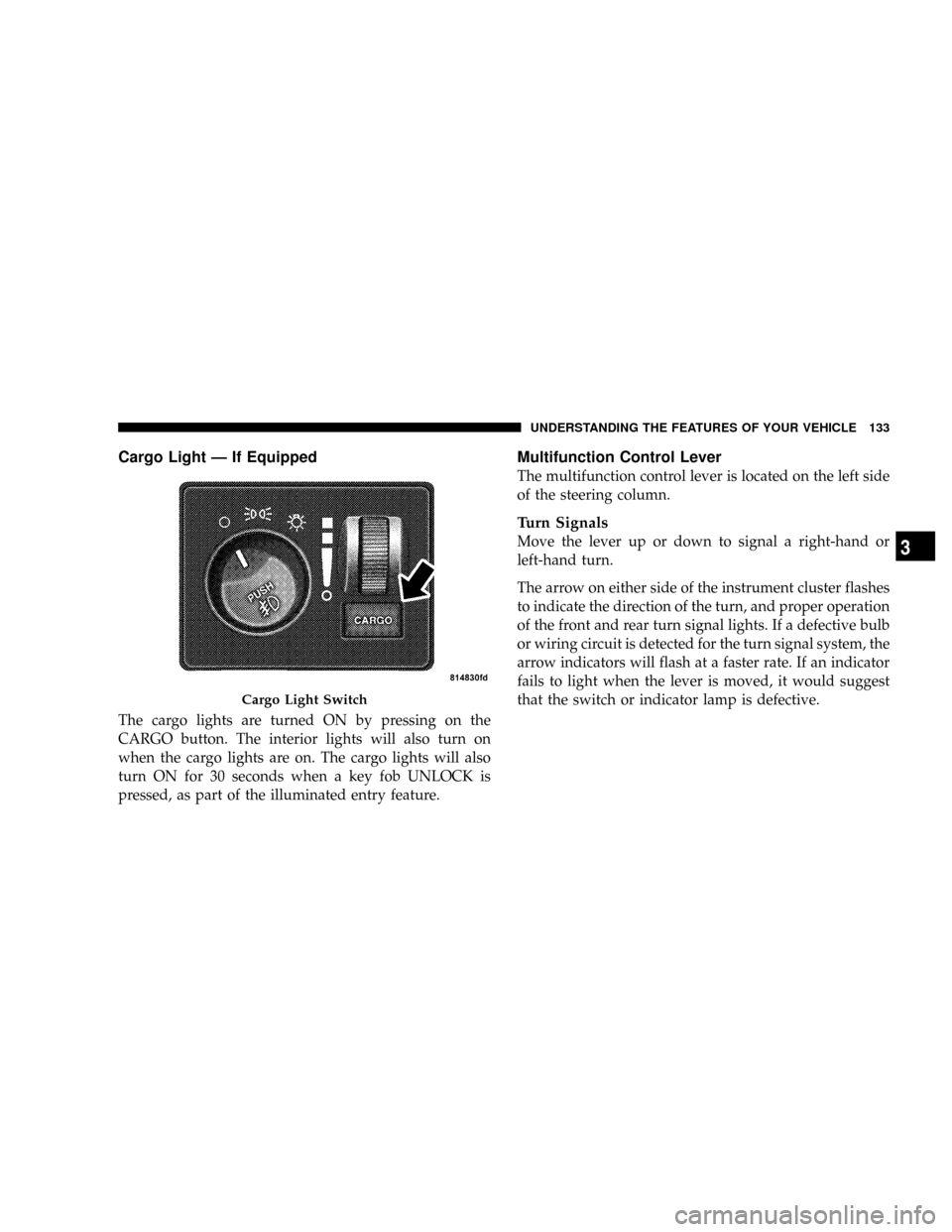
Cargo Light Ð If Equipped
The cargo lights are turned ON by pressing on the
CARGO button. The interior lights will also turn on
when the cargo lights are on. The cargo lights will also
turn ON for 30 seconds when a key fob UNLOCK is
pressed, as part of the illuminated entry feature.
Multifunction Control Lever
The multifunction control lever is located on the left side
of the steering column.
Turn Signals
Move the lever up or down to signal a right-hand or
left-hand turn.
The arrow on either side of the instrument cluster flashes
to indicate the direction of the turn, and proper operation
of the front and rear turn signal lights. If a defective bulb
or wiring circuit is detected for the turn signal system, the
arrow indicators will flash at a faster rate. If an indicator
fails to light when the lever is moved, it would suggest
that the switch or indicator lamp is defective.
Cargo Light Switch
UNDERSTANDING THE FEATURES OF YOUR VEHICLE 133
3
Page 136 of 527
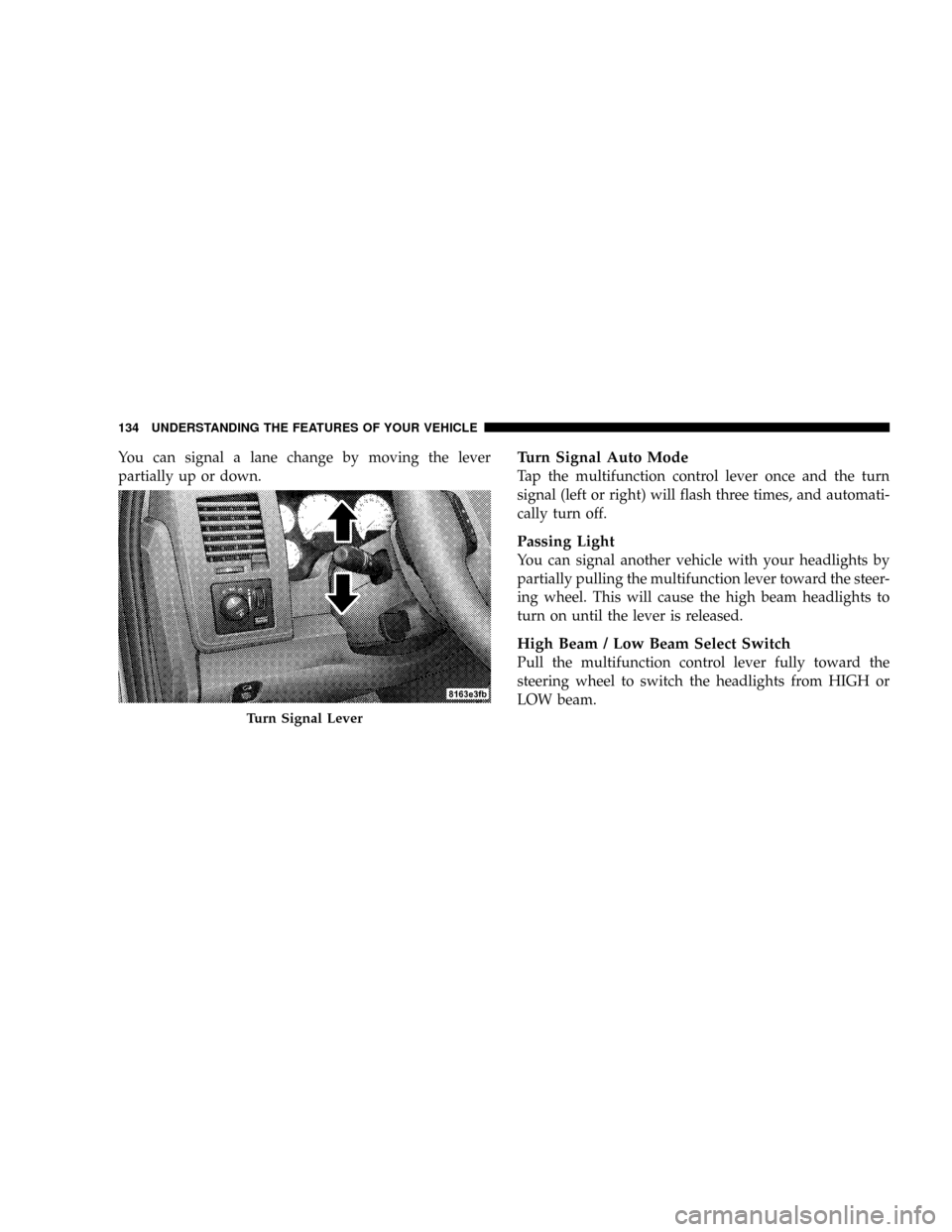
You can signal a lane change by moving the lever
partially up or down.Turn Signal Auto Mode
Tap the multifunction control lever once and the turn
signal (left or right) will flash three times, and automati-
cally turn off.
Passing Light
You can signal another vehicle with your headlights by
partially pulling the multifunction lever toward the steer-
ing wheel. This will cause the high beam headlights to
turn on until the lever is released.
High Beam / Low Beam Select Switch
Pull the multifunction control lever fully toward the
steering wheel to switch the headlights from HIGH or
LOW beam.
Turn Signal Lever
134 UNDERSTANDING THE FEATURES OF YOUR VEHICLE
Page 142 of 527
NOTE:The Electronic Speed Control System has been
designed to shut down if multiple speed control switch
buttons (i.e., SET and CANCEL) are operated simulta-
neously, in order to ensure proper operation. The system
can be reactivated by pushing the speed control switch
ON/OFF button and re-establishing the desired vehicle
SET speed.
To Activate
Push the ON/OFF button to the ON position. An indi-
cator light in the instrument cluster illuminates when the
system is on.
To Set At A Desired Speed
When the vehicle has reached the desired speed, press
and release the SET button. Release the accelerator and
the vehicle will operate at the selected speed.
To Deactivate
A soft tap on the brake pedal, normal braking, clutch
pressure while slowing the vehicle, or pressing the CAN-
CEL button will deactivate speed control without erasing
the memory. Pushing the ON/OFF button to the OFF
position or turning off the ignition erases the memory.
WARNING!
Leaving the speed control ON when not in use is
dangerous. You could accidentally set the system to
cause it to go faster than you want. You could lose
control and have an accident. Always leave the sys-
tem OFF when you aren't using it.
140 UNDERSTANDING THE FEATURES OF YOUR VEHICLE
Page 144 of 527
Vehicles equipped with a 4±speed automatic transmis-
sion may exhibit several 4-3 downshifts under the above
conditions. To reduce the frequency of the downshifts
and to improve vehicle performance, it is advisable to
lock out overdrive by pressing the O/D OFF button
located at the end of the gear shifter.
WARNING!
Speed control can be dangerous where the system
can't maintain a constant speed. Your vehicle could
go too fast for the conditions, and you could lose
control. An accident could be the result. Don't use
speed control in heavy traffic or on roads that are
winding, icy, snow-covered, or slippery.
OVERHEAD CONSOLE WITH ELECTRONIC
VEHICLE INFORMATION CENTER (EVIC) Ð
DIESEL ONLY
The overhead console contains dome/reading lights, and
an Electronic Vehicle Information Center (EVIC).
Dome/Reading Lights
Located in the overhead console are two dome/reading
lights.
The dome/reading lights illuminate when a door is
opened or when the interior lights are turned on by
rotating the dimmer control located on the headlight
switch.
The reading lights are activated by pressing on the
recessed area of the corresponding lens.
NOTE:The dome/reading lights will remain on until
the switch is pressed a second time, so be sure they have
been turned off before leaving the vehicle.
142 UNDERSTANDING THE FEATURES OF YOUR VEHICLE
Page 145 of 527
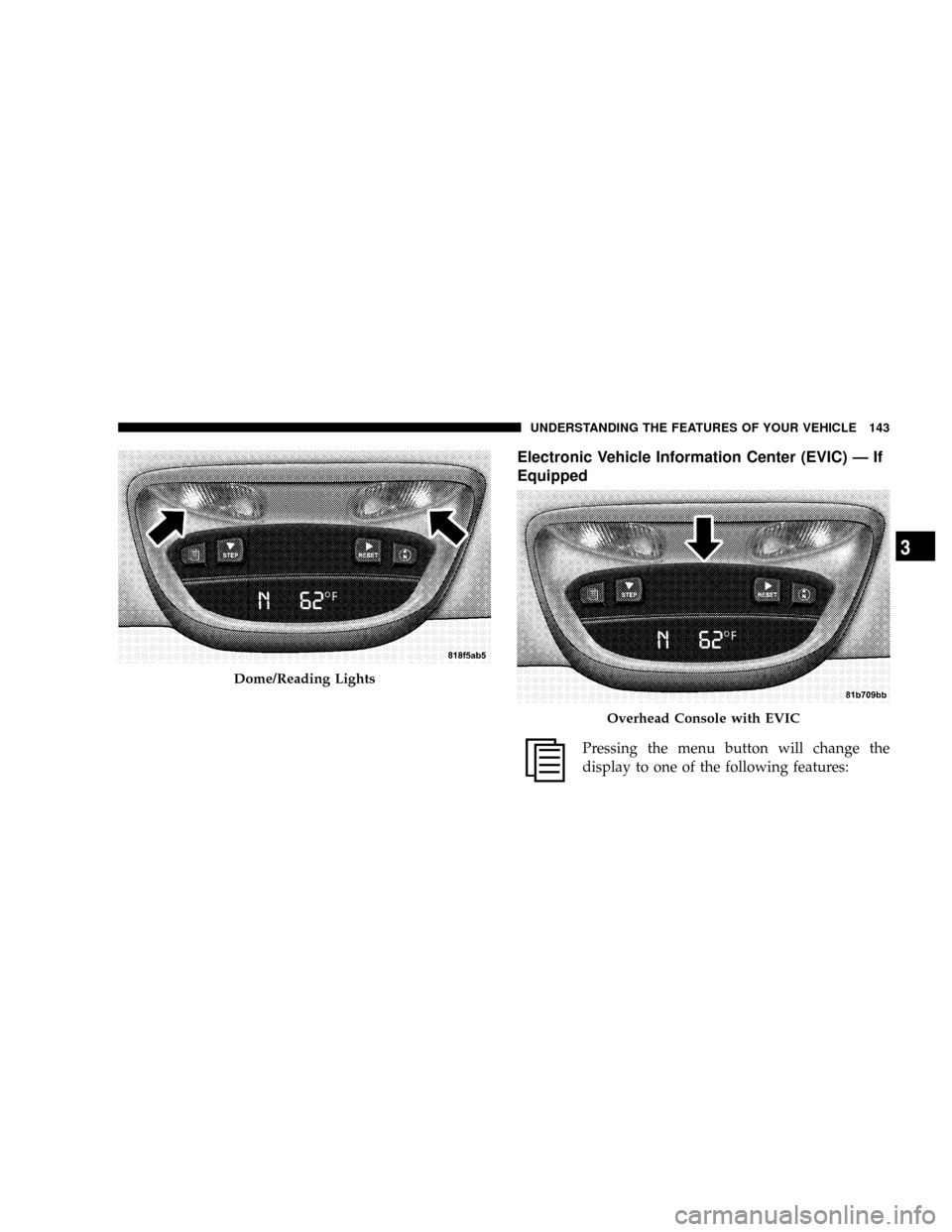
Electronic Vehicle Information Center (EVIC) Ð If
Equipped
Pressing the menu button will change the
display to one of the following features:
Dome/Reading Lights
Overhead Console with EVIC
UNDERSTANDING THE FEATURES OF YOUR VEHICLE 143
3
Page 150 of 527
²ªSOUND HORN W/LOCK > ONº ± When ON is
selected, a short horn sound will occur when the
remote keyless entry LOCK button is pressed. This
feature may be selected with or without the flash lights
on lock/unlock feature. To make your selection, press
and release the RESET button until ªONº or ªOFFº
appears.
²ªFLASH LIGHTS W/LOCK > ONº ± When ON is
selected, the front and rear turn signals will flash when
the doors are locked or unlocked with the remote
keyless entry transmitter. This feature may be selected
with or without the sound horn on lock feature
selected. To make your selection, press and release the
RESET button until ªONº or ªOFFº appears.
²ªHEAD LAMP OFF DELAY > 0 SECº ± When this
feature is selected, the driver can choose to have the
headlights remain on for 0, 30, 60, or 90 seconds whenexiting the vehicle. To make your selection, press and
release the RESET button until ª0,º ª30,º ª60,º or ª90º
appears.
²ªKEY OFF POWER DELAY > OFFº ± When this
feature is selected, the power window switches, radio,
hands±free system (if equipped), and power outlets
will remain active for up to 10 minutes after the
ignition switch is turned OFF. Opening a vehicle door
will cancel this feature. To make your selection, press
and release the RESET button until ªOff,º ª45 sec.,º ª5
min.,º ª10 min.º appears.
²ªILLUMINATED APRCH > OFFº ± When this feature
is selected, the headlights will activate and remain on
for up to 90 seconds when the doors are unlocked with
the remote keyless entry transmitter. To make your
selection, press and release the RESET button until
ªOFF,º ª30 sec.,º ª60 sec.,º or ª90 sec.º appears.
148 UNDERSTANDING THE FEATURES OF YOUR VEHICLE
Page 153 of 527
1.Turn the ignition switch to the ON/RUN position.
2.Press the Menu buttonuntil Personal Settings is
displayed.
3.Press the STEP buttonuntil ªCompass Varianceº is
displayed.
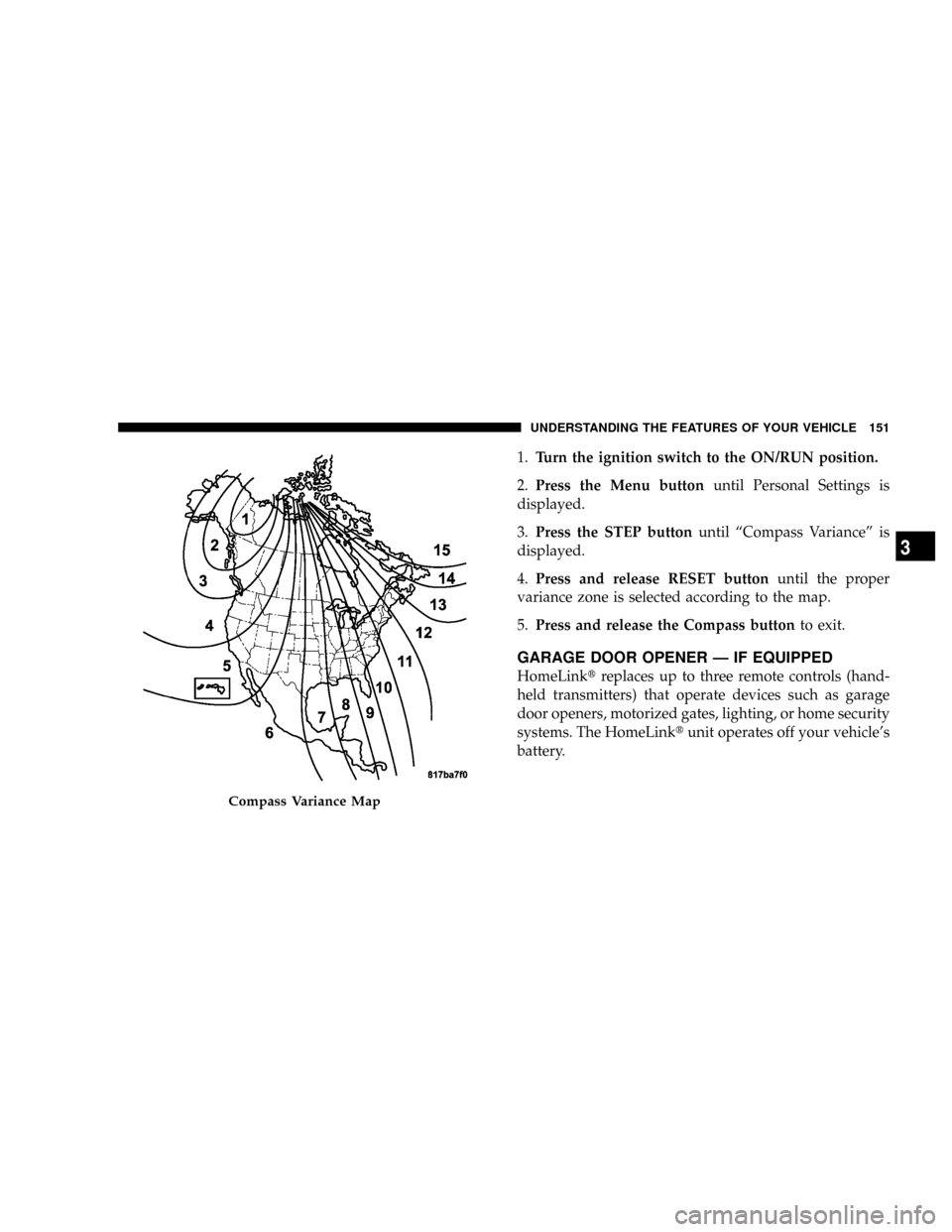
4.Press and release RESET buttonuntil the proper
variance zone is selected according to the map.
5.Press and release the Compass buttonto exit.
GARAGE DOOR OPENER Ð IF EQUIPPED
HomeLinktreplaces up to three remote controls (hand-
held transmitters) that operate devices such as garage
door openers, motorized gates, lighting, or home security
systems. The HomeLinktunit operates off your vehicle's
battery.
Compass Variance Map
UNDERSTANDING THE FEATURES OF YOUR VEHICLE 151
3