ECU DODGE RAM 2500 GAS 2008 3.G Owner's Manual
[x] Cancel search | Manufacturer: DODGE, Model Year: 2008, Model line: RAM 2500 GAS, Model: DODGE RAM 2500 GAS 2008 3.GPages: 554, PDF Size: 9.93 MB
Page 158 of 554
NOTE:The default for the compass variance is zone 8.
To set the variance: Turn the ignition ON and set the
display to ªCompass/Temperature.º Press and hold the
RESET button approximately five seconds. The last vari-
ance zone number will be displayed. Press the STEP
button to select the new variance zone and press the
RESET button to resume normal operation.
Outside Temperature
Because the ambient temperature sensor is located un-
derhood, engine temperature can influence the displayed
temperature, therefore, temperature readings are slowly
updated when the vehicle speed is below 20 mph (30
km/h) or during stop and go driving.
GARAGE DOOR OPENER Ð IF EQUIPPED
HomeLinktreplaces up to three remote controls (hand-
held transmitters) that operate devices such as garage
door openers, motorized gates, lighting, or home security
systems. The HomeLinktunit operates off of your vehi-
cle's battery.
The HomeLinktbuttons are located in the overhead
console, and contain one, two, or three dots/lines desig-
nating the different HomeLinktchannels.
156 UNDERSTANDING THE FEATURES OF YOUR VEHICLE
Page 164 of 554
Then proceed with Step 4 under, ªProgramming
HomeLinkt,º earlier in this section.
Using HomeLinkT
To operate, simply press and release the programmed
HomeLinktbutton. Activation will now occur for the
trained device (i.e., garage door opener, gate operator,
security system, entry door lock, home/office lighting,
etc.) The hand-held transmitter of the device may also be
used at any time.
Reprogramming A Single HomeLinkTButton
To reprogram a channel that has been previously trained,
follow these steps:
1. Turn the ignition switch to the ON/RUN position.
2. Press and hold the desired HomeLinktbutton, for 20
seconds, until the indicator(s) starts to flash.Do not
release the button.3.Without releasing the button,proceed with PRO-
GRAMMING HOMELINKt, Step #2, and follow all
remaining steps.
Security
It is advised to erase all channels before you sell or turn
in your vehicle.
To do this, press and hold the two outside buttons, for 20
seconds, until the indicators begin to flash. Note that all
channels will be erased. Individual channels cannot be
erased.
The HomeLinktUniversal Transceiver is disabled when
the Vehicle Theft Alarm is active.
Troubleshooting Tips
If you are having trouble programming HomeLinkt, here
are some of the most common solutions:
²Replace the battery in the original transmitter.
162 UNDERSTANDING THE FEATURES OF YOUR VEHICLE
Page 166 of 554
WARNING!
²Never leave children alone in a vehicle. Leaving
unattended children in a vehicle is dangerous for a
number of reasons. A child or others could be
seriously or fatally injured. Don't leave the key in
the ignition. A child could operate power win-
dows, other controls, or move the vehicle.
²In an accident, there is a greater risk of being
thrown from a vehicle with an open sunroof. You
could also be seriously injured or killed. Always
fasten your seat belt properly and make sure all
passengers are properly secured too.
²Do not allow small children to operate the sun-
roof. Never allow fingers or other body parts, or
any object to project through the sunroof opening.
Injury may result.
Open Sunroof - Express Mode
Momentarily pressing the switch rearward will activate
the Express Open Feature, causing the sunroof to open
automatically. During the Express Open operation, any
movement of the switch will stop the sunroof and it will
remain in a partial open position. Again, momentarily
pressing the switch rearward will activate the Express
Open Feature.
Closing Sunroof - Express
Press the switch forward and release, and the sunroof
will close automatically from any position. The sunroof
will close fully and stop automatically. This is called
Express Close. During Express Close operation, any
movement of the switch will stop the sunroof.
164 UNDERSTANDING THE FEATURES OF YOUR VEHICLE
Page 171 of 554
CUPHOLDERS
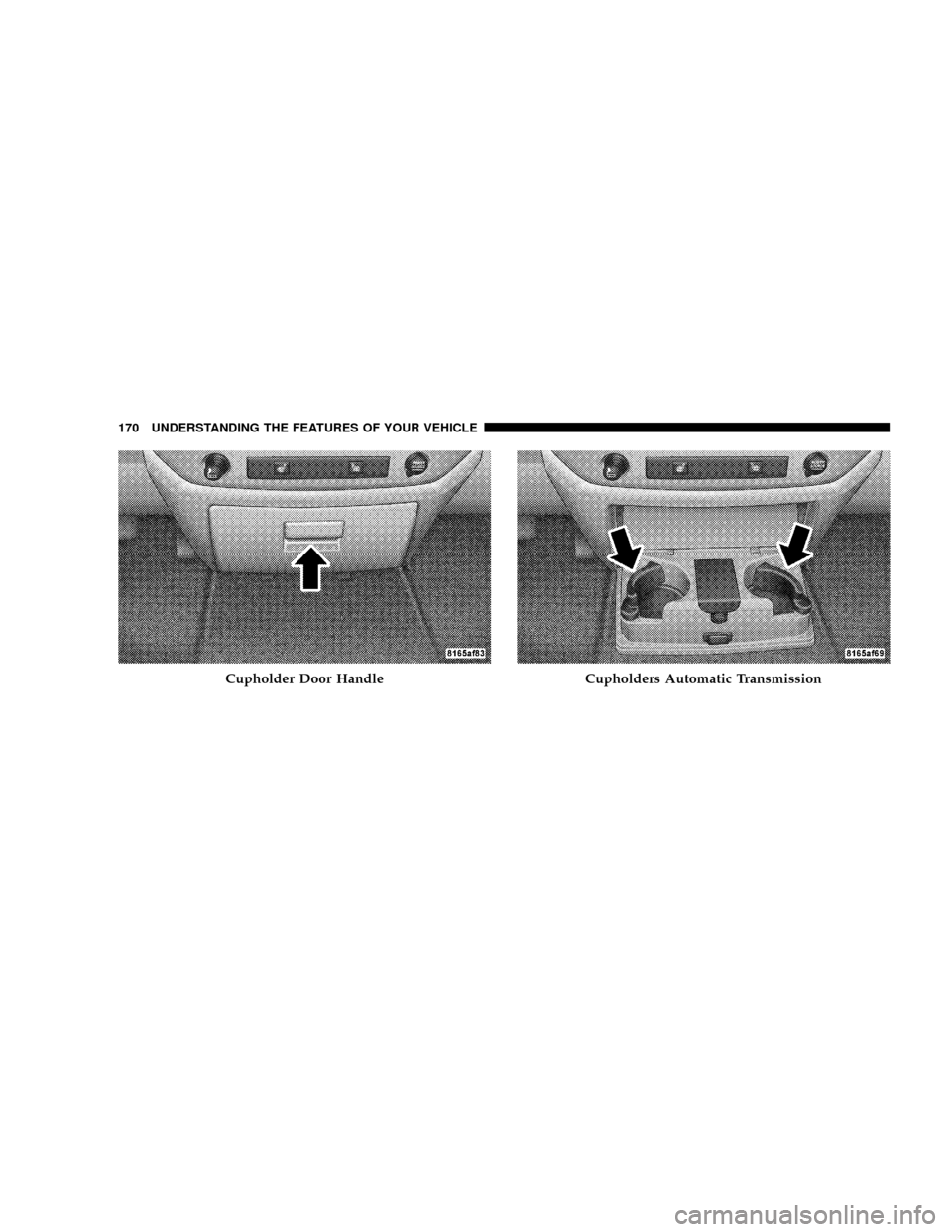
Front Instrument Panel Cupholders (40±20±40
Seats) Ð Automatic Transmission
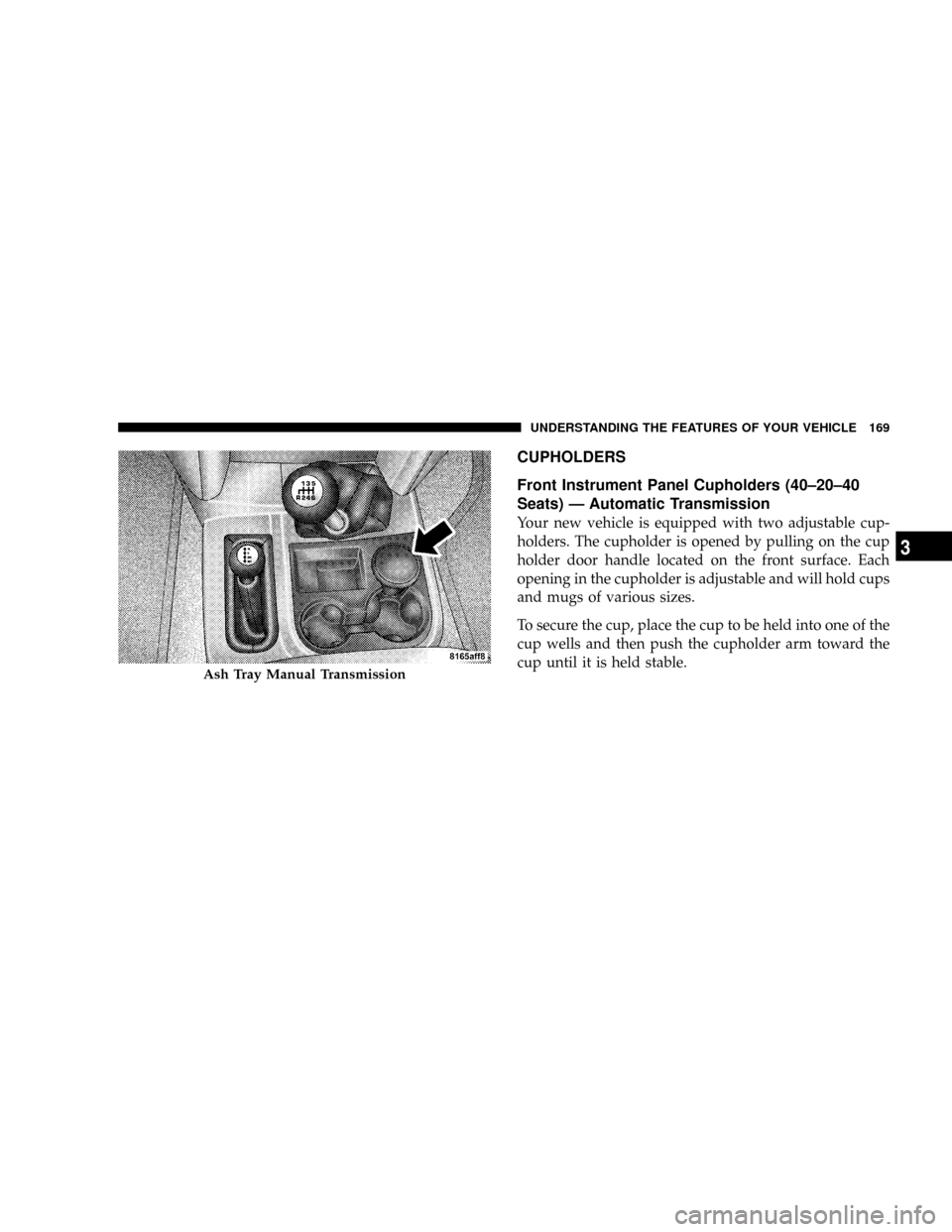
Your new vehicle is equipped with two adjustable cup-
holders. The cupholder is opened by pulling on the cup
holder door handle located on the front surface. Each
opening in the cupholder is adjustable and will hold cups
and mugs of various sizes.
To secure the cup, place the cup to be held into one of the
cup wells and then push the cupholder arm toward the
cup until it is held stable.
Ash Tray Manual Transmission
UNDERSTANDING THE FEATURES OF YOUR VEHICLE 169
3
Page 172 of 554
Cupholder Door HandleCupholders Automatic Transmission
170 UNDERSTANDING THE FEATURES OF YOUR VEHICLE
Page 183 of 554
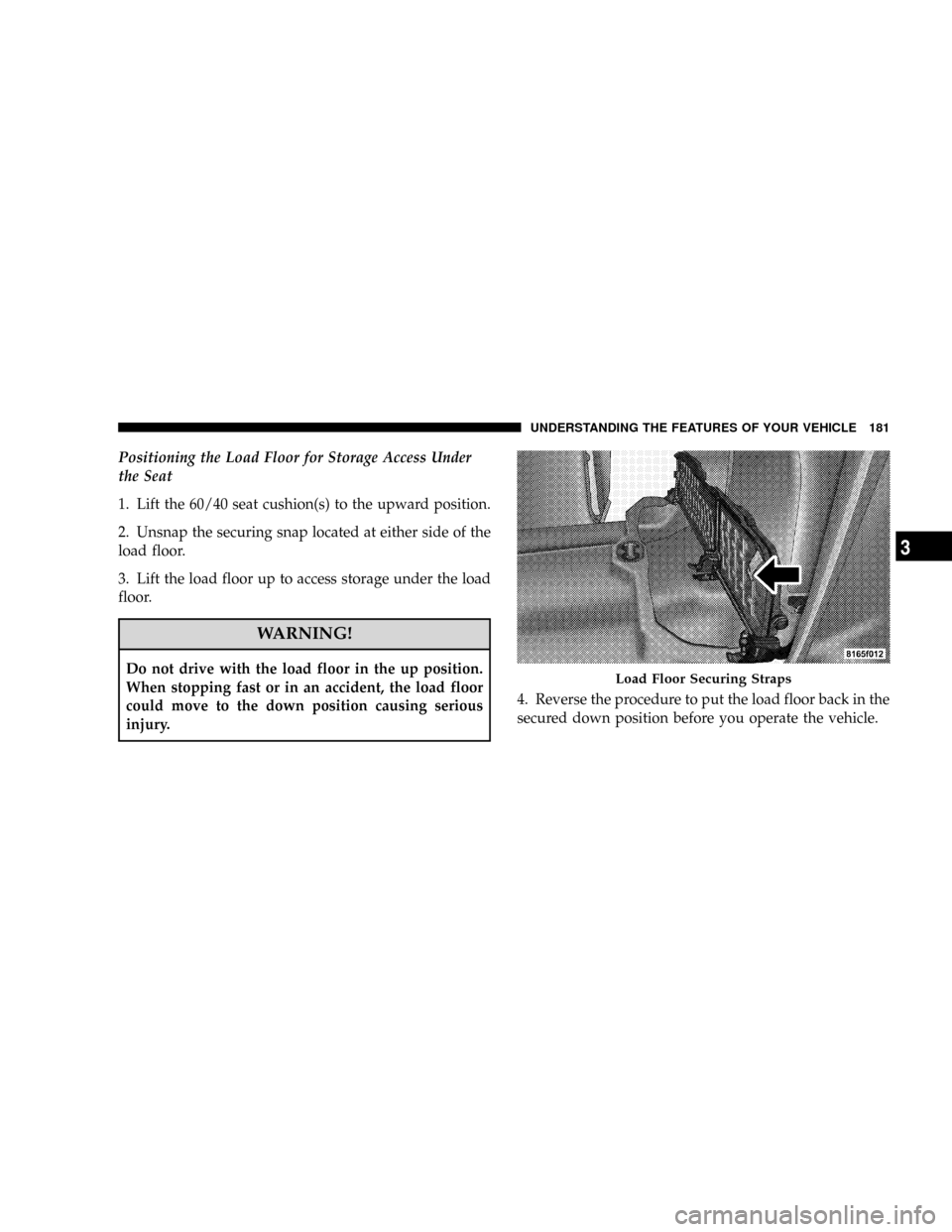
Positioning the Load Floor for Storage Access Under
the Seat
1. Lift the 60/40 seat cushion(s) to the upward position.
2. Unsnap the securing snap located at either side of the
load floor.
3. Lift the load floor up to access storage under the load
floor.
WARNING!
Do not drive with the load floor in the up position.
When stopping fast or in an accident, the load floor
could move to the down position causing serious
injury.4. Reverse the procedure to put the load floor back in the
secured down position before you operate the vehicle.Load Floor Securing Straps
UNDERSTANDING THE FEATURES OF YOUR VEHICLE 181
3
Page 201 of 554
CAUTION!
Do not leave your vehicle unattended with the en-
gine running as you would not be able to react to the
temperature indicator if the engine overheats.
NOTE:Engine idle speed will automatically increase to
1000 rpm at elevated coolant temperatures to improve
engine cooling.
NOTE:If the gauge pointer moves to either extreme of
the gauge, the ªCheck Gaugesº indicator will illuminate
and a single chime will sound.
14. Security Light
This light will flash rapidly for approximately 15 seconds
when the Vehicle Security Alarm is arming. The light will
flash at a slower speed continuously after the alarm is set.
The Security light will also come on for about three
seconds when the ignition is first turned on.15. Transmission Range Indicator (Automatic
Transmissions Only)
When the gear selector lever is moved, this indicator
shows the automatic transmission gear range selected.
16. Odometer/Trip Odometer
The odometer shows the total distance the vehicle has
been driven. U.S. federal regulations require that upon
transfer of vehicle ownership, the seller certify to the
purchaser the correct mileage that the vehicle has been
driven. Therefore, if the odometer reading is changed
during repair or replacement, be sure to keep a record of
the reading before and after the service so that the correct
mileage can be determined.
The two trip odometers show individual trip mileage. To
switch from odometer to trip odometers, press and
release the Trip Odometer button.
UNDERSTANDING YOUR INSTRUMENT PANEL 199
4
Page 385 of 554
Loading
The actual total weight and the weight of the front and
rear of your vehicle at the ground can best be determined
by weighing it when it is loaded and ready for operation.
The entire vehicle should first be weighed on a commer-
cial scale to insure that the GVWR has not been exceeded.
The weight on the front and rear of the vehicle should
then be determined separately to be sure that the load is
properly distributed over front and rear axle. Weighing
the vehicle may show that the GAWR of either the front
or rear axles has been exceeded but the total load is
within the specified GVWR. If so, weight must be shifted
from front to rear or rear to front as appropriate until the
specified weight limitations are met. Store the heavier
items down low and be sure that the weight is distributed
equally. Stow all loose items securely before driving.Improper weight distributions can have an adverse effect
on the way your vehicle steers and handles and the way
the brakes operate.
CAUTION!
Do not load your vehicle any heavier than the GVWR
or the maximum front and rear GAWR. If you do,
parts on your vehicle can break, or it can change the
way your vehicle handles. This could cause you to
lose control. Also overloading can shorten the life of
your vehicle.
STARTING AND OPERATING 383
5
Page 394 of 554
Towing Requirements
To promote proper break-in of your new vehicle driv-
etrain components the following guidelines are recom-
mended:
CAUTION!
²Avoid towing a trailer for the first 500 miles (805
km) of vehicle operation. Doing so may damage
your vehicle.
²During the first 500 miles (805 km) of trailer
towing, limit your speed to 50 mph (80 km/h).
WARNING!
Your vehicle may require special axle lubricant.
Please refer to the fluids section of this manual.Perform the maintenance listed in Section 8 of this
manual. When towing a trailer, never exceed the GAWR,
or GCWR, ratings.
WARNING!
Improper towing can lead to an injury accident.
Follow these guidelines to make your trailer towing
as safe as possible:
Make certain that the load is secured in the trailer
and will not shift during travel. When trailering
cargo that is not fully secured, dynamic load shifts
can occur that may be difficult for the driver to
control. You could lose control of your vehicle and
have an accident.
²When hauling cargo or towing a trailer, do not over-
load your vehicle or trailer. Overloading can cause a
392 STARTING AND OPERATING
Page 423 of 554
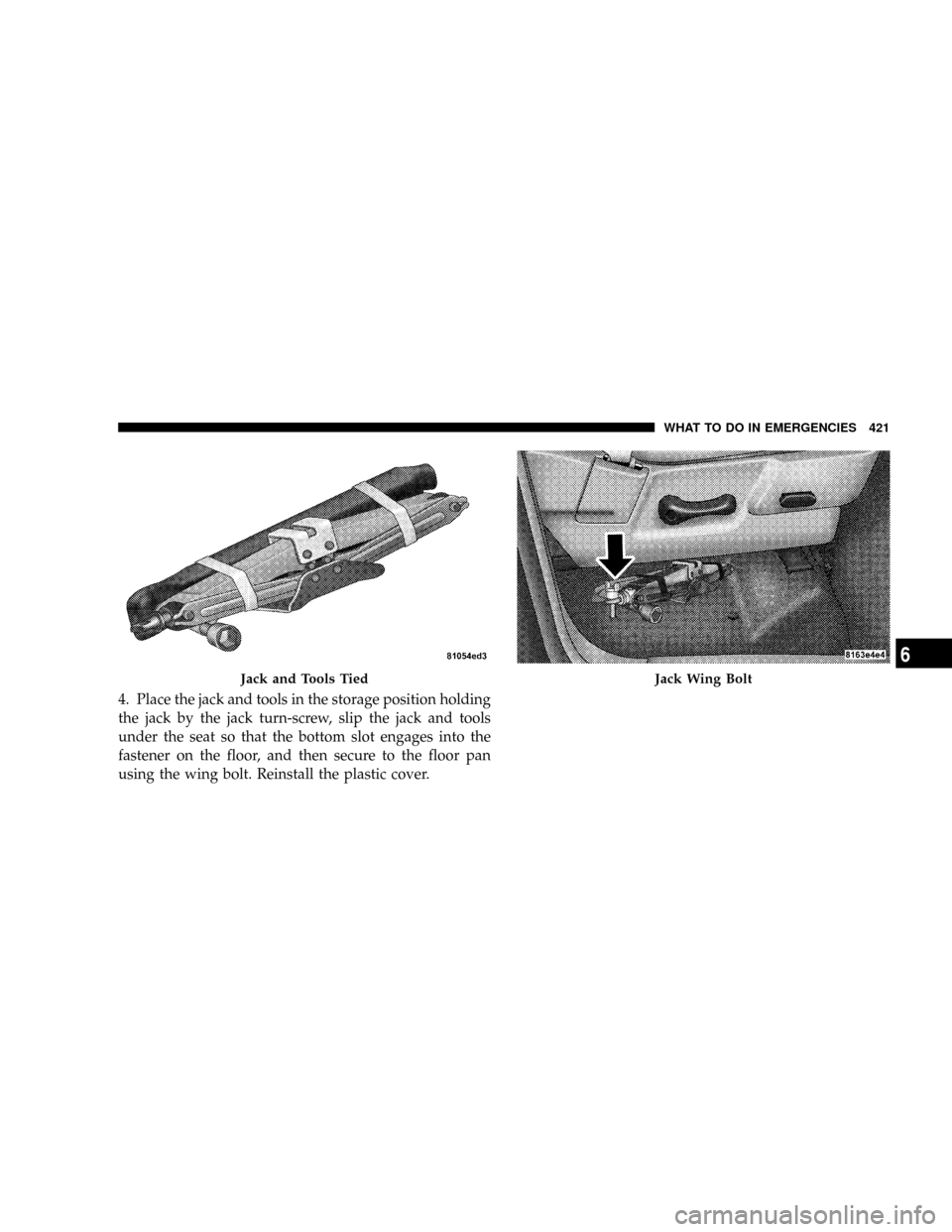
4. Place the jack and tools in the storage position holding
the jack by the jack turn-screw, slip the jack and tools
under the seat so that the bottom slot engages into the
fastener on the floor, and then secure to the floor pan
using the wing bolt. Reinstall the plastic cover.
Jack and Tools TiedJack Wing Bolt
WHAT TO DO IN EMERGENCIES 421
6