clock DODGE RAM 3500 GAS 2008 3.G User Guide
[x] Cancel search | Manufacturer: DODGE, Model Year: 2008, Model line: RAM 3500 GAS, Model: DODGE RAM 3500 GAS 2008 3.GPages: 554, PDF Size: 9.93 MB
Page 263 of 554
Blower Control
The rotary knob on the left of the
control panel is the blower control.
Turn the knob clockwise to one of the
four positions to obtain the blower
speed you desire. To turn the blower
off, turn the knob to the far left posi-
tion.
Temperature Control
The rotary knob at the center of the
control panel controls the temperature
of the interior air. You can choose your
degree of comfort by rotating the
knob. The coldest temperature setting
is to the extreme left (blue region) and
the warmest setting is to the extreme
right (red region) of the rotation.
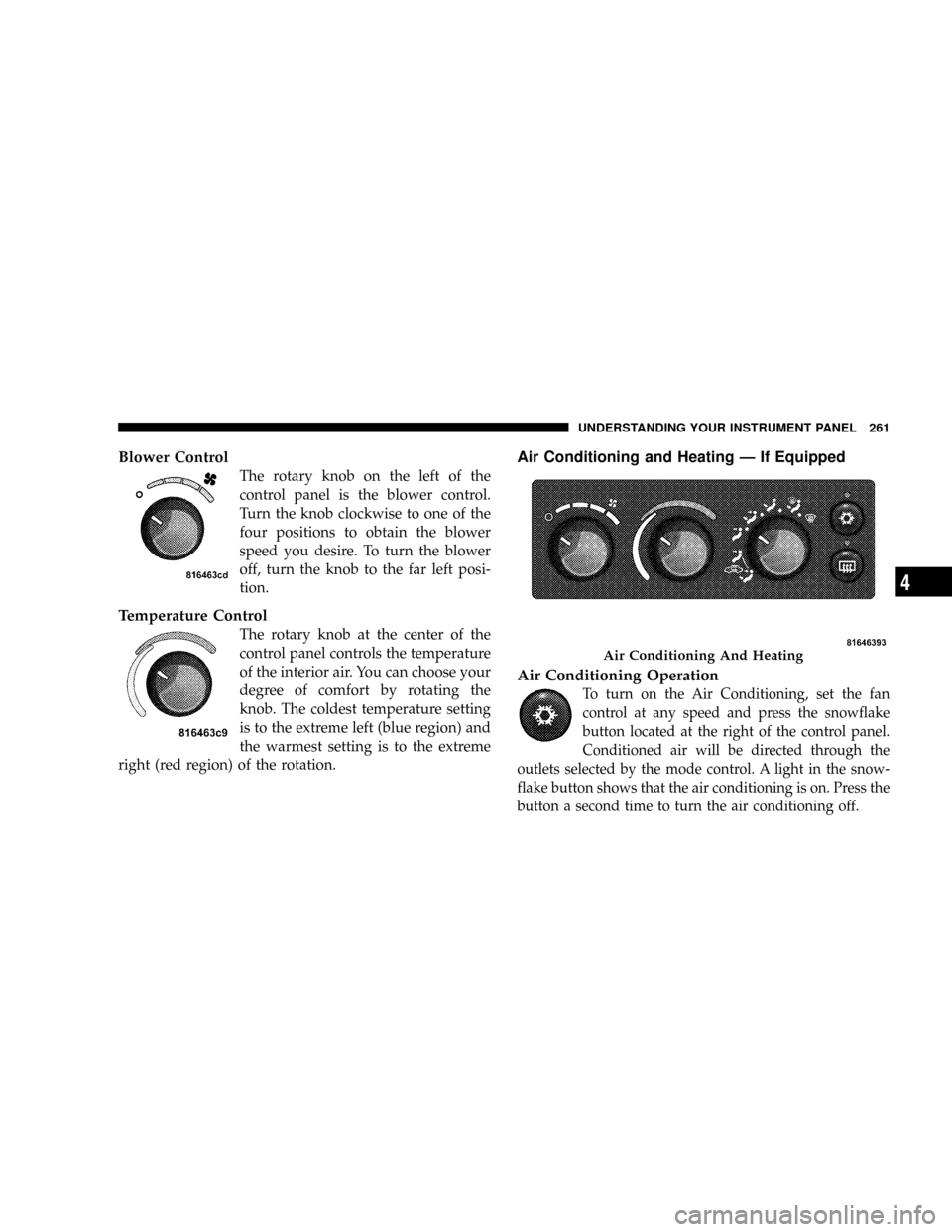
Air Conditioning and Heating Ð If Equipped
Air Conditioning Operation
To turn on the Air Conditioning, set the fan
control at any speed and press the snowflake
button located at the right of the control panel.
Conditioned air will be directed through the
outlets selected by the mode control. A light in the snow-
flake button shows that the air conditioning is on. Press the
button a second time to turn the air conditioning off.
Air Conditioning And Heating
UNDERSTANDING YOUR INSTRUMENT PANEL 261
4
Page 265 of 554
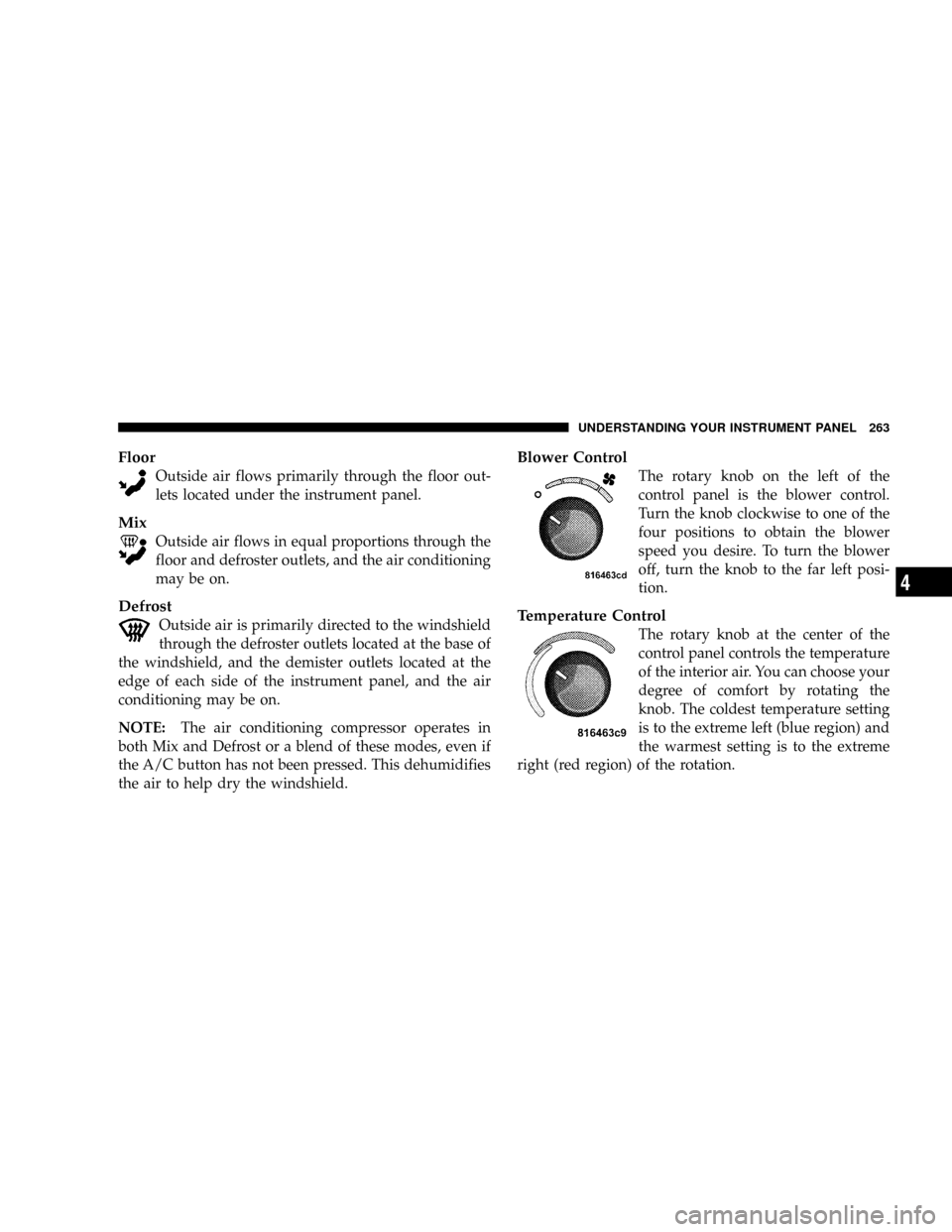
Floor
Outside air flows primarily through the floor out-
lets located under the instrument panel.
Mix
Outside air flows in equal proportions through the
floor and defroster outlets, and the air conditioning
may be on.
Defrost
Outside air is primarily directed to the windshield
through the defroster outlets located at the base of
the windshield, and the demister outlets located at the
edge of each side of the instrument panel, and the air
conditioning may be on.
NOTE:The air conditioning compressor operates in
both Mix and Defrost or a blend of these modes, even if
the A/C button has not been pressed. This dehumidifies
the air to help dry the windshield.
Blower Control
The rotary knob on the left of the
control panel is the blower control.
Turn the knob clockwise to one of the
four positions to obtain the blower
speed you desire. To turn the blower
off, turn the knob to the far left posi-
tion.
Temperature Control
The rotary knob at the center of the
control panel controls the temperature
of the interior air. You can choose your
degree of comfort by rotating the
knob. The coldest temperature setting
is to the extreme left (blue region) and
the warmest setting is to the extreme
right (red region) of the rotation.
UNDERSTANDING YOUR INSTRUMENT PANEL 263
4
Page 269 of 554
Blower Control
The rotary knob on the left of the
control panel is the blower control.
Turn the knob clockwise to one of the
four positions to obtain the blower
speed you desire. To turn the blower
off, turn the knob to the far left posi-
tion.
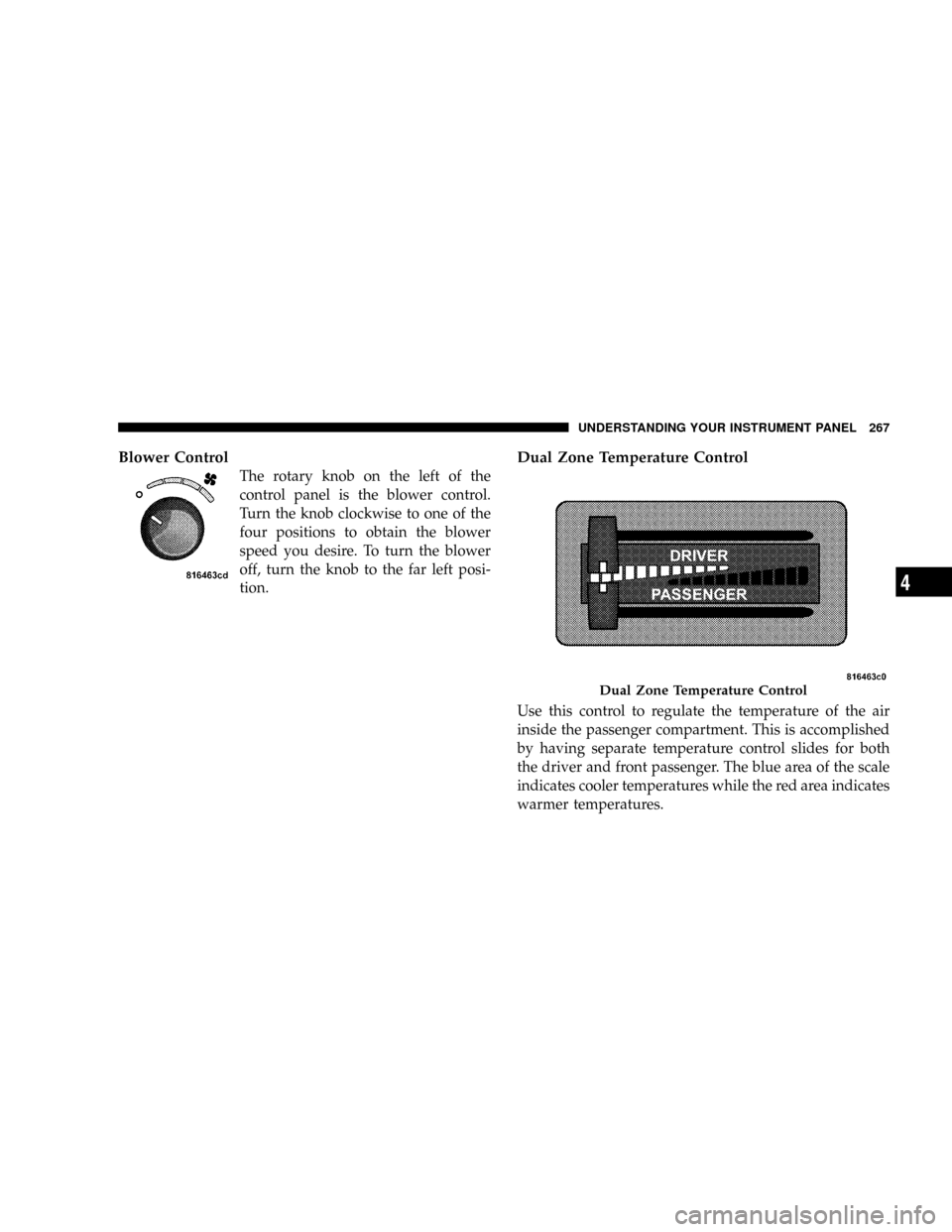
Dual Zone Temperature Control
Use this control to regulate the temperature of the air
inside the passenger compartment. This is accomplished
by having separate temperature control slides for both
the driver and front passenger. The blue area of the scale
indicates cooler temperatures while the red area indicates
warmer temperatures.
Dual Zone Temperature Control
UNDERSTANDING YOUR INSTRUMENT PANEL 267
4
Page 333 of 554
WARNING!
HSA is not a parking brake. If you stop the vehicle on
a hill without putting the transmission in PARK or
using the parking brake, it will roll down the incline
and could cause a collision with another vehicle or
object. Always remember to use the parking brake
while parking on a hill, and that the driver is
responsible for braking the vehicle.
HSA Off
If you wish to turn off the HSA system, follow this
procedure:
1. Start with the engine off and vehicle in PARK (auto-
matic transmission) or NEUTRAL with clutch out
(manual transmission) with wheels straight. Apply park-
ing brake on manual transmission vehicle.2. Start the engine.
3. With the engine running, the brake applied, and the
clutch out, rotate the steering wheel 180É counterclock-
wise from center.
4. Press ESP button four times within twenty seconds.
The ªESP/TCS Indicator Lightº should appear and dis-
appear four times.
5. Rotate the steering wheel 360É clockwise (180É clock-
wise from center).
6. Cycle ignition switch OFF then ON.
7. If the sequence was completed properly, the ªESP/
TCS Indicator Lightº will blink several times to confirm
HSA is off.
Steps 1-7 must be completed within 90 seconds to turn off
HSA. Repeat steps 1-7 to re-enable HSA functionality.
STARTING AND OPERATING 331
5
Page 424 of 554
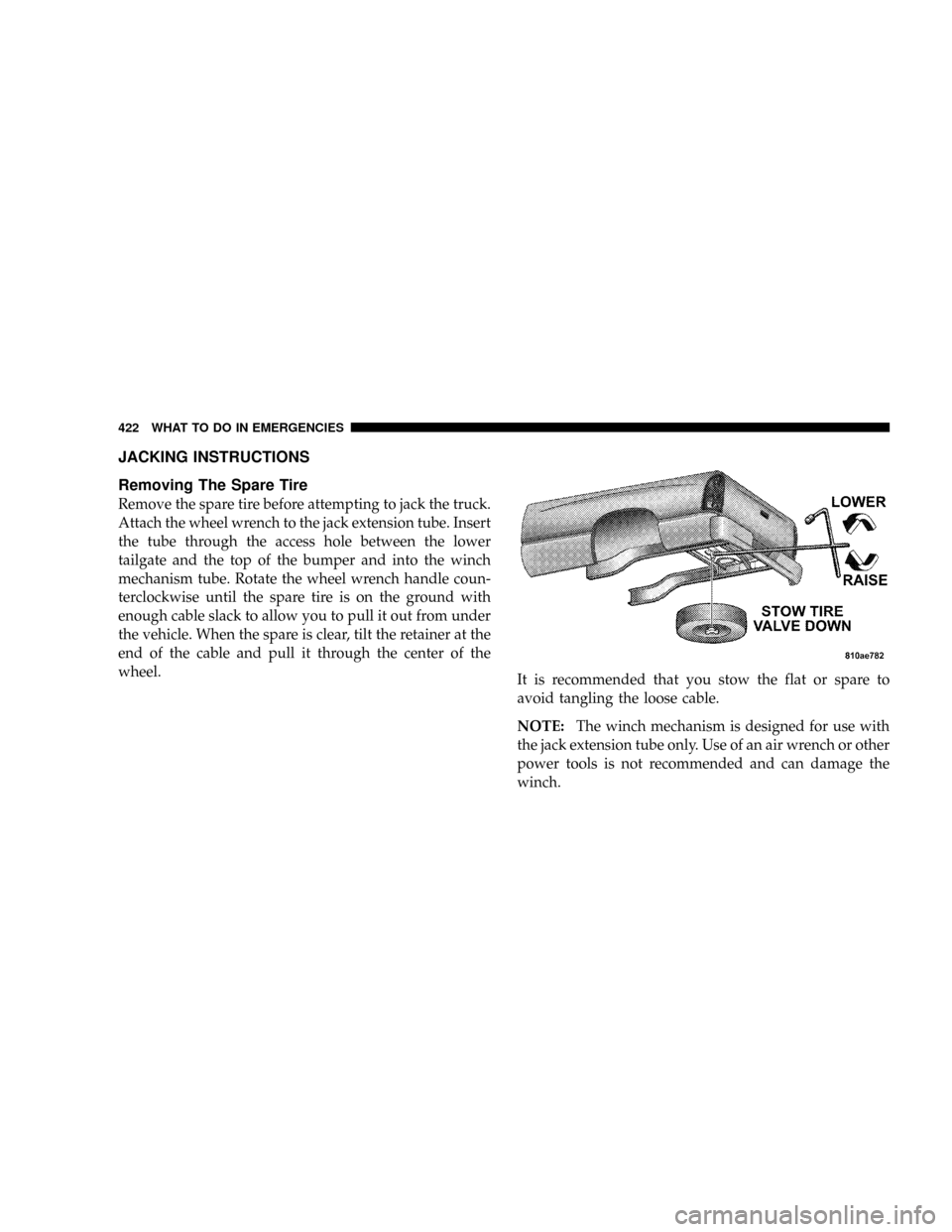
JACKING INSTRUCTIONS
Removing The Spare Tire
Remove the spare tire before attempting to jack the truck.
Attach the wheel wrench to the jack extension tube. Insert
the tube through the access hole between the lower
tailgate and the top of the bumper and into the winch
mechanism tube. Rotate the wheel wrench handle coun-
terclockwise until the spare tire is on the ground with
enough cable slack to allow you to pull it out from under
the vehicle. When the spare is clear, tilt the retainer at the
end of the cable and pull it through the center of the
wheel.
It is recommended that you stow the flat or spare to
avoid tangling the loose cable.
NOTE:The winch mechanism is designed for use with
the jack extension tube only. Use of an air wrench or other
power tools is not recommended and can damage the
winch.
422 WHAT TO DO IN EMERGENCIES
Page 427 of 554
1. Remove the spare wheel, jack, and tools from storage.
2. Using the wheel wrench, loosen, but do not remove,
the wheel nuts by turning them counterclockwise one
turn while the wheel is still on the ground.
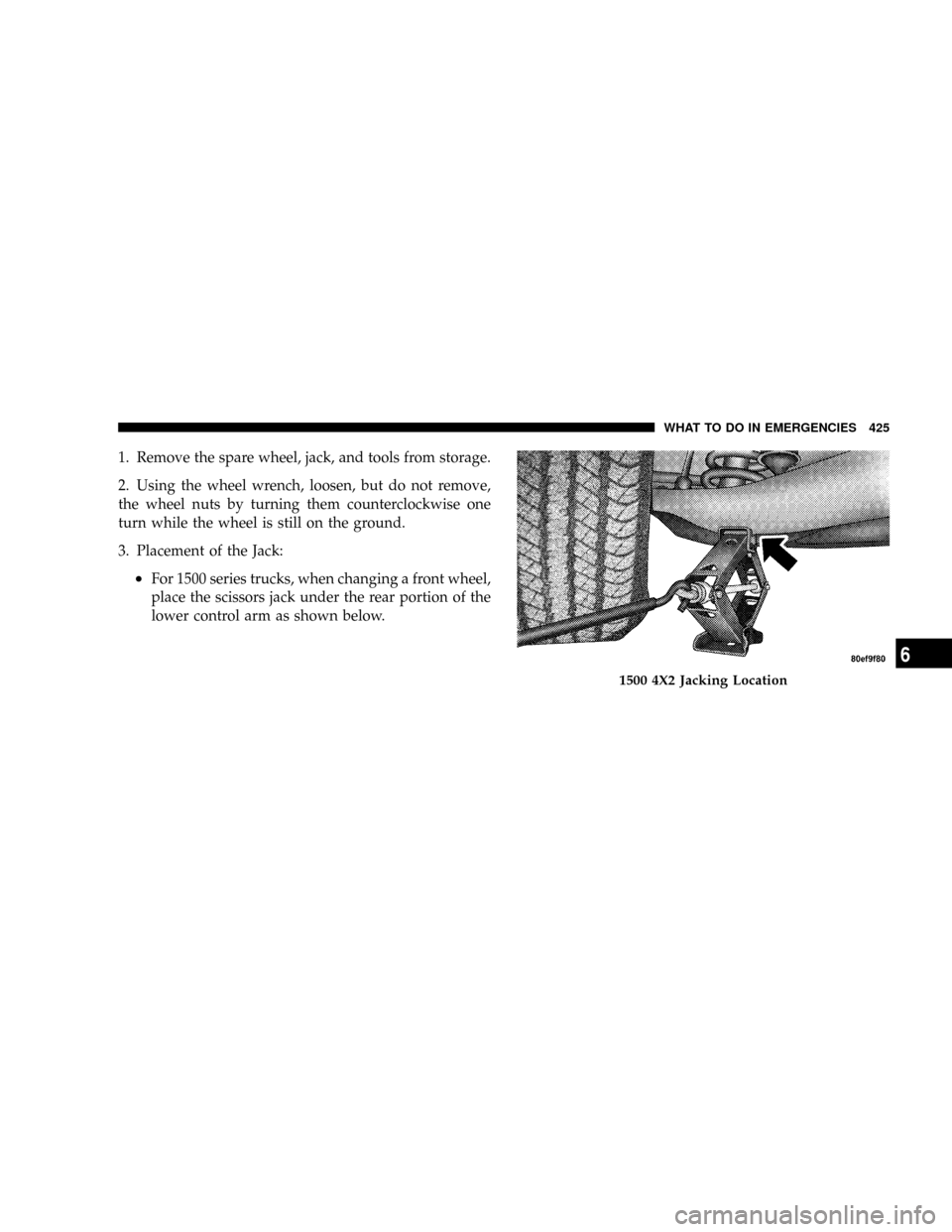
3. Placement of the Jack:
²For 1500 series trucks, when changing a front wheel,
place the scissors jack under the rear portion of the
lower control arm as shown below.
1500 4X2 Jacking Location
WHAT TO DO IN EMERGENCIES 425
6
Page 430 of 554
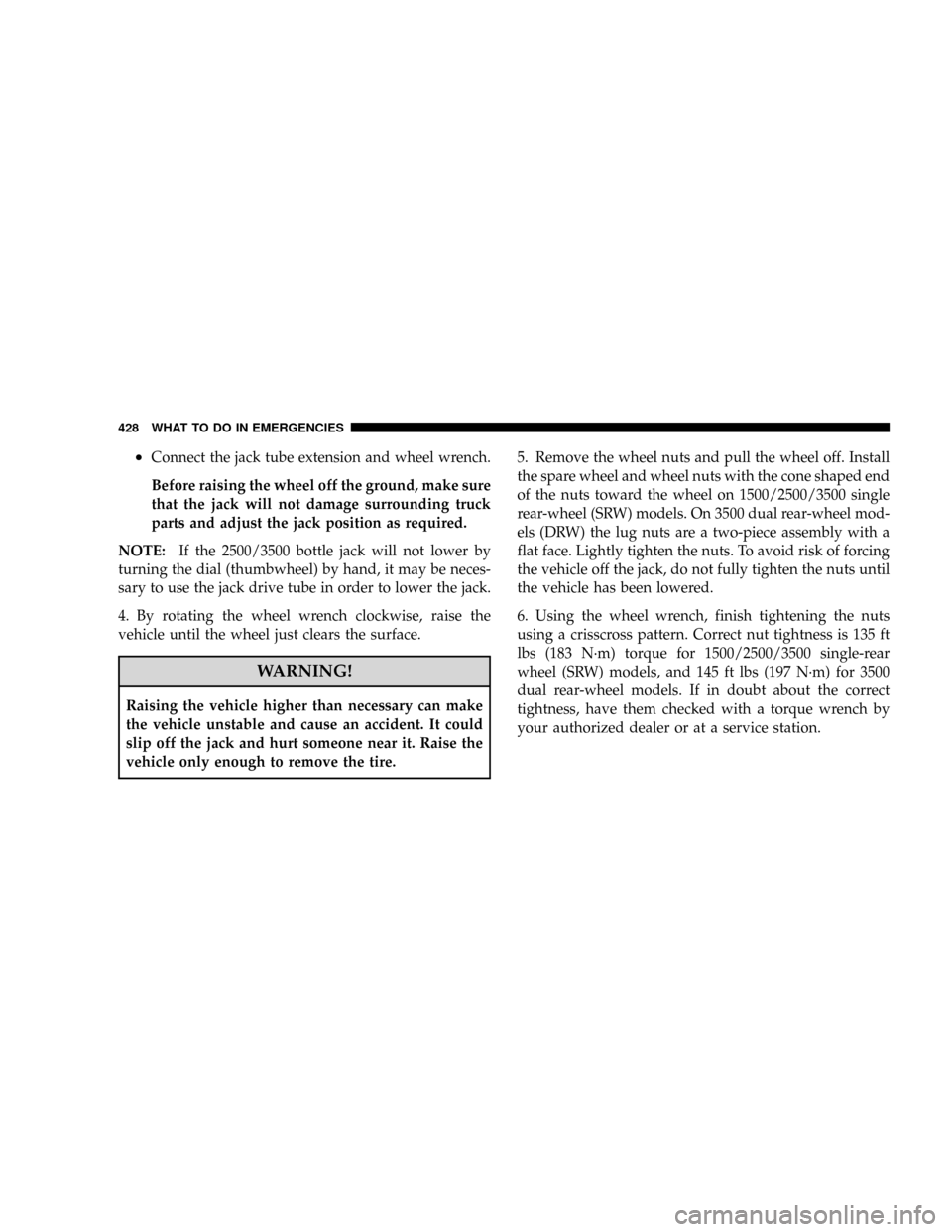
²Connect the jack tube extension and wheel wrench.
Before raising the wheel off the ground, make sure
that the jack will not damage surrounding truck
parts and adjust the jack position as required.
NOTE:If the 2500/3500 bottle jack will not lower by
turning the dial (thumbwheel) by hand, it may be neces-
sary to use the jack drive tube in order to lower the jack.
4. By rotating the wheel wrench clockwise, raise the
vehicle until the wheel just clears the surface.
WARNING!
Raising the vehicle higher than necessary can make
the vehicle unstable and cause an accident. It could
slip off the jack and hurt someone near it. Raise the
vehicle only enough to remove the tire.5. Remove the wheel nuts and pull the wheel off. Install
the spare wheel and wheel nuts with the cone shaped end
of the nuts toward the wheel on 1500/2500/3500 single
rear-wheel (SRW) models. On 3500 dual rear-wheel mod-
els (DRW) the lug nuts are a two-piece assembly with a
flat face. Lightly tighten the nuts. To avoid risk of forcing
the vehicle off the jack, do not fully tighten the nuts until
the vehicle has been lowered.
6. Using the wheel wrench, finish tightening the nuts
using a crisscross pattern. Correct nut tightness is 135 ft
lbs (183 N´m) torque for 1500/2500/3500 single-rear
wheel (SRW) models, and 145 ft lbs (197 N´m) for 3500
dual rear-wheel models. If in doubt about the correct
tightness, have them checked with a torque wrench by
your authorized dealer or at a service station.
428 WHAT TO DO IN EMERGENCIES
Page 500 of 554
5. Unlock and pull connector straight from the base of
the headlight halogen bulb.
6. Twist connector on the side marker/turn signal/park
light bulb
1¤4turn and remove connector and bulb from
housing.
7. Remove housing from vehicle with headlight halogen
bulb in housing.
8. Twist the headlight halogen bulb
1¤4turn and remove
headlight bulb from the housing.
9. Replace headlight or side marker/turn signal/park
light bulb. Do not touch the headlight halogen bulb.
10. Reverse procedure for installation of bulbs and hous-
ing.
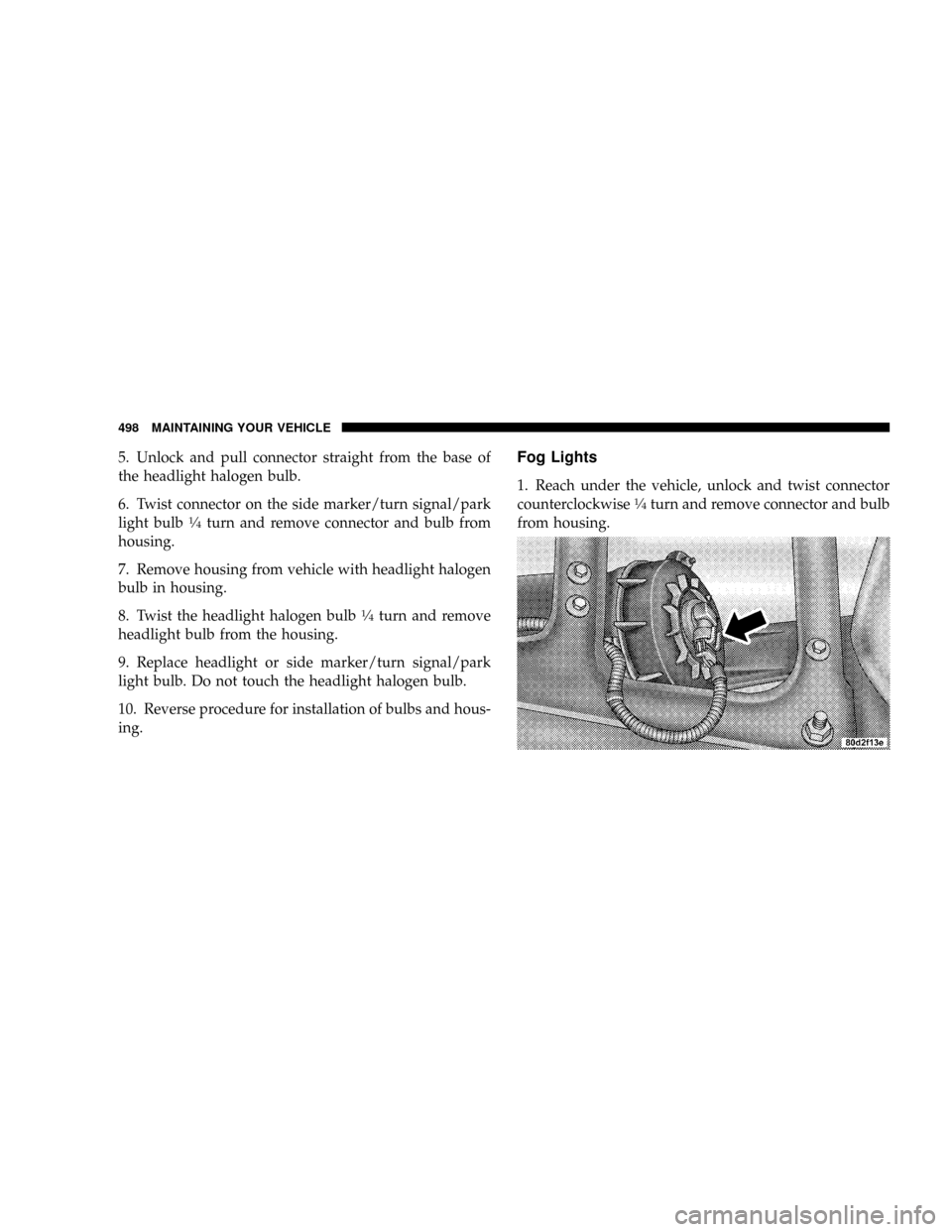
Fog Lights
1. Reach under the vehicle, unlock and twist connector
counterclockwise1¤4turn and remove connector and bulb
from housing.
498 MAINTAINING YOUR VEHICLE
Page 502 of 554
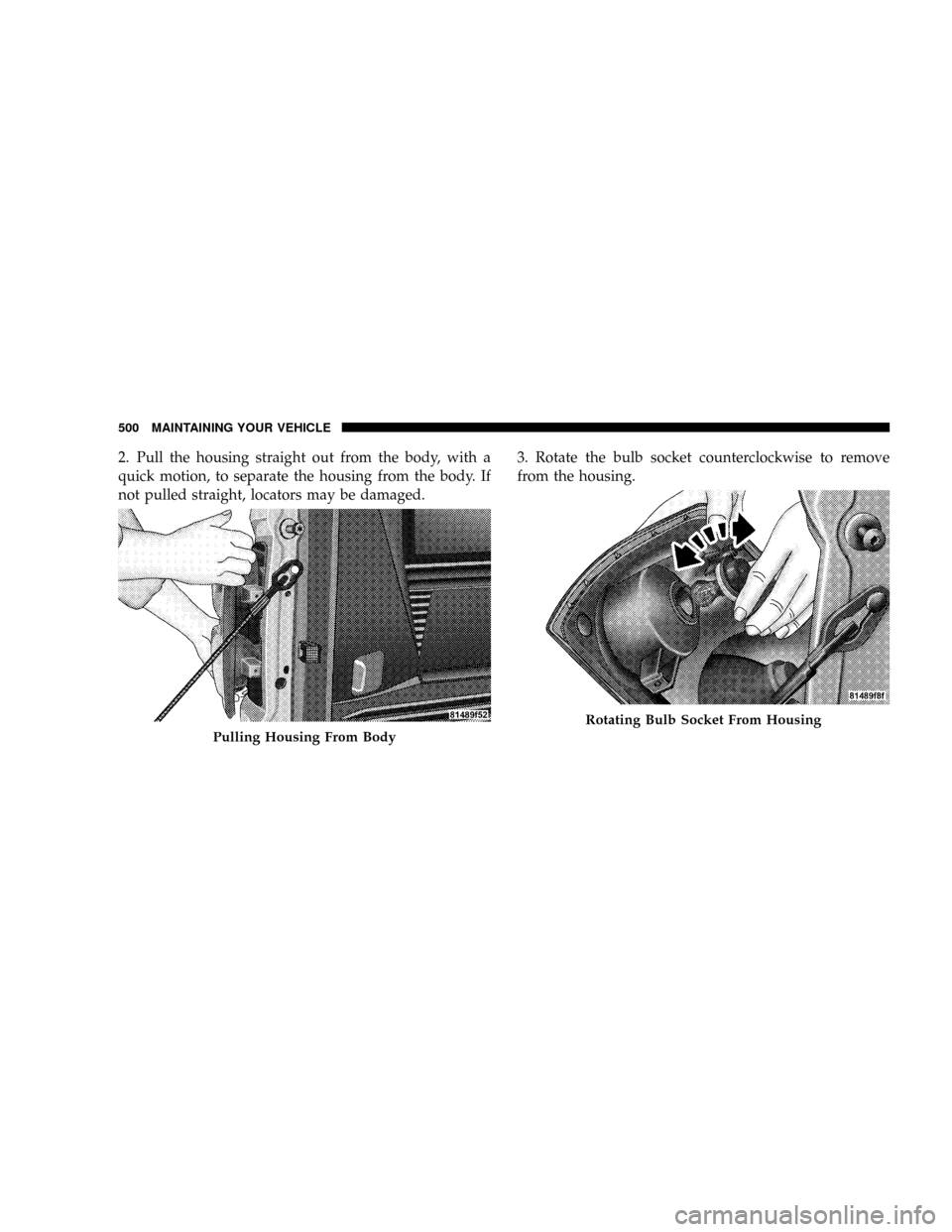
2. Pull the housing straight out from the body, with a
quick motion, to separate the housing from the body. If
not pulled straight, locators may be damaged.3. Rotate the bulb socket counterclockwise to remove
from the housing.
Pulling Housing From Body
Rotating Bulb Socket From Housing
500 MAINTAINING YOUR VEHICLE
Page 508 of 554
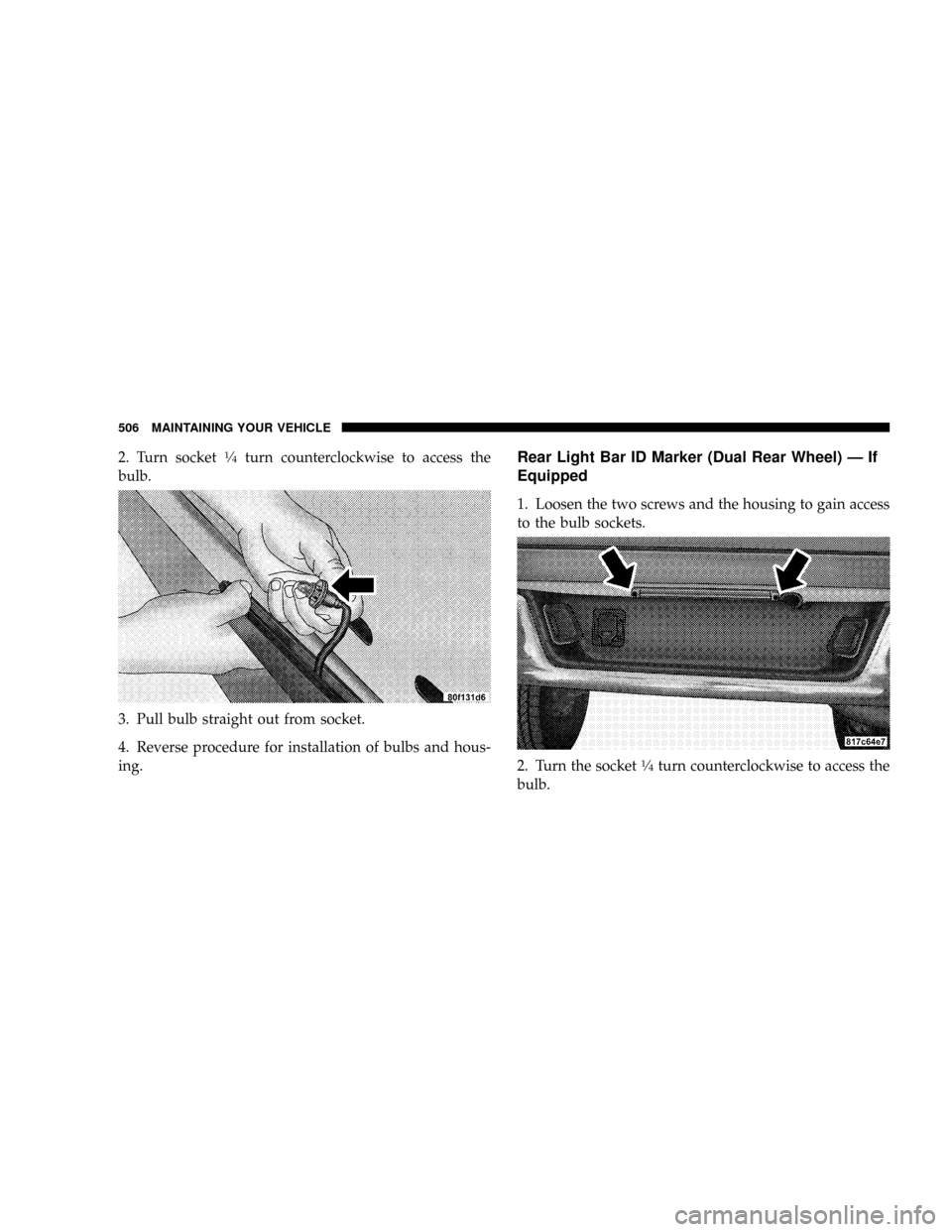
2. Turn socket1¤4turn counterclockwise to access the
bulb.
3. Pull bulb straight out from socket.
4. Reverse procedure for installation of bulbs and hous-
ing.Rear Light Bar ID Marker (Dual Rear Wheel) Ð If
Equipped
1. Loosen the two screws and the housing to gain access
to the bulb sockets.
2. Turn the socket
1¤4turn counterclockwise to access the
bulb.
506 MAINTAINING YOUR VEHICLE