transmission DODGE RAM SRT-10 2006 Service Repair Manual
[x] Cancel search | Manufacturer: DODGE, Model Year: 2006, Model line: RAM SRT-10, Model: DODGE RAM SRT-10 2006Pages: 5267, PDF Size: 68.7 MB
Page 4267 of 5267
REMOVAL
1. Shift transfer case into 2WD.
2. Raise vehicle.
3. Drain transfer case lubricant.
4. Mark front and rear propeller shafts for alignment
reference.
5. Support transmission with jack stand.
6. Remove the transfer case skid plate, if equipped.
7. Disconnect front and rear propeller shafts at trans-
fer case.
8. Disconnect transfer case shift motor and mode
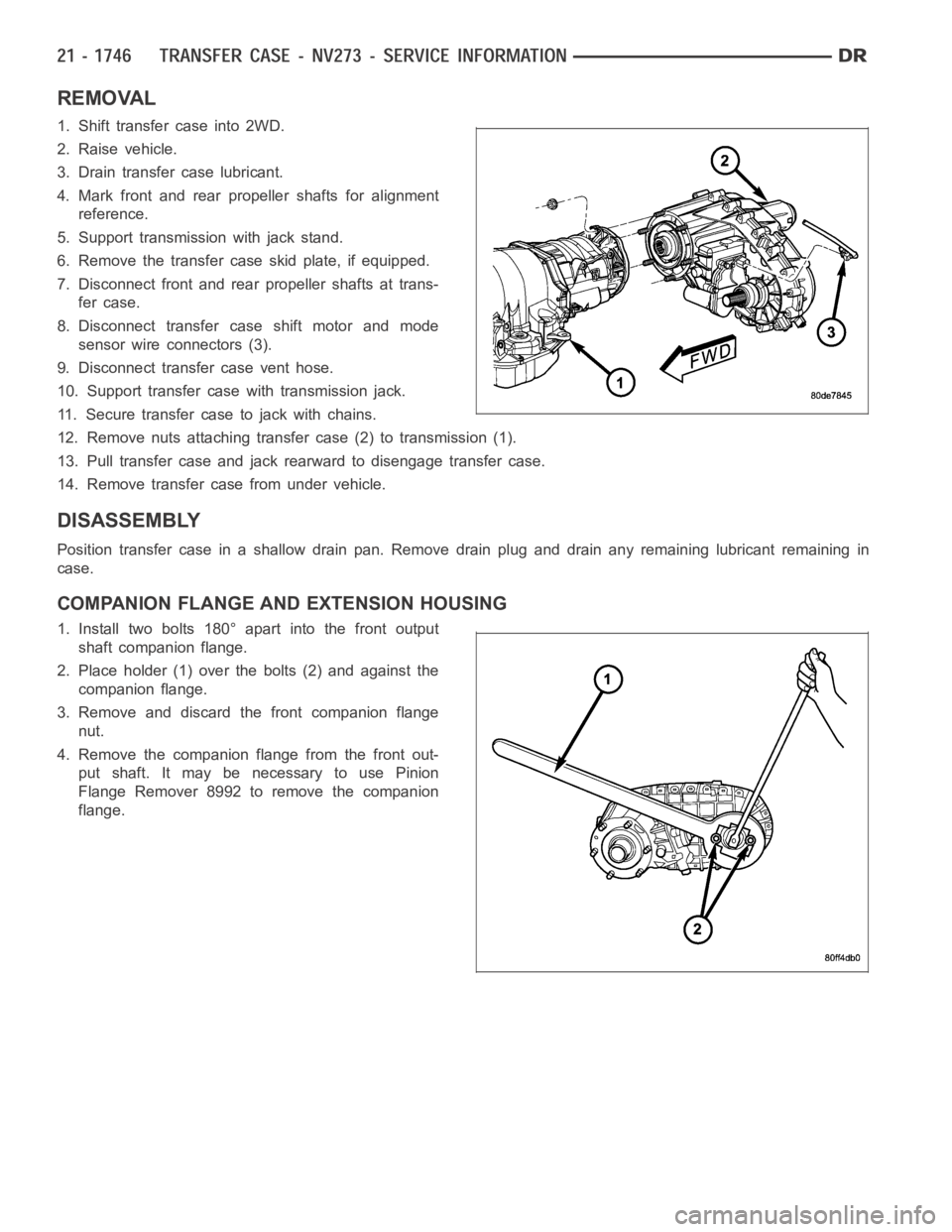
sensor wire connectors (3).
9. Disconnect transfer case vent hose.
10. Support transfer case with transmission jack.
11. Secure transfer case to jack with chains.
12. Remove nuts attaching transfer case (2) to transmission (1).
13. Pull transfer case and jack rearward to disengage transfer case.
14. Remove transfer case from under vehicle.
DISASSEMBLY
Position transfer case in a shallow drain pan. Remove drain plug and drain any remaining lubricant remaining in
case.
COMPANION FLANGE AND EXTENSION HOUSING
1. Install two bolts 180° apart into the front output
shaft companion flange.
2. Place holder (1) over the bolts (2) and against the
companion flange.
3. Remove and discard the front companion flange
nut.
4. Remove the companion flange from the front out-
put shaft. It may be necessary to use Pinion
Flange Remover 8992 to remove the companion
flange.
Page 4289 of 5267
18. Install the rear output shaft bearing into the rear
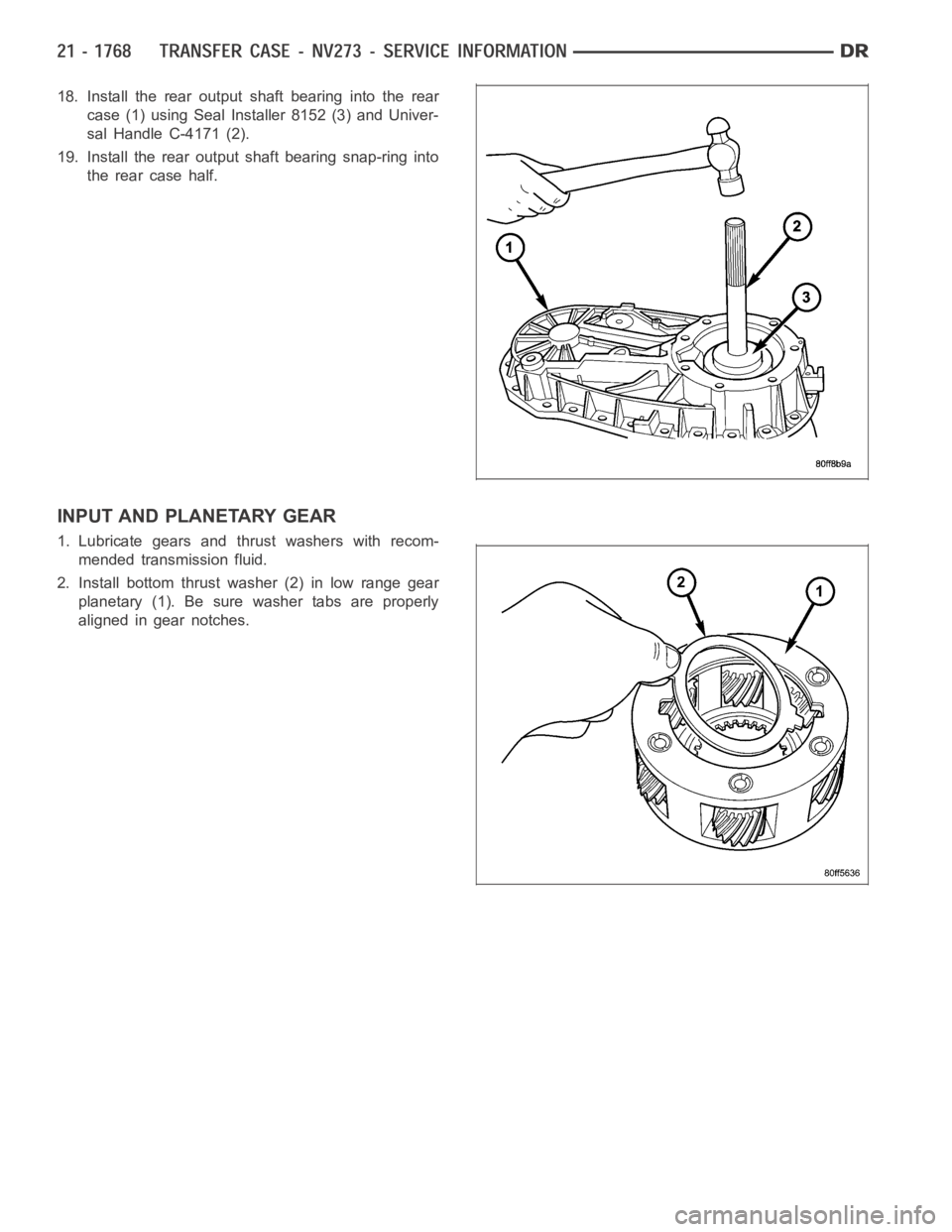
case (1) using Seal Installer 8152 (3) and Univer-
sal Handle C-4171 (2).
19. Install the rear output shaft bearing snap-ring into
the rear case half.
INPUT AND PLANETARY GEAR
1. Lubricate gears and thrust washers with recom-
mended transmission fluid.
2. Install bottom thrust washer (2) in low range gear
planetary (1). Be sure washer tabs are properly
aligned in gear notches.
Page 4292 of 5267
SHIFT FORKS AND MAINSHAFT
1. Lubricate mainshaft splines with recommended
transmission fluid.
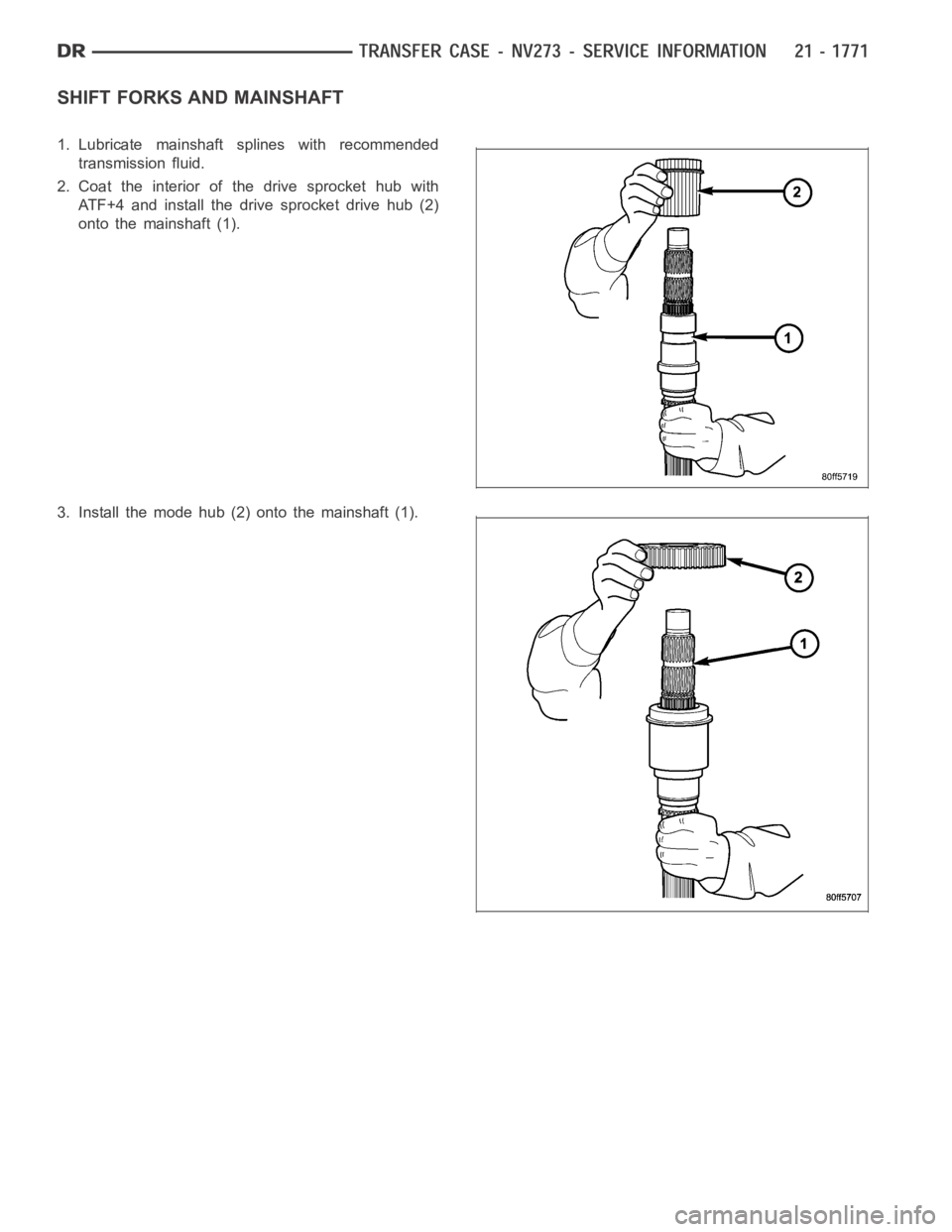
2. Coat the interior of the drive sprocket hub with
ATF+4 and install the drive sprocket drive hub (2)
onto the mainshaft (1).
3. Install the mode hub (2) onto the mainshaft (1).
Page 4293 of 5267
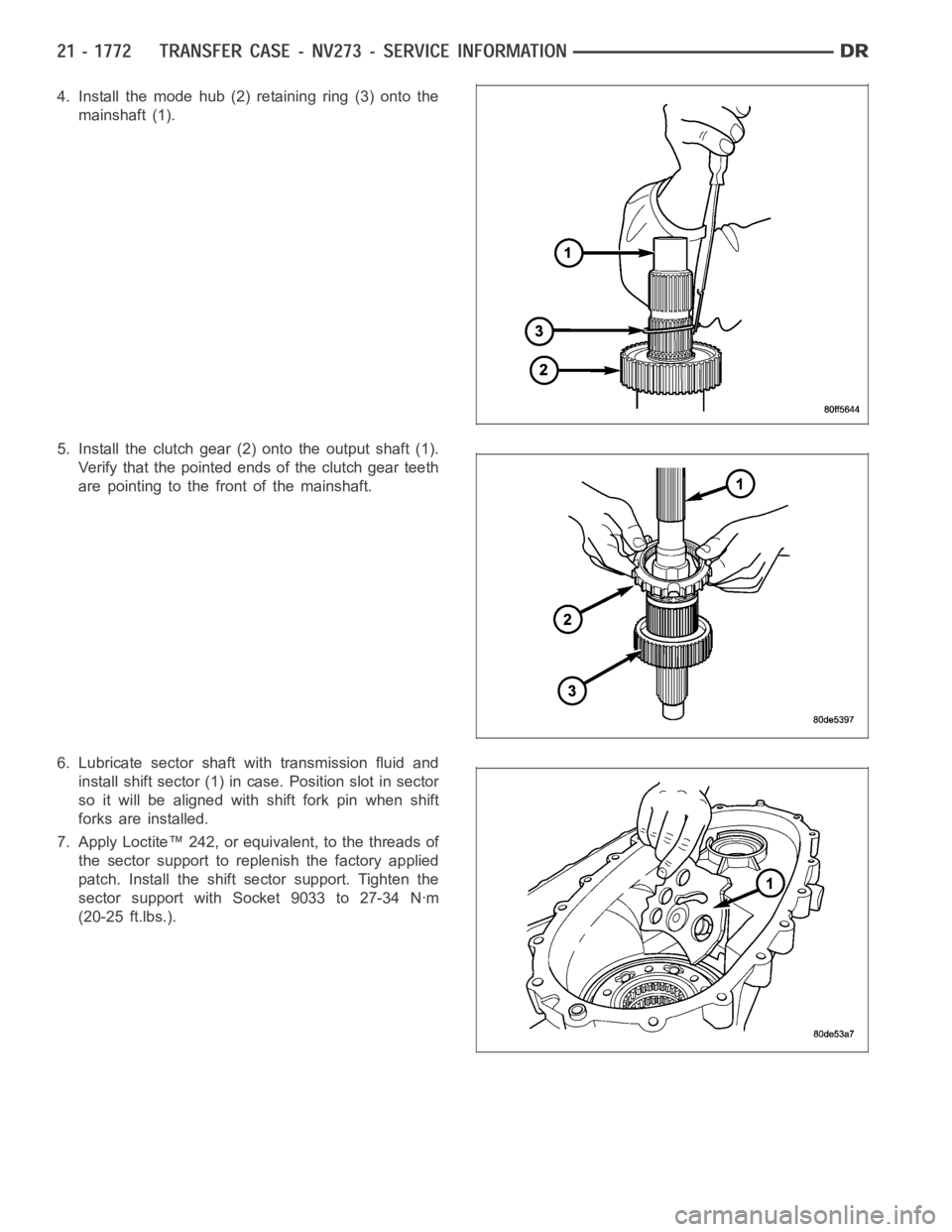
4. Install the mode hub (2) retaining ring (3) onto the
mainshaft (1).
5. Install the clutch gear (2) onto the output shaft (1).
Verify that the pointed ends of the clutch gear teeth
are pointing to the front of the mainshaft.
6. Lubricate sector shaft with transmission fluid and
install shift sector (1) in case. Position slot in sector
so it will be aligned with shift fork pin when shift
forks are installed.
7. Apply Loctite™ 242, or equivalent, to the threads of
the sector support to replenish the factory applied
patch. Install the shift sector support. Tighten the
sector support with Socket 9033 to 27-34 Nꞏm
(20-25 ft.lbs.).
Page 4301 of 5267
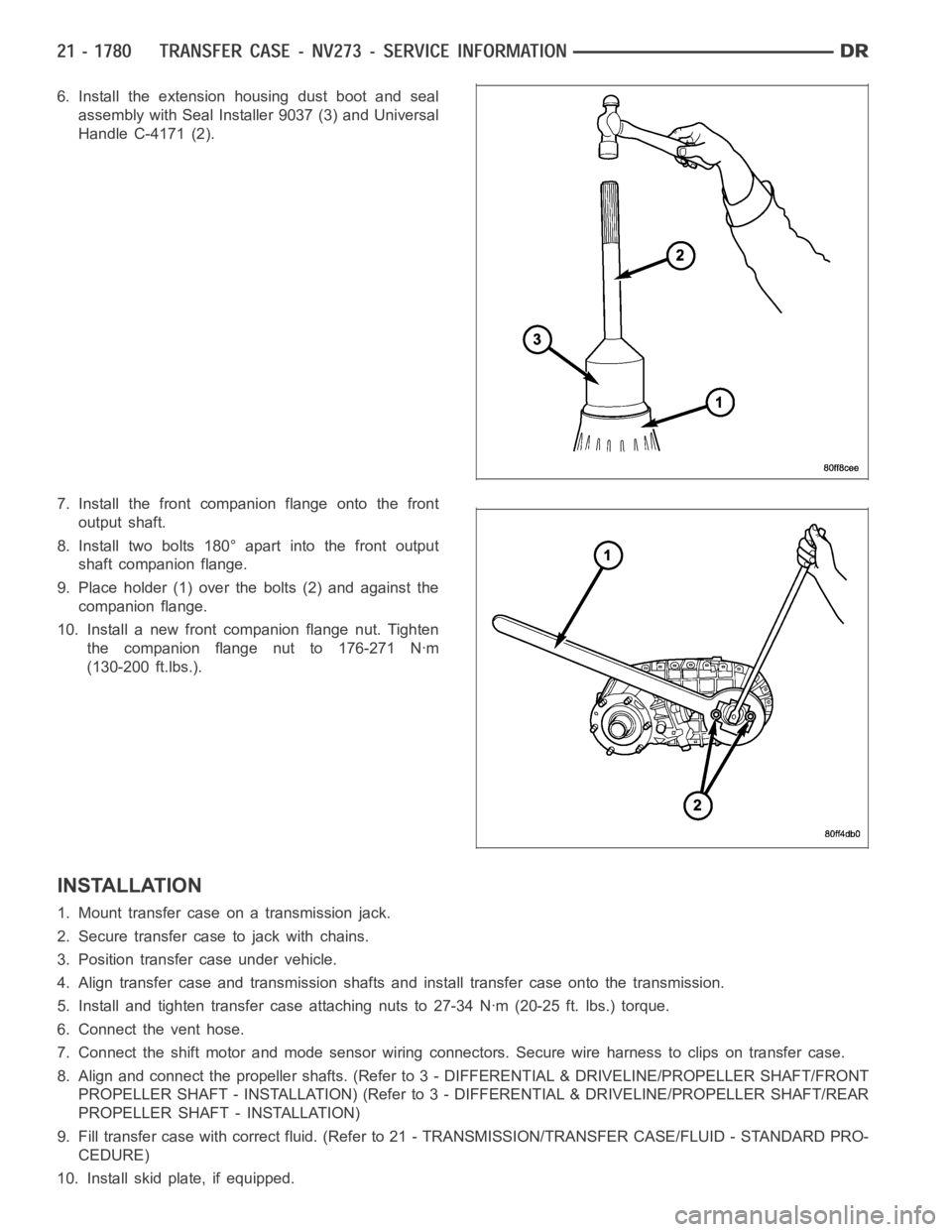
6. Install the extension housing dust boot and seal
assembly with Seal Installer 9037 (3) and Universal
Handle C-4171 (2).
7. Install the front companion flange onto the front
output shaft.
8. Install two bolts 180° apart into the front output
shaft companion flange.
9. Place holder (1) over the bolts (2) and against the
companion flange.
10. Install a new front companion flange nut. Tighten
the companion flange nut to 176-271 Nꞏm
(130-200 ft.lbs.).
INSTALLATION
1. Mount transfer case on a transmission jack.
2. Secure transfer case to jack with chains.
3. Position transfer case under vehicle.
4. Align transfer case and transmission shafts and install transfer case onto the transmission.
5. Install and tighten transfer case attaching nuts to 27-34 Nꞏm (20-25 ft.lbs.) torque.
6. Connect the vent hose.
7. Connect the shift motor and mode sensor wiring connectors. Secure wire harness to clips on transfer case.
8. Align and connect the propeller shafts. (Refer to 3 - DIFFERENTIAL & DRIVELINE/PROPELLER SHAFT/FRONT
PROPELLER SHAFT - INSTALLATION) (Refer to 3 - DIFFERENTIAL & DRIVELINE/PROPELLER SHAFT/REAR
PROPELLER SHAFT - INSTALLATION)
9. Fill transfer case with correct fluid. (Refer to 21 - TRANSMISSION/TRANSFER CASE/FLUID - STANDARD PRO-
CEDURE)
10. Install skid plate, if equipped.
Page 4302 of 5267
11. Remove transmission jack and support stand.
12. Lower vehicle and verify transfer case shift operation.
SPECIFICATIONS
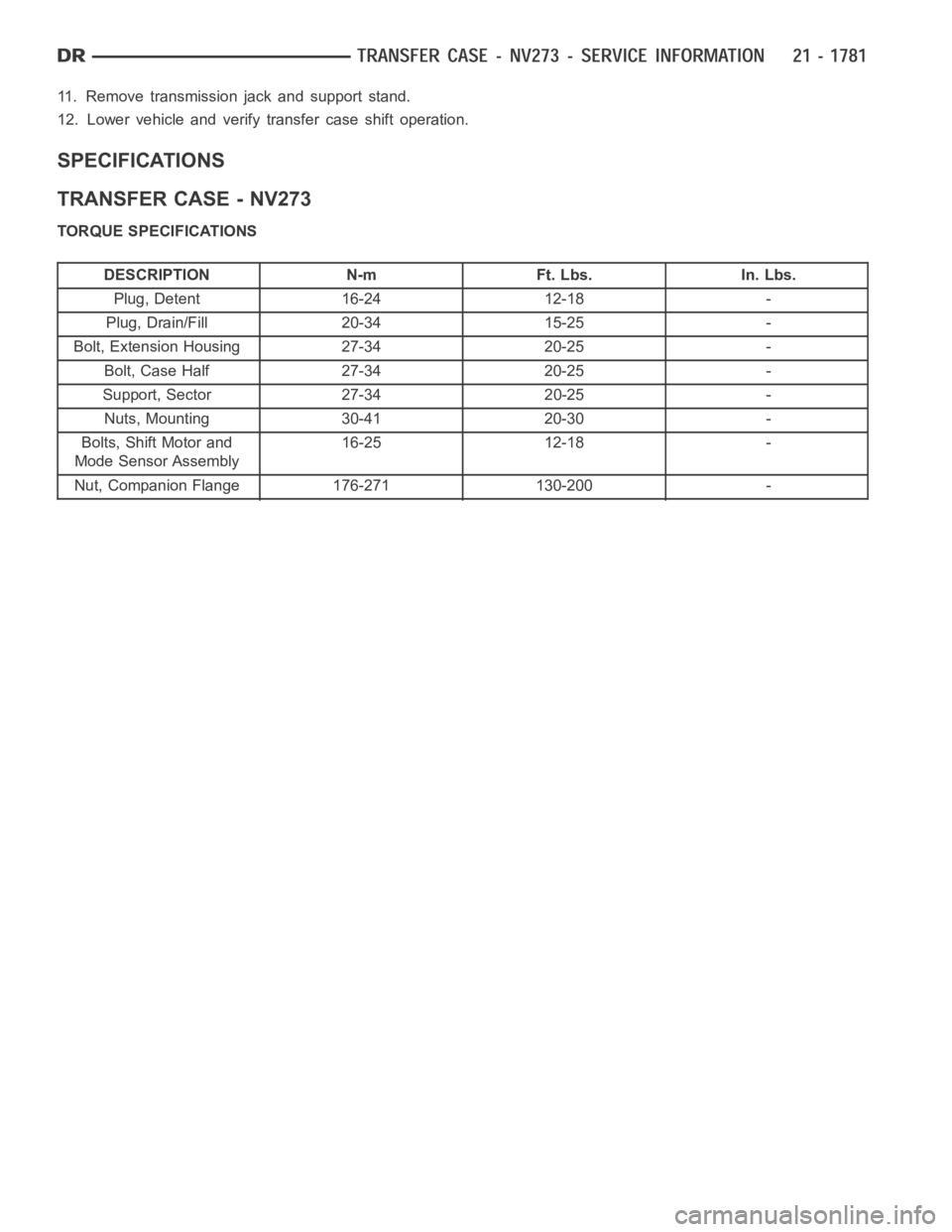
TRANSFER CASE - NV273
TORQUE SPECIFICATIONS
DESCRIPTION N-m Ft. Lbs. In. Lbs.
Plug, Detent 16-24 12-18 -
Plug, Drain/Fill 20-34 15-25 -
Bolt, Extension Housing 27-34 20-25 -
Bolt, Case Half 27-34 20-25 -
Support, Sector 27-34 20-25 -
Nuts, Mounting 30-41 20-30 -
Bolts, Shift Motor and
Mode Sensor Assembly16-25 12-18 -
Nut, Companion Flange 176-271 130-200 -
Page 4306 of 5267
FLUID
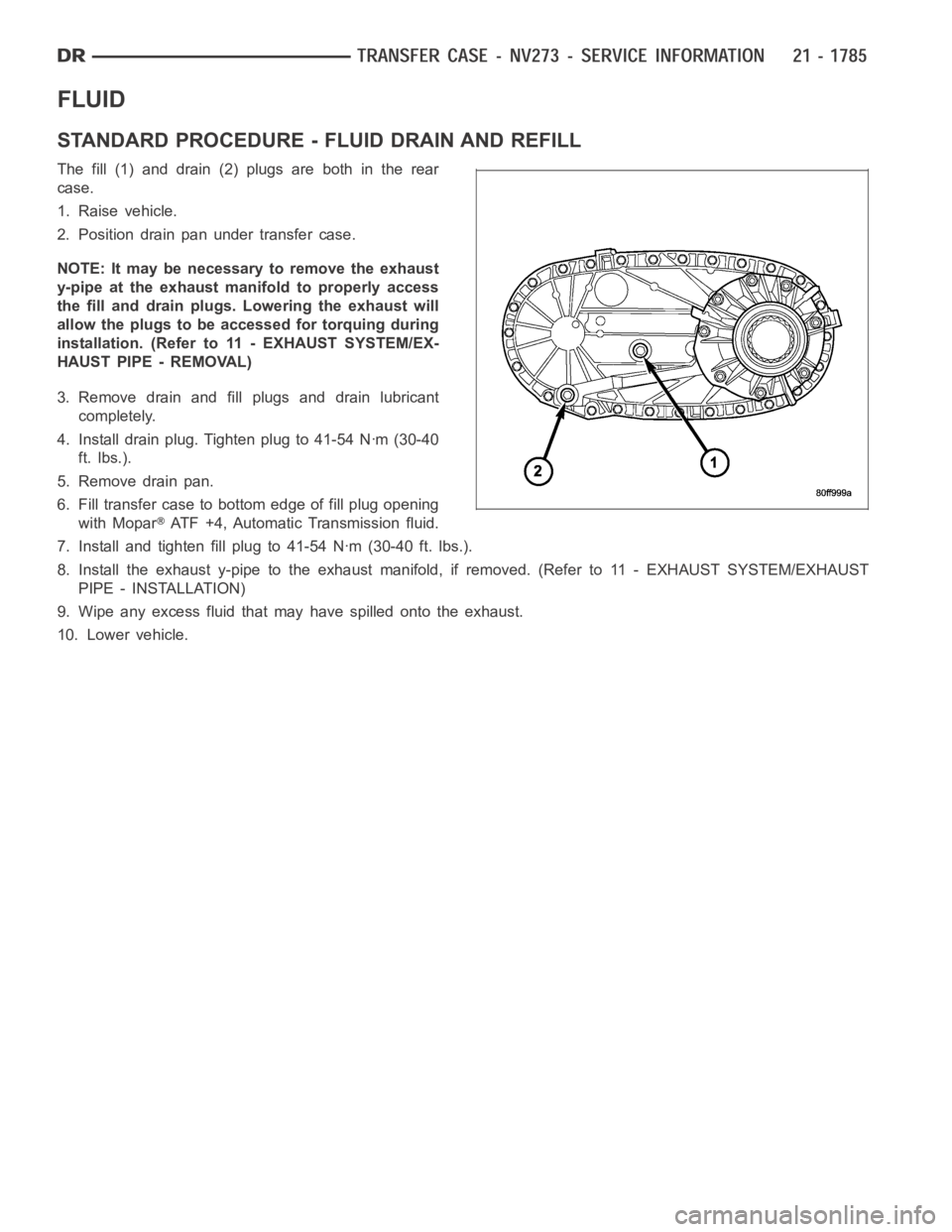
STANDARD PROCEDURE - FLUID DRAIN AND REFILL
The fill (1) and drain (2) plugs are both in the rear
case.
1. Raise vehicle.
2. Position drain pan under transfer case.
NOTE: It may be necessary to remove the exhaust
y-pipe at the exhaust manifold to properly access
the fill and drain plugs. Lowering the exhaust will
allow the plugs to be accessed for torquing during
installation. (Refer to 11 - EXHAUST SYSTEM/EX-
HAUST PIPE - REMOVAL)
3. Remove drain and fill plugs and drain lubricant
completely.
4. Install drain plug. Tighten plug to 41-54 Nꞏm (30-40
ft. lbs.).
5. Remove drain pan.
6. Fill transfer case to bottom edge of fill plug opening
with Mopar
ATF +4, Automatic Transmission fluid.
7. Install and tighten fill plug to 41-54 Nꞏm (30-40 ft. lbs.).
8. Install the exhaust y-pipe to the exhaust manifold, if removed. (Refer to 11 - EXHAUST SYSTEM/EXHAUST
PIPE - INSTALLATION)
9. Wipe any excess fluid that may have spilled onto the exhaust.
10. Lower vehicle.
Page 4311 of 5267
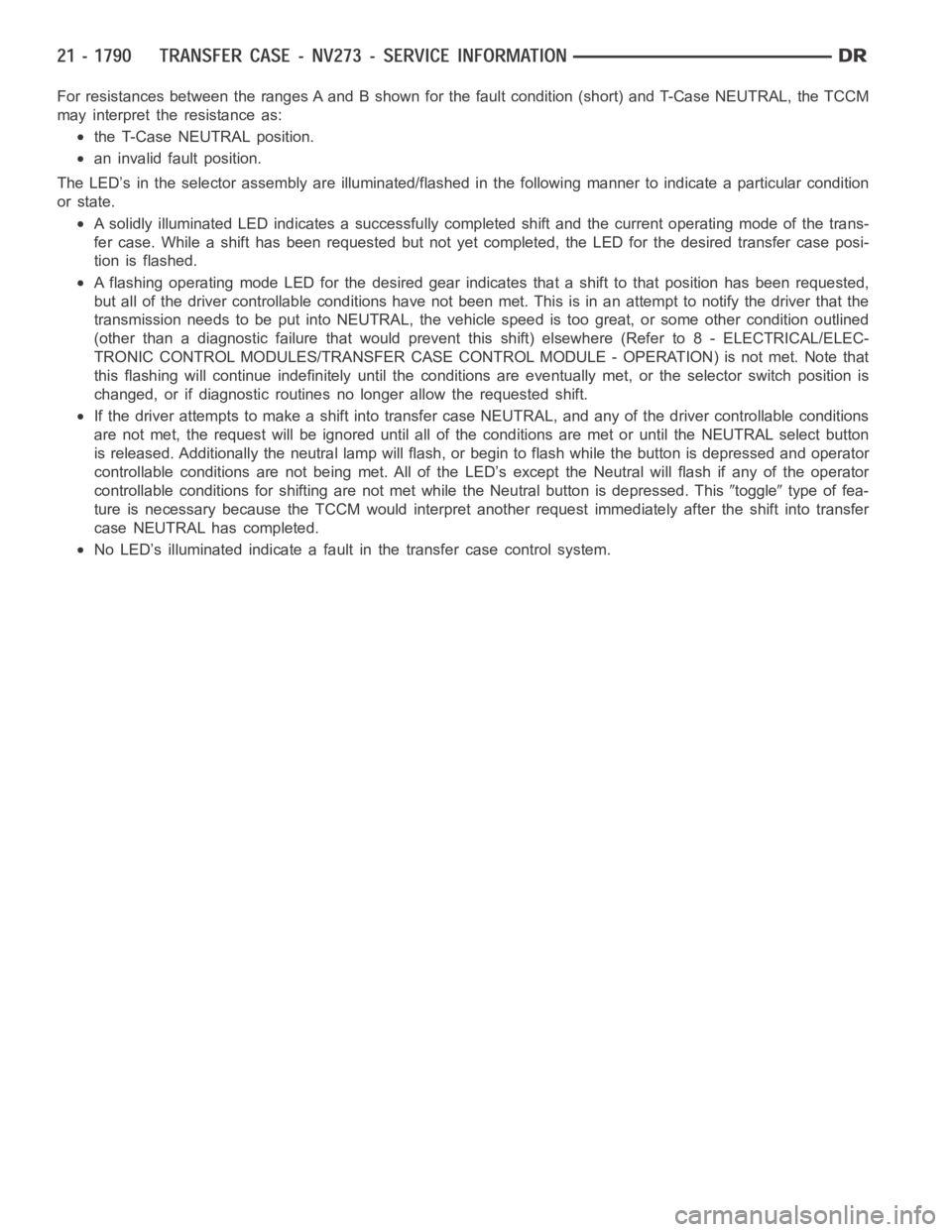
For resistances between the ranges A and B shown for the fault condition (short) and T-Case NEUTRAL, the TCCM
may interpret the resistance as:
the T-Case NEUTRAL position.
an invalid fault position.
The LED’s in the selector assembly are illuminated/flashed in the following manner to indicate a particular condition
or state.
A solidly illuminated LED indicates asuccessfully completed shift and the current operating mode of the trans-
fer case. While a shift has been requested but not yet completed, the LED forthe desired transfer case posi-
tion is flashed.
A flashing operating mode LED for the desired gear indicates that a shift tothat position has been requested,
but all of the driver controllable conditions have not been met. This is in an attempt to notify the driver that the
transmission needs to be put into NEUTRAL, the vehicle speed is too great, or some other condition outlined
(other than a diagnostic failure that would prevent this shift) elsewhere(Refer to 8 - ELECTRICAL/ELEC-
TRONIC CONTROL MODULES/TRANSFER CASE CONTROL MODULE - OPERATION) is not met. Note that
this flashing will continue indefinitely until the conditions are eventually met, or the selector switch position is
changed, or if diagnostic routines no longer allow the requested shift.
If the driver attempts to make a shift into transfer case NEUTRAL, and any ofthe driver controllable conditions
are not met, the request will be ignored until all of the conditions are met or until the NEUTRAL select button
is released. Additionally the neutral lamp will flash, or begin to flash while the button is depressed and operator
controllable conditions are not being met. All of the LED’s except the Neutral will flash if any of the operator
controllable conditions for shifting are not met while the Neutral buttonis depressed. This
toggletype of fea-
ture is necessary because the TCCM would interpret another request immediately after the shift into transfer
case NEUTRAL has completed.
No LED’s illuminated indicate a fault in the transfer case control system.
Page 4533 of 5267
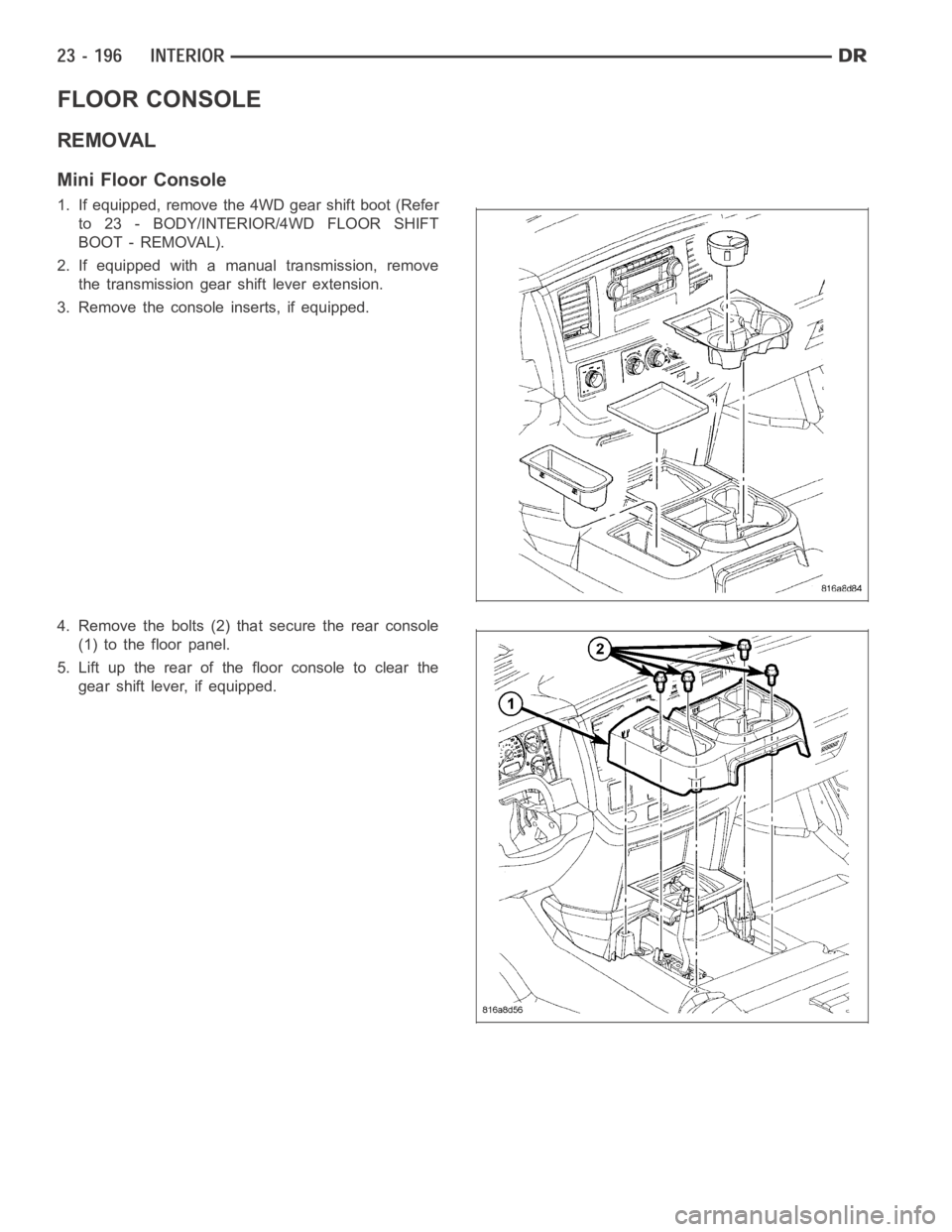
FLOOR CONSOLE
REMOVAL
Mini Floor Console
1. If equipped, remove the 4WD gear shift boot (Refer
to 23 - BODY/INTERIOR/4WD FLOOR SHIFT
BOOT - REMOVAL).
2. If equipped with a manual transmission, remove
the transmission gear shift lever extension.
3. Remove the console inserts, if equipped.
4. Remove the bolts (2) that secure the rear console
(1) to the floor panel.
5. Lift up the rear of the floor console to clear the
gear shift lever, if equipped.
Page 5054 of 5267
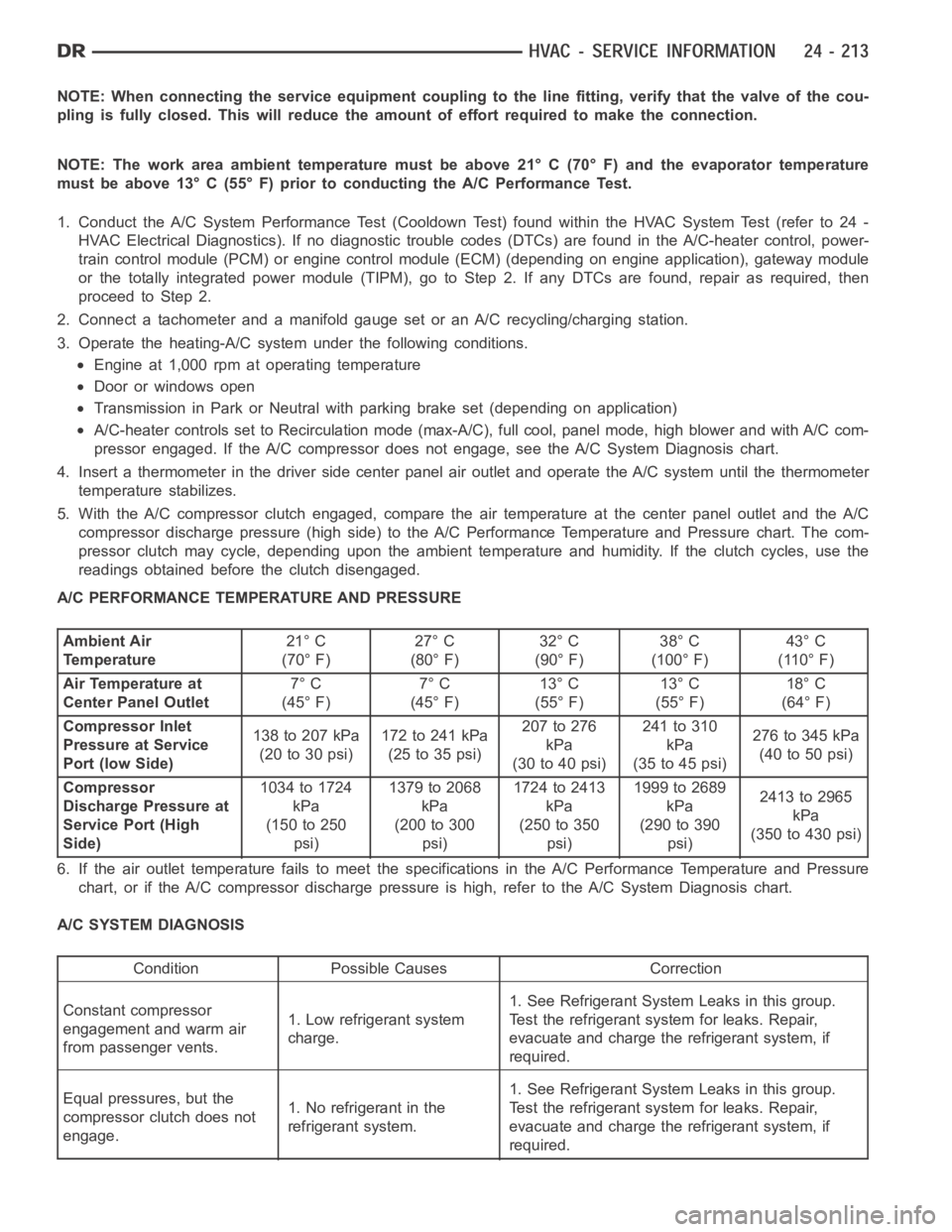
NOTE: When connecting the service equipment coupling to the line fitting,verify that the valve of the cou-
pling is fully closed. This will reduce the amount of effort required to make the connection.
NOTE: The work area ambient temperature must be above 21° C (70° F) and the evaporator temperature
must be above 13° C (55° F) prior to conducting the A/C Performance Test.
1. Conduct the A/C System Performance Test (Cooldown Test) found within the HVAC System Test (refer to 24 -
HVAC Electrical Diagnostics). If no diagnostic trouble codes (DTCs) are found in the A/C-heater control, power-
train control module (PCM) or engine control module (ECM) (depending on engine application), gateway module
or the totally integrated power module (TIPM), go to Step 2. If any DTCs are found, repair as required, then
proceedtoStep2.
2. Connect a tachometer and a manifold gauge set or an A/C recycling/charging station.
3. Operate the heating-A/C system under the following conditions.
Engine at 1,000 rpm at operating temperature
Door or windows open
Transmission in Park or Neutral with parking brake set (depending on application)
A/C-heater controls set to Recirculation mode (max-A/C), full cool, panel mode, high blower and with A/C com-
pressor engaged. If the A/C compressor does not engage, see the A/C System Diagnosis chart.
4. Insert a thermometer in the driver side center panel air outlet and operate the A/C system until the thermometer
temperature stabilizes.
5. With the A/C compressor clutch engaged, compare the air temperature at the center panel outlet and the A/C
compressor discharge pressure (high side) to the A/C Performance Temperature and Pressure chart. The com-
pressor clutch may cycle, depending upon the ambient temperature and humidity. If the clutch cycles, use the
readings obtained before the clutch disengaged.
A/C PERFORMANCE TEMPERATURE AND PRESSURE
Ambient Air
Temperature21° C
(70° F)27° C
(80° F)32° C
(90° F)38° C
(100° F)43° C
(110° F)
Air Temperature at
Center Panel Outlet7° C
(45° F)7° C
(45° F)13° C
(55° F)13° C
(55° F)18° C
(64° F)
Compressor Inlet
Pressure at Service
Port (low Side)138 to 207 kPa
(20to30psi)172to241kPa
(25to35psi)207 to 276
kPa
(30to40psi)241 to 310
kPa
(35to45psi)276to345kPa
(40to50psi)
Compressor
Discharge Pressure at
Service Port (High
Side)1034 to 1724
kPa
(150 to 250
psi)1379to2068
kPa
(200 to 300
psi)1724to2413
kPa
(250 to 350
psi)1999 to 2689
kPa
(290 to 390
psi)2413to2965
kPa
(350 to 430 psi)
6. If the air outlet temperature fails to meet the specifications in the A/CPerformance Temperature and Pressure
chart, or if the A/C compressor discharge pressure is high, refer to the A/CSystem Diagnosis chart.
A/C SYSTEM DIAGNOSIS
Condition Possible Causes Correction
Constant compressor
engagement and warm air
from passenger vents.1. Low refrigerant system
charge.1. See Refrigerant System Leaks in this group.
Test the refrigerant system for leaks. Repair,
evacuate and charge the refrigerant system, if
required.
Equal pressures, but the
compressor clutch does not
engage.1. No refrigerant in the
refrigerant system.1. See Refrigerant System Leaks in this group.
Test the refrigerant system for leaks. Repair,
evacuate and charge the refrigerant system, if
required.