tires DODGE RAM SRT-10 2006 Service Repair Manual
[x] Cancel search | Manufacturer: DODGE, Model Year: 2006, Model line: RAM SRT-10, Model: DODGE RAM SRT-10 2006Pages: 5267, PDF Size: 68.7 MB
Page 118 of 5267
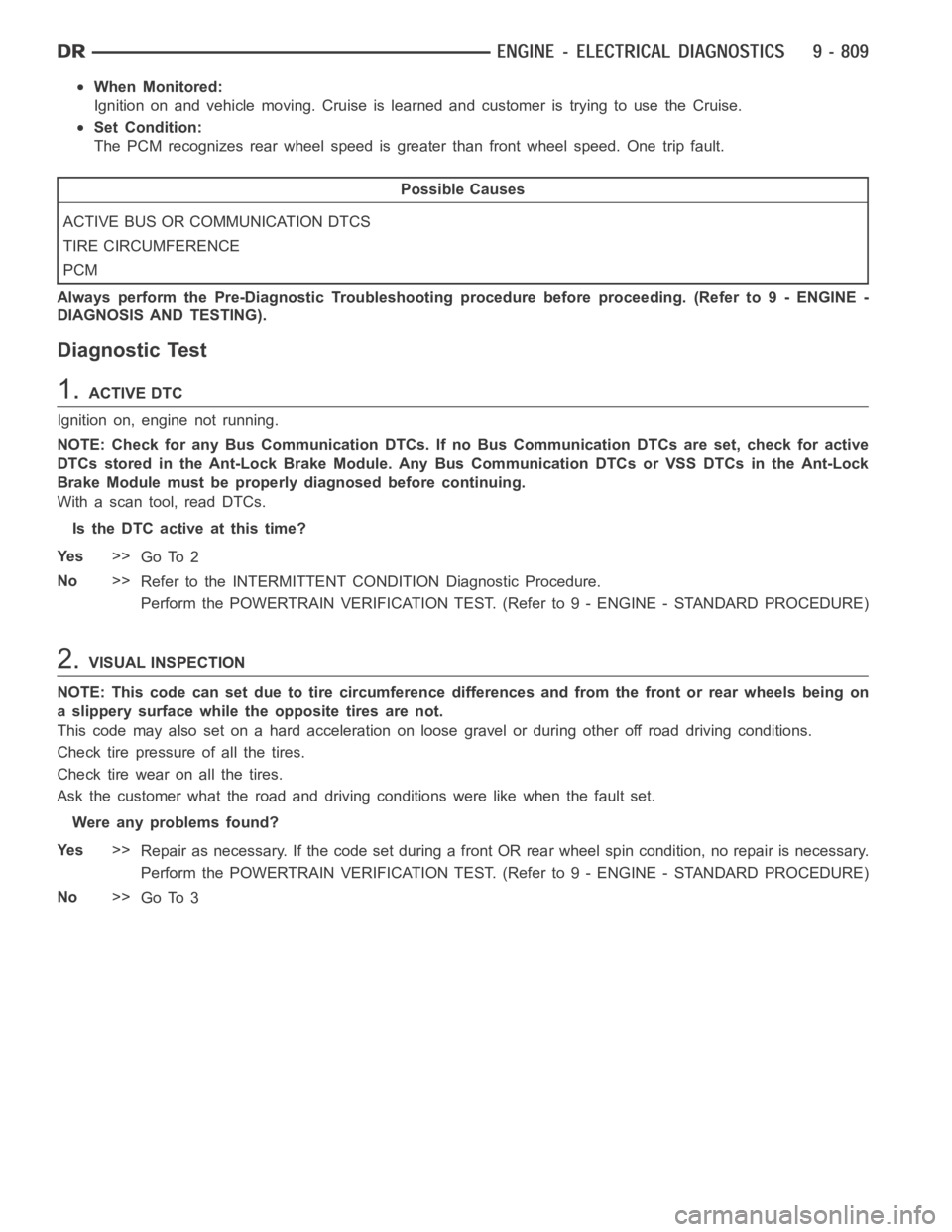
When Monitored:
Ignition on and vehicle moving. Cruise is learned and customer is trying touse the Cruise.
Set Condition:
The PCM recognizes rear wheel speed is greater than front wheel speed. One trip fault.
Possible Causes
ACTIVE BUS OR COMMUNICATION DTCS
TIRE CIRCUMFERENCE
PCM
Always perform the Pre-Diagnostic Troubleshooting procedure before proceeding. (Refer to 9 - ENGINE -
DIAGNOSIS AND TESTING).
Diagnostic Test
1.ACTIVE DTC
Ignition on, engine not running.
NOTE: Check for any Bus Communication DTCs. If no Bus Communication DTCs are set, check for active
DTCs stored in the Ant-Lock Brake Module. Any Bus Communication DTCs or VSSDTCs in the Ant-Lock
Brake Module must be properly diagnosed before continuing.
With a scan tool, read DTCs.
Is the DTC active at this time?
Ye s>>
Go To 2
No>>
Refer to the INTERMITTENT CONDITION Diagnostic Procedure.
Perform the POWERTRAIN VERIFICATION TEST. (Refer to 9 - ENGINE - STANDARD PROCEDURE)
2.VISUAL INSPECTION
NOTE: This code can set due to tire circumference differences and from the front or rear wheels being on
a slippery surface while the opposite tires are not.
This code may also set on a hard acceleration on loose gravel or during otheroff road driving conditions.
Check tire pressure of all the tires.
Checktirewearonallthetires.
Ask the customer what the road and driving conditions were like when the fault set.
Were any problems found?
Ye s>>
Repair as necessary. If the code set during a front OR rear wheel spin condition, no repair is necessary.
Perform the POWERTRAIN VERIFICATION TEST. (Refer to 9 - ENGINE - STANDARD PROCEDURE)
No>>
Go To 3
Page 121 of 5267
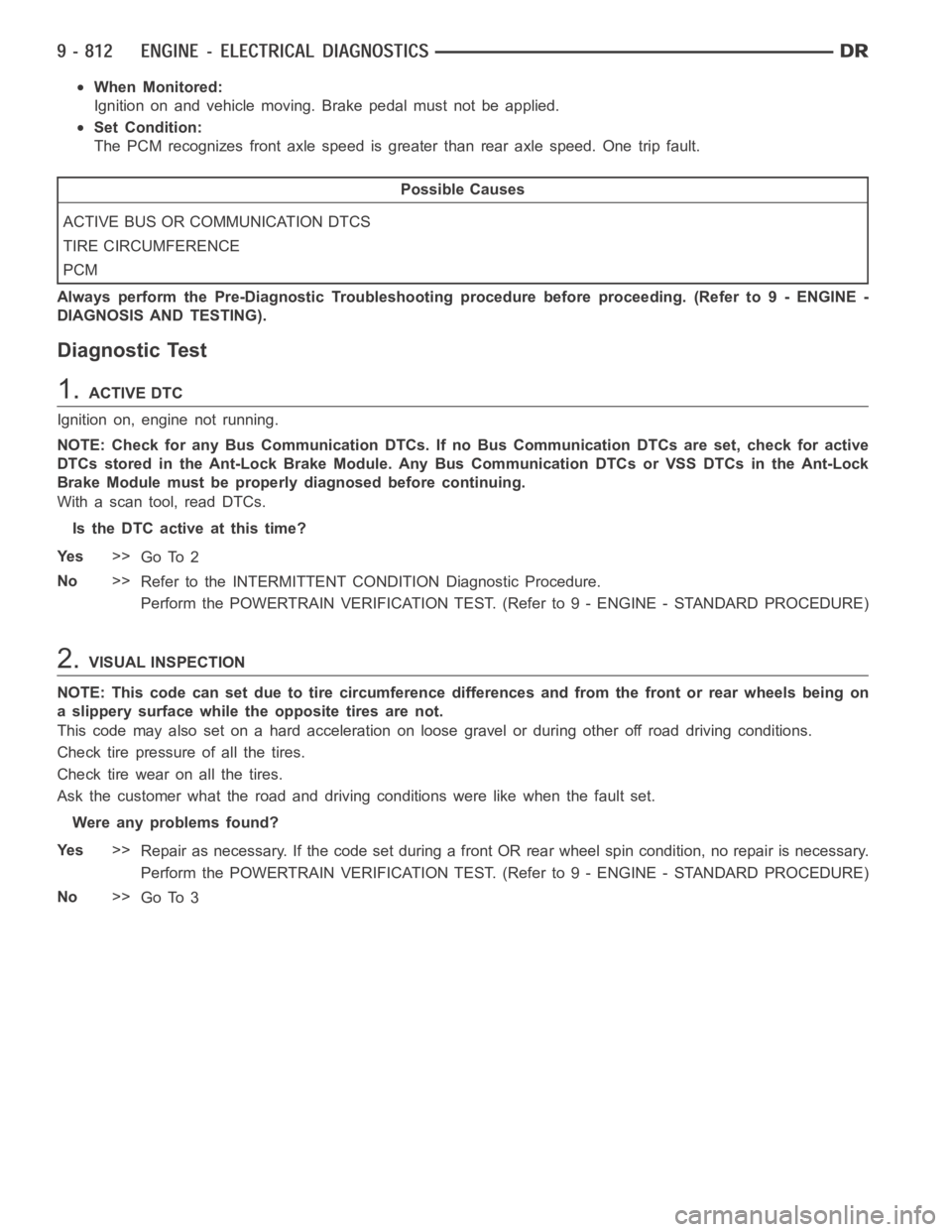
When Monitored:
Ignition on and vehicle moving. Brake pedal must not be applied.
Set Condition:
The PCM recognizes front axle speed is greater than rear axle speed. One tripfault.
Possible Causes
ACTIVE BUS OR COMMUNICATION DTCS
TIRE CIRCUMFERENCE
PCM
Always perform the Pre-Diagnostic Troubleshooting procedure before proceeding. (Refer to 9 - ENGINE -
DIAGNOSIS AND TESTING).
Diagnostic Test
1.ACTIVE DTC
Ignition on, engine not running.
NOTE: Check for any Bus Communication DTCs. If no Bus Communication DTCs are set, check for active
DTCs stored in the Ant-Lock Brake Module. Any Bus Communication DTCs or VSSDTCs in the Ant-Lock
Brake Module must be properly diagnosed before continuing.
With a scan tool, read DTCs.
Is the DTC active at this time?
Ye s>>
Go To 2
No>>
Refer to the INTERMITTENT CONDITION Diagnostic Procedure.
Perform the POWERTRAIN VERIFICATION TEST. (Refer to 9 - ENGINE - STANDARD PROCEDURE)
2.VISUAL INSPECTION
NOTE: This code can set due to tire circumference differences and from the front or rear wheels being on
a slippery surface while the opposite tires are not.
This code may also set on a hard acceleration on loose gravel or during otheroff road driving conditions.
Check tire pressure of all the tires.
Checktirewearonallthetires.
Ask the customer what the road and driving conditions were like when the fault set.
Were any problems found?
Ye s>>
Repair as necessary. If the code set during a front OR rear wheel spin condition, no repair is necessary.
Perform the POWERTRAIN VERIFICATION TEST. (Refer to 9 - ENGINE - STANDARD PROCEDURE)
No>>
Go To 3
Page 264 of 5267
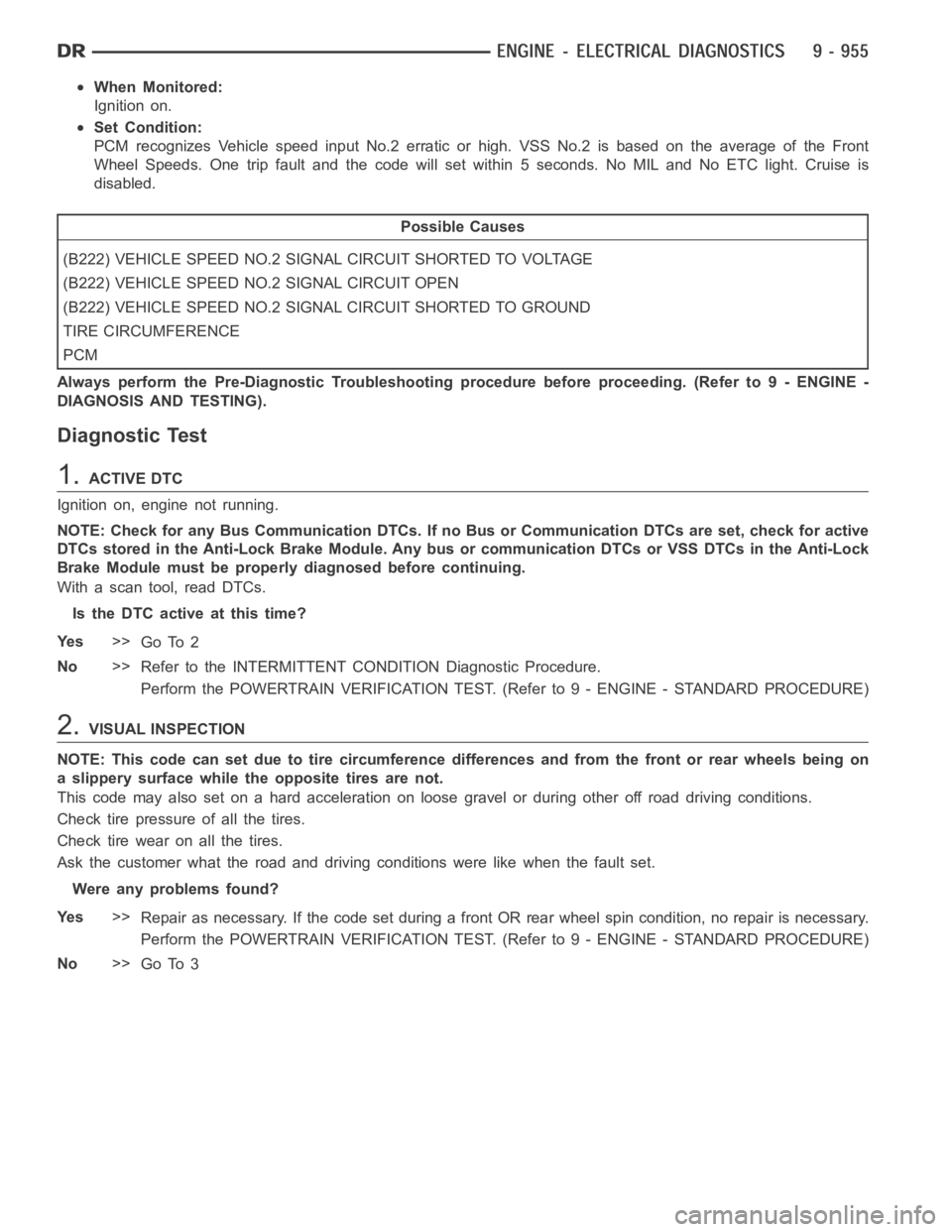
When Monitored:
Ignition on.
Set Condition:
PCM recognizes Vehicle speed input No.2 erratic or high. VSS No.2 is based on the average of the Front
Wheel Speeds. One trip fault and the code will set within 5 seconds. No MIL and No ETC light. Cruise is
disabled.
Possible Causes
(B222) VEHICLE SPEED NO.2 SIGNAL CIRCUIT SHORTED TO VOLTAGE
(B222) VEHICLE SPEED NO.2 SIGNAL CIRCUIT OPEN
(B222) VEHICLE SPEED NO.2 SIGNAL CIRCUIT SHORTED TO GROUND
TIRE CIRCUMFERENCE
PCM
Always perform the Pre-Diagnostic Troubleshooting procedure before proceeding. (Refer to 9 - ENGINE -
DIAGNOSIS AND TESTING).
Diagnostic Test
1.ACTIVE DTC
Ignition on, engine not running.
NOTE: Check for any Bus Communication DTCs. If no Bus or Communication DTCsare set, check for active
DTCs stored in the Anti-Lock Brake Module. Any bus or communication DTCs orVSS DTCs in the Anti-Lock
Brake Module must be properly diagnosed before continuing.
With a scan tool, read DTCs.
Is the DTC active at this time?
Ye s>>
Go To 2
No>>
Refer to the INTERMITTENT CONDITION Diagnostic Procedure.
Perform the POWERTRAIN VERIFICATION TEST. (Refer to 9 - ENGINE - STANDARD PROCEDURE)
2.VISUAL INSPECTION
NOTE: This code can set due to tire circumference differences and from the front or rear wheels being on
a slippery surface while the opposite tires are not.
This code may also set on a hard acceleration on loose gravel or during otheroff road driving conditions.
Check tire pressure of all the tires.
Checktirewearonallthetires.
Ask the customer what the road and driving conditions were like when the fault set.
Were any problems found?
Ye s>>
Repair as necessary. If the code set during a front OR rear wheel spin condition, no repair is necessary.
Perform the POWERTRAIN VERIFICATION TEST. (Refer to 9 - ENGINE - STANDARD PROCEDURE)
No>>
Go To 3
Page 2202 of 5267
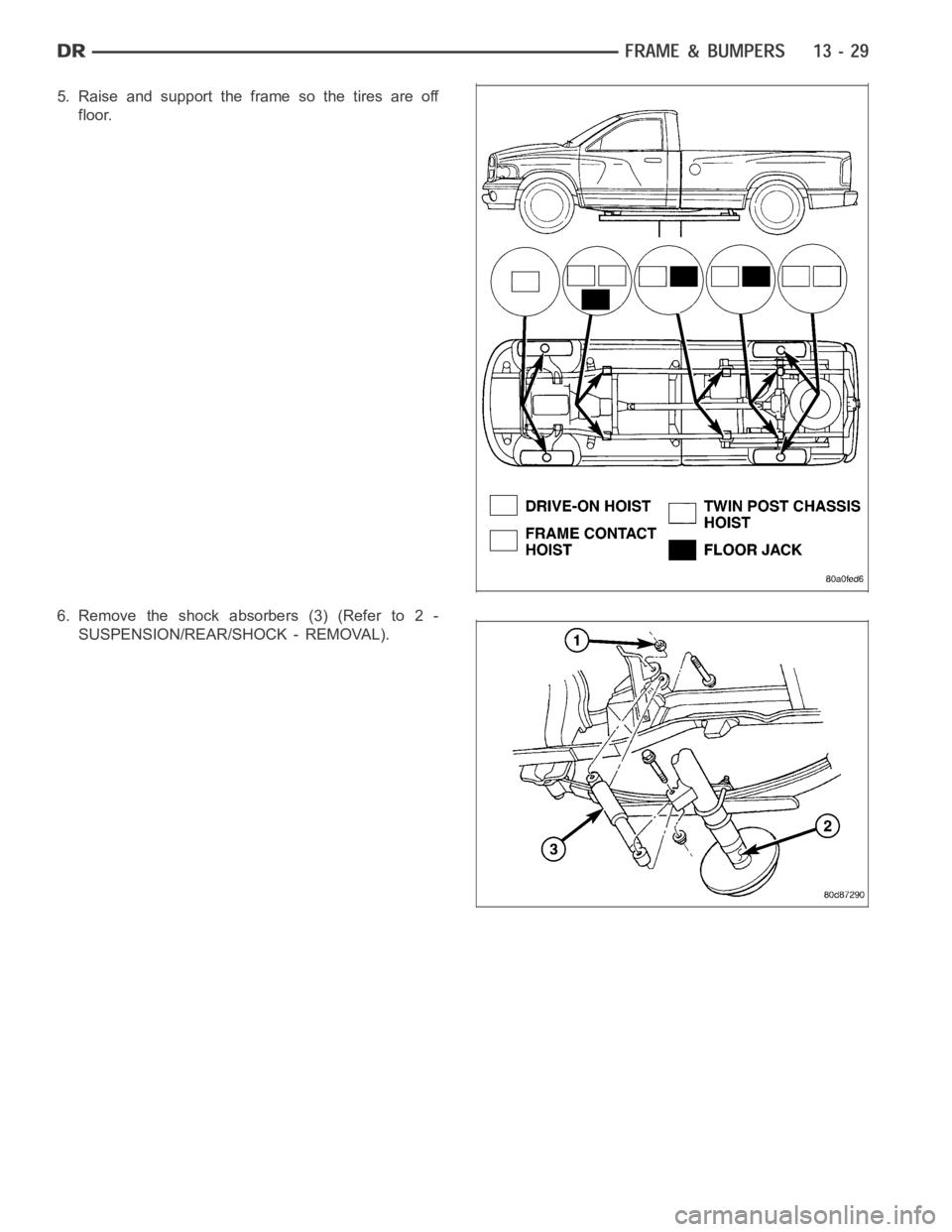
5. Raise and support the frame so the tires are off
floor.
6. Remove the shock absorbers (3) (Refer to 2 -
SUSPENSION/REAR/SHOCK - REMOVAL).
Page 2409 of 5267
INSUFFICIENT ASST. OR POOR RETURN TO CENTER
CONDITION POSSIBLE CAUSE CORRECTION
HARD TURNING OR MOMENTARY
INCREASE IN TURNING EFFORT1. Tire pressure. 1. Adjust tire pressure.
2. Low fluid level. 2. Fill to proper level.
3. Loose belt. 3. Adjust or replace.
4. Low pump pressure. 4. Pressure test and repair as
necessary.
5. Internal gear leak. 5. Replace gear.
STEERING WHEEL DOES NOT
WANT TO RETURN TO CENTER
POSITION1. Tire pressure. 1. Adjust tire pressure.
2. Wheel alignment. 2. Align front end.
3. Lack of lubrication. 3. Inspect and lubricate suspension
components.
4. High friction in steering gear. 4. Replace gear.
LOOSE STEERING AND VEHICLE LEAD
CONDITION POSSIBLE CAUSE CORRECTION
EXCESSIVE PLAY IN STEERING
WHEEL1. Worn or loose suspension or
steering components.1. Inspect and repair as necessary.
2. Worn or loose wheel bearings. 2. Inspect and repair or adjust
bearings.
3. Steering gear mounting. 3. Tighten gear mounting bolts to
specification.
4. Gear out of adjustment. 4. Replace gear.
5. Worn or loose steering coupler. 5. Inspect and replace as
necessary.
VEHICLE PULLS OR LEADS TO
ONE SIDE.1. Tire Pressure. 1. Adjust tire pressure.
2. Radial tire lead. 2. Rotate tires.
3. Brakes dragging. 3. Repair as necessary.
4. Wheel alignment. 4. Align front end.
5. Steering gear valve bias. 5. Replace steering gear.
POWER STEERING FLOW AND PRESSURE
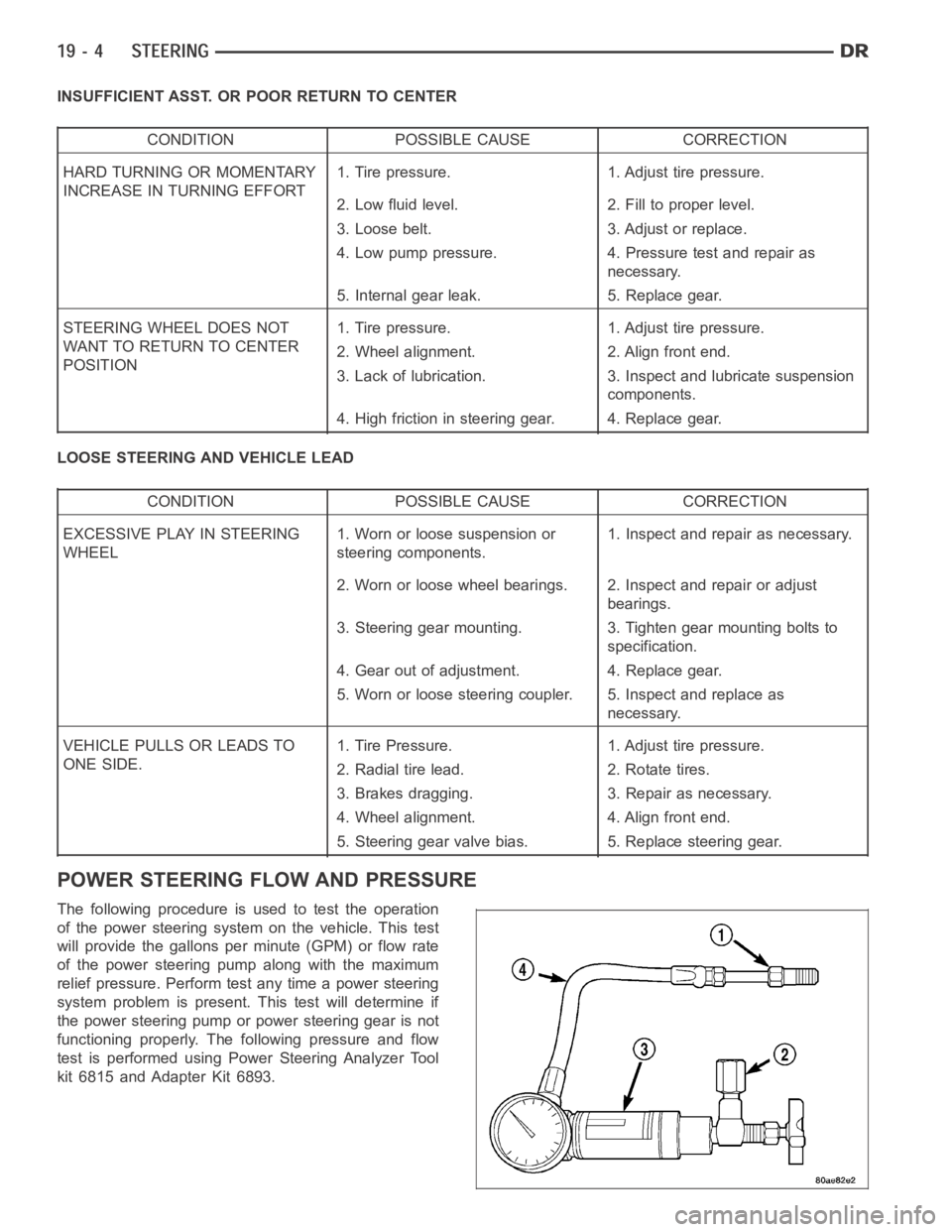
The following procedure is used to test the operation
of the power steering system on the vehicle. This test
will provide the gallons per minute (GPM) or flow rate
of the power steering pump along with the maximum
relief pressure. Perform test any time a power steering
system problem is present. This test will determine if
the power steering pump or power steering gear is not
functioning properly. The following pressure and flow
test is performed using Power Steering Analyzer Tool
kit 6815 and Adapter Kit 6893.
Page 2441 of 5267
INSTALLATION
ALLLD&HDEXCEPT4X4HD
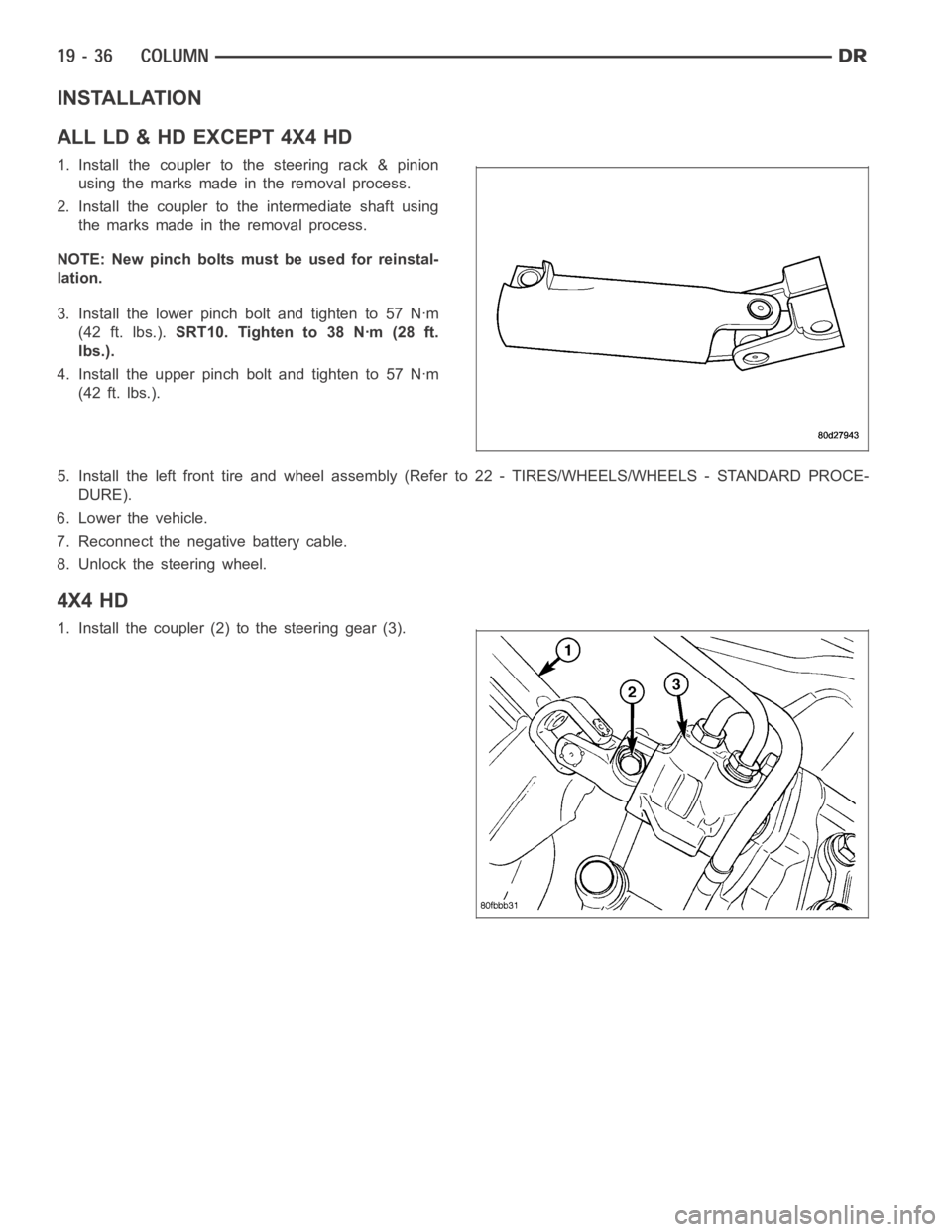
1. Install the coupler to the steering rack & pinion
using the marks made in the removal process.
2. Install the coupler to the intermediate shaft using
the marks made in the removal process.
NOTE: New pinch bolts must be used for reinstal-
lation.
3. Install the lower pinch bolt and tighten to 57 Nꞏm
(42 ft. lbs.).SRT10. Tighten to 38 Nꞏm (28 ft.
lbs.).
4. Install the upper pinch bolt and tighten to 57 Nꞏm
(42 ft. lbs.).
5. Install the left front tire and wheel assembly (Refer to 22 - TIRES/WHEELS/WHEELS - STANDARD PROCE-
DURE).
6. Lower the vehicle.
7. Reconnect the negative battery cable.
8. Unlock the steering wheel.
4X4 HD
1. Install the coupler (2) to the steering gear (3).
Page 2442 of 5267
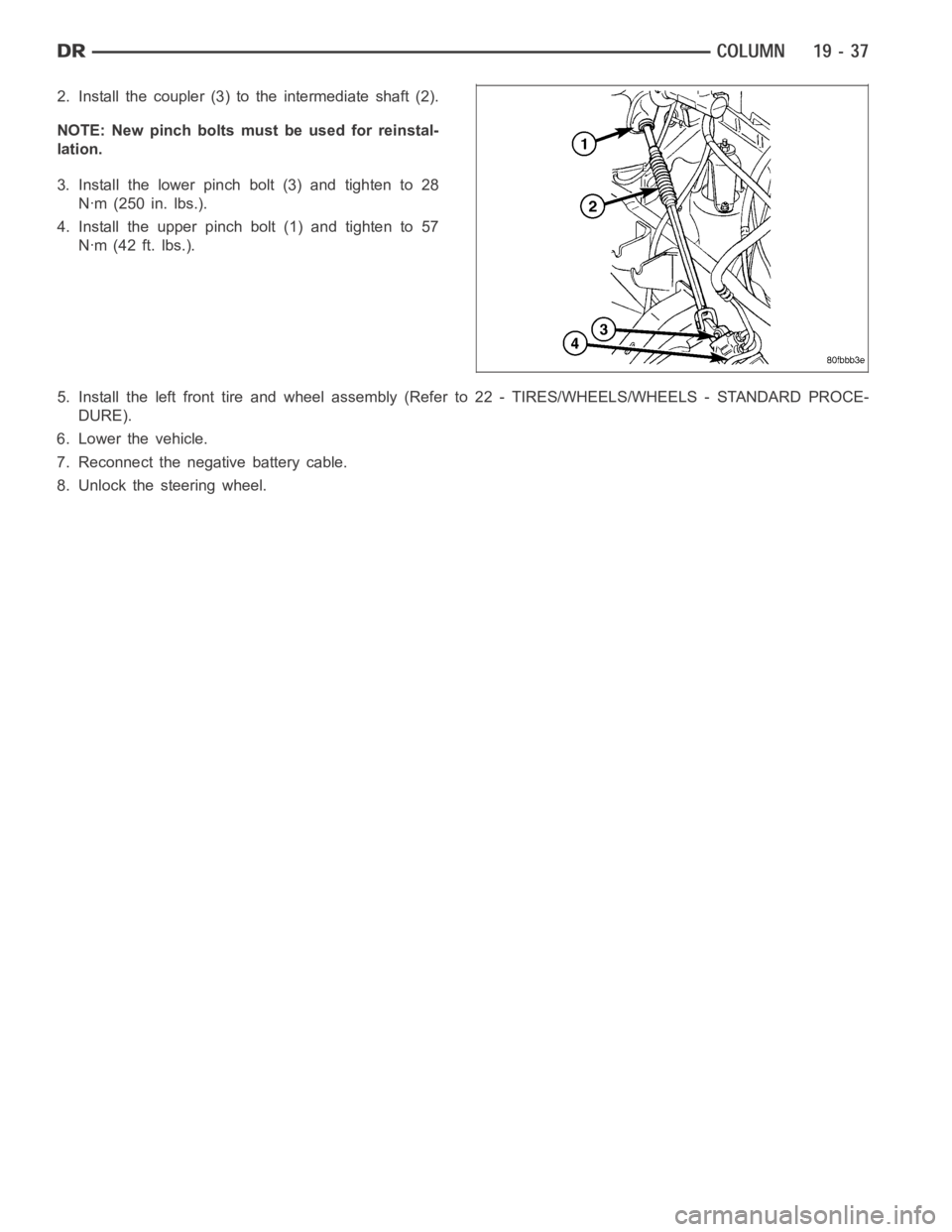
2. Install the coupler (3) to the intermediate shaft (2).
NOTE: New pinch bolts must be used for reinstal-
lation.
3. Install the lower pinch bolt (3) and tighten to 28
Nꞏm (250 in. lbs.).
4. Install the upper pinch bolt (1) and tighten to 57
Nꞏm (42 ft. lbs.).
5. Install the left front tire and wheel assembly (Refer to 22 - TIRES/WHEELS/WHEELS - STANDARD PROCE-
DURE).
6. Lower the vehicle.
7. Reconnect the negative battery cable.
8. Unlock the steering wheel.
Page 2445 of 5267
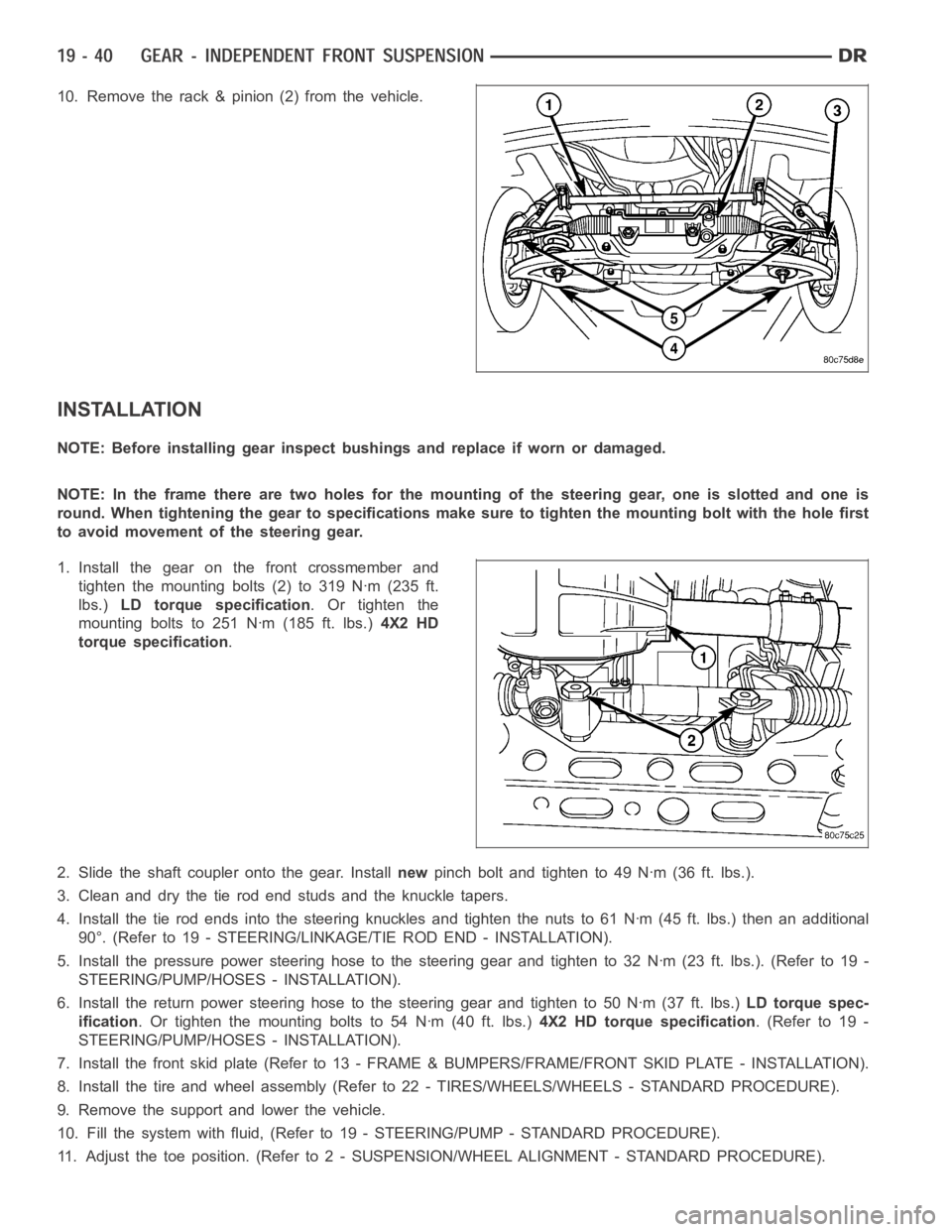
10. Remove the rack & pinion (2) from the vehicle.
INSTALLATION
NOTE: Before installing gear inspect bushings and replace if worn or damaged.
NOTE: In the frame there are two holes for the mounting of the steering gear,oneisslottedandoneis
round. When tightening the gear to specificationsmakesuretotightenthemounting bolt with the hole first
to avoid movement of the steering gear.
1. Install the gear on the front crossmember and
tighten the mounting bolts (2) to 319 Nꞏm (235 ft.
lbs.)LD torque specification.Ortightenthe
mounting bolts to 251 Nꞏm (185 ft. lbs.)4X2 HD
torque specification.
2. Slide the shaft coupler onto the gear. Installnewpinch bolt and tighten to 49 Nꞏm (36 ft. lbs.).
3. Clean and dry the tie rod end studs and the knuckle tapers.
4. Install the tie rod ends into the steering knuckles and tighten the nuts to61Nꞏm(45ft.lbs.)thenanadditional
90°. (Refer to 19 - STEERING/LINKAGE/TIE ROD END - INSTALLATION).
5. Install the pressure power steering hose to the steering gear and tightento32Nꞏm(23ft.lbs.).(Referto19-
STEERING/PUMP/HOSES - INSTALLATION).
6. Install the return power steering hose to the steering gear and tighten to50Nꞏm(37ft.lbs.)LD torque spec-
ification. Or tighten the mounting bolts to 54 Nꞏm (40 ft. lbs.)4X2 HD torque specification.(Referto19-
STEERING/PUMP/HOSES - INSTALLATION).
7. Install the front skid plate (Refer to 13 - FRAME & BUMPERS/FRAME/FRONT SKID PLATE - INSTALLATION).
8. Install the tire and wheel assembly (Refer to 22 - TIRES/WHEELS/WHEELS -STANDARD PROCEDURE).
9. Remove the support and lower the vehicle.
10. Fill the system with fluid, (Refer to 19 - STEERING/PUMP - STANDARD PROCEDURE).
11. Adjust the toe position. (Refer to 2 - SUSPENSION/WHEEL ALIGNMENT - STANDARD PROCEDURE).
Page 2469 of 5267
TIE ROD END
DIAGNOSIS AND TESTING
OUTERTIERODEND
NOTE: If the outer tie rod end is equipped with a lubrication fitting, grease the joint then road test the vehi-
cle before performing test.
1. Raise the front of the vehicle. Place safety floor stands under both lower control arms as far outboard as pos-
sible. Lower the vehicle to allow the stands to support some or all of the vehicle weight.
2. Remove the front tires.
3. Mount a dial indicator solidly to the vehicle steering knuckle and then zero the dial indicator.
4. Position indicator plunger on the topside of the outer tie rod end.
NOTE: The dial indicator plunger must be perpendicular to the machined surface of the outer tie rod end.
5. Position a pry bar in order to pry downwards on the outer tie rod end.
6. If the travel exceeds 0.5 mm (0.020 in.), replace the outer tie rod end (Refer to 19 - STEERING/LINKAGE/TIE
ROD END - REMOVAL).
7. If the outer tie rod end is within specs reinstall the front tires (Refer to 22 - TIRES/WHEELS/WHEELS - STAN-
DARD PROCEDURE).
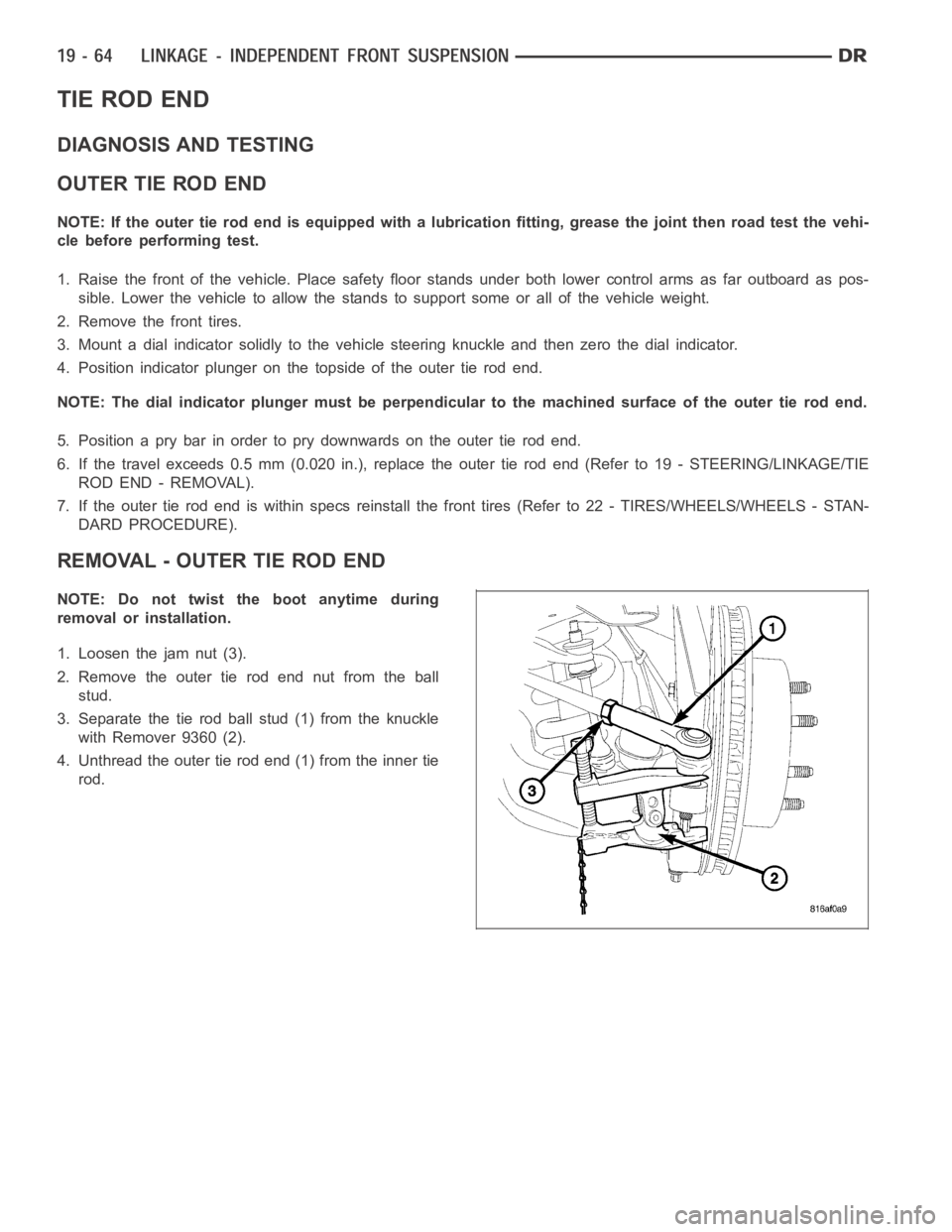
REMOVAL - OUTER TIE ROD END
NOTE: Do not twist the boot anytime during
removal or installation.
1. Loosen the jam nut (3).
2. Remove the outer tie rod end nut from the ball
stud.
3. Separate the tie rod ball stud (1) from the knuckle
with Remover 9360 (2).
4. Unthread the outer tie rod end (1) from the inner tie
rod.
Page 4086 of 5267
A straight line shift pattern is used with a NEUTRAL detent. Lever range positions are imprinted in the shift knob.
SHIFTING
The transfer case can be shifted between the 2H and 4H operating ranges while the vehicle is in motion. The vehi-
cle must have the transmission placed in NEUTRAL, or the clutch depressed in the case of a manual transmission,
and be moving less than 2-3 MPH when shifting into and out of the 4L operatingrange.
DIAGNOSIS AND TESTING - TRANSFER CASE - NV241 GENII
Before beginning repair on a suspected transfer case malfunction, check all other driveline components beforehand.
The actual cause of a problem may be related to such items as: front hubs, axles, propeller shafts, wheels and tires,
transmission, or clutch instead. If all other driveline components are ingood condition and operating properly, refer
to the Diagnosis Chart for further information.
DIAGNOSIS CHART
Condition Possible Cause Correction
Transfer Case difficult to shift or will
not shift into desired range.1) Vehicle speed too great to permit
shifting.1) Stop vehicle and shift into
desired range. Or, reduce speed to
below 3-4 km/h (2-3 mph) before
attempting the shift.
2) If vehicle was operated for an
extended period in 4H on a dry
paved surface, the driveline torque
load may be causing a bind.2) Stop vehicle and shift the
transmission into neutral. Shift the
transfer case to 2H and operate
vehicle in 2H on dry paved
surfaces.
3) Transfer case external shift
linkage binding.3) Lubricate, repair, or replace
linkage bushings, or tighten loose
components as necessary.
4) Insufficient or incorrect lubricant. 4) Drain and refill to edge of fillhole
with Mopar
ATF +4, Automatic
Transmission fluid.
5) Internal components binding,
worn, or damaged.5) Disassemble the transfer case
and replace worn or damaged
components as necessary.
Transfer Case noisy in all operating
ranges.1) Insufficient or incorrect lubricant. 1) Drain and refill to edge of fillhole
with Mopar
ATF +4, Automatic
Transmission fluid.
Noisy in, or jumps out of, four wheel
drive low range.1) Transfer case not completely
engaged in 4L position.1) With the transmission in
NEUTRAL, or the clutch depressed
in the case of a manual
transmission and the vehicle moving
under 3-4 km/h (2-3 mph), shift the
transfer case to NEUTRAL and then
shift into the 4L position.
2) Shift linkage out of adjustment. 2) Adjust linkage.
3) Shift linkage loose or binding. 3) Tighten, lubricate, or repair
linkage as necessary.
4) Range fork damaged, inserts
worn, or fork is binding on the shift
rail.4) Disassemble unit and repair as
necessary.
5) Low range gear worn or
damaged.5) Disassemble unit and repair as
necessary.