maintenance DODGE SPRINTER 2007 2.G Owner's Manual
[x] Cancel search | Manufacturer: DODGE, Model Year: 2007, Model line: SPRINTER, Model: DODGE SPRINTER 2007 2.GPages: 393, PDF Size: 7.61 MB
Page 263 of 393
262 Practical hintsWhat to do if ...
5
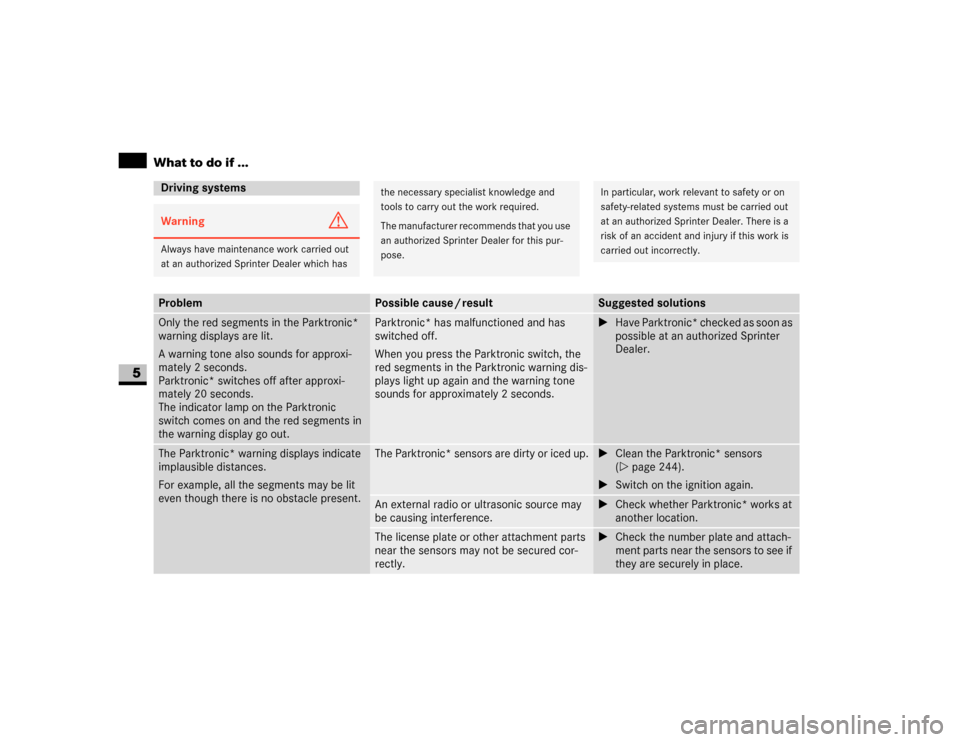
Driving systemsWarning
G
Always have maintenance work carried out
at an authorized Sprinter Dealer which has
the necessary specialist knowledge and
tools to carry out the work required.
The manufacturer recommends that you use
an authorized Sprinter Dealer for this pur-
pose.
In particular, work relevant to safety or on
safety-related systems must be carried out
at an authorized Sprinter Dealer. There is a
risk of an accident and injury if this work is
carried out incorrectly.
Problem
Possible cause / result
Suggested solutions
Only the red segments in the Parktronic*
warning displays are lit.
A warning tone also sounds for approxi-
mately 2 seconds.
Parktronic* switches off after approxi-
mately 20 seconds.
The indicator lamp on the Parktronic
switch comes on and the red segments in
the warning display go out.
Parktronic* has malfunctioned and has
switched off.
When you press the Parktronic switch, the
red segments in the Parktronic warning dis-
plays light up again and the warning tone
sounds for approximately 2 seconds.
\1Have Parktronic* checked as soon as
possible at an authorized Sprinter
Dealer.
The Parktronic* warning displays indicate
implausible distances.
For example, all the segments may be lit
even though there is no obstacle present.
The Parktronic* sensors are dirty or iced up.
\1Clean the Parktronic* sensors
(\2page 244).
\1Switch on the ignition again.
An external radio or ultrasonic source may
be causing interference.
\1Check whether Parktronic* works at
another location.
The license plate or other attachment parts
near the sensors may not be secured cor-
rectly.
\1Check the number plate and attach-
ment parts near the sensors to see if
they are securely in place.
Page 265 of 393
264 Practical hintsWhat to do if ...
5
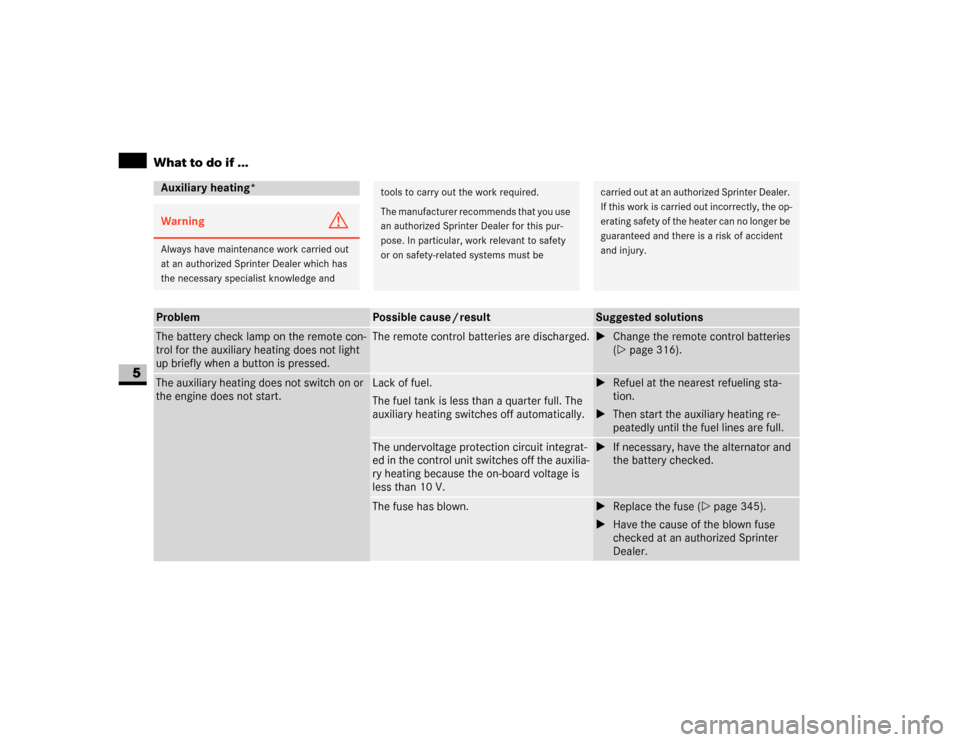
Auxiliary heating*Warning
G
Always have maintenance work carried out
at an authorized Sprinter Dealer which has
the necessary specialist knowledge and
tools to carry out the work required.
The manufacturer recommends that you use
an authorized Sprinter Dealer for this pur-
pose. In particular, work relevant to safety
or on safety-related systems must be
carried out at an authorized Sprinter Dealer.
If this work is carried out incorrectly, the op-
erating safety of the heater can no longer be
guaranteed and there is a risk of accident
and injury.
Problem
Possible cause / result
Suggested solutions
The battery check lamp on the remote con-
trol for the auxiliary heating does not light
up briefly when a button is pressed.
The remote control batteries are discharged.
\1Change the remote control batteries
(\2page 316).
The auxiliary heating does not switch on or
the engine does not start.
Lack of fuel.
The fuel tank is less than a quarter full. The
auxiliary heating switches off automatically.
\1Refuel at the nearest refueling sta-
tion.
\1Then start the auxiliary heating re-
peatedly until the fuel lines are full.
The undervoltage protection circuit integrat-
ed in the control unit switches off the auxilia-
ry heating because the on-board voltage is
less than 10 V.
\1If necessary, have the alternator and
the battery checked.
The fuse has blown.
\1Replace the fuse (\2page 345).
\1Have the cause of the blown fuse
checked at an authorized Sprinter
Dealer.
Page 266 of 393
265 Practical hints
What to do if ...
5
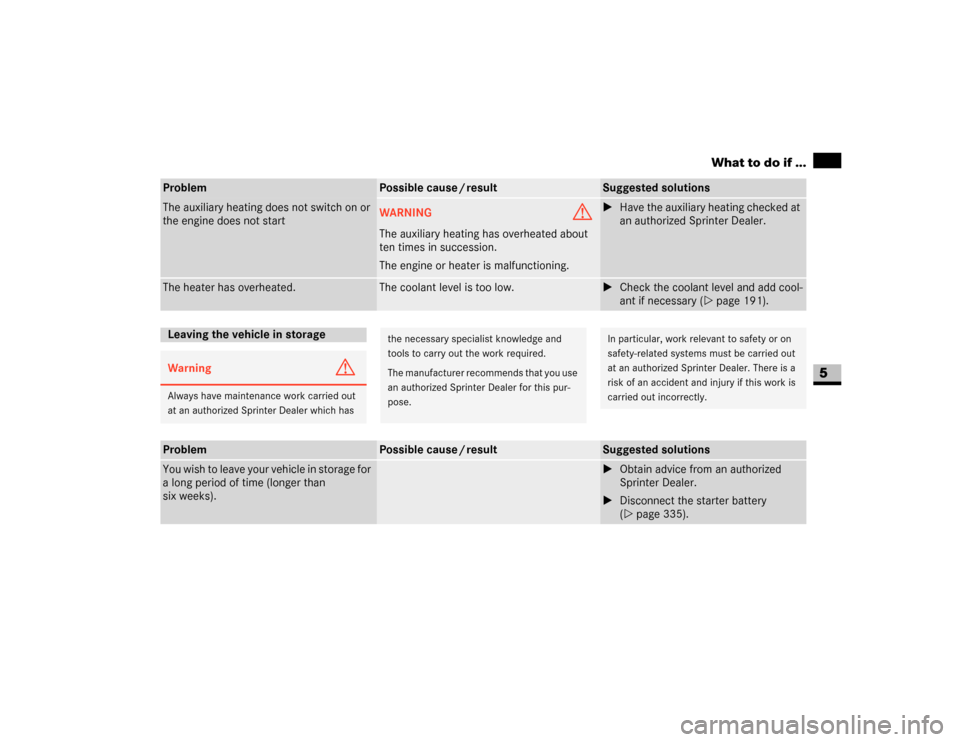
The auxiliary heating does not switch on or
the engine does not start
WARNING
G
The auxiliary heating has overheated about
ten times in succession.
The engine or heater is malfunctioning.
\1Have the auxiliary heating checked at
an authorized Sprinter Dealer.
The heater has overheated.
The coolant level is too low.
\1Check the coolant level and add cool-
ant if necessary (\2page 191).
Problem
Possible cause / result
Suggested solutions
Leaving the vehicle in storageWarning
G
Always have maintenance work carried out
at an authorized Sprinter Dealer which has
the necessary specialist knowledge and
tools to carry out the work required.
The manufacturer recommends that you use
an authorized Sprinter Dealer for this pur-
pose.
In particular, work relevant to safety or on
safety-related systems must be carried out
at an authorized Sprinter Dealer. There is a
risk of an accident and injury if this work is
carried out incorrectly.
Problem
Possible cause / result
Suggested solutions
You wish to leave your vehicle in storage for
a long period of time (longer than
six weeks).
\1Obtain advice from an authorized
Sprinter Dealer.
\1Disconnect the starter battery
(\2page 335).
Page 267 of 393
266 Practical hintsWhat to do if ...
5
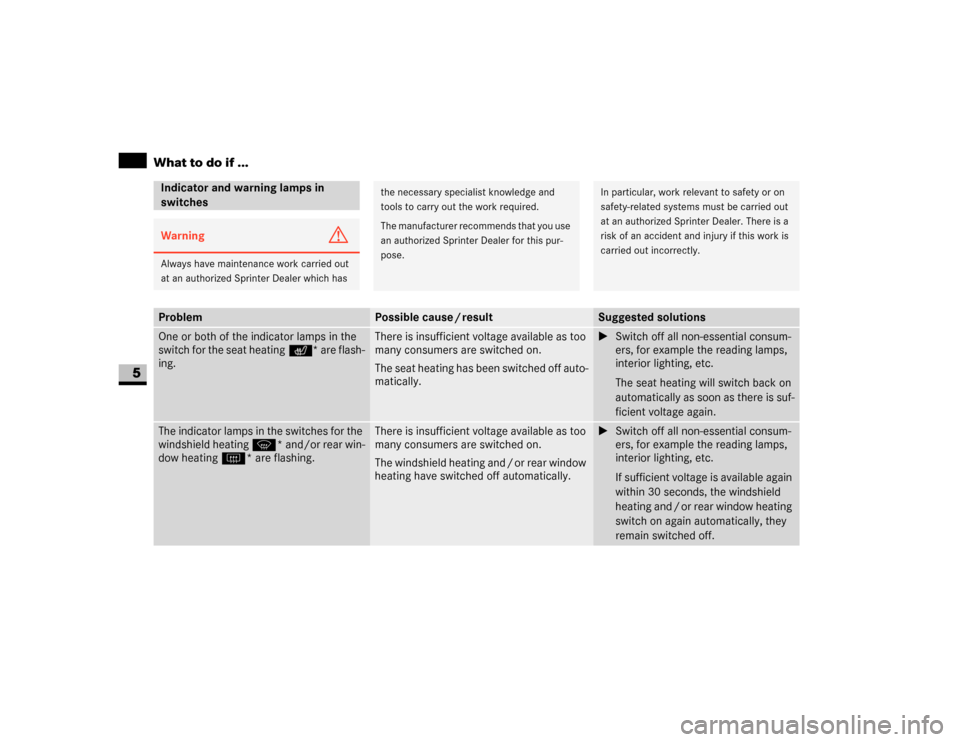
Indicator and warning lamps in
switchesWarning
G
Always have maintenance work carried out
at an authorized Sprinter Dealer which has
the necessary specialist knowledge and
tools to carry out the work required.
The manufacturer recommends that you use
an authorized Sprinter Dealer for this pur-
pose.
In particular, work relevant to safety or on
safety-related systems must be carried out
at an authorized Sprinter Dealer. There is a
risk of an accident and injury if this work is
carried out incorrectly.
Problem
Possible cause / result
Suggested solutions
One or both of the indicator lamps in the
switch for the seat heating * are flash-
ing.
There is insufficient voltage available as too
many consumers are switched on.
The seat heating has been switched off auto-
matically.
\1Switch off all non-essential consum-
ers, for example the reading lamps,
interior lighting, etc.
The seat heating will switch back on
automatically as soon as there is suf-
ficient voltage again.
The indicator lamps in the switches for the
windshield heating P* and/or rear win-
dow heating F* are flashing.
There is insufficient voltage available as too
many consumers are switched on.
The windshield heating and / or rear window
heating have switched off automatically.
\1Switch off all non-essential consum-
ers, for example the reading lamps,
interior lighting, etc.
If sufficient voltage is available again
within 30 seconds, the windshield
heating and / or rear window heating
switch on again automatically, they
remain switched off.
Page 269 of 393
268 Practical hintsWhat to do if ...
5
Indicator and warning lamps in the
instrument clusterWarning
G
Always have maintenance work carried out
at an authorized Sprinter Dealer which has
the necessary specialist knowledge and
tools to carry out the work required.
The manufacturer recommends that you use
an authorized Sprinter Dealer for this pur-
pose.
In particular, work relevant to safety or on
safety-related systems must be carried out
at an authorized Sprinter Dealer. There is a
risk of an accident and injury if this work is
carried out incorrectly.
Problem
Possible cause / result
Suggested solutions
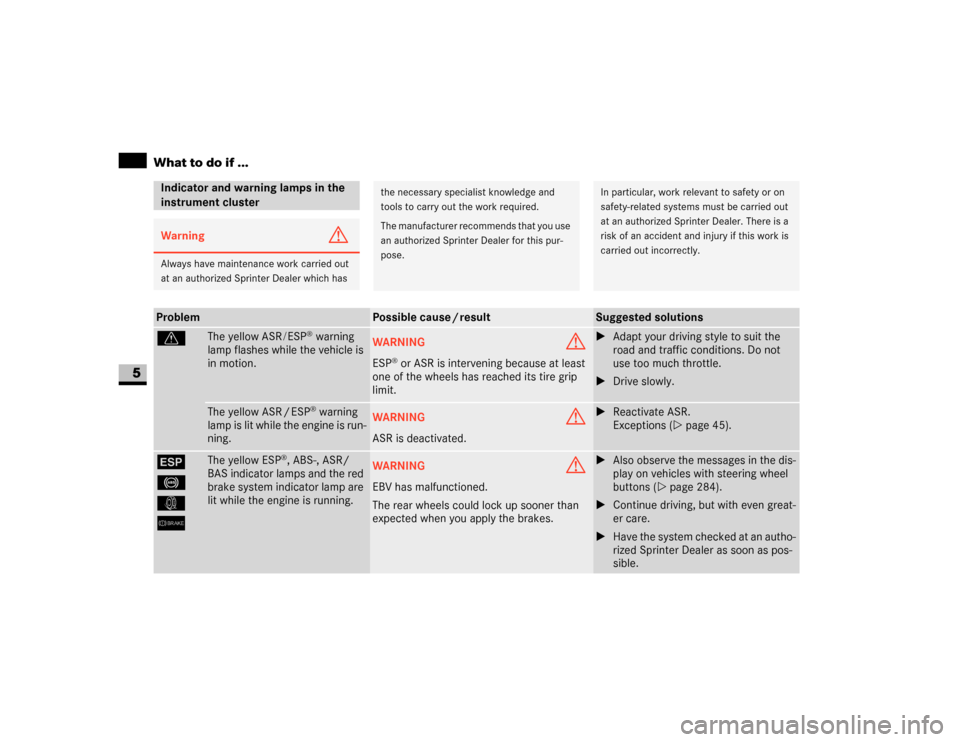
v
The yellow ASR/ESP
® warning
lamp flashes while the vehicle is
in motion.
WARNING
G
ESP
® or ASR is intervening because at least
one of the wheels has reached its tire grip
limit.
\1Adapt your driving style to suit the
road and traffic conditions. Do not
use too much throttle.
\1Drive slowly.
The yellow ASR / ESP
® warning
lamp is lit while the engine is run-
ning.
WARNING
G
ASR is deactivated.
\1Reactivate ASR.
Exceptions (\2page 45).
#
-
k
6
The yellow ESP
®, ABS-, ASR/
BAS indicator lamps and the red
brake system indicator lamp are
lit while the engine is running.
WARNING
G
EBV has malfunctioned.
The rear wheels could lock up sooner than
expected when you apply the brakes.
\1Also observe the messages in the dis-
play on vehicles with steering wheel
buttons (\2page 284).
\1Continue driving, but with even great-
er care.
\1Have the system checked at an autho-
rized Sprinter Dealer as soon as pos-
sible.
Page 280 of 393
279 Practical hints
What to do if ...
5
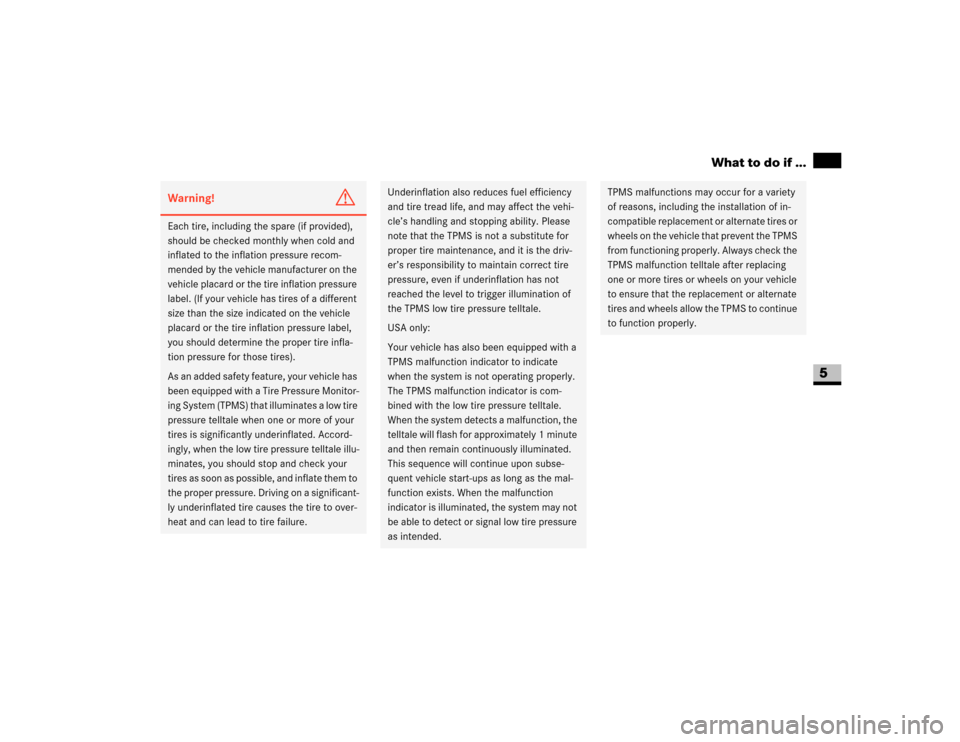
Warning!
G
Each tire, including the spare (if provided),
should be checked monthly when cold and
inflated to the inflation pressure recom-
mended by the vehicle manufacturer on the
vehicle placard or the tire inflation pressure
label. (If your vehicle has tires of a different
size than the size indicated on the vehicle
placard or the tire inflation pressure label,
you should determine the proper tire infla-
tion pressure for those tires).
As an added safety feature, your vehicle has
been equipped with a Tire Pressure Monitor-
ing System (TPMS) that illuminates a low tire
pressure telltale when one or more of your
tires is significantly underinflated. Accord-
ingly, when the low tire pressure telltale illu-
minates, you should stop and check your
tires as soon as possible, and inflate them to
the proper pressure. Driving on a significant-
ly underinflated tire causes the tire to over-
heat and can lead to tire failure.
Underinflation also reduces fuel efficiency
and tire tread life, and may affect the vehi-
cle’s handling and stopping ability. Please
note that the TPMS is not a substitute for
proper tire maintenance, and it is the driv-
er’s responsibility to maintain correct tire
pressure, even if underinflation has not
reached the level to trigger illumination of
the TPMS low tire pressure telltale.
USA only:
Your vehicle has also been equipped with a
TPMS malfunction indicator to indicate
when the system is not operating properly.
The TPMS malfunction indicator is com-
bined with the low tire pressure telltale.
When the system detects a malfunction, the
telltale will flash for approximately 1 minute
and then remain continuously illuminated.
This sequence will continue upon subse-
quent vehicle start-ups as long as the mal-
function exists. When the malfunction
indicator is illuminated, the system may not
be able to detect or signal low tire pressure
as intended.
TPMS malfunctions may occur for a variety
of reasons, including the installation of in-
compatible replacement or alternate tires or
wheels on the vehicle that prevent the TPMS
from functioning properly. Always check the
TPMS malfunction telltale after replacing
one or more tires or wheels on your vehicle
to ensure that the replacement or alternate
tires and wheels allow the TPMS to continue
to function properly.
Page 282 of 393
281 Practical hints
Display messages
5
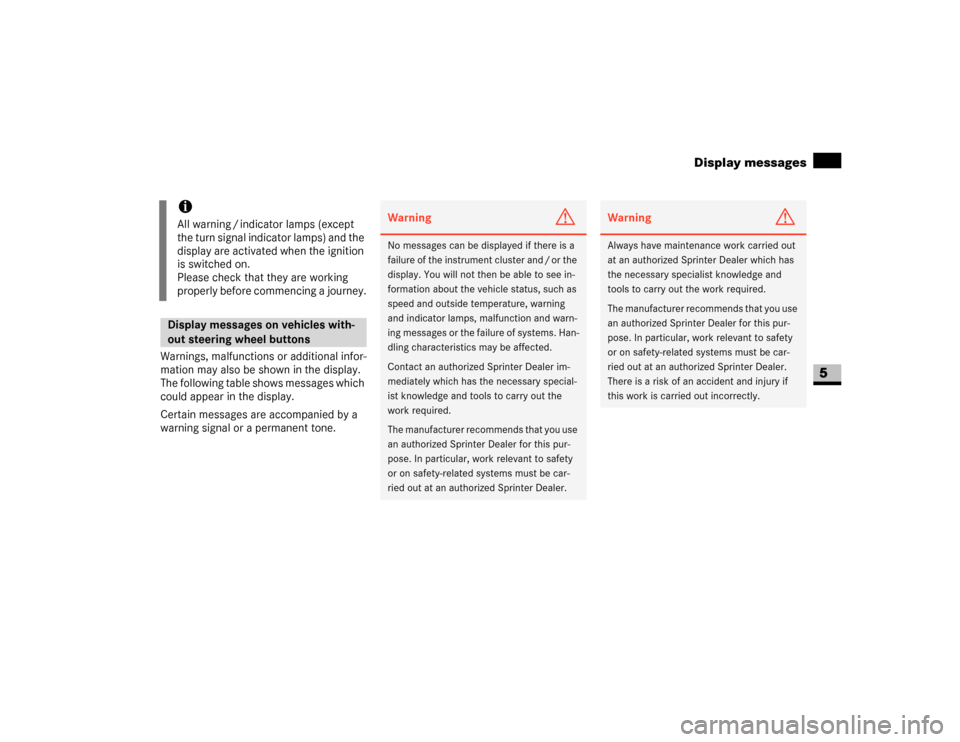
Warnings, malfunctions or additional infor-
mation may also be shown in the display.
The following table shows messages which
could appear in the display.
Certain messages are accompanied by a
warning signal or a permanent tone.
iAll warning / indicator lamps (except
the turn signal indicator lamps) and the
display are activated when the ignition
is switched on.
Please check that they are working
properly before commencing a journey.Display messages on vehicles with-
out steering wheel buttons
Warning
G
No messages can be displayed if there is a
failure of the instrument cluster and / or the
display. You will not then be able to see in-
formation about the vehicle status, such as
speed and outside temperature, warning
and indicator lamps, malfunction and warn-
ing messages or the failure of systems. Han-
dling characteristics may be affected.
Contact an authorized Sprinter Dealer im-
mediately which has the necessary special-
ist knowledge and tools to carry out the
work required.
The manufacturer recommends that you use
an authorized Sprinter Dealer for this pur-
pose. In particular, work relevant to safety
or on safety-related systems must be car-
ried out at an authorized Sprinter Dealer.
Warning
G
Always have maintenance work carried out
at an authorized Sprinter Dealer which has
the necessary specialist knowledge and
tools to carry out the work required.
The manufacturer recommends that you use
an authorized Sprinter Dealer for this pur-
pose. In particular, work relevant to safety
or on safety-related systems must be car-
ried out at an authorized Sprinter Dealer.
There is a risk of an accident and injury if
this work is carried out incorrectly.
Page 285 of 393
284 Practical hintsDisplay messages
5
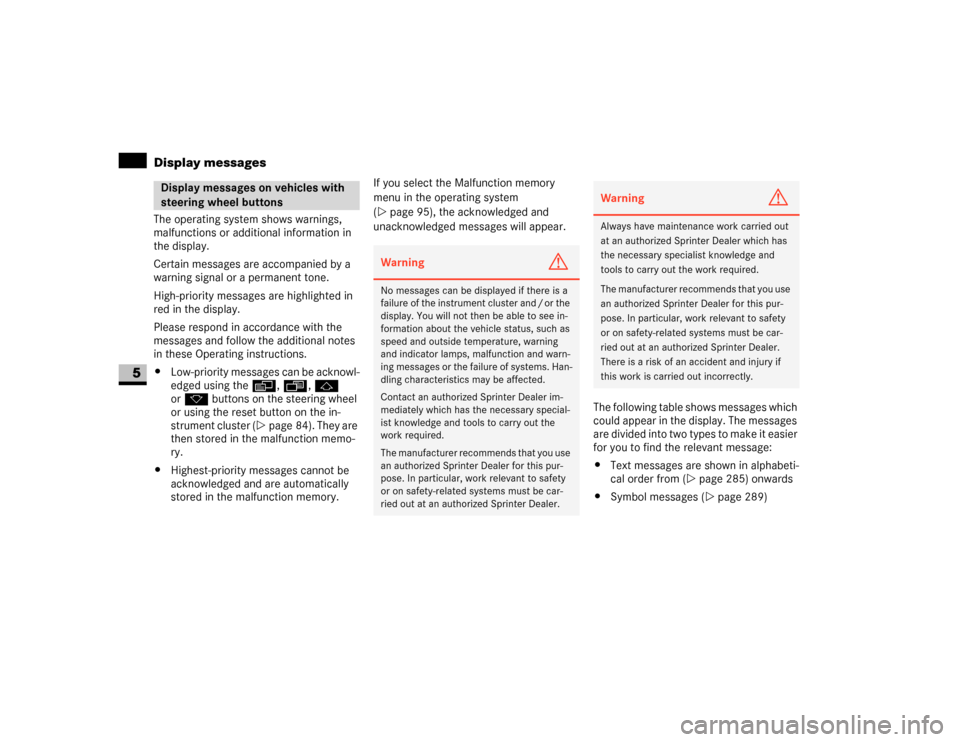
The operating system shows warnings,
malfunctions or additional information in
the display.
Certain messages are accompanied by a
warning signal or a permanent tone.
High-priority messages are highlighted in
red in the display.
Please respond in accordance with the
messages and follow the additional notes
in these Operating instructions.
\4Low-priority messages can be acknowl-
edged using theè, ·, j
ork buttons on the steering wheel
or using the reset button on the in-
strument cluster (\2page 84). They are
then stored in the malfunction memo-
ry.
\4Highest-priority messages cannot be
acknowledged and are automatically
stored in the malfunction memory.If you select the Malfunction memory
menu in the operating system
(\2page 95), the acknowledged and
unacknowledged messages will appear.
The following table shows messages which
could appear in the display. The messages
are divided into two types to make it easier
for you to find the relevant message:
\4Text messages are shown in alphabeti-
cal order from (\2page 285) onwards
\4Symbol messages (\2page 289)Display messages on vehicles with
steering wheel buttons
Warning
G
No messages can be displayed if there is a
failure of the instrument cluster and / or the
display. You will not then be able to see in-
formation about the vehicle status, such as
speed and outside temperature, warning
and indicator lamps, malfunction and warn-
ing messages or the failure of systems. Han-
dling characteristics may be affected.
Contact an authorized Sprinter Dealer im-
mediately which has the necessary special-
ist knowledge and tools to carry out the
work required.
The manufacturer recommends that you use
an authorized Sprinter Dealer for this pur-
pose. In particular, work relevant to safety
or on safety-related systems must be car-
ried out at an authorized Sprinter Dealer.
Warning
G
Always have maintenance work carried out
at an authorized Sprinter Dealer which has
the necessary specialist knowledge and
tools to carry out the work required.
The manufacturer recommends that you use
an authorized Sprinter Dealer for this pur-
pose. In particular, work relevant to safety
or on safety-related systems must be car-
ried out at an authorized Sprinter Dealer.
There is a risk of an accident and injury if
this work is carried out incorrectly.
Page 390 of 393
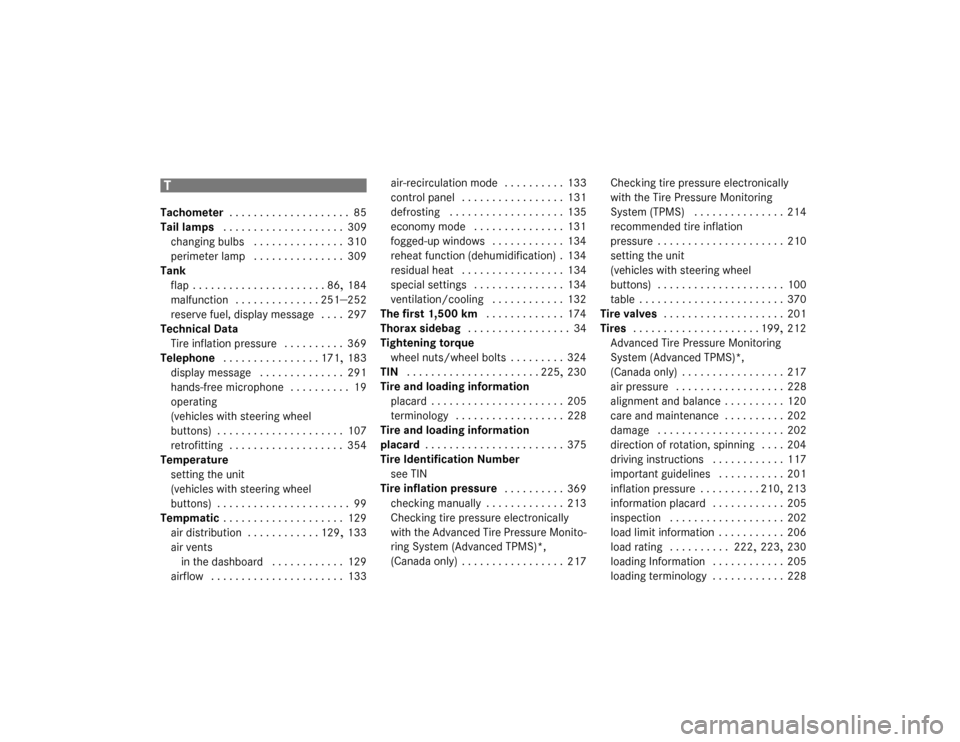
389 Index
T
Tachometer
. . . . . . . . . . . . . . . . . . . . 85
Tail lamps
. . . . . . . . . . . . . . . . . . . . 309
changing bulbs
. . . . . . . . . . . . . . . 310
perimeter lamp . . . . . . . . . . . . . . . 309
Tank
flap
. . . . . . . . . . . . . . . . . . . . . . 86
, 184
malfunction
. . . . . . . . . . . . . . 251
–252
reserve fuel, display message
. . . . 297
Technical Data
Tire inflation pressure
. . . . . . . . . . 369
Telephone
. . . . . . . . . . . . . . . . 171
, 183
display message
. . . . . . . . . . . . . . 291
hands-free microphone
. . . . . . . . . . 19
operating
(vehicles with steering wheel
buttons)
. . . . . . . . . . . . . . . . . . . . . 107
retrofitting . . . . . . . . . . . . . . . . . . . 354
Temperature
setting the unit
(vehicles with steering wheel
buttons)
. . . . . . . . . . . . . . . . . . . . . . 99
Tempmatic . . . . . . . . . . . . . . . . . . . . 129
air distribution
. . . . . . . . . . . . 129
, 133
air vents
in the dashboard
. . . . . . . . . . . . 129
airflow
. . . . . . . . . . . . . . . . . . . . . . 133air-recirculation mode
. . . . . . . . . . 133
control panel
. . . . . . . . . . . . . . . . . 131
defrosting
. . . . . . . . . . . . . . . . . . . 135
economy mode
. . . . . . . . . . . . . . . 131
fogged-up windows
. . . . . . . . . . . . 134
reheat function (dehumidification)
. 134
residual heat
. . . . . . . . . . . . . . . . . 134
special settings . . . . . . . . . . . . . . . 134
ventilation/cooling
. . . . . . . . . . . . 132
The first 1,500 km . . . . . . . . . . . . . 174
Thorax sidebag
. . . . . . . . . . . . . . . . . 34
Tightening torque
wheel nuts/wheel bolts
. . . . . . . . . 324
TIN
. . . . . . . . . . . . . . . . . . . . . . 225
, 230
Tire and loading information
placard
. . . . . . . . . . . . . . . . . . . . . . 205
terminology
. . . . . . . . . . . . . . . . . . 228
Tire and loading information
placard
. . . . . . . . . . . . . . . . . . . . . . . 375
Tire Identification Number
see TIN
Tire inflation pressure
. . . . . . . . . . 369
checking manually
. . . . . . . . . . . . . 213
Checking tire pressure electronically
with the Advanced Tire Pressure Monito-
ring System (Advanced TPMS)*,
(Canada only)
. . . . . . . . . . . . . . . . . 217Checking tire pressure electronically
with the Tire Pressure Monitoring
System (TPMS)
. . . . . . . . . . . . . . . 214
recommended tire inflation
pressure
. . . . . . . . . . . . . . . . . . . . . 210
setting the unit
(vehicles with steering wheel
buttons) . . . . . . . . . . . . . . . . . . . . . 100
table
. . . . . . . . . . . . . . . . . . . . . . . . 370
Tire valves
. . . . . . . . . . . . . . . . . . . . 201
Tires
. . . . . . . . . . . . . . . . . . . . . 199
, 212
Advanced Tire Pressure Monitoring
System (Advanced TPMS)*,
(Canada only)
. . . . . . . . . . . . . . . . . 217
air pressure
. . . . . . . . . . . . . . . . . . 228
alignment and balance
. . . . . . . . . . 120
care and maintenance . . . . . . . . . . 202
damage
. . . . . . . . . . . . . . . . . . . . . 202
direction of rotation, spinning
. . . . 204
driving instructions
. . . . . . . . . . . . 117
important guidelines . . . . . . . . . . . 201
inflation pressure
. . . . . . . . . . 210
, 213
information placard
. . . . . . . . . . . . 205
inspection
. . . . . . . . . . . . . . . . . . . 202
load limit information
. . . . . . . . . . . 206
load rating
. . . . . . . . . . 222
, 223
, 230
loading Information
. . . . . . . . . . . . 205
loading terminology . . . . . . . . . . . . 228
T