instrument cluster DODGE SPRINTER 2008 2.G User Guide
[x] Cancel search | Manufacturer: DODGE, Model Year: 2008, Model line: SPRINTER, Model: DODGE SPRINTER 2008 2.GPages: 666, PDF Size: 14.11 MB
Page 145 of 666
143 Controls in detail
Instrument cluster
3
The display in the instrument cluster is
activated when you:\4
open the driver’s door
\4
switch on the ignition
\4
press the reset button
\4
switch on the lights
The display switches off automatically
after approximately 30 seconds if:
\4
there is no vehicle lighting switched
on
\4
the key is in position
0 in the ignition
lock
(\2
page 111)
Warning
G
No messages can be displayed if the in-
strument cluster and / or the display is
malfunctioning.You will not then be able to see informa-
tion about the vehicle status, such as
speed and outside temperature, warning
and indicator lamps, malfunction and
warning messages or the malfunction of
systems. Handling characteristics may be
affected.
Continued
Warning (Continued)
G
Contact a qualified specialist workshop
immediately which has the necessary spe-
cialist knowledge and tools to carry out
the work required.The manufacturer recommends that you
use an authorized Sprinter Dealer for this
purpose. In particular, work relevant to
safety or on safety-related systems must
be carried out at a qualified specialist
workshop.
Continued
nf_BA.book Page 143 Friday, January 25, 2008 3:53 PM
Page 146 of 666
144 Controls in detailInstrument cluster
3
With the lights switched on, you can ad-
just the brightness of the instrument
lighting using the and buttons.\1
Brighter: press the button.
\1
Dimmer: press the button.
Warning (Continued)
G
Only use adjustment buttons , , ,
or when traffic conditions permit.
You will otherwise be unable to observe
road and traffic conditions and could
cause an accident.Do not reach through the steering wheel
to press the adjustment buttons. This will
make the steering wheel much more diffi-
cult to control. Your attention will also be
diverted from the road and traffic condi-
tions. This could cause you to lose control
of the vehicle and could lead to an acci-
dent.
Continued
Warning (Continued)
G
Do not rest your head or chest on the
steering wheel or dashboard when operat-
ing the adjustment buttons. See the safe-
ty precautions for airbags (\2page 46).
Instrument lightingiVehicles with automatic headlamp
mode*:
The instrument lighting also adjusts
in line with the automatic headlamp
mode.
nf_BA.book Page 144 Friday, January 25, 2008 3:53 PM
Page 147 of 666
145 Controls in detail
Instrument cluster
3
The red band in the tachometer indi-
cates the engine’s overrevving range.
To protect the engine, the fuel supply is
interrupted when the red band is
reached.Tachometer!
CAUTION
Do not drive in the overrevving
range. Doing so could damage the
engine.
Environmental note
H
Avoid high engine speeds. These could in-
crease your vehicle’s fuel consumption
unnecessarily and damage the environ-
ment through increased pollutant emis-
sions.SpeedometeriIn some countries, a signal sounds
when the vehicle reaches the maxi-
mum speed limit, e.g. at 75 mph
(120 km/h).
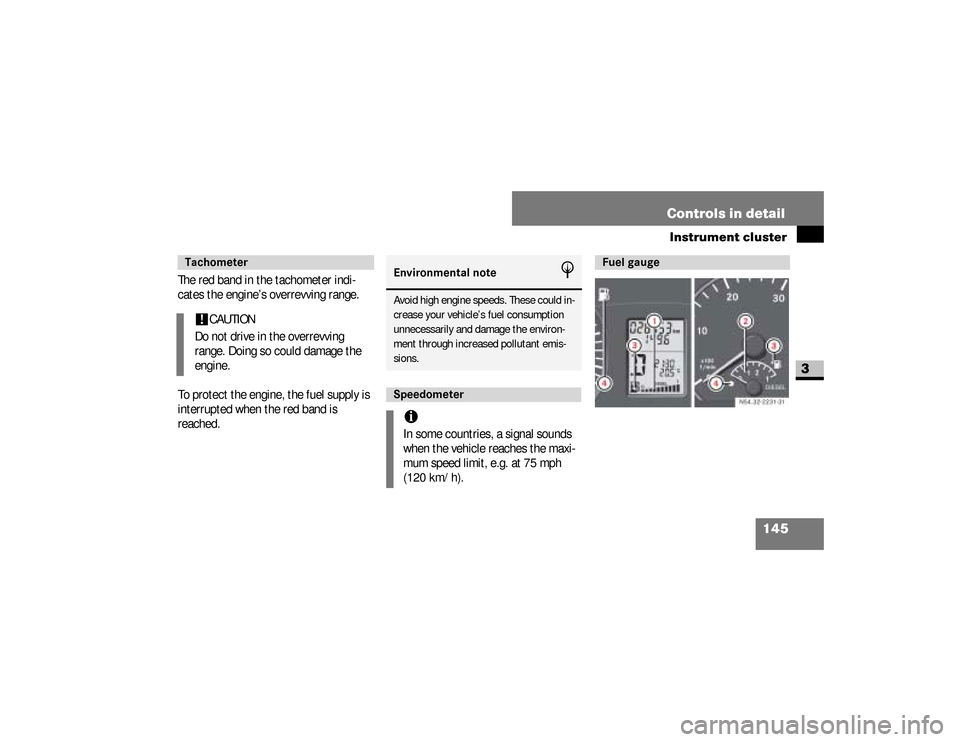
Fuel gauge
nf_BA.book Page 145 Friday, January 25, 2008 3:53 PM
Page 148 of 666
146 Controls in detailInstrument cluster
3
Resetting the trip meter
\1
Vehicles with steering wheel but-
tons*: Make sure that the display is
showing the trip meter
(\2
page 157).
\1
Keep reset button
0 pressed until
the trip meter is set to
0.0
.
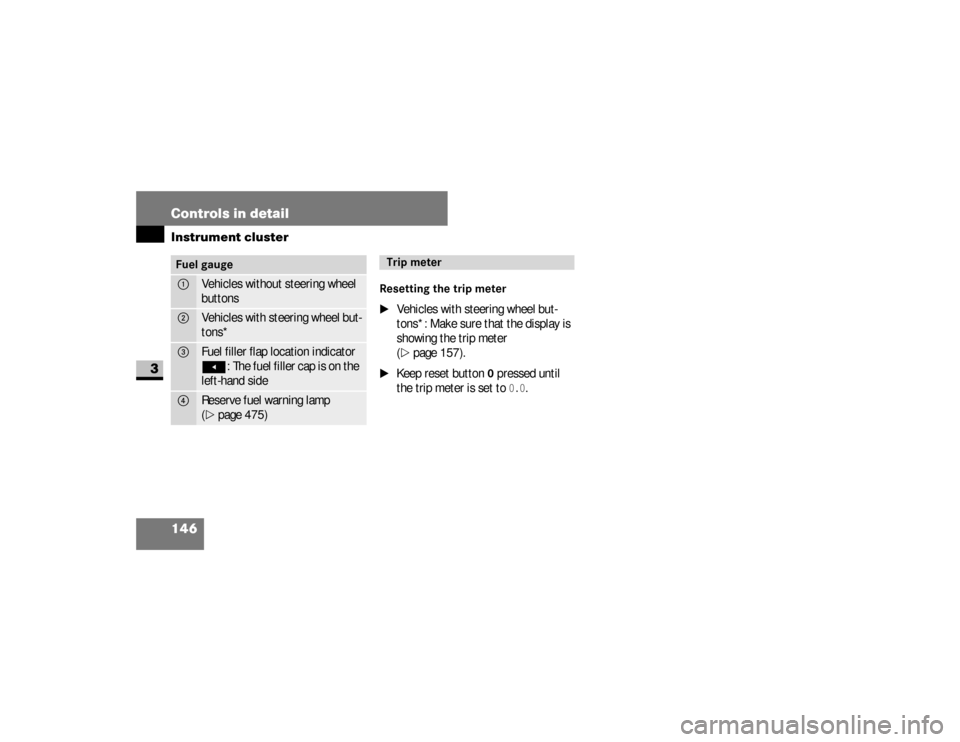
Fuel gauge1
Vehicles without steering wheel
buttons
2
Vehicles with steering wheel but-
tons*
3
Fuel filler flap location indicatorÖ
: The fuel filler cap is on the
left-hand side
4
Reserve fuel warning lamp
(\2
page 475)
Trip meter
nf_BA.book Page 146 Friday, January 25, 2008 3:53 PM
Page 149 of 666
147 Controls in detail
Operating system without steering wheel buttons
3
\3 Operating system without steering wheel buttonsThe operating system is activated as
soon as you switch on the ignition. You
may perform the following using the op-
erating system:\4
Call up vehicle information
\4
Make settings
You can control the display and the set-
tings in the operating system using the
adjustment buttons on the instrument
cluster.Warning
G
Only use adjustment buttons , ,
or when traffic conditions permit. You
will otherwise be unable to observe road
and traffic conditions and could cause an
accident.
Continued
Warning (Continued)
G
Do not reach through the steering wheel to
press the adjustment buttons. This will
make the steering wheel much more diffi-
cult to control. Your attention will also be di-
verted from the road and traffic conditions.
This could cause you to lose control of the
vehicle and could lead to an accident.Do not rest your head or chest on the
steering wheel or dashboard when oper-
ating the adjustment buttons.
Continued
Warning (Continued)
G
See the safety precautions for airbags
(\2page 46).The operating system shows the informa-
tion in the display.
nf_BA.book Page 147 Friday, January 25, 2008 3:53 PM
Page 157 of 666
155 Controls in detail
Operating system with steering wheel buttons*
3
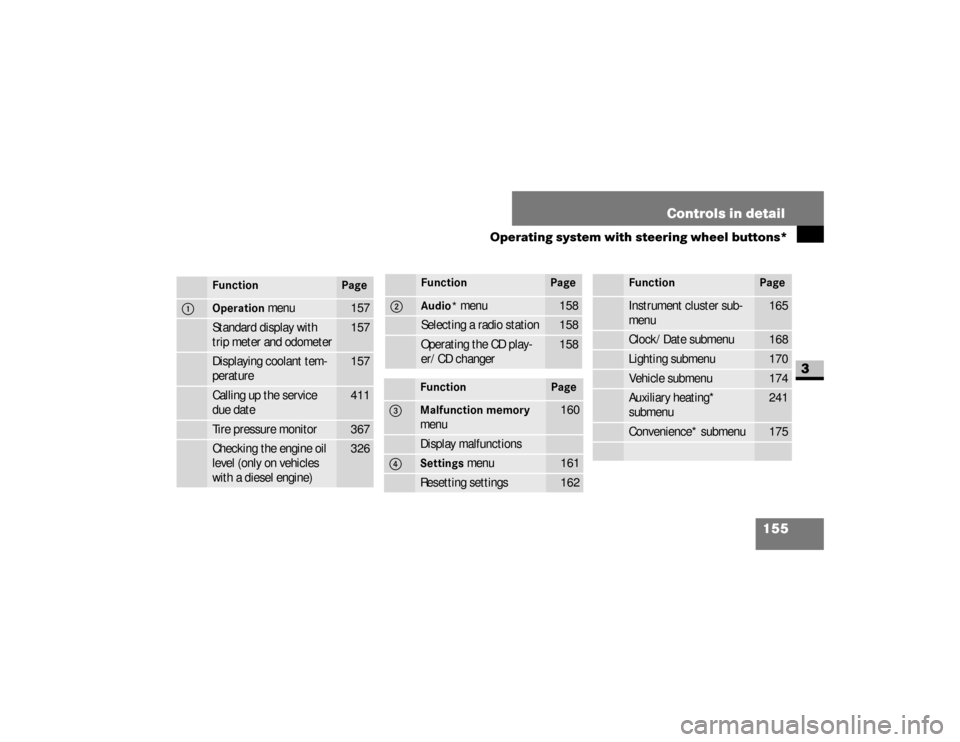
Function
Page
1
Operation
menu
157
Standard display with
trip meter and odometer
157
Displaying coolant tem-
perature
157
Calling up the service
due date
411
Tire pressure monitor
367
Checking the engine oil
level (only on vehicles
with a diesel engine)
326
2
Audio*
menu
158
Selecting a radio station
158
Operating the CD play-
er/CD changer
158
Function
Page
3
Malfunction memory
menu
160
Display malfunctions
4
Settings
menu
161
Resetting settings
162
Function
Page
Instrument cluster sub-
menu
165
Clock/Date submenu
168
Lighting submenu
170
Vehicle submenu
174
Auxiliary heating*
submenu
241
Convenience* submenu
175
Function
Page
nf_BA.book Page 155 Friday, January 25, 2008 3:53 PM
Page 163 of 666
161 Controls in detail
Operating system with steering wheel buttons*
3
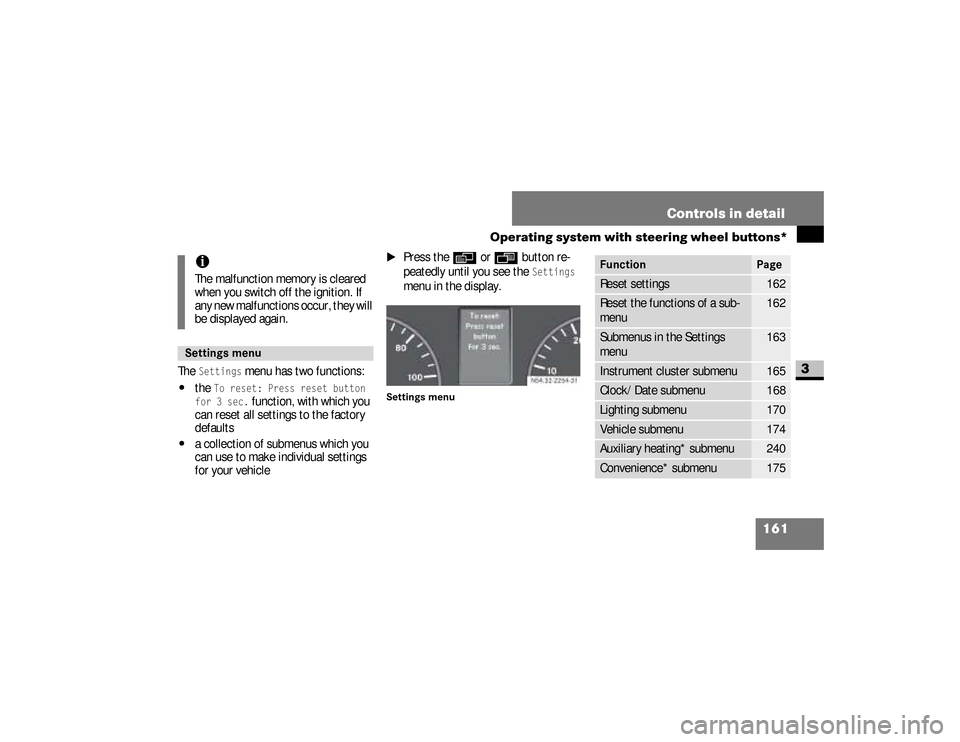
The
Settings
menu has two functions:
\4
the
To reset: Press reset button
for 3 sec.
function, with which you
can reset all settings to the factory
defaults
\4
a collection of submenus which you
can use to make individual settings
for your vehicle
\1
Press the
è
or
ÿ
button re-
peatedly until you see the
Settings
menu in the display.
Settings menu
iThe malfunction memory is cleared
when you switch off the ignition. If
any new malfunctions occur, they will
be displayed again.Settings menu
N54.32-2254-31
Function
Page
Reset settings
162
Reset the functions of a sub-
menu
162
Submenus in the Settings
menu
163
Instrument cluster submenu
165
Clock/Date submenu
168
Lighting submenu
170
Vehicle submenu
174
Auxiliary heating* submenu
240
Convenience* submenu
175
nf_BA.book Page 161 Friday, January 25, 2008 3:53 PM
Page 166 of 666
164 Controls in detailOperating system with steering wheel buttons*
3
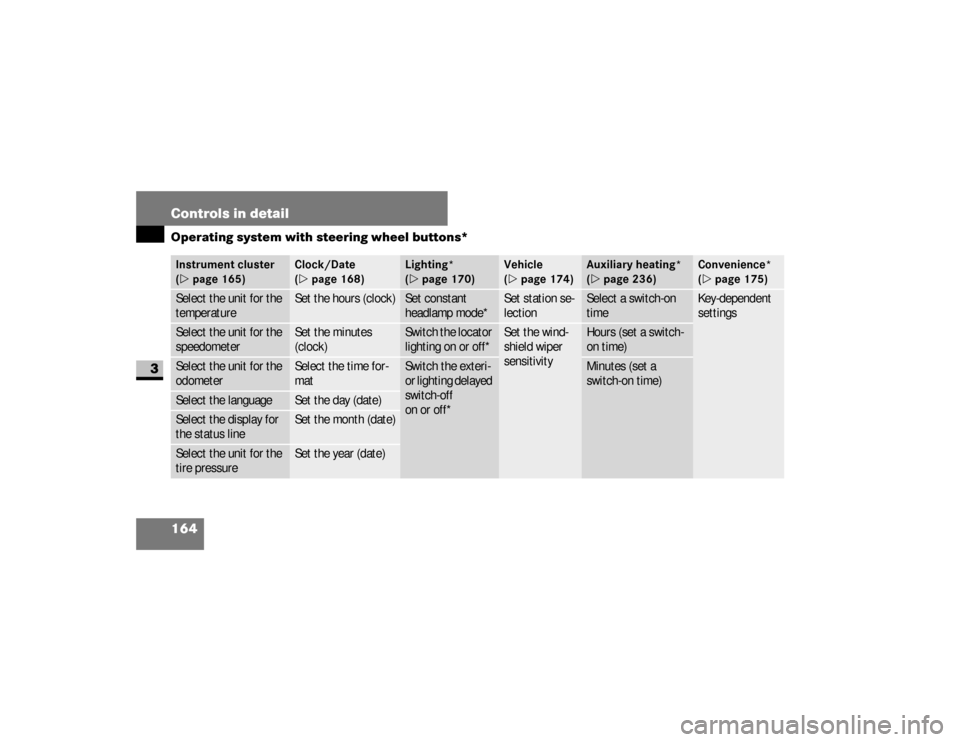
Instrument cluster
(\2page 165)
Clock/Date
(\2page 168)
Lighting*
(\2page 170)
Vehicle
(\2page 174)
Auxiliary heating*
(\2page 236)
Convenience*
(\2page 175)
Select the unit for the
temperature
Set the hours (clock)
Set constant
headlamp mode*
Set station se-
lection
Select a switch-on
time
Key-dependent
settings
Select the unit for the
speedometer
Set the minutes
(clock)
Switch the locator
lighting on or off*
Set the wind-
shield wiper
sensitivity
Hours (set a switch-
on time)
Select the unit for the
odometer
Select the time for-
mat
Switch the exteri-
or lighting delayed
switch-off
on or off*
Minutes (set a
switch-on time)
Select the language
Set the day (date)
Select the display for
the status line
Set the month (date)
Select the unit for the
tire pressure
Set the year (date)
nf_BA.book Page 164 Friday, January 25, 2008 3:53 PM
Page 167 of 666
165 Controls in detail
Operating system with steering wheel buttons*
3
Instrument cluster submenuYou can reach the
Inst. cluster
sub-
menu via the
Settings
menu
(
\2
page 161).
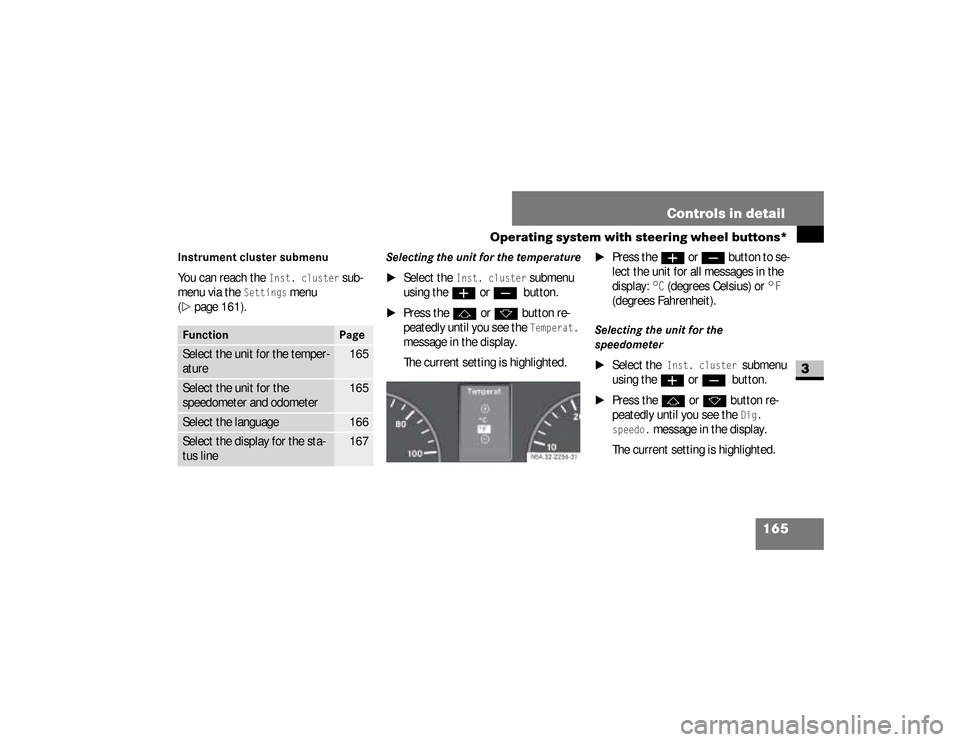
Selecting the unit for the temperature
\1
Select the
Inst. cluster
submenu
using the
æ
or
ç
button.
\1
Press the
j
or
k
button re-
peatedly until you see the Temperat.
message in the display.
The current setting is highlighted.
\1
Press the
æ
or
ç
but ton to se -
lect the unit for all messages in the
display:
°C
(degrees Celsius) or
°F
(degrees Fahrenheit).
Selecting the unit for the
speedometer
\1
Select the
Inst. cluster
submenu
using the
æ
or
ç
button.
\1
Press the
j
or
k
button re-
peatedly until you see the
Dig.
speedo.
message in the display.
The current setting is highlighted.
Function
Page
Select the unit for the temper-
ature
165
Select the unit for the
speedometer and odometer
165
Select the language
166
Select the display for the sta-
tus line
167
N54.32-2256-31
nf_BA.book Page 165 Friday, January 25, 2008 3:53 PM
Page 177 of 666
175 Controls in detail
Operating system with steering wheel buttons*
3
Setting the windshield wiper
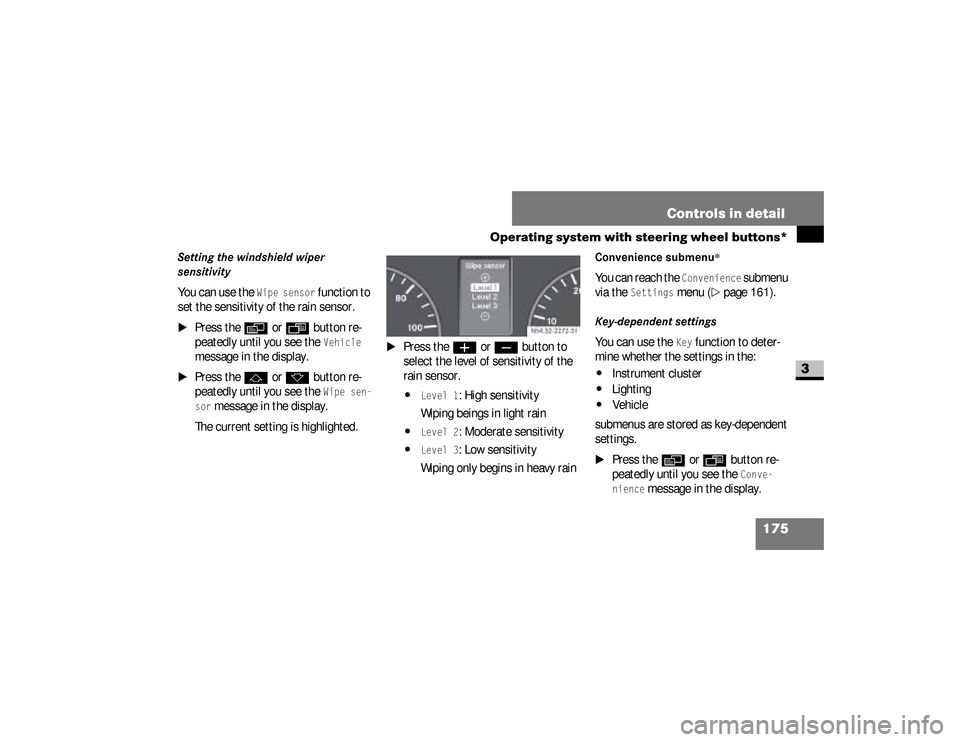
sensitivityYou can use the
Wipe sensor
function to
set the sensitivity of the rain sensor.
\1
Press the
è
or
ÿ
button re-
peatedly until you see the
Vehicle
message in the display.
\1
Press the
j
or
k
button re-
peatedly until you see the
Wipe sen-
sor
message in the display.
The current setting is highlighted.
\1
Press the
æ
or
ç
button to
select the level of sensitivity of the
rain sensor.
\4
Level 1
: High sensitivity
Wiping beings in light rain
\4
Level 2
: Moderate sensitivity
\4
Level 3
: Low sensitivity
Wiping only begins in heavy rain
Convenience submenu
*
You can reach the
Convenience
submenu
via the
Settings
menu (
\2
page 161).
Key-dependent settingsYou can use the
Key
function to deter-
mine whether the settings in the:
\4
Instrument cluster
\4
Lighting
\4
Vehicle
submenus are stored as key-dependent
settings.
\1
Press the
è
or
ÿ
button re-
peatedly until you see the
Conve-
nience
message in the display. N54.32-2272-31
nf_BA.book Page 175 Friday, January 25, 2008 3:53 PM