light DODGE SPRINTER 2008 2.G Repair Manual
[x] Cancel search | Manufacturer: DODGE, Model Year: 2008, Model line: SPRINTER, Model: DODGE SPRINTER 2008 2.GPages: 666, PDF Size: 14.11 MB
Page 208 of 666
206 Controls in detailAutomatic transmission
3
Kickdown
Use kickdown for maximum acceleration.\1
Depress the accelerator pedal be-
yond the pressure point.
The automatic transmission shifts to
the next gear down, depending on
the engine speed.
\1
Release the accelerator pedal as
soon as the desired speed has been
reached.
The automatic transmission shifts up
again.
StoppingIf you are only stopping briefly:\1
leave the selector lever in the drive
position
\1
secure the vehicle against rolling
away using the brake pedal
ManeuveringManeuvering in a tight space:\1
Control the speed by braking carefully.
\1
Accelerate only slightly and avoid
jolting.iFor rapid maneuvering (e.g. to rock
the vehicle out of snow or slush), you
can shift back and forth between
drive position
D and reverse gear
R
at low speeds without applying the
brakes.
nf_BA.book Page 206 Friday, January 25, 2008 3:53 PM
Page 222 of 666
220 Controls in detailAir conditioning
3
\1
Open as required:
\4
the center air vents
\4
the side air vents
\4
the ventilation vents
\1
Switch air-conditioning system on
(\2
page 218) if necessary.
The temperature is set using temperatu-
re selector control
1
in the control pa-
nel (
\2
page 218).
The recommended setting for the target
temperature is 72°F (22°C) under nor-
mal conditions, to which the air-condi-
tioning system adjusts as rapidly and as
comfortably as possible.Only change the temperature in small in-
crements.
\1To increase:
turn the temperature
selector control clockwise.
\1To reduce:
turn the temperature se-
lector control slightly counterclock-
wise.
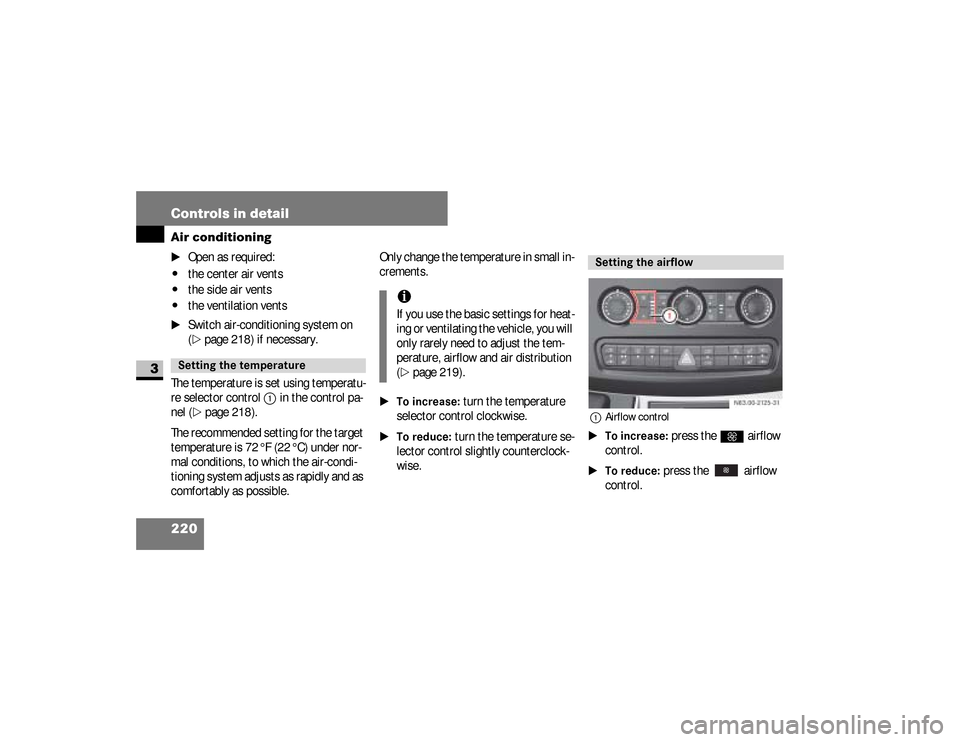
1Airflow control\1To increase:
press the
Q
airflow
control.
\1To reduce:
press the airflow
control.
Setting the temperature
iIf you use the basic settings for heat-
ing or ventilating the vehicle, you will
only rarely need to adjust the tem-
perature, airflow and air distribution
(\2
page 219).
Setting the airflow
N83.00-2125-31
nf_BA.book Page 220 Friday, January 25, 2008 3:53 PM
Page 232 of 666
230 Controls in detailAir conditioning
3
Setting the temperature The temperature is set using temperatu-
re selector control
1
in the control pa-
nel (
\2
page 228).
Only change the temperature in small in-
crements.
\1To increase:
turn the temperature
selector control clockwise.
\1To reduce:
turn the temperature se-
lector control slightly counterclock-
wise.
Setting the airflow The airflow is set using the airflow cont-
rol
2
in the control panel (
\2
page 228).
\1To increase/reduce:
set the airflow
control to the desired level.
Setting the air distribution The air distribution is set using the air
distribution control
2
in the control pa-
nel (
\2
page 228).
iIf you use the basic settings for heat-
ing or ventilating the vehicle, you will
rarely need to adjust the tempera-
ture, airflow and air distribution
(\2
page 229).
The symbols on the air distribution
control have the following meanings: Sym-
bols
Meaning
h
\4
Air from the side air
vents, center air vents
and ventilation vents
Ô
P
\4
Air to the windshield
\4
Air from the air vents
Ò
\4
Air to the windshield
\4
Air from the air vents
\4
Air to the footwell
Ó
\4
Air from the air vents
\4
Air to the footwell
nf_BA.book Page 230 Friday, January 25, 2008 3:53 PM
Page 236 of 666
234 Controls in detailAir conditioning
3
\1To increase:
turn the temperature
selector control clockwise.
\1To reduce:
turn the temperature se-
lector control counterclockwise.
The fuel-fired heater booster system
heats the vehicle interior as quickly as
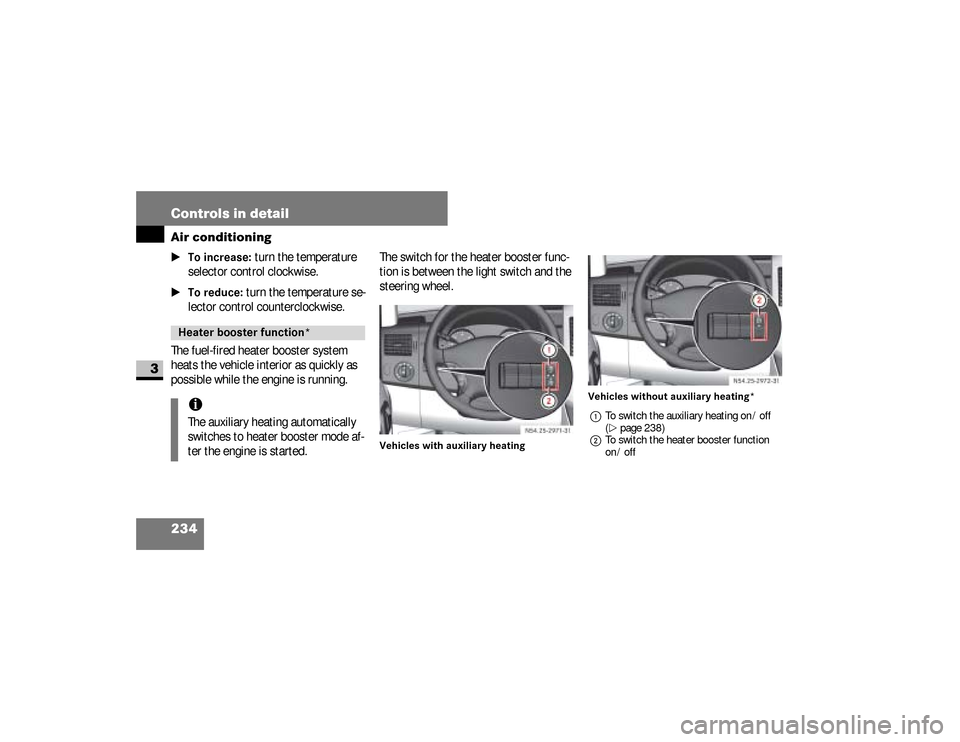
possible while the engine is running.The switch for the heater booster func-
tion is between the light switch and the
steering wheel.
Vehicles with auxiliary heatingVehicles without auxiliary heating*
1To switch the auxiliary heating on / off
(\2page 238)
2To switch the heater booster function
on / off
Heater booster function* iThe auxiliary heating automatically
switches to heater booster mode af-
ter the engine is started.
N54.25-2926-31
N54.25-2927-31
nf_BA.book Page 234 Friday, January 25, 2008 3:53 PM
Page 240 of 666
238 Controls in detailAuxiliary heating/ventilation*
3
Before switching on
\1
Adjust the heat output to the desired
temperature using the temperature
control selector (
\2
page 218).
\1
Set the air distribution as required.
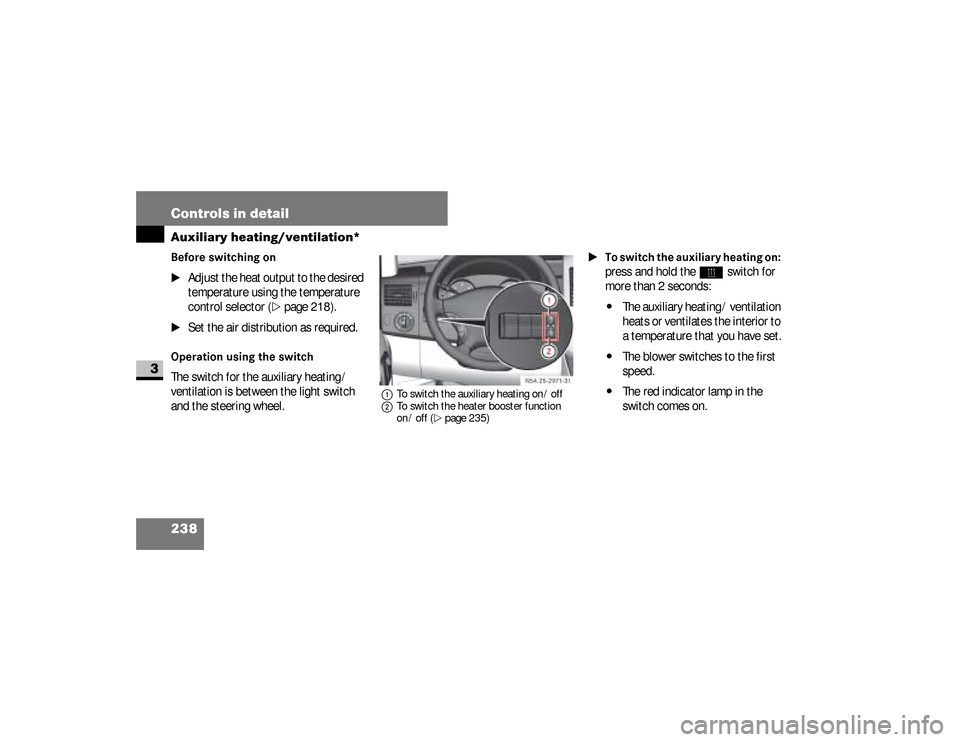
Operation using the switchThe switch for the auxiliary heating /
ventilation is between the light switch
and the steering wheel.
1To switch the auxiliary heating on / off
2To switch the heater booster function
on / off (\2page 235)
\1To switch the auxiliary heating on:
press and hold the
ö
switch for
more than 2 seconds:
\4
The auxiliary heating / ventilation
heats or ventilates the interior to
a temperature that you have set.
\4
The blower switches to the first
speed.
\4
The red indicator lamp in the
switch comes on. N54.25-2928-31
nf_BA.book Page 238 Friday, January 25, 2008 3:53 PM
Page 242 of 666
240 Controls in detailAuxiliary heating/ventilation*
3
\1To switch the auxiliary heating on:
press button
2
.
Indicator lamp1
lights up briefly.
\1To switch the auxiliary heating
off:
press button
3
.
Indicator lamp
1
lights up briefly.
The auxiliary heating operates for
around a further 2 minutes and then
switches off automatically.
Synchronizing the remote control
\1
Press and hold the
ö
switch for
more than 10 seconds:
The red indicator lamp in the
ö
switch remains lit until it is released.
Afterward, the red indicator lamp in
the
ö
switch flashes. The system
is activated for synchronizing.
\1
Press button
2
on the remote con-
trol.
The indicator lamp in the
ö
switch stops flashing and goes out.
The remote control and the control
panel are synchronized.
Selecting a switch-on timeYou can use the operating system to de-
fine up to 3 switch-on times, one of
which can be selected to switch on the
auxiliary heating / ventilation.
iChange the batteries immediately if
indicator lamp
1
does not
light up
briefly each time a button is pressed
(
\2
page 541).
iIf you press button
3
on the remote
control during the first 3 seconds of
synchronization process, only this re-
mote control will be synchronized
with the clock.
Any other remote control units that
were synchronized will be cleared.
nf_BA.book Page 240 Friday, January 25, 2008 3:53 PM
Page 243 of 666
241 Controls in detail
Auxiliary heating/ventilation*
3
Operating system without steering
wheel buttons
\1
Switch on the ignition (
\2
page 111).
\1
Press the
ö
switch.
The
ö
symbol in the display flashes.
or \1
Press the
menu button on the
in-
strument cluster repeatedly until the
ö
symbol in the display flashes.
\1
Use the or button on the
in-
strument cluster to select desired
switch-on time
1 to
3.
The switch-on time selected is dis-
played.
\1
Wait 10 seconds for the standard
display to appear.The switch-on time is selected.
The yellow indicator lamp in
the
ö
switch comes on.
If you have not selected a switch-on time
and
--:--
appears in the display, the au-
tomatic switch-on is deactivated. The
yellow indicator lamp in the
ö
switch
goes out.
Operating system with steering wheel
buttons*
\1
Switch on the ignition (
\2
page 111).
\1
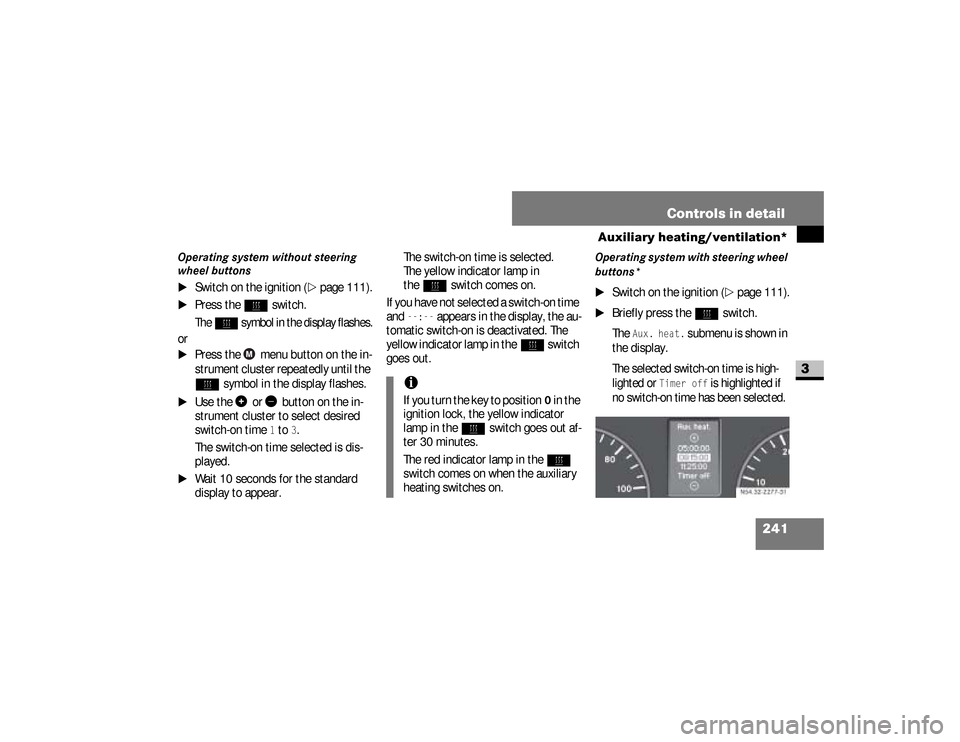
Briefly press the
ö
switch.
The
Aux. heat.
submenu is shown in
the display.
The selected switch-on time is high-
lighted or
Timer off
is highlighted if
no switch-on time has been selected.
iIf you turn the key to position
0 in the
ignition lock, the yellow indicator
lamp in the
ö
switch goes out af-
ter 30 minutes.
The red indicator lamp in the
ö
switch comes on when the auxiliary
heating switches on.
N54.32-2277-31
nf_BA.book Page 241 Friday, January 25, 2008 3:53 PM
Page 249 of 666
247 Controls in detail
Open air
3
Resetting the sliding sunroofThe sliding sunroof must be reset after:\4
the sunroof has been closed manual-
ly using the emergency operation
key (
\2
page 522)
\4
the sunroof has opened with a jerk
\4
a malfunction
\1
Switch on the ignition (
\2
page 111).
\1
Press the sliding sunroof switch in
the direction of arrow
2
(\2
page 246).
\1
Wait until the sliding sunroof is
closed and then keep the sliding sun-
roof switch pressed for approximate-
ly 3 seconds.
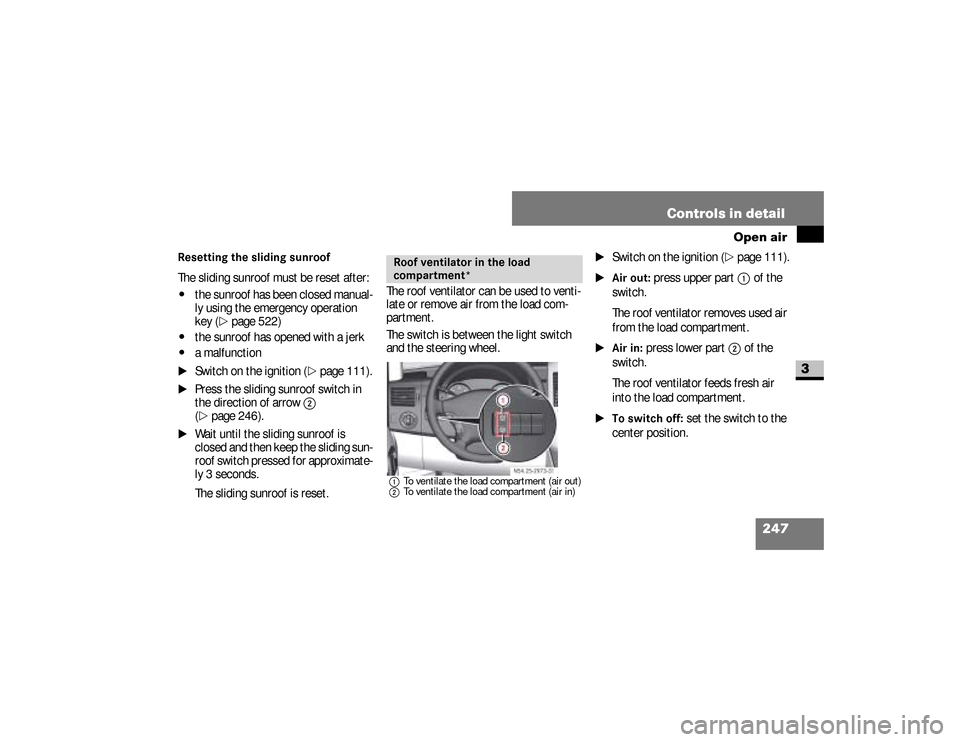
The sliding sunroof is reset.The roof ventilator can be used to venti-
late or remove air from the load com-
partment.
The switch is between the light switch
and the steering wheel.
1To ventilate the load compartment (air out)
2To ventilate the load compartment (air in)
\1
Switch on the ignition (
\2
page 111).
\1Air out:
press upper part
1
of the
switch.
The roof ventilator removes used air
from the load compartment.
\1Air in:
press lower part
2
of the
switch.
The roof ventilator feeds fresh air
into the load compartment.
\1To switch off:
set the switch to the
center position.
Roof ventilator in the load
compartment*
N54.25-2929-31
nf_BA.book Page 247 Friday, January 25, 2008 3:53 PM
Page 257 of 666
255 Controls in detail
Driving systems
3
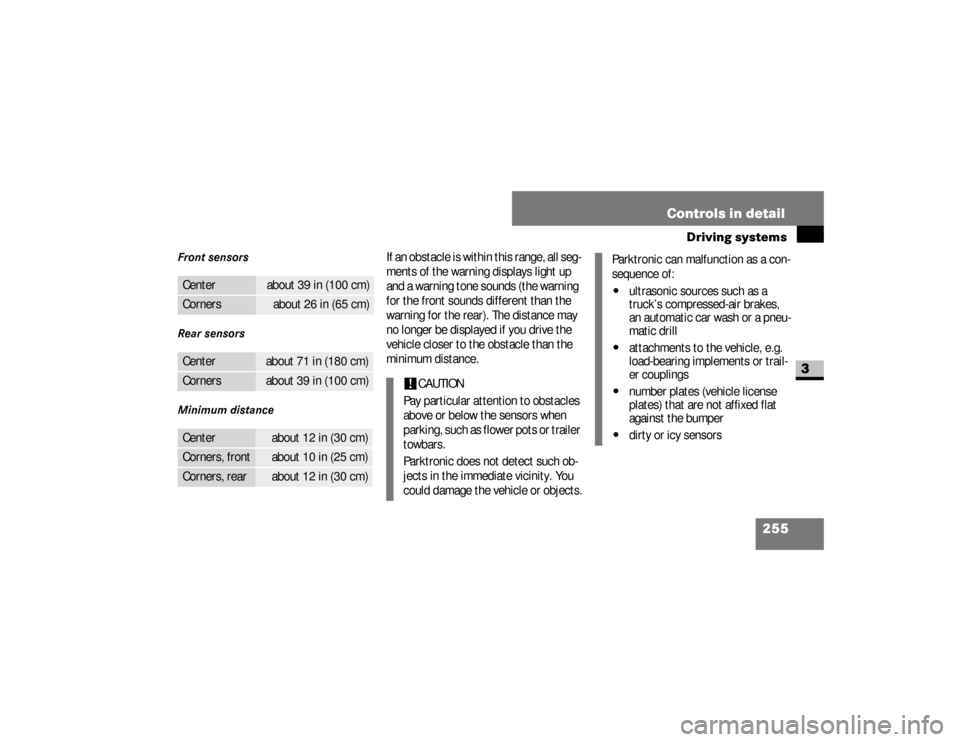
Front sensors
Rear sensors
Minimum distance
If an obstacle is within this range, all seg-
ments of the warning displays light up
and a warning tone sounds (the warning
for the front sounds different than the
warning for the rear). The distance may
no longer be displayed if you drive the
vehicle closer to the obstacle than the
minimum distance.
Center
about 39 in (100 cm)
Corners
about 26 in (65 cm)
Center
about 71 in (180 cm)
Corners
about 39 in (100 cm)
Center
about 12 in (30 cm)
Corners, front
about 10 in (25 cm)
Corners, rear
about 12 in (30 cm)
!
CAUTION
Pay particular attention to obstacles
above or below the sensors when
p a r k i n g , s u c h a s f l o w e r p o t s o r t r a i l e r
towbars.
Parktronic does not detect such ob-
jects in the immediate vicinity. You
could damage the vehicle or objects.
Parktronic can malfunction as a con-
sequence of:\4
ultrasonic sources such as a
truck’s compressed-air brakes,
an automatic car wash or a pneu-
matic drill
\4
attachments to the vehicle, e.g.
load-bearing implements or trail-
er couplings
\4
number plates (vehicle license
plates) that are not affixed flat
against the bumper
\4
dirty or icy sensors
nf_BA.book Page 255 Friday, January 25, 2008 3:53 PM
Page 258 of 666
256 Controls in detailDriving systems
3
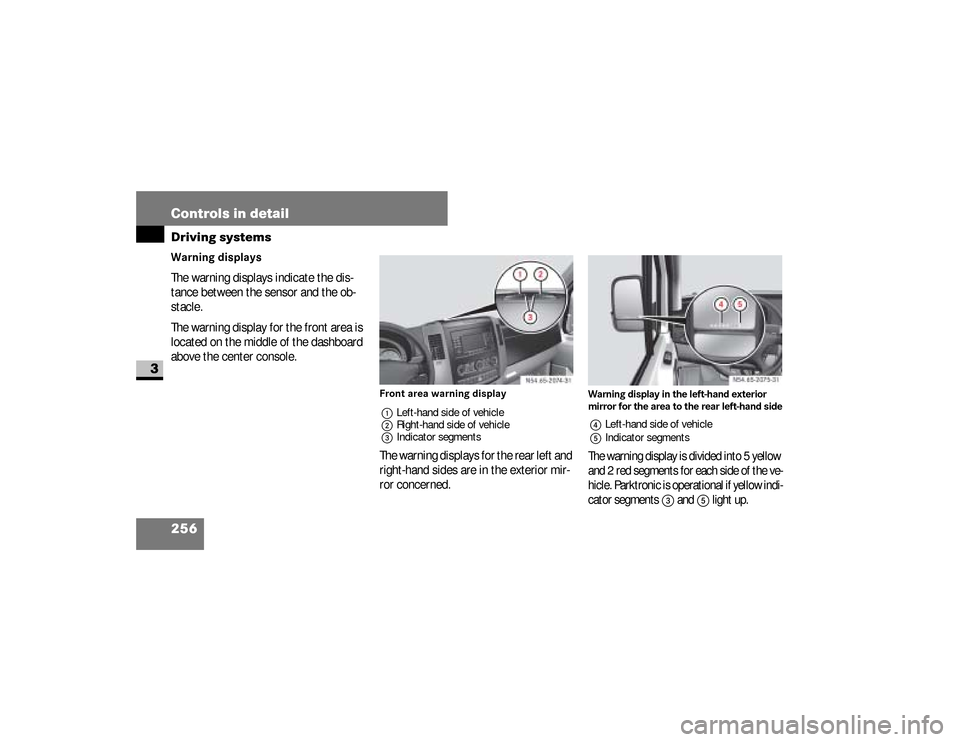
Warning displays
The warning displays indicate the dis-
tance between the sensor and the ob-
stacle.
The warning display for the front area is
located on the middle of the dashboard
above the center console.
Front area warning display
1Left-hand side of vehicle
2Right-hand side of vehicle
3Indicator segmentsThe warning displays for the rear left and
right-hand sides are in the exterior mir-
ror concerned.
Warning display in the left-hand exterior
mirror for the area to the rear left-hand side4Left-hand side of vehicle
5Indicator segmentsThe warning display is divided into 5 yellow
and 2 red segments for each side of the ve-
hicle. Parktronic is operational if yellow indi-
cator segments
3
and
5
light up.
N54.65-2074-31
N54.65-2075-31
nf_BA.book Page 256 Friday, January 25, 2008 3:53 PM