ignition DODGE VIPER 2005 ZB / 2.G Owner's Manual
[x] Cancel search | Manufacturer: DODGE, Model Year: 2005, Model line: VIPER, Model: DODGE VIPER 2005 ZB / 2.GPages: 264, PDF Size: 9.66 MB
Page 87 of 264

Turn Signal Indicators
The arrows will flash in unison with the corresponding
exterior turn signal when using the signal lever.
Hazard Indicator
Both turn signal arrows will flash in unison with all front
and rear turn signals when the hazard warning switch is
used.
NOTE:Leaving the hazard flashers on for extended
periods of time will wear down the battery.
Message Center
Message Center Components
Anti-Lock Warning Light
The amber ABS Warning Light will come on
when the ignition is first turned on, and stay on
briefly as a bulb check. If the bulb does not
come on during starting, have the bulb re-
paired promptly. This light also illuminates to indicate
that the Antilock Brake System self-check is in process at
vehicle start-up. If the light remains on after start-up, or
comes on and stays on at road speeds, it may indicate
that the ABS has detected a malfunction or has become
inoperative. In this case, the system reverts to standard
non-antilock brakes. Turn the engine off and on again to
reset the Antilock Brake System. If the light remains on,
see your authorized dealer. If both the red BRAKE and
amber ABS warning lights are on and the parking brake
is fully released, see your authorized dealer immediately.
UNDERSTANDING YOUR INSTRUMENT PANEL 87
4
Page 91 of 264
Brake System Warning Light
The dual brake system provides a reserve
braking capability in the event of a failure to a
portion of the hydraulic system. The warning
light should be checked frequently to assure
that it is operating properly. This can be done by turning
the ignition switch to a point midway between ON and
START. The light should come on. The red Brake Warning
Light will come on when the ignition is first turned on,
and stay on briefly as a bulb check. If the bulb does not
come on during starting, have the bulb repaired
promptly. If the light stays on longer, it may be an
indication that the parking brake has not been released. If
the light remains on when the parking brake is off it
indicates a possible brake hydraulic system malfunction.
Immediate repair is necessary and continued operation of
the vehicle in this condition is dangerous.WARNING!
Driving a vehicle with the brake light on is danger-
ous. Part of the brake system has failed. It will take
longer to stop the vehicle. You could have a accident.
Have the brakes checked immediately.
Airbag Light
This light will come on and remain on for 6 to
8 seconds as a bulb check when the ignition
switch is first turned on. If the bulb is not lit
during starting, have it replaced. If the light
stays on or comes on while driving, have the system
checked by an authorized dealer.
UNDERSTANDING YOUR INSTRUMENT PANEL 91
4
Page 93 of 264

This gauge does not indicate the amount of oil in the
engine. The engine oil level must be checked under the
hood. Check the level often during severe usage.
Fuel Gauge
This gauge shows the amount of fuel in the gas
tank. The reaction time of the gauge has been
slowed to avoid needle fluctuation during pe-
riods of high G force cornering.
Voltage Gauge
This gauge shows the electrical system voltage.
The normal operating voltage is from 12 to 14
volts with the engine running. If the pointer
remains at either the high or low ends of the
scale, the electrical system should be serviced.
ELECTRONIC DIGITAL CLOCK
The clock and radio each use the display panel built into
the radio. A digital readout shows the time in hours and
minutes whenever the ignition switch is in the ON or
ACC position.
When the ignition switch is in the OFF position, or when
the radio frequency is being displayed, time keeping is
accurately maintained.
Press and release the Time button to display the time.
Press and release the button a second time to turn off the
time display.
Clock Setting Procedure
1. Turn the ignition switch to the“ON”or“ACC”
position. Using the point of a ballpoint pen or similar
object, press either the“H”(Hour) or“M”(Minute)
buttons on the radio. The display will show the time.
UNDERSTANDING YOUR INSTRUMENT PANEL 93
4
Page 95 of 264

FM Reception
Because FM transmission is based on frequency varia-
tions, interference that consists of amplitude variations
can be filtered out, leaving the reception relatively clear,
which is the major feature of FM radio.
NOTE:On vehicles so equipped the radio, steering
wheel radio controls and 6 disc CD/DVD changer will
remain active for up to 45 seconds after the ignition
switch has been turned off. Opening a vehicle front door
will cancel this feature.
SALES CODE RBQ—AM/FM STEREO RADIO
WITH 6 - DISC CD CHANGER
RBQ Radio
UNDERSTANDING YOUR INSTRUMENT PANEL 95
4
Page 96 of 264

Radio Operation
Power/Volume Control
Press the PWR/VOL control to turn the radio on. Turn
the volume control clockwise to increase the volume.
NOTE:Power to operate the radio is controlled by the
ignition switch. It must be in the ON or ACC position to
operate the radio.
Mode
Press the MODE button repeatedly to select between AM,
FM, the CD changer and Sirius Satellite Radio™(if
equipped). The display will show ST when a stereo
station is received.
To select Sirius Satellite Radio™(if equipped), press the
MODE button until the word SIRIUS appears. The fol-
lowing will be displayed in this order: After three sec-
onds, the current channel name and number will be
displayed for five seconds. The current program type andchannel number will then be displayed for five seconds.
The current channel name and number will then be
displayed until an action occurs. CD’s may remain in the
player while in the Satellite Radio mode.
Seek
Press and release the SEEK button to search for the next
station in either the AM or FM mode. Press the top of the
button to seek up and the bottom to seek down. The
radio will remain tuned to the new station until you
make another selection. Holding the button in will by-
pass stations without stopping until you release it.
Tune
Press the TUNE control up or down to increase or
decrease the frequency. If the button is pressed and held,
the radio will continue to tune until the button is
released. The frequency will be displayed and continu-
ously updated while the button is pressed.
96 UNDERSTANDING YOUR INSTRUMENT PANEL
Page 98 of 264
Time Button
Press the TIME button to change the display between
radio frequency and time.
General Information
This radio complies with Part 15 of FCC rules and with
RSS-210 of Industry Canada. Operation is subject to the
following conditions:
1. This device may not cause harmful interference,
2. This device must accept any interference received,
including interference that may cause undesired opera-
tion.
NOTE:Changes or modifications not expressively ap-
proved by the party responsible for compliance could
void the user’s authority to operate the equipment.
CD Player Operation
NOTE:The ignition switch must be in the ON or ACC
position and the Power / Volume control pushed ON
before the CD player will operate.
Inserting The Compact Disc
CAUTION!
This CD player will accept 43⁄4inch (12 cm) discs
only. The use of other sized discs may damage the
CD player mechanism.
You may either insert or eject a disc with the radio OFF.
If you insert a disc with the ignition ON and the radio
OFF, the display will show the time of day. If you insert
a disc with the ignition OFF, the display will show the
time of day for about 5 seconds, then go out.
98 UNDERSTANDING YOUR INSTRUMENT PANEL
Page 99 of 264

If you insert a disc with the ignition ON and the radio
ON, the unit will switch from radio to CD mode and
begin to play when you insert the disc. The display will
show the disc number, the track number, and index time
in minutes and seconds. Play will begin at the start of
track 1.
LOAD/ EJT—Load
Press the LOAD/ EJT button and the button with the
corresponding number where the CD is being loaded.
After the radio displays“load”insert the CD into the
player.
Radio display will show“loading”when it is being
loaded.
LOAD / EJT—Eject
Press the LOAD/ EJT button and the button with the
corresponding number where the CD was loaded and the
disc will unload and move to the entrance for easy
removal.Radio display will show“ejecting”when it is being
ejected.
If you have ejected a disc and have not removed it within
15 seconds, it will be reloaded. If the CD is not removed,
the radio will continue to play the non-removed CD. If
the CD is removed and there are other CD’s in the radio,
the radio will play the next CD. If the CD is removed and
there are no other CD’s in the radio, the radio will return
to the last selected AM or FM mode.
The disc can be ejected with the radio and ignition OFF.
Seek
Press the top of the SEEK button for the next selection on
the CD. Press the bottom of the button to return to the
beginning of the current selection, or return to the
beginning of the previous selection if the CD is within the
first second of the current selection.
UNDERSTANDING YOUR INSTRUMENT PANEL 99
4
Page 111 of 264
STARTING PROCEDURES
CAUTION!
Long periods of engine idling, especially at high
engine speeds, can cause excessive exhaust tempera-
tures which can damage your vehicle. Do not leave
your vehicle unattended with the engine running.
WARNING!
Do not leave animals or children inside parked
vehicles in hot weather; interior heat build up may
cause serious injury or death.
Fully apply the parking brake, press the clutch pedal to
the floor, and place the gear selector in NEUTRAL before
starting the engine.NOTE:The engine will not start unless the clutch pedal
is pressed to the floor.
Normal Startingof either a cold or a warm engine does
not require pumping or depressing the accelerator pedal.
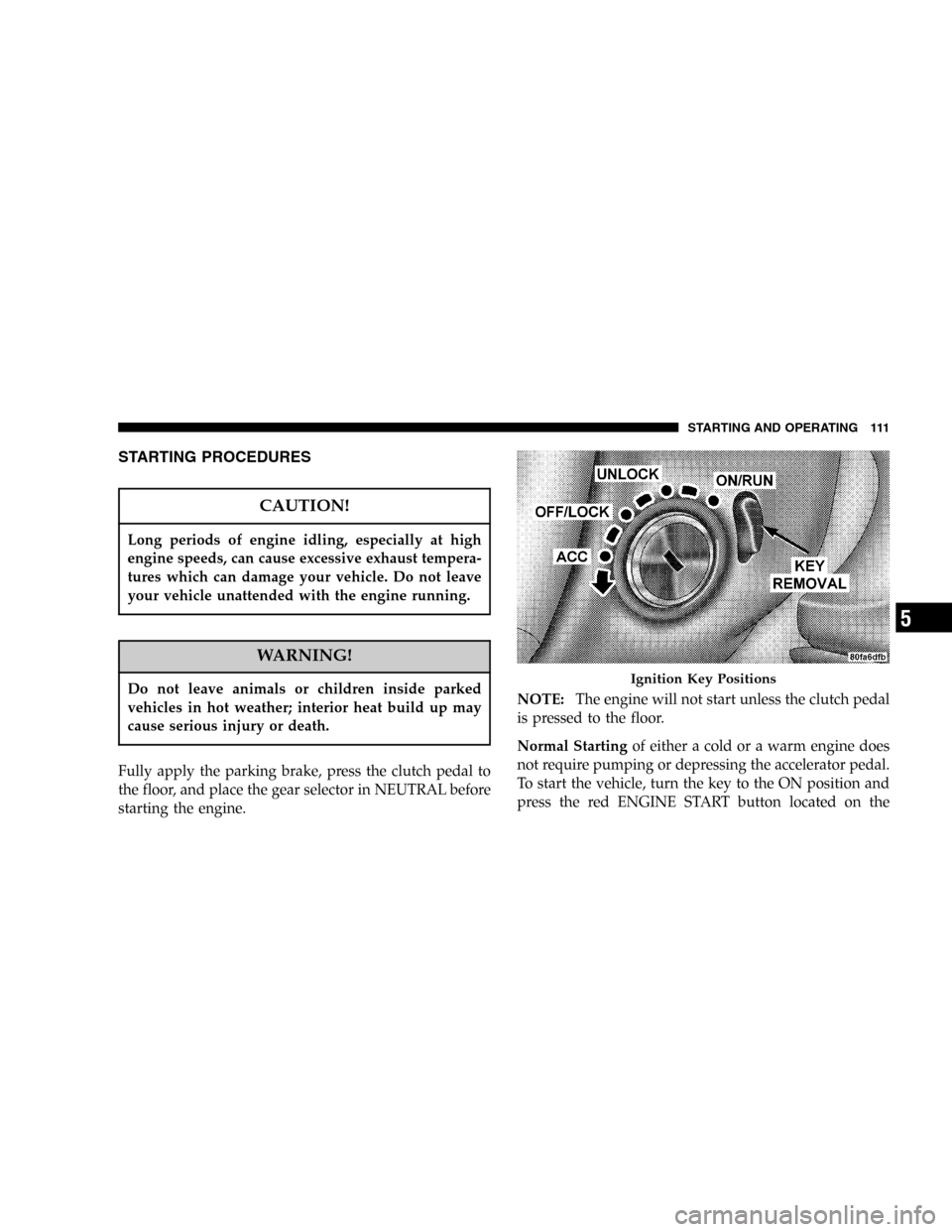
To start the vehicle, turn the key to the ON position and
press the red ENGINE START button located on the
Ignition Key Positions
STARTING AND OPERATING 111
5
Page 116 of 264
To maintain a safe speed and prolong brake life, down-
shift to maintain a safe speed when descending a steep
grade.
WARNING!
Skipping more than one gear while downshifting,
could cause you to lose control of your vehicle. You
could have an accident.
CAUTION!
If you skip more than one gear while downshifting
or downshift at too high an engine speed, you could
damage the engine, transmission, or clutch.
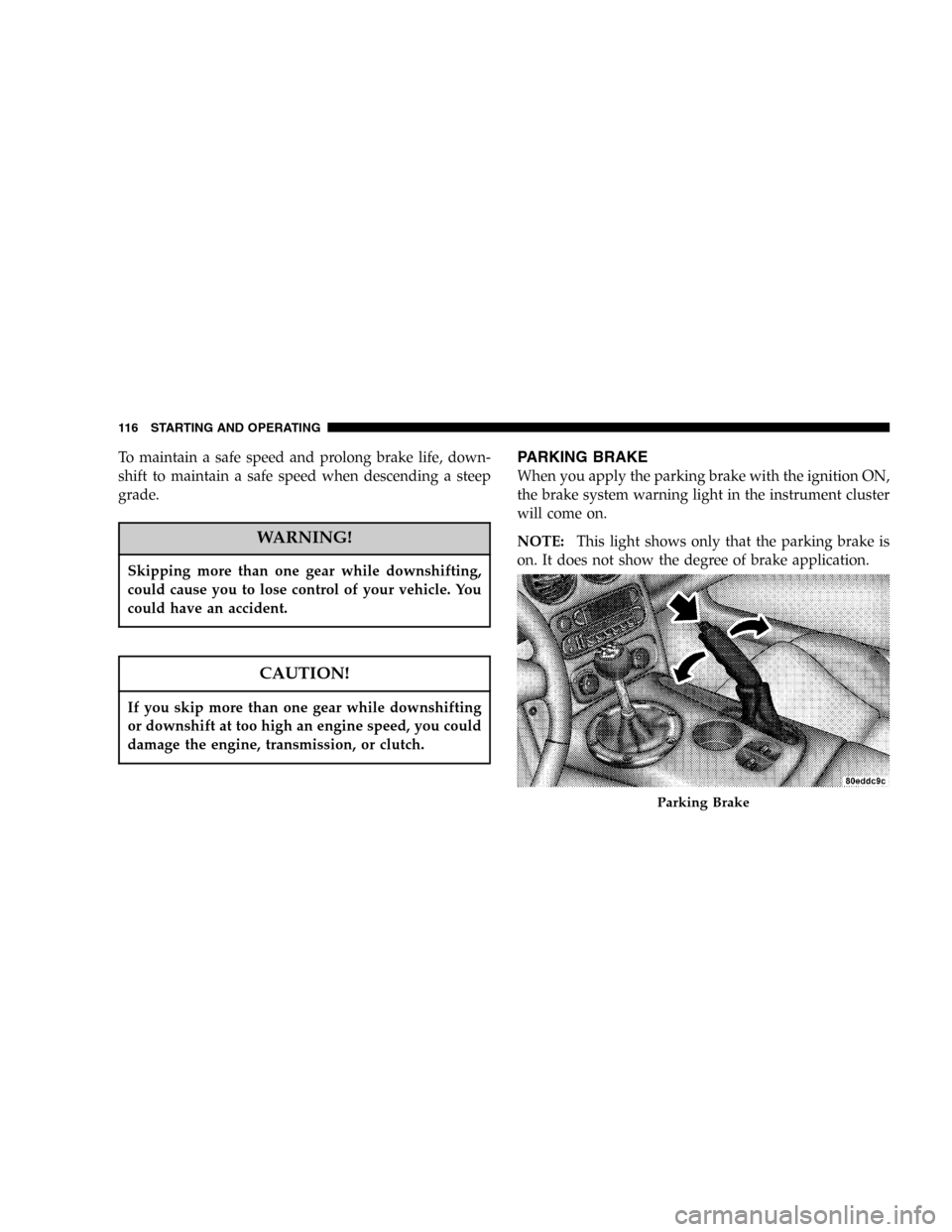
PARKING BRAKE
When you apply the parking brake with the ignition ON,
the brake system warning light in the instrument cluster
will come on.
NOTE:This light shows only that the parking brake is
on. It does not show the degree of brake application.
Parking Brake
116 STARTING AND OPERATING
Page 117 of 264
Before leaving the vehicle, make sure you fully apply the
parking brake. Place the transmission in REVERSE. Fail-
ure to do so may cause the vehicle to roll and cause
damage or injury.
As an added precaution, turn the front wheels toward the
curb on a downhill grade and away from the curb on an
uphill grade.
Always apply the parking brake whenever you are not in
the vehicle.WARNING!
Leaving children in a vehicle unattended is danger-
ous for a number of reasons. A child or others could
be injured. Children should be warned not to touch
the parking brake release lever or the gear selection
lever as doing so may move the vehicle. Don’t leave
the keys in the ignition. Be sure the parking brake is
fully disengaged before driving: failure to do so can
lead to brake failure, and an accident.
BRAKE SYSTEM
The Anti-Lock Brake System (ABS) is designed to aid the
driver in maintaining vehicle control under adverse
braking conditions. The system operates with a separate
computer to modulate hydraulic pressure to prevent
wheel lock-up and help avoid skidding on slippery
surfaces.
STARTING AND OPERATING 117
5