ECO mode DODGE VIPER 2008 ZB II / 2.G User Guide
[x] Cancel search | Manufacturer: DODGE, Model Year: 2008, Model line: VIPER, Model: DODGE VIPER 2008 ZB II / 2.GPages: 303, PDF Size: 2.65 MB
Page 97 of 303
INSTRUMENT CLUSTER DESCRIPTION
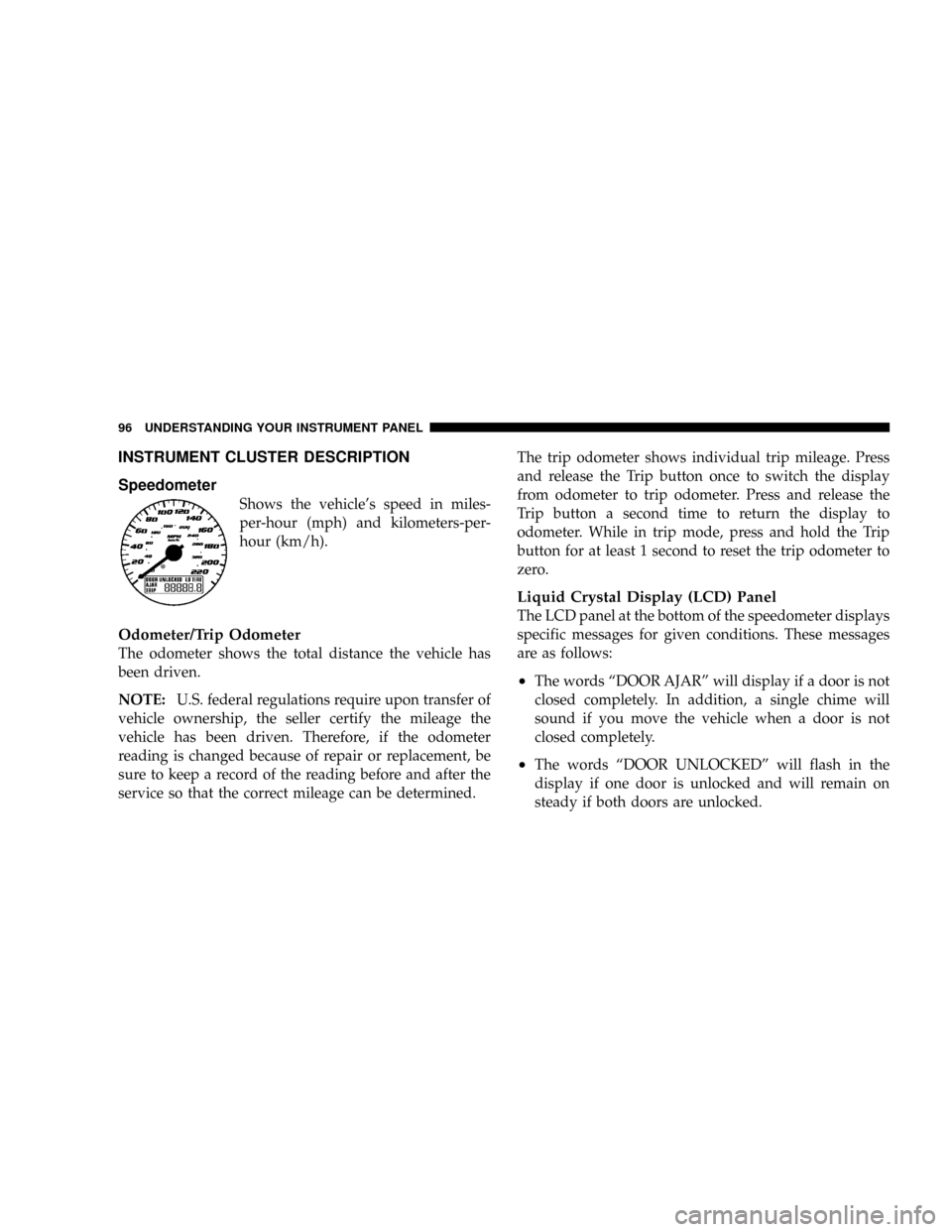
Speedometer
Shows the vehicle's speed in miles-
per-hour (mph) and kilometers-per-
hour (km/h).
Odometer/Trip Odometer
The odometer shows the total distance the vehicle has
been driven.
NOTE:U.S. federal regulations require upon transfer of
vehicle ownership, the seller certify the mileage the
vehicle has been driven. Therefore, if the odometer
reading is changed because of repair or replacement, be
sure to keep a record of the reading before and after the
service so that the correct mileage can be determined.The trip odometer shows individual trip mileage. Press
and release the Trip button once to switch the display
from odometer to trip odometer. Press and release the
Trip button a second time to return the display to
odometer. While in trip mode, press and hold the Trip
button for at least 1 second to reset the trip odometer to
zero.
Liquid Crystal Display (LCD) Panel
The LCD panel at the bottom of the speedometer displays
specific messages for given conditions. These messages
are as follows:
²The words ªDOOR AJARº will display if a door is not
closed completely. In addition, a single chime will
sound if you move the vehicle when a door is not
closed completely.
²The words ªDOOR UNLOCKEDº will flash in the
display if one door is unlocked and will remain on
steady if both doors are unlocked.
96 UNDERSTANDING YOUR INSTRUMENT PANEL
Page 109 of 303
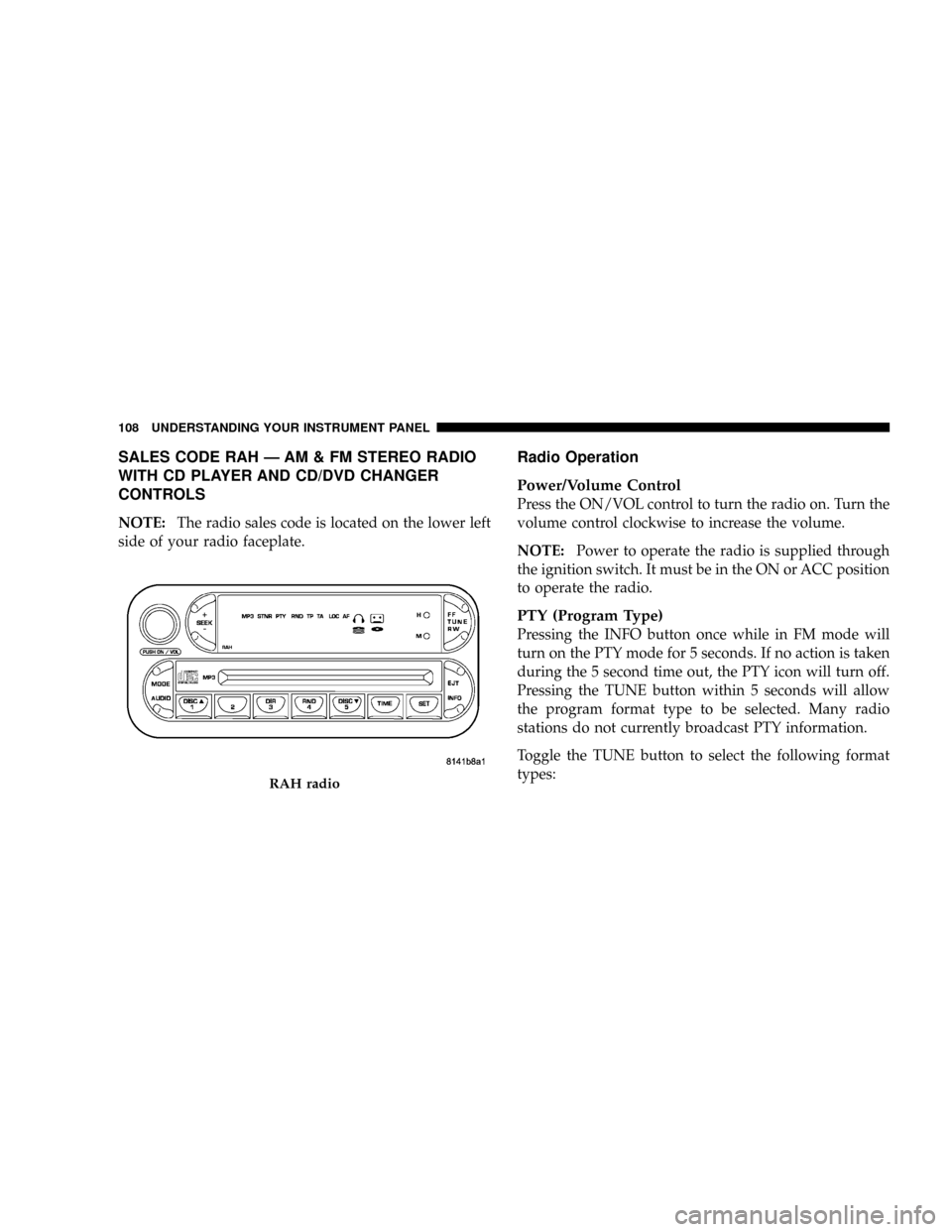
SALES CODE RAH Ð AM & FM STEREO RADIO
WITH CD PLAYER AND CD/DVD CHANGER
CONTROLS
NOTE:The radio sales code is located on the lower left
side of your radio faceplate.
Radio Operation
Power/Volume Control
Press the ON/VOL control to turn the radio on. Turn the
volume control clockwise to increase the volume.
NOTE:Power to operate the radio is supplied through
the ignition switch. It must be in the ON or ACC position
to operate the radio.
PTY (Program Type)
Pressing the INFO button once while in FM mode will
turn on the PTY mode for 5 seconds. If no action is taken
during the 5 second time out, the PTY icon will turn off.
Pressing the TUNE button within 5 seconds will allow
the program format type to be selected. Many radio
stations do not currently broadcast PTY information.
Toggle the TUNE button to select the following format
types:
RAH radio
108 UNDERSTANDING YOUR INSTRUMENT PANEL
Page 112 of 303
Tone Control
The Bass and/or Treble controls sound for the desired
tone. Press the AUDIO button, select Bass or TREBLE,
then press SEEK + or SEEK2to increase or decrease
amplification of the band.
To Set The Radio Push-Button Memory
When you are receiving a station that you wish to
commit to push-button memory, press the SET button.
SET 1 will show in the display window. Select the
push-button you wish to lock onto this station and press
and release that button. If a station is not selected within
5 seconds after pressing the SET button, the station will
continue to play but will not be locked into push-button
memory.
You may add a second station to each push-button by
repeating the above procedure with this exception: Press
the SET button twice and SET 2 will show in the display
window. Each button can be set for SET 1 and SET 2 inboth AM and FM. This allows a total of 10 AM and 10 FM
stations to be locked into memory. You can recall the
stations stored in SET 2 memory by pressing the push-
button twice.
To Change From Clock To Radio Mode
Press the TIME button to change the display between
radio frequency and time.
General Information
This radio complies with Part 15 of FCC rules and with
RSS-210 of Industry Canada. Operation is subject to the
following conditions:
1. This device may not cause harmful interference,
2. This device must accept any interference received,
including interference that may cause undesired opera-
tion.
UNDERSTANDING YOUR INSTRUMENT PANEL 111
4
Page 113 of 303
NOTE:Changes or modifications not expressively ap-
proved by the party responsible for compliance could
void the user's authority to operate the equipment.
CD Player Operation
NOTE:
²The ignition switch must be in the ON or ACC
position and the volume control ON before the CD
player will operate.
²This Radio is capable of playing compact discs (CD),
recordable compact discs (CD-R), rewritable compact
discs (CD-RW) compact discs with MP3 tracks and
multisession compact discs with CD and MP3 tracks.
Inserting The Compact Disc
CAUTION!
This CD player will accept only 4±3/4 inch (12 cm)
discs only. The use of other sized discs may damage
the CD player mechanism.
You may either insert or eject a disc with the radio OFF.
If you insert a disc with the ignition ON and the radio
OFF, the display will show the time of day. If you insert
a disc with the ignition OFF, the display will show the
time of day for about 5 seconds, then go out.
If the power is ON, the unit will switch from radio to CD
mode and begin to play when you insert the disc. The
display will show the track number and index time in
minutes and seconds. Play will begin at the start of track
one.
112 UNDERSTANDING YOUR INSTRUMENT PANEL
Page 114 of 303
Seek
Press the top of the SEEK button for the next selection on
the CD. Press the bottom of the button to return to the
beginning of the current selection, or return to the
beginning of the previous selection if the CD is within the
first 10 seconds of the current selection.
EJT Ð Eject
Press the EJT button and the disc will unload and move
to the entrance for easy removal. The unit will switch to
the radio mode.
If you do not remove the disc within 15 seconds, it will be
reloaded. The radio mode will continue to appear.
The disc can be ejected with the radio OFF.
FF/TUNE/RW
Press FF (Fast Forward) and the CD player will begin to
fast forward until FF is released. The RW (Reverse)
button works in a similar manner.
RND Ð Random Play
Press the RND button while the CD is playing to activate
Random Play. This feature plays the selections on the
compact disc in random order to provide an interesting
change of pace.
Press the SEEK button to move to the next randomly
selected track.
Press TUNE FF to fast forward through the tracks. Press
the FF button a second time to stop the fast forward
feature. If TUNE RW is pressed, the current track will
reverse to the beginning of the track and begin playing.
Press the RND button a second time to stop Random
Play.
UNDERSTANDING YOUR INSTRUMENT PANEL 113
4
Page 115 of 303
CD/DVD Changer Operation
Press the MODE button to select between the CD player
and the optional remote CD/DVD changer.
Time
Press the TIME button to change the display from
elapsed CD or DVD playing time to time of day.
Notes On Playing MP3 Files
The radio can play MP3 files, however, acceptable MP3
file recording media and formats are limited. When
writing MP3 files, pay attention to the following restric-
tions.
Supported media (disc types)
The MP3 file recording media supported by the radio are
CD-ROM, CD-R and CD-RW.
Supported medium formats (file systems)
The medium formats supported by the radio are ISO 9660
Level 1 and Level 2 and includes the Joliet extension.When reading discs recorded using formats other than
ISO 9660 Level 1 and Level 2, the radio may fail to read
files properly and may be unable to play the file nor-
mally. UDF and Apple HFS formats are not supported.
The radio uses the following limits for file systems:
²Maximum number of directory levels: 15
²Maximum number of files: 255
²Maximum number of folders: 100
²Maximum number of characters in file/folder names:
²Level 1: 12 (including a separator9.9anda3
character extension)
²Level 2: 31 (including a separator9.9anda3
character extension)
Multisession disc formats are supported by the radio.
Multisession discs may contain combinations of normal
114 UNDERSTANDING YOUR INSTRUMENT PANEL
Page 117 of 303
Playback of MP3 files
When a medium containing MP3 data is loaded, the
radio checks all files on the medium. If the medium
contains a lot of folders or files, the radio will take more
time to start playing the MP3 files.
Loading times for playback of MP3 files may be affected
by the following:
²Media - CD-RW media may take longer to load than
CD-R media
²Medium formats - Multisession discs may take longer
to load than non-multisession discs
²Number of files and folders - Loading times will
increase with more files and folders
To increase the speed of disc loading, it is recommended
to use CD-R media and single-session discs. To create a
single-session disc, enable the Disc at Once option before
writing to the disc.
Operation Instructions - (CD Mode For MP3 Audio
Play)
SEEK Button (CD Mode For MP3 Play)
Pressing the SEEK + button plays the next MP3 File.
Pressing the SEEK2button plays the beginning of the
MP3 file. Pressing the button within the first ten seconds
plays the previous file.
INFO Button (CD Mode For MP3 Play)
Press and INFO button while playing MP3 disc. The
radio scrolls through the following TAG information:
Song Title, Artist, File Name, and Folder Name (if avail-
able).
Press the INFO button once more to return to9elapsed
time9priority mode.
116 UNDERSTANDING YOUR INSTRUMENT PANEL
Page 120 of 303
The radio will exit the ESN/SID mode when any other
button is pushed, the ignition is turned OFF, or 5 minutes
has passed since any button was pushed.
ESN/SID Access With RBP, RBU, RAZ, RB1 and
RBQ Radios
With the ignition switch in the ACCESSORY position and
the radio OFF, press the CD Eject and TIME buttons
simultaneously for 3 seconds. All twelve ESN/SID num-
bers will be displayed. The radio will exit the ESN/SID
mode when any other button is pushed, the ignition is
turned OFF, or 5 minutes has passed since any button
was pushed.
Selecting Satellite Mode in RBB, RAH, REV and
RBK Radios
Press the MODE button repeatedly until9SA9appears in
the display. A CD or tape may remain in the radio while
in the Satellite radio mode.
Selecting Satellite Mode in RBP, RBU, RAZ, RB1
and RBQ Radios
Press the MODE button repeatedly until the word
9SIRIUS9appears in the display. These radios will also
display the following:
²After 3 seconds, the current channel name and channel
number will be displayed for 5 seconds.
²The current program type and channel number will
then be displayed for 5 seconds.
²The current channel number will then be displayed
until an action occurs.
A CD or tape may remain in the radio while in the
Satellite radio mode.
UNDERSTANDING YOUR INSTRUMENT PANEL 119
4
Page 126 of 303
²Defrost/Floor
Air is directed through the windshield defrost
and the floor outlets. This setting works best in
cold or snowy conditions that require extra heat
at the windshield. This setting is good for maintaining
comfort while reducing moisture on the windshield.
²Defrost
Air is directed through the windshield defrost
outlet. Use this mode with maximum fan and
temperature settings for best windshield defrosting.
NOTE:The air conditioning compressor operates in this
mode. This dehumidifies the air to help dry the wind-
shield. To improve fuel economy, leave in the Defrost
mode only when necessary.
Air Conditioning Control
With the fan control in the ON position, push the
A/C button to turn on the air conditioning com-
pressor. An indicator light above the button shows
that the Air Conditioning compressor is on. Conditioned
air is now directed through the outlets selected. Pushing
the button a second time turns the compressor OFF.
Slight changes in engine speed or power may be noticed
when the compressor is on. This is a normal occurrence
since the compressor will cycle on and off to maintain
comfort and increase fuel economy.
NOTE:If your air conditioning performance seems
lower than expected, check the front of the A/C con-
denser for an accumulation of dirt or insects.
UNDERSTANDING YOUR INSTRUMENT PANEL 125
4
Page 127 of 303
Operating Tips
NOTE:Refer to the chart at the end of this section for
suggested control settings for various weather condi-
tions.
Summer Operation
The engine cooling system in air-conditioned vehicles
must be protected with a high-quality antifreeze coolant
to provide proper corrosion protection and to protect
against engine overheating. A 50% solution of ethylene
glycol antifreeze coolant in water is recommended. Refer
to ªMaintenance Proceduresº in Section 7 of this manual
for proper coolant selection.
Winter Operation
²
Use the Defrost mode to direct cold air away from the
occupants during engine warm-up in cold weather.
²The blower air will heat faster in cold weather if you
use only the low blower speeds for the first ten
minutes of vehicle operation.
²Use of the air Recirculation mode during winter
months is not recommended because it may cause
window fogging.
Vacation Storage
Anytime you store your vehicle, or keep it out of service
(i.e. vacation) for two weeks or more, run the air condi-
tioning system at idle for about five minutes in the fresh
air and high blower setting. This will insure adequate
system lubrication to minimize the possibility of com-
pressor damage when the system is started again.
126 UNDERSTANDING YOUR INSTRUMENT PANEL