tow DODGE VIPER 2008 ZB II / 2.G User Guide
[x] Cancel search | Manufacturer: DODGE, Model Year: 2008, Model line: VIPER, Model: DODGE VIPER 2008 ZB II / 2.GPages: 303, PDF Size: 2.65 MB
Page 89 of 303
the Windshield Wiper/Washer Control Lever upward to
the first detent ªDELº position, and then rotate the end of
the lever to select the desired delay interval. There are
seven delay settings, which allow you to regulate the
wipe interval from a minimum of one cycle every second
to a maximum of approximately 15 seconds between
cycles. Rotating the lever upward decreases the delay
time.
WARNING!
Sudden loss of visibility through the windshield
could lead to an accident. You might not see other
vehicles or other obstacles. To avoid sudden icing of
the windshield during freezing weather, warm the
windshield with defroster before and during wind-
shield washer use.
Mist Feature
From the ªOFFº position, push the Windshield Wiper/
Washer Control Lever downward to activate a single
wipe cycle to clear the windshield of road mist or spray
from a passing vehicle. The wipers will continue to
operate until you release the lever.
Windshield Washers
To use the washer, pull the Windshield Wiper/Washer
Control Lever toward you and hold it for as long washer
spray is desired.
If you activate the washer while the windshield wiper is
in the delay range, the wipers will operate in low speed
for two wipe cycles after releasing the lever and then
resume the intermittent interval previously selected.
If you activate the washer while the windshield wiper is
turned OFF, the wipers will operate for two wipe cycles
and then turn OFF.
88 UNDERSTANDING THE FEATURES OF YOUR VEHICLE
Page 92 of 303
To adjust the pedals:
1. Adjust the seat and steering column to a comfortable
position.
2. Either press the adjustable pedal switch forward to
move the pedals forward (toward the front of the ve-
hicle), or pull the switch rearward to move the pedals
rearward (toward the rear of the vehicle).
NOTE:
²Always adjust the pedals to a position that allows full
pedal travel.
²Further small adjustments may be necessary to find
the best possible seat/pedal position.
CAUTION!
Do not place any article under the adjustable pedals
or impede its ability to move as it may cause damage
to the pedal controls. Pedal travel may become lim-
ited if movement is stopped by an obstruction in the
adjustable pedal's path.
WARNING!
Do not adjust the pedals while the vehicle is moving.
You could lose control and have an accident. Always
adjust the pedals while the vehicle is parked.
UNDERSTANDING THE FEATURES OF YOUR VEHICLE 91
3
Page 98 of 303
²The word ªDECKº will flash in the display if the
trunk/liftgate is open.
²The words ªLOW TIREº will flash slowly in the display
and a chime will sound if the tire pressure is low.
²The words ªFLAT TIREº will flash rapidly in the
display and a chime will sound if critically low tire
pressure is detected.
Message Center
When the appropriate conditions ex-
ist, the Message Center displays the
following indicators and warnings:
High Beam Light
This light will turn on when the high beam
headlights are on. Pull the Multi-Function Leveron the left side of the steering column toward you to
switch the headlights from low beam to high beam. Pull
the lever a second time to switch the headlights back to
low beam. (See page 81 for more information.)
Front Fog Light Indicator
This light will turn on when the front fog lights are
on. (See page 82 for more information.)
Anti-Lock Brake Warning Light
The amber Anti-Lock Brake Warning Light will
turn on and stay on briefly as a bulb check
when the ignition is first turned on. If the light
does not turn on during starting, see your
authorized dealer for service.
This light also illuminates at vehicle start-up to indicate
that the ABS self-check is in process. If the light remains
on after start-up, or turns on and remains on at road
speeds, it may indicate a system malfunction or that the
system is inoperative. In this case, the system reverts to
UNDERSTANDING YOUR INSTRUMENT PANEL 97
4
Page 99 of 303
standard non-anti-lock brakes. If this occurs, safely bring
the vehicle to a complete stop as soon as possible and
cycle the ignition key to attempt to reset the ABS. If the
light remains on, see your authorized dealer immediately
to have the system serviced. Furthermore, if the red
BRAKE warning light and the amber ABS warning light
are on, and the parking brake is fully released, see your
authorized dealer immediately. (See page 147 for more
information.)
WARNING!
If the ABS and/or Brake Warning lights illuminate,
please seek service immediately! Your vehicle will
have diminished braking capability and control if ABS
and/or service brake systems are not working properly.
Have your brake system serviced immediately.
Malfunction Indicator Light
This light is part of an onboard diagnostic
system called OBD. The OBD system monitors
engine control systems. The light will turn on
when the key is in the ON/RUN position
before engine start. If the light does not come on when
turning the key from OFF/LOCK to ON/RUN, have the
condition checked promptly.
Certain conditions such as a loose or missing gas cap,
poor fuel quality, etc. may illuminate the light after
engine start. The vehicle should be serviced if the light
remains on through several of your typical driving
cycles. In most situations, the vehicle will drive normally
and will not require towing.
The Malfunction Indicator Light flashes to alert you to
serious conditions that could lead to immediate loss of
power or severe catalytic converter damage. The vehicle
should be serviced as soon as possible if this occurs. (See
page 195 for more information.)
98 UNDERSTANDING YOUR INSTRUMENT PANEL
Page 101 of 303
NOTE:The light will turn on when the ignition switch
is in the ON/RUN position and the parking brake is
applied. This light shows only that the parking brake is
applied. It does not show the degree of brake application.
WARNING!
Driving a vehicle with the brake light on is danger-
ous. Part of the brake system has failed. It will take
longer to stop the vehicle. You could have an acci-
dent. Have the brakes checked immediately. (See
page 144 for more information.)
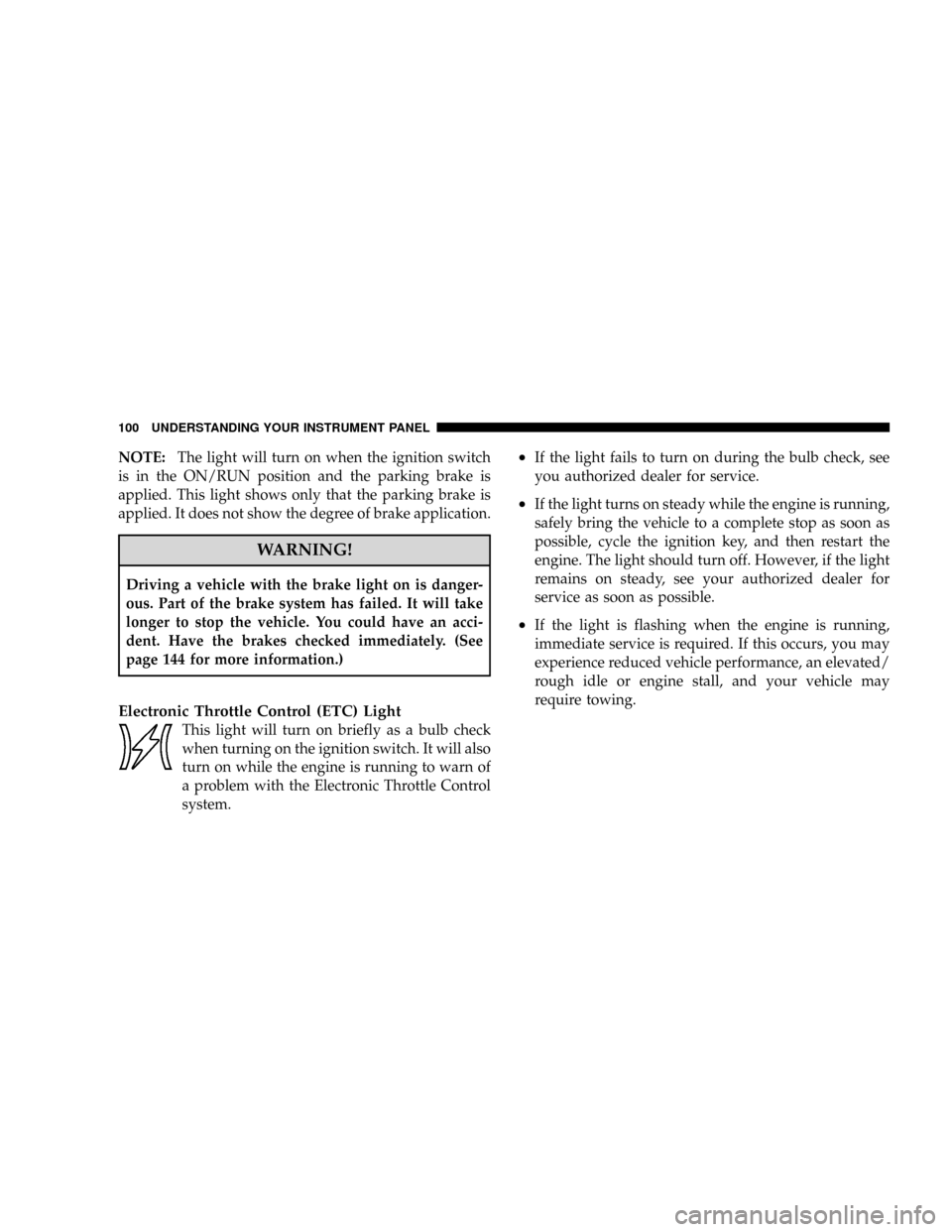
Electronic Throttle Control (ETC) Light
This light will turn on briefly as a bulb check
when turning on the ignition switch. It will also
turn on while the engine is running to warn of
a problem with the Electronic Throttle Control
system.
²If the light fails to turn on during the bulb check, see
you authorized dealer for service.
²If the light turns on steady while the engine is running,
safely bring the vehicle to a complete stop as soon as
possible, cycle the ignition key, and then restart the
engine. The light should turn off. However, if the light
remains on steady, see your authorized dealer for
service as soon as possible.
²If the light is flashing when the engine is running,
immediate service is required. If this occurs, you may
experience reduced vehicle performance, an elevated/
rough idle or engine stall, and your vehicle may
require towing.
100 UNDERSTANDING YOUR INSTRUMENT PANEL
Page 132 of 303
NFuel System Cautions..................170
NCarbon Monoxide Warnings..............171
mAdding Fuel..........................171
NFuel Filler Cap (Gas Cap)...............171
mVehicle Loading........................173
mTrailer Towing.........................174mRecreational Towing (Behind Motorhome, Etc.) . . 174
NTowing This Vehicle Behind Another Vehicle
(Flat Towing With All Four Wheels On The
Ground)............................174
mGround Clearance......................174
STARTING AND OPERATING 131
5
Page 136 of 303
If Engine Fails to Start
CAUTION!
To prevent damage to the starter, do not crank the
engine for more than 15 seconds at a time. Wait 10 to
15 seconds before trying again.
WARNING!
²Never pour fuel or other flammable liquid into the
throttle body air inlet opening in an attempt to
start the vehicle. This could result in flash fire
causing serious personal injury.
²Do not attempt to push or tow your vehicle to get
it started. Unburned fuel could enter the catalytic
converter and once the engine has started, ignite
and damage the converter and vehicle. If the
vehicle has a discharged battery, booster cables
may be used to obtain a start from a booster
battery or the battery in another vehicle. This type
of start can be dangerous if done improperly, so
follow this procedure carefully. See section 6 of
this manual for jump starting instructions.
STARTING AND OPERATING 135
5
Page 143 of 303
WARNING!
²Driving through standing water limits your vehi-
cle's traction capabilities. Do not exceed 5 mph (8
km/h) when driving through standing water.
²Driving through standing water limits your vehi-
cle's braking capabilities, which increases stop-
ping distances. Therefore, after driving through
standing water, drive slowly and lightly press on
the brake pedal several times to dry the brakes.
²Getting water inside your vehicle's engine can
cause it to lockup and stall out and leave you
stranded.
²Failure to follow these warnings may result in
injuries that are serious or fatal to you, your
passengers, and others around you.
PARKING BRAKE
The parking brake should always be applied when the
driver is not in the vehicle.
WARNING!
Before leaving the vehicle, make sure you fully apply
the parking brake and shift the transmission into
REVERSE. Failure to do so may cause the vehicle to
roll and cause damage or injury.
As an added precaution when parking the vehicle, turn
the front wheels toward the curb on a downhill grade
and away from the curb on an uphill grade.
To apply the parking brake, grasp the handle and pull it
rearward until you feel resistance. To release the parking
brake, grasp the handle and pull it slightly while pressing
the button on the end of the handle. When the button
142 STARTING AND OPERATING
Page 155 of 303
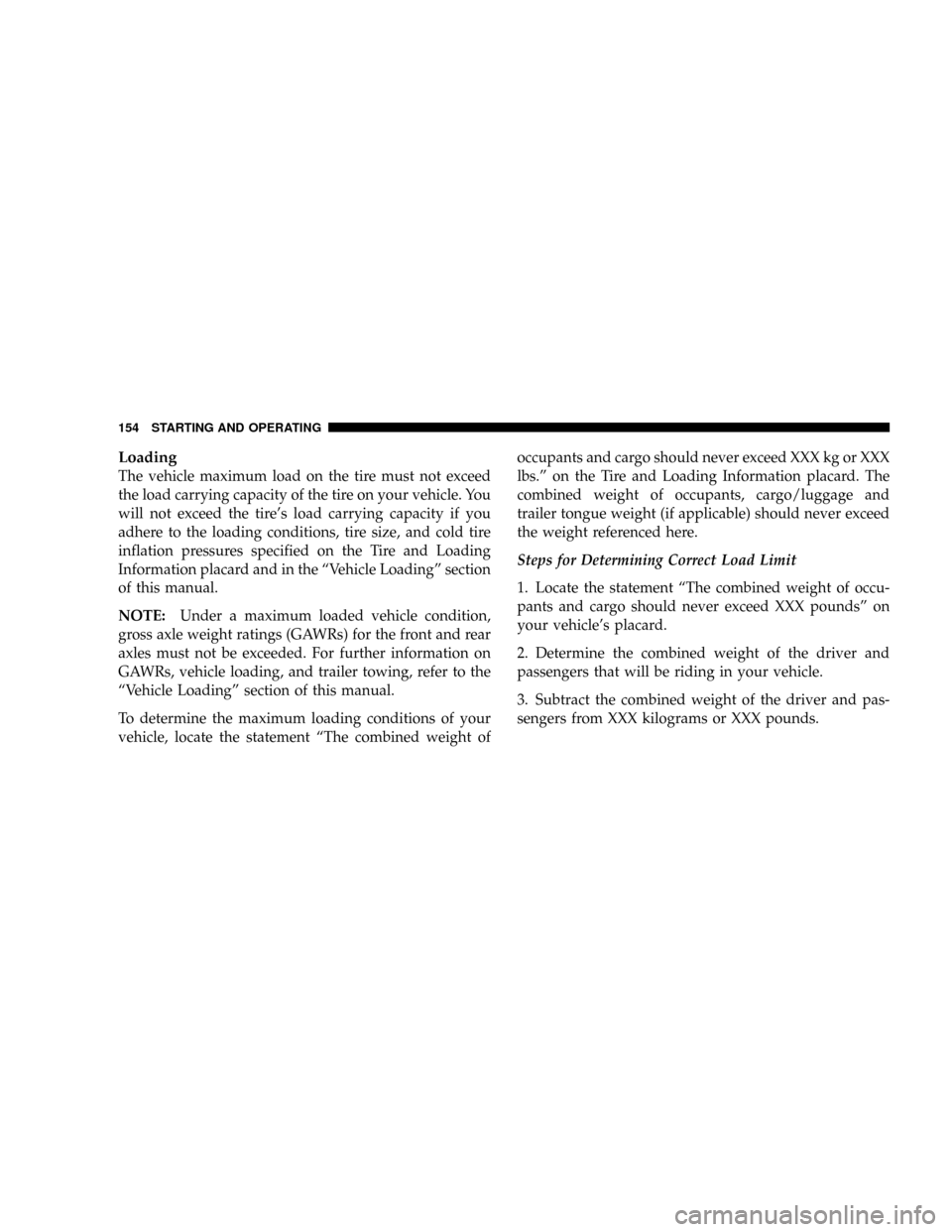
Loading
The vehicle maximum load on the tire must not exceed
the load carrying capacity of the tire on your vehicle. You
will not exceed the tire's load carrying capacity if you
adhere to the loading conditions, tire size, and cold tire
inflation pressures specified on the Tire and Loading
Information placard and in the ªVehicle Loadingº section
of this manual.
NOTE:Under a maximum loaded vehicle condition,
gross axle weight ratings (GAWRs) for the front and rear
axles must not be exceeded. For further information on
GAWRs, vehicle loading, and trailer towing, refer to the
ªVehicle Loadingº section of this manual.
To determine the maximum loading conditions of your
vehicle, locate the statement ªThe combined weight ofoccupants and cargo should never exceed XXX kg or XXX
lbs.º on the Tire and Loading Information placard. The
combined weight of occupants, cargo/luggage and
trailer tongue weight (if applicable) should never exceed
the weight referenced here.
Steps for Determining Correct Load Limit
1. Locate the statement ªThe combined weight of occu-
pants and cargo should never exceed XXX poundsº on
your vehicle's placard.
2. Determine the combined weight of the driver and
passengers that will be riding in your vehicle.
3. Subtract the combined weight of the driver and pas-
sengers from XXX kilograms or XXX pounds.
154 STARTING AND OPERATING
Page 156 of 303
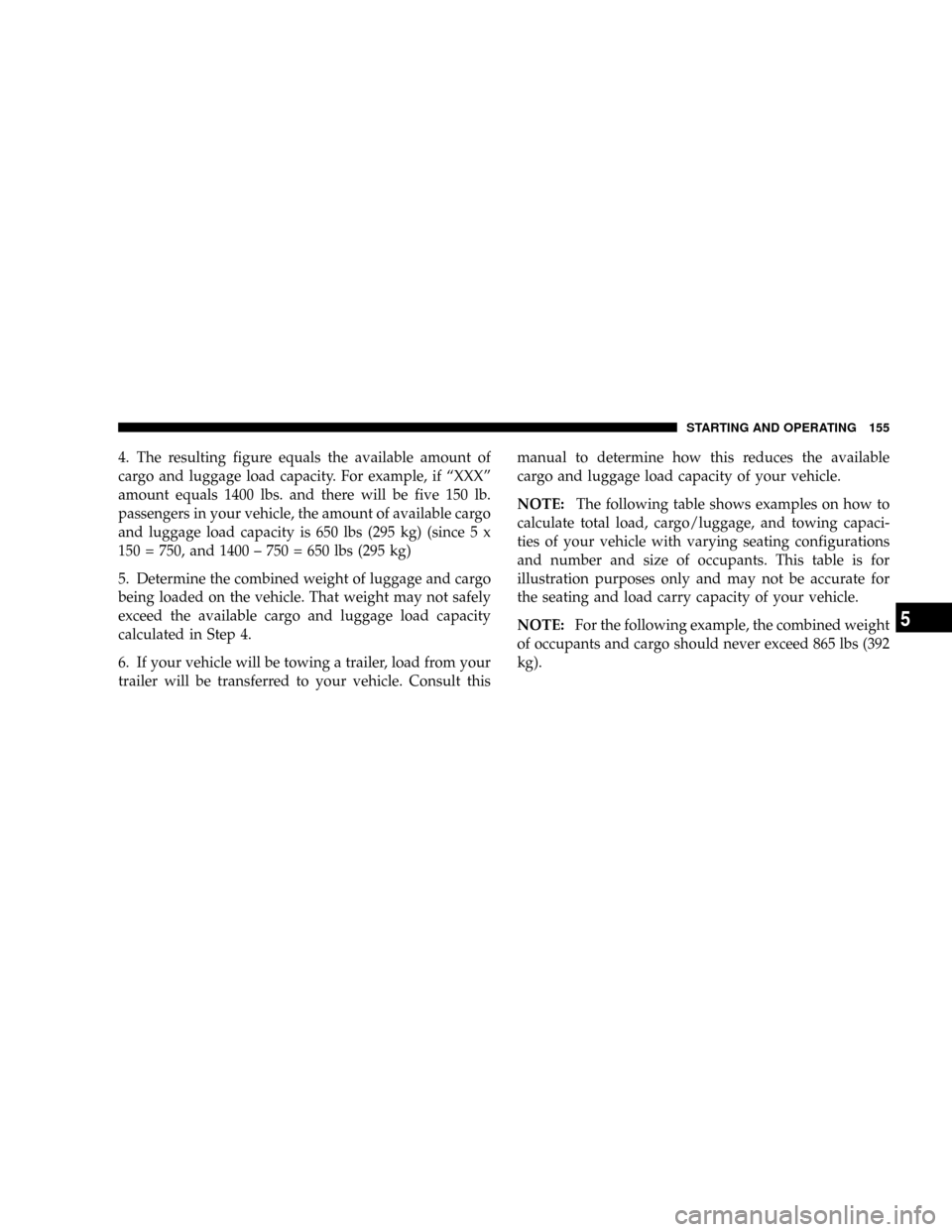
4. The resulting figure equals the available amount of
cargo and luggage load capacity. For example, if ªXXXº
amount equals 1400 lbs. and there will be five 150 lb.
passengers in your vehicle, the amount of available cargo
and luggage load capacity is 650 lbs (295 kg) (since 5 x
150 = 750, and 1400 ± 750 = 650 lbs (295 kg)
5. Determine the combined weight of luggage and cargo
being loaded on the vehicle. That weight may not safely
exceed the available cargo and luggage load capacity
calculated in Step 4.
6. If your vehicle will be towing a trailer, load from your
trailer will be transferred to your vehicle. Consult thismanual to determine how this reduces the available
cargo and luggage load capacity of your vehicle.
NOTE:The following table shows examples on how to
calculate total load, cargo/luggage, and towing capaci-
ties of your vehicle with varying seating configurations
and number and size of occupants. This table is for
illustration purposes only and may not be accurate for
the seating and load carry capacity of your vehicle.
NOTE:For the following example, the combined weight
of occupants and cargo should never exceed 865 lbs (392
kg).
STARTING AND OPERATING 155
5