trunk DODGE VIPER 2010 ZB II / 2.G Owner's Manual
[x] Cancel search | Manufacturer: DODGE, Model Year: 2010, Model line: VIPER, Model: DODGE VIPER 2010 ZB II / 2.GPages: 315, PDF Size: 4.43 MB
Page 86 of 315
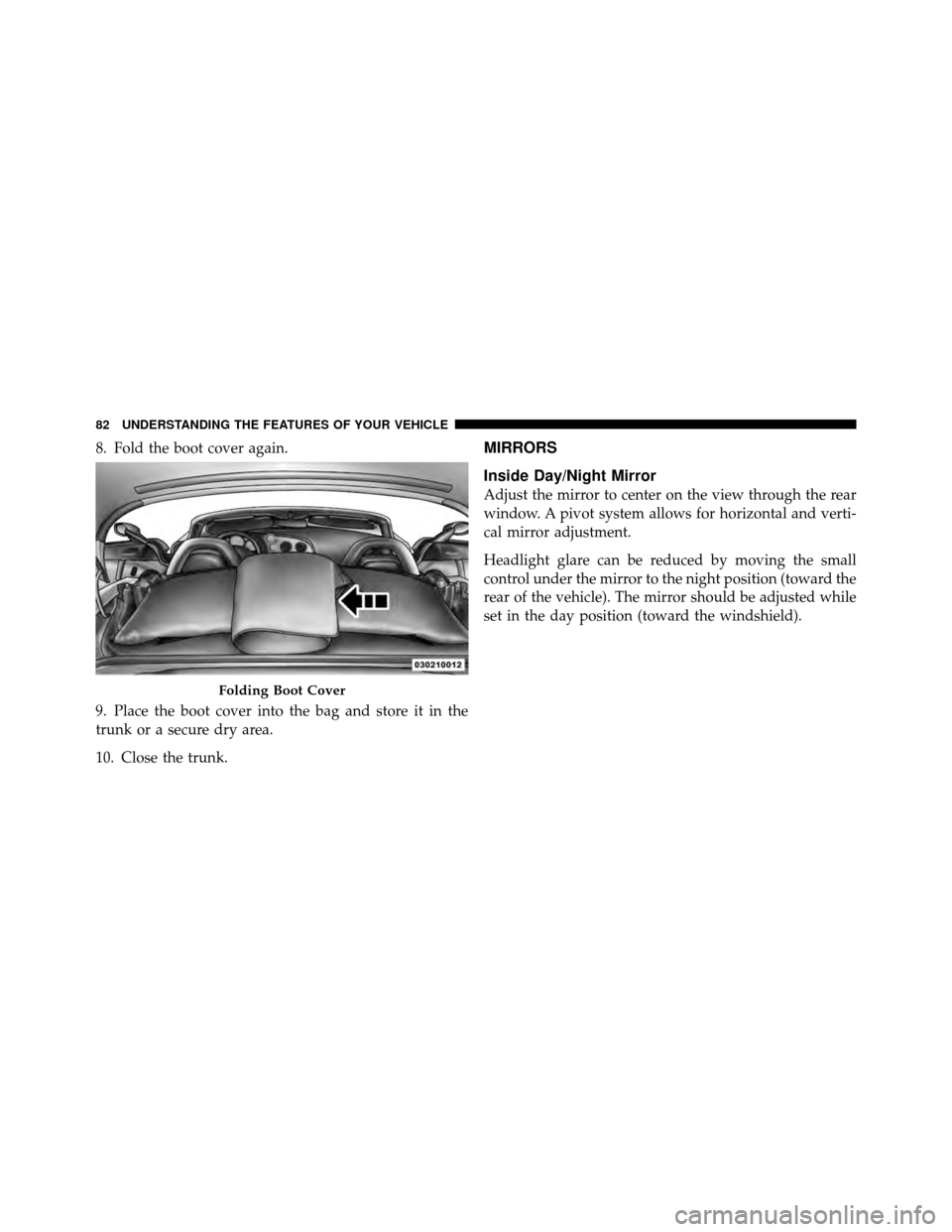
8. Fold the boot cover again.
9. Place the boot cover into the bag and store it in the
trunk or a secure dry area.
10. Close the trunk.MIRRORS
Inside Day/Night Mirror
Adjust the mirror to center on the view through the rear
window. A pivot system allows for horizontal and verti-
cal mirror adjustment.
Headlight glare can be reduced by moving the small
control under the mirror to the night position (toward the
rear of the vehicle). The mirror should be adjusted while
set in the day position (toward the windshield).
Folding Boot Cover
82 UNDERSTANDING THE FEATURES OF YOUR VEHICLE
Page 113 of 315
Liquid Crystal Display (LCD) Panel
The LCD panel at the bottom of the speedometer displays
specific messages for given conditions. These messages
are as follows:
•The words “DOOR AJAR” will display if a door is not
closed completely. In addition, a single chime will
sound if you move the vehicle when a door is not
closed completely.
•The words “DOOR UNLOCKED” will flash in the
display if one door is unlocked and will remain on
steady if both doors are unlocked.
•The word “DECK” will flash in the display if the
trunk/liftgate is open.
•The words “LOW TIRE” will flash slowly in the
display and a chime will sound if the tire pressure is
low.
•The words “FLAT TIRE” will flash rapidly in the
display and a chime will sound if critically low tire
pressure is detected.
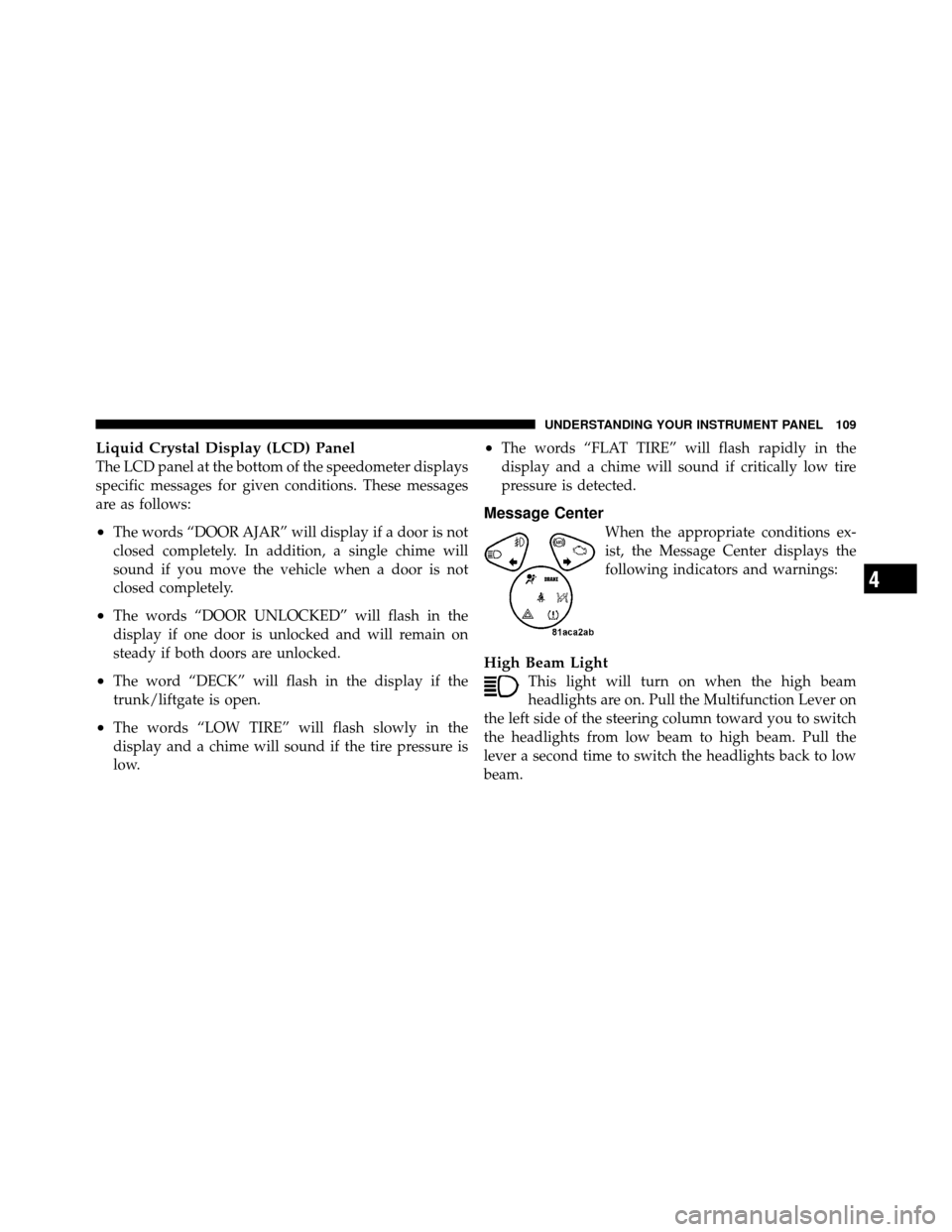
Message Center
When the appropriate conditions ex-
ist, the Message Center displays the
following indicators and warnings:
High Beam Light
This light will turn on when the high beam
headlights are on. Pull the Multifunction Lever on
the left side of the steering column toward you to switch
the headlights from low beam to high beam. Pull the
lever a second time to switch the headlights back to low
beam.
4
UNDERSTANDING YOUR INSTRUMENT PANEL 109
Page 136 of 315
erase any AM or FM pre-set memory stations. Follow the
memory pre-set procedures that apply to your radio.
Using the PTY (Program Type) Button
(If Equipped)
Follow the PTY button instructions that apply to your
radio.
PTY (SCAN) Button
When the desired program type is obtained, press the
SCAN button within five seconds. The radio will play
seven seconds of the selected channel before moving to
the next channel of the selected program type. Press the
SCAN button a second time to stop the search.
NOTE:Pressing the SEEK or SCAN button while per-
forming a music-type scan will change the channel by
one and stop the search. Pressing a pre-set MEMORY
button during a music-type scan, will call up the memory
channel and stop the search.
PTY (SEEK) Button
When the desired program is obtained, press the SEEK
button within five seconds. The channel will change to
the next channel that matches the program type selected.
Satellite Antenna
To ensure optimum reception, do not place items on the
roof around the rooftop antenna location or strap items to
the trunk lid around the trunk lid antenna (if equipped).
Metal objects placed within the line of sight of the
antenna will cause decreased performance. Larger lug-
gage items such as bikes should be placed as far rearward
as possible, within the loading design of the rack. Do not
place items directly on or above the antenna.
132 UNDERSTANDING YOUR INSTRUMENT PANEL
Page 189 of 315
Carbon Monoxide Warnings
WARNING!
Carbon monoxide (CO) in exhaust gases is deadly.
Follow the precautions below to prevent carbon
monoxide poisoning:
•Do not inhale exhaust gases. They contain carbon
monoxide, a colorless and odorless gas, which can
kill. Never run the engine in a closed area, such as
a garage, and never sit in a parked vehicle with the
engine running for an extended period. If the
vehicle is stopped in an open area with the engine
running for more than a short period, adjust the
ventilation system to force fresh, outside air into
the vehicle.(Continued)
WARNING! (Continued)
•Guard against carbon monoxide with proper
maintenance. Have the exhaust system inspected
every time the vehicle is raised. Have any abnor-
mal conditions repaired promptly. Until repaired,
drive with all side windows fully open.
•Keep the trunk closed when driving your vehicle
to prevent carbon monoxide and other poisonous
exhaust gases from entering the vehicle.
ADDING FUEL
Fuel Filler Cap (Gas Cap)
The gas cap is located behind the fuel filler door above
the rear tire on the passenger side of the vehicle. To access
the gas cap, grasp the finger pull (on the left side of the
fuel filler door) and pull it open. The door will pivot
toward the front of the vehicle.
5
STARTING AND OPERATING 185
Page 196 of 315
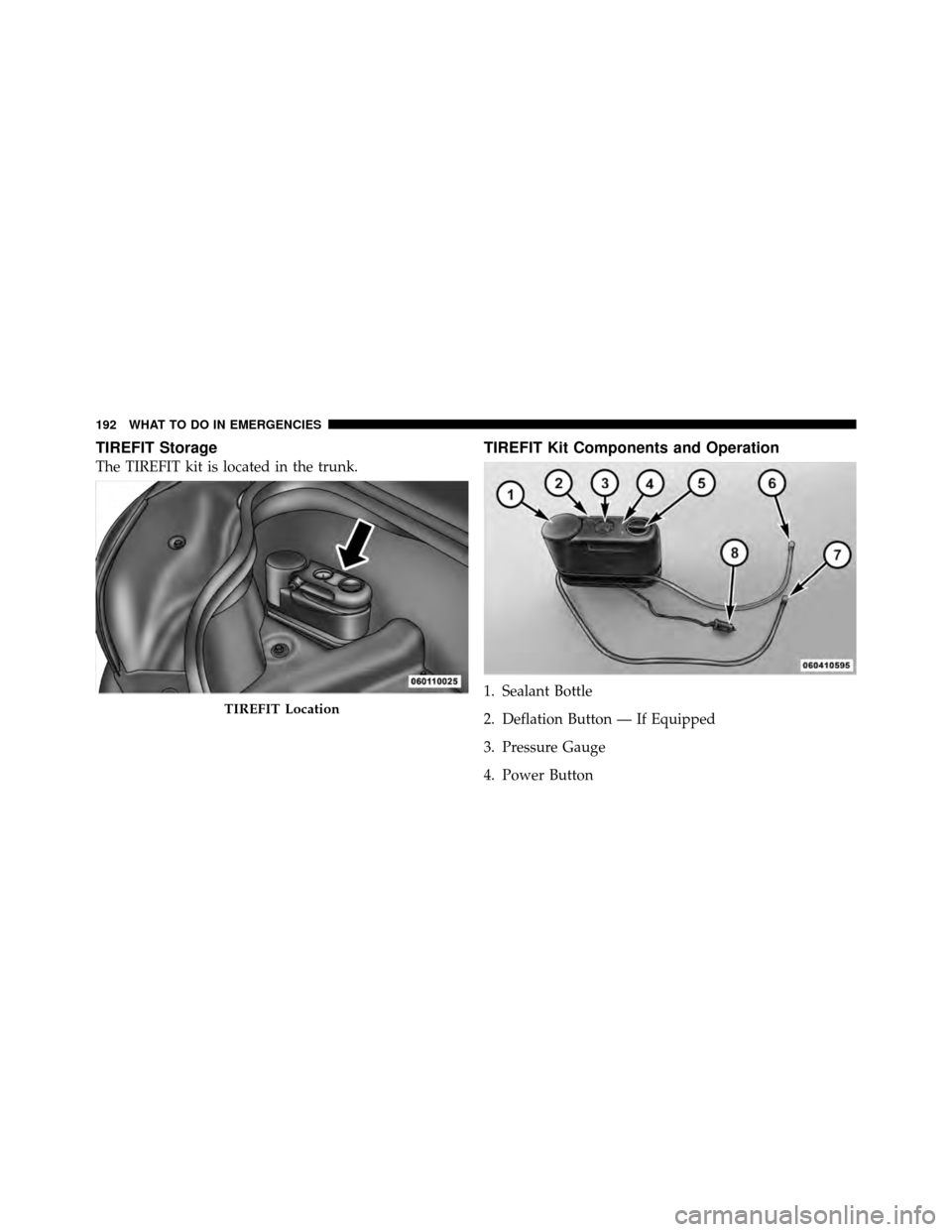
TIREFIT Storage
The TIREFIT kit is located in the trunk.
TIREFIT Kit Components and Operation
1. Sealant Bottle
2. Deflation Button — If Equipped
3. Pressure Gauge
4. Power Button
TIREFIT Location
192 WHAT TO DO IN EMERGENCIES
Page 253 of 315
terminal or use the “Battery Save Feature” to conserve
battery power. Refer to “Maintenance Procedures/
Battery Save Feature” in “Maintaining Your Vehicle”
for further information.
NOTE: Disconnecting the battery causes the engine
control system to lose memory of some “learned” func-
tions. After reconnecting the battery, the engine may run
rough until the control module “relearns” these func-
tions. Using the Battery Save Feature will prevent the
engine controller from loosing its memory.
CAUTION!
Use care when disconnecting the remote positive
cable. It is connected to the battery and can short out
to any metal on the vehicle. Always tape or wrap the
exposed cable end to prevent electrical shorts. Check the battery every four to six weeks to ensure that
the voltage is above 12.40 Volts. The voltage will drop
more rapidly in hot temperatures. If battery voltage
drops below 12.40 Volts, follow the battery recharge
procedure in the Service Manual.
NOTE:
To help prevent the battery from discharging
during shorter periods of inactivity, perform the follow-
ing:
1. Make sure that the trunk/liftgate, hood, doors, win-
dows, and convertible top are completely closed.
2. Make sure that Remote Keyless Entry (RKE) transmit-
ter is operating and that the battery is good.
3. Make sure that the HOOD, TRUNK/LIFTGATE, and
DOOR switches are in adjustment. Perform the quick
system check, which follows:
Use the remote transmitter to set the alarm. If the alarm
SET light comes on and flashes, the system is operating7
MAINTAINING YOUR VEHICLE 249
Page 258 of 315
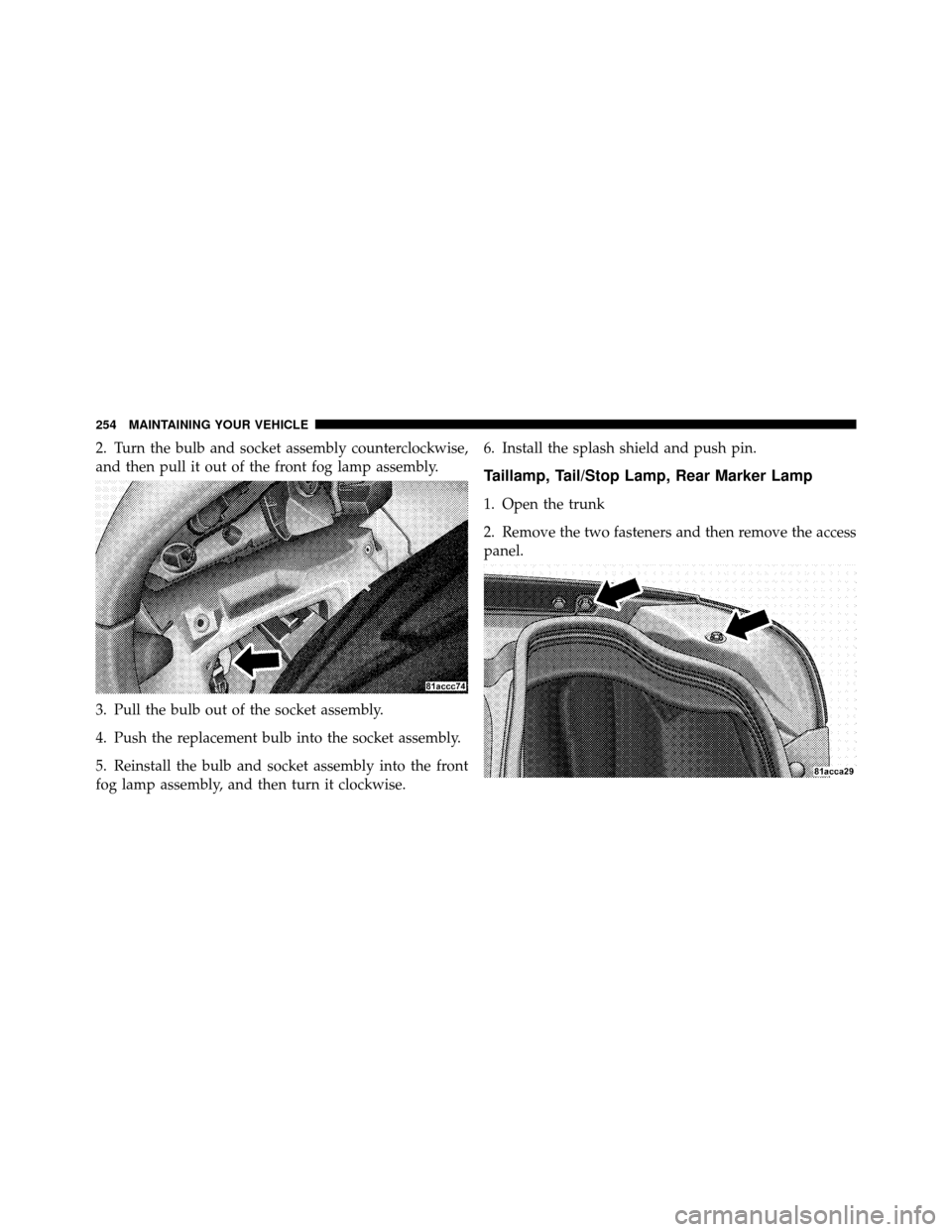
2. Turn the bulb and socket assembly counterclockwise,
and then pull it out of the front fog lamp assembly.
3. Pull the bulb out of the socket assembly.
4. Push the replacement bulb into the socket assembly.
5. Reinstall the bulb and socket assembly into the front
fog lamp assembly, and then turn it clockwise.6. Install the splash shield and push pin.
Taillamp, Tail/Stop Lamp, Rear Marker Lamp
1. Open the trunk
2. Remove the two fasteners and then remove the access
panel.
254 MAINTAINING YOUR VEHICLE
Page 259 of 315
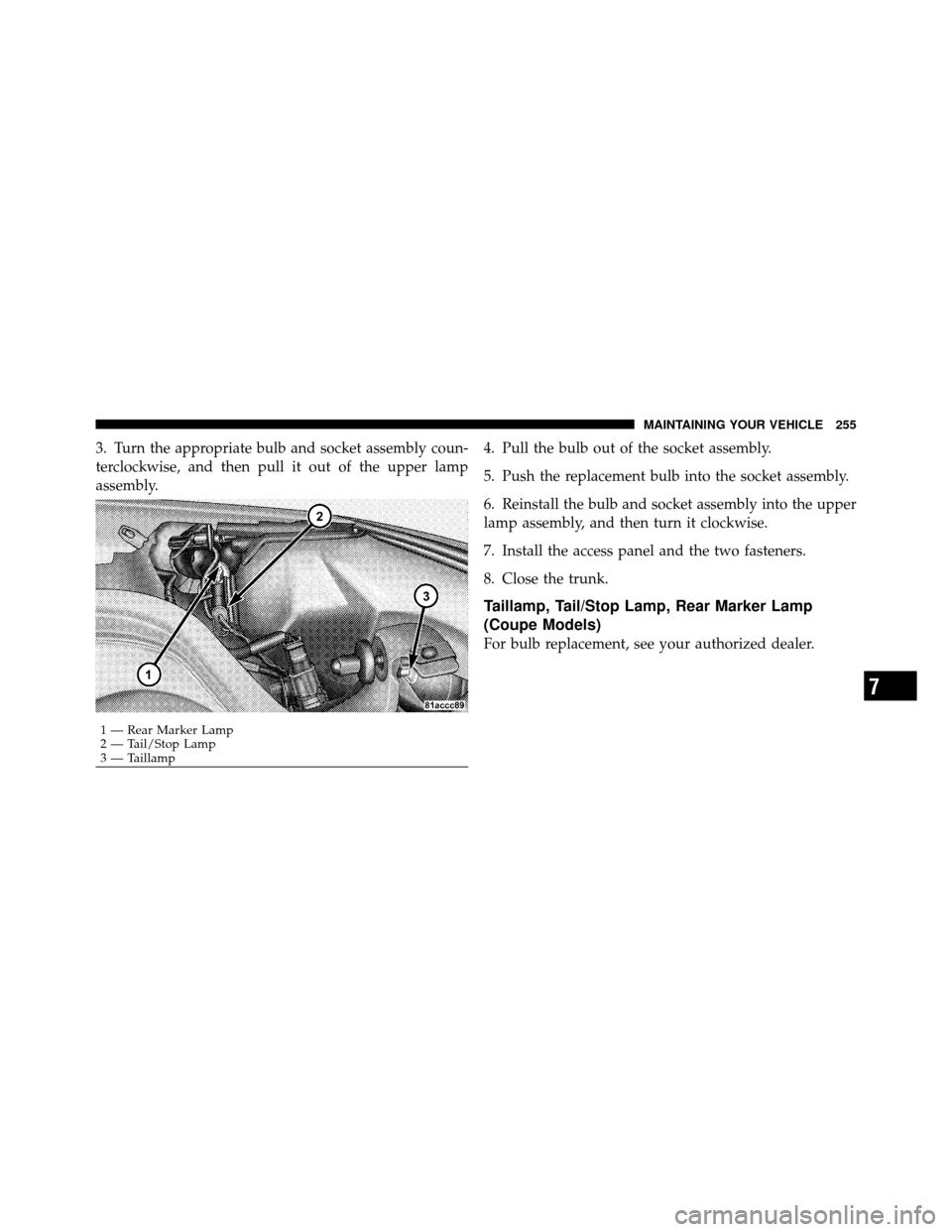
3. Turn the appropriate bulb and socket assembly coun-
terclockwise, and then pull it out of the upper lamp
assembly.4. Pull the bulb out of the socket assembly.
5. Push the replacement bulb into the socket assembly.
6. Reinstall the bulb and socket assembly into the upper
lamp assembly, and then turn it clockwise.
7. Install the access panel and the two fasteners.
8. Close the trunk.
Taillamp, Tail/Stop Lamp, Rear Marker Lamp
(Coupe Models)
For bulb replacement, see your authorized dealer.
1 — Rear Marker Lamp
2 — Tail/Stop Lamp
3 — Taillamp
7
MAINTAINING YOUR VEHICLE 255
Page 260 of 315
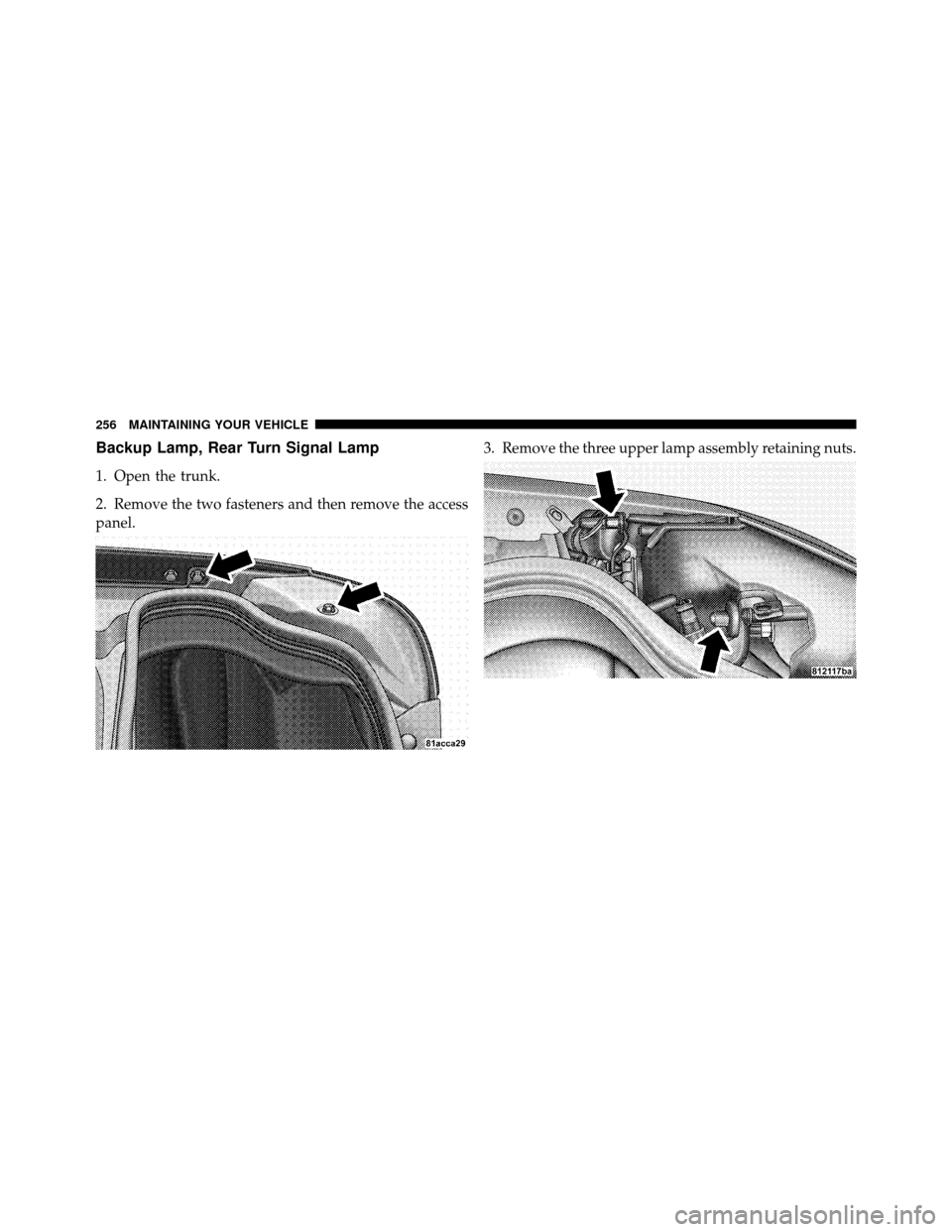
Backup Lamp, Rear Turn Signal Lamp
1. Open the trunk.
2. Remove the two fasteners and then remove the access
panel.3. Remove the three upper lamp assembly retaining nuts.
256 MAINTAINING YOUR VEHICLE
Page 263 of 315
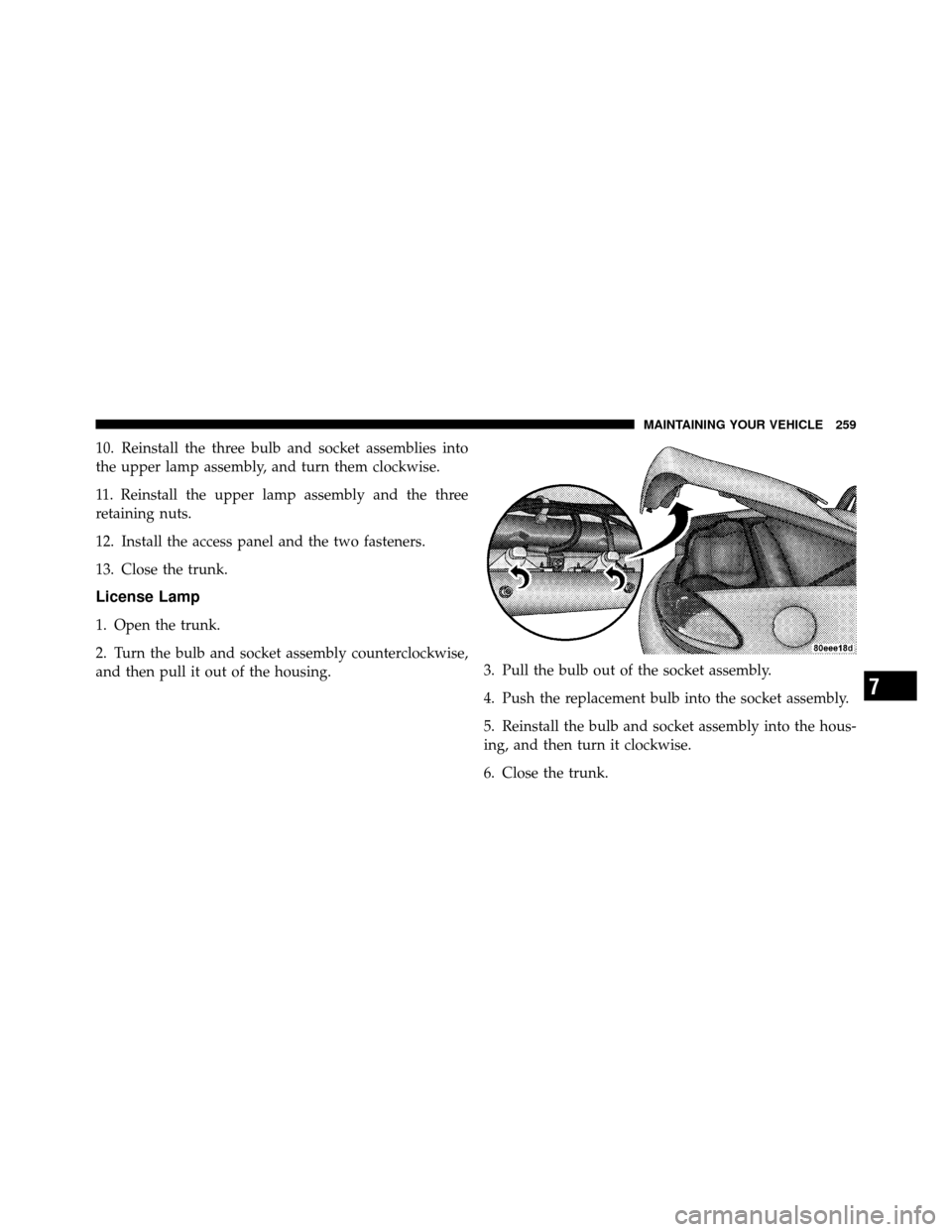
10. Reinstall the three bulb and socket assemblies into
the upper lamp assembly, and turn them clockwise.
11. Reinstall the upper lamp assembly and the three
retaining nuts.
12. Install the access panel and the two fasteners.
13. Close the trunk.
License Lamp
1. Open the trunk.
2. Turn the bulb and socket assembly counterclockwise,
and then pull it out of the housing.3. Pull the bulb out of the socket assembly.
4. Push the replacement bulb into the socket assembly.
5. Reinstall the bulb and socket assembly into the hous-
ing, and then turn it clockwise.
6. Close the trunk.
7
MAINTAINING YOUR VEHICLE 259