key DODGE VIPER 2015 VX / 3.G User Guide
[x] Cancel search | Manufacturer: DODGE, Model Year: 2015, Model line: VIPER, Model: DODGE VIPER 2015 VX / 3.GPages: 400, PDF Size: 9.59 MB
Page 22 of 400
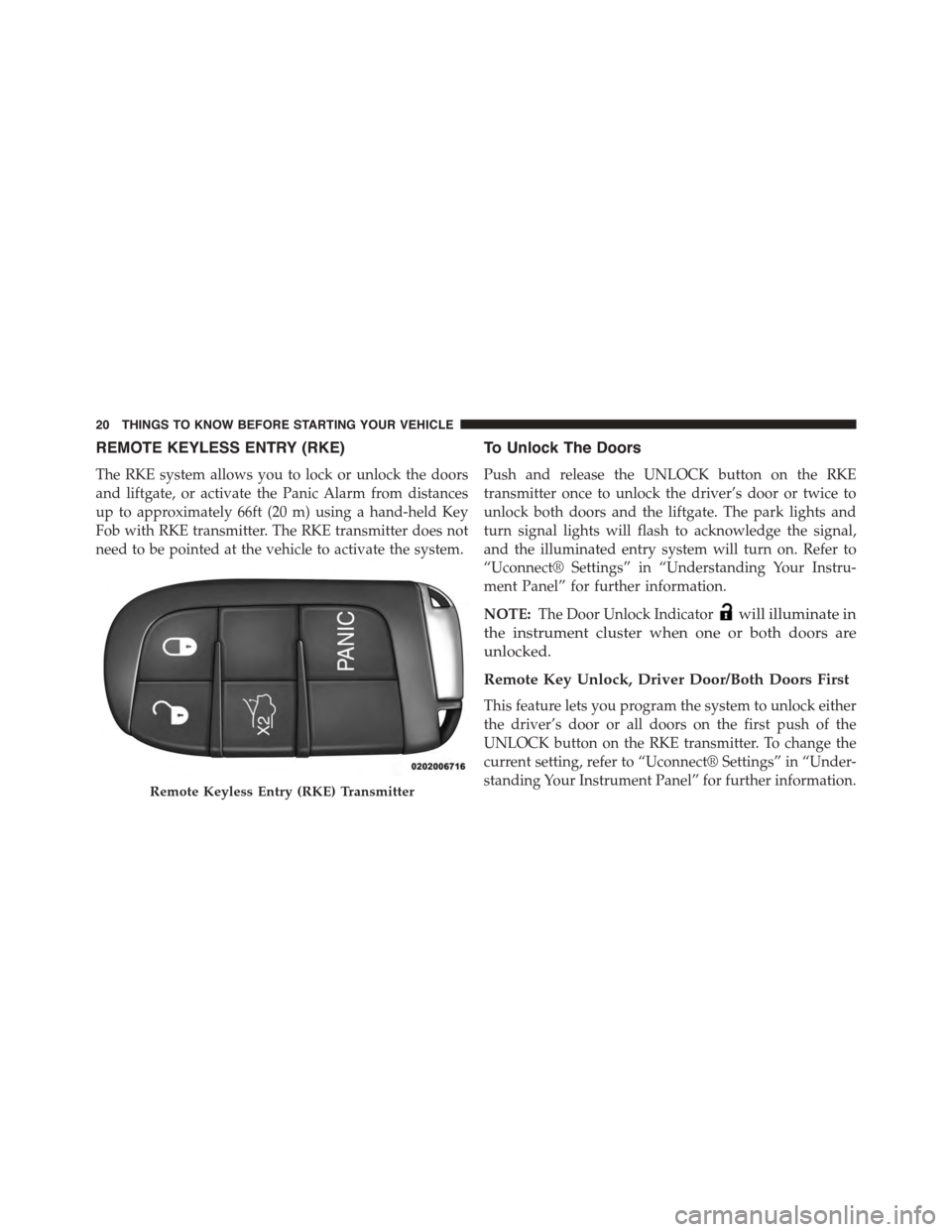
REMOTE KEYLESS ENTRY (RKE)
The RKE system allows you to lock or unlock the doors
and liftgate, or activate the Panic Alarm from distances
up to approximately 66ft (20 m) using a hand-held Key
Fob with RKE transmitter. The RKE transmitter does not
need to be pointed at the vehicle to activate the system.
To Unlock The Doors
Push and release the UNLOCK button on the RKE
transmitter once to unlock the driver’s door or twice to
unlock both doors and the liftgate. The park lights and
turn signal lights will flash to acknowledge the signal,
and the illuminated entry system will turn on. Refer to
“Uconnect® Settings” in “Understanding Your Instru-
ment Panel” for further information.
NOTE:The Door Unlock Indicatorwill illuminate in
the instrument cluster when one or both doors are
unlocked.
Remote Key Unlock, Driver Door/Both Doors First
This feature lets you program the system to unlock either
the driver’s door or all doors on the first push of the
UNLOCK button on the RKE transmitter. To change the
current setting, refer to “Uconnect® Settings” in “Under-
standing Your Instrument Panel” for further information.Remote Keyless Entry (RKE) Transmitter
20 THINGS TO KNOW BEFORE STARTING YOUR VEHICLE
Page 23 of 400
Flash Lights With Lock
This feature lets you program the lights to flash when the
doors are locked with the Remote Keyless Entry (RKE)
transmitter. Refer to “Uconnect® Settings” in “ Under-
standing Your Instrument Panel” for further information.
Unlock On 1st Press
This feature lets you program the system to unlock either
the driver’s door or all doors on the first push of the
UNLOCK button on the RKE transmitter. To change the
current setting, refer to “Uconnect® Settings” in “Under-
standing Your Instrument Panel” for further information.
To Lock The Doors
Push and release the LOCK button on the RKE transmit-
ter to lock the doors. The horn will chirp once, and the
park lights and turn signal lights will flash to acknowl-
edge the signal.
Sound Horn With Remote Key Lock
This feature will cause the horn to chirp when the doors
are locked with the RKE transmitter. This feature can be
turned on or turned off. To change the current setting,
refer to “Uconnect® Settings” in “Understanding Your
Instrument Panel” for further information.
To Unlatch The Liftgate
Push the LIFTGATE button on the RKE transmitter two
times within five seconds to unlatch the liftgate.
Using The Panic Alarm
To turn the Panic Alarm feature on or off, push and hold
the PANIC button on the RKE transmitter for at least one
second and release. When the Panic Alarm is on, the
headlights will turn on, the park lights will flash, the
horn will pulse on and off, and the interior lights will
turn on.
2
THINGS TO KNOW BEFORE STARTING YOUR VEHICLE 21
Page 24 of 400
The Panic Alarm will stay on for three minutes unless
you turn it off by either pushing the PANIC button a
second time or drive the vehicle at a speed of 15 mph
(24 km/h) or greater.
NOTE:The interior lights will turn off if you cycle the
ignition switch to the ACC or ON/RUN position while
the Panic Alarm is activated. However, the exterior lights
and horn will remain on.
Programming Additional Transmitters
Programming Key Fobs or RKE transmitters may be
performed at an authorized dealer.
Transmitter Battery Replacement
The recommended replacement battery is one CR2032
battery.
NOTE:
•Perchlorate Material — special handling may apply.
See www.dtsc.ca.gov/hazardouswaste/perchlorate
•Do not touch the battery terminals that are on the back
housing or the printed circuit board.
1. Remove the emergency key by sliding the mechanical
latch on the back of the RKE transmitter sideways
with your thumb and then pull the key out with your
other hand.
22 THINGS TO KNOW BEFORE STARTING YOUR VEHICLE
Page 25 of 400
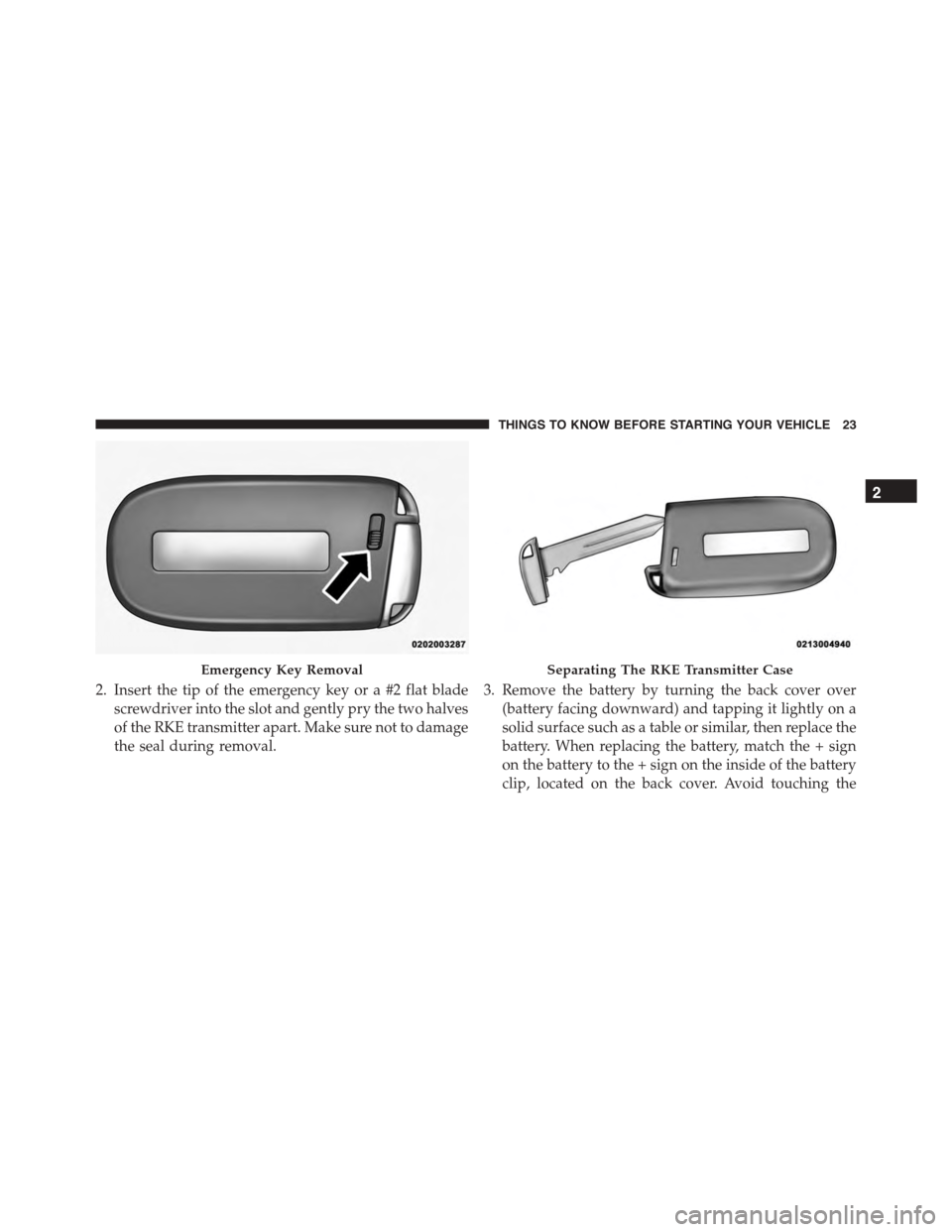
2. Insert the tip of the emergency key or a #2 flat blade
screwdriver into the slot and gently pry the two halves
of the RKE transmitter apart. Make sure not to damage
the seal during removal.
3. Remove the battery by turning the back cover over
(battery facing downward) and tapping it lightly on a
solid surface such as a table or similar, then replace the
battery. When replacing the battery, match the + sign
on the battery to the + sign on the inside of the battery
clip, located on the back cover. Avoid touching the
Emergency Key RemovalSeparating The RKE Transmitter Case
2
THINGS TO KNOW BEFORE STARTING YOUR VEHICLE 23
Page 28 of 400
WARNING!(Continued)
•Do not leave the Key Fob in or near the vehicle, or
in a location accessible to children. A child could
operate power windows, other controls, or move
the vehicle.
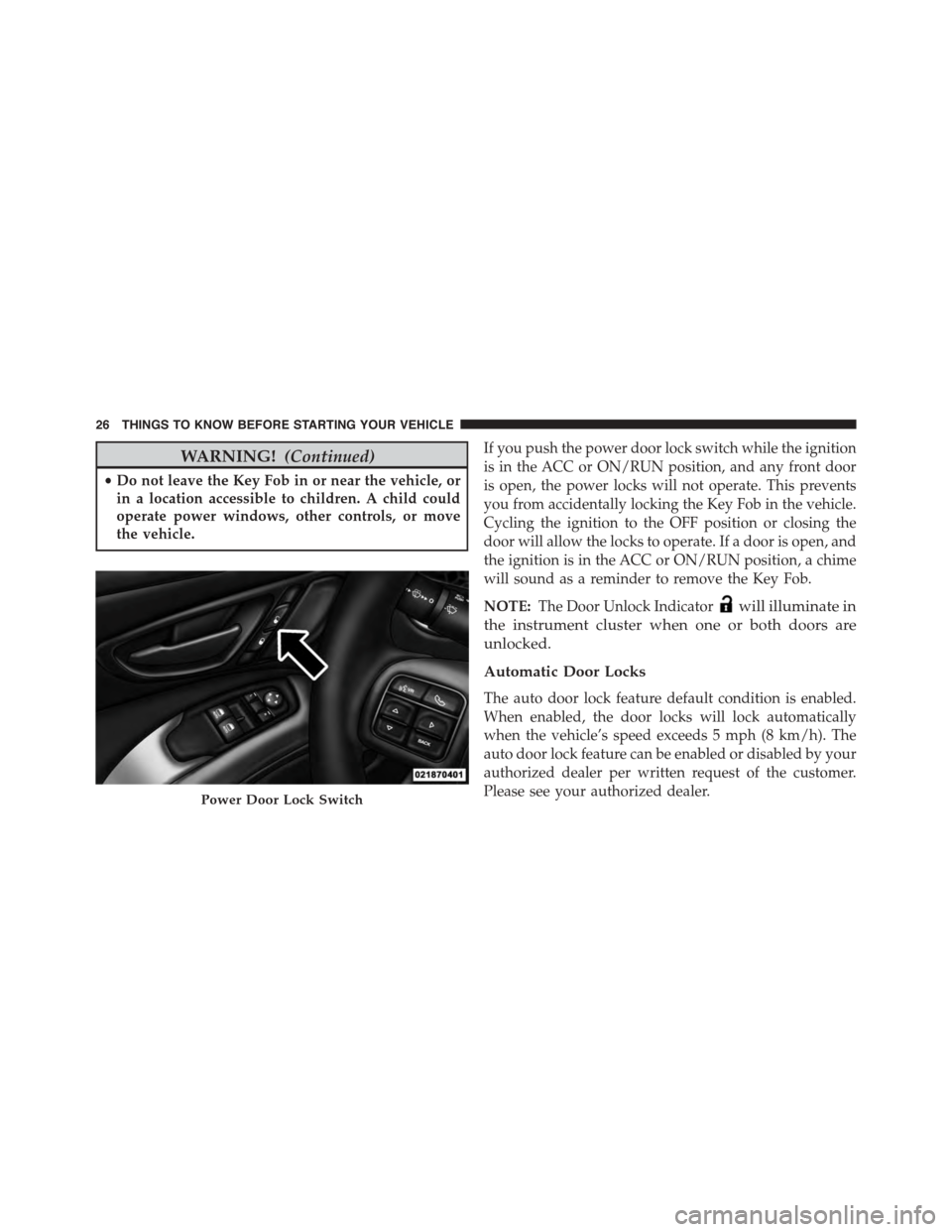
If you push the power door lock switch while the ignition
is in the ACC or ON/RUN position, and any front door
is open, the power locks will not operate. This prevents
you from accidentally locking the Key Fob in the vehicle.
Cycling the ignition to the OFF position or closing the
door will allow the locks to operate. If a door is open, and
the ignition is in the ACC or ON/RUN position, a chime
will sound as a reminder to remove the Key Fob.
NOTE:The Door Unlock Indicatorwill illuminate in
the instrument cluster when one or both doors are
unlocked.
Automatic Door Locks
The auto door lock feature default condition is enabled.
When enabled, the door locks will lock automatically
when the vehicle’s speed exceeds 5 mph (8 km/h). The
auto door lock feature can be enabled or disabled by your
authorized dealer per written request of the customer.
Please see your authorized dealer.Power Door Lock Switch
26 THINGS TO KNOW BEFORE STARTING YOUR VEHICLE
Page 30 of 400
There are single window controls on the passenger door
trim panel, which operate the passenger door window.
The window controls will operate only when the ignition
is in the ACC or ON/RUN position.
The power window switches will remain active for up to
10 minutes after the ignition is cycled to the OFF position.
Opening either front door will cancel this feature. The
time is programmable. Refer to “Uconnect® Settings” in
“Understanding Your Instrument Panel” for further in-
formation.
WARNING!
Never leave children unattended in a vehicle, and do
not let children play with power windows. Do not
leave the Key Fob in or near the vehicle, or in a
location accessible to children, and do not leave the
(Continued)
WARNING!(Continued)
ignition of a vehicle equipped with Keyless Enter-N-
Go™ in the ACC or ON/RUN mode. Occupants,
particularly unattended children, can become en-
trapped by the windows while operating the power
window switches. Such entrapment may result in
serious injury or death.
Auto-Down Feature
Both power window switches have an AUTO-down
feature. Push the window switch to the second detent,
release, and the window will go down automatically.
To open the window part way, push the window switch
to the first detent and release it when you want the
window to stop.
To stop the window from going all the way down during
the AUTO-down operation, pull up on the switch briefly.
28 THINGS TO KNOW BEFORE STARTING YOUR VEHICLE
Page 32 of 400
3. Push the window switch down firmly to the second
detent to open the window completely and continue
to hold the switch down for an additional two seconds
after the window is fully open.
LIFTGATE
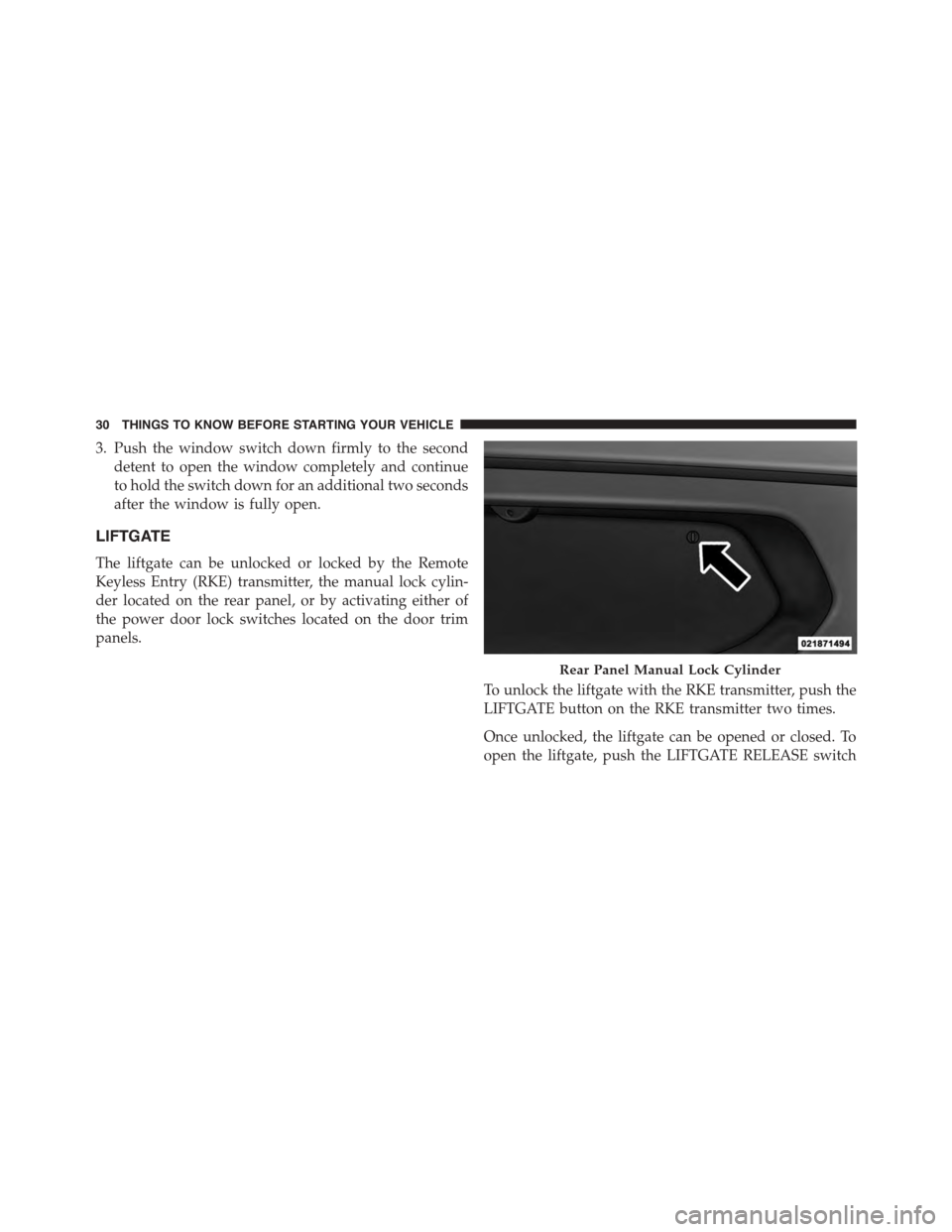
The liftgate can be unlocked or locked by the Remote
Keyless Entry (RKE) transmitter, the manual lock cylin-
der located on the rear panel, or by activating either of
the power door lock switches located on the door trim
panels.
To unlock the liftgate with the RKE transmitter, push the
LIFTGATE button on the RKE transmitter two times.
Once unlocked, the liftgate can be opened or closed. To
open the liftgate, push the LIFTGATE RELEASE switch
Rear Panel Manual Lock Cylinder
30 THINGS TO KNOW BEFORE STARTING YOUR VEHICLE
Page 127 of 400
•To program the remaining two HomeLink® buttons,
repeat each step for each remaining button. DO NOT
erase the channels.
Reprogramming A Single HomeLink® Button
(Non — Rolling Code)
To reprogram a channel that has been previously trained,
follow these steps:
1. Cycle the ignition to the ON/RUN position.
For vehicle’s equipped with Keyless Enter-N-Go™, place
the ignition in the RUN position with the Engine ON.
2. Push and hold the desired HomeLink® button until
the indicator light begins to flash after 20 seconds.Do
not release the button.
3.Without releasing the buttonproceed with “Program-
ming A Non-Rolling Code” step 2 and follow all
remaining steps.
Canadian/Gate Operator Programming
For programming transmitters in Canada/United States
that require the transmitter signals to “time-out” after
several seconds of transmission.
Canadian radio frequency laws require transmitter sig-
nals to time-out (or quit) after several seconds of trans-
mission – which may not be long enough for HomeLink®
to pick up the signal during programming. Similar to this
Canadian law, some U.S. gate operators are designed to
time-out in the same manner.
It may be helpful to unplug the device during the cycling
process to prevent possible overheating of the garage
door or gate motor.
1. Cycle the ignition to the ON/RUN position.
3
UNDERSTANDING THE FEATURES OF YOUR VEHICLE 125
Page 137 of 400
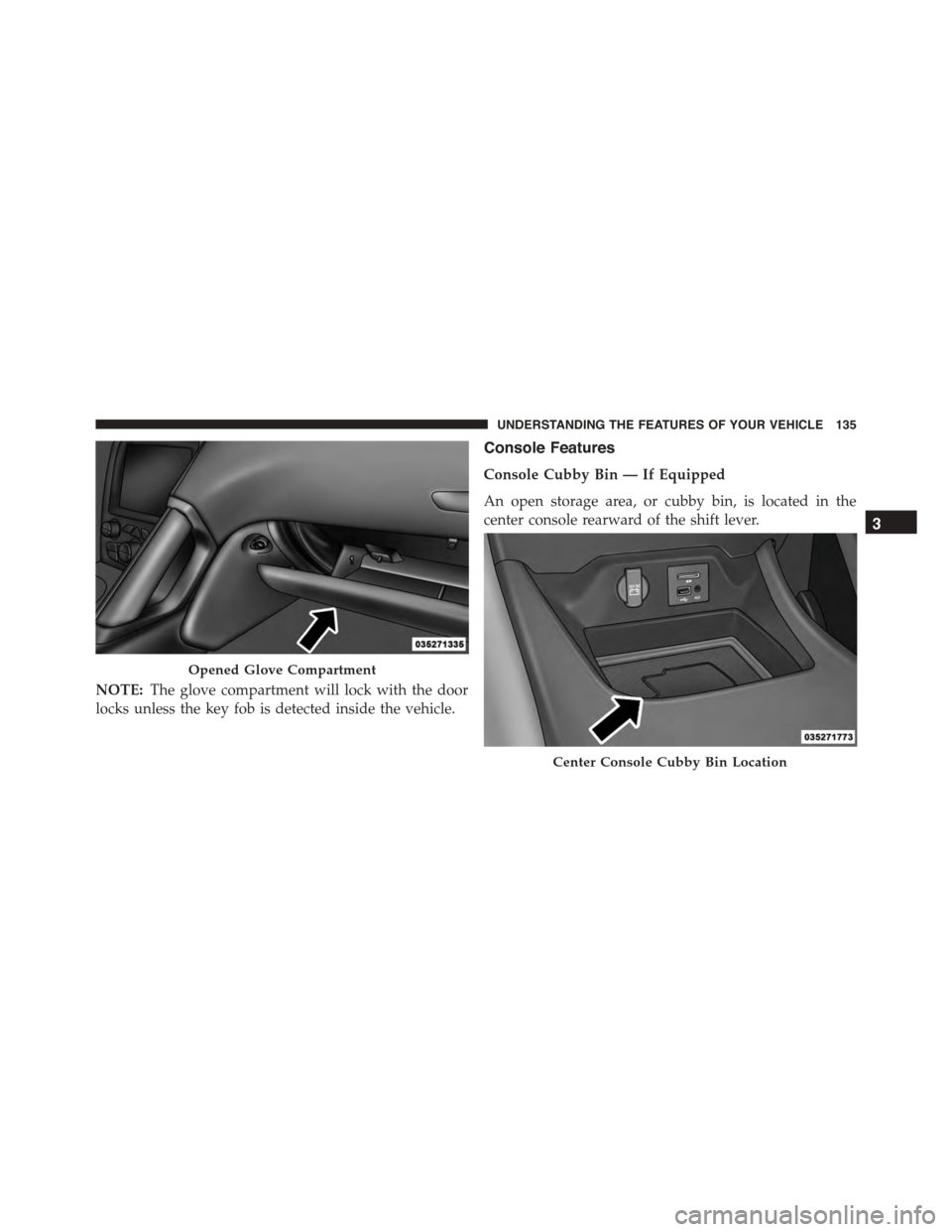
NOTE:The glove compartment will lock with the door
locks unless the key fob is detected inside the vehicle.
Console Features
Console Cubby Bin — If Equipped
An open storage area, or cubby bin, is located in the
center console rearward of the shift lever.
Opened Glove Compartment
Center Console Cubby Bin Location
3
UNDERSTANDING THE FEATURES OF YOUR VEHICLE 135
Page 144 of 400
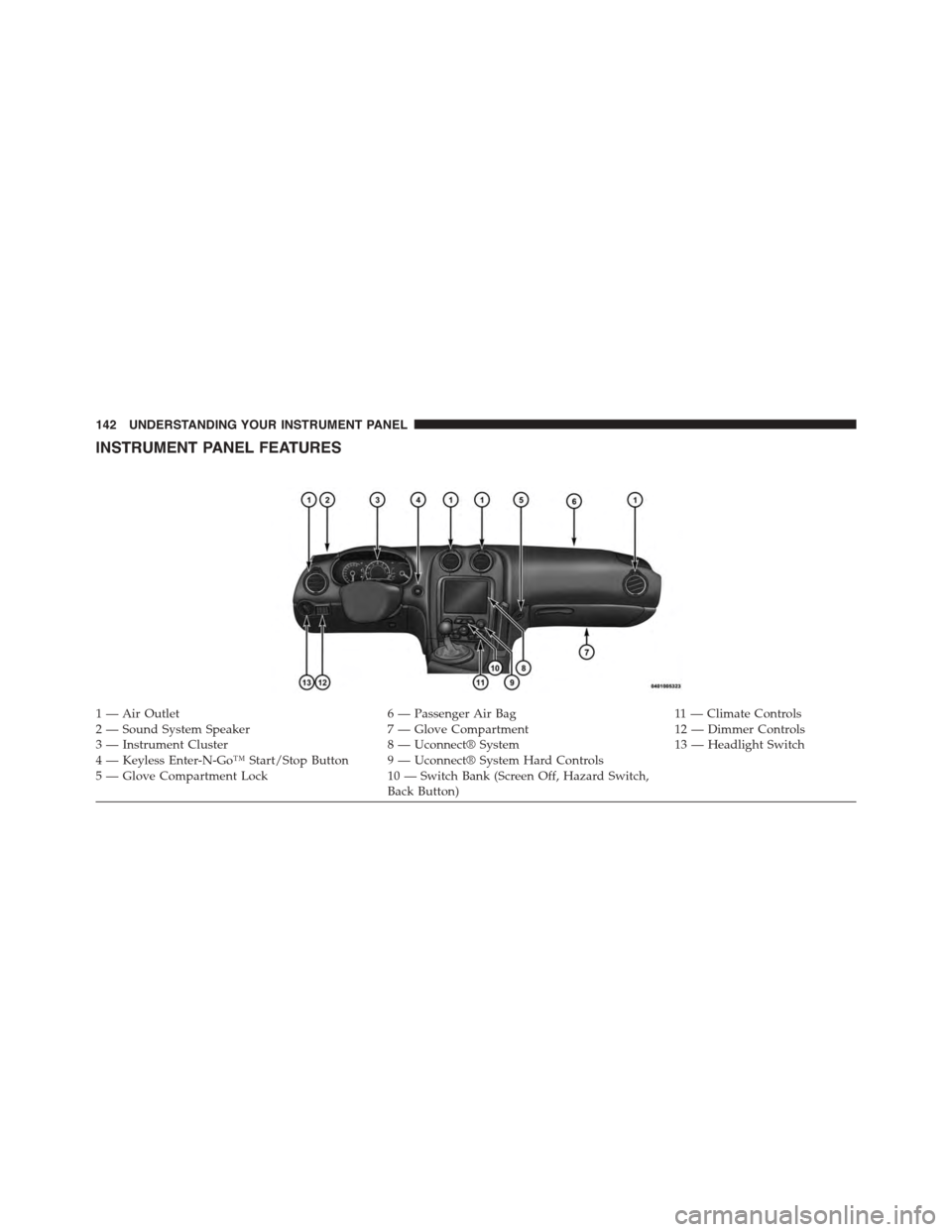
INSTRUMENT PANEL FEATURES
1 — Air Outlet6 — Passenger Air Bag11 — Climate Controls2—SoundSystemSpeaker7—GloveCompartment12 — Dimmer Controls3 — Instrument Cluster8 — Uconnect® System13 — Headlight Switch4 — Keyless Enter-N-Go™ Start/Stop Button 9 — Uconnect® System Hard Controls5 — Glove Compartment Lock10 — Switch Bank (Screen Off, Hazard Switch,Back Button)
142 UNDERSTANDING YOUR INSTRUMENT PANEL