service DODGE VIPER 2015 VX / 3.G Owner's Manual
[x] Cancel search | Manufacturer: DODGE, Model Year: 2015, Model line: VIPER, Model: DODGE VIPER 2015 VX / 3.GPages: 400, PDF Size: 9.59 MB
Page 168 of 400
Vehicle Info (Customer Information Features)
Push and release the UP or DOWN arrow
button until the Vehicle Info icon is highlighted
in the DID. Push and release the RIGHT arrow
button to display the following information
sub-menus:
Tire Pressure
Push and release the UP or DOWN arrow button until
“Tire Pressure” is highlighted in the DID. Push and
release the RIGHT arrow button, and one of the follow-
ing will be displayed:
•If tire pressure is OK for all tires a vehicle ICON is
displayed with tire pressure values in each corner of
the ICON.
•If one or more tires have low pressure, the tire pressure
values in each corner of the ICON with the pressure
value of the low tire displayed in a different color than
the other tire pressure value.
•If the Tire Pressure system requires service, “Service
Tire Pressure System” is displayed.
Tire PSI is an information only function and cannot be
reset. Push and release the LEFT arrow button to return
to the main menu.
Refer to “Tire Pressure Monitoring System (TPMS)”
under “Starting and Operating” for further information.
Coolant Temperature
Push and release the UP or DOWN arrow button until
“Coolant Temperature” is highlighted in the DID. Push
and release the RIGHT arrow button, and the coolant
temperature will be displayed.
166 UNDERSTANDING YOUR INSTRUMENT PANEL
Page 190 of 400
•Subscription Information
New vehicle purchasers or lessees will receive a free
limited time subscription to SiriusXM Satellite Radio
with your radio. Following the expiration of the free
services, it will be necessary to access the information on
the Subscription Information screen to re-subscribe.
Press the “Subscription Info” button on the touchscreen
to access the Subscription Information screen.
Write down the SIRIUS ID numbers for your receiver. To
reactivate your service, either call the number listed on
the screen or visit the provider online.
NOTE:SiriusXM Travel Link is a separate subscription
and is available for U.S. residents only.
Restore Settings
After pressing the “Restore Settings” button on the
touchscreen the following settings will be available:
•Restore Settings
When this feature is selected it will reset the Display,
Clock, Audio, and Radio Settings to their default settings.
To restore the settings to their default setting, press the
Restore Settings button. A pop-up will appear asking
#Are you sure you want to reset your settings to default?”
select “Yes” to restore, or “Cancel” to exit. Once the
settings are restored, a pop up appears stating#settings
reset to default.#Press the okay button on the touchscreen
to exit.
188 UNDERSTANDING YOUR INSTRUMENT PANEL
Page 205 of 400
coolant selection. Use of the air Recirculation mode
during Winter months is not recommended because it
may cause window fogging.
Vacation/Storage
Any time you store your vehicle or keep it out of service
(i.e., vacation) for two weeks or more, run the air
conditioning system at idle for about five minutes in
fresh air with the blower setting in high. This will ensure
adequate system lubrication to minimize the possibility
of compressor damage when the system is started again.
Window Fogging and Frosting
Vehicle windows tend to fog on the inside of the glass in
mild, rainy and/or humid weather. Windows may frost
on the inside of the glass in very cold weather. To clear
the windows, select Defrost or Mix mode and increase
the front blower speed. Do not use the Recirculation
mode without A/C for long periods, as fogging may
occur.
NOTE:Automatic Temperature Controls (ATC) will au-
tomatically adjust the climate control settings to reduce
or eliminate window fogging on the front windshield.
When this occurs, recirculation will be unavailable.
Outside Air Intake
Make sure the air intake, located directly in front of the
windshield, is free of obstructions such as leaves. Leaves
collected in the air intake may reduce airflow, can cause
odor, and if they enter the plenum they could plug the
water drains. In winter months, ensure the air intake is
clear of ice, slush and snow.
4
UNDERSTANDING YOUR INSTRUMENT PANEL 203
Page 214 of 400
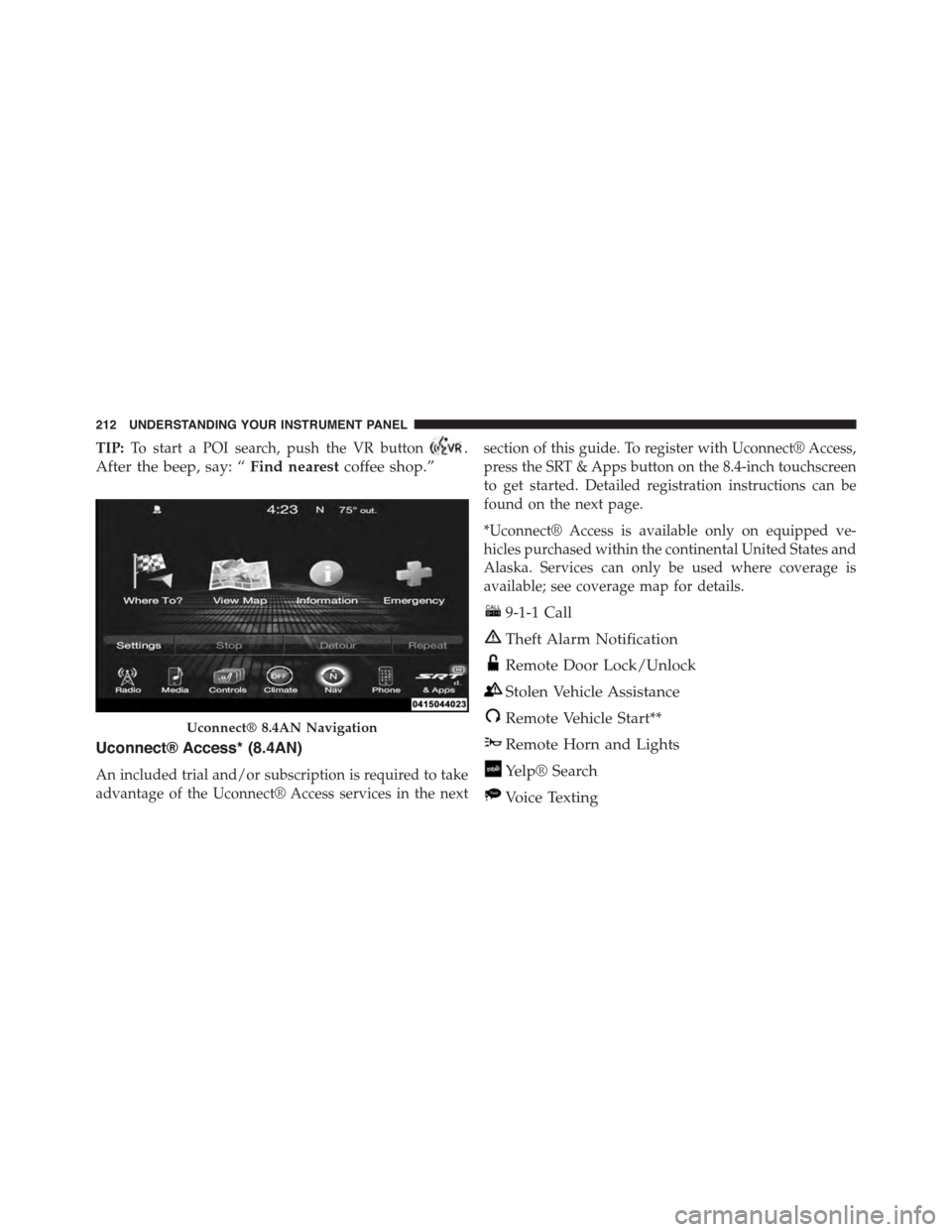
TIP:To start a POI search, push the VR button.
After the beep, say: “Find nearestcoffee shop.”
Uconnect® Access* (8.4AN)
An included trial and/or subscription is required to take
advantage of the Uconnect® Access services in the next
section of this guide. To register with Uconnect® Access,
press the SRT & Apps button on the 8.4-inch touchscreen
to get started. Detailed registration instructions can be
found on the next page.
*Uconnect® Access is available only on equipped ve-
hicles purchased within the continental United States and
Alaska. Services can only be used where coverage is
available; see coverage map for details.
9-1-1 Call
Theft Alarm Notification
Remote Door Lock/Unlock
Stolen Vehicle Assistance
Remote Vehicle Start**
Remote Horn and Lights
Yelp® Search
Voice Texting
Uconnect® 8.4AN Navigation
212 UNDERSTANDING YOUR INSTRUMENT PANEL
Page 218 of 400
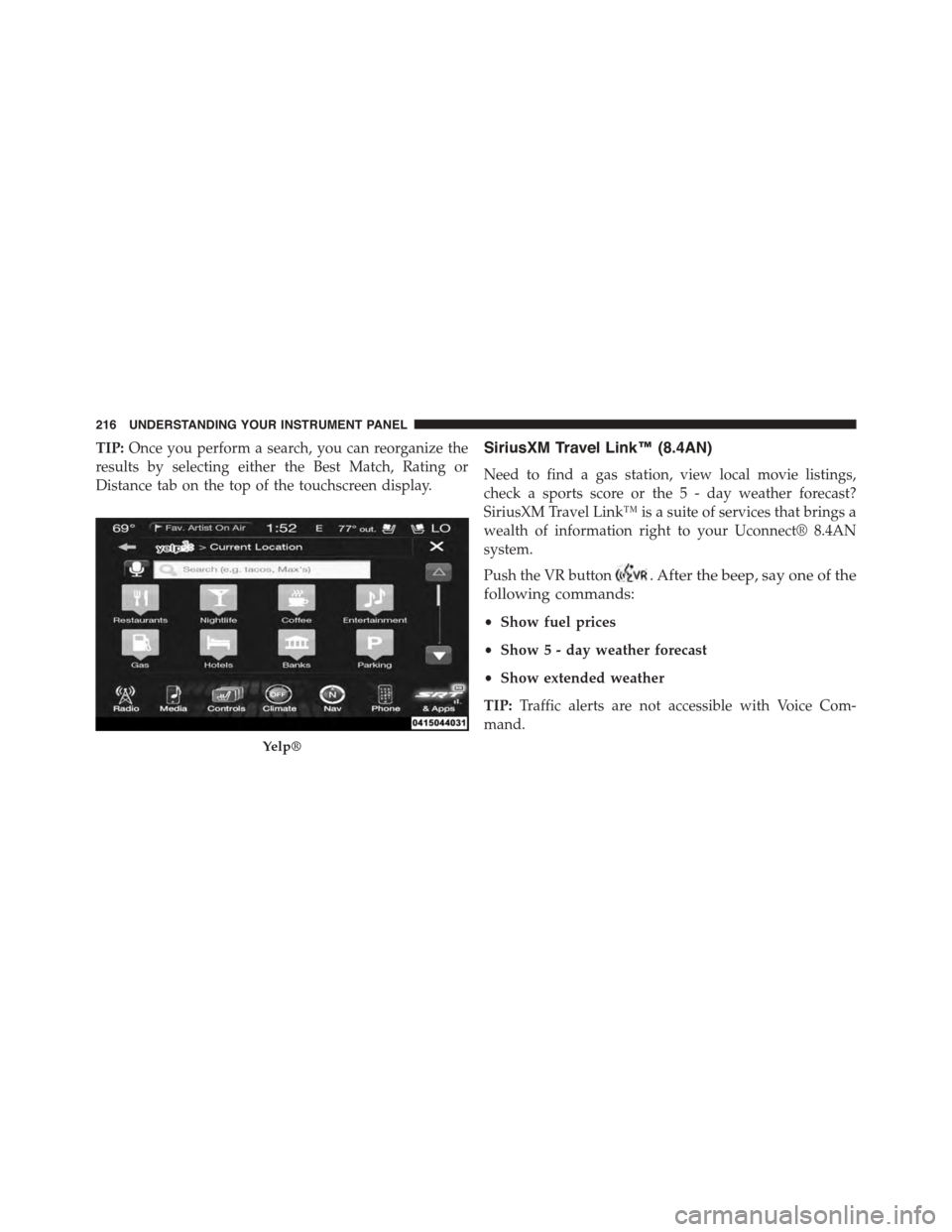
TIP:Once you perform a search, you can reorganize the
results by selecting either the Best Match, Rating or
Distance tab on the top of the touchscreen display.
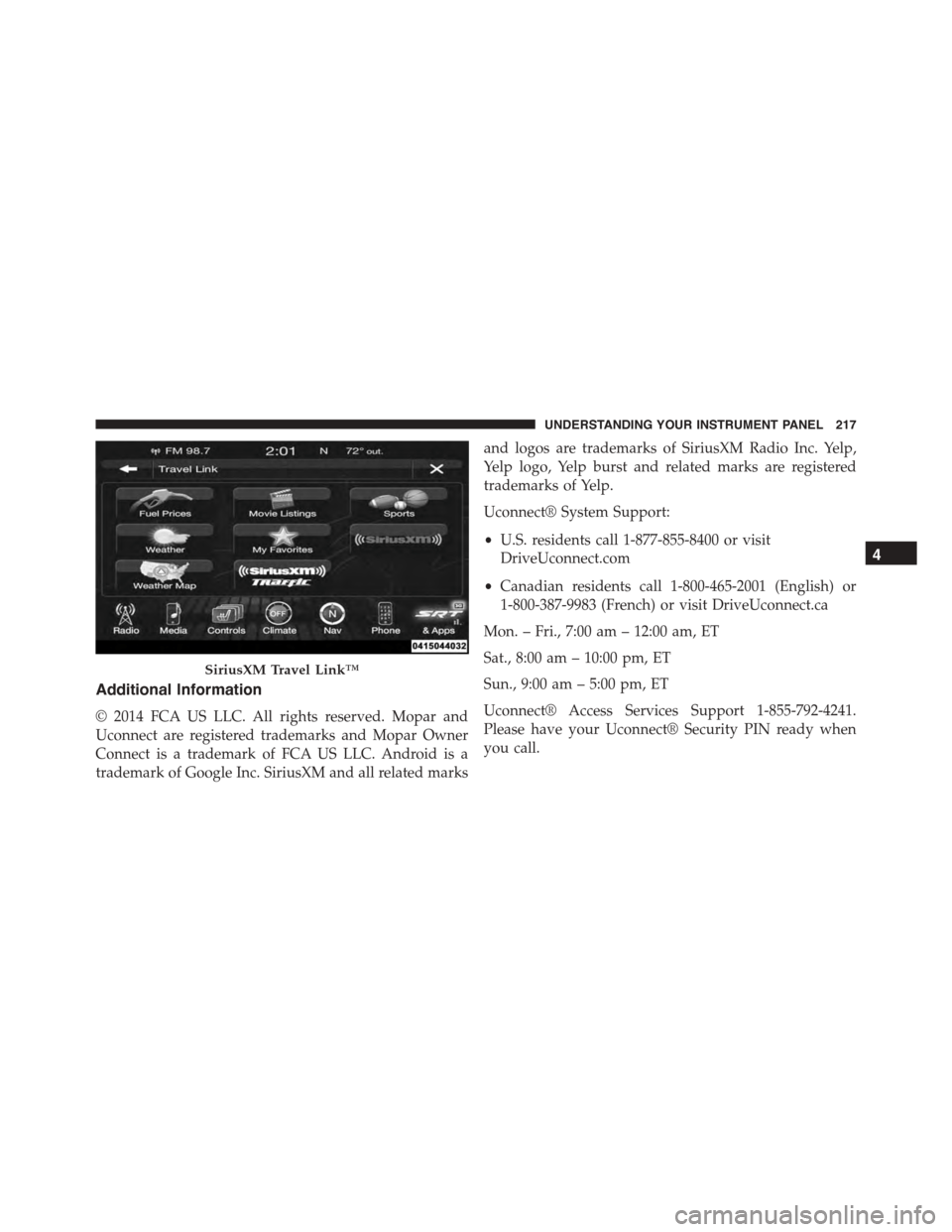
SiriusXM Travel Link™ (8.4AN)
Need to find a gas station, view local movie listings,
check a sports score or the 5 - day weather forecast?
SiriusXM Travel Link™ is a suite of services that brings a
wealth of information right to your Uconnect® 8.4AN
system.
Push the VR button. After the beep, say one of the
following commands:
•Show fuel prices
•Show 5 - day weather forecast
•Show extended weather
TIP:Traffic alerts are not accessible with Voice Com-
mand.
Yelp®
216 UNDERSTANDING YOUR INSTRUMENT PANEL
Page 219 of 400
Additional Information
© 2014 FCA US LLC. All rights reserved. Mopar and
Uconnect are registered trademarks and Mopar Owner
Connect is a trademark of FCA US LLC. Android is a
trademark of Google Inc. SiriusXM and all related marks
and logos are trademarks of SiriusXM Radio Inc. Yelp,
Yelp logo, Yelp burst and related marks are registered
trademarks of Yelp.
Uconnect® System Support:
•U.S. residents call 1-877-855-8400 or visit
DriveUconnect.com
•Canadian residents call 1-800-465-2001 (English) or
1-800-387-9983 (French) or visit DriveUconnect.ca
Mon. – Fri., 7:00 am – 12:00 am, ET
Sat., 8:00 am – 10:00 pm, ET
Sun., 9:00 am – 5:00 pm, ET
Uconnect® Access Services Support 1-855-792-4241.
Please have your Uconnect® Security PIN ready when
you call.
SiriusXM Travel Link™
4
UNDERSTANDING YOUR INSTRUMENT PANEL 217
Page 238 of 400
system. This noise should be considered normal, and it
does not in any way damage the steering system.
CAUTION!
Prolonged operation of the steering system at the end
of the steering wheel travel will increase the steering
fluid temperature and it should be avoided when
possible. Damage to the power steering pump may
occur.
Power Steering Fluid Check
Checking the power steering fluid level at a defined
service interval is not required. The fluid should only be
checked if a leak is suspected, abnormal noises are
apparent, and/or the system is not functioning as antici-
pated. Coordinate inspection efforts through an autho-
rized dealer.
CAUTION!
Do not use chemical flushes in your power steering
system as the chemicals can damage your power
steering components. Such damage is not covered by
the New Vehicle Limited Warranty.
WARNING!
Fluid level should be checked on a level surface and
with the engine off to prevent injury from moving
parts and to ensure accurate fluid level reading. Do
not overfill. Use only manufacturer’s recommended
power steering fluid.
If necessary, add fluid to restore to the proper indicated
level. With a clean cloth, wipe any spilled fluid from all
surfaces. Refer to “Fluids, Lubricants, and Genuine
Parts” in “Maintaining Your Vehicle” for further informa-
tion.
236 STARTING AND OPERATING
Page 245 of 400
properly inflated to produce accurate signals for the
computer.
WARNING!
Significant over or underinflation of tires, or mixing
sizes of tires or wheels on the vehicle can lead to loss
of braking effectiveness.
Anti-Lock Brake Warning Light
The “Anti-Lock Brake Warning Light” will turn
on and stay on briefly as a bulb check when the
ignition is first turned on. If the light does not
turn on during starting, have it repaired
promptly.
This light also illuminates at vehicle start-up to indicate
that the ABS self-check is in process. If the light remains
on after start-up, or turns on and remains on at road
speeds, it may indicate a system malfunction or that the
system is inoperative. In this case, the system reverts to
standard non-anti-lock brakes. If this occurs, safely bring
the vehicle to a complete stop as soon as possible and
cycle the ignition to attempt to reset the ABS. If the light
remains on, see your authorized dealer immediately to
have the system serviced. Also, if the “BRAKE Warning
Light” and the “ABS Warning Light” are on, and the
parking brake is fully released, see your authorized
dealer immediately.
Traction Control System (TCS)
The TCS system monitors the amount of wheel spin of
each driven wheel. If wheel spin is detected, brake
pressure is applied to the slipping wheel(s) and engine
power is reduced to provide enhanced acceleration and
stability.
5
STARTING AND OPERATING 243
Page 249 of 400
roads during cold temperatures, or when the driver
wants enhanced stability due to lack of familiarity or
experience with the vehicle’s response. To enter the “Rain
Mode” mode, press the “ESC” switch three times. The
“ESC Rain Light” will illuminate, and the#ESC RAIN#
message will display in the vehicle cluster (left of the
odometer). Refer to “Driver Information Display (DID)”
in “Understanding Your Instrument Panel” for further
information.
NOTE:Some models may not offer “Sport” or “Track”
Mode.
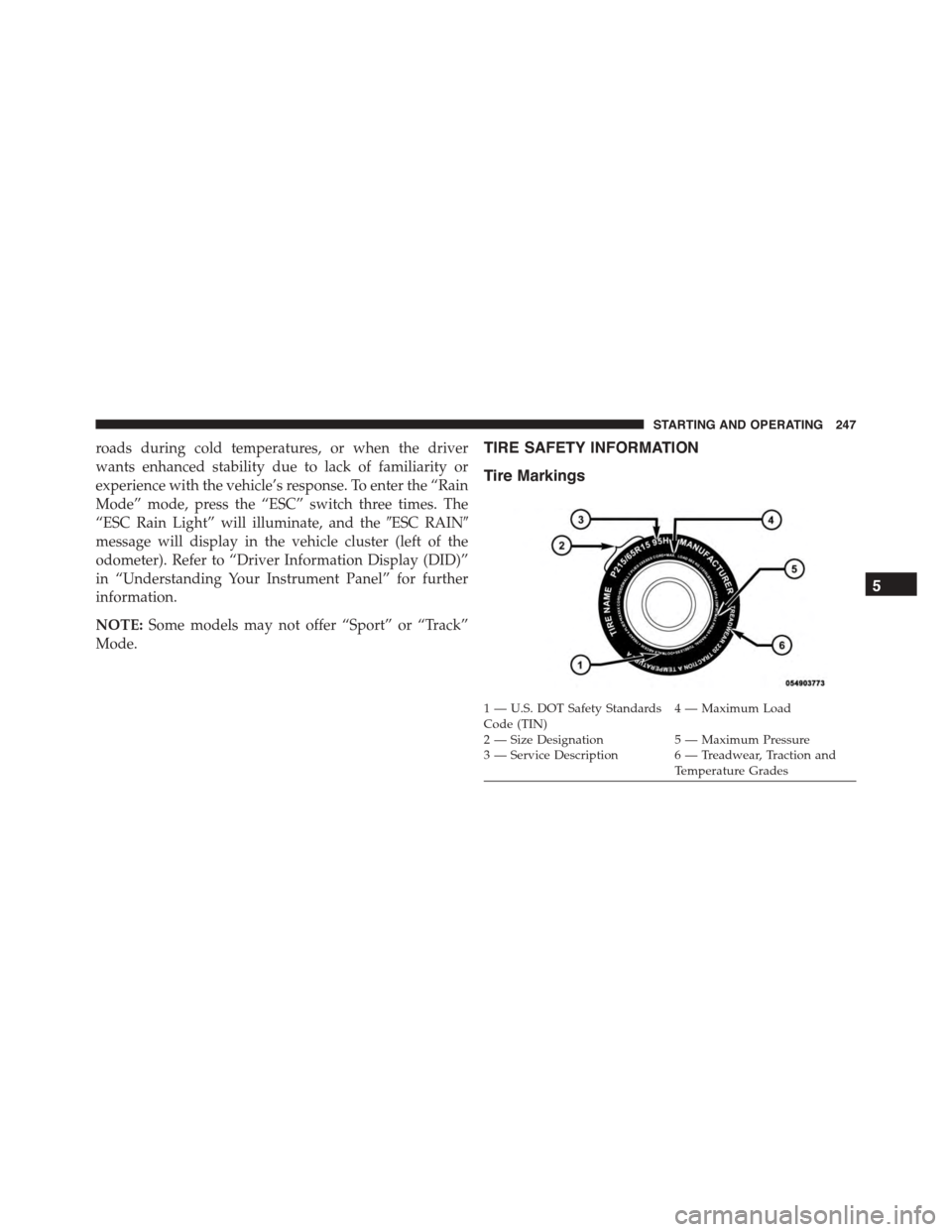
TIRE SAFETY INFORMATION
Tire Markings
1—U.S.DOTSafetyStandardsCode (TIN)4—MaximumLoad
2 — Size Designation 5 — Maximum Pressure3 — Service Description 6 — Treadwear, Traction andTemperature Grades
5
STARTING AND OPERATING 247
Page 252 of 400
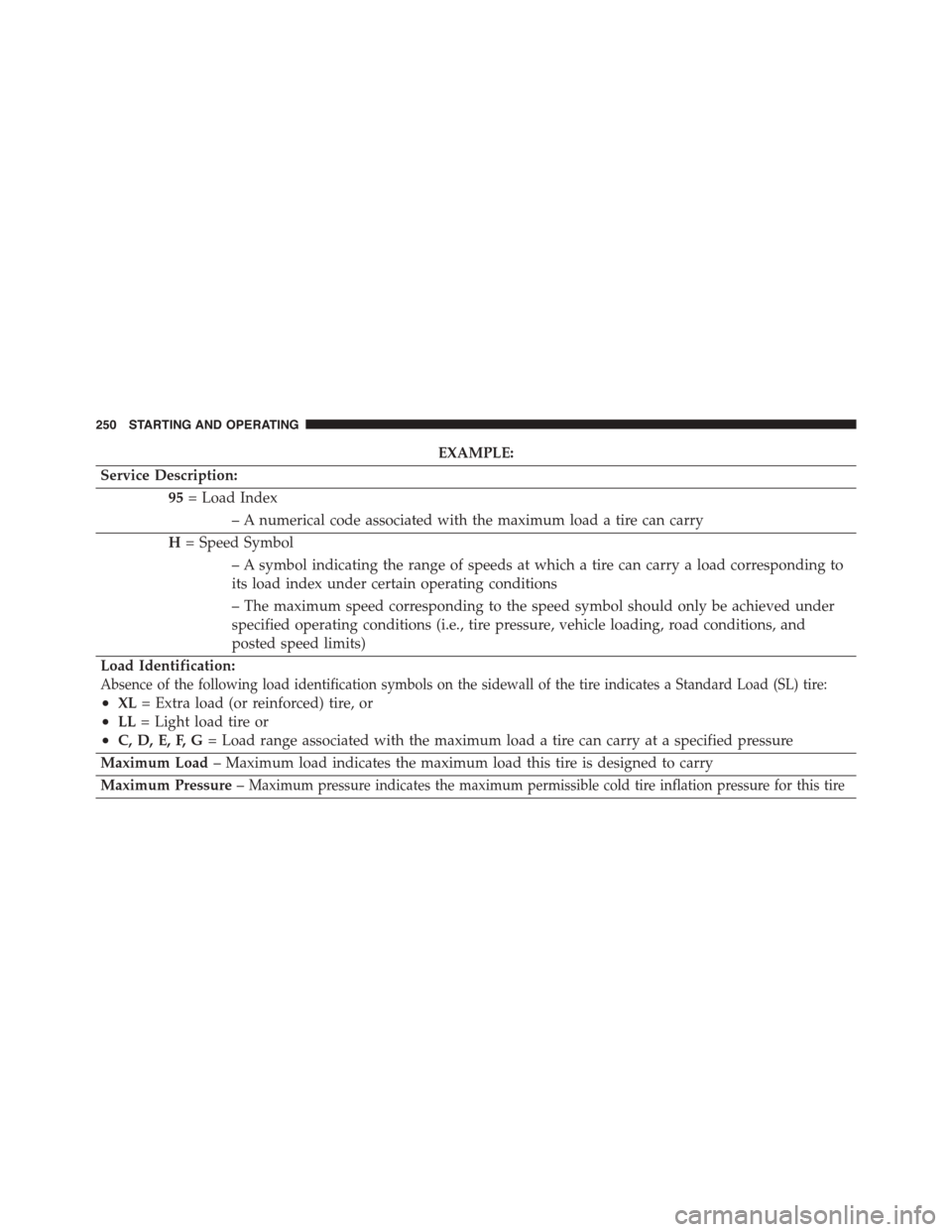
EXAMPLE:
Service Description:
95= Load Index
– A numerical code associated with the maximum load a tire can carry
H= Speed Symbol
– A symbol indicating the range of speeds at which a tire can carry a load corresponding to
its load index under certain operating conditions
– The maximum speed corresponding to the speed symbol should only be achieved under
specified operating conditions (i.e., tire pressure, vehicle loading, road conditions, and
posted speed limits)
Load Identification:
Absence of the following load identification symbols on the sidewall of the tire indicates a Standard Load (SL) tire:
•XL= Extra load (or reinforced) tire, or
•LL= Light load tire or
•C, D, E, F, G= Load range associated with the maximum load a tire can carry at a specified pressure
Maximum Load– Maximum load indicates the maximum load this tire is designed to carry
Maximum Pressure–Maximum pressure indicates the maximum permissible cold tire inflation pressure for this tire
250 STARTING AND OPERATING