audio DODGE VIPER 2015 VX / 3.G Owners Manual
[x] Cancel search | Manufacturer: DODGE, Model Year: 2015, Model line: VIPER, Model: DODGE VIPER 2015 VX / 3.GPages: 400, PDF Size: 9.59 MB
Page 36 of 400
ejection and the risk of injury caused by striking the
inside of the vehicle. Everyone in a motor vehicle should
be belted at all times.
Enhanced Seat Belt Use Reminder System
(BeltAlert)
BeltAlert is a feature intended to remind the driver
and outboard front passenger (if equipped with out-
board front passenger BeltAlert) to buckle their seat
belts. The feature is active whenever the ignition is in
the START or ON/RUN position. If the driver or
outboard front seat passenger is unbelted, the Seat Belt
Reminder Light will turn on and remain on until both
outboard front seat belts are buckled.
The BeltAlert warning sequence begins after the vehicle
speed is over 5 MPH (8 km/h) by blinking the Seat Belt
Reminder Light and sounding an intermittent chime.
Once the sequence starts, it will continue for the entire
duration or until the respective seat belts are buckled.
After the sequence completes, the Seat Belt Reminder
Light remains illuminated until the respective seat belts
are buckled. The driver should instruct all other occu-
pants to buckle their seat belts. If an outboard front seat
belt is unbuckled while traveling at speeds greater than 5
MPH (8 km/h), BeltAlert will provide both audio and
visual notification.
The outboard front passenger seat BeltAlert is not active
when the outboard front passenger seat is unoccupied.
BeltAlert may be triggered when an animal or heavy
object is on the outboard front passenger seat or when the
seat is folded flat (if equipped). It is recommended that
pets be restrained in the rear seat (if equipped) in pet
harnesses or pet carriers that are secured by seat belts,
and cargo is properly stowed.
BeltAlert can be activated or deactivated by your autho-
rized dealer. FCA US LLC does not recommend deacti-
vating BeltAlert.
34 THINGS TO KNOW BEFORE STARTING YOUR VEHICLE
Page 142 of 400
!STEERING WHEEL AUDIO CONTROLS......194
▫Radio Operation......................195
!RADIO ANTENNA.....................195
!RADIO OPERATION AND MOBILE PHONES . .196
▫General Information...................196
!CLIMATE CONTROLS...................196
▫Automatic Temperature Control (ATC).......197
▫Summer Operation....................202
▫Winter Operation......................202
▫Vacation/Storage.....................203
▫Window Fogging and Frosting............203
▫Outside Air Intake.....................203
▫Control Setting Suggestions for Various Weather
Conditions..........................204
!Uconnect® VOICE RECOGNITION QUICK
TIPS................................205
▫Introducing Uconnect®.................205
▫Get Started..........................206
▫Basic Voice Commands..................206
▫Radio..............................207
▫Media..............................208
▫Phone..............................209
▫Voice Text Reply......................210
▫Climate (8.4AN)......................210
▫Navigation (8.4AN)....................211
▫Uconnect® Access* (8.4AN)..............212
140 UNDERSTANDING YOUR INSTRUMENT PANEL
Page 148 of 400
•Main Screen — The inner ring of the display will
illuminate in gray under normal conditions, yellow
for non critical warning, red for critical warnings and
white for on demand information.
•Selectable Information (Compass, Temp, Range, to
Empty, Trip A, TripB–ifequipped, Average MPG)
•Menu Titles / Odometer
•U.S. Federal regulations require that upon transfer of
vehicle ownership, the seller certify to the purchaser
the correct mileage that the vehicle has been driven.
If your odometer needs to be repaired or serviced,
the repair technician should leave the odometer
reading the same as it was before the repair or
service. If s/he cannot do so, then the odometer must
be set at zero, and a sticker must be placed in the
door jamb stating what the mileage was before the
repair or service. It is a good idea for you to make a
record of the odometer reading before the repair/
service, so that you can be sure that it is properly
reset, or that the door jamb sticker is accurate if the
odometer must be reset at zero
•Menu Set (Selectable Icons)
•Reconfigurable Telltales
•Audio / Phone Information
•Sub-menu Current Position — Whenever there are
sub-menus available, the position within the sub-
menus is here
Refer to Driver Information Display (DID) in this section
for further information.
7. Brake Warning Light
This light monitors various brake functions,
including brake fluid level and parking brake
application. If the brake light turns on, it may
146 UNDERSTANDING YOUR INSTRUMENT PANEL
Page 158 of 400
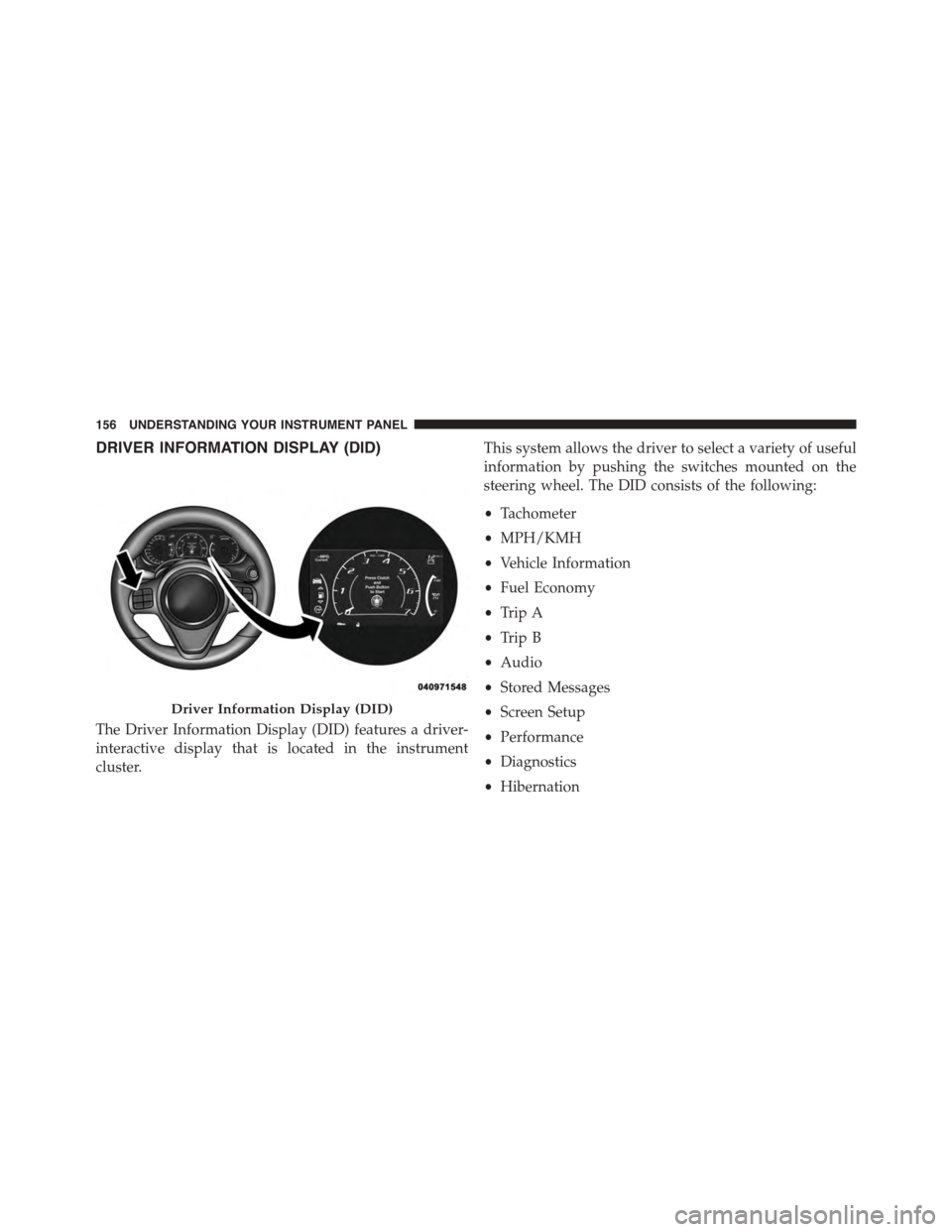
DRIVER INFORMATION DISPLAY (DID)
The Driver Information Display (DID) features a driver-
interactive display that is located in the instrument
cluster.
This system allows the driver to select a variety of useful
information by pushing the switches mounted on the
steering wheel. The DID consists of the following:
•Tachometer
•MPH/KMH
•Vehicle Information
•Fuel Economy
•Trip A
•Trip B
•Audio
•Stored Messages
•Screen Setup
•Performance
•Diagnostics
•Hibernation
Driver Information Display (DID)
156 UNDERSTANDING YOUR INSTRUMENT PANEL
Page 159 of 400
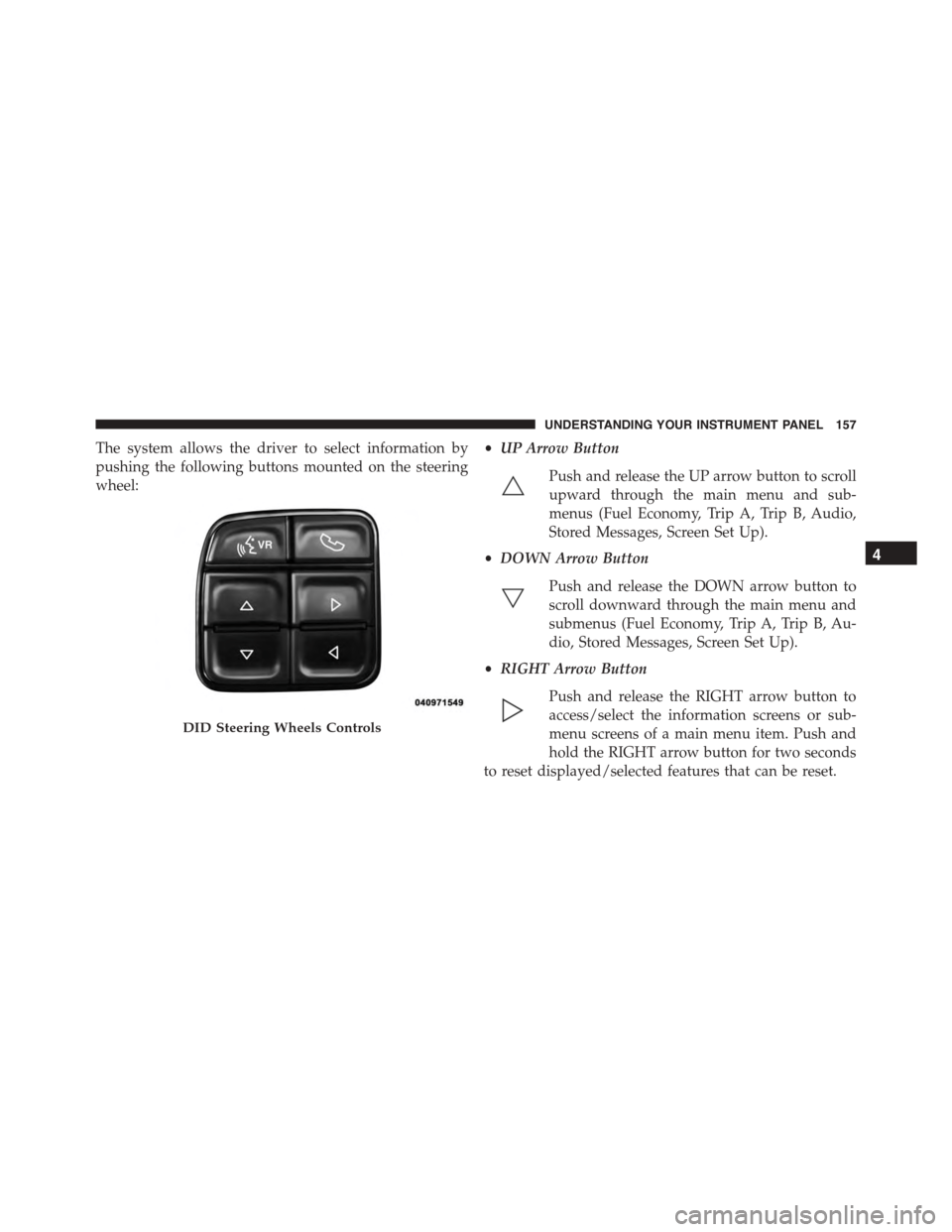
The system allows the driver to select information by
pushing the following buttons mounted on the steering
wheel:
•UP Arrow Button
Push and release the UP arrow button to scroll
upward through the main menu and sub-
menus (Fuel Economy, Trip A, Trip B, Audio,
Stored Messages, Screen Set Up).
•DOWN Arrow Button
Push and release the DOWN arrow button to
scroll downward through the main menu and
submenus (Fuel Economy, Trip A, Trip B, Au-
dio, Stored Messages, Screen Set Up).
•RIGHT Arrow Button
Push and release the RIGHT arrow button to
access/select the information screens or sub-
menu screens of a main menu item. Push and
hold the RIGHT arrow button for two seconds
to reset displayed/selected features that can be reset.
DID Steering Wheels Controls
4
UNDERSTANDING YOUR INSTRUMENT PANEL 157
Page 161 of 400
The DID display is located in the center portion of the
instrument cluster and consists of the following sections:
1. Main Screen — The inner ring of the display will
illuminate in grey under normal conditions, yellow for
non critical warnings, red for critical warnings, and
white for on demand information.
2. Audio / Phone Information and Sub-menu Informa-
tion — Whenever there are sub-menus available, the
position within the sub-menus is shown here.
3. Reconfigurable Telltales/Information
4. Telltales/Indicators
5. Selectable Information (Tach, Mph/Kmh, Vehicle Info,
Fuel Economy, Trip A, Trip B, Audio, Stored Messages,
Screen Setup, Performance, Diagnostics, Hibernation)
6. Suspension Status — The suspension status icon will
illuminate in this area. Refer to “Starting And Operat-
ing” for further information.
7. ESC Status — The ESC status icon will illuminate in
this area. Refer to “Starting And Operating” for fur-
ther information.
8. Launch Control status when launch control mode is
entered. Refer to “Starting And Operating” for further
information.
4
UNDERSTANDING YOUR INSTRUMENT PANEL 159
Page 172 of 400
Tr i p B — I fEquipped
Push and release Up or Down arrow button
until the Trip B icon is highlighted in the DID.
The Trip B information will display the
following:
•Distance
•Average Speed
•Elapsed Time
Hold the RIGHT arrow button to reset all the informa-
tion.
Audio
Push and release the UP or DOWN arrow
button until the Audio display icon is high-
lighted in the DID. Push and release the RIGHT
arrow button to display the active source.
Stored Messages
Push and release the UP or DOWN arrow
button until the Messages Menu item is high-
lighted in the DID. This feature shows the
number of stored warning messages. Pushing
the RIGHT arrow button will allow you to see what the
stored messages are.
170 UNDERSTANDING YOUR INSTRUMENT PANEL
Page 177 of 400
Buttons On the Faceplate
Buttons on the faceplate are located below the Uconnect®
system in the center of the instrument panel. In addition,
there is a Scroll/Enter control knob located on the right
side of the Climate Controls in the center of the instru-
ment panel. Turn the control knob to scroll through
menus and change settings (i.e., 30, 60, 90), push the
center of the control knob one or more times to select or
change a setting (i.e., ON, OFF).
Buttons On The Touchscreen
Buttons on the touchscreen are accessible on the
Uconnect® display.
Customer Programmable Features/Personal
Settings — Uconnect® 8.4 System Settings
Press the “SRT & Apps” button on the touchscreen, then
press the “Settings” button on the touchscreen to display
the menu setting screen. In this mode the Uconnect®
system allows you to access programmable features that
may be equipped such as Display, Voice, Clock, Safety &
Driving Assistance, Lights, Doors & Locks, Engine Off
Options, Audio, Phone/Bluetooth®, SiriusXM Setup, Re-
store Settings, Clear Personal Data, and System Informa-
tion.
NOTE:Only one category may be selected at a time.
To adjust the setting of a programmable feature, press the
desired setting option. Once in the desired setting option,
press and release the preferred setting until a check-mark
appears next to the setting, showing that the setting has
been selected.
Once the setting is complete, press the Back Arrow
button on the touchscreen to return to the previous menu
or press the X button on the touchscreen to close out of
the settings screen. Pressing the Up or Down Arrow
button on the right side of the screen will allow you to
toggle up or down through the list of available settings.
4
UNDERSTANDING YOUR INSTRUMENT PANEL 175
Page 188 of 400
Audio
After pressing the Audio button on the touchscreen the
following settings will be available.
•Balance/Fade
This feature allows you to adjust the Balance and Fade
settings. Press and drag the speaker icon, use the arrows
to adjust, or tap the ‘C’ icon to readjust to the center.
•Equalizer
This feature allows you to adjust the Bass, Mid and Treble
settings. Adjust the settings with the “+” and “–” setting
buttons on the touchscreen or by selecting any point on
the scale between the “+” and “–” buttons on the
touchscreen. Then press the arrow back button on the
touchscreen.
NOTE:Bass/Mid/Treble allow you to simply slide your
finger up or down to change the setting as well as press
directly on the desired setting.
•Speed Adjusted Volume
This feature increases or decreases volume relative to
vehicle speed. To change the Speed Adjusted Volume
press the “Off,” “1,” “2,” or “3” button on the touch-
screen. Then press the arrow back button on the touch-
screen.
•Surround Sound
This feature provides simulated surround sound mode.
To make your selection, press the Surround Sound button
on the touchscreen, select “On” or “Off” followed by
pressing the arrow back button on the touchscreen.
•Loudness
Loudness improves sound quality at lower volumes. To
make your selection, press the “Loudness” button on the
touchscreen, then choose “Yes” or “No.” The button will
highlight indicating that the setting has been selected.
Press the back arrow/Done button on the touchscreen
186 UNDERSTANDING YOUR INSTRUMENT PANEL
Page 189 of 400
•AUX Volume Offset
This feature provides the ability to tune the audio level
for portable devices connected through the AUX input.
To make your selection, press the “AUX Volume Match”
button on the touchscreen, choose a level from –3 to +3
followed by pressing the back arrow button on the
touchscreen.
Phone/Bluetooth®
After pressing the “Phone/Bluetooth®” button on the
touchscreen the following settings will be available:
•Paired Phones
This feature shows which phones are paired to the
Phone/Bluetooth® system. For further information, refer
to the Uconnect® Supplement Manual.
•Paired Audio Sources
This feature shows which audio devices are paired to the
Phone/Bluetooth® system. For further information, refer
to the Uconnect® Supplement Manual.
SiriusXM Setup — If Equipped
After pressing the “SiriusXM Setup” button on the touch-
screen, the following settings will be available:
•Channel Skip
SiriusXM can be programmed to designate a group of
channels that are the most desirable to listen to or to
exclude undesirable channels while scanning. To make
your selection, press the “Channel Skip” button on the
touchscreen, select the channels you would like to skip
followed by pressing the back arrow button on the
touchscreen.
4
UNDERSTANDING YOUR INSTRUMENT PANEL 187