trunk FIAT 124 SPIDER 2017 2.G Owner's Manual
[x] Cancel search | Manufacturer: FIAT, Model Year: 2017, Model line: 124 SPIDER, Model: FIAT 124 SPIDER 2017 2.GPages: 300, PDF Size: 121.24 MB
Page 108 of 300
passengers seat. The sensor may not
function properly because the
additional seat cushion could cause
sensor interference.
If a small child is seated on the
passengers seat, the warning beep
may not operate.
Mexico
If the vehicle speed exceeds about
12 MPH (20 km/h) with the driver or
passengers seat belt unfastened, a
warning beep sounds continuously. If
the seat belt remains unfastened, the
beep sound stops once and then
continues for about 90 seconds. The
beep stops after the driver or
passengers seat belt is fastened.
Until a seat belt is fastened or a given
period of time has elapsed, the beep
sound will not stop even if the vehicle
speed falls below 12 MPH (20 km/h).
Warning!
Placing heavy items on the front
passenger seat may cause the front
passenger seat belt warning function to
operate depending on the weight of the
item.
To allow the front passenger seat weight
sensor to function properly, do not place
and sit on an additional seat cushion on the
front passenger seat. The sensor may not
function properly because the additional
seat cushion could cause sensor
interference.
When a small child sits on the front
passenger seat, it is possible that the
warning beep will not operate.
Ignition Not Switched OFF
If the driver's door is opened while the
ignition is placed in the ACC position, a
continuous beep sound will be heard to
notify the driver that the ignition has not
been placed in the OFF position.
Left in this condition, the keyless entry
system will not operate, the car cannot
be locked, and the battery power will
be depleted.
Key Removed From Vehicle
Warning Beep
A beep sound will be heard 6 times
and the
warning light (red) will flash
continuously if the ignition has not been
placed in the OFF position, all the doors
are closed, and the key fob is removed
from the vehicle.
This is to notify the driver that the key
fob has been removed from the vehicle
and the ignition has not been placed in
the OFF position. Note:
Because the key fob uses
low-intensity radio waves, the
warning may activate if the key fob
is carried together with a metal object
or it is placed in a poor signal reception
area.
Request Switch Inoperable Warning
Beep — If Equipped With Advanced
Keyless Function
If the request switch on the exterior
door handle is pushed with a door
open, or the ignition has not been
placed in the OFF position, a beep will
be heard for about 2 seconds to
indicate that the doors, and trunk lid
cannot be locked.
Key Left-In-Trunk Compartment
Warning Beep — If Equipped With
Advanced Keyless Function
If the key fob is left in the trunk with all
doors locked and the trunk lid closed, a
beep sound is heard for about
10 seconds to remind the driver the key
fob has been left in the trunk.
If this happens, open the trunk lid by
pushing the electric trunk lid opener
and remove the key fob.
A key fob removed from the trunk may
not function because its functions may
have been temporarily suspended. To
restore the key fob function, perform
the applicable procedure (see
paragraph “Keys” in “Getting to know
your vehicle” chapter).
106
GETTING TO KNOW YOUR INSTRUMENT PANEL
Page 109 of 300
Key Left-In-Vehicle Warning Beep
(with the advanced keyless function)
If a key fob is left in the vehicle and all
the doors and the trunk are locked
using a separate key fob, a beep sound
is heard for about 10 seconds to
remind the driver that the key fob has
been left in the vehicle.
If this happens, open the door and
remove the key fob. A key fob removed
from the vehicle this way may not
function because its functions may
have been temporarily suspended.
Perform the applicable procedure to
restore the functions of the key fob (see
paragraph “Keys” in “Getting To Know
Your Vehicle” chapter).
Vehicle Speed Alarm — If equipped
The vehicle speed alarm function is
designed to alarm the driver via a single
beep sound and a warning indication in
the instrument cluster that the
previously set vehicle speed has been
exceeded.
You can change the vehicle speed
setting at which the warning is triggered
(see paragraph “Trip Computer” in
“Getting To Know Your Vehicle”
chapter).Tire Inflation Pressure Warning
Beep — If Equipped
Vehicle With Conventional Tires
: the
warning beep sound will be heard for
about 3 seconds when there is any
abnormality in tire inflation pressures
(see “TMPS” in “Safety” chapter).
Vehicle With Run-Flat Tires (If
Equipped): the warning beep sound will
be heard for about 3 seconds if the tire
pressures decrease. If the tire pressure
decreases extremely, a beep sound will
be heard for approximately 30 seconds
(see “TMPS” in “Safety” chapter).
Blind Spot Monitoring (BSM)
System Warning Beep — If
Equipped
Driving Forward : the warning beep
operates when the direction indicator
lever is operated to the side where the
Blind Spot Monitoring (BSM) warning
light is illuminated.
Note: A personalized function is
available to change the Blind Spot
Monitoring (BSM) warning beep sound
volume. Reversing
: if a moving object such as
a vehicle or two-wheeled vehicle
approaches on the left or right from
behind your vehicle, the Blind Spot
Monitoring (BSM) warning sound is
activated.
Electronic Steering Lock Warning
Beep
The warning beep operates if the
steering wheel is not unlocked after the
keyless ignition START/STOP button is
pushed.
Speed Limiter Warning Beep — If
Equipped
If the vehicle speed exceeds the set
speed by about 2 MPH (3 km/h) or
more, a warning beep operates
continuously.
The warning beep operates until the
vehicle speed decreases to the set
speed or less.
107
Page 169 of 300
PARKVIEW REAR
BACKUP CAMERA —
IF EQUIPPED
Operation
The camera is located on the trunk.
Switching the display to rear-view
monitor mode
Put the gear selector in the Reverse (R)
position when the ignition is switched to
ON to switch the display to rear-view
camera mode.
Note:
When the gear selector is moved
from the Reverse (R) position and put
in any other position, the screen
returns to the previous display mode.
When parking, take the utmost care
over obstacles that may be above or
under the camera’s display range.
When the display is cold, the
images could scroll on the monitor or
the screen and could be more blurred
than usual, making it difficult to check
the conditions of the area around the
vehicle. Always use extreme caution
and verify the real conditions of the
area behind the vehicle with you own
eyes.
If water, snow or mud is deposited
on the camera lens, clean it with a soft
cloth. If this does not clean it, use a
mild detergent.
If the camera is subjected to abrupt
temperature changes (from hot to cold
or vice versa), the rear-view monitor
may not work properly.
When replacing tires, contact an
Authorized Dealer. Replacing the tires
can cause the guide lines that appear
on the display to be diverted.
Warning!
Always use extreme caution and verify
the real conditions of the area behind the
vehicle. Backing up while looking only at
the screen is dangerous and can lead to an
accident or collision with an object. The
rear-view monitor is simply a system to aid
reversing. The view on the display can
show a situation that differs from the real
one.
Do not use the rear-view monitor under
the following conditions:
Roads covered in ice or snow.
When snow chains are mounted or the
temporary space saver spare wheel is
fitted.
The rear trunk is not completely closed.
The vehicle is on a sloping road.
Using the rear-view monitor under the
conditions listed above is dangerous and
can cause damage to persons and/or the
vehicle.
07040110-124-008Rear Camera Location
167
Page 178 of 300
Warning!
Never have any smoking materials lit in
or near the vehicle when the gas cap is
removed or the tank is being filled.
Never add fuel when the engine is
running. This is in violation of most state
and federal fire regulations and may cause
the MIL to turn on.
A fire may result if gasoline is pumped
into a portable container that is inside of a
vehicle. You could be burned. Always place
gas containers on the ground while filling
Do not apply any object/plug to the end
of the filler which is not provided for the
vehicle. The use of non-compliant
objects/plugs could cause a pressure
increase inside the tank, resulting in
dangerous situations.
Do not use a mobile phone near the
refueling pump: risk of fire.
Emergency Flap Opening
If the battery is discharged, the fuel filler
door cannot be opened. In this case,
the fuel filler door can be opened by
taking care of the discharged battery
situation.
If the fuel filler door cannot be opened
even if the discharged battery situation
has been resolved, the electrical system
may have a malfunction.
In this case, the fuel filler door can be
opened using the following procedure
as an emergency measure:
1. Open the trunk and pull the center
section of the plastic fastener and
remove the fastener. 2. Partially peel back the cover inside
the trunk, then pull the emergency
release lever.
08100100-121-002Trunk Interior
1 — Plastic Fasteners
2 — Cover
08100100-122-001Fuel Door Emergency Release
3 — Emergency Release Lever
176
STARTING AND OPERATING
Page 182 of 300
ONLY use the driver’s side floor mat on
the driver’s side floor area. To check for
interference, with the vehicle properly
parked with the engine off, fully depress the
accelerator, the brake, and the clutch pedal
(if present) to check for interference. If your
floor mat interferes with the operation of
any pedal, or is not secure to the floor,
remove the floor mat from the vehicle and
place the floor mat in your trunk.
ONLY use the passenger’s side floor
mat on the passenger’s side floor area.
ALWAYS make sure objects cannot fall
or slide into the driver’s side floor area
when the vehicle is moving. Objects can
become trapped under accelerator, brake,
or clutch pedals and could cause a loss of
vehicle control.
NEVER place any objects under the
floor mat (e.g., towels, keys, etc.). These
objects could change the position of the
floor mat and may cause interference with
the accelerator, brake, or clutch pedals.
If the vehicle carpet has been removed
and re-installed, always properly attach
carpet to the floor and check the floor mat
fasteners are secure to the vehicle carpet.
Fully depress each pedal to check for
interference with the accelerator, brake, or
clutch pedals then re-install the floor mats.
It is recommended to only use mild soap
and water to clean your floor mats. After
cleaning, always check your floor mat has
been properly installed and is secured to
your vehicle using the floor mat fasteners
by lightly pulling mat.
Rocking The Vehicle
Note: Too much rocking may cause
engine overheating, transmission failure,
and tire damage.
If you must rock the vehicle to free it
from snow, sand or mud, depress the
accelerator slightly and slowly move the
gear selector from 1 (D) to R.
Warning!
Fast spinning tires can be dangerous.
Forces generated by excessive wheel
speeds may cause damage, or even
failure, of the axle and tires. A tire could
explode and injure someone. Do not spin
your vehicle's wheels faster than 30 mph
(48 km/h) or for longer than 30 seconds
continuously without stopping when you
are stuck and do not let anyone near a
spinning wheel, no matter what the speed.
Caution!
When “rocking” a stuck vehicle by
shifting between DRIVE and REVERSE, do
not spin the wheels faster than 15 mph
(24 km/h), or drivetrain damage may result.
Revving the engine or spinning the
wheels too fast may lead to transmission
overheating and failure. It can also damage
the tires. Do not spin the wheels above
30 mph (48 km/h) while in gear (no
transmission shifting occurring).
Winter Driving
Carry emergency gear, including tire
chains, window scraper, flares, a small
shovel, jumper leads, and a small bag
of sand or salt.
Contact an Authorized Dealer to check
the following:
Have the proper ratio of antifreeze in
the radiator.
Inspect the battery and its leads.
Cold reduces battery capacity.
Use an engine oil appropriate for the
lowest ambient temperatures that the
vehicle will be driven in.
Inspect the ignition system for
damage and loose connections.
Use winter windshield washer fluid
that will not freeze.
180
STARTING AND OPERATING
Page 189 of 300
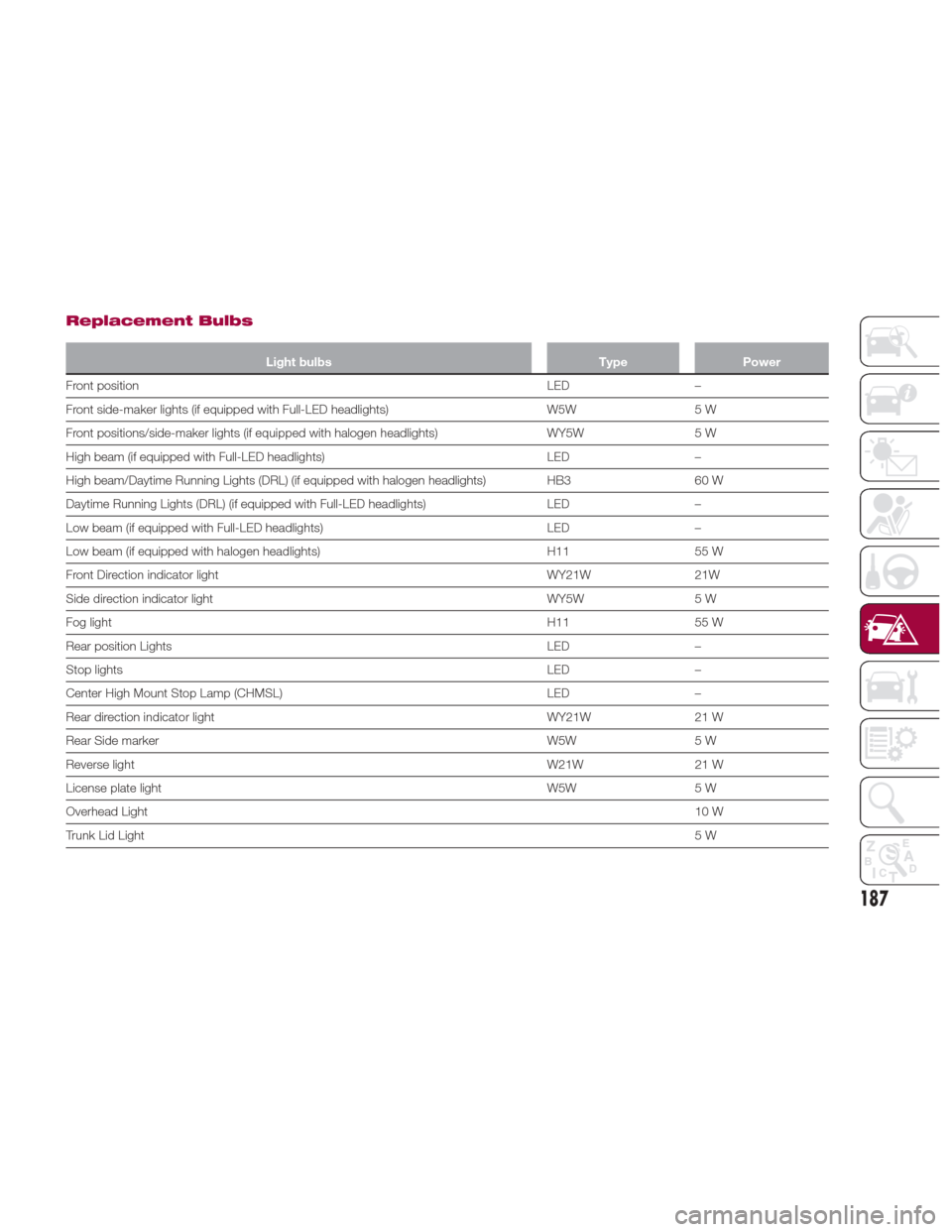
Replacement Bulbs
Light bulbsTypePower
Front position LED
–
Front side-maker lights (if equipped with Full-LED headlights) W5W5 W
Front positions/side-maker lights (if equipped with halogen headlights) WY5W5 W
High beam (if equipped with Full-LED headlights) LED–
High beam/Daytime Running Lights (DRL) (if equipped with halogen headlights) HB3 60 W
Daytime Running Lights (DRL) (if equipped with Full-LED headlights) LED–
Low beam (if equipped with Full-LED headlights) LED–
Low beam (if equipped with halogen headlights) H1155 W
Front Direction indicator light WY21W21W
Side direction indicator light WY5W5 W
Fog light H1155 W
Rear position Lights LED–
Stop lights LED–
Center High Mount Stop Lamp (CHMSL) LED–
Rear direction indicator light WY21W21 W
Rear Side marker W5W5 W
Reverse light W21W21 W
License plate light W5W5 W
Overhead Light 10 W
Trunk Lid Light 5W
187
Page 194 of 300
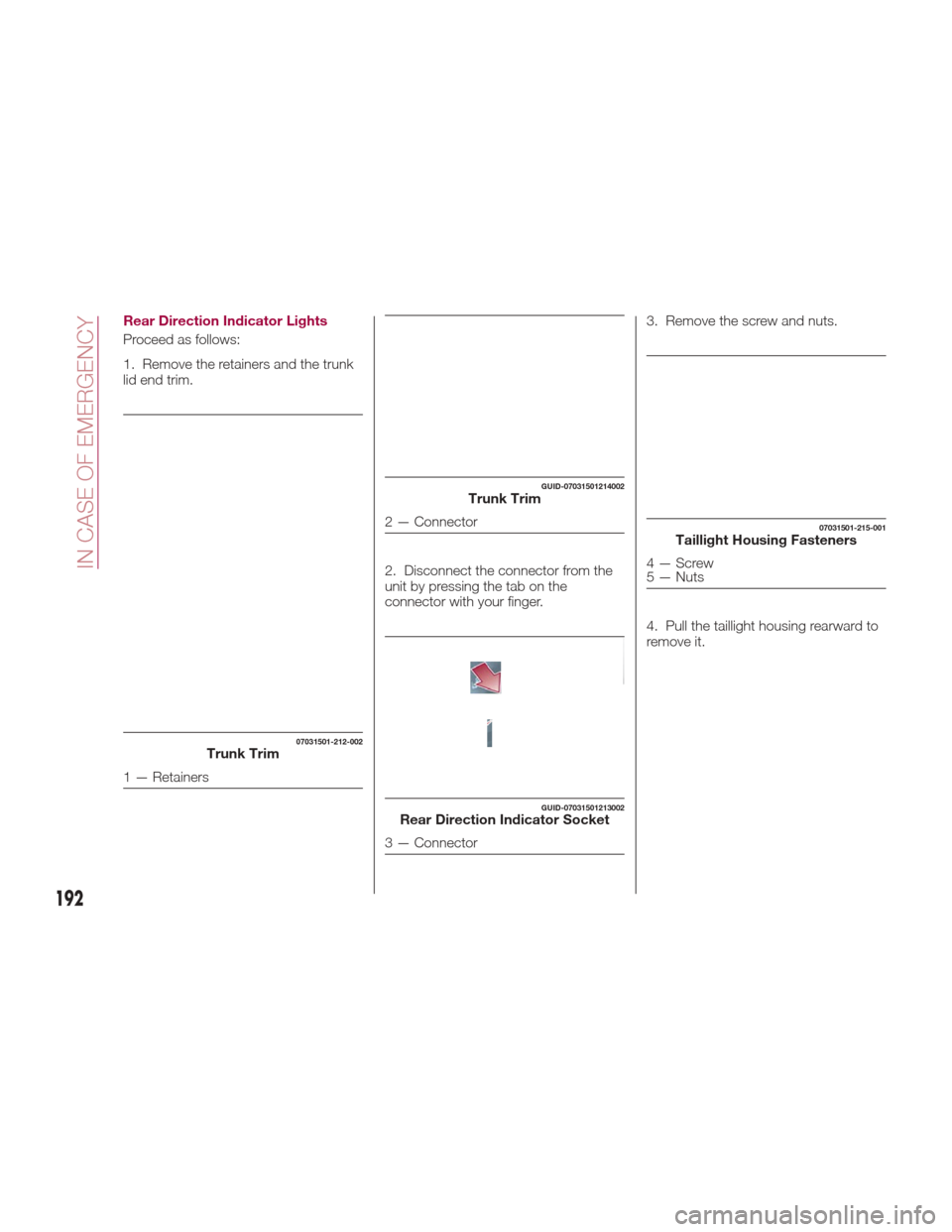
Rear Direction Indicator Lights
Proceed as follows:
1. Remove the retainers and the trunk
lid end trim.2. Disconnect the connector from the
unit by pressing the tab on the
connector with your finger.3. Remove the screw and nuts.
4. Pull the taillight housing rearward to
remove it.
07031501-212-002Trunk Trim
1 — Retainers
GUID-07031501214002Trunk Trim
2 — Connector
GUID-07031501213002Rear Direction Indicator Socket
3 — Connector
07031501-215-001Taillight Housing Fasteners
4—Screw
5 — Nuts
192
IN CASE OF EMERGENCY
Page 196 of 300
3. Install the new bulb and then
reinstall the socket in the reverse order
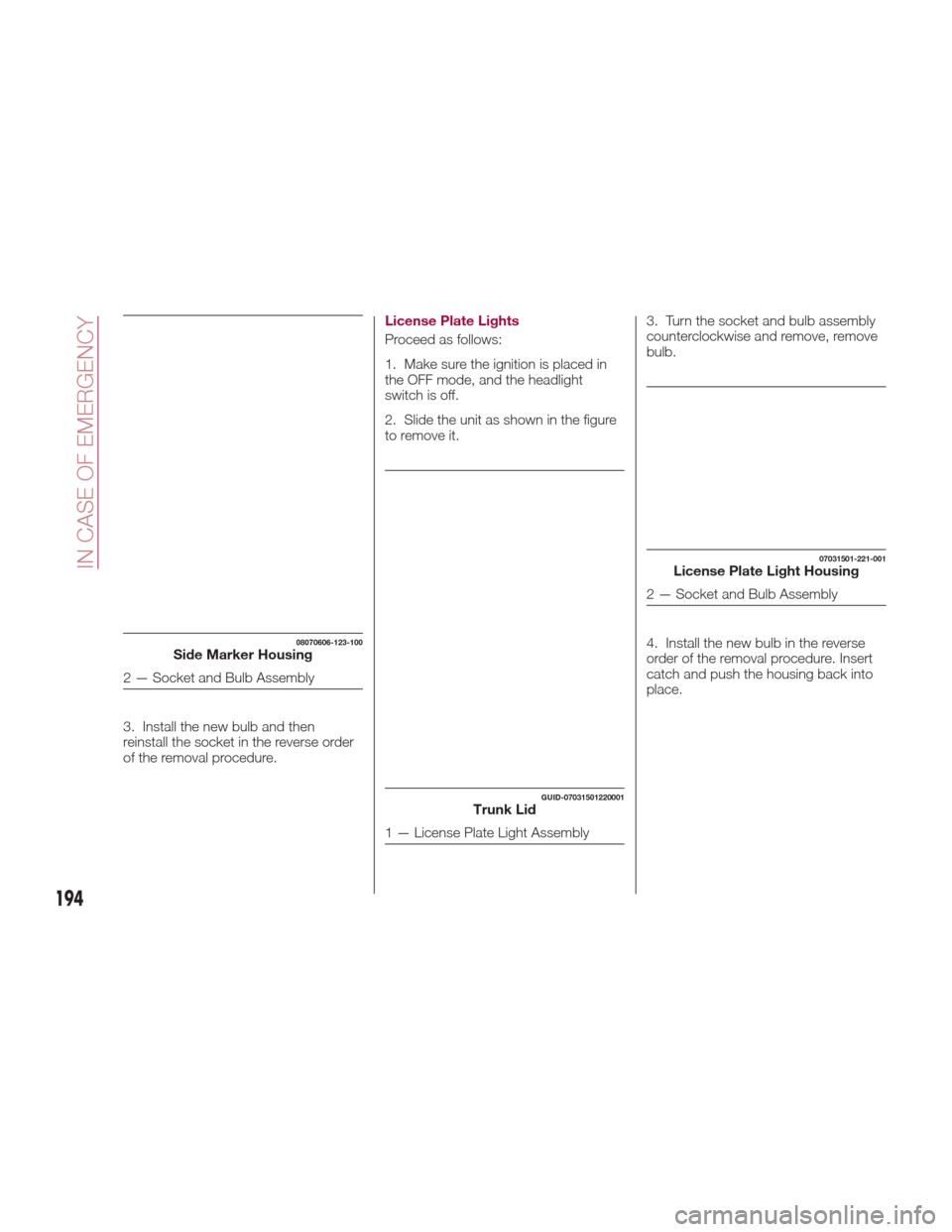
of the removal procedure.License Plate Lights
Proceed as follows:
1. Make sure the ignition is placed in
the OFF mode, and the headlight
switch is off.
2. Slide the unit as shown in the figure
to remove it.
3. Turn the socket and bulb assembly
counterclockwise and remove, remove
bulb.
4. Install the new bulb in the reverse
order of the removal procedure. Insert
catch and push the housing back into
place.
08070606-123-100Side Marker Housing
2 — Socket and Bulb Assembly
GUID-07031501220001Trunk Lid
1 — License Plate Light Assembly
07031501-221-001License Plate Light Housing
2 — Socket and Bulb Assembly
194
IN CASE OF EMERGENCY
Page 197 of 300
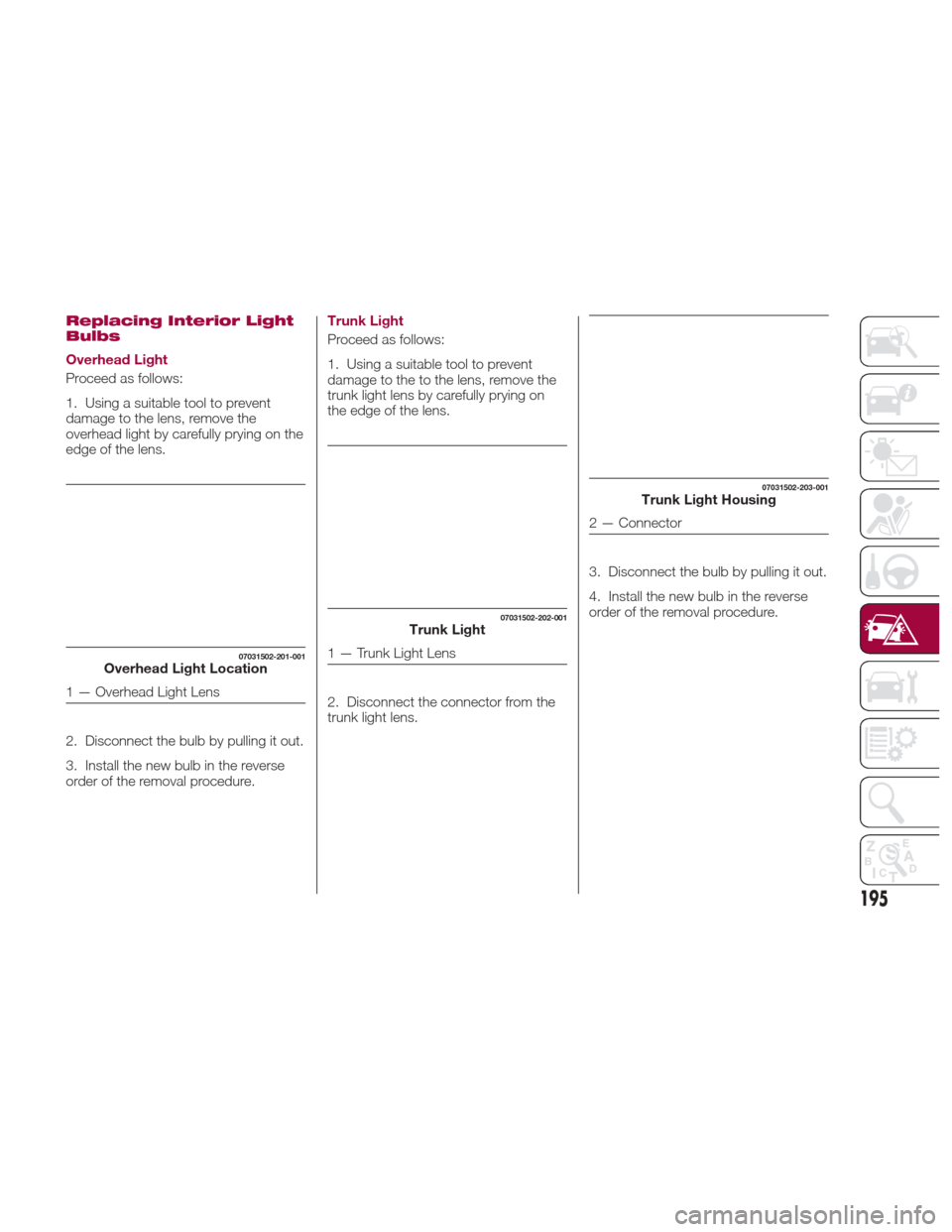
Replacing Interior Light
Bulbs
Overhead Light
Proceed as follows:
1. Using a suitable tool to prevent
damage to the lens, remove the
overhead light by carefully prying on the
edge of the lens.
2. Disconnect the bulb by pulling it out.
3. Install the new bulb in the reverse
order of the removal procedure.Trunk Light
Proceed as follows:
1. Using a suitable tool to prevent
damage to the to the lens, remove the
trunk light lens by carefully prying on
the edge of the lens.
2. Disconnect the connector from the
trunk light lens.
3. Disconnect the bulb by pulling it out.
4. Install the new bulb in the reverse
order of the removal procedure.
07031502-201-001Overhead Light Location
1 — Overhead Light Lens
07031502-202-001Trunk Light
1 — Trunk Light Lens
07031502-203-001Trunk Light Housing
2 — Connector
195
Page 206 of 300
CHANGING A WHEEL
Warning!
Do not attempt to change a tire on the
side of the vehicle close to moving traffic.
Pull far enough off the road to avoid the
danger of being hit when operating the jack
or changing the wheel.
Being under a jacked-up vehicle is
dangerous. The vehicle could slip off the
jack and fall on you. You could be crushed.
Never put any part of your body under a
vehicle that is on a jack. If you need to get
under a raised vehicle, take it to a service
center where it can be raised on a lift.
The jack is designed to be used as a
tool for changing tires only. The jack should
not be used to lift the vehicle for service
purposes. The vehicle should be jacked on
a firm level surface only. Avoid ice or
slippery areas.
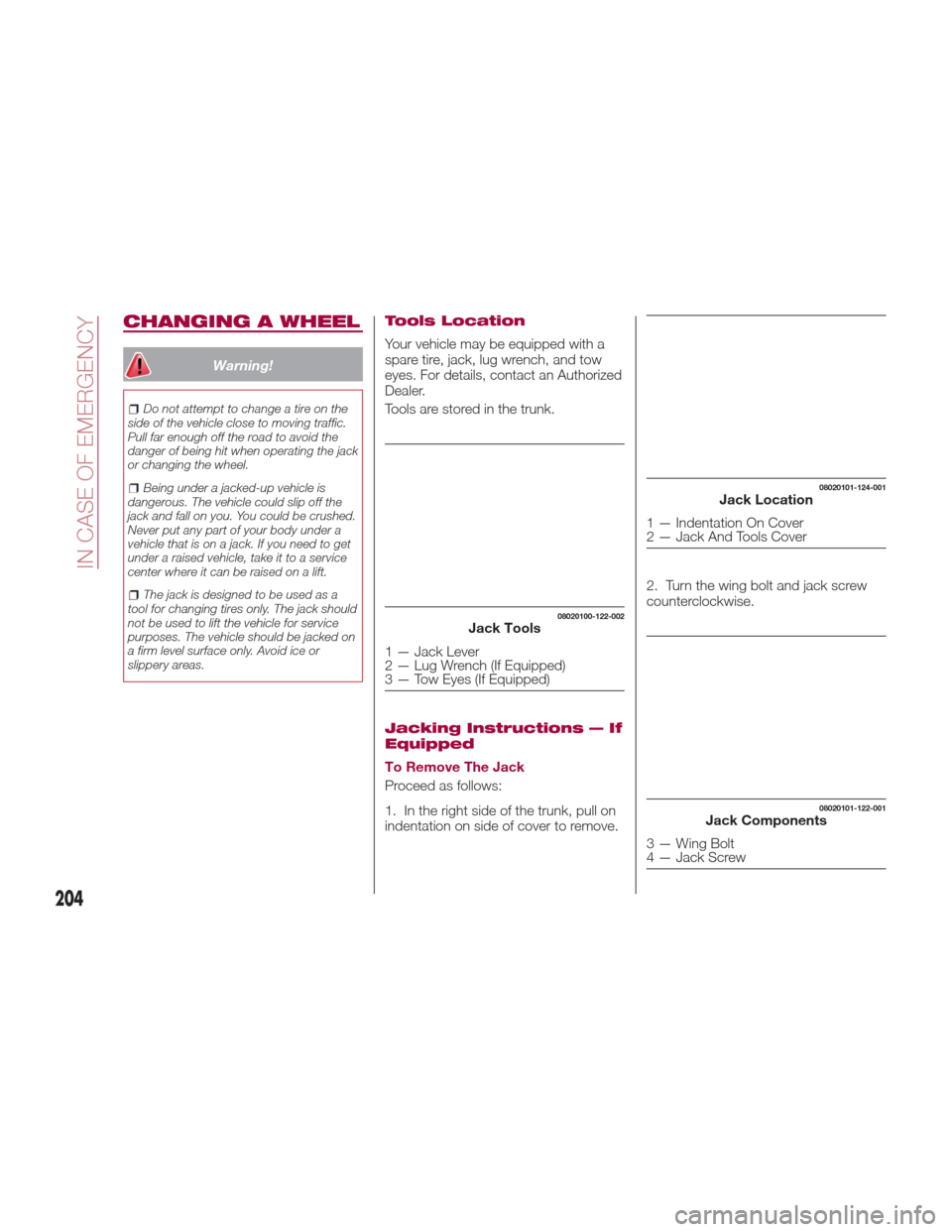
Tools Location
Your vehicle may be equipped with a
spare tire, jack, lug wrench, and tow
eyes. For details, contact an Authorized
Dealer.
Tools are stored in the trunk.
Jacking Instructions — If
Equipped
To Remove The Jack
Proceed as follows:
1. In the right side of the trunk, pull on
indentation on side of cover to remove. 2. Turn the wing bolt and jack screw
counterclockwise.
08020100-122-002Jack Tools
1 — Jack Lever
2 — Lug Wrench (If Equipped)
3 — Tow Eyes (If Equipped)
08020101-124-001Jack Location
1 — Indentation On Cover
2 — Jack And Tools Cover
08020101-122-001Jack Components
3 — Wing Bolt
4 — Jack Screw
204
IN CASE OF EMERGENCY