display FIAT 500 2013 2.G User Guide
[x] Cancel search | Manufacturer: FIAT, Model Year: 2013, Model line: 500, Model: FIAT 500 2013 2.GPages: 423, PDF Size: 9.86 MB
Page 131 of 423
Park Assist System Usage Precautions
NOTE:
•Ensure that the outer surface and the underside of the
rear bumper is clean and clear of snow, ice, mud, dirt
or other obstruction to keep the Rear Park Assist
system operating properly.
•Jackhammers, large trucks, and other vibrations could
affect the performance of Rear Park Assist.
•Clean the Rear Park Assist sensors regularly, taking
care not to scratch or damage them. The sensors must
not be covered with ice, snow, slush, mud, dirt or
debris. Failure to do so can result in the system not
working properly. The Rear Park Assist system might
not detect an obstacle behind the fascia/bumper, or it
could provide a false indication that an obstacle is
behind the fascia/bumper.
•Objects such as bicycle carriers, etc., must not be
placed within 12 in (30 cm) from the rear fascia/
bumper while driving the vehicle. Failure to do so can
result in the system misinterpreting a close object as a
sensor problem, causing a failure indication to be
displayed in the instrument cluster.
CAUTION!
•Rear Park Assist is only a parking aid and it is
unable to recognize every obstacle, including small
obstacles. Parking curbs might be temporarily de-
tected or not detected at all. Obstacles located
above or below the sensors will not be detected
when they are in close proximity.
3
UNDERSTANDING THE FEATURES OF YOUR VEHICLE 129
Page 145 of 423
UNDERSTANDING YOUR INSTRUMENT PANEL
CONTENTS
!INSTRUMENT PANEL FEATURES..........145
!INSTRUMENT CLUSTER — POP, LOUNGE,
500C................................146
!INSTRUMENT CLUSTER — SPORT..........147
!INSTRUMENT CLUSTER DESCRIPTIONS.....148
!ELECTRONIC VEHICLE INFORMATION
CENTER (EVIC).......................160
▫EVIC Displays........................161
▫EVIC Control Buttons..................162
▫Electronic Vehicle Information Center (EVIC)
Setup Menu.........................162
▫Change Engine Oil Indicator System........164
▫Trip Computer.......................165
▫Trip Button..........................165
▫Trip Functions........................166
▫Values Displayed......................167
▫Personal Settings (Customer-Programmable
Features)............................168
!SALES CODE (RAB) RADIO..............179
▫Introduction.........................179
▫Suggestions..........................179
4
Page 150 of 423
INSTRUMENT CLUSTER DESCRIPTIONS
1. Glow Plug Light — If Equipped
This vehicle will inhibit engine cranking when the
ambient temperature is less than –22° F (–30° C)
and the oil temperature sensor reading indicates an
engine block heater has not been used. The Glow Plug
light will flash during in cold weather for up to 10
seconds. An externally powered electric engine block
heater is available as optional equipment or from your
authorized studio).
The message#Plug In Engine Heater#, will be displayed
in the instrument cluster when the ambient temperature
is below 5°F (-15°C) at the time the engine is shut off as
a reminder to avoid possible crank delays at the next cold
start.
2. Rear Defrost Button
Press and release this button to turn on the rear
window defroster. This indicator will illuminate
when the rear window defroster is on. The rear window
defroster automatically turns off after 20 minutes.
CAUTION!
Failure to follow these cautions can cause damage to
the heating elements:
•Use care when washing the inside of the rear
window. Do not use abrasive window cleaners on
the interior surface of the window. Use a soft cloth
and a mild washing solution, wiping parallel to the
heating elements. Labels can be peeled off after
soaking with warm water.
(Continued)
148 UNDERSTANDING YOUR INSTRUMENT PANEL
Page 160 of 423
CAUTION!
Driving with a hot engine cooling system could
damage your vehicle. If all the segments of the
temperature gauge are lit, pull over and stop the
vehicle. Idle the vehicle with the air conditioner
turned off until the pointer drops back into the
normal range. If you hear continuous chimes, turn
the engine off immediately and call an authorized
dealer for service.
WARNING!
A hot engine cooling system is dangerous. You or
others could be badly burned by steam or boiling
coolant. You may want to call an authorized studio
for service if your vehicle overheats. If you decide to
look under the hood yourself, see “Maintaining Your
(Continued)
WARNING!(Continued)
Vehicle.” Follow the warnings under the “Cooling
System Pressure Cap” paragraph.
27. Odometer / Trip Odometer / Electronic Vehicle
Information Center (EVIC) Display Area
This display indicates the total distance the vehicle has
been driven.
U.S. Federal regulations require that upon transfer of
vehicle ownership, the seller certify to the purchaser the
correct mileage that the vehicle has been driven. If your
odometer needs to be repaired or serviced, the repair
technician should leave the odometer reading the same
as it was before the repair or service. If s/he cannot do so,
then the odometer must be set at zero, and a sticker must
be placed in the door jamb stating what the mileage was
before the repair or service. It is a good idea for you to
make a record of the odometer reading before the repair/
158 UNDERSTANDING YOUR INSTRUMENT PANEL
Page 161 of 423
service, so that you can be sure that it is properly reset, or
that the door jamb sticker is accurate if the odometer
must be reset at zero.
NOTE:If the vehicle is equipped with the Electronic
Vehicle Information Center (EVIC) in the instrument
cluster, all warnings including “door” and “gate” and
“Change Engine Oil” will only be displayed in the EVIC
display. For additional information, refer to “Electronic
Vehicle Information Center (EVIC).”
Refer to the “Electronic Vehicle Information Center
(EVIC)” for further information.
28. Fuel Gauge / Fuel Door Reminder
The fuel door reminder indicates that the fuel filler door
is located on the right side of the vehicle. When the
ignition switch is in the ON/RUN position, the digital
scale will show the level of fuel remaining in the fuel
tank.
NOTE:The fuel gauge and range will not immediately
update accurately when refueling with the engine on.
29. Tachometer
The white area of the scale shows the permissible engine
revolutions-per-minute (RPM x 1000) for each gear range.
Before reaching the red area, ease up on the accelerator to
prevent engine damage.
30. Speedometer
The Speedometer shows the vehicle speed in miles per
hour (mph) and/or kilometers per hour (km/h).
4
UNDERSTANDING YOUR INSTRUMENT PANEL 159
Page 162 of 423
ELECTRONIC VEHICLE INFORMATION CENTER
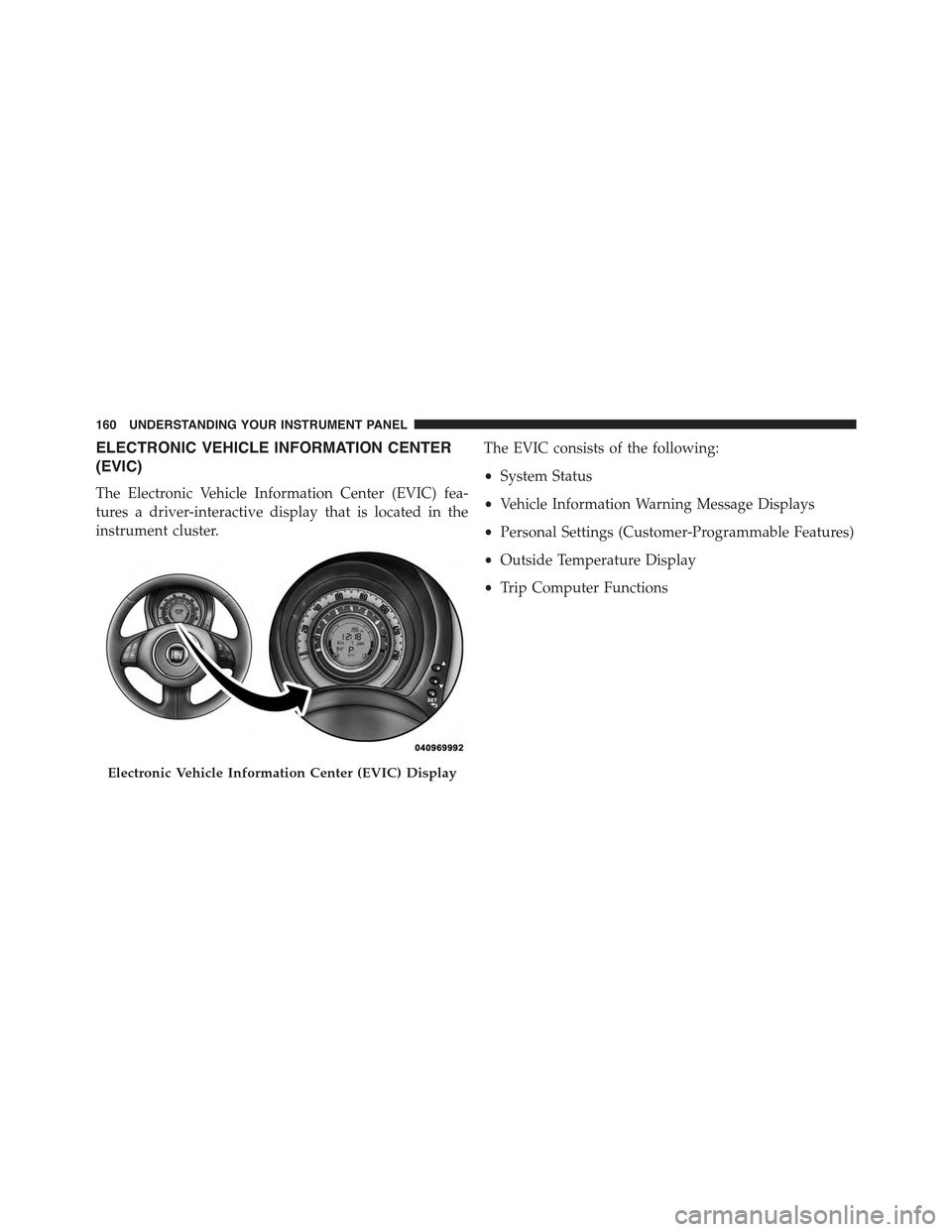
(EVIC)
The Electronic Vehicle Information Center (EVIC) fea-
tures a driver-interactive display that is located in the
instrument cluster.
The EVIC consists of the following:
•System Status
•Vehicle Information Warning Message Displays
•Personal Settings (Customer-Programmable Features)
•Outside Temperature Display
•Trip Computer Functions
Electronic Vehicle Information Center (EVIC) Display
160 UNDERSTANDING YOUR INSTRUMENT PANEL
Page 163 of 423
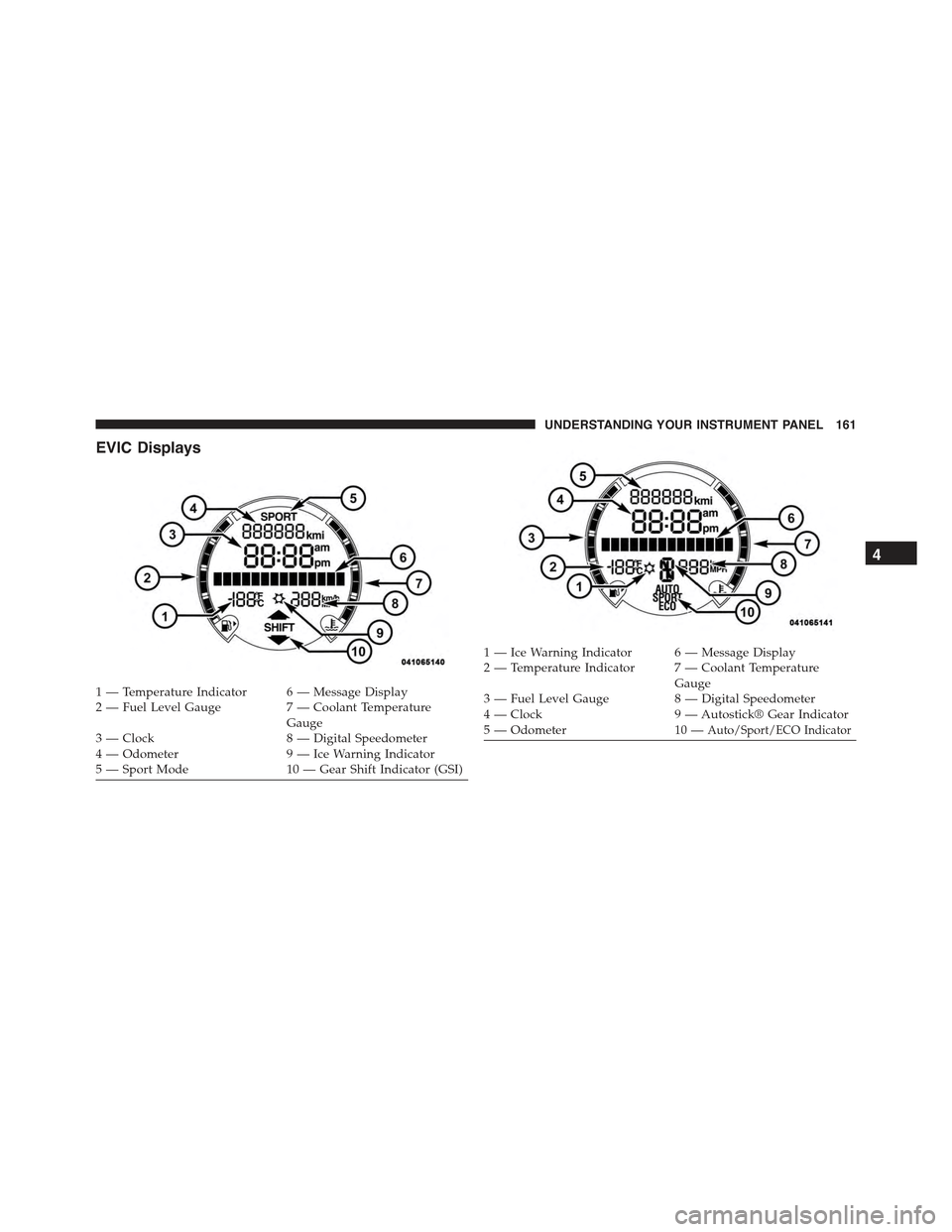
EVIC Displays
1 — Temperature Indicator 6 — Message Display2—FuelLevelGauge 7—CoolantTemperatureGauge3 — Clock 8 — Digital Speedometer4 — Odometer 9 — Ice Warning Indicator5 — Sport Mode 10 — Gear Shift Indicator (GSI)
1 — Ice Warning Indicator 6 — Message Display2—TemperatureIndicator 7—CoolantTemperatureGauge3 — Fuel Level Gauge 8 — Digital Speedometer4 — Clock 9 — Autostick® Gear Indicator5 — Odometer 10 —Auto/Sport/ECO Indicator
4
UNDERSTANDING YOUR INSTRUMENT PANEL 161
Page 164 of 423
EVIC Control Buttons
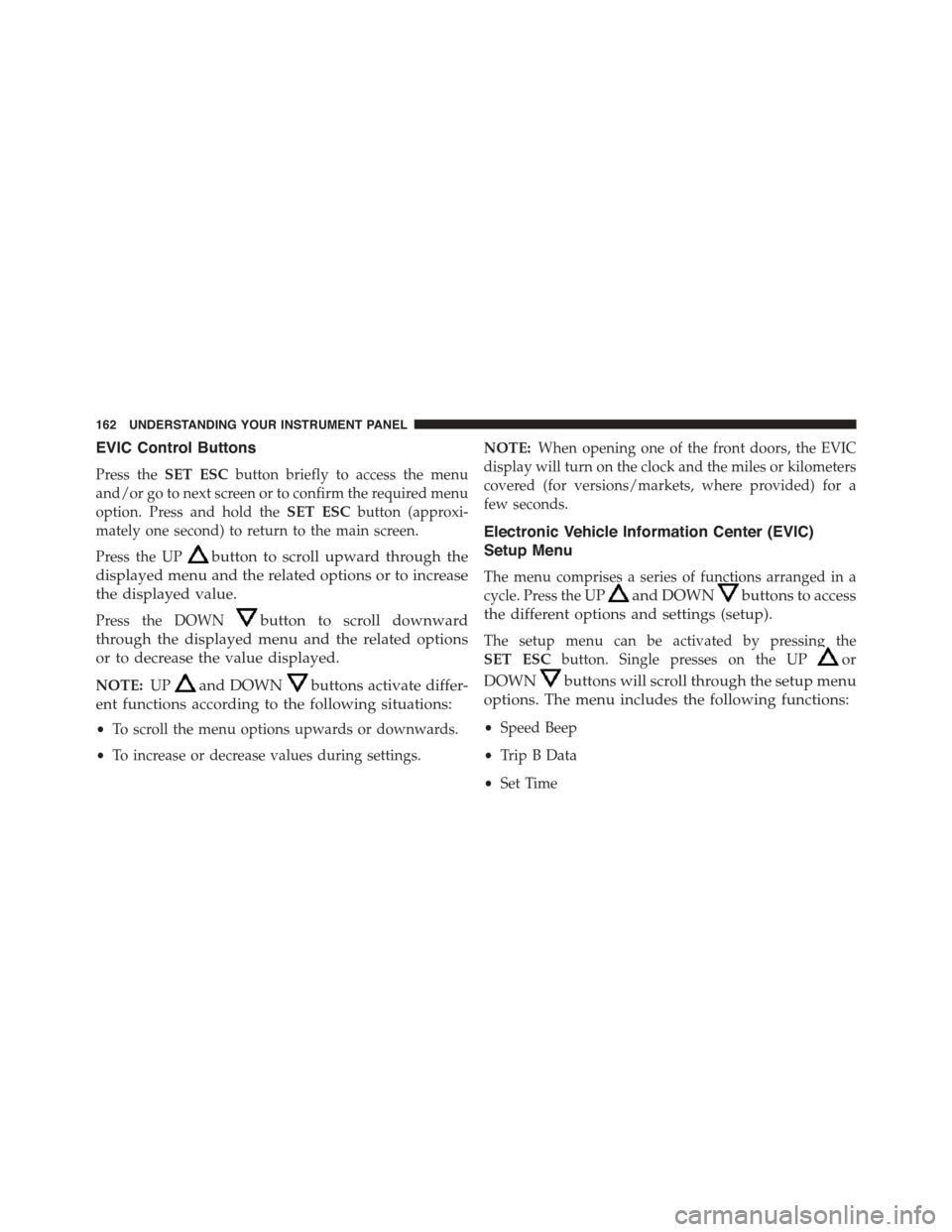
Press theSET ESCbutton briefly to access the menu
and/or go to next screen or to confirm the required menu
option. Press and hold theSET ESCbutton (approxi-
mately one second) to return to the main screen.
Press the UPbutton to scroll upward through the
displayed menu and the related options or to increase
the displayed value.
Press the DOWNbutton to scroll downward
through the displayed menu and the related options
or to decrease the value displayed.
NOTE:UPand DOWNbuttons activate differ-
ent functions according to the following situations:
•To scroll the menu options upwards or downwards.
•To increase or decrease values during settings.
NOTE:When opening one of the front doors, the EVIC
display will turn on the clock and the miles or kilometers
covered (for versions/markets, where provided) for a
few seconds.
Electronic Vehicle Information Center (EVIC)
Setup Menu
The menu comprises a series of functions arranged in a
cycle. Press the UPand DOWNbuttons to access
the different options and settings (setup).
The setup menu can be activated by pressing the
SET ESCbutton. Single presses on the UPor
DOWNbuttons will scroll through the setup menu
options. The menu includes the following functions:
•Speed Beep
•Trip B Data
•Set Time
162 UNDERSTANDING YOUR INSTRUMENT PANEL
Page 165 of 423
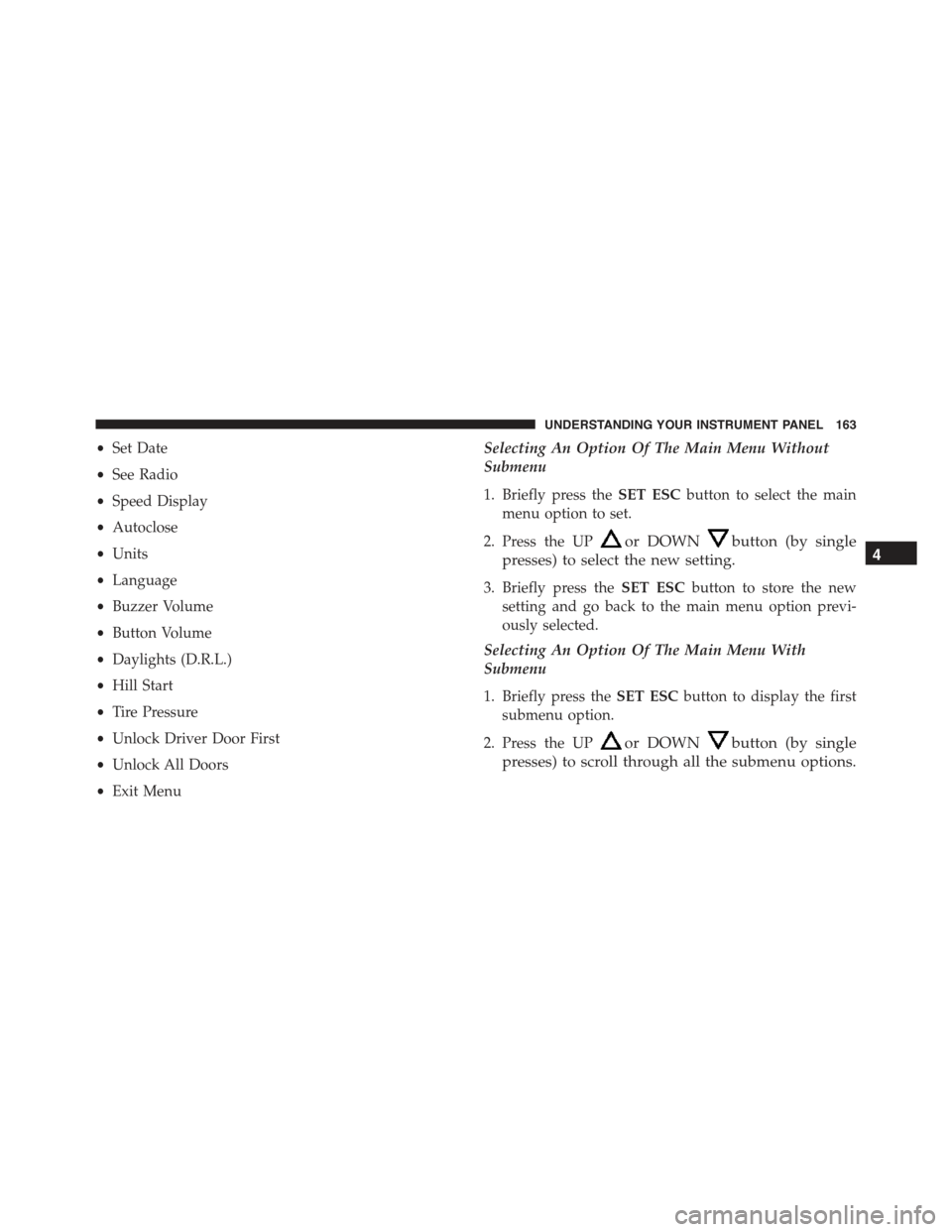
•Set Date
•See Radio
•Speed Display
•Autoclose
•Units
•Language
•Buzzer Volume
•Button Volume
•Daylights (D.R.L.)
•Hill Start
•Tire Pressure
•Unlock Driver Door First
•Unlock All Doors
•Exit Menu
Selecting An Option Of The Main Menu Without
Submenu
1. Briefly press theSET ESCbutton to select the main
menu option to set.
2. Press the UPor DOWNbutton (by single
presses) to select the new setting.
3. Briefly press theSET ESCbutton to store the new
setting and go back to the main menu option previ-
ously selected.
Selecting An Option Of The Main Menu With
Submenu
1. Briefly press theSET ESCbutton to display the first
submenu option.
2. Press the UPor DOWNbutton (by single
presses) to scroll through all the submenu options.
4
UNDERSTANDING YOUR INSTRUMENT PANEL 163
Page 166 of 423
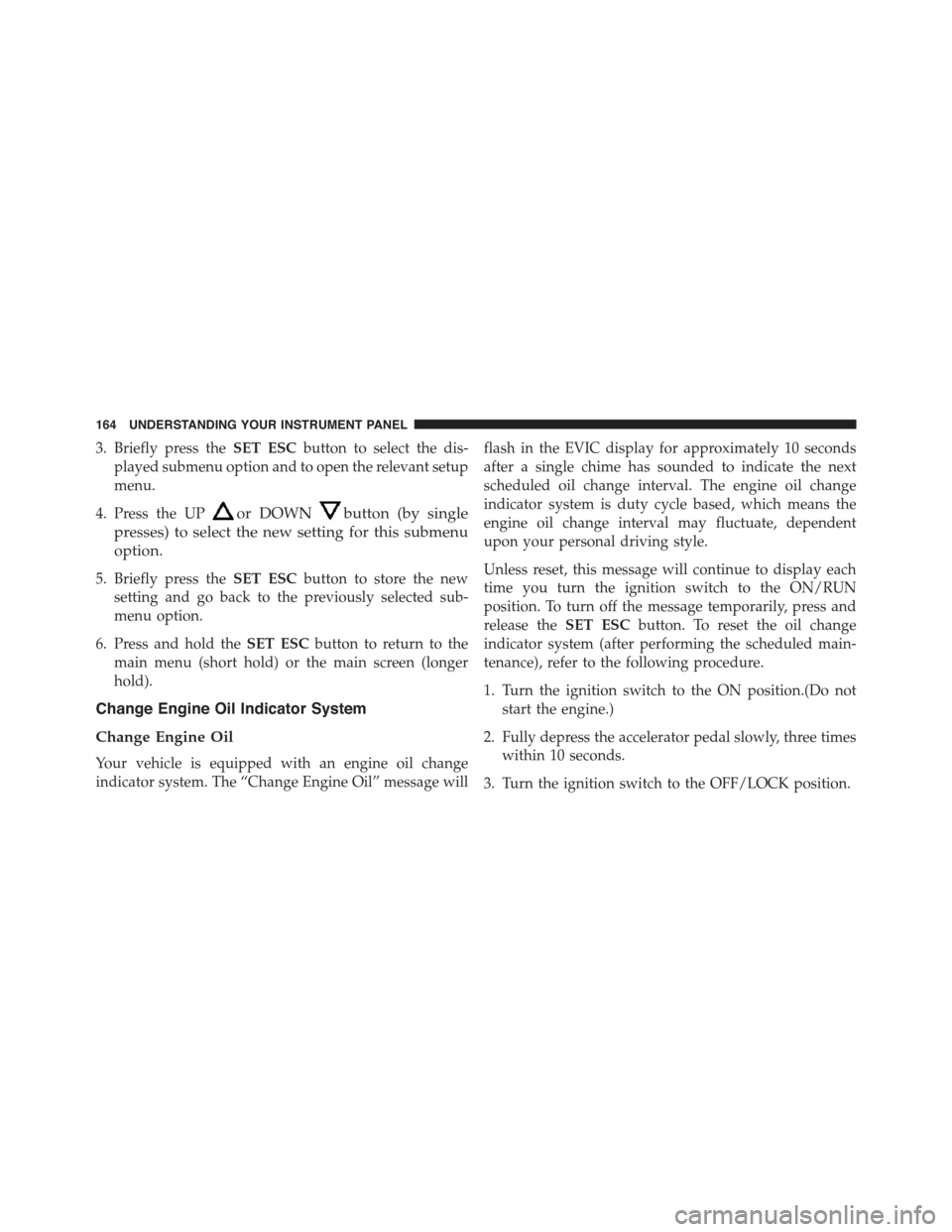
3. Briefly press theSET ESCbutton to select the dis-
played submenu option and to open the relevant setup
menu.
4. Press the UPor DOWNbutton (by single
presses) to select the new setting for this submenu
option.
5. Briefly press theSET ESCbutton to store the new
setting and go back to the previously selected sub-
menu option.
6. Press and hold theSET ESCbutton to return to the
main menu (short hold) or the main screen (longer
hold).
Change Engine Oil Indicator System
Change Engine Oil
Your vehicle is equipped with an engine oil change
indicator system. The “Change Engine Oil” message will
flash in the EVIC display for approximately 10 seconds
after a single chime has sounded to indicate the next
scheduled oil change interval. The engine oil change
indicator system is duty cycle based, which means the
engine oil change interval may fluctuate, dependent
upon your personal driving style.
Unless reset, this message will continue to display each
time you turn the ignition switch to the ON/RUN
position. To turn off the message temporarily, press and
release theSET ESCbutton. To reset the oil change
indicator system (after performing the scheduled main-
tenance), refer to the following procedure.
1. Turn the ignition switch to the ON position.(Do not
start the engine.)
2. Fully depress the accelerator pedal slowly, three times
within 10 seconds.
3. Turn the ignition switch to the OFF/LOCK position.
164 UNDERSTANDING YOUR INSTRUMENT PANEL