ESP FIAT 500 2014 2.G User Guide
[x] Cancel search | Manufacturer: FIAT, Model Year: 2014, Model line: 500, Model: FIAT 500 2014 2.GPages: 440, PDF Size: 2.89 MB
Page 114 of 440
High Beams
With the low beams activated, push the multi-
function lever towards the instrument panel to
turn on the high beams. Pull the multifunction lever
toward the steering wheel to turn off the high beams.
Flash-To-Pass
You can signal another vehicle with your headlights by
partially pulling the multifunction lever toward the steer-
ing wheel. This will cause the high beam headlights to
turn on until the lever is released.
Parking Lights
To turn on the parking lights, remove the key
or turn the ignition to OFF/LOCK position and
turn on the headlights.
Daytime Running Lights — If Equipped
To activate the Daytime Running Lights (DRL), rotate the
end of the multifunction lever to the Osymbol.
NOTE: The low beams and side/taillights will not be on
with DRL.
If allowed by law in the country in which the vehicle was
purchased the DRL function can be turned on or off using
the display menus. Refer to “Electronic Vehicle Informa-
tion Center (EVIC)” in “Understanding Your Instrument
Panel” for further information.
Turn Signals
Push the multifunction lever upward to signal a right
turn or downward to signal a left turn. The correspond-
ing indicator in the instrument cluster will blink to
indicate the operation of the turn signal.
112 UNDERSTANDING THE FEATURES OF YOUR VEHICLE
Page 127 of 440
Rear Park Assist Sensors
The four Rear Park Assist sensors, located in the rear
fascia/bumper, monitor the area behind the vehicle that
is within the sensors’ field of view. The sensors can detect
obstacles, in the horizontal direction, from approximately
12 in (30 cm) up to 55 in (140 cm) from the center of the
rear fascia/bumper and up to 24 in (60 cm) from the
corners of the rear fascia/bumper, depending on the
location, type and orientation of the obstacle.
If several obstacles are detected, the Rear Park Assist
system indicates the nearest obstacle.
The minimum height of a detectable obstacle corresponds to
the maximum height of an obstacle that would clear the
underside of the car during the parking maneuver.
Rear Park Assist Alerts
If an obstacle is behind the vehicle when REVERSE gear
is engaged, an audible alert is activated.
The tones emitted by the loudspeaker inform the driver
that the vehicle is approaching an obstacle. The pauses
between the tones are directly proportional to the dis-
tance from the obstacle. Pulses emitted in quick succes-
sion indicate the presence of a very close obstacle. A
continuous tone indicates that the obstacle is less than 12
in (30 cm) away.
3
UNDERSTANDING THE FEATURES OF YOUR VEHICLE 125
Page 131 of 440
WARNING!
•Drivers must be careful when backing up even
when using the Rear Park Assist system. Always
check carefully behind your vehicle, look behind
you, and be sure to check for pedestrians, animals,
other vehicles, obstructions, and blind spots before
backing up. You are responsible for safety and
must continue to pay attention to your surround-
ings. Failure to do so can result in serious injury or
death.
(Continued)
WARNING! (Continued)
•Before using the Rear Park Assist System, it is
strongly recommended that the ball mount and
hitch ball assembly is disconnected from the ve-
hicle when the vehicle is not used for towing.
Failure to do so can result in injury or damage to
vehicles or obstacles because the hitch ball will be
much closer to the obstacle than the rear fascia
when the warning display turns on the single
flashing arc and sounds the continuous tone. Also,
the sensors could detect the ball mount and hitch
ball assembly, depending on its size and shape,
giving a false indication that an obstacle is behind
the vehicle.
3
UNDERSTANDING THE FEATURES OF YOUR VEHICLE 129
Page 152 of 440
one or more of your tires is significantly under-inflated.
Accordingly, when the low tire pressure telltale illumi-
nates, you should stop and check your tires as soon as
possible, and inflate them to the proper pressure. Driving
on a significantly under-inflated tire causes the tire to
overheat and can lead to tire failure. Under-inflation also
reduces fuel efficiency and tire tread life, and may affect
the vehicle’s handling and stopping ability.
Please note that the TPMS is not a substitute for proper
tire maintenance, and it is the driver ’s responsibility to
maintain correct tire pressure, even if under-inflation has
not reached the level to trigger illumination of the TPMS
low tire pressure telltale.
Your vehicle has also been equipped with a TPMS
malfunction indicator to indicate when the system is not
operating properly. The TPMS malfunction indicator is
combined with the low tire pressure telltale. When the
system detects a malfunction, the telltale will flash for
approximately one minute and then remain continuouslyilluminated. This sequence will continue upon subse-
quent vehicle start-ups as long as the malfunction exists.
When the malfunction indicator is illuminated, the sys-
tem may not be able to detect or signal low tire pressure
as intended. TPMS malfunctions may occur for a variety
of reasons, including the installation of replacement or
alternate tires or wheels on the vehicle that prevent the
TPMS from functioning properly. Always check the
TPMS malfunction telltale after replacing one or more
tires or wheels on your vehicle, to ensure that the
replacement or alternate tires and wheels allow the TPMS
to continue to function properly.
CAUTION!
The TPMS has been optimized for the original
equipment tires and wheels. TPMS pressures and
warning have been established for the tire size
(Continued)
150 UNDERSTANDING YOUR INSTRUMENT PANEL
Page 185 of 440
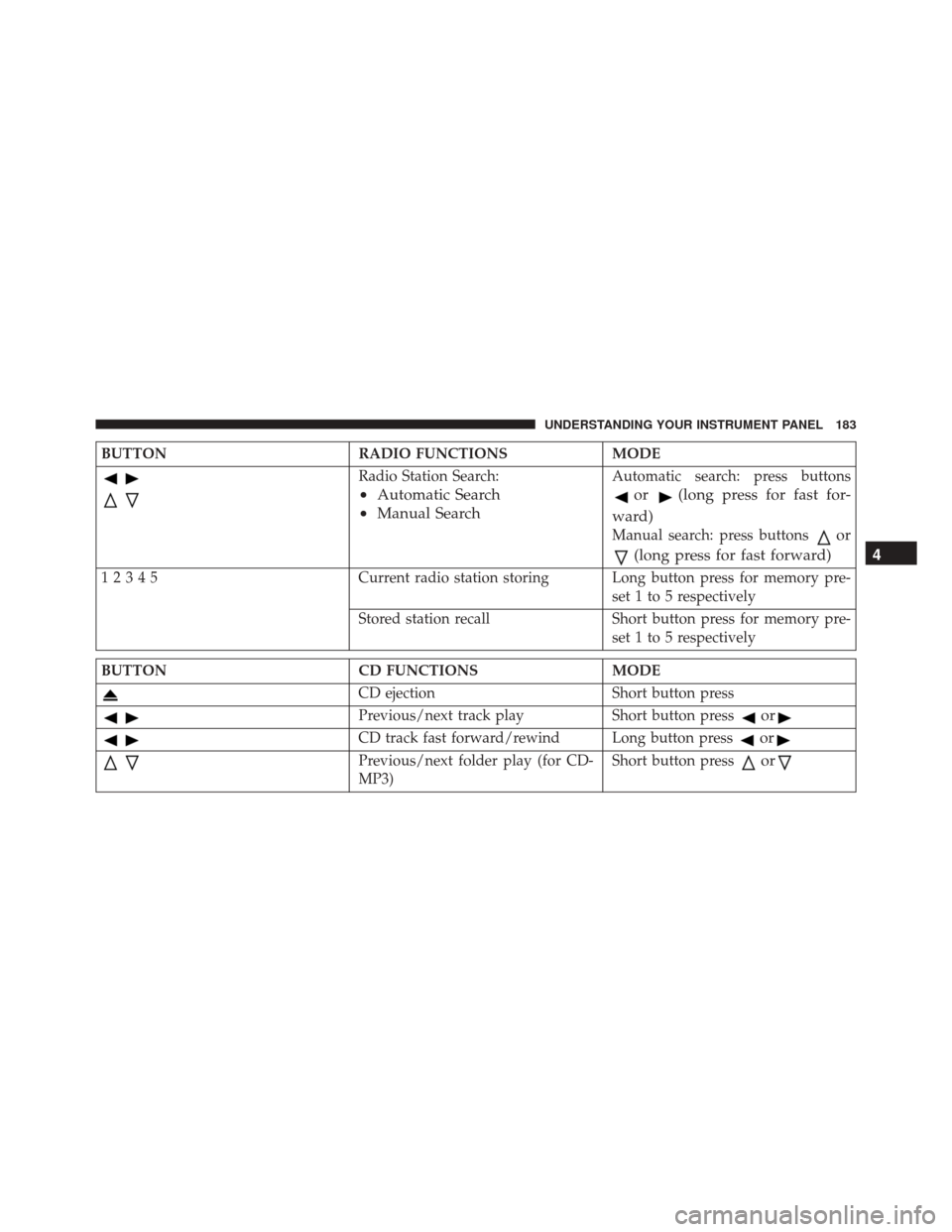
BUTTONRADIO FUNCTIONSMODE
Radio Station Search:
•Automatic Search
• Manual Search
Automatic search: press buttons
or(long press for fast for-
ward)
Manual search: press buttonsor
(long press for fast forward)
12345 Current radio station storing Long button press for memory pre-
set 1 to 5 respectively
Stored station recall Short button press for memory pre- set 1 to 5 respectively
BUTTON CD FUNCTIONSMODE
CD ejectionShort button press
Previous/next track playShort button pressor
CD track fast forward/rewind Long button pressor
Previous/next folder play (for CD-
MP3)Short button pressor
4
UNDERSTANDING YOUR INSTRUMENT PANEL 183
Page 195 of 440
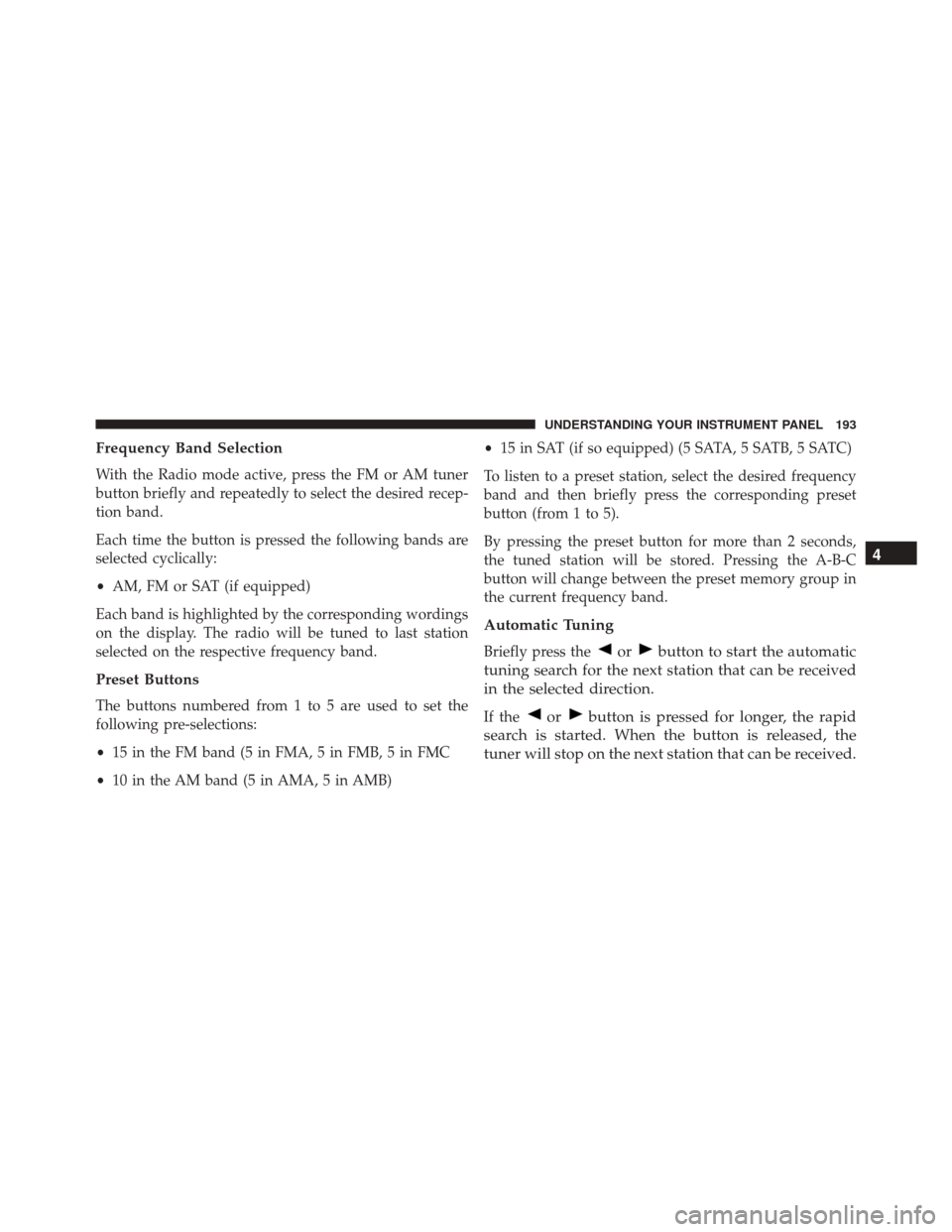
Frequency Band Selection
With the Radio mode active, press the FM or AM tuner
button briefly and repeatedly to select the desired recep-
tion band.
Each time the button is pressed the following bands are
selected cyclically:
•AM, FM or SAT (if equipped)
Each band is highlighted by the corresponding wordings
on the display. The radio will be tuned to last station
selected on the respective frequency band.
Preset Buttons
The buttons numbered from 1 to 5 are used to set the
following pre-selections:
• 15 in the FM band (5 in FMA, 5 in FMB, 5 in FMC
• 10 in the AM band (5 in AMA, 5 in AMB) •
15 in SAT (if so equipped) (5 SATA, 5 SATB, 5 SATC)
To listen to a preset station, select the desired frequency
band and then briefly press the corresponding preset
button (from 1 to 5).
By pressing the preset button for more than 2 seconds,
the tuned station will be stored. Pressing the A-B-C
button will change between the preset memory group in
the current frequency band.
Automatic Tuning
Briefly press theorbutton to start the automatic
tuning search for the next station that can be received
in the selected direction.
If theorbutton is pressed for longer, the rapid
search is started. When the button is released, the
tuner will stop on the next station that can be received. 4
UNDERSTANDING YOUR INSTRUMENT PANEL 193
Page 198 of 440
your service, either call the number listed on the display
or visit the provider online.
CAUTION!
Neither SIRIUS nor FIAT is responsible for any
errors in accuracies in the SIRIUS data services or its
use in vehicles.
SiriusXM and all related marks and logos are trademarks
of SiriusXM Radio Inc. and its subsidiaries. SiriusXM
Radio requires a subscription, sold separately after trial
subscription included with vehicle purchase. Prices and
programming are provided by SiriusXM and are subject
to change. Subscriptions governed by Terms & Condi-
tions available at sirius.com/service terms. SiriusXM
Radio U.S. service only available to those at least 18 years
of age in the 48 contiguous United States, D.C., & PR.
Visit www.sirius.com
Sirius Subscription Issues When Replacing A
Sirius Radio
When a radio needs to be replaced, the dealer will need
the SIRIUS information to order a new radio (even if the
SIRIUS subscription has lapsed). The ESN number con-
tains 12 digits.
The following are instructions for retrieving the Elec-
tronic Serial Number (ESN) from FIAT 500 NAFTA model
radios:
To retrieve the ESN of SIRIUS Satellite Receiver Module
tune to Channel 0. Make sure that when the order is
placed, the ESN are correct. If any of the ESN numbers
are not entered correctly, then the SIRIUS subscription
will not be able to be transferred to the new radio and
will not be active when installed in the customer ’s
vehicle.
196 UNDERSTANDING YOUR INSTRUMENT PANEL
Page 228 of 440
Turbocharger “Cool Down”
This vehicle is equipped with an after-run pump to cool
the turbocharger after the engine is shut off. Depending
on the type of driving and the amount of cargo, the pump
will run for up to 10 minutes after the engine has been
shut off to circulate coolant through the turbocharger.
Although the pump is rubber-mounted for quiet opera-
tion, it is normal to hear it running during this time.
MANUAL TRANSMISSION — IF EQUIPPED
Five-Speed Manual Transmission
WARNING!
You or others could be injured if you leave the
vehicle unattended without having the parking
brake fully applied. The parking brake should al-
ways be applied when the driver is not in the vehicle,
especially on an incline.Fully press the clutch pedal before you shift gears. As you
release the clutch pedal, lightly press the accelerator
pedal.
Shift Lever
226 STARTING AND OPERATING
Page 229 of 440
NOTE:To shift into REVERSE from NEUTRAL, lift the
ring under the knob and, at the same time move the
gearshift lever to the right and then backward.
Use each gear in numerical order; do not skip a gear. Be
sure the transmission is in first gear, not third, when
starting from a standing position. Damage to the clutch
can result from starting in third gear.
For most city driving, you will find it easier to use only
the lower gears. For steady highway driving with light
accelerations, fifth gear is recommended.
Never drive with your foot resting on the clutch pedal,
and never try to hold the vehicle on a hill with the clutch
pedal partially engaged. This will cause abnormal wear
on the clutch. REVERSE gear is not synchronized and the vehicle must
be at a complete stop to shift into REVERSE gear. When
selecting REVERSE gear, the driver should pause (ap-
proximately 2 seconds) after pushing in the clutch pedal
and prior to shifting into REVERSE which allows gears to
stop spinning. Should an unwanted clash noise be pro-
duced, the pause length should be increased.
NOTE:
•
Clashing REVERSE gear, especially if vehicle is mov-
ing, can result in transmission damage.
• During cold weather, until the transmission lubricant
is warm, you may experience slightly higher shift
efforts. This is normal and not harmful to the trans-
mission.
5
STARTING AND OPERATING 227
Page 235 of 440
NOTE:If the shift lever cannot be moved to the PARK,
REVERSE, or NEUTRAL position (when pushed for-
ward) it is probably in the AutoStick® (+/-) position
(beside the DRIVE position). In AutoStick® mode, the
transmission gear (1, 2, 3, etc.) is displayed in the
instrument cluster. Move the shift lever to the right (into
the DRIVE [D] position) for access to PARK, REVERSE,
and NEUTRAL.
Gear Ranges
DO NOT race the engine when shifting from PARK or
NEUTRAL into another gear range.
NOTE: After selecting any gear range, wait a moment to
allow the selected gear to engage before accelerating.
This is especially important when the engine is cold.
PARK (P)
This range supplements the parking brake by locking the
transmission. The engine can be started in this range.
Never attempt to use PARK while the vehicle is in
motion. Apply the parking brake when leaving the
vehicle in this range.
When parking on a level surface, you may shift the
transmission into PARK first, and then apply the parking
brake.
When parking on a hill, apply the parking brake before
shifting the transmission to PARK, otherwise the load on
the transmission locking mechanism may make it diffi-
cult to move the shift lever out of PARK. As an added
precaution, turn the front wheels toward the curb on a
downhill grade and away from the curb on an uphill
grade.
5
STARTING AND OPERATING 233