stop start FIAT 500 ABARTH 2014 2.G User Guide
[x] Cancel search | Manufacturer: FIAT, Model Year: 2014, Model line: 500 ABARTH, Model: FIAT 500 ABARTH 2014 2.GPages: 392, PDF Size: 8.74 MB
Page 152 of 392
Certain conditions, such as a loose or missing gas cap,
poor fuel quality, etc., may illuminate the MIL after
engine start. The vehicle should be serviced if the light
stays on through several of your typical driving cycles. In
most situations, the vehicle will drive normally and will
not require towing.
CAUTION!
Prolonged driving with the Malfunction Indicator
Light (MIL) on could cause damage to the engine
control system. It also could affect fuel economy and
driveability. If the MIL is flashing, severe catalytic
converter damage and power loss will soon occur.
Immediate service is required.
WARNING!
A malfunctioning catalytic converter, as referenced
above, can reach higher temperatures than in normal
operating conditions. This can cause a fire if you
drive slowly or park over flammable substances such
as dry plants, wood, cardboard, etc. This could result
in death or serious injury to the driver, occupants or
others.
19. Engine Temperature Warning Light
This light warns of an overheated engine condi-
tion. The engine coolant temperature indicator
will illuminate and a single chime will sound after
reaching a set threshold.
If the light turns on while driving, safely pull over and
stop the vehicle. If the A/C system is on, turn it off. Also,
shift the transmission into NEUTRAL and idle the ve-
hicle. If the temperature reading does not return to
150 UNDERSTANDING YOUR INSTRUMENT PANEL
Page 173 of 392
Button Volume (Button Volume Adjustment)
This function may be used to adjust the volume of the
beep accompanying the buttons.MENU,UPor
DOWNbuttons can be adjusted according to 8
levels.
To adjust the volume, proceed as follows:
1. Briefly press theMENUbutton. The previously set
volume “level” will flash on the display.
2. Press the UPor DOWNbutton for setting.
3. Briefly press theMENUbutton to go back to the menu
screen, or press and hold theMENUbutton (approxi-
mately one second) to go back to the main screen
without storing the settings.
Belt Buzzer (Buzzer Activation For S.B.R.
Indication)
This function will only be displayed after a FIAT Group
Automobiles dealer has deactivated the S.B.R. system.
Hill Start Assist
This function is used when starting a vehicle from a stop
on a hill. Hill Start Assist maintains the same level of
brake pressure the driver applied for a short period of
time after the foot has been removed from the brake
pedal.
Proceed as follows to switch this function on or off:
1. Briefly press theMENUbutton. “On” or “Off” will
flash on the display (according to previous setting).
2. Press the UPor DOWNbutton for setting.
4
UNDERSTANDING YOUR INSTRUMENT PANEL 171
Page 192 of 392
By pressing the preset button for more than 2 seconds,
the tuned station will be stored. Pressing the A-B-C
button will change between the preset memory group in
the current frequency band.
Automatic Tuning
Briefly press theorbutton to start the automatic
tuning search for the next station that can be received
in the selected direction.
If theorbutton is pressed for longer, the rapid
search is started. When the button is released, the
tuner will stop on the next station that can be received.
Manual Tuning
This is used to manually search for stations in the
preselected band.
Select the desired frequency band and then press briefly
and repeatedly theorbutton to start the search in
the desired direction. If theorbutton is pressed
longer, the fast search starts and then stops when the
button is released.
Stereophonic Broadcasters
If the incoming signal is weak, the reproduction is
automatically switched from Stereo to Mono.
SiriusXM Satellite Radio — If Equipped
Satellite Radio Antenna — If Equipped
The antenna for the satellite radio is mounted on the roof
of the vehicle. Do not place items on the roof around the
roof top antenna location. Objects placed within the line
of sight of the antenna will cause decreased performance.
Larger luggage items should be placed as far from the
antenna as possible. Do not place items directly on or
above the antenna.
190 UNDERSTANDING YOUR INSTRUMENT PANEL
Page 197 of 392
A CD which cannot be read will not be ejected until these
functions are over. At the end, with the CD mode
activated, the display will show the wording “CD Disc
error” for a few seconds and then the CD will be ejected.
Display Information
When the CD player is operating, information will ap-
pear on the display with the following meaning:
•“Track 5” indicates the CD track number.
•“03:42” indicates the time elapsed since the start of the
track (if the relevant Menu function is activated).
Track Selection
Briefly press thebutton to play the previous CD
track and thebutton to play the next track. The
tracks are selected cyclically: the first track is selected
after the last track and vice versa.
If the track has been played for more than 3 seconds,
pressing thebutton, starts the track again from the
beginning. In this case, if you want to play the
previous track, press thebutton twice consecu-
tively.
Track Fast Forward/Rewind
Keep thebutton pressed down to fast forward the
selected track and keep thebutton pressed down to
fast rewind the track. The fast forward/rewind will
stop once the button is released.
Pause Function
To pause the CD player, press thebutton. The word-
ing “CD Pause” appears on the display.
To resume listening to the track, press thebutton
again.
4
UNDERSTANDING YOUR INSTRUMENT PANEL 195
Page 224 of 392
STARTING PROCEDURES
Before starting your vehicle, adjust your seat, adjust both
inside and outside mirrors, and fasten your seat belts.
WARNING!
•Never leave children alone in a vehicle, or with
access to an unlocked vehicle.
•Allowing children to be in a vehicle unattended is
dangerous for a number of reasons. A child or
others could be seriously or fatally injured. Chil-
dren should be warned not to touch the parking
brake, brake pedal or the shift lever.
•Do not leave the key fob in or near the vehicle (or
in a location accessible to children). A child could
operate power windows, other controls, or move
the vehicle.
Manual Transmission
Apply the parking brake, place the shift lever in NEU-
TRAL, and press the clutch pedal before starting the
vehicle. This vehicle is equipped with a clutch interlock-
ing ignition system. It will not start unless the clutch
pedal is pressed to the floor.
Normal Starting
NOTE:Normal starting of either a cold or a warm
engine is obtained without pumping or pressing the
accelerator pedal.
Turn the ignition switch to the AVV (START) position and
release it when the engine starts. If the engine fails to start
within 10 seconds, turn the ignition switch to the STOP
(OFF/LOCK) position, wait 10 to 15 seconds, then repeat
the “Normal Starting” procedure.
222 STARTING AND OPERATING
Page 226 of 392
3. If the engine fails to start within 10 seconds, place the
ignition to the STOP (OFF/LOCK) position, wait 5
seconds to allow the starter to cool, then repeat the
Extended Park Starting procedure.
4. If the engine fails to start after 8 attempts, allow the
starter to cool for at least 10 minutes, then repeat the
procedure.
If Engine Fails To Start
WARNING!
Never pour fuel or other flammable liquid into the
throttle body air inlet opening in an attempt to start
the vehicle. This could result in flash fire causing
serious personal injury.
CAUTION!
•Do not attempt to push or tow your vehicle to get it
started. Unburned fuel could enter the catalytic
converter and once the engine has started, ignite
and damage the converter and vehicle.
•To prevent damage to the starter, do not continu-
ously crank the engine for more than 15 seconds at
a time. Wait 10 to 15 seconds before trying again.
After Starting
The idle speed will automatically decrease as the engine
warms up.
Turbocharger “Cool Down”
This vehicle is equipped with an after-run pump to cool
the turbocharger after the engine is shut off. Depending
on the type of driving and the amount of cargo, the pump
will run for up to 10 minutes after the engine has been
224 STARTING AND OPERATING
Page 228 of 392
Use each gear in numerical order; do not skip a gear. Be
sure the transmission is in first gear, not third, when
starting from a standing position. Damage to the clutch
can result from starting in third gear.
For most city driving, you will find it easier to use only
the lower gears. For steady highway driving with light
accelerations, fifth gear is recommended.
Never drive with your foot resting on the clutch pedal,
and never try to hold the vehicle on a hill with the clutch
pedal partially engaged. This will cause abnormal wear
on the clutch.
Never shift into REVERSE until the vehicle has come to a
complete stop.
NOTE:During cold weather, until the transmission lu-
bricant is warm, you may experience slightly higher shift
efforts. This is normal and not harmful to the transmis-
sion.
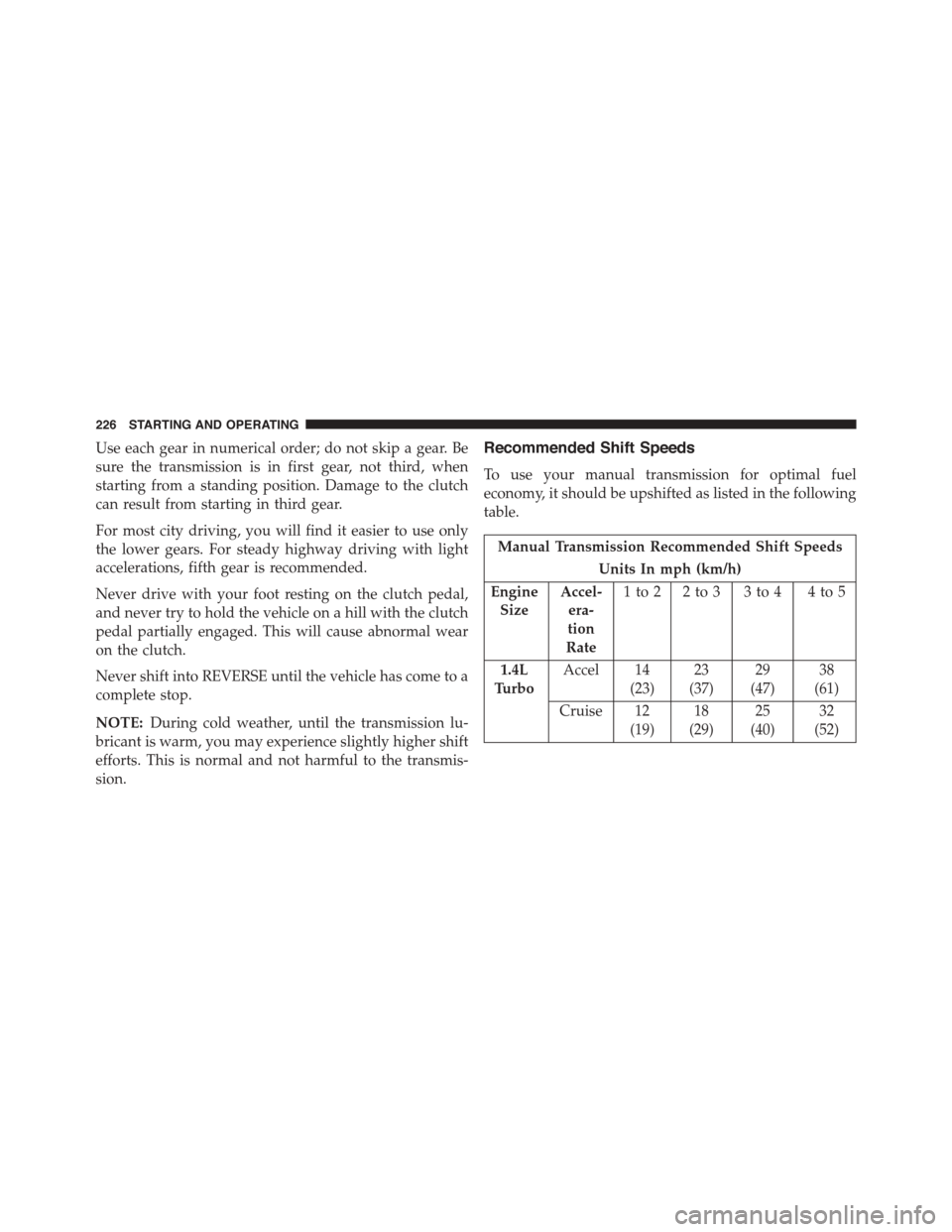
Recommended Shift Speeds
To use your manual transmission for optimal fuel
economy, it should be upshifted as listed in the following
table.
Manual Transmission Recommended Shift Speeds
Units In mph (km/h)
Engine
Size
Accel-
era-
tion
Rate
1to2 2to3 3to4 4to5
1.4L
Turbo
Accel 14
(23)
23
(37)
29
(47)
38
(61)
Cruise 12
(19)
18
(29)
25
(40)
32
(52)
226 STARTING AND OPERATING
Page 230 of 392
WARNING!(Continued)
and possibly have a collision. Accelerate slowly and
carefully whenever there is likely to be poor traction
(ice, snow, wet, mud, loose sand, etc.).
Traction
When driving on wet or slushy roads, it is possible for a
wedge of water to build up between the tire and road
surface. This is hydroplaning and may cause partial or
complete loss of vehicle control and stopping ability. To
reduce this possibility, the following precautions should
be observed:
1. Slow down during rainstorms or when the roads are
slushy.
2. Slow down if the road has standing water or puddles.
3. Replace the tires when tread wear indicators first
become visible.
4. Keep tires properly inflated.
5. Maintain sufficient distance between your vehicle and
the vehicle in front of you to avoid a collision in a
sudden stop.
DRIVING THROUGH WATER
Driving through water more than a few inches/
centimeters deep will require extra caution to ensure
safety and prevent damage to your vehicle.
Flowing/Rising Water
WARNING!
Do not drive on or across a road or path where water
is flowing and/or rising (as in storm run-off). Flow-
ing water can wear away the road or path’s surface
and cause your vehicle to sink into deeper water.
(Continued)
228 STARTING AND OPERATING
Page 232 of 392
CAUTION!(Continued)
•Getting water inside your vehicle’s engine can
cause it to lock up and stall out, and cause serious
internal damage to the engine. Such damage is not
covered by the New Vehicle Limited Warranty.
WARNING!
•Driving through standing water limits your vehi-
cle’s traction capabilities. Do not exceed 5 mph
(8 km/h) when driving through standing water.
•Driving through standing water limits your vehi-
cle’s braking capabilities, which increases stopping
distances. Therefore, after driving through stand-
ing water, drive slowly and lightly press on the
brake pedal several times to dry the brakes.
(Continued)
WARNING!(Continued)
•Failure to follow these warnings may result in
injuries that are serious or fatal to you, your pas-
sengers, and others around you.
POWER STEERING
The electric power steering system will give you good
vehicle response and increased ease of maneuverability
in tight spaces. The system will vary its assist to provide
light efforts while parking and good feel while driving. If
the electric steering system experiences a fault that
prevents it from providing assist, you will still have the
ability to steer the vehicle manually.
230 STARTING AND OPERATING
Page 237 of 392
BRAKE SYSTEM
In the event power assist is lost for any reason (for
example; repeated brake applications with the engine
off), the brakes will still function. The effort required to
brake the vehicle will be significantly more than that
required with the power system operating.
If either of the two hydraulic systems loses normal
capability, the remaining system will still function with
some loss of braking effectiveness. This will be evident by
increased pedal travel during application, greater pedal
force required to slow or stop, and activation of the Brake
Warning Light and the ABS Warning Light during brake
use.
Four-Wheel Anti-Lock Brake System (ABS)
The Four-Wheel ABS is designed to aid the driver in
maintaining vehicle control under adverse braking con-
ditions. The system operates with a separate computer to
modulate hydraulic pressure, to prevent wheel lock-up
and to help avoid skidding on slippery surfaces.
The system’s pump motor runs during an ABS stop to
provide regulated hydraulic pressure. The pump motor
makes a low humming noise during operation, which is
normal.
The ABS includes an amber ABS Warning Light. When
the light is illuminated, the ABS is not functioning. The
system reverts to standard non-anti-lock brakes. Turning
the ignition Off and On again may reset the ABS if the
fault detected was only momentary.
5
STARTING AND OPERATING 235