warning FIAT 500 ABARTH 2014 2.G Service Manual
[x] Cancel search | Manufacturer: FIAT, Model Year: 2014, Model line: 500 ABARTH, Model: FIAT 500 ABARTH 2014 2.GPages: 392, PDF Size: 8.74 MB
Page 104 of 392
•Playback Options— while playing tracks you can
select the following options: Play, Stop, Next track,
Previous track, Shuffle and Loop track.
NOTE:
•The media player does not support audio files com-
pressed with other formats and DRM (Digital Rights
Management) protected audio files. Non-supported
audio files that may be present on the USB device will
be ignored.
•To use the media player, you have to simply connect
(directly or by an extension lead) your USB device to
the car USB port. After turning the ignition key to ON,
BLUE&ME™ will start building your media library. At
the end of this operation you can surf the complete
library and scroll its categories as required using the
buttons on the steering wheel or voice commands.
BLUE&ME™ will then play your selection via the car
sound system.
WARNING!
•Driving while distracted can result in loss of ve-
hicle control, accident and injury. It is strongly
recommended that you use extreme caution when
using any device or feature that may take your
focus off the road or your hands off the steering
wheel. Your primary responsibility is the safe op-
eration of your vehicle.
•Read and Follow Instructions: before using your
system, read and follow all instructions and safety
information provided in this “Owner ’s Manual”.
Not following precautions found in this Owner ’s
Manual can lead to an accident or other serious
consequences.
(Continued)
102 UNDERSTANDING THE FEATURES OF YOUR VEHICLE
Page 105 of 392
WARNING!(Continued)
•Keep the Owner ’s Manual in the car: when kept in
the car, the Owner ’s Manual will be a ready refer-
ence for you and other users unfamiliar with the
system. Please make certain that before using the
system for the first time, all persons have access to
the Owner ’s Manual and read its instructions and
safety information carefully.
SEATS
Seats are a part of the Occupant Restraint System of the
vehicle.
WARNING!
•It is dangerous to ride in a cargo area, inside or
outside of a vehicle. In a collision, people riding in
these areas are more likely to be seriously injured
or killed.
•Do not allow people to ride in any area of your
vehicle that is not equipped with seats and seat
belts. In a collision, people riding in these areas are
more likely to be seriously injured or killed.
•Be sure everyone in your vehicle is in a seat and
using a seat belt properly.
Front Seats Forward/Rearward Adjustment
The adjusting bar is located at the front of the seats, near
the floor.
3
UNDERSTANDING THE FEATURES OF YOUR VEHICLE 103
Page 106 of 392
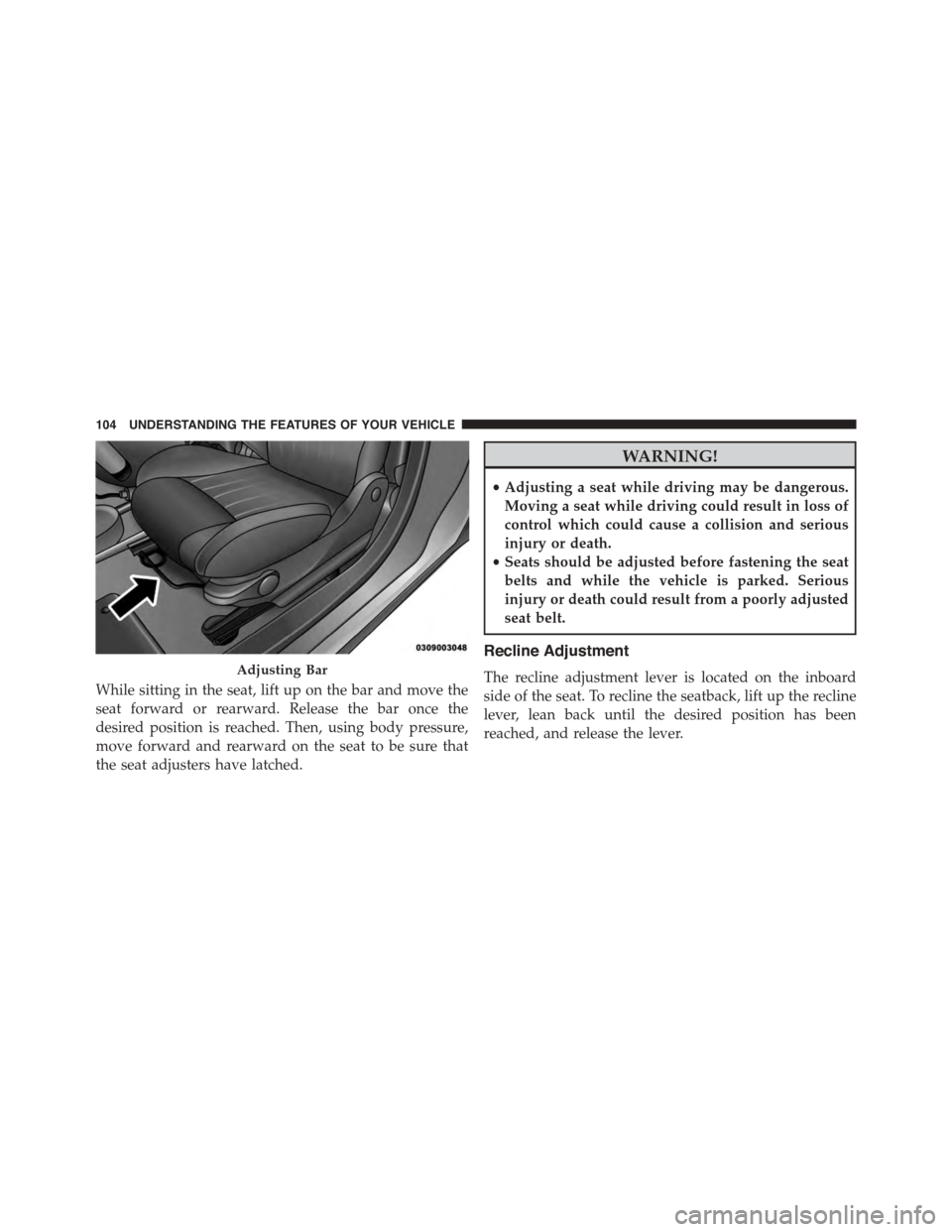
While sitting in the seat, lift up on the bar and move the
seat forward or rearward. Release the bar once the
desired position is reached. Then, using body pressure,
move forward and rearward on the seat to be sure that
the seat adjusters have latched.
WARNING!
•Adjusting a seat while driving may be dangerous.
Moving a seat while driving could result in loss of
control which could cause a collision and serious
injury or death.
•Seats should be adjusted before fastening the seat
belts and while the vehicle is parked. Serious
injury or death could result from a poorly adjusted
seat belt.
Recline Adjustment
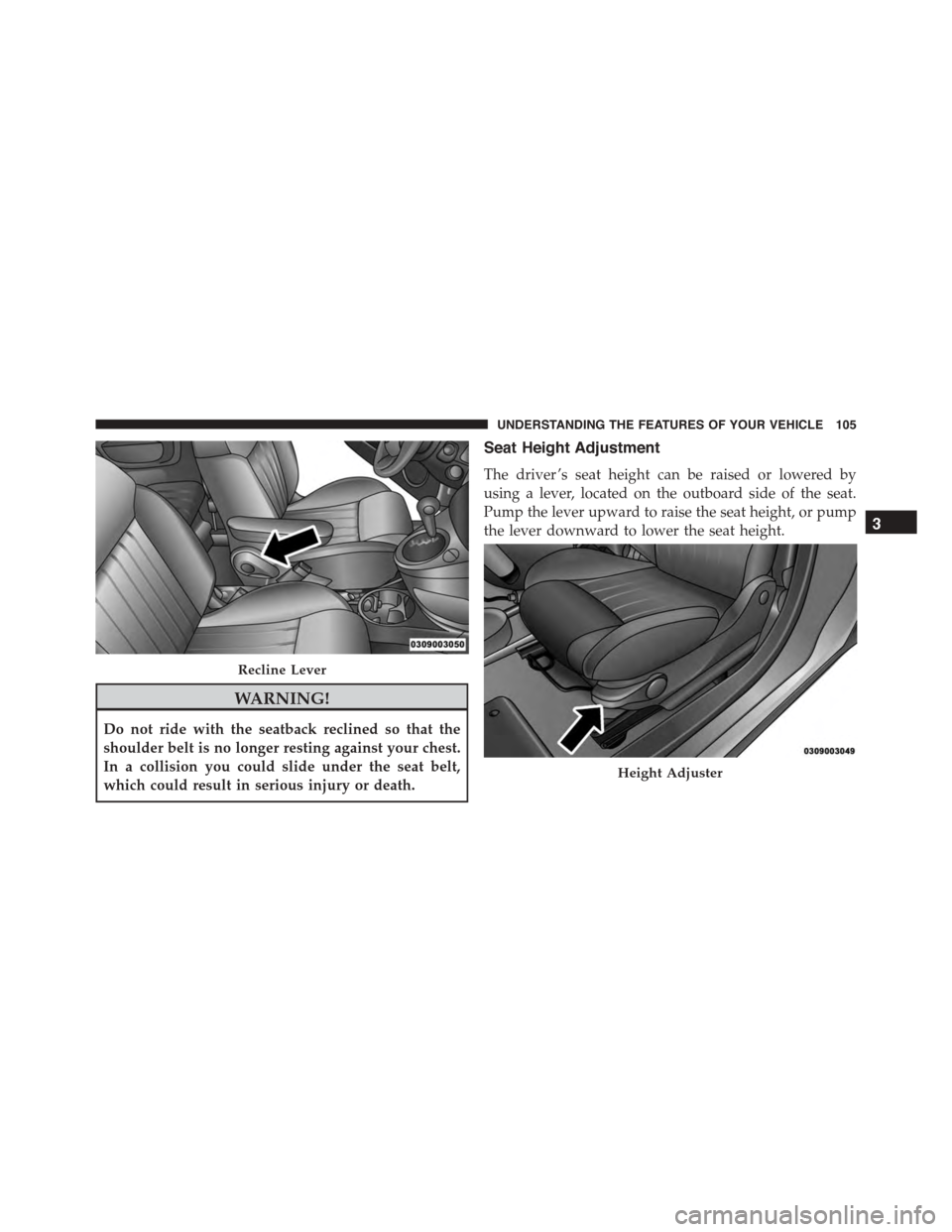
The recline adjustment lever is located on the inboard
side of the seat. To recline the seatback, lift up the recline
lever, lean back until the desired position has been
reached, and release the lever.
Adjusting Bar
104 UNDERSTANDING THE FEATURES OF YOUR VEHICLE
Page 107 of 392
WARNING!
Do not ride with the seatback reclined so that the
shoulder belt is no longer resting against your chest.
In a collision you could slide under the seat belt,
which could result in serious injury or death.
Seat Height Adjustment
The driver ’s seat height can be raised or lowered by
using a lever, located on the outboard side of the seat.
Pump the lever upward to raise the seat height, or pump
the lever downward to lower the seat height.
Recline Lever
Height Adjuster
3
UNDERSTANDING THE FEATURES OF YOUR VEHICLE 105
Page 109 of 392
fore/aft (memory) position on the tracks. This results in
the seat back memory being set only – The track will then
be locked forward of its last set fore/aft memory posi-
tion. To then reset the fore/aft track memory feature (to
reestablish Memory Function Option 1), the seat has to be
returned fully rearward to its last fore/aft memory track
position as described in Memory Function Option 1.
Heated Seats — If Equipped
On some models, the front driver and passenger seats
may be equipped with heaters in both the seat cushions
and seatbacks. The controls for the front heated seats are
located on the center instrument panel area.
Press the switch once to turn on the heated
seats. Press the switch a second time to shut the
heating elements off.
NOTE:Once a heat setting is selected, heat will be felt
within two to five minutes.
WARNING!
•Persons who are unable to feel pain to the skin
because of advanced age, chronic illness, diabetes,
spinal cord injury, medication, alcohol use, exhaus-
tion or other physical condition must exercise care
when using the seat heater. It may cause burns
even at low temperatures, especially if used for
long periods of time.
•Do not place anything on the seat or seatback that
insulates against heat, such as a blanket or cushion.
This may cause the seat heater to overheat. Sitting
in a seat that has been overheated could cause
serious burns due to the increased surface tempera-
ture of the seat.
3
UNDERSTANDING THE FEATURES OF YOUR VEHICLE 107
Page 110 of 392
Head Restraints
Head restraints are designed to reduce the risk of injury
by restricting head movement in the event of a rear-
impact. Head restraints should be adjusted so that the top
of the head restraint is located above the top of your ear.
WARNING!
The head restraints for all occupants must be prop-
erly adjusted prior to operating the vehicle or occu-
pying a seat. Head restraints should never be ad-
justed while the vehicle is in motion. Driving a
vehicle with the head restraints improperly adjusted
or removed could cause serious injury or death in the
event of a collision.
Rear Head Restraints
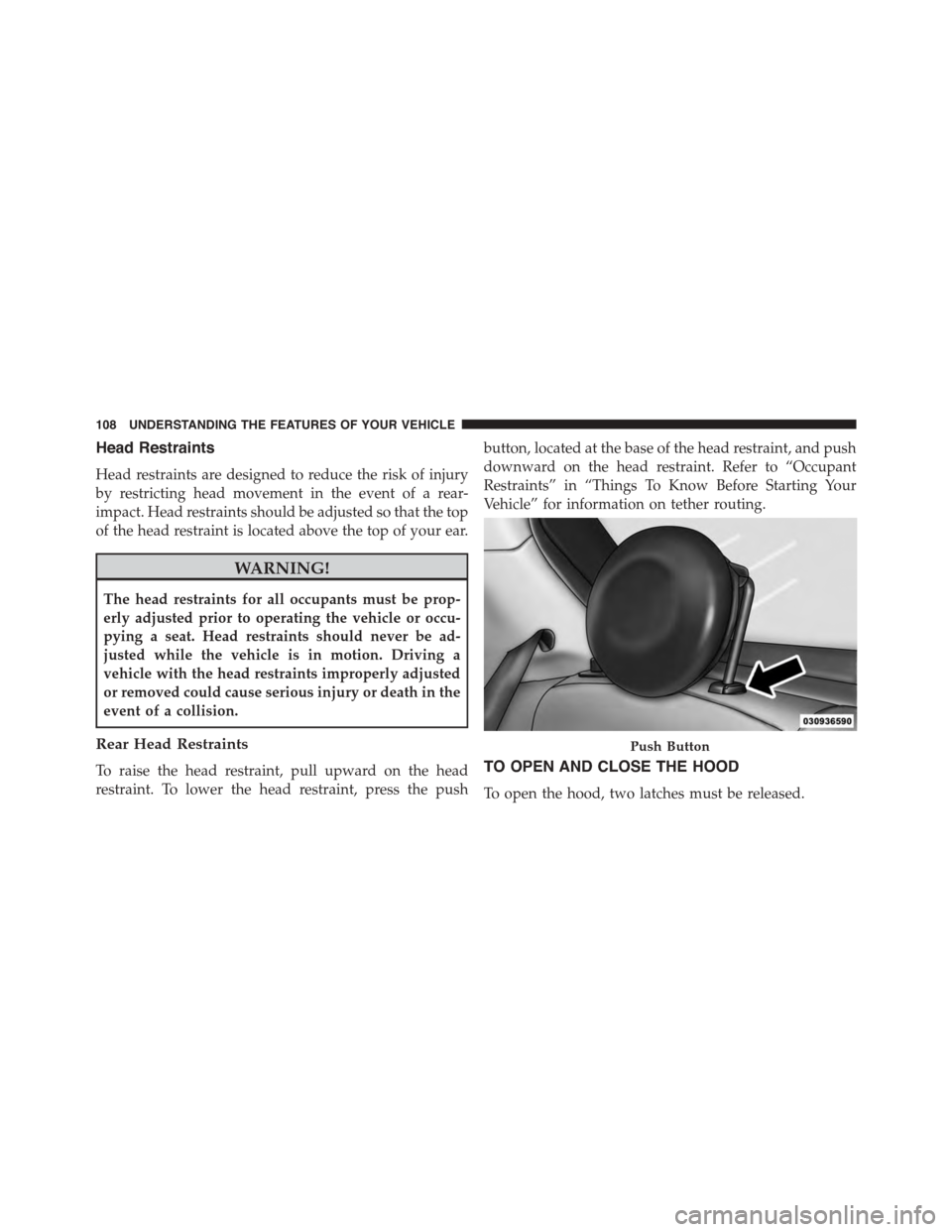
To raise the head restraint, pull upward on the head
restraint. To lower the head restraint, press the push
button, located at the base of the head restraint, and push
downward on the head restraint. Refer to “Occupant
Restraints” in “Things To Know Before Starting Your
Vehicle” for information on tether routing.
TO OPEN AND CLOSE THE HOOD
To open the hood, two latches must be released.
Push Button
108 UNDERSTANDING THE FEATURES OF YOUR VEHICLE
Page 112 of 392
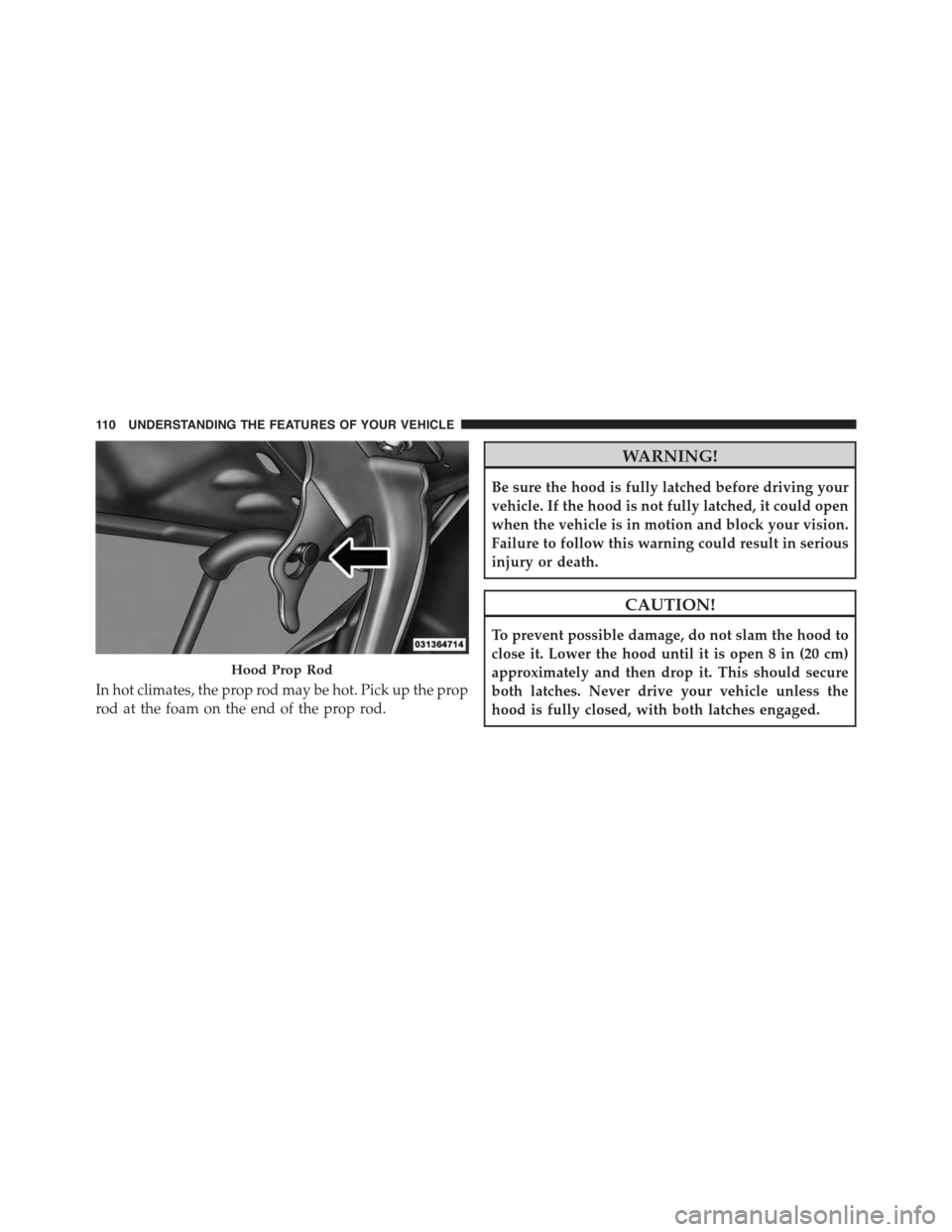
In hot climates, the prop rod may be hot. Pick up the prop
rod at the foam on the end of the prop rod.
WARNING!
Be sure the hood is fully latched before driving your
vehicle. If the hood is not fully latched, it could open
when the vehicle is in motion and block your vision.
Failure to follow this warning could result in serious
injury or death.
CAUTION!
To prevent possible damage, do not slam the hood to
close it. Lower the hood until it is open 8 in (20 cm)
approximately and then drop it. This should secure
both latches. Never drive your vehicle unless the
hood is fully closed, with both latches engaged.
Hood Prop Rod
11 0 U N D E R S TA N D I N G T H E F E AT U R E S O F Y O U R V E H I C L E
Page 122 of 392
WARNING!
Do not adjust the steering column while driving.
Adjusting the steering column while driving or driv-
ing with the steering column unlocked, could cause
the driver to lose control of the vehicle. Failure to
follow this warning may result in serious injury or
death.
ELECTRONIC SPEED CONTROL
When engaged, the Electronic Speed Control takes over
accelerator operations at speeds greater than 25 mph
(40 km/h).
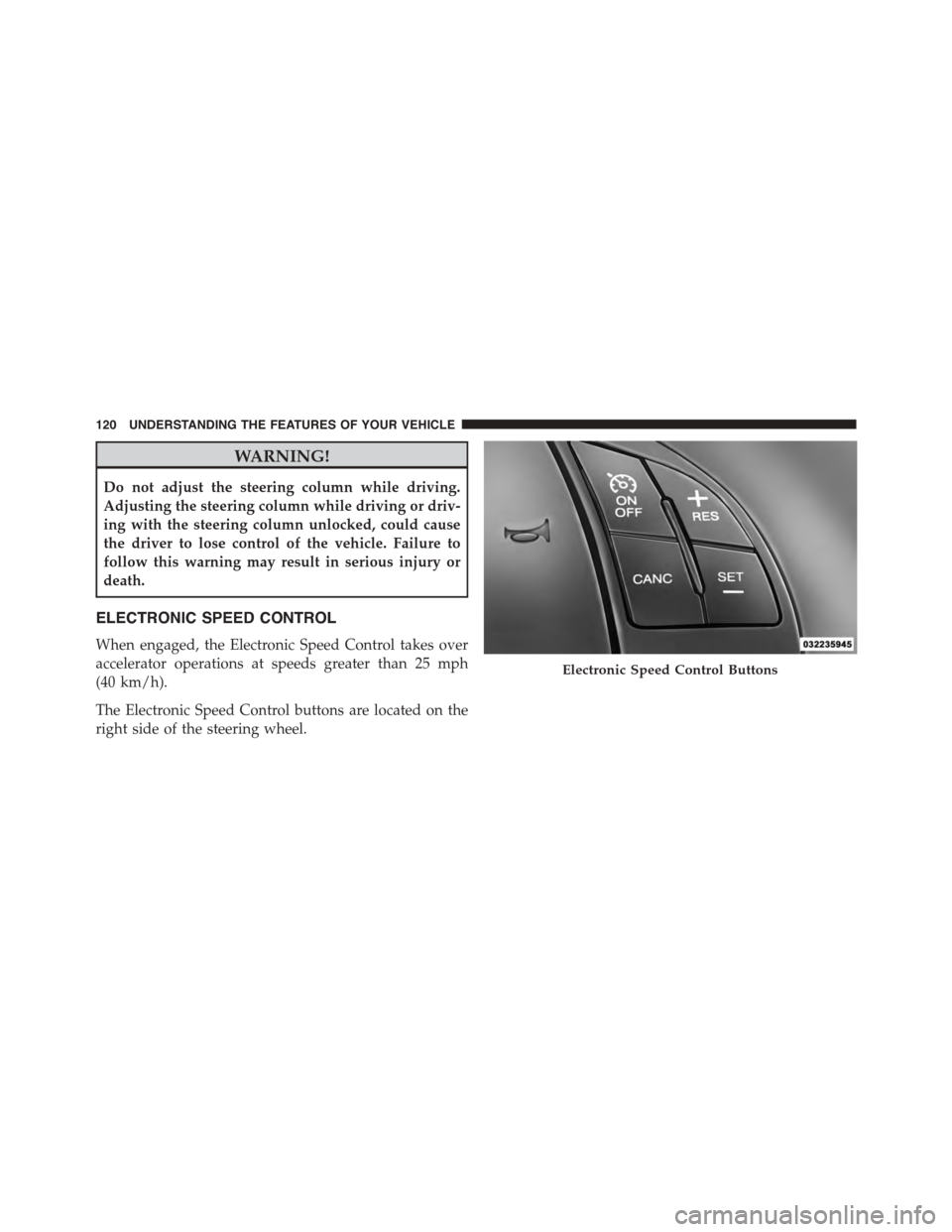
The Electronic Speed Control buttons are located on the
right side of the steering wheel.
Electronic Speed Control Buttons
120 UNDERSTANDING THE FEATURES OF YOUR VEHICLE
Page 123 of 392
NOTE:In order to ensure proper operation, the Elec-
tronic Speed Control system has been designed to shut
down if multiple Speed Control functions are operated at
the same time. If this occurs, the Electronic Speed Control
system can be reactivated by pushing the Electronic
Speed Control ON/OFF button and resetting the desired
vehicle set speed.
To Activate
Push the ON/OFF button. The Cruise Indicator Light in
the instrument cluster will illuminate. To turn the system
off, push the ON/OFF button a second time. The Cruise
Indicator Light will turn off. The system should be
turned off when not in use.
WARNING!
Leaving the Electronic Speed Control system on
when not in use is dangerous. You could accidentally
set the system or cause it to go faster than you want.
You could lose control and have an accident. Always
leave the system OFF when you are not using it.
To Set A Desired Speed
Turn the Electronic Speed Control ON. When the vehicle
has reached the desired speed, press the SET (-) button
and release. Release the accelerator and the vehicle will
operate at the selected speed.
NOTE:The vehicle should be traveling at a steady speed
and on level ground before pressing the SET (-) button.
3
UNDERSTANDING THE FEATURES OF YOUR VEHICLE 121
Page 125 of 392
To Accelerate For Passing
Press the accelerator as you would normally. When the
pedal is released, the vehicle will return to the set speed.
Using Electronic Speed Control On Hills
The transmission may downshift on hills to maintain the
vehicle set speed.
NOTE:The Electronic Speed Control system maintains
speed up and down hills. A slight speed change on
moderate hills is normal.
On steep hills, a greater speed loss or gain may occur so
it may be preferable to drive without Electronic Speed
Control.
WARNING!
Electronic Speed Control can be dangerous where the
system cannot maintain a constant speed. Your ve-
hicle could go too fast for the conditions, and you
could lose control and have an accident. Do not use
Electronic Speed Control in heavy traffic or on roads
that are winding, icy, snow-covered or slippery.
REAR PARK ASSIST — IF EQUIPPED
The Rear Park Assist system provides an audible indica-
tion of the distance between the rear fascia/bumper and
a detected obstacle when backing up, e.g. during a
parking maneuver. Refer to the “Park Assist System
Usage Precautions” for the limitations of this system and
recommendations.
3
UNDERSTANDING THE FEATURES OF YOUR VEHICLE 123