air condition FIAT 500 ABARTH CABRIO 2017 2.G User Guide
[x] Cancel search | Manufacturer: FIAT, Model Year: 2017, Model line: 500 ABARTH CABRIO, Model: FIAT 500 ABARTH CABRIO 2017 2.GPages: 338, PDF Size: 2.78 MB
Page 176 of 338
IconDescription
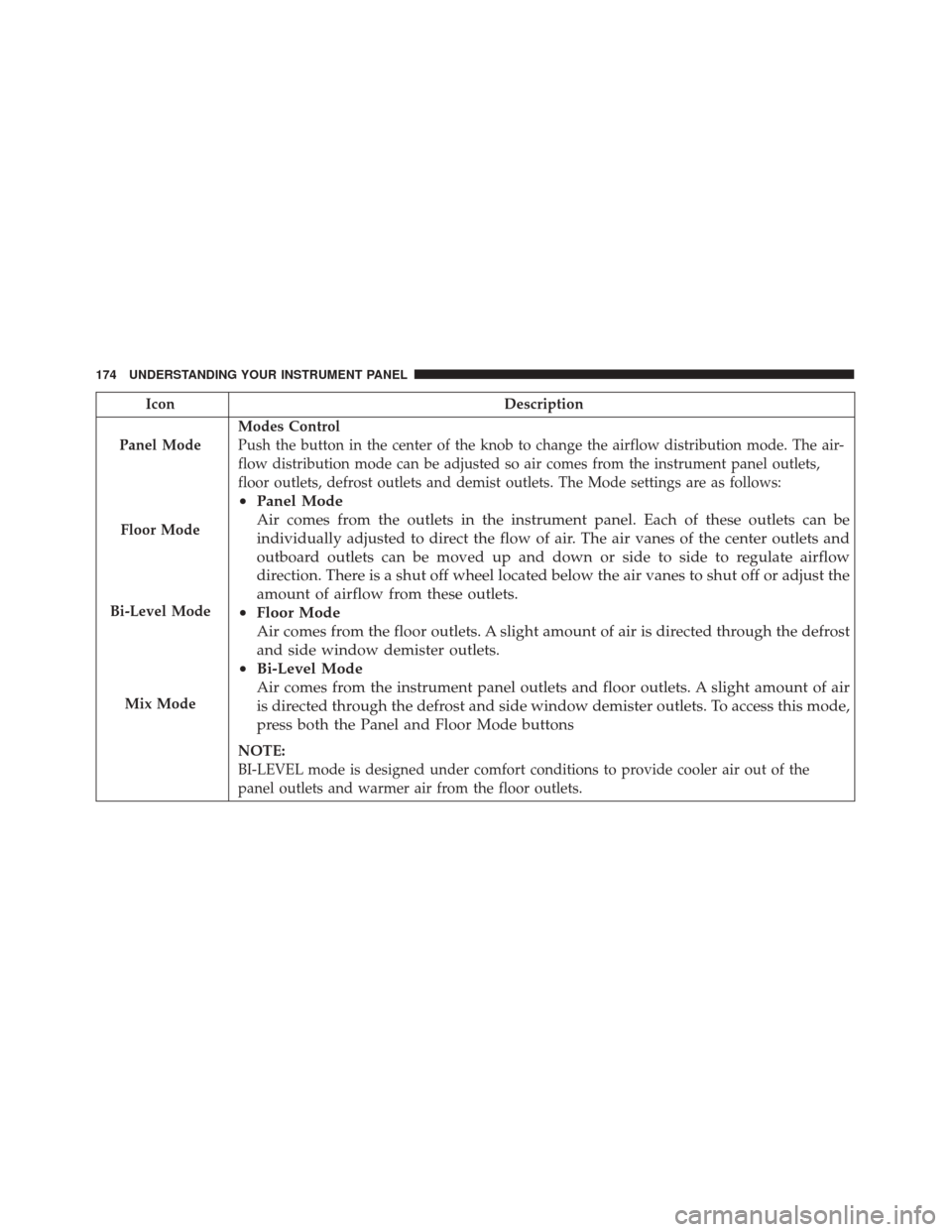
Panel Mode
Floor Mode
Bi-Level Mode
Mix Mode
Modes Control
Push the button in the center of the knob to change the airflow distribution mode. The air-
flow distribution mode can be adjusted so air comes from the instrument panel outlets,
floor outlets, defrost outlets and demist outlets. The Mode settings are as follows:
• Panel Mode
Air comes from the outlets in the instrument panel. Each of these outlets can be
individually adjusted to direct the flow of air. The air vanes of the center outlets and
outboard outlets can be moved up and down or side to side to regulate airflow
direction. There is a shut off wheel located below the air vanes to shut off or adjust the
amount of airflow from these outlets.
• Floor Mode
Air comes from the floor outlets. A slight amount of air is directed through the defrost
and side window demister outlets.
• Bi-Level Mode
Air comes from the instrument panel outlets and floor outlets. A slight amount of air
is directed through the defrost and side window demister outlets. To access this mode,
press both the Panel and Floor Mode buttons
NOTE:
BI-LEVEL mode is designed under comfort conditions to provide cooler air out of the
panel outlets and warmer air from the floor outlets.
174 UNDERSTANDING YOUR INSTRUMENT PANEL
Page 177 of 338
IconDescription
•Mix Mode
Air is directed through the floor, defrost, and side window demister outlets. This setting
works best in cold or snowy conditions that require extra heat to the windshield. This
setting is good for maintaining comfort while reducing moisture on the windshield.
Climate Control OFF Button
Push and release this button to turn the Climate Control ON/OFF.
Temperature UP And DOWN Button
Provides the driver with independent temperature control. Push the UP button on the face-
plate for warmer temperature settings. Push the DOWN button on the faceplate for cooler
temperature settings.
4
UNDERSTANDING YOUR INSTRUMENT PANEL 175
Page 178 of 338
CAUTION!
Failure to follow these cautions can cause damage
to the heating elements:
•Use care when washing the inside of the rear
window. Do not use abrasive window cleaners on
the interior surface of the window. Use a soft
cloth and a mild washing solution, wiping paral-
lel to the heating elements. Labels can be peeled
off after soaking with warm water.
• Do not use scrapers, sharp instruments, or abra-
sive window cleaners on the interior surface of
the window.
• Keep all objects a safe distance from the window.
Climate Control Functions
A/C (Air Conditioning)
The Air Conditioning (A/C) button allows the operator
to manually activate or deactivate the air conditioning
system. When the air conditioning system is turned on,
cool dehumidified air will flow through the outlets into
the cabin. For improved fuel economy, push the A/C
button to turn off the air conditioning and manually
adjust the blower and airflow mode settings. Also,
make sure to select only Panel, Bi-Level or Floor modes. NOTE:
•
If fog or mist appears on the windshield or side glass,
select Defrost mode and increase blower speed if
needed.
• If your air conditioning performance seems lower
than expected, check the front of the A/C condenser
(located in front of the radiator), for an accumulation
of dirt or insects. Clean with a gentle water spray
from the front of the radiator and through the
condenser.
Recirculation
When outside air contains smoke, odors, or high hu-
midity, or if rapid cooling is desired, you may wish to
recirculate interior air by pushing the Recirculation
control button. The recirculation indicator will illumi-
nate when this button is selected. Push the button a
second time to turn off the Recirculation mode and
allow outside air into the vehicle.
176 UNDERSTANDING YOUR INSTRUMENT PANEL
Page 180 of 338
Manual Operation Override
This system offers a full complement of manual over-
ride features. The AUTO symbol in the front ATC
display will be turned off when the system is being
used in the manual mode.
NOTE:The system will not automatically sense the
presence of fog, mist or ice on the windshield. DE-
FROST mode must be manually selected to clear the
windshield and side glass.
Operating Tips
NOTE: Refer to the chart at the end of this section for
suggested control settings for various weather conditions.
Summer Operation
The engine cooling system must be protected with a
high-quality antifreeze coolant to provide proper corro-
sion protection and to protect against engine overheating.
OAT coolant (conforming to MS.90032) is recommended.
Refer to “Maintenance Procedures” in “Maintaining Your
Vehicle” for proper coolant selection.
Winter Operation
To ensure the best possible heater and defroster perfor-
mance, make sure the engine cooling system is func-
tioning properly and the proper amount, type, and
concentration of coolant is used. Refer to “Maintenance
Procedures” in “Maintaining Your Vehicle” for proper
coolant selection. Use of the air Recirculation mode
during Winter months is not recommended because it
may cause window fogging.
Vacation/Storage
Before you store your vehicle, or keep it out of service
(i.e., vacation) for two weeks or more, run the air
conditioning system at idle for about five minutes, in
fresh air with the blower setting on high. This will
ensure adequate system lubrication to minimize the
possibility of compressor damage when the system is
started again.
Window Fogging
Vehicle windows tend to fog on the inside in mild, rainy
and/or humid weather. To clear the windows, select
Defrost or Mix mode and increase the front blower
speed. Do not use the Recirculation mode without A/C
for long periods, as fogging may occur.
178 UNDERSTANDING YOUR INSTRUMENT PANEL
Page 223 of 338
Check tire pressures more often if subject to a wide
range of outdoor temperatures, as tire pressures vary
with temperature changes.
Tire pressures change by approximately 1 psi (7 kPa)
per 12°F (7°C) of air temperature change. Keep this in
mind when checking tire pressure inside a garage,
especially in the Winter.
Example: If garage temperature = 68°F (20°C) and the
outside temperature = 32°F (0°C) then the cold tire
inflation pressure should be increased by 3 psi (21 kPa),
which equals 1 psi (7 kPa) for every 12°F (7°C) for this
outside temperature condition.
Tire pressure may increase from 2 to 6 psi (13 to 40 kPa)
during operation. DO NOT reduce this normal pressure
build up or your tire pressure will be too low.
Tire Pressures For High Speed Operation
The manufacturer advocates driving at safe speeds and
within posted speed limits. Where speed limits or condi-
tions are such that the vehicle can be driven at high
speeds, maintaining correct tire inflation pressure is very
important. Increased tire pressure and reduced vehicle
loading may be required for high-speed vehicle opera-
tion. Refer to your authorized tire dealer or originalequipment vehicle dealer for recommended safe operat-
ing speeds, loading and cold tire inflation pressures.
WARNING!
High speed driving with your vehicle under maxi-
mum load is dangerous. The added strain on your
tires could cause them to fail. You could have a
serious collision. Do not drive a vehicle loaded to
the maximum capacity at continuous speeds above
75 mph (120 km/h).
Radial Ply Tires
WARNING!
Combining radial ply tires with other types of tires
on your vehicle will cause your vehicle to handle
poorly. The instability could cause a collision. Al-
ways use radial ply tires in sets of four. Never
combine them with other types of tires.
5
STARTING AND OPERATING 221
Page 224 of 338
Tire Repair
If your tire becomes damaged, it may be repaired if it
meets the following criteria:
•The tire has not been driven on when flat.
• The damage is only on the tread section of your tire
(sidewall damage is not repairable).
•
The puncture is no greater tha na¼ofaninch (6 mm).
Consult an authorized tire dealer for tire repairs and
additional information.
Damaged Run Flat tires, or Run Flat tires that have
experienced a loss of pressure should be replaced imme-
diately with another Run Flat tire of identical size and
service description (Load Index and Speed Symbol).
Tire Types
All Season Tires — If Equipped
All Season tires provide traction for all seasons (Spring,
Summer, Fall and Winter). Traction levels may vary between different all season tires. All season tires can be
identified by the M+S, M&S, M/S or MS designation on
the tire sidewall. Use all season tires only in sets of four;
failure to do so may adversely affect the safety and
handling of your vehicle.
Summer Or Three Season Tires — If Equipped
Summer tires provide traction in both wet and dry
conditions, and are not intended to be driven in snow or
on ice. If your vehicle is equipped with Summer tires, be
aware these tires are not designed for Winter or cold
driving conditions. Install Winter tires on your vehicle
when ambient temperatures are less than 40°F (5°C) or
if roads are covered with ice or snow. For more infor-
mation, contact an authorized dealer.
Summer tires do not contain the all season designation
or mountain/snowflake symbol on the tire sidewall.
Use Summer tires only in sets of four; failure to do so
may adversely affect the safety and handling of your
vehicle.
222 STARTING AND OPERATING
Page 225 of 338
WARNING!
Do not use Summer tires in snow/ice conditions.
You could lose vehicle control, resulting in severe
injury or death. Driving too fast for conditions also
creates the possibility of loss of vehicle control.
Snow Tires
Some areas of the country require the use of snow tires
during the Winter. Snow tires can be identified by a
“mountain/snowflake” symbol on the tire sidewall.If you need snow tires, select tires
equivalent in size and type to the
original equipment tires. Use snow
tires only in sets of four; failure to do
so may adversely affect the safety
and handling of your vehicle.
Snow tires generally have lower speed ratings than
what was originally equipped with your vehicle and
should not be operated at sustained speeds over 75 mph
(120 km/h). For speeds above 75 mph (120 km/h), refer
to original equipment or an authorized tire dealer for
recommended safe operating speeds, loading and cold
tire inflation pressures. While studded tires improve performance on ice, skid
and traction capability on wet or dry surfaces may be
poorer than that of non-studded tires. Some states
prohibit studded tires; therefore, local laws should be
checked before using these tire types.
Run Flat Tires — If Equipped
Run Flat tires allow you the capability to drive 50 miles
(80 km) at 50 mph (80 km/h) after a rapid loss of
inflation pressure. This rapid loss of inflation is referred
to as the Run Flat mode. A Run Flat mode occurs when
the tire inflation pressure is of/or below 14 psi (96 kPa).
Once a Run Flat tire reaches the run flat mode it has
limited driving capabilities and needs to be replaced
immediately. A Run Flat tire is not repairable.
It is not recommended driving a vehicle loaded at full
capacity or to tow a trailer while a tire is in the run flat
mode.
See the tire pressure monitoring section for more infor-
mation.5
STARTING AND OPERATING 223
Page 240 of 338
limit, upon the next ignition switch cycle, the “Tire
Pressure Monitoring Telltale Light” will remain on
and a chime will sound. In addition, the graphic in
the instrument cluster will still display a low pres-
sure message and a tire highlighted in a different
color.
• After driving the vehicle for up to 20 minutes above
15 mph (24 km/h), the “Tire Pressure Monitoring
Telltale Light” will flash on and off for 75 seconds
and then remain on solid. In addition, the instrument
cluster will display a “Service TPM System” mes-
sage.
• For each subsequent ignition switch cycle, a chime
will sound, the “Tire Pressure Monitoring Telltale
Light” will flash on and off for 75 seconds and then
remain on solid, and the instrument cluster will
display a “Service Tire Pressure Monitoring System”
message.
Once you repair or replace the original road tire and
reinstall it, the TPMS will update automatically. In addition, the “Tire Pressure Monitoring Telltale Light”
will turn off as long as no tire pressure is below the
low-pressure warning limit in any of the four active
road tires. The vehicle may need to be driven for up to
20 minutes above 15 mph (24 km/h) in order for the
TPMS to receive this information.
General Information
This device complies with Part 15 of the FCC rules and
RSS-210 of Industry Canada. Operation is subject to the
following two conditions:
(1) This device may not cause harmful interference.
(2) This device must accept any interference received,
including interference that may cause undesired opera-
tion.
NOTE:
Changes or modifications not expressly ap-
proved by the party responsible for compliance could
void the user ’s authority to operate the equipment.
238 STARTING AND OPERATING
Page 244 of 338
NOTE:Intentional tampering with the emissions con-
trol system can result in civil penalties being assessed
against you.
Carbon Monoxide Warnings
WARNING!
Carbon monoxide (CO) in exhaust gases is deadly.
Follow the precautions below to prevent carbon
monoxide poisoning:
• Do not inhale exhaust gases. They contain carbon
monoxide, a colorless and odorless gas, which can
kill. Never run the engine in a closed area, such as
a garage, and never sit in a parked vehicle with
the engine running for an extended period. If the
vehicle is stopped in an open area with the engine
running for more than a short period, adjust the
ventilation system to force fresh, outside air into
the vehicle.
• Guard against carbon monoxide with proper
maintenance. Have the exhaust system inspected
every time the vehicle is raised. Have any abnor-
mal conditions repaired promptly. Until repaired,
drive with all side windows fully open.
(Continued)
WARNING! (Continued)
•Keep the liftgate closed when driving your ve-
hicle to prevent carbon monoxide and other poi-
sonous exhaust gases from entering the vehicle.
ADDING FUEL
Fuel Filler Cap (Gas Cap)
The gas cap is located on the passenger side of the
vehicle. If the gas cap is lost or damaged, be sure the
replacement cap is the correct one for this vehicle.
Fuel Filler Cap
242 STARTING AND OPERATING
Page 250 of 338
HAZARD WARNING FLASHERS
The Hazard Warning flasher switch is located on the
instrument panel below the radio.Push the switch to turn on the Hazard Warning
flashers. When the switch is activated, all direc-
tional turn signals will flash on and off to warn oncom-
ing traffic of an emergency. Push the switch a second
time to turn off the Hazard Warning flashers.
Do not use this emergency warning system when the
vehicle is in motion. Use it when your vehicle is
disabled and it is creating a safety hazard for other
motorists.
If it is necessary to leave the vehicle to go for service, the
Hazard Warning flashers will continue to operate with
the ignition key removed and the vehicle locked.
NOTE: With extended use, the Hazard Warning flash-
ers may wear down your battery.
IF YOUR ENGINE OVERHEATS
In any of the following situations, you can reduce the
potential for overheating by taking the appropriate
action.
• On the highways — slow down.
• In city traffic — while stopped, place the transmis-
sion in NEUTRAL, but do not increase engine idle
speed.
NOTE: There are steps that you can take to slow down
an impending overheat condition:
• If your air conditioner (A/C) is on, turn it off. The
A/C system adds heat to the engine cooling system
and turning the A/C off can help remove this heat.
• You can also turn the temperature control to maxi-
mum heat, the mode control to floor and the blower
control to high. This allows the heater core to act as a
supplement to the radiator and aids in removing heat
from the engine cooling system.
248 WHAT TO DO IN EMERGENCIES