service FIAT 500 ABARTH CABRIO 2017 2.G User Guide
[x] Cancel search | Manufacturer: FIAT, Model Year: 2017, Model line: 500 ABARTH CABRIO, Model: FIAT 500 ABARTH CABRIO 2017 2.GPages: 338, PDF Size: 2.78 MB
Page 122 of 338
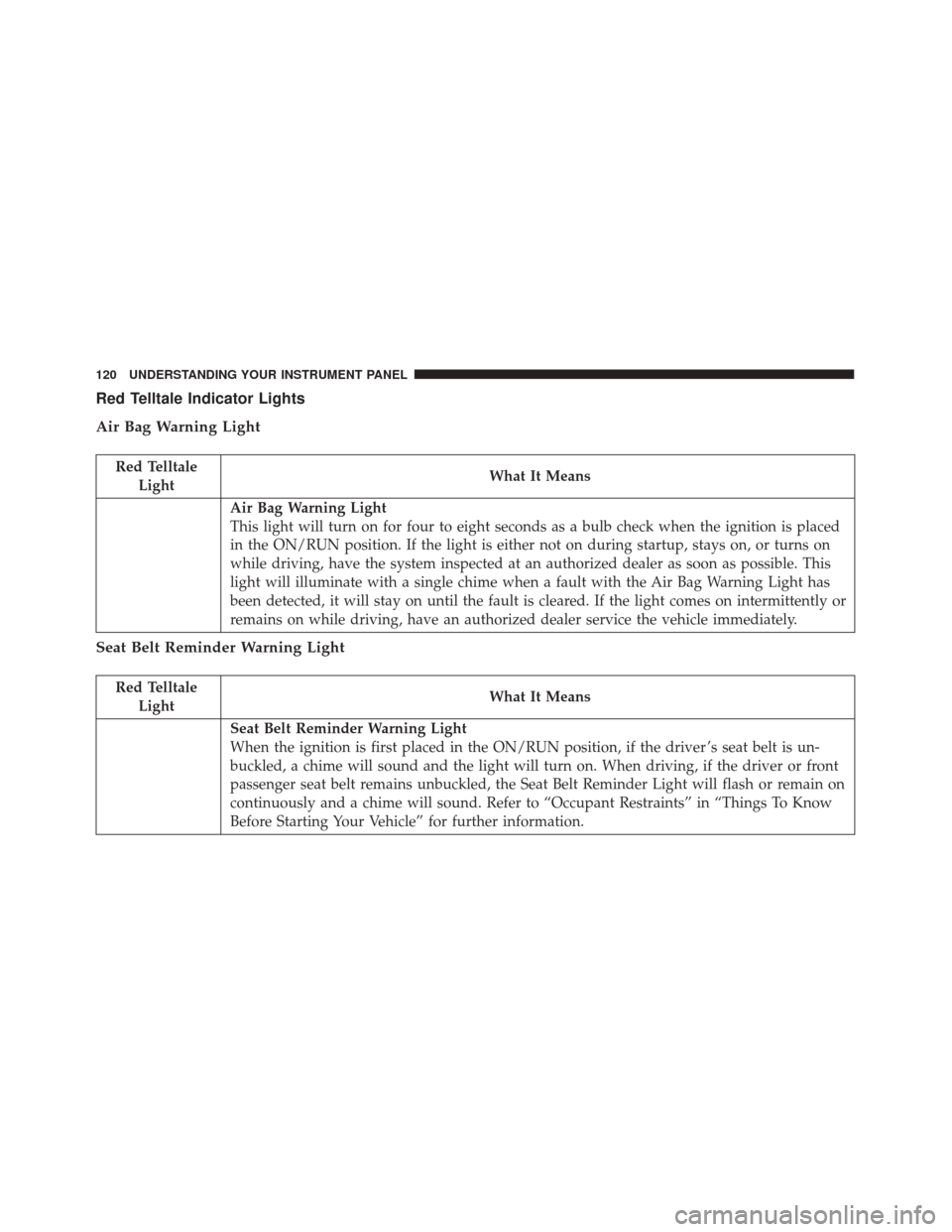
Red Telltale Indicator Lights
Air Bag Warning Light
Red TelltaleLight What It Means
Air Bag Warning Light
This light will turn on for four to eight seconds as a bulb check when the ignition is placed
in the ON/RUN position. If the light is either not on during startup, stays on, or turns on
while driving, have the system inspected at an authorized dealer as soon as possible. This
light will illuminate with a single chime when a fault with the Air Bag Warning Light has
been detected, it will stay on until the fault is cleared. If the light comes on intermittently or
remains on while driving, have an authorized dealer service the vehicle immediately.
Seat Belt Reminder Warning Light
Red Telltale
Light What It Means
Seat Belt Reminder Warning Light
When the ignition is first placed in the ON/RUN position, if the driver ’s seat belt is un-
buckled, a chime will sound and the light will turn on. When driving, if the driver or front
passenger seat belt remains unbuckled, the Seat Belt Reminder Light will flash or remain on
continuously and a chime will sound. Refer to “Occupant Restraints” in “Things To Know
Before Starting Your Vehicle” for further information.
120 UNDERSTANDING YOUR INSTRUMENT PANEL
Page 124 of 338
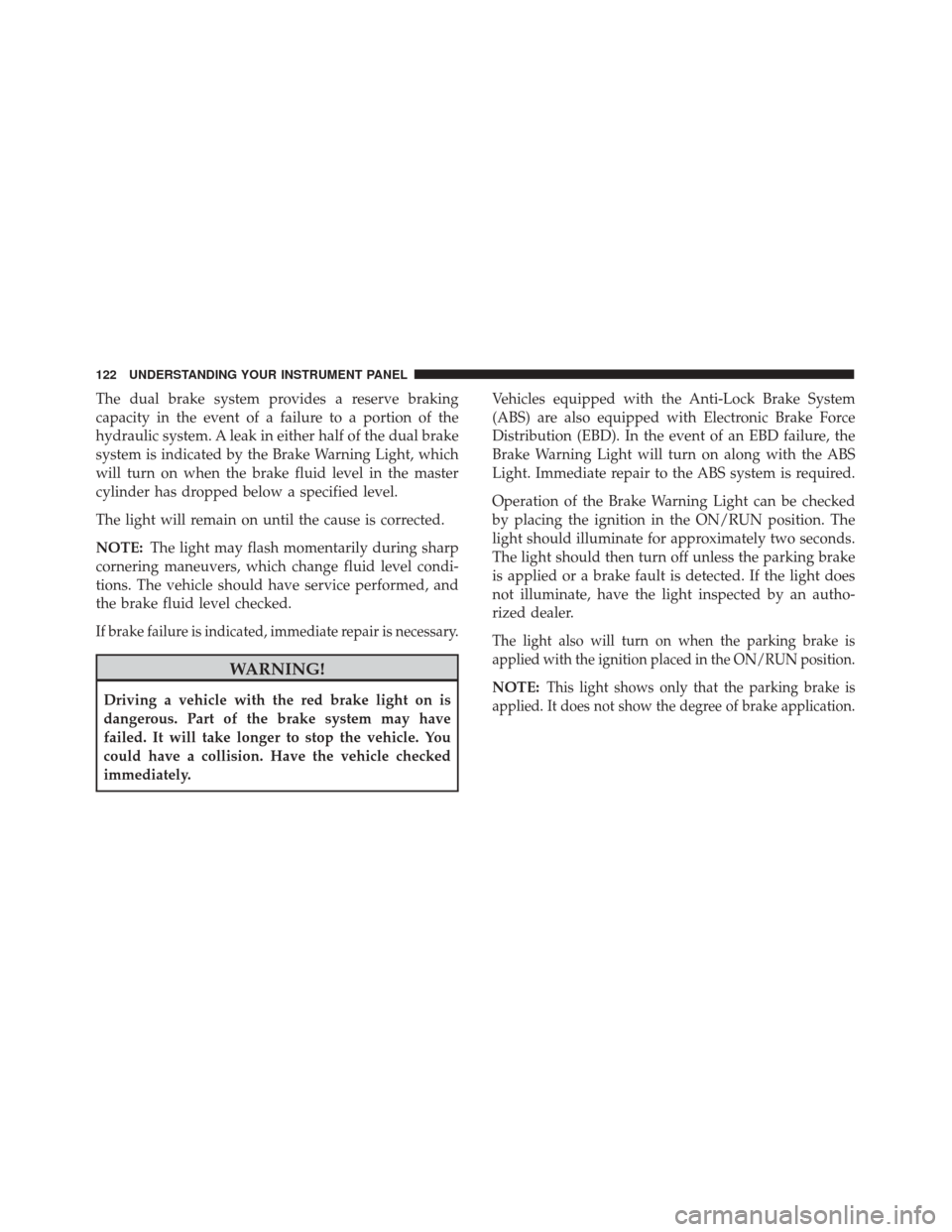
The dual brake system provides a reserve braking
capacity in the event of a failure to a portion of the
hydraulic system. A leak in either half of the dual brake
system is indicated by the Brake Warning Light, which
will turn on when the brake fluid level in the master
cylinder has dropped below a specified level.
The light will remain on until the cause is corrected.
NOTE:The light may flash momentarily during sharp
cornering maneuvers, which change fluid level condi-
tions. The vehicle should have service performed, and
the brake fluid level checked.
If brake failure is indicated, immediate repair is necessary.
WARNING!
Driving a vehicle with the red brake light on is
dangerous. Part of the brake system may have
failed. It will take longer to stop the vehicle. You
could have a collision. Have the vehicle checked
immediately. Vehicles equipped with the Anti-Lock Brake System
(ABS) are also equipped with Electronic Brake Force
Distribution (EBD). In the event of an EBD failure, the
Brake Warning Light will turn on along with the ABS
Light. Immediate repair to the ABS system is required.
Operation of the Brake Warning Light can be checked
by placing the ignition in the ON/RUN position. The
light should illuminate for approximately two seconds.
The light should then turn off unless the parking brake
is applied or a brake fault is detected. If the light does
not illuminate, have the light inspected by an autho-
rized dealer.
The light also will turn on when the parking brake is
applied with the ignition placed in the ON/RUN position.
NOTE:This light shows only that the parking brake is
applied. It does not show the degree of brake application.
122 UNDERSTANDING YOUR INSTRUMENT PANEL
Page 125 of 338
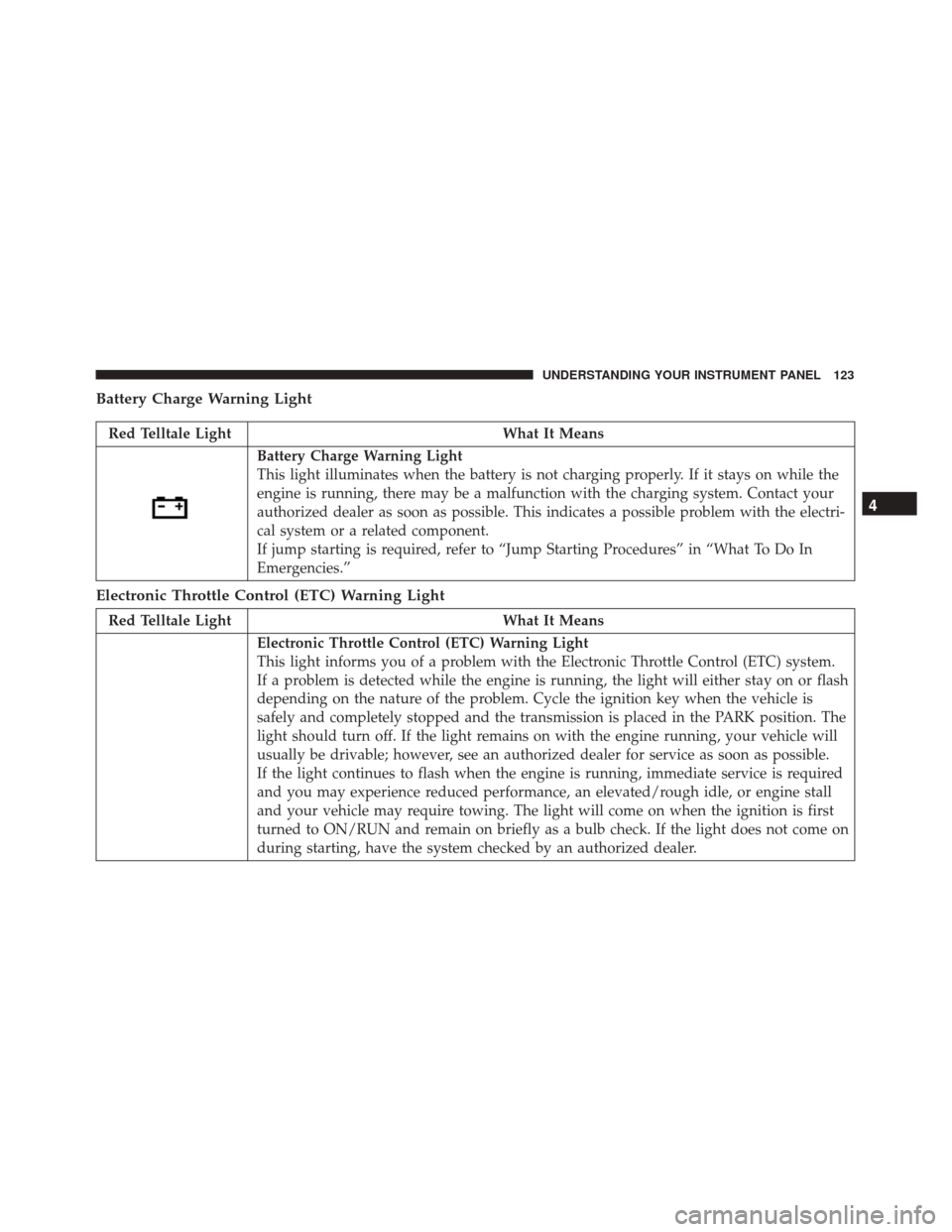
Battery Charge Warning Light
Red Telltale LightWhat It Means
Battery Charge Warning Light
This light illuminates when the battery is not charging properly. If it stays on while the
engine is running, there may be a malfunction with the charging system. Contact your
authorized dealer as soon as possible. This indicates a possible problem with the electri-
cal system or a related component.
If jump starting is required, refer to “Jump Starting Procedures” in “What To Do In
Emergencies.”
Electronic Throttle Control (ETC) Warning Light
Red Telltale LightWhat It Means
Electronic Throttle Control (ETC) Warning Light
This light informs you of a problem with the Electronic Throttle Control (ETC) system.
If a problem is detected while the engine is running, the light will either stay on or flash
depending on the nature of the problem. Cycle the ignition key when the vehicle is
safely and completely stopped and the transmission is placed in the PARK position. The
light should turn off. If the light remains on with the engine running, your vehicle will
usually be drivable; however, see an authorized dealer for service as soon as possible.
If the light continues to flash when the engine is running, immediate service is required
and you may experience reduced performance, an elevated/rough idle, or engine stall
and your vehicle may require towing. The light will come on when the ignition is first
turned to ON/RUN and remain on briefly as a bulb check. If the light does not come on
during starting, have the system checked by an authorized dealer.
4
UNDERSTANDING YOUR INSTRUMENT PANEL 123
Page 126 of 338
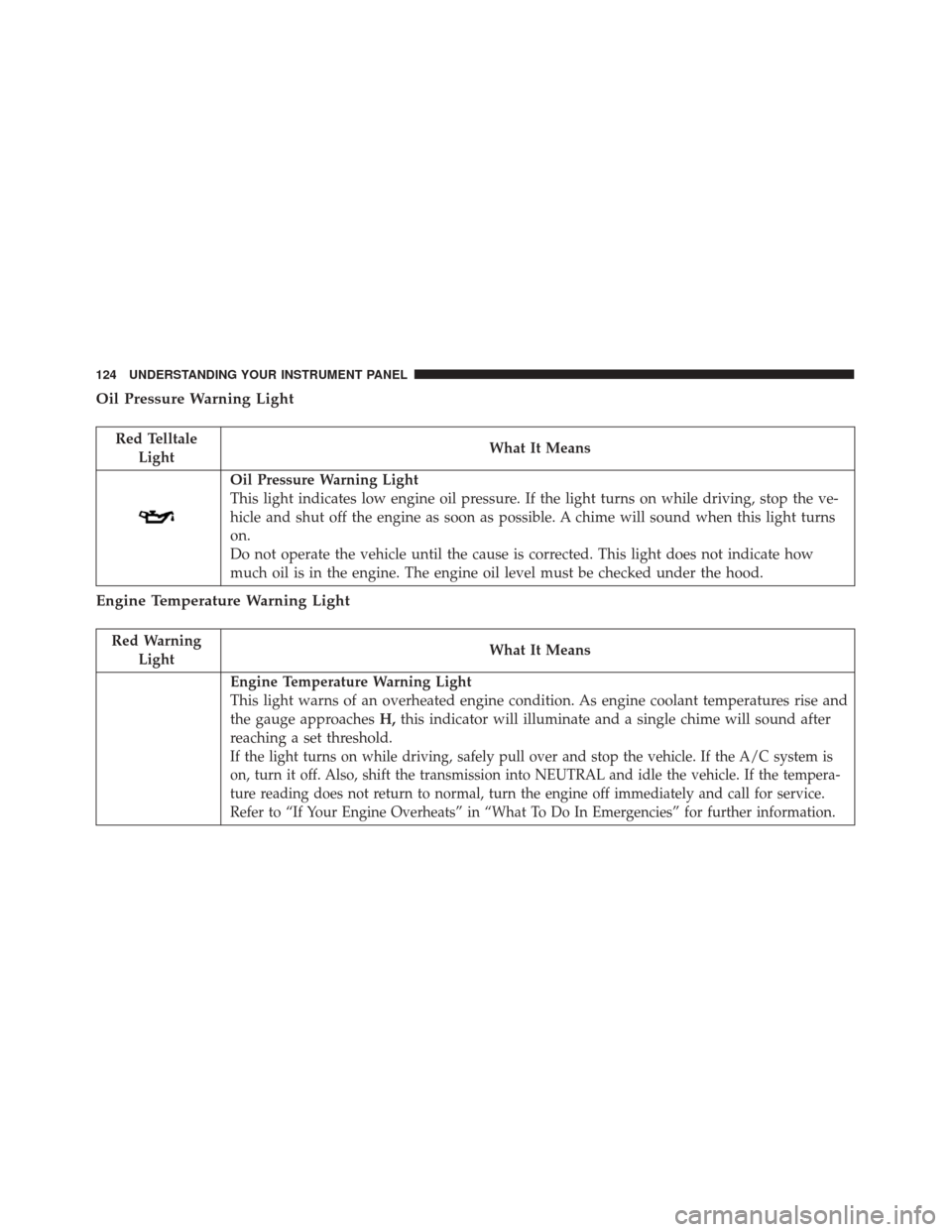
Oil Pressure Warning Light
Red TelltaleLight What It Means
Oil Pressure Warning Light
This light indicates low engine oil pressure. If the light turns on while driving, stop the ve-
hicle and shut off the engine as soon as possible. A chime will sound when this light turns
on.
Do not operate the vehicle until the cause is corrected. This light does not indicate how
much oil is in the engine. The engine oil level must be checked under the hood.
Engine Temperature Warning Light
Red Warning
Light What It Means
Engine Temperature Warning Light
This light warns of an overheated engine condition. As engine coolant temperatures rise and
the gauge approaches
H,this indicator will illuminate and a single chime will sound after
reaching a set threshold.
If the light turns on while driving, safely pull over and stop the vehicle. If the A/C system is
on, turn it off. Also, shift the transmission into NEUTRAL and idle the vehicle. If the tempera-
ture reading does not return to normal, turn the engine off immediately and call for service.
Refer to “If Your Engine Overheats” in “What To Do In Emergencies” for further information.
124 UNDERSTANDING YOUR INSTRUMENT PANEL
Page 133 of 338
Electronic Stability Control (ESC) OFF Indicator Light
Yellow TelltaleLight What It Means
Electronic Stability Control (ESC) OFF Indicator Light
This light indicates the Electronic Stability Control (ESC) is off. For further information, refer
to “Electronic Stability Control (ESC)” in “Starting And Operating.”
Engine Check/Malfunction Indicator Light (MIL)
Yellow Telltale
Light What It Means
Engine Check/Malfunction Indicator Light (MIL)
The Engine Check/Malfunction Indicator Light (MIL) is a part of an Onboard Diagnostic
System called OBD II that monitors engine and automatic transmission control systems. The
light will illuminate when the ignition is in the ON position before engine start. If the bulb
does not come on when turning the key from OFF to ON/RUN, have the condition checked
promptly.
Certain conditions, such as a loose or missing gas cap, poor quality fuel, etc., may illuminate
the light after engine start. The vehicle should be serviced if the light stays on through sev-
eral typical driving styles. In most situations, the vehicle will drive normally and will not
require towing.
When the engine is running, the MIL may flash to alert serious conditions that could lead to
immediate loss of power or severe catalytic converter damage. The vehicle should be ser-
viced as soon as possible if this occurs.
4
UNDERSTANDING YOUR INSTRUMENT PANEL 131
Page 134 of 338
WARNING!
A malfunctioning catalytic converter, as referenced
above, can reach higher temperatures than in nor-
mal operating conditions. This can cause a fire if
you drive slowly or park over flammable sub-
stances such as dry plants, wood, cardboard, etc.
This could result in death or serious injury to the
driver, occupants or others.
CAUTION!
Prolonged driving with the Malfunction Indicator
Light (MIL) on could cause damage to the engine
control system. It also could affect fuel economy
and driveability. If the MIL is flashing, severe
catalytic converter damage and power loss will soon
occur. Immediate service is required.
Rear Fog Light Indicator — If Equipped
Yellow TelltaleLight What It Means
Rear Fog Light Indicator
This indicator will illuminate when the rear fog lights are on.
Rear Defrost Light
Yellow Telltale
Light What It Means
Rear Defrost Light
This indicator will illuminate when the rear window defroster is on. The rear window de-
froster automatically turns off after 20 minutes.
132 UNDERSTANDING YOUR INSTRUMENT PANEL
Page 143 of 338
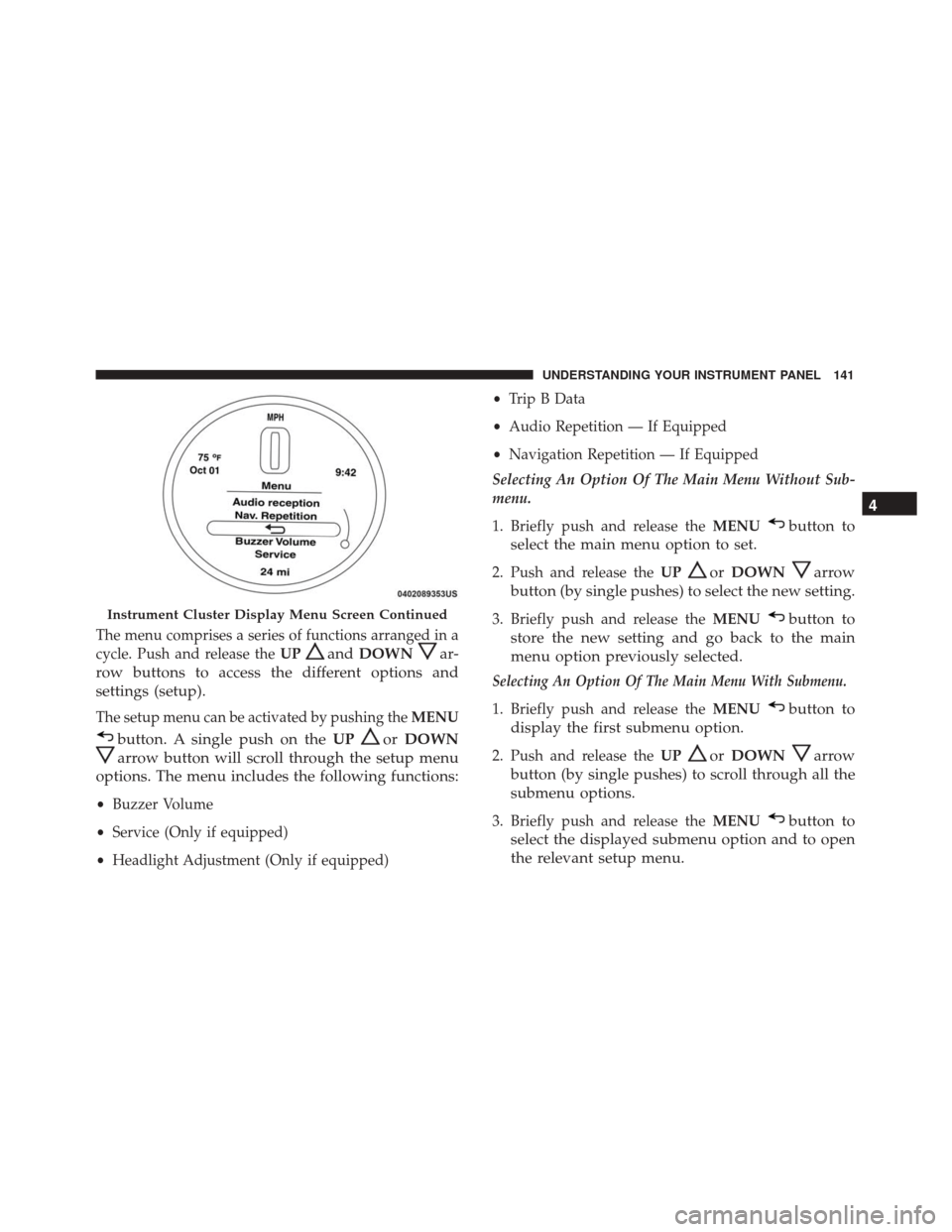
The menu comprises a series of functions arranged in a
cycle. Push and release theUP
andDOWNar-
row buttons to access the different options and
settings (setup).
The setup menu can be activated by pushing the MENU
button. A single push on theUPorDOWN
arrow button will scroll through the setup menu
options. The menu includes the following functions:
• Buzzer Volume
• Service (Only if equipped)
• Headlight Adjustment (Only if equipped) •
Trip B Data
• Audio Repetition — If Equipped
• Navigation Repetition — If Equipped
Selecting An Option Of The Main Menu Without Sub-
menu.
1. Briefly push and release the MENU
button to
select the main menu option to set.
2. Push and release the UPorDOWNarrow
button (by single pushes) to select the new setting.
3. Briefly push and release the MENUbutton to
store the new setting and go back to the main
menu option previously selected.
Selecting An Option Of The Main Menu With Submenu.
1. Briefly push and release the MENUbutton to
display the first submenu option.
2. Push and release the UPorDOWNarrow
button (by single pushes) to scroll through all the
submenu options.
3. Briefly push and release the MENUbutton to
select the displayed submenu option and to open
the relevant setup menu.
Instrument Cluster Display Menu Screen Continued
4
UNDERSTANDING YOUR INSTRUMENT PANEL 141
Page 148 of 338
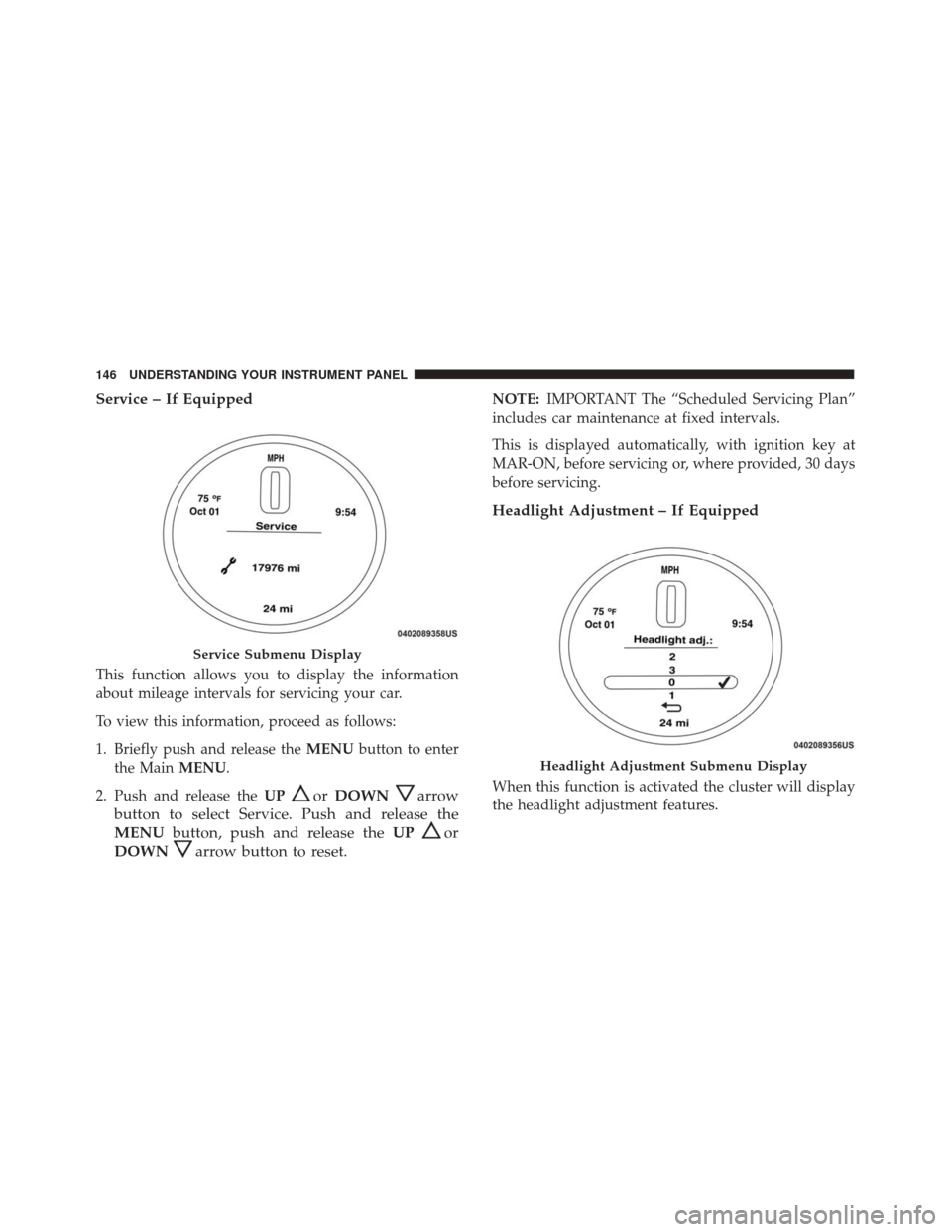
Service – If Equipped
This function allows you to display the information
about mileage intervals for servicing your car.
To view this information, proceed as follows:
1. Briefly push and release theMENUbutton to enter
the Main MENU.
2. Push and release the UP
orDOWNarrow
button to select Service. Push and release the
MENU button, push and release the UP
or
DOWN
arrow button to reset.
NOTE: IMPORTANT The “Scheduled Servicing Plan”
includes car maintenance at fixed intervals.
This is displayed automatically, with ignition key at
MAR-ON, before servicing or, where provided, 30 days
before servicing.
Headlight Adjustment – If Equipped
When this function is activated the cluster will display
the headlight adjustment features.
Service Submenu Display
Headlight Adjustment Submenu Display
146 UNDERSTANDING YOUR INSTRUMENT PANEL
Page 162 of 338
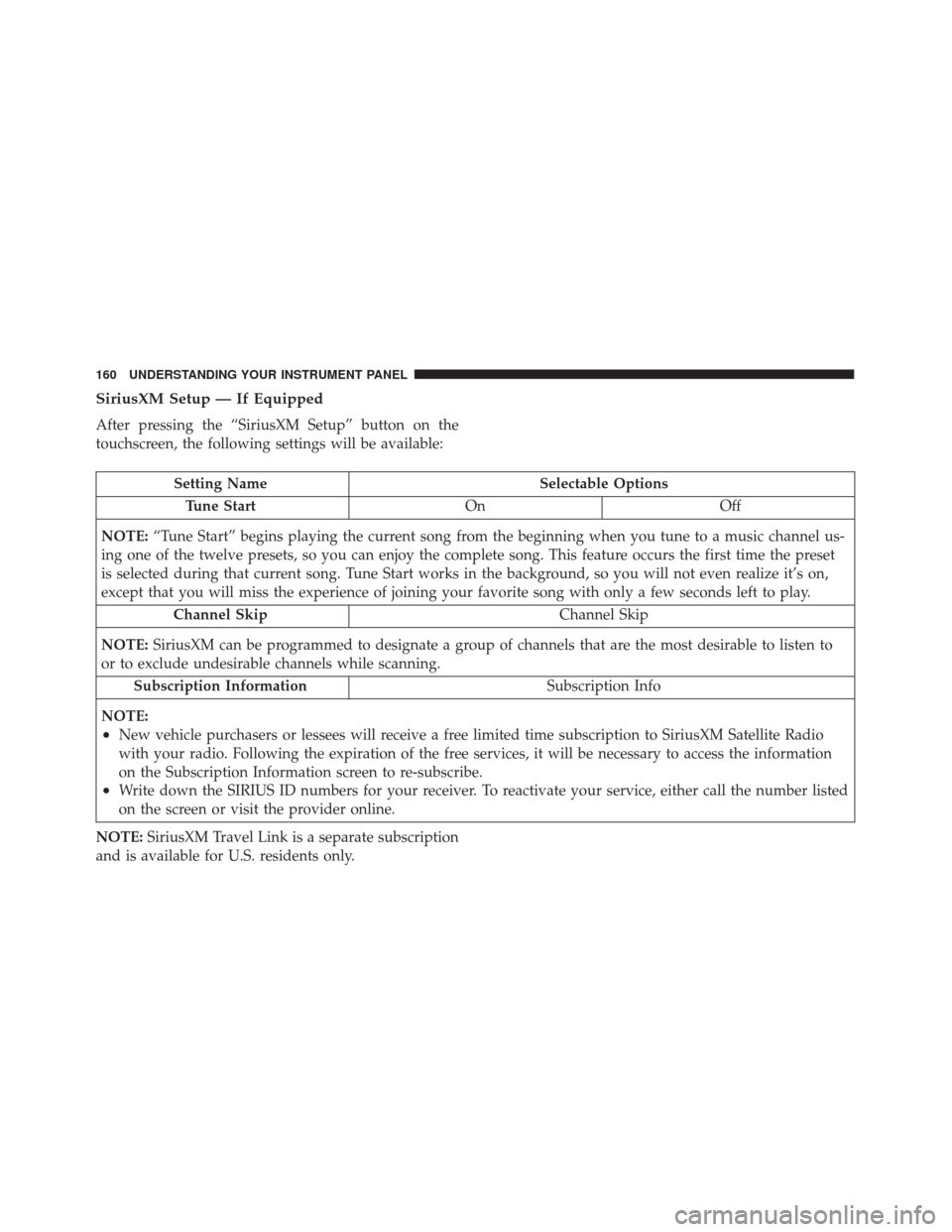
SiriusXM Setup — If Equipped
After pressing the “SiriusXM Setup” button on the
touchscreen, the following settings will be available:
Setting NameSelectable Options
Tune Start OnOff
NOTE: “Tune Start” begins playing the current song from the beginning when you tune to a music channel us-
ing one of the twelve presets, so you can enjoy the complete song. This feature occurs the first time the preset
is selected during that current song. Tune Start works in the background, so you will not even realize it’s on,
except that you will miss the experience of joining your favorite song with only a few seconds left to play.
Channel Skip Channel Skip
NOTE: SiriusXM can be programmed to designate a group of channels that are the most desirable to listen to
or to exclude undesirable channels while scanning.
Subscription Information Subscription Info
NOTE:
•New vehicle purchasers or lessees will receive a free limited time subscription to SiriusXM Satellite Radio
with your radio. Following the expiration of the free services, it will be necessary to access the information
on the Subscription Information screen to re-subscribe.
•Write down the SIRIUS ID numbers for your receiver. To reactivate your service, either call the number listed
on the screen or visit the provider online.
NOTE: SiriusXM Travel Link is a separate subscription
and is available for U.S. residents only.
160 UNDERSTANDING YOUR INSTRUMENT PANEL
Page 180 of 338
Manual Operation Override
This system offers a full complement of manual over-
ride features. The AUTO symbol in the front ATC
display will be turned off when the system is being
used in the manual mode.
NOTE:The system will not automatically sense the
presence of fog, mist or ice on the windshield. DE-
FROST mode must be manually selected to clear the
windshield and side glass.
Operating Tips
NOTE: Refer to the chart at the end of this section for
suggested control settings for various weather conditions.
Summer Operation
The engine cooling system must be protected with a
high-quality antifreeze coolant to provide proper corro-
sion protection and to protect against engine overheating.
OAT coolant (conforming to MS.90032) is recommended.
Refer to “Maintenance Procedures” in “Maintaining Your
Vehicle” for proper coolant selection.
Winter Operation
To ensure the best possible heater and defroster perfor-
mance, make sure the engine cooling system is func-
tioning properly and the proper amount, type, and
concentration of coolant is used. Refer to “Maintenance
Procedures” in “Maintaining Your Vehicle” for proper
coolant selection. Use of the air Recirculation mode
during Winter months is not recommended because it
may cause window fogging.
Vacation/Storage
Before you store your vehicle, or keep it out of service
(i.e., vacation) for two weeks or more, run the air
conditioning system at idle for about five minutes, in
fresh air with the blower setting on high. This will
ensure adequate system lubrication to minimize the
possibility of compressor damage when the system is
started again.
Window Fogging
Vehicle windows tend to fog on the inside in mild, rainy
and/or humid weather. To clear the windows, select
Defrost or Mix mode and increase the front blower
speed. Do not use the Recirculation mode without A/C
for long periods, as fogging may occur.
178 UNDERSTANDING YOUR INSTRUMENT PANEL