light FIAT 500C 2013 2.G Service Manual
[x] Cancel search | Manufacturer: FIAT, Model Year: 2013, Model line: 500C, Model: FIAT 500C 2013 2.GPages: 423, PDF Size: 9.86 MB
Page 170 of 423
Personal Settings (Customer-Programmable
Features)
Dimmer
The EVIC display is provided with a light sensor capable
of detecting environmental light conditions and adjust-
ing the brightness of the instruments accordingly.
NOTE:The brightness of the instrument panel may
change while travelling following an event that causes
switching from “day” to “night” conditions (or vice
versa) in the passenger compartment (e.g. in a tunnel, on
avenues in shadows, under bridges, etc.).
To adjust the brightness, proceed as follows:
1. Press the UPor DOWNbutton to set the
required brightness level.
2. Briefly press theSET ESCbutton to go back to the
menu screen or press and hold theSET ESC(approxi-
mately one second) to go back to the main screen
without storing settings.
Speed Beep (Speed Limit)
With this function it is possible to set the car speed limit
(mph or km/h); when this limit is exceeded the driver is
immediately alerted.
To set the speed limit, proceed as follows:
1. Briefly press theSET ESCbutton. The display will
show the message (Speed Beep).
2. Press the UPor DOWNbutton to select speed
limit activation (On) or deactivation (Off).
168 UNDERSTANDING YOUR INSTRUMENT PANEL
Page 179 of 423
•Fuel Econ On – turns on a fuel economy upshift light
in the instrument cluster, for optimum fuel economy,
when operating in base driving mode.
•Fuel Econ Off – the fuel economy upshift light is
disabled.
To set the required unit, proceed as follows:
1. Briefly press theSET ESCbutton to display the two
sub-menus.
2. Press the UPor DOWNbutton to navigate
the two sub-menus.
3. Select the required sub-menu and then briefly press
theSET ESCbutton.
4. Press the UPor DOWNbutton for setting.
5. Briefly press theSET ESCbutton to return to the
sub-menu.
When you have made the required settings, briefly press
theSET ESCbutton to go back to the sub-menu screen,
or press and hold theSET ESCbutton (approximately
one second) to go back to the main screen without storing
the settings.
Hill Start Assist
This function is used when starting a vehicle from a stop
on a hill. Hill Start Assist maintains the same level of
brake pressure the driver applied for a short period of
time after the foot has been removed from the brake
pedal.
Proceed as follows to switch this function on or off:
1. Briefly press theSET ESCbutton. “On” or “Off” will
flash on the display (according to previous setting).
2. Press the UPor DOWNbutton for setting.
4
UNDERSTANDING YOUR INSTRUMENT PANEL 177
Page 180 of 423
3. Briefly press theSET ESCbutton to go back to the
menu screen, or press and hold the button (approxi-
mately one second) to go back to the main screen
without storing the settings.
Lock
WhenUnlock Driver Dooris selected, only the driver’s
door will unlock on the first press of the Remote Keyless
Entry (RKE) transmitter UNLOCK button. When Unlock
Drivers Door is selected, you must press the RKE trans-
mitter UNLOCK button twice to unlock the passenger
door. WhenAll Doorsis selected, both of the doors will
unlock on the first press of the RKE transmitter UNLOCK
button. To make your selection, press and release the
SELECT button until “Unlock Driver Door” or “All
Doors” appears.
Exit Menu
This function closes the initial menu screen.
Briefly press theSET ESCbutton to go back to the main
screen.
Press thebutton to return to the first menu option
(Speed Beep).
Press thebutton to return to the last menu option
(Daylights).
178 UNDERSTANDING YOUR INSTRUMENT PANEL
Page 182 of 423
WARNING!
Having the volume turned up high can cause the
driver to not be able to hear important traffic sounds,
i.e. sirens, horns, etc. This could cause an accident.
Always adjust the volume so that you can still hear
background noises.
Care And Maintenance
Clean the cover with a soft antistatic cloth only. Cleaning
and polishing products could damage the surface.
CDs
The presence of dirt, scratches or distortions on the CDs
could cause skipping and poor sound quality while it is
playing. For optimal playback conditions, follow these
guidelines:
•Only use branded CDs.
•Clean every CD thoroughly removing any finger
marks or dust using a soft cloth. Hold CDs by the
outside and clean them from the middle outwards.
•Never use chemicals (e.g. antistatics or thinners or
sprays) for cleaning as they could damage the surface
of the CDs.
•After listening to them place CDs back in their boxes to
prevent them from being damaged.
•Do not expose CDs to direct sunlight, high tempera-
tures or moisture for long periods.
•Do not stick labels on the CD surface or write on the
recorded surface with pencils or pens.
•Do not use CDs that are very scratched, flawed,
distorted, etc. Using discs like these will result in
malfunctions or damage to the player.
180 UNDERSTANDING YOUR INSTRUMENT PANEL
Page 192 of 423
curves can be adjusted. To deactivate the equalizer, select
the “EQ Preset” function in the audio menu.
To activate the equalizer, use the AUDIO button or to
select one of the adjustments:
•“EQ User” (adjustment of 7 equalizer bands that can
be changed by the user)
•“Classic” (equalizer preset for optimal classic music
sound)
•“Rock” (equalizer preset for optimal rock and pop
music sound)
•“Jazz” (equalizer preset for optimal jazz music sound)
When one of the equalizer adjustments is activated the
wording “EQ” lights up.
User EQ Settings Function — If Equipped
To set a personalized equalizer adjustment:
1. Press AUDIO button.
2. Use theorbuttons to set EQ function.
3. Useorbuttons to select#EQ User.#
4. Press MENU button to start adjusting equalizer.
5. On the display a seven bar graph will appear, in which
each bar represents a frequency. Select the bar to be
adjusted by using theorbuttons. The selected
bar will start to flash and it can be adjusted using
orbuttons.
6. To store the setting, press the MENU or AUDIO
buttons.
190 UNDERSTANDING YOUR INSTRUMENT PANEL
Page 196 of 423
Frequency Band Selection
With the Radio mode active, press the FM or AM tuner
button briefly and repeatedly to select the desired recep-
tion band.
Each time the button is pressed the following bands are
selected cyclically:
•AM, FM or SAT (if equipped)
Each band is highlighted by the corresponding wordings
on the display. The radio will be tuned to last station
selected on the respective frequency band.
Preset Buttons
The buttons numbered from 1 to 5 are used to set the
following pre-selections:
•15 in the FM band (5 in FMA, 5 in FMB, 5 in FMC
•10 in the AM band (5 in AMA, 5 in AMB)
•15 in SAT (if so equipped) (5 SATA, 5 SATB, 5 SATC)
To listen to a preset station, select the desired frequency
band and then briefly press the corresponding preset
button (from 1 to 5).
By pressing the preset button for more than 2 seconds,
the tuned station will be stored. Pressing the A-B-C
button will change between the preset memory group in
the current frequency band.
Automatic Tuning
Briefly press theorbutton to start the automatic
tuning search for the next station that can be received
in the selected direction.
If theorbutton is pressed for longer, the rapid
search is started. When the button is released, the
tuner will stop on the next station that can be received.
194 UNDERSTANDING YOUR INSTRUMENT PANEL
Page 209 of 423
5. Store the disc in its case after playing.
6. Do not expose the disc to direct sunlight.
7. Do not store the disc where temperatures may become
too high.
NOTE:If you experience difficulty in playing a particular
disc, it may be damaged (i.e., scratched, reflective coating
removed, a hair, moisture or dew on the disc) oversized,
or have protection encoding. Try a known good disc
before considering disc player service.
RADIO OPERATION AND MOBILE PHONES
Under certain conditions, the mobile phone being on in
your vehicle can cause erratic or noisy performance from
your radio. This condition may be lessened or eliminated
by relocating the mobile phone antenna. This condition is
not harmful to the radio. If your radio performance does
not satisfactorily “clear” by the repositioning of the
antenna, it is recommended that the radio volume be
turned down or off during mobile phone operation.
CLIMATE CONTROLS
The air conditioning and heating system is designed to
make you comfortable in all types of weather.
4
UNDERSTANDING YOUR INSTRUMENT PANEL 207
Page 212 of 423
to the windshield. This setting is good for maintaining
comfort while reducing moisture on the windshield.
•Defrost
Air is directed through the windshield and side
window demister outlets. Use this mode with
maximum blower and temperature settings for best
windshield and side window defrosting.
NOTE:The air conditioning compressor operates in Mix
or Defrost, even if the Air Conditioning (A/C) button is
not pressed. This dehumidifies the air to help dry the
windshield. To improve fuel economy, use these modes
only when necessary.
5. A/C Button
Press this button to engage the Air Conditioning. A light
will illuminate when the Air Conditioning system is
engaged.
MAX A/C
For maximum cooling, use the A/C and recirculation
modes at the same time.
ECONOMY MODE
If economy mode is desired, press the A/C button to turn
OFF the indicator light and the A/C compressor. Then,
move the temperature control to the desired temperature.
Automatic Temperature Control (ATC) — If
Equipped
•The Automatic Temperature Control (ATC) allows the
driver to select individual comfort settings.
•The system provides set-and-forget operation for op-
timum comfort and convenience.
•The system can be controlled manually, if desired.
The ATC system automatically maintains the interior
comfort level desired by the driver and passenger.
210 UNDERSTANDING YOUR INSTRUMENT PANEL
Page 217 of 423
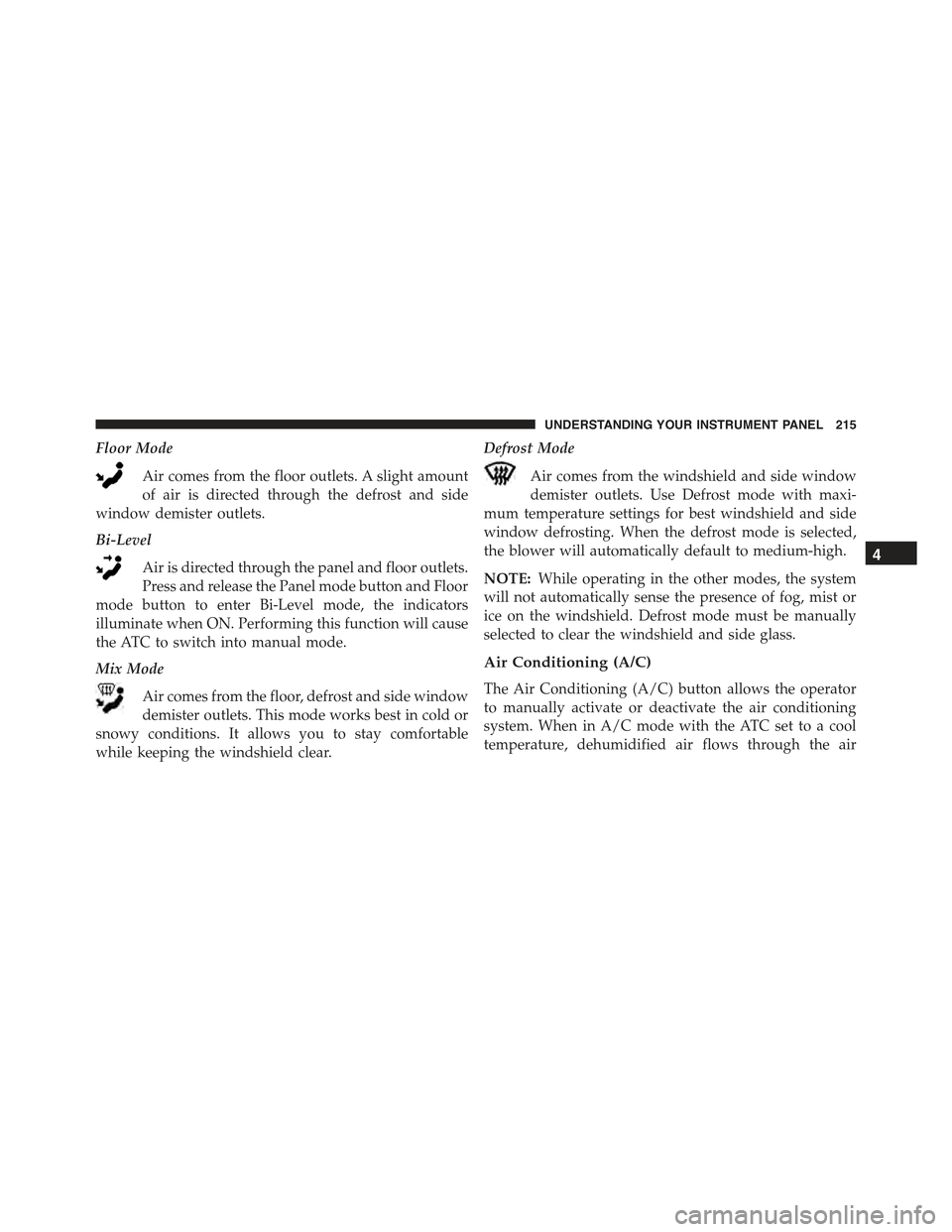
Floor Mode
Air comes from the floor outlets. A slight amount
of air is directed through the defrost and side
window demister outlets.
Bi-Level
Air is directed through the panel and floor outlets.
Press and release the Panel mode button and Floor
mode button to enter Bi-Level mode, the indicators
illuminate when ON. Performing this function will cause
the ATC to switch into manual mode.
Mix Mode
Air comes from the floor, defrost and side window
demister outlets. This mode works best in cold or
snowy conditions. It allows you to stay comfortable
while keeping the windshield clear.
Defrost Mode
Air comes from the windshield and side window
demister outlets. Use Defrost mode with maxi-
mum temperature settings for best windshield and side
window defrosting. When the defrost mode is selected,
the blower will automatically default to medium-high.
NOTE:While operating in the other modes, the system
will not automatically sense the presence of fog, mist or
ice on the windshield. Defrost mode must be manually
selected to clear the windshield and side glass.
Air Conditioning (A/C)
The Air Conditioning (A/C) button allows the operator
to manually activate or deactivate the air conditioning
system. When in A/C mode with the ATC set to a cool
temperature, dehumidified air flows through the air
4
UNDERSTANDING YOUR INSTRUMENT PANEL 215
Page 222 of 423
▫Acceleration.........................239
▫Traction............................239
!DRIVING THROUGH WATER.............240
▫Flowing/Rising Water..................240
▫Shallow Standing Water.................240
!POWER STEERING.....................242
!PARKING BRAKE......................244
!SPORT MODE.........................246
▫Manual Transmission – If Equipped........246
▫Automatic Transmission – If Equipped......247
!BRAKE SYSTEM.......................248
▫Four-Wheel Anti-Lock Brake System (ABS) . . .248
!ELECTRONIC BRAKE CONTROL SYSTEM . . . .249
▫Anti-Lock Brake System (ABS)............250
▫Brake Assist System (BAS)...............250
▫Traction Control System (TCS)............251
▫Hill Start Assist (HSA).................251
▫Electronic Stability Control (ESC)..........252
▫ESC Activation/Malfunction Indicator Light
And ESC OFF Indicator Light............255
!TIRE SAFETY INFORMATION.............257
▫Tire Markings........................257
▫Tire Identification Number (TIN)...........260
▫Tire Terminology And Definitions..........262
▫Tire Loading And Tire Pressure...........263
!TIRES — GENERAL INFORMATION........268
220 STARTING AND OPERATING