light FIAT 500C 2013 2.G Manual Online
[x] Cancel search | Manufacturer: FIAT, Model Year: 2013, Model line: 500C, Model: FIAT 500C 2013 2.GPages: 423, PDF Size: 9.86 MB
Page 340 of 423
Indicator Light (MIL)” is functioning and is not on when
the engine is running, and that the OBD II system is
ready for testing.
Normally, the OBD II system will be ready. The OBD II
system maynotbe ready if your vehicle was recently
serviced, recently had a dead battery or a battery replace-
ment. If the OBD II system should be determined not
ready for the I/M test, your vehicle may fail the test.
Your vehicle has a simple ignition key-actuated test,
which you can use prior to going to the test station. To
check if your vehicle’s OBD II system is ready, you must
do the following:
1. Turn the ignition switch to the ON position, but do not
crank or start the engine.
2. If you crank or start the engine, you will have to start
this test over.
3. As soon as you turn the ignition switch to the ON
position, you will see the MIL symbol come on as part
of a normal bulb check.
4. Approximately 15 seconds later, one of two things will
happen:
•The MIL will flash for about 10 seconds and then
return to being fully illuminated until you turn OFF
the ignition or start the engine. This means that your
vehicle’s OBD II system isnot readyand you should
notproceed to the I/M station.
•The MIL will not flash at all and will remain fully
illuminated until you turn OFF the ignition or start the
engine. This means that your vehicle’s OBD II system
isreadyand you can proceed to the I/M station.
If your OBD II system isnot ready,you should see your
authorized studio or repair facility. If your vehicle was
recently serviced or had a battery failure or replacement,
338 MAINTAINING YOUR VEHICLE
Page 364 of 423
Brake System
In order to assure brake system performance, all brake
system components should be inspected periodically.
Refer to the “Maintenance Schedule” for the proper
maintenance intervals.
WARNING!
Riding the brakes can lead to brake failure and
possibly a collision. Driving with your foot resting or
riding on the brake pedal can result in abnormally
high brake temperatures, excessive lining wear, and
possible brake damage. Riding the brakes may also
reduce braking capacity in an emergency.
Brake Master Cylinder
The fluid level in the master cylinder should be checked
when performing under hood services, or immediately if
the “Brake Warning Light” is on.
Be sure to clean the top of the master cylinder area before
removing the cap. If necessary, add fluid to bring the
fluid level up to the requirements described on the brake
fluid reservoir. Fluid level can be expected to fall as the
brake pads wear. The brake fluid level should be checked
when the pads are replaced. However, low fluid level
may be caused by a leak and a checkup may be needed.
362 MAINTAINING YOUR VEHICLE
Page 373 of 423
can act as an abrasive and damage the leather upholstery
and should be removed promptly with a damp cloth.
Stubborn soils can be removed easily with a soft cloth
and MOPAR® Total Clean. Care should be taken to avoid
soaking your leather upholstery with any liquid. Please
do not use polishes, oils, cleaning fluids, solvents, deter-
gents, or ammonia-based cleaners to clean your leather
upholstery. Application of a leather conditioner is not
required to maintain the original condition.
WARNING!
Do not use volatile solvents for cleaning purposes.
Many are potentially flammable, and if used in
closed areas they may cause respiratory harm.
Cleaning Headlights
Your vehicle has plastic headlights that are lighter and
less susceptible to stone breakage than glass headlights.
Plastic is not as scratch resistant as glass and therefore
different lens cleaning procedures must be followed.
To minimize the possibility of scratching the lenses and
reducing light output, avoid wiping with a dry cloth. To
remove road dirt, wash with a mild soap solution fol-
lowed by rinsing.
Do not use abrasive cleaning components, solvents, steel
wool or other aggressive material to clean the lenses.
Glass Surfaces
All glass surfaces should be cleaned on a regular basis
with MOPAR® Glass Cleaner, or any commercial
household-type glass cleaner. Never use an abrasive type
cleaner. Use caution when cleaning the inside rear win-
dow equipped with electric defrosters or the right rear
quarter window equipped with the radio antenna. Do
not use scrapers or other sharp instrument that may
scratch the elements.
7
MAINTAINING YOUR VEHICLE 371
Page 377 of 423
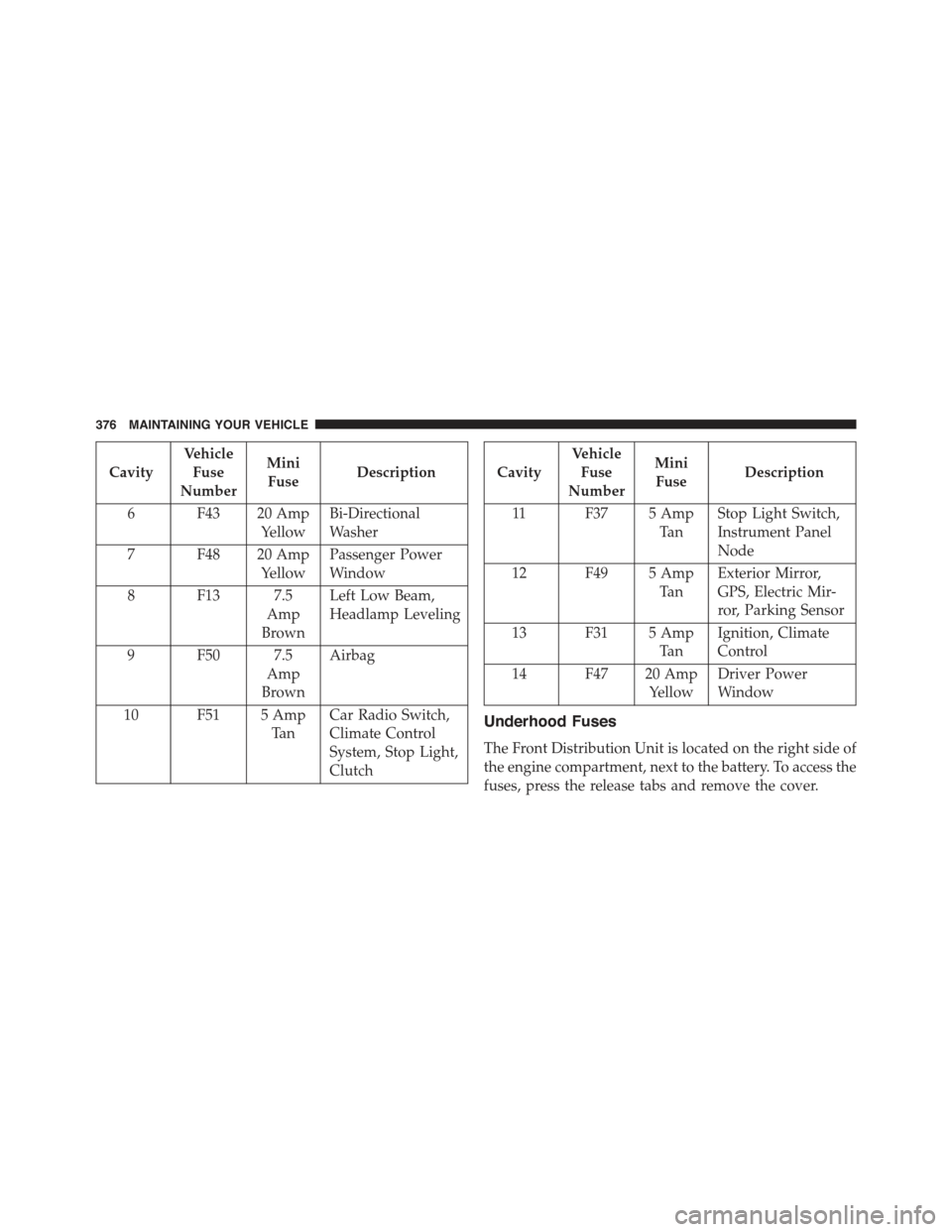
FUSES
Interior Fuses
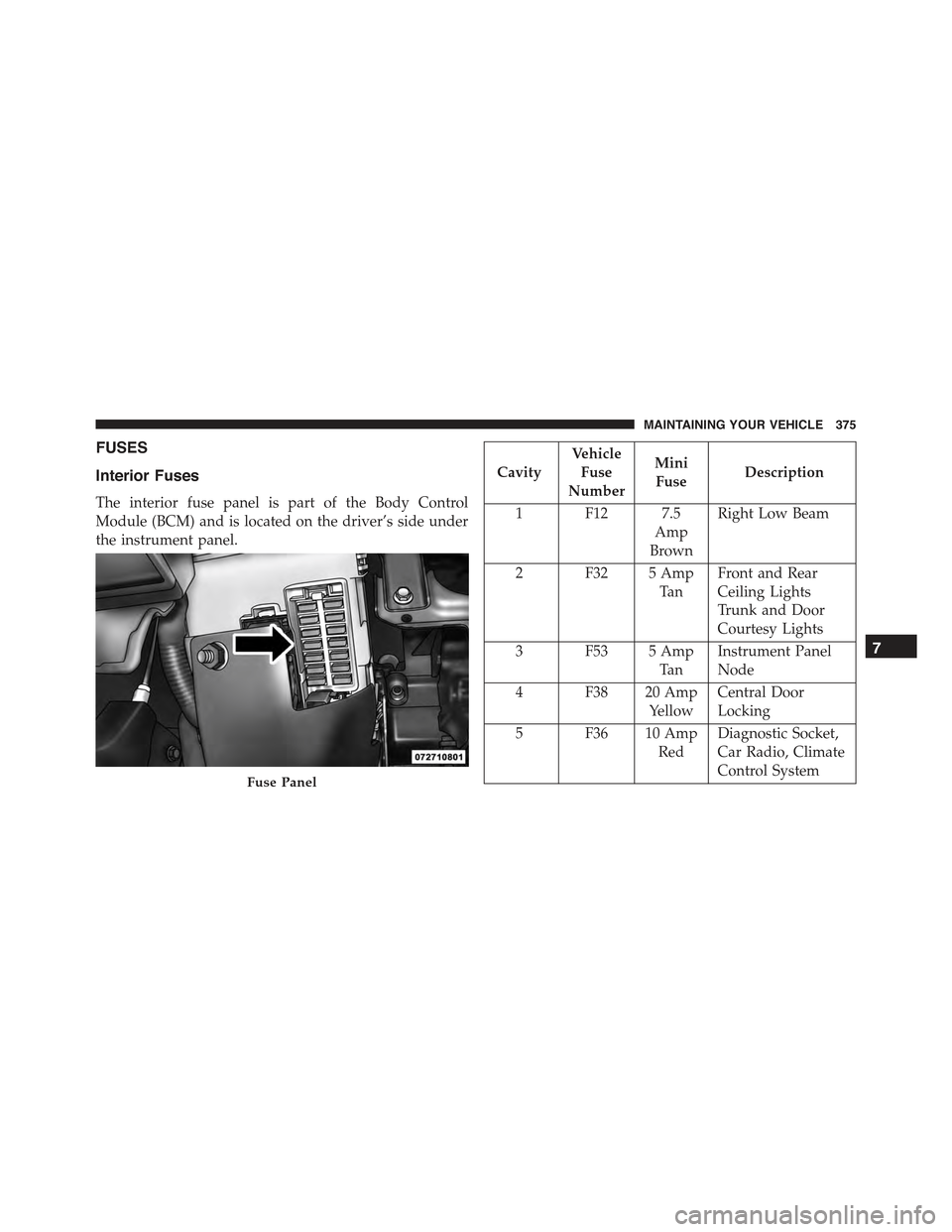
The interior fuse panel is part of the Body Control
Module (BCM) and is located on the driver’s side under
the instrument panel.
Cavity
Vehicle
Fuse
Number
Mini
FuseDescription
1 F12 7.5
Amp
Brown
Right Low Beam
2 F32 5 Amp
Ta n
Front and Rear
Ceiling Lights
Trunk and Door
Courtesy Lights
3 F53 5 Amp
Ta n
Instrument Panel
Node
4 F38 20 Amp
Yellow
Central Door
Locking
5 F36 10 Amp
Red
Diagnostic Socket,
Car Radio, Climate
Control SystemFuse Panel
7
MAINTAINING YOUR VEHICLE 375
Page 378 of 423
Cavity
Vehicle
Fuse
Number
Mini
FuseDescription
6 F43 20 Amp
Yellow
Bi-Directional
Washer
7 F48 20 Amp
Yellow
Passenger Power
Window
8 F13 7.5
Amp
Brown
Left Low Beam,
Headlamp Leveling
9 F50 7.5
Amp
Brown
Airbag
10 F51 5 Amp
Ta n
Car Radio Switch,
Climate Control
System, Stop Light,
Clutch
Cavity
Vehicle
Fuse
Number
Mini
FuseDescription
11 F37 5 Amp
Ta n
Stop Light Switch,
Instrument Panel
Node
12 F49 5 Amp
Ta n
Exterior Mirror,
GPS, Electric Mir-
ror, Parking Sensor
13 F31 5 Amp
Ta n
Ignition, Climate
Control
14 F47 20 Amp
Yellow
Driver Power
Window
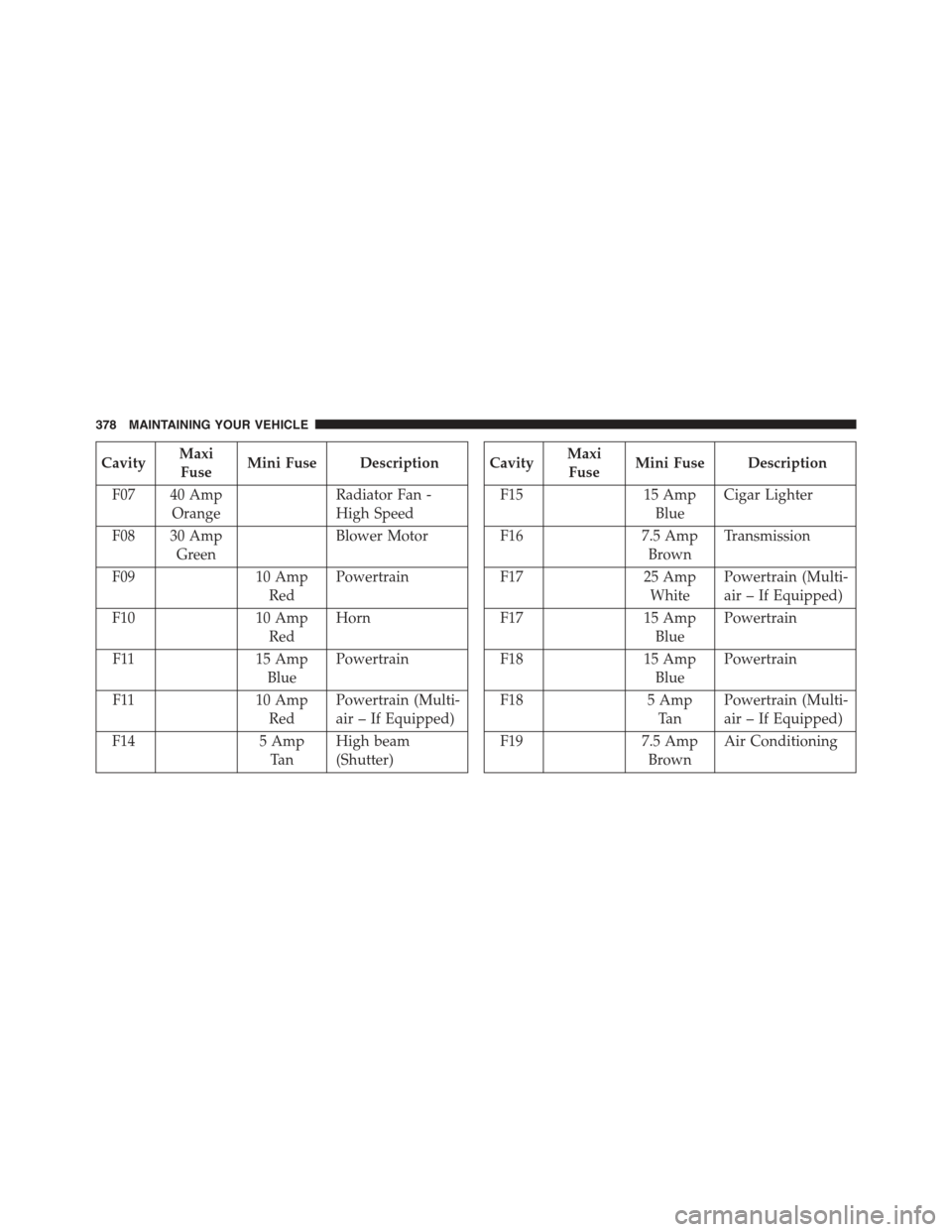
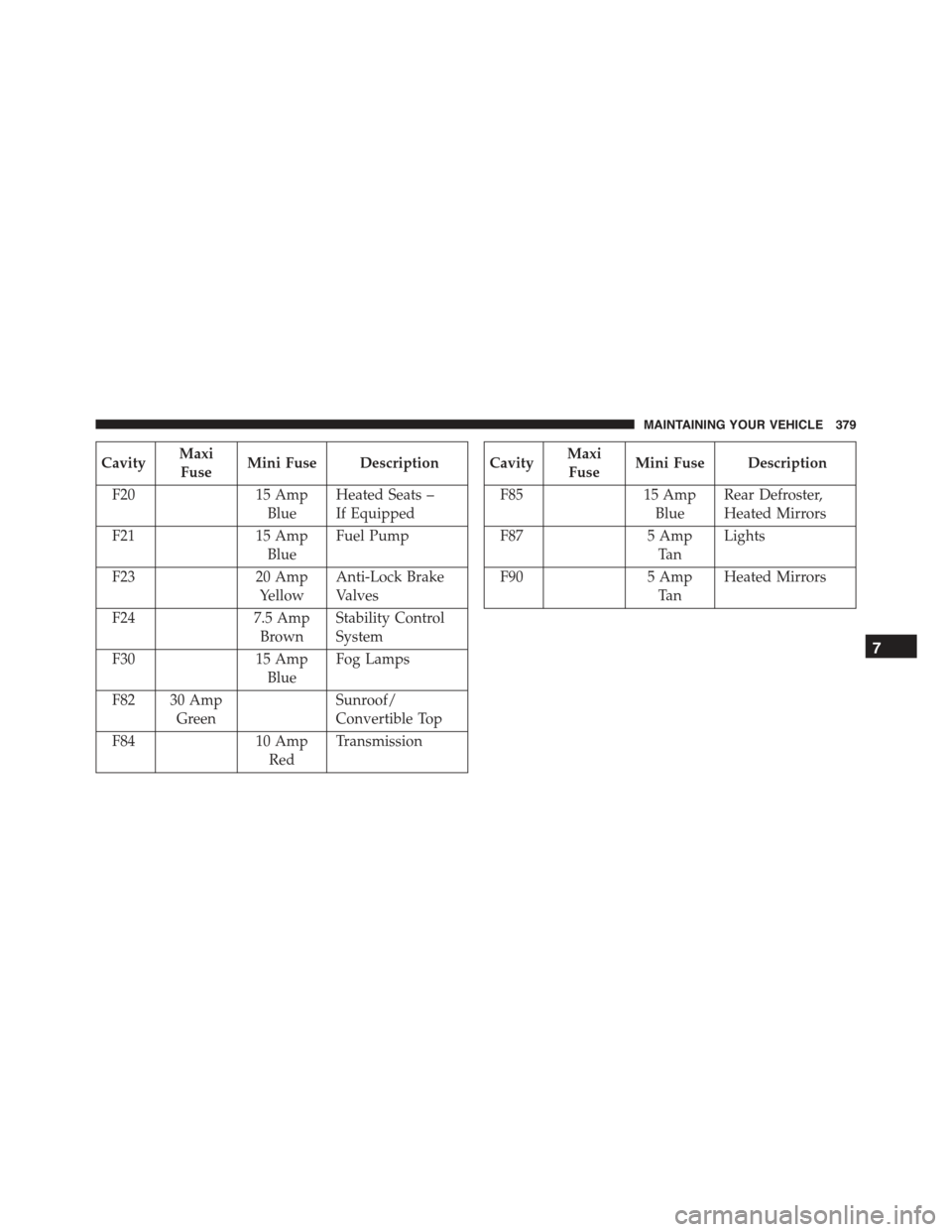
Underhood Fuses
The Front Distribution Unit is located on the right side of
the engine compartment, next to the battery. To access the
fuses, press the release tabs and remove the cover.
376 MAINTAINING YOUR VEHICLE
Page 380 of 423
CavityMaxi
FuseMini Fuse Description
F07 40 Amp
Orange
Radiator Fan -
High Speed
F08 30 Amp
Green
Blower Motor
F0910 Amp
Red
Powertrain
F1010 Amp
Red
Horn
F1115 Amp
Blue
Powertrain
F1110 Amp
Red
Powertrain (Multi-
air – If Equipped)
F145 Amp
Ta n
High beam
(Shutter)
CavityMaxi
FuseMini Fuse Description
F1515 Amp
Blue
Cigar Lighter
F167.5 Amp
Brown
Transmission
F1725 Amp
White
Powertrain (Multi-
air – If Equipped)
F1715 Amp
Blue
Powertrain
F1815 Amp
Blue
Powertrain
F185 Amp
Ta n
Powertrain (Multi-
air – If Equipped)
F197.5 Amp
Brown
Air Conditioning
378 MAINTAINING YOUR VEHICLE
Page 381 of 423
CavityMaxi
FuseMini Fuse Description
F2015 Amp
Blue
Heated Seats –
If Equipped
F2115 Amp
Blue
Fuel Pump
F2320 Amp
Yellow
Anti-Lock Brake
Valves
F247.5 Amp
Brown
Stability Control
System
F3015 Amp
Blue
Fog Lamps
F82 30 Amp
Green
Sunroof/
Convertible Top
F8410 Amp
Red
Transmission
CavityMaxi
FuseMini Fuse Description
F8515 Amp
Blue
Rear Defroster,
Heated Mirrors
F875 Amp
Ta n
Lights
F905 Amp
Ta n
Heated Mirrors
7
MAINTAINING YOUR VEHICLE 379
Page 384 of 423
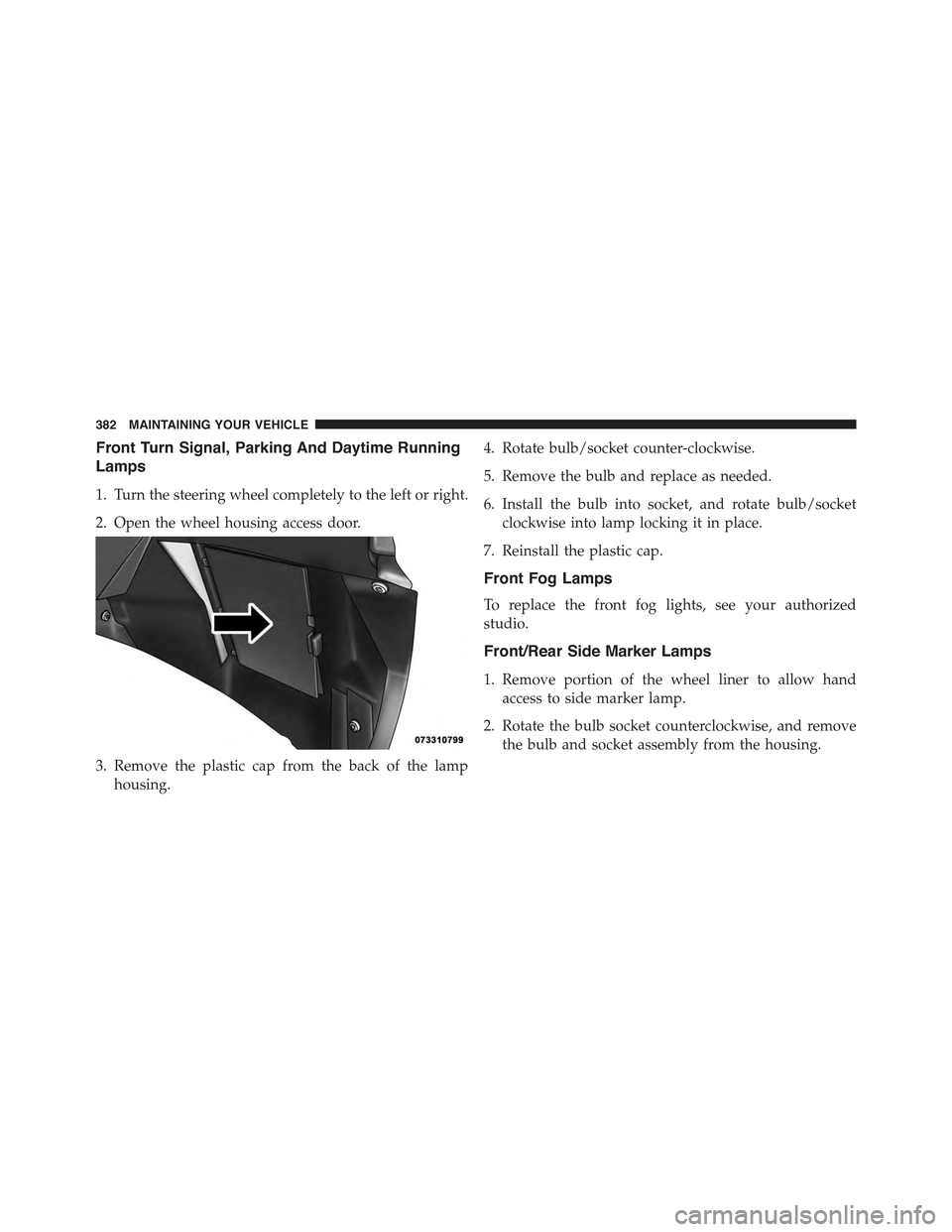
Front Turn Signal, Parking And Daytime Running
Lamps
1. Turn the steering wheel completely to the left or right.
2. Open the wheel housing access door.
3. Remove the plastic cap from the back of the lamp
housing.
4. Rotate bulb/socket counter-clockwise.
5. Remove the bulb and replace as needed.
6. Install the bulb into socket, and rotate bulb/socket
clockwise into lamp locking it in place.
7. Reinstall the plastic cap.
Front Fog Lamps
To replace the front fog lights, see your authorized
studio.
Front/Rear Side Marker Lamps
1. Remove portion of the wheel liner to allow hand
access to side marker lamp.
2. Rotate the bulb socket counterclockwise, and remove
the bulb and socket assembly from the housing.
382 MAINTAINING YOUR VEHICLE
Page 385 of 423
3. Pull the bulb from the socket and insert the replace-
ment bulb.
4. Install the bulb and socket assembly into the housing,
and rotate the socket clockwise to lock it in place.
5. Reinstall the wheel liner.
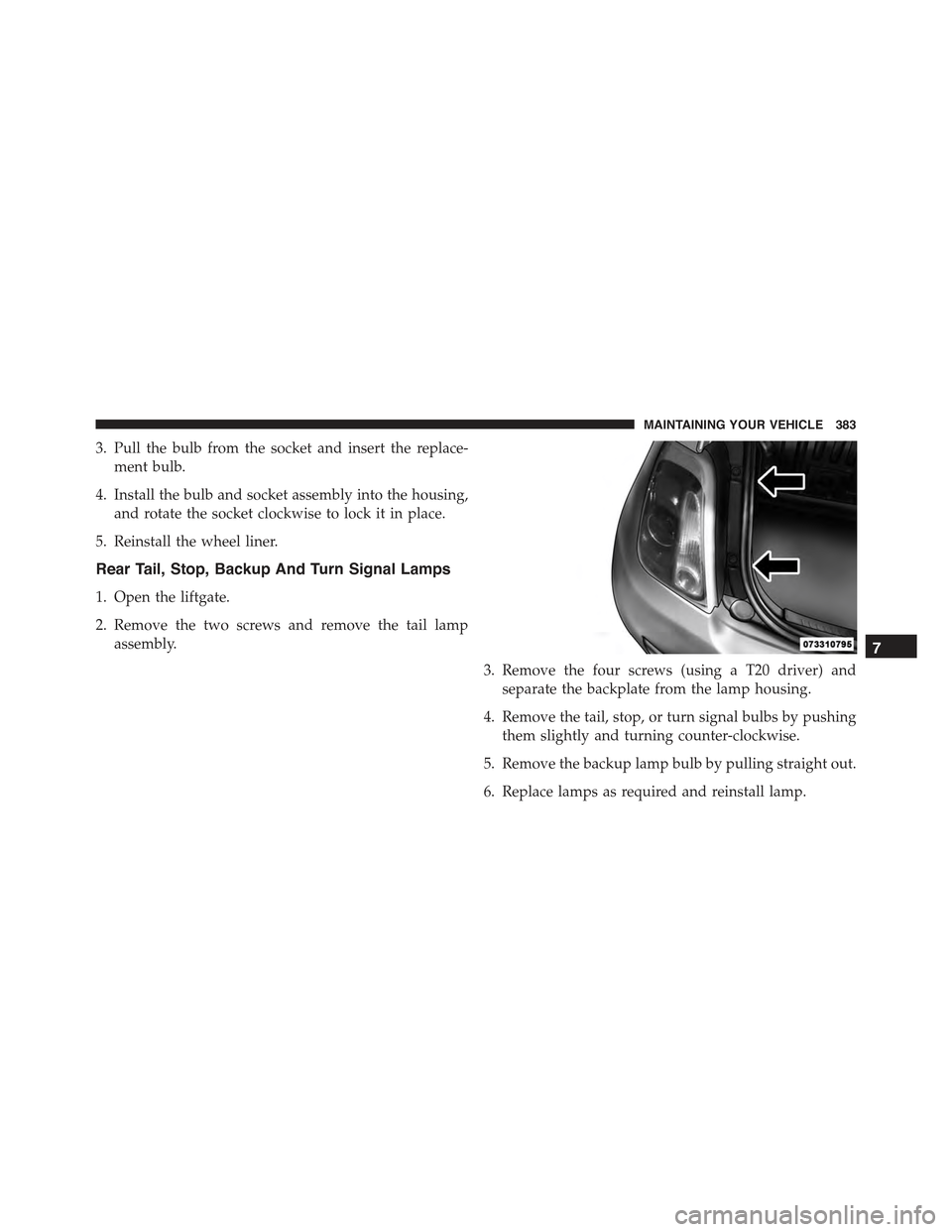
Rear Tail, Stop, Backup And Turn Signal Lamps
1. Open the liftgate.
2. Remove the two screws and remove the tail lamp
assembly.
3. Remove the four screws (using a T20 driver) and
separate the backplate from the lamp housing.
4. Remove the tail, stop, or turn signal bulbs by pushing
them slightly and turning counter-clockwise.
5. Remove the backup lamp bulb by pulling straight out.
6. Replace lamps as required and reinstall lamp.
7
MAINTAINING YOUR VEHICLE 383
Page 392 of 423
MAINTENANCE SCHEDULE
Your vehicle is equipped with an automatic oil change
indicator system. The oil change indicator system will
remind you that it is time to take your vehicle in for
scheduled maintenance.
Based on engine operation conditions, the oil change
indicator message will illuminate. This means that ser-
vice is required for your vehicle. Operating conditions
such as frequent short-trips, trailer tow, extremely hot or
cold ambient temperatures, and E85 fuel usage will
influence when the “Change Oil” or “Oil Change Re-
quired” message is displayed. Severe Operating Condi-
tions can cause the change oil message to illuminate as
early as 3,500 miles (5,600 km) since last reset. Have your
vehicle serviced as soon as possible, within the next
500 miles (805 km).
NOTE:Under no circumstances should oil change inter-
vals exceed 10,000 miles (16,000 km) or twelve months,
whichever comes first.
Once A Month Or Before A Long Trip:
•Check engine oil level
•Check windshield washer fluid level
•Check the tire inflation pressures and look for unusual
wear or damage
•Check the fluid levels of the coolant reservoir, brake
master cylinder, and transmission as needed
•Check function of all interior and exterior lights
390 MAINTENANCE SCHEDULES