display FIAT 500C 2016 2.G User Guide
[x] Cancel search | Manufacturer: FIAT, Model Year: 2016, Model line: 500C, Model: FIAT 500C 2016 2.GPages: 442, PDF Size: 3.1 MB
Page 145 of 442
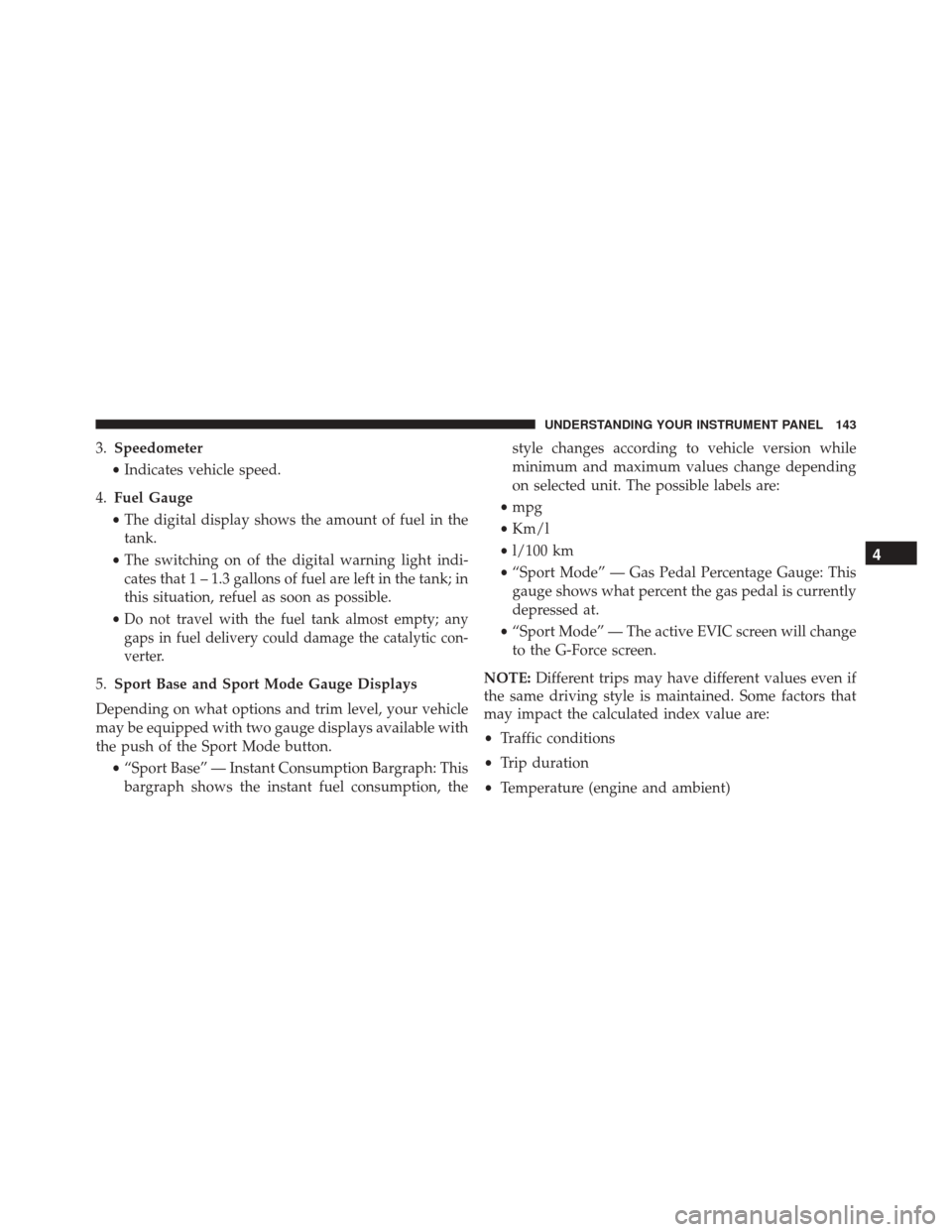
3.Speedometer
• Indicates vehicle speed.
4. Fuel Gauge
• The digital display shows the amount of fuel in the
tank.
• The switching on of the digital warning light indi-
cates that 1 – 1.3 gallons of fuel are left in the tank; in
this situation, refuel as soon as possible.
•
Do not travel with the fuel tank almost empty; any
gaps in fuel delivery could damage the catalytic con-
verter.
5. Sport Base and Sport Mode Gauge Displays
Depending on what options and trim level, your vehicle
may be equipped with two gauge displays available with
the push of the Sport Mode button. •“Sport Base” — Instant Consumption Bargraph: This
bargraph shows the instant fuel consumption, the style changes according to vehicle version while
minimum and maximum values change depending
on selected unit. The possible labels are:
• mpg
• Km/l
• l/100 km
• “Sport Mode” — Gas Pedal Percentage Gauge: This
gauge shows what percent the gas pedal is currently
depressed at.
• “Sport Mode” — The active EVIC screen will change
to the G-Force screen.
NOTE: Different trips may have different values even if
the same driving style is maintained. Some factors that
may impact the calculated index value are:
• Traffic conditions
• Trip duration
• Temperature (engine and ambient)
4
UNDERSTANDING YOUR INSTRUMENT PANEL 143
Page 149 of 442
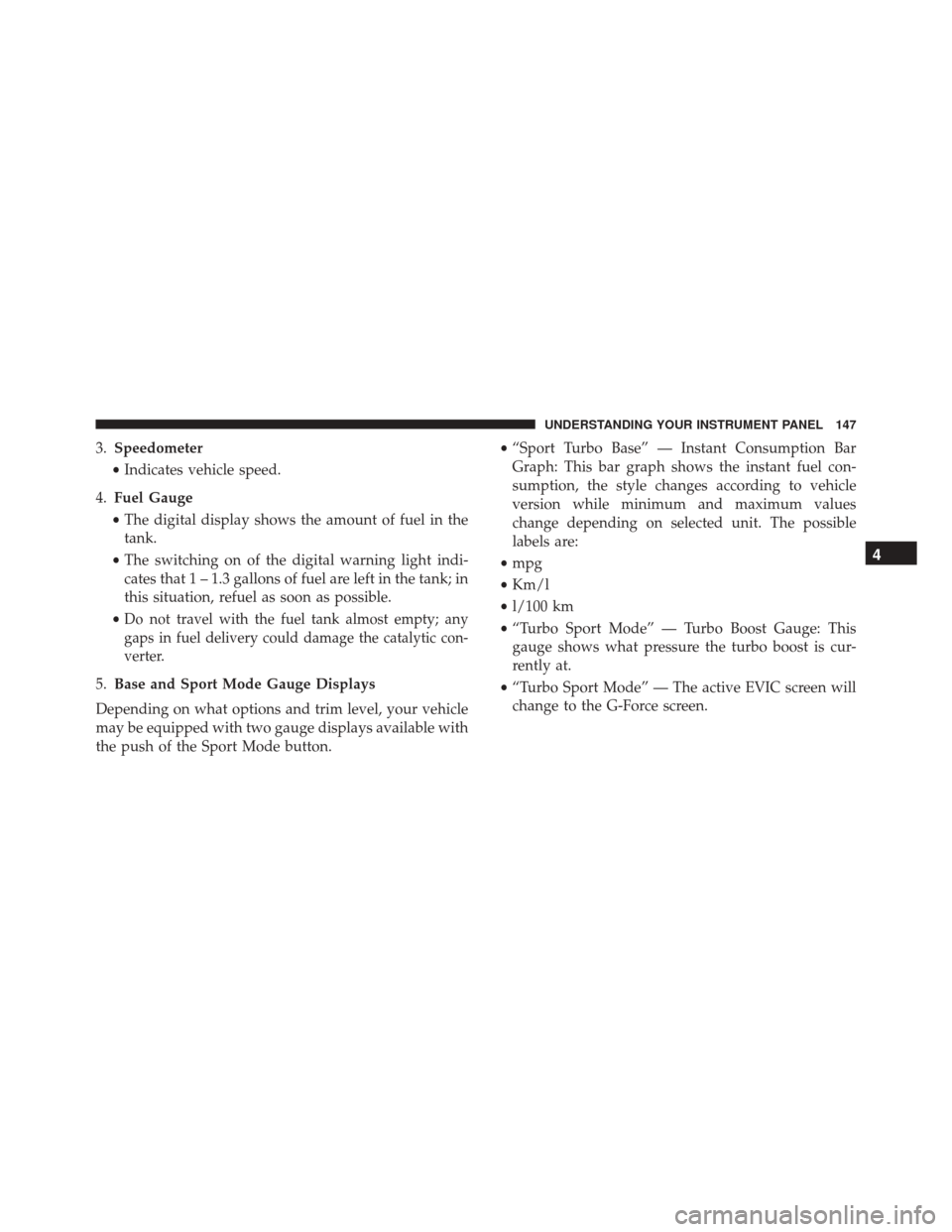
3.Speedometer
• Indicates vehicle speed.
4. Fuel Gauge
• The digital display shows the amount of fuel in the
tank.
• The switching on of the digital warning light indi-
cates that 1 – 1.3 gallons of fuel are left in the tank; in
this situation, refuel as soon as possible.
•
Do not travel with the fuel tank almost empty; any
gaps in fuel delivery could damage the catalytic con-
verter.
5. Base and Sport Mode Gauge Displays
Depending on what options and trim level, your vehicle
may be equipped with two gauge displays available with
the push of the Sport Mode button. •
“Sport Turbo Base” — Instant Consumption Bar
Graph: This bar graph shows the instant fuel con-
sumption, the style changes according to vehicle
version while minimum and maximum values
change depending on selected unit. The possible
labels are:
• mpg
• Km/l
• l/100 km
• “Turbo Sport Mode” — Turbo Boost Gauge: This
gauge shows what pressure the turbo boost is cur-
rently at.
• “Turbo Sport Mode” — The active EVIC screen will
change to the G-Force screen.
4
UNDERSTANDING YOUR INSTRUMENT PANEL 147
Page 150 of 442
NOTE:Different trips may have different values even if
the same driving style is maintained. Some factors that
may impact the calculated index value are:
• Traffic conditions
• Trip duration
• Temperature (engine and ambient)WARNING AND INDICATOR LIGHTS
IMPORTANT: The warning / indicator lights switch on
in the instrument panel together with a dedicated mes-
sage and/or acoustic signal when applicable. These
indications are indicative and precautionary and as such
must not be considered as exhaustive and/or alternative
to the information contained in the Owner ’s Manual,
which you are advised to read carefully in all cases.
Always refer to the information in this chapter in the
event of a failure indication.
All active telltales will display first if applicable. The
system check menu may appear different based upon
equipment options and current vehicle status. Some
telltales are optional and may not appear.
148 UNDERSTANDING YOUR INSTRUMENT PANEL
Page 161 of 442
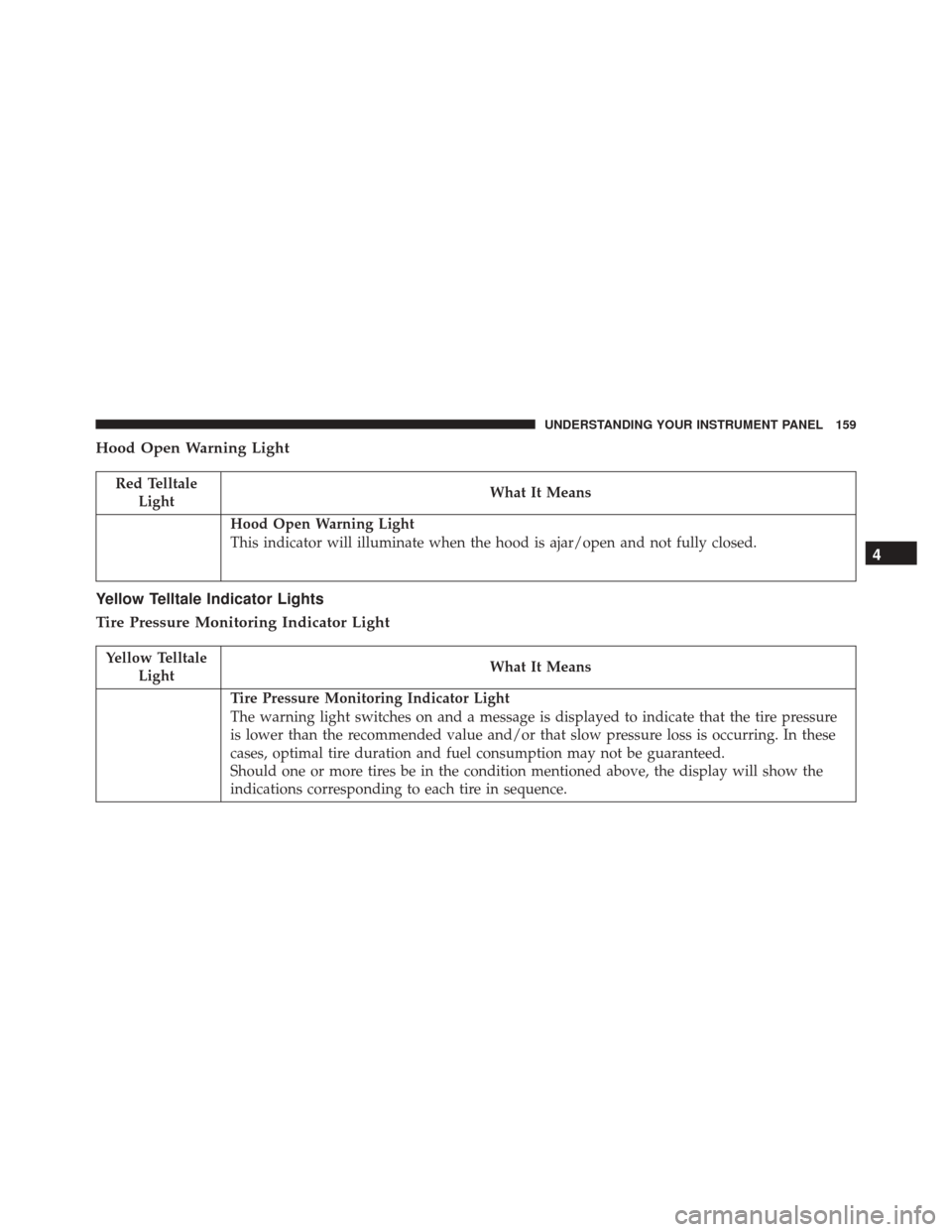
Hood Open Warning Light
Red TelltaleLight What It Means
Hood Open Warning Light
This indicator will illuminate when the hood is ajar/open and not fully closed.
Yellow Telltale Indicator Lights
Tire Pressure Monitoring Indicator Light
Yellow Telltale
Light What It Means
Tire Pressure Monitoring Indicator Light
The warning light switches on and a message is displayed to indicate that the tire pressure
is lower than the recommended value and/or that slow pressure loss is occurring. In these
cases, optimal tire duration and fuel consumption may not be guaranteed.
Should one or more tires be in the condition mentioned above, the display will show the
indications corresponding to each tire in sequence.
4
UNDERSTANDING YOUR INSTRUMENT PANEL 159
Page 177 of 442
ELECTRONIC VEHICLE INFORMATION CENTER
(EVIC)
The Electronic Vehicle Information Center (EVIC) fea-
tures a driver-interactive display that is located in the
instrument cluster.The EVIC consists of the following:
•
System Status
• Vehicle Information Warning Message Displays
• Personal Settings (Customer-Programmable Features)
• Outside Temperature Display
• Trip Computer Functions
• Tire Pressure Monitoring Display
EVIC Control Buttons
Push and release the MENUbutton briefly to access the
EVIC. Push and hold the MENUbutton (approximately
one second) to return to the main screen.
Push and release the UP
arrow button to scroll
upward through the displayed menu and the related
options or to increase the displayed value.
Electronic Vehicle Information Center (EVIC) Display
4
UNDERSTANDING YOUR INSTRUMENT PANEL 175
Page 178 of 442
Push and release theDOWNarrow button to scroll
downward through the displayed menu and the re-
lated options or to decrease the value displayed.
NOTE: UPand DOWNarrow buttons activate
different functions according to the following situa-
tions:
• To scroll the menu options upwards or downwards.
• To increase or decrease values during settings.
NOTE: When opening one of the front doors, the EVIC
display will turn on the clock and the miles or kilometers
covered (if equipped) for a few seconds.
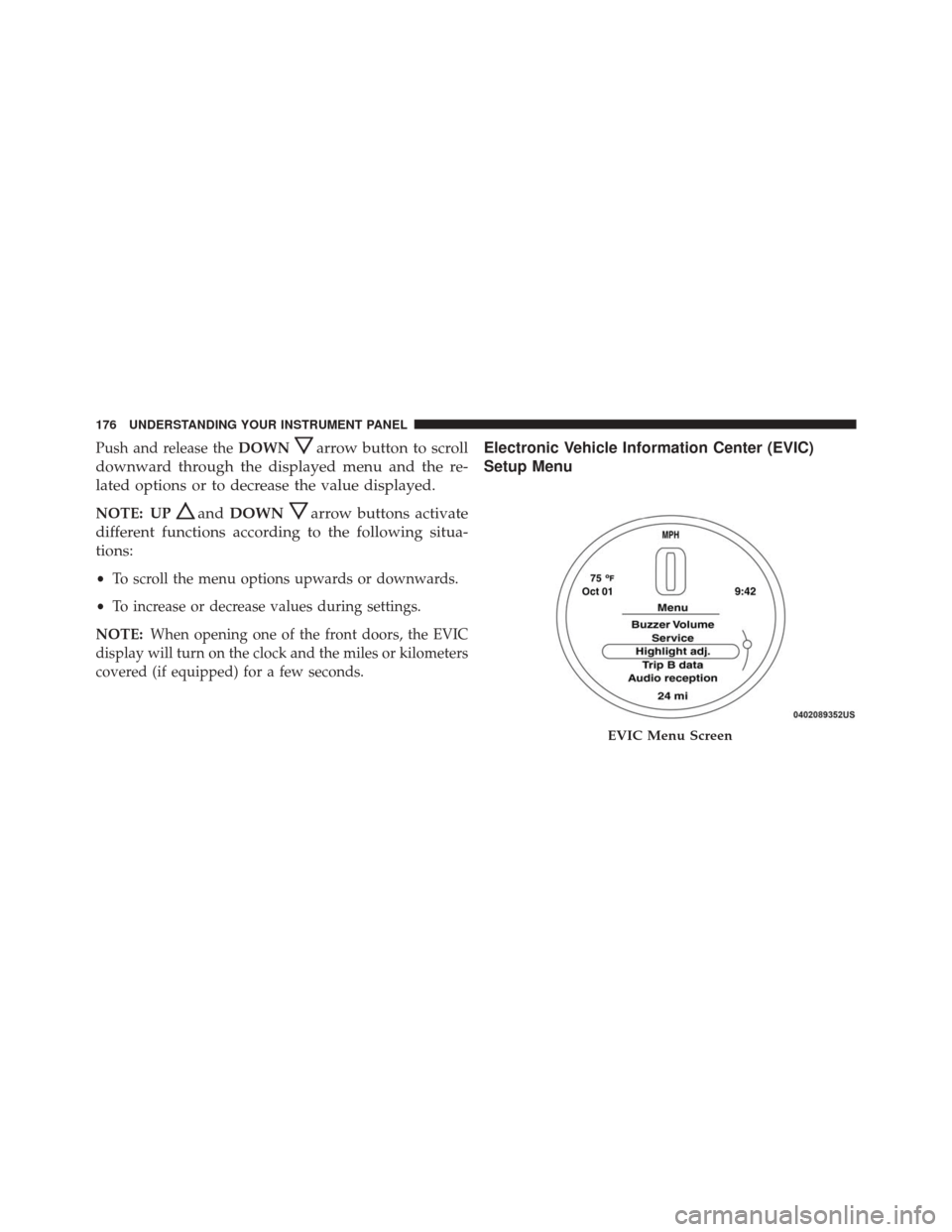
Electronic Vehicle Information Center (EVIC)
Setup Menu
EVIC Menu Screen
176 UNDERSTANDING YOUR INSTRUMENT PANEL
Page 180 of 442
1. Selecting An Option Of The Main Menu Without
Submenu
1. Briefly push and release theMENUbutton to select
the main menu option to set.
2. Push and release the UP
orDOWNarrow
button (by single pushes) to select the new setting.
3. Briefly push and release the MENUbutton to store the
new setting and go back to the main menu option
previously selected.
1. Selecting An Option Of The Main Menu With
Submenu
1. Briefly push and release the MENUbutton to display
the first submenu option.
2. Push and release the UP
orDOWNarrow
button (by single pushes) to scroll through all the
submenu options.
3. Briefly push and release the MENUbutton to select
the displayed submenu option and to open the rel-
evant setup menu.
4. Push and release the UP
orDOWNarrow
button (by single pushes) to select the new setting
for this submenu option.
5. Briefly push and release the MENUbutton to store the
new setting and go back to the previously selected
submenu option.
6. Push and hold the MENUbutton to return to the main
menu (short hold) or the main screen (longer hold).
Change Engine Oil Indicator System
Change Engine Oil
Your vehicle is equipped with an engine oil change
indicator system. The “Change Engine Oil” message will
display in the EVIC display for approximately 5 seconds
178 UNDERSTANDING YOUR INSTRUMENT PANEL
Page 181 of 442
after a single chime has sounded to indicate the next
scheduled oil change interval. The engine oil change
indicator system is duty cycle based, which means the
engine oil change interval may fluctuate, dependent
upon your personal driving style.
Unless reset, this message will continue to display each
time you turn the ignition switch to the ON/RUN
position. To turn off the message temporarily, push and
release theMENUbutton. To reset the oil change indica-
tor system (after performing the scheduled maintenance),
refer to the following procedure.
1. Turn the ignition switch to the ON position. (do not start the engine.)
2. Fully push the accelerator pedal slowly, three times within 10 seconds.
3. Turn the ignition switch to the OFF/LOCK position. NOTE:
If the indicator message illuminates when you
start the vehicle, the oil change indicator system did not
reset. If necessary, repeat this procedure.
Trip Computer
The Trip Computer is located in the instrument cluster.
It features a driver-interactive display (displays informa-
tion such as trip information, range, fuel consumption,
average speed, and travel time).
Trip Button
The TRIP button, located on the right steering column
stalk, can be used to display and to reset the previously
described values.
• A short button push displays the different values.
• A long button push resets the system and then starts a
new trip.
4
UNDERSTANDING YOUR INSTRUMENT PANEL 179
Page 182 of 442
New Trip
To reset:
•Push and hold the TRIPbutton to reset the system
manually.
• When the “Trip distance” reaches 99999.9 miles or
kilometers or when the “Travel time” reaches 999.59
(999 hours and 59 minutes), the system is reset auto-
matically.
• Disconnecting/Reconnecting the battery resets the
system.
NOTE: If the reset operation occurs in the presence of
the screens concerning Trip A or Trip B, only the infor-
mation associated with Trip A or Trip B functions will be
reset.
Start Of Trip Procedure
With the ignition on, push and hold the TRIPbutton for
over one second to reset.
Exit Trip
To exit the Trip function, wait until all the values have
been displayed or hold the MENUbutton for longer than
one second.
Briefly push and release the MENUbutton to go back to
the menu screen or push and hold the MENU(approxi-
mately one second) to go back to the main screen without
storing settings.
Tire Pressure
This function will be used to display the tire pressures
individually for all four tires by location.
180 UNDERSTANDING YOUR INSTRUMENT PANEL
Page 183 of 442
Trip Functions
Both trip functions are resettable (reset — start of new
trip).
“Trip A” can be used to display the figures relating to:
•Trip distance A
• Average consumption
• Average speed A
• Travel time A (driving time)
“Trip B” can be used to display the figures relating to:
• Trip distance B
• Average consumption •
Average speed B
• Travel time B (driving time)
“Current Trip” can be used to display the figures relating
to:
• Range
• Instantaneous consumption
NOTE: “Trip B” functions may be excluded (see “Trip
B Data”). “Range” and “Instantaneous consumption”
cannot be reset.
4
UNDERSTANDING YOUR INSTRUMENT PANEL 181