lock FIAT 500C 2018 User Guide
[x] Cancel search | Manufacturer: FIAT, Model Year: 2018, Model line: 500C, Model: FIAT 500C 2018Pages: 338, PDF Size: 4 MB
Page 27 of 338
WARNING! (Continued)• Never leave children alone in a vehicle, or with
access to an unlocked vehicle.
• Allowing children to be in a vehicle unattended is
dangerous for a number of reasons. A child or others
could be seriously or fatally injured. Children
should be warned not to touch the parking brake,
brake pedal or the gear selector.
• Do not leave the key fob in or near the vehicle, or in
a location accessible to children, and do not leave the
ignition of a vehicle equipped with Keyless Enter-
N-Go in the ON/RUN mode. A child could operate
power windows, other controls, or move the vehicle.
• Do not leave children or animals inside parked
vehicles in hot weather. Interior heat build-up may
cause serious injury or death.
CAUTION!An unlocked car is an invitation. Always remove the
key from the ignition and lock all doors when leaving
the vehicle unattended. Power Door Locks
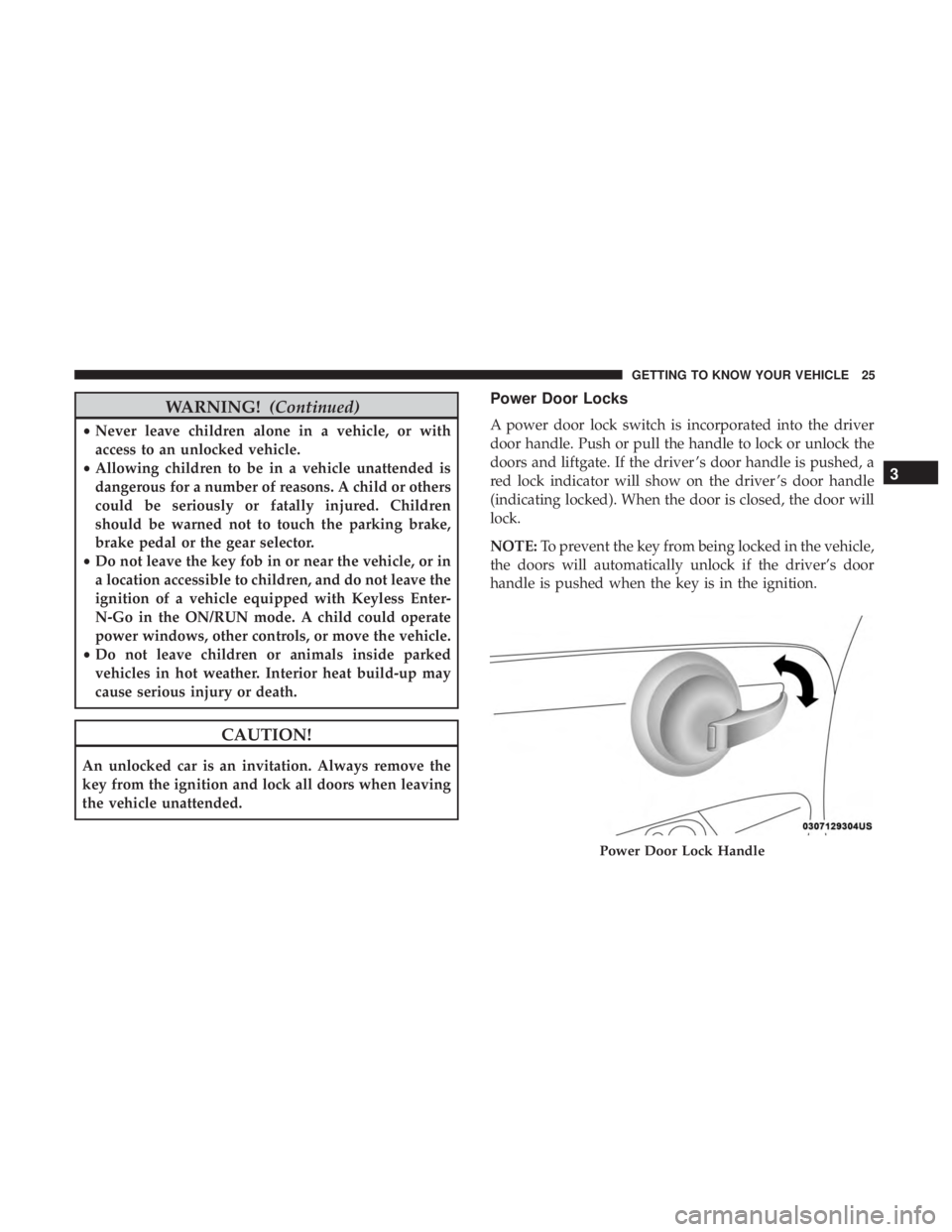
A power door lock switch is incorporated into the driver
door handle. Push or pull the handle to lock or unlock the
doors and liftgate. If the driver ’s door handle is pushed, a
red lock indicator will show on the driver ’s door handle
(indicating locked). When the door is closed, the door will
lock.
NOTE: To prevent the key from being locked in the vehicle,
the doors will automatically unlock if the driver’s door
handle is pushed when the key is in the ignition.
Power Door Lock Handle 3GETTING TO KNOW YOUR VEHICLE 25
Page 28 of 338
Auto Door Locks
When enabled, the door locks will lock automatically when
the vehicle’s speed exceeds 12 mph (20 km/h).
NOTE: Use the Automatic Door Locks feature in accor-
dance with local laws.
Refer to “Uconnect Settings” in “Multimedia” for further
information.
SEATS
Seats are a part of the Occupant Restraint System of the
vehicle.
WARNING!• It is dangerous to ride in a cargo area, inside or
outside of a vehicle. In a collision, people riding in
these areas are more likely to be seriously injured or
killed.
• Do not allow people to ride in any area of your
vehicle that is not equipped with seats and seat belts.
In a collision, people riding in these areas are more
likely to be seriously injured or killed. (Continued) WARNING! (Continued)• Be sure everyone in your vehicle is in a seat and
using a seat belt properly.
Manual Adjustment Front Seats
Forward/Rearward Adjustment
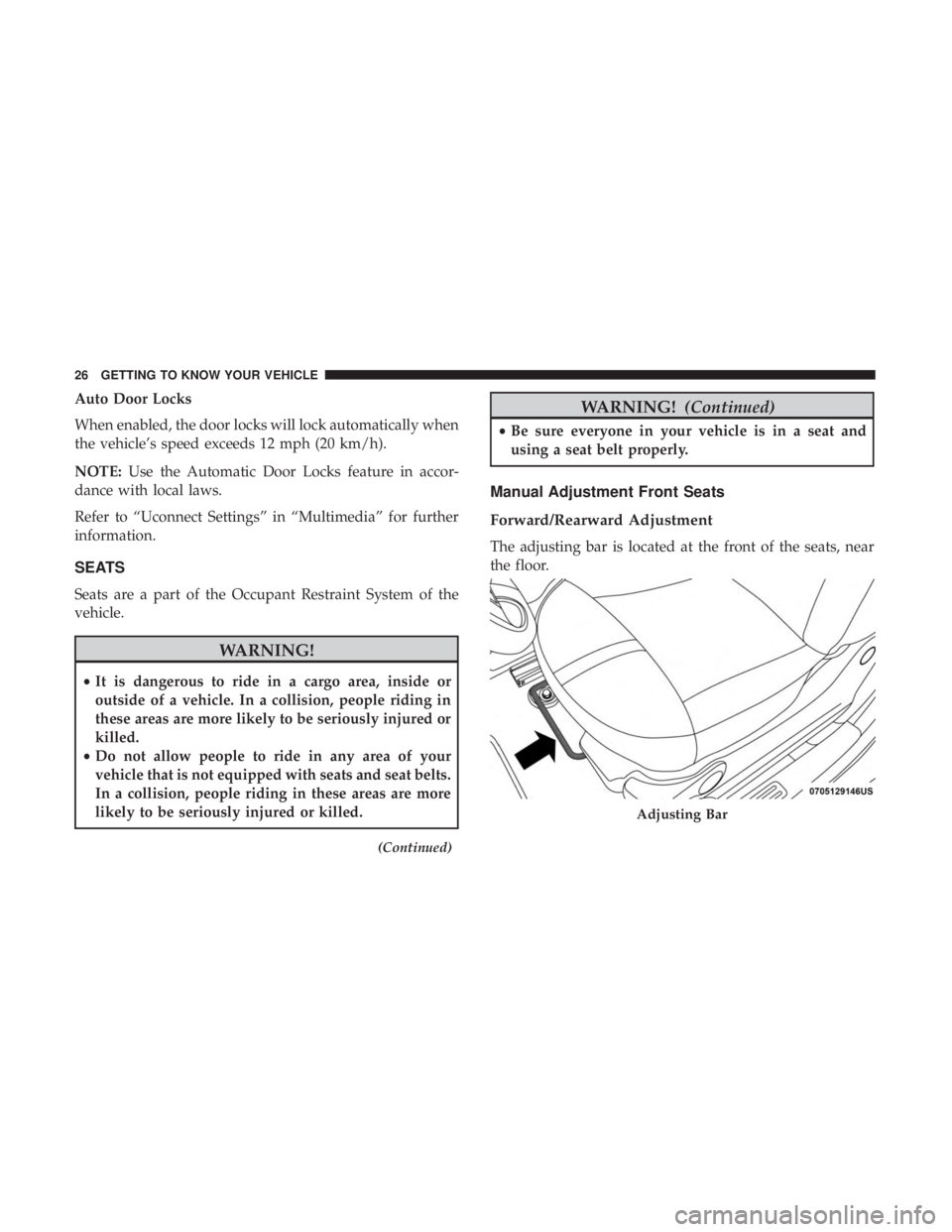
The adjusting bar is located at the front of the seats, near
the floor.
Adjusting Bar26 GETTING TO KNOW YOUR VEHICLE
Page 30 of 338
Recline Adjustment
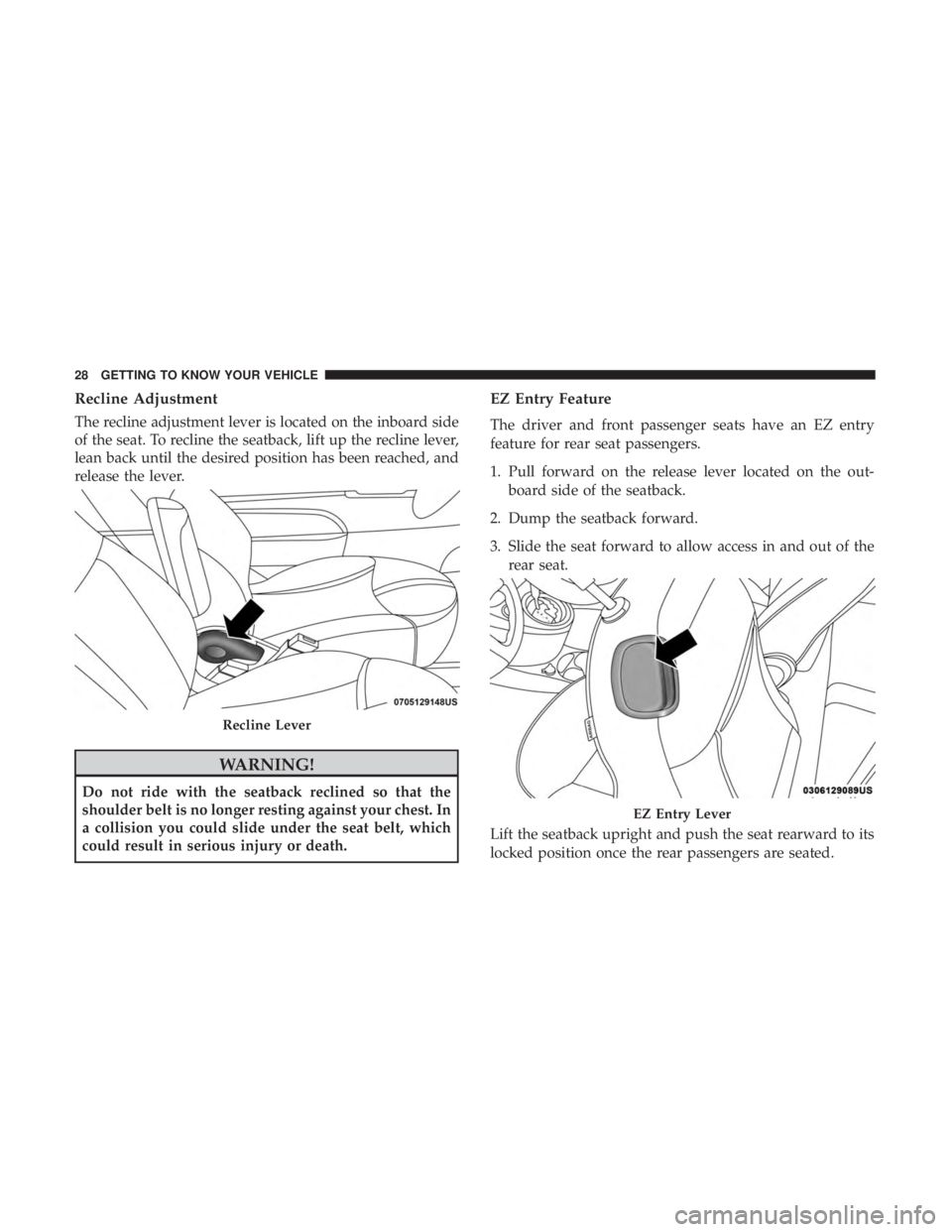
The recline adjustment lever is located on the inboard side
of the seat. To recline the seatback, lift up the recline lever,
lean back until the desired position has been reached, and
release the lever.
WARNING!Do not ride with the seatback reclined so that the
shoulder belt is no longer resting against your chest. In
a collision you could slide under the seat belt, which
could result in serious injury or death. EZ Entry Feature
The driver and front passenger seats have an EZ entry
feature for rear seat passengers.
1. Pull forward on the release lever located on the out-
board side of the seatback.
2. Dump the seatback forward.
3. Slide the seat forward to allow access in and out of the
rear seat.
Lift the seatback upright and push the seat rearward to its
locked position once the rear passengers are seated.Recline Lever
EZ Entry Lever28 GETTING TO KNOW YOUR VEHICLE
Page 31 of 338
Memory Seat Feature
Both front seats have a memory feature, which can operate
in two ways:
• Memory Function Option 1 (Full Seat Back And Track
Fore/Aft Position Memory) — After using the EZ entry
function, the seatback angle and the track fore/aft
adjuster can both re-lock into the position they were
most recently adjusted to. This is accomplished if the
seat is moved fully rearward to its last fore/aft position
on the tracks before the seat back is returned upright.
• Memory Function Option 2 (Seat Back Only Memory) —
After using the EZ entry function, the seat back may first
be returned upright prior to going back to the last fore/aft
(memory) position on the tracks. This results in the seat
back memory being set only – The track will then be
locked forward of its last set fore/aft memory position. To
then reset the fore/aft track memory feature (to reestab-
lish Memory Function Option 1), the seat has to be
returned fully rearward to its last fore/aft memory track
position as described in Memory Function Option 1. Heated Seats — If Equipped
On some models, the front driver and passenger seats may
be equipped with heaters in both the seat cushions and
seatbacks. The controls for the front heated seats are
located on the center instrument panel area.
Push the switch once to turn on the heated seats.
Push the switch a second time to shut the heating
elements off.
NOTE: Once a heat setting is selected, heat will be felt
within two to five minutes.
WARNING!• Persons who are unable to feel pain to the skin
because of advanced age, chronic illness, diabetes,
spinal cord injury, medication, alcohol use, exhaus-
tion or other physical condition must exercise care
when using the seat heater. It may cause burns even
at low temperatures, especially if used for long
periods of time. (Continued) 3GETTING TO KNOW YOUR VEHICLE 29
Page 36 of 338
STEERING WHEEL
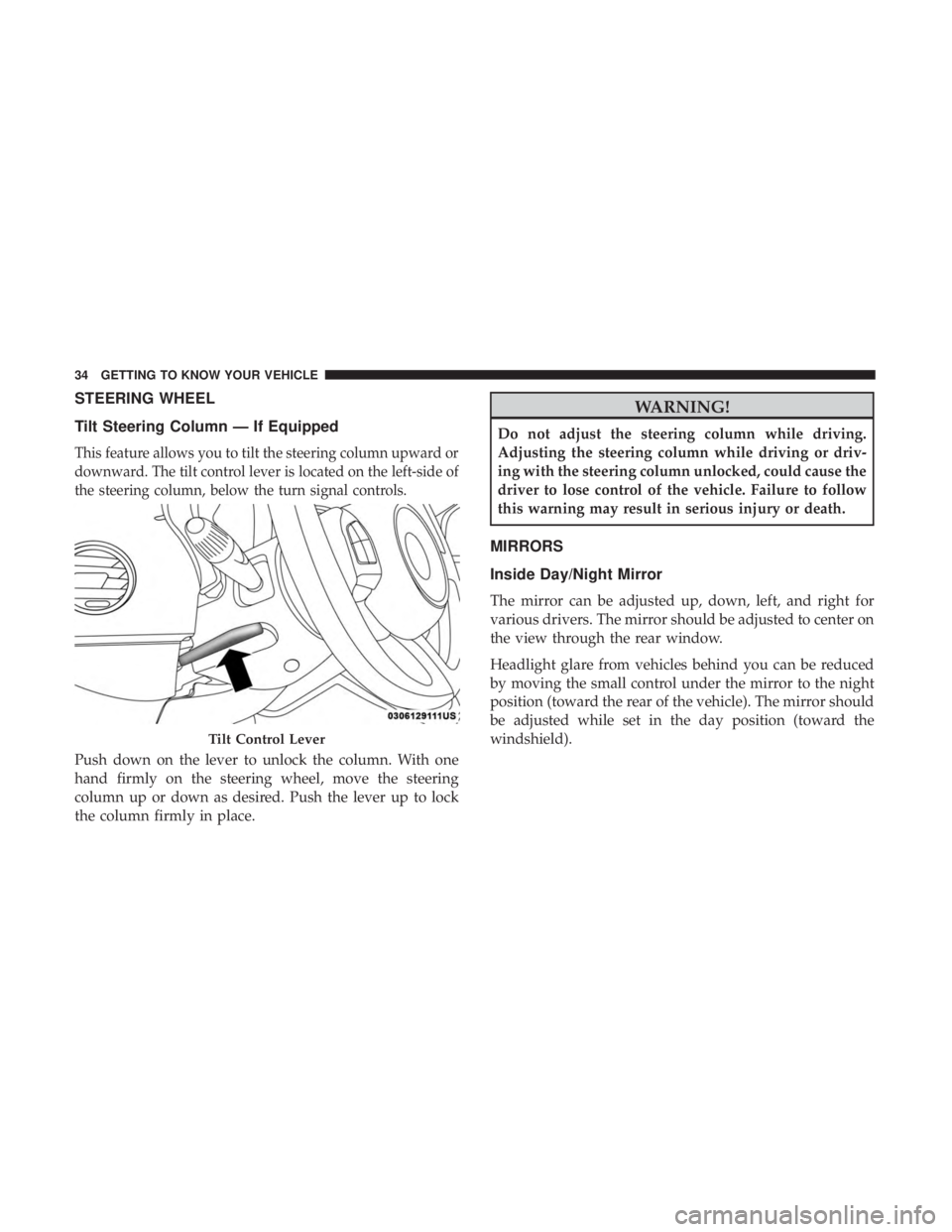
Tilt Steering Column — If Equipped
This feature allows you to tilt the steering column upward or
downward. The tilt control lever is located on the left-side of
the steering column, below the turn signal controls.
Push down on the lever to unlock the column. With one
hand firmly on the steering wheel, move the steering
column up or down as desired. Push the lever up to lock
the column firmly in place. WARNING!Do not adjust the steering column while driving.
Adjusting the steering column while driving or driv-
ing with the steering column unlocked, could cause the
driver to lose control of the vehicle. Failure to follow
this warning may result in serious injury or death.
MIRRORS
Inside Day/Night Mirror
The mirror can be adjusted up, down, left, and right for
various drivers. The mirror should be adjusted to center on
the view through the rear window.
Headlight glare from vehicles behind you can be reduced
by moving the small control under the mirror to the night
position (toward the rear of the vehicle). The mirror should
be adjusted while set in the day position (toward the
windshield).Tilt Control Lever34 GETTING TO KNOW YOUR VEHICLE
Page 41 of 338
Parking Lights
To turn on the parking lights, remove the key or
turn the ignition to OFF/LOCK position and
turn on the headlights.
Follow Me Home/Headlight Delay
When this feature is selected, the driver can choose to have
the headlights remain on for a preset period of time.
Activation
Remove the key or turn the ignition to the STOP (OFF/
LOCK) position, and pull the multifunction lever toward
the steering wheel within two minutes. Each time the lever
is pulled, the activation of the lights will be extended by 30
seconds. The activation of the lights can be extended to a
maximum of 210 seconds.
Deactivation
Pull the multifunction lever toward the steering wheel and
hold it for more than two seconds. Fog Lights — If Equipped
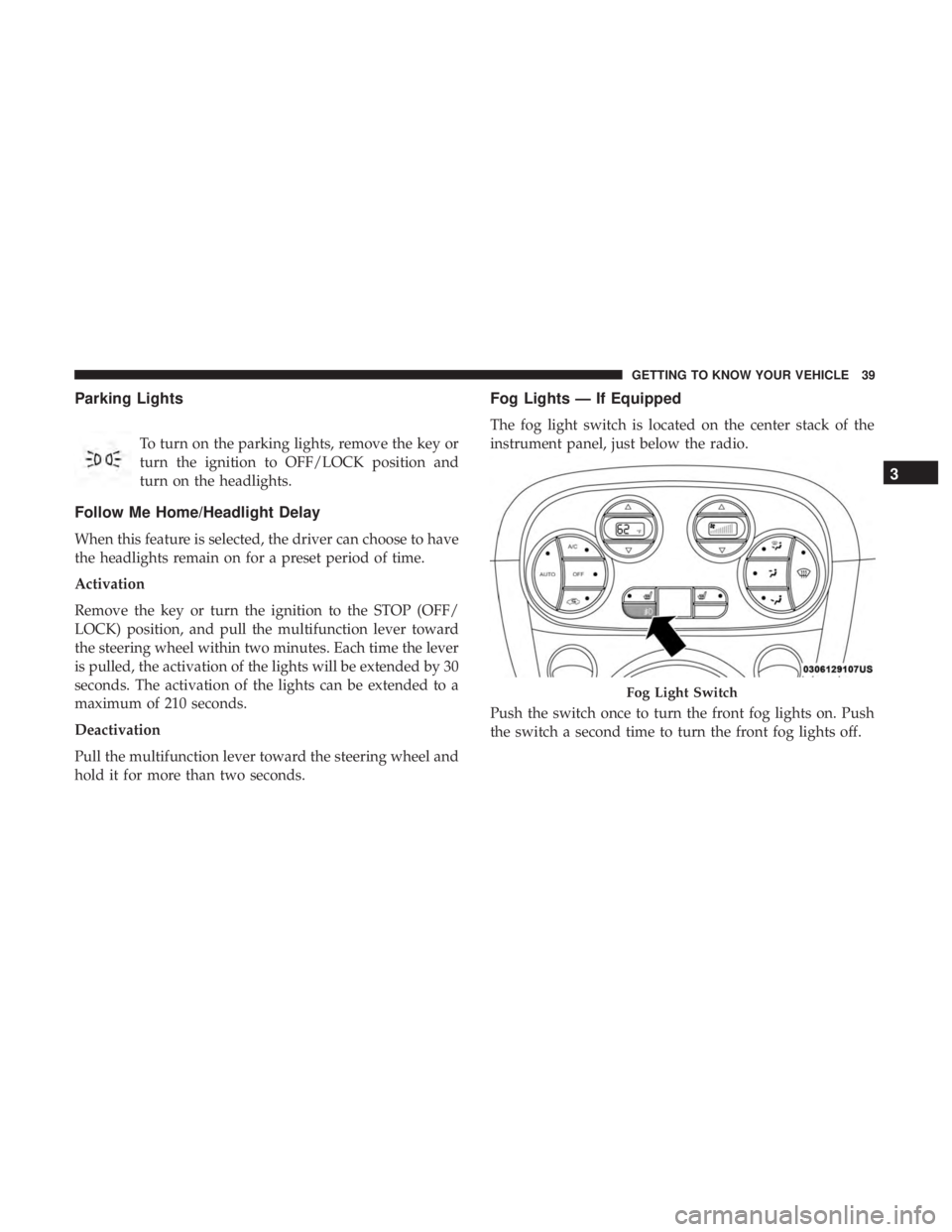
The fog light switch is located on the center stack of the
instrument panel, just below the radio.
Push the switch once to turn the front fog lights on. Push
the switch a second time to turn the front fog lights off. Fog Light Switch 3GETTING TO KNOW YOUR VEHICLE 39
Page 43 of 338
CAUTION!Before getting out of the vehicle be sure that the switch
is in the center position or that the lights are off to
avoid draining the battery.
Interior Light Timing (Center Position)
There are four different modes of operation that can be
activated in this position:
• When one door is opened, a three minute timer is
activated.
• When the key is removed from the ignition (within two
minutes of the ignition being turned OFF), a 10 second
timer is activated.
• When the doors are unlocked with the key fob, a 10
second timer is activated.
• When the doors are locked with the key fob, the lights
will turn off. Interior Light Timing (On/Right Position)
When all doors are closed a 15-minute timer is activated.
NOTE: The timer is deactivated when the key is moved
into the ON/RUN position.
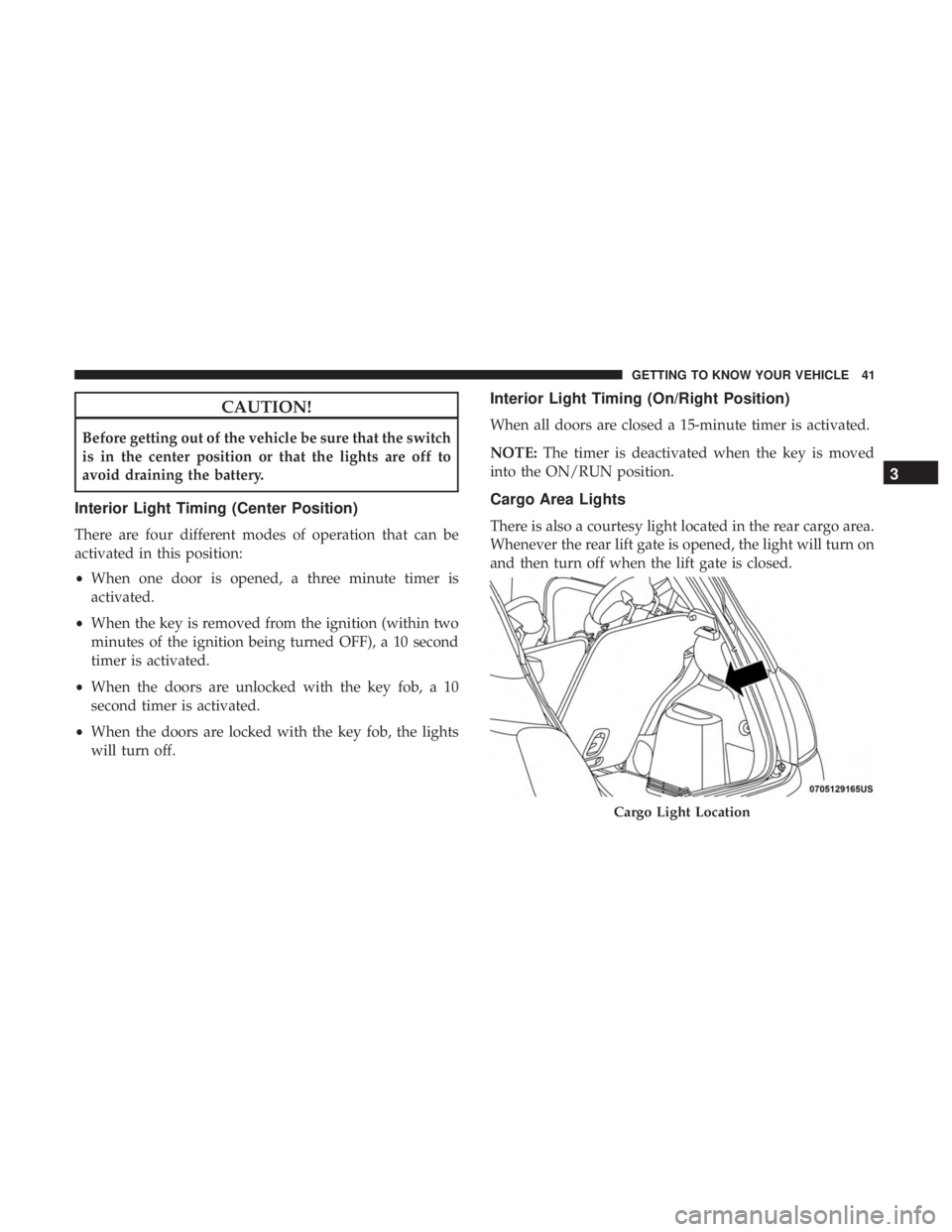
Cargo Area Lights
There is also a courtesy light located in the rear cargo area.
Whenever the rear lift gate is opened, the light will turn on
and then turn off when the lift gate is closed.
Cargo Light Location 3GETTING TO KNOW YOUR VEHICLE 41
Page 47 of 338
Manual Climate Control Descriptions
Icon Description
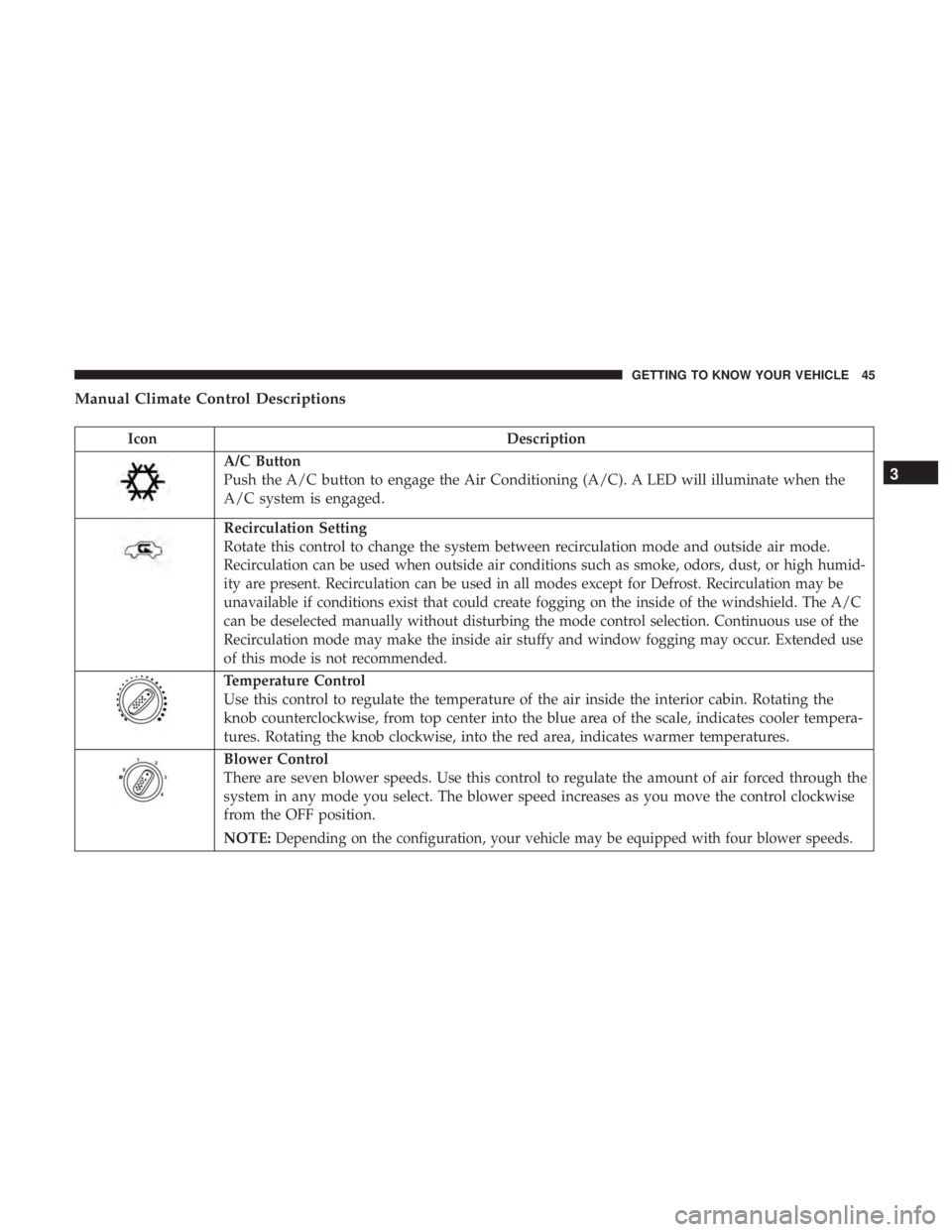
A/C Button
Push the A/C button to engage the Air Conditioning (A/C). A LED will illuminate when the
A/C system is engaged.
Recirculation Setting
Rotate this control to change the system between recirculation mode and outside air mode.
Recirculation can be used when outside air conditions such as smoke, odors, dust, or high humid-
ity are present. Recirculation can be used in all modes except for Defrost. Recirculation may be
unavailable if conditions exist that could create fogging on the inside of the windshield. The A/C
can be deselected manually without disturbing the mode control selection. Continuous use of the
Recirculation mode may make the inside air stuffy and window fogging may occur. Extended use
of this mode is not recommended.
Temperature Control
Use this control to regulate the temperature of the air inside the interior cabin. Rotating the
knob counterclockwise, from top center into the blue area of the scale, indicates cooler tempera-
tures. Rotating the knob clockwise, into the red area, indicates warmer temperatures.
Blower Control
There are seven blower speeds. Use this control to regulate the amount of air forced through the
system in any mode you select. The blower speed increases as you move the control clockwise
from the OFF position.
NOTE: Depending on the configuration, your vehicle may be equipped with four blower speeds. 3GETTING TO KNOW YOUR VEHICLE 45
Page 48 of 338
Icon Description
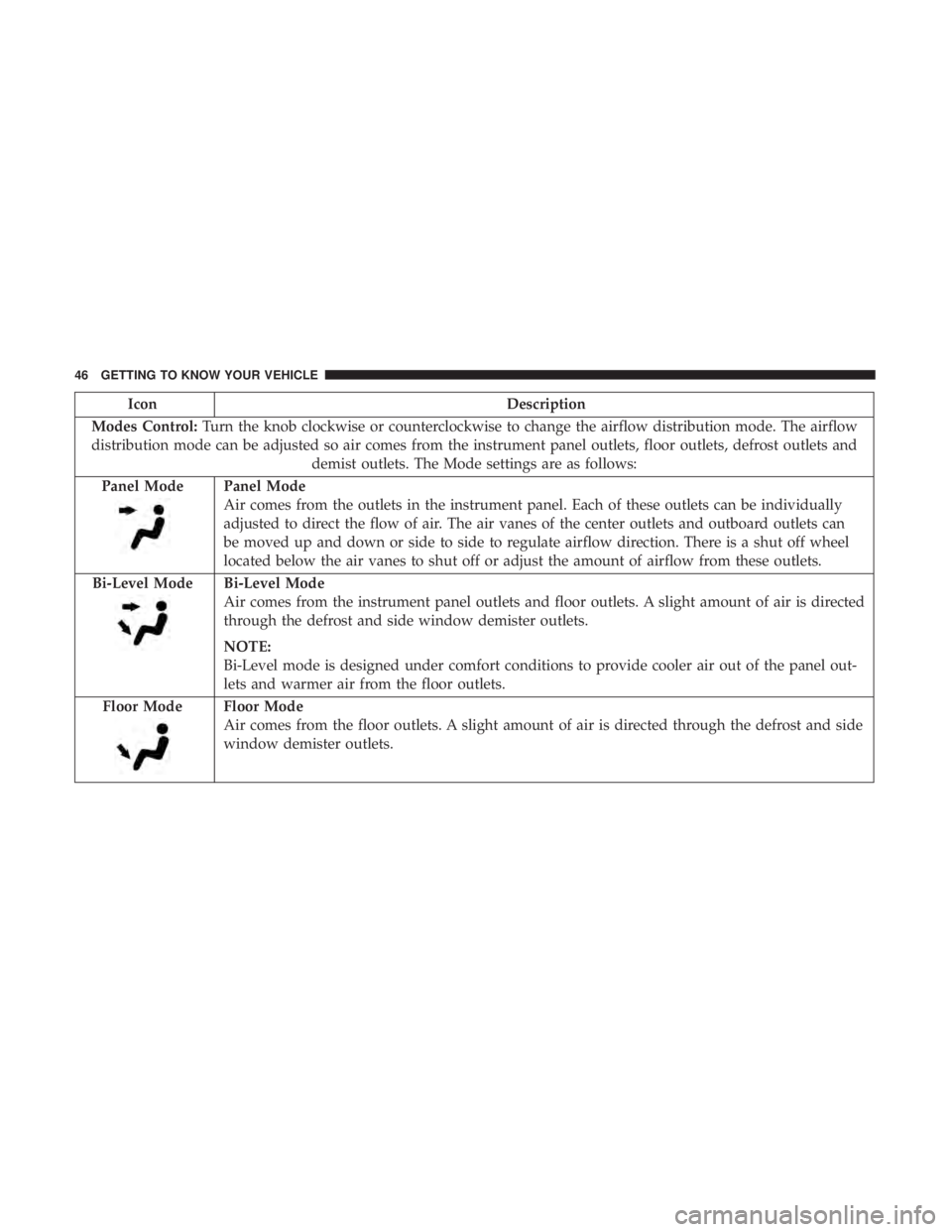
Modes Control: Turn the knob clockwise or counterclockwise to change the airflow distribution mode. The airflow
distribution mode can be adjusted so air comes from the instrument panel outlets, floor outlets, defrost outlets and
demist outlets. The Mode settings are as follows:
Panel Mode Panel Mode
Air comes from the outlets in the instrument panel. Each of these outlets can be individually
adjusted to direct the flow of air. The air vanes of the center outlets and outboard outlets can
be moved up and down or side to side to regulate airflow direction. There is a shut off wheel
located below the air vanes to shut off or adjust the amount of airflow from these outlets.
Bi-Level Mode Bi-Level Mode
Air comes from the instrument panel outlets and floor outlets. A slight amount of air is directed
through the defrost and side window demister outlets.
NOTE:
Bi-Level mode is designed under comfort conditions to provide cooler air out of the panel out-
lets and warmer air from the floor outlets.
Floor Mode Floor Mode
Air comes from the floor outlets. A slight amount of air is directed through the defrost and side
window demister outlets.46 GETTING TO KNOW YOUR VEHICLE
Page 49 of 338
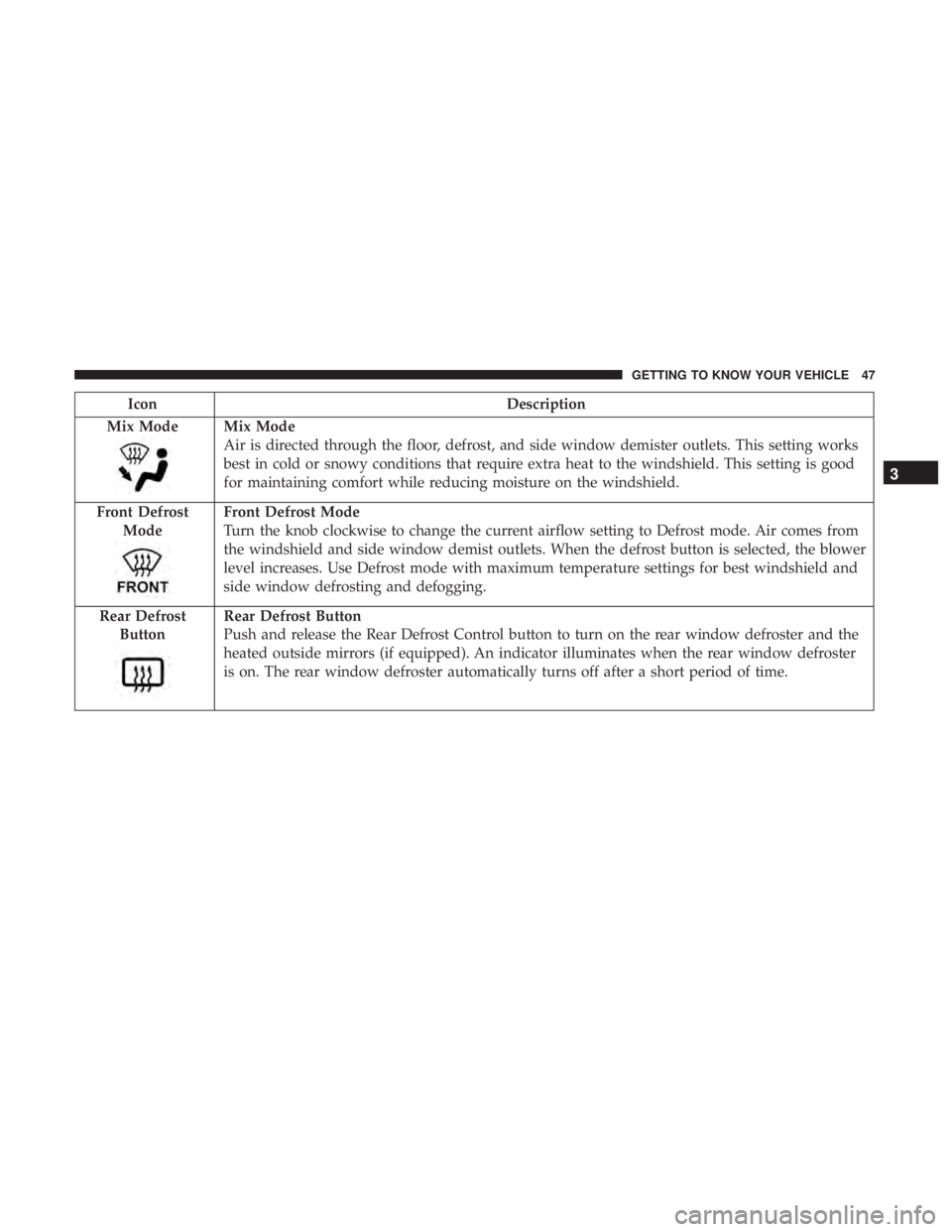
Icon Description
Mix Mode Mix Mode
Air is directed through the floor, defrost, and side window demister outlets. This setting works
best in cold or snowy conditions that require extra heat to the windshield. This setting is good
for maintaining comfort while reducing moisture on the windshield.
Front Defrost
Mode Front Defrost Mode
Turn the knob clockwise to change the current airflow setting to Defrost mode. Air comes from
the windshield and side window demist outlets. When the defrost button is selected, the blower
level increases. Use Defrost mode with maximum temperature settings for best windshield and
side window defrosting and defogging.
Rear Defrost
Button Rear Defrost Button
Push and release the Rear Defrost Control button to turn on the rear window defroster and the
heated outside mirrors (if equipped). An indicator illuminates when the rear window defroster
is on. The rear window defroster automatically turns off after a short period of time. 3GETTING TO KNOW YOUR VEHICLE 47