service FIAT 500C 2018 Owners Manual
[x] Cancel search | Manufacturer: FIAT, Model Year: 2018, Model line: 500C, Model: FIAT 500C 2018Pages: 338, PDF Size: 4 MB
Page 6 of 338
INTRODUCTION
Dear Customer,
Congratulations on selecting your new vehicle. Be assured
that it represents precision workmanship, distinctive styl-
ing, and high quality. This Owner ’s Manual has been
prepared with the assistance of service and engineering
specialists to acquaint you with the operation and mainte-
nance of your vehicle. It is supplemented by Warranty
Information, and customer oriented documents. In the
attached Warranty Booklet, you will find a description of
the services that FCA offers to its customers, the Warranty
Certificate and the details of the terms and conditions for
maintaining its validity. Please take the time to read all of
these publications carefully before driving your vehicle for
the first time. Following the instructions, recommenda-
tions, tips, and important warnings in this manual will
help assure safe and enjoyable operation of your vehicle.
Be sure you are familiar with all vehicle controls, particu-
larly those used for braking, steering, transmission, and
transfer case shifting (if equipped). Learn how your vehicle
handles on different road surfaces. Your driving skills will
improve with experience. This Owner ’s Manual describes all versions of this vehicle.
Options and equipment dedicated to specific markets or
versions are not expressly indicated in the text. Therefore,
you should only consider the information which is related
to the trim level, engine, and version that you have
purchased. Any content introduced throughout the Own-
er ’s Information, that may or may not be applicable to your
vehicle, will be identified with the wording “If Equipped”.
All data contained in this publication are intended to help
you use your vehicle in the best possible way. FCA aims at
a constant improvement of the vehicles produced. For this
reason, it reserves the right to make changes to the model
described for technical and/or commercial reasons. For
further information, contact an authorized dealer.
NOTE: After reviewing the Owner ’s Information, it should
be stored in the vehicle for convenient referencing, and
remain with the vehicle when sold.
When it comes to service, remember that an authorized
dealer knows your vehicle best, has factory-trained techni-
cians and genuine MOPAR® parts, and cares about your
satisfaction.4 INTRODUCTION
Page 23 of 338
Key-In-Ignition Reminder
Opening the driver’s door when the key is in the ignition
and the ignition switch position is in the OFF/LOCK
position, a signal sounds to remove the key.
SENTRY KEY
The Sentry Key Immobilizer System prevents unauthor-
ized vehicle operation by disabling the vehicle. The system
does not need to be armed or activated. Operation is
automatic, regardless of whether the vehicle is locked or
unlocked.
The system uses ignition keys which have an embedded
electronic chip (transponder) to prevent unauthorized ve-
hicle operation. Therefore, only keys that are programmed
to the vehicle can be used to start and operate the vehicle.
NOTE: A key which has not been programmed is also
considered an invalid key, even if it is cut to fit the ignition
switch lock cylinder for that vehicle.
If the vehicle security light is on after the key is turned to
the MAR (ACC/ON/RUN) position, it indicates that there
is a problem with the electronics. CAUTION!• Always remove the Sentry Key from the vehicle and
lock all doors when leaving the vehicle unattended.
• The Sentry Key Immobilizer system is not compat-
ible with some aftermarket remote starting systems.
Use of these systems may result in vehicle starting
problems and loss of security protection.
All of the keys provided with your new vehicle have been
programmed to the vehicle electronics.
Customer Key Programming
Programming key fobs may be performed at an authorized
dealer.
Replacement Keys
NOTE: Only keys that have been programmed to the
vehicle electronics can be used to start the vehicle. Once a
Sentry Key has been programmed to a vehicle, it cannot be
programmed to any other vehicle. When having the Sen-
try Key Immobilizer System serviced, bring all vehicle
keys with you to an authorized dealer. 3GETTING TO KNOW YOUR VEHICLE 21
Page 34 of 338
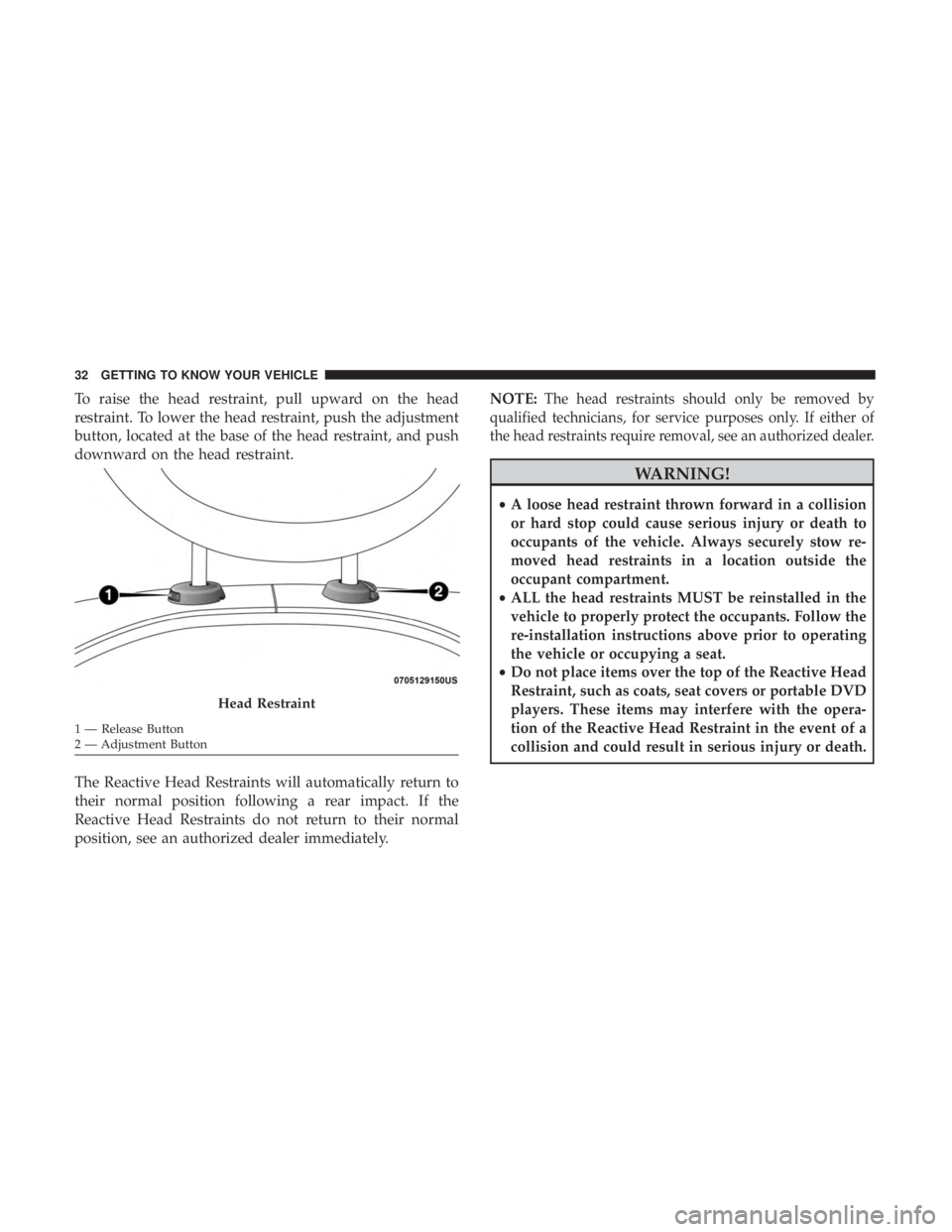
To raise the head restraint, pull upward on the head
restraint. To lower the head restraint, push the adjustment
button, located at the base of the head restraint, and push
downward on the head restraint.
The Reactive Head Restraints will automatically return to
their normal position following a rear impact. If the
Reactive Head Restraints do not return to their normal
position, see an authorized dealer immediately. NOTE: The head restraints should only be removed by
qualified technicians, for service purposes only. If either of
the head restraints require removal, see an authorized dealer.
WARNING!• A loose head restraint thrown forward in a collision
or hard stop could cause serious injury or death to
occupants of the vehicle. Always securely stow re-
moved head restraints in a location outside the
occupant compartment.
• ALL the head restraints MUST be reinstalled in the
vehicle to properly protect the occupants. Follow the
re-installation instructions above prior to operating
the vehicle or occupying a seat.
• Do not place items over the top of the Reactive Head
Restraint, such as coats, seat covers or portable DVD
players. These items may interfere with the opera-
tion of the Reactive Head Restraint in the event of a
collision and could result in serious injury or death.Head Restraint1 — Release Button
2 — Adjustment Button32 GETTING TO KNOW YOUR VEHICLE
Page 57 of 338
Vacation/Storage
Before you store your vehicle, or keep it out of service (i.e.,
vacation) for two weeks or more, run the air conditioning
system at idle for about five minutes, in fresh air with the
blower setting on high. This will ensure adequate system
lubrication to minimize the possibility of compressor dam-
age when the system is started again.
Window Fogging
Vehicle windows tend to fog on the inside in mild, rainy
and/or humid weather. To clear the windows, select De-
frost or Mix mode and increase the front blower speed. Do
not use the Recirculation mode without A/C for long
periods, as fogging may occur.
CAUTION!Failure to follow these cautions can cause damage to
the heating elements:
• Use care when washing the inside of the rear win-
dow. Do not use abrasive window cleaners on the
interior surface of the window. Use a soft cloth and a (Continued) CAUTION! (Continued)mild washing solution, wiping parallel to the heat-
ing elements. Labels can be peeled off after soaking
with warm water.
• Do not use scrapers, sharp instruments, or abrasive
window cleaners on the interior surface of the win-
dow.
• Keep all objects a safe distance from the window.
Outside Air Intake
Make sure the air intake, located directly in front of the
windshield, is free of obstructions such as leaves. Leaves
collected in the air intake may reduce airflow, and if they
enter the plenum, they could plug the water drains. In
winter months, make sure the air intake is clear of ice,
slush, and snow.
A/C Air Filter
The climate control system filters out dust and pollen from
the air. Contact an authorized dealer to service your A/C
air filter, and to have it replaced when needed. 3GETTING TO KNOW YOUR VEHICLE 55
Page 80 of 338
Instrument Cluster Descriptions
1. Tachometer
• This gauge measures engine revolutions per minute
(RPM x 1000). Before the pointer reaches the red area,
ease up on the accelerator to prevent engine damage.
2. Temperature Gauge
• The temperature gauge shows engine coolant tem-
perature. Any reading within the normal range indi-
cates that the engine cooling system is operating
satisfactorily.
• The digital gauge will likely indicate a higher tempera-
ture when driving in hot weather, or up mountain
grades. It should not be allowed to exceed the upper
limits of the normal operating range.
WARNING!• Driving with a hot engine cooling system could
damage your vehicle. If the temperature gauge reads
“H” pull over and stop the vehicle. Idle the vehicle
with the air conditioner turned off until the pointer
drops back into the normal range. If the pointer (Continued) WARNING! (Continued)remains on the “H,” turn the engine off immediately
and call an authorized dealer for service.
• A hot engine cooling system is dangerous. You or
others could be badly burned by steam or boiling
coolant. You may want to call an authorized dealer
for service if your vehicle overheats. If you decide to
look under the hood yourself, see “Servicing And
Maintenance.” Follow the warnings under the Cool-
ing System Pressure Cap paragraph.
3. Speedometer
• Indicates vehicle speed.
4. Fuel Gauge
• The digital display shows the amount of fuel in the
tank.
• The switching on of the digital warning light indicates
that 1 – 1.3 gallons of fuel are left in the tank; in this
situation, refuel as soon as possible.
• Do not travel with the fuel tank almost empty; any
gaps in fuel delivery could damage the catalytic con-
verter.78 GETTING TO KNOW YOUR INSTRUMENT PANEL
Page 83 of 338
NOTE: When opening one of the front doors, the instru-
ment cluster display will turn on the clock and the miles or
kilometers covered (if equipped) for a few seconds.
Instrument Cluster Display Setup Menu
The menu comprises a series of functions arranged in a
cycle. Push and release the up and down arrow buttons to
access the different options and settings (setup).
The setup menu can be activated by pushing the MENU
button. A single push on the up or down arrow button will
scroll through the setup menu options. The menu includes
the following functions:
• Buzzer Volume
• Service — If Equipped
• Headlight Adjustment — If Equipped
• Trip B Data
• Audio Repetition — If Equipped
• Navigation Repetition — If Equipped Selecting An Option Of The Main Menu Without
Submenu
1. Briefly push and release the MENU button to select the
main menu option to set.
2. Push and release the up or down arrow button (by
single pushes) to select the new setting.
3. Briefly push and release the MENU button to store the
new setting and go back to the main menu option
previously selected.
Selecting An Option Of The Main Menu With Submenu
1. Briefly push and release the MENU button to display
the first submenu option.
2. Push and release the up or down arrow button (by
single pushes) to scroll through all the submenu options.
3. Briefly push and release the MENU button to select the
displayed submenu option and to open the relevant
setup menu.
4. Push and release the up or down arrow button (by
single pushes) to select the new setting for this submenu
option. 4GETTING TO KNOW YOUR INSTRUMENT PANEL 81
Page 87 of 338
In this case, the light will remain on until the condition has
been corrected. If the problem is related to the brake
booster, the ABS pump will run when applying the brake,
and a brake pedal pulsation may be felt during each stop.
The dual brake system provides a reserve braking capacity
in the event of a failure to a portion of the hydraulic
system. A leak in either half of the dual brake system is
indicated by the Brake Warning Light, which will turn on
when the brake fluid level in the master cylinder has
dropped below a specified level.
The light will remain on until the cause is corrected.
NOTE: The light may flash momentarily during sharp
cornering maneuvers, which change fluid level conditions.
The vehicle should have service performed, and the brake
fluid level checked.
If brake failure is indicated, immediate repair is necessary.
WARNING!Driving a vehicle with the red brake light on is
dangerous. Part of the brake system may have failed. It
will take longer to stop the vehicle. You could have a
collision. Have the vehicle checked immediately. Vehicles equipped with the Anti-Lock Brake System (ABS)
are also equipped with Electronic Brake Force Distribution
(EBD). In the event of an EBD failure, the Brake Warning
Light will turn on along with the ABS Light. Immediate
repair to the ABS system is required.
Operation of the Brake Warning Light can be checked by
turning the ignition switch from the OFF position to the
ON/RUN position. The light should illuminate for ap-
proximately two seconds. The light should then turn off
unless the parking brake is applied or a brake fault is
detected. If the light does not illuminate, have the light
inspected by an authorized dealer.
The light also will turn on when the parking brake is
applied with the ignition switch in the ON/RUN position.
NOTE: This light shows only that the parking brake is
applied. It does not show the degree of brake application.
— Battery Charge Warning Light
This warning light will illuminate when the battery is not
charging properly. If it stays on while the engine is run-
ning, there may be a malfunction with the charging system.
Contact an authorized dealer as soon as possible.
This indicates a possible problem with the electrical system
or a related component. 4GETTING TO KNOW YOUR INSTRUMENT PANEL 85
Page 88 of 338
— Door Open Warning Light
This indicator will illuminate when one or more door(s) are
not fully closed.
NOTE: If the vehicle is moving and a door is opened, there
will also be a single chime.
— Electric Power Steering Fault Warning Light
This warning light will turn on when there’s a fault with the
EPS (Electric Power Steering) system. Refer to “Power Steer-
ing” in “Starting And Operating” for further information.
WARNING!Continued operation with reduced assist could pose a
safety risk to yourself and others. Service should be
obtained as soon as possible.
— Electronic Throttle Control (ETC) Warning
Light
This warning light will illuminate to indicate a problem
with the Electronic Throttle Control (ETC) system. If a
problem is detected while the vehicle is running, the light
will either stay on or flash depending on the nature of the problem. Cycle the ignition when the vehicle is safely and
completely stopped and the transmission is placed in the
PARK position. The light should turn off. If the light
remains on with the vehicle running, your vehicle will
usually be drivable; however, see an authorized dealer for
service as soon as possible.
NOTE: This light may turn on if the accelerator and brake
pedals are pressed at the same time.
If the light continues to flash when the vehicle is running,
immediate service is required and you may experience
reduced performance, an elevated/rough idle, or engine
stall and your vehicle may require towing. The light will
come on when the ignition is placed in the ON/RUN or
ACC/ON/RUN position and remain on briefly as a bulb
check. If the light does not come on during starting, have
the system checked by an authorized dealer.
— Engine Coolant Temperature Warning Light
This light warns of an overheated engine condition. If the
engine coolant temperature is too high, this indicator will
illuminate and a single chime will sound.86 GETTING TO KNOW YOUR INSTRUMENT PANEL
Page 89 of 338
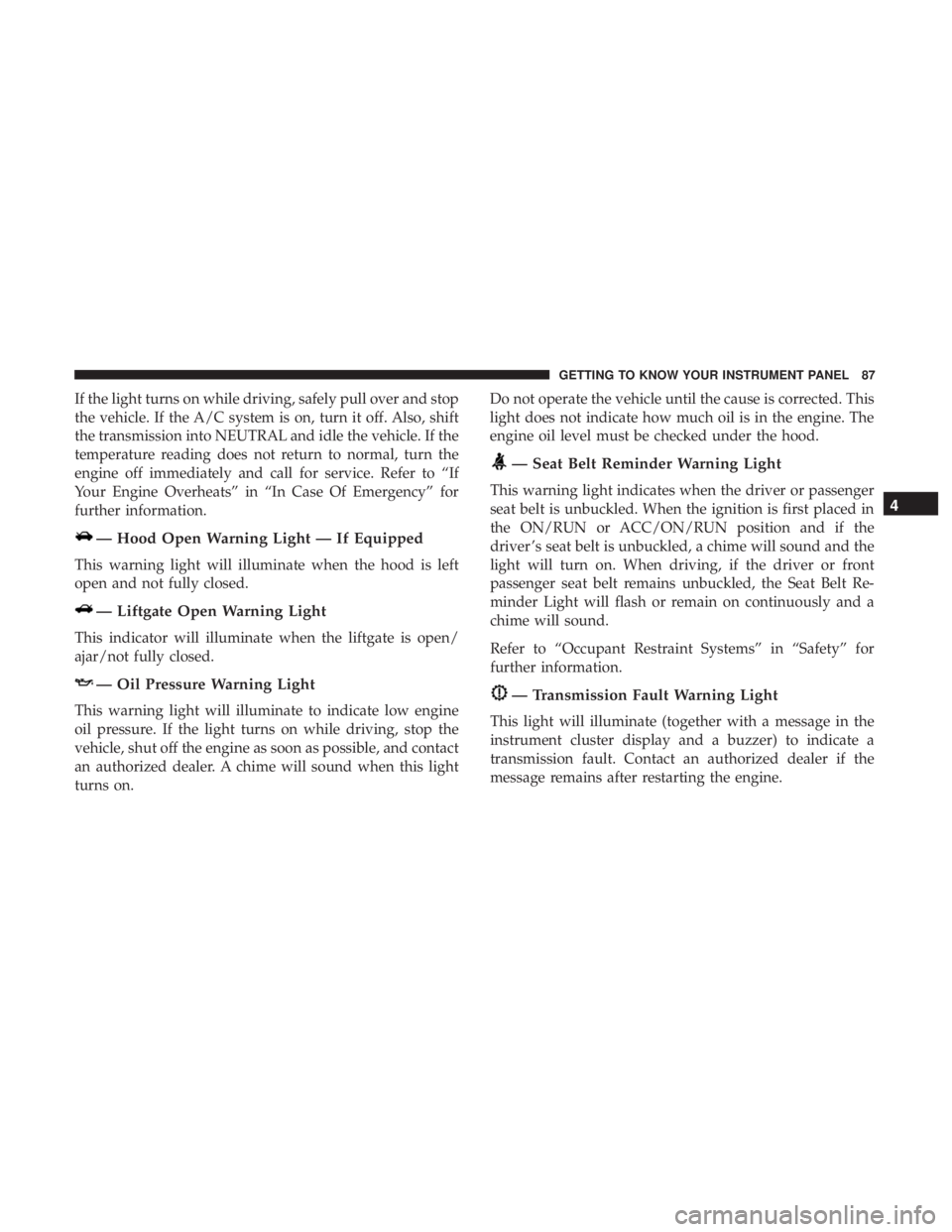
If the light turns on while driving, safely pull over and stop
the vehicle. If the A/C system is on, turn it off. Also, shift
the transmission into NEUTRAL and idle the vehicle. If the
temperature reading does not return to normal, turn the
engine off immediately and call for service. Refer to “If
Your Engine Overheats” in “In Case Of Emergency” for
further information.
— Hood Open Warning Light — If Equipped
This warning light will illuminate when the hood is left
open and not fully closed.
— Liftgate Open Warning Light
This indicator will illuminate when the liftgate is open/
ajar/not fully closed.
— Oil Pressure Warning Light
This warning light will illuminate to indicate low engine
oil pressure. If the light turns on while driving, stop the
vehicle, shut off the engine as soon as possible, and contact
an authorized dealer. A chime will sound when this light
turns on. Do not operate the vehicle until the cause is corrected. This
light does not indicate how much oil is in the engine. The
engine oil level must be checked under the hood.
— Seat Belt Reminder Warning Light
This warning light indicates when the driver or passenger
seat belt is unbuckled. When the ignition is first placed in
the ON/RUN or ACC/ON/RUN position and if the
driver ’s seat belt is unbuckled, a chime will sound and the
light will turn on. When driving, if the driver or front
passenger seat belt remains unbuckled, the Seat Belt Re-
minder Light will flash or remain on continuously and a
chime will sound.
Refer to “Occupant Restraint Systems” in “Safety” for
further information.
— Transmission Fault Warning Light
This light will illuminate (together with a message in the
instrument cluster display and a buzzer) to indicate a
transmission fault. Contact an authorized dealer if the
message remains after restarting the engine. 4GETTING TO KNOW YOUR INSTRUMENT PANEL 87
Page 90 of 338
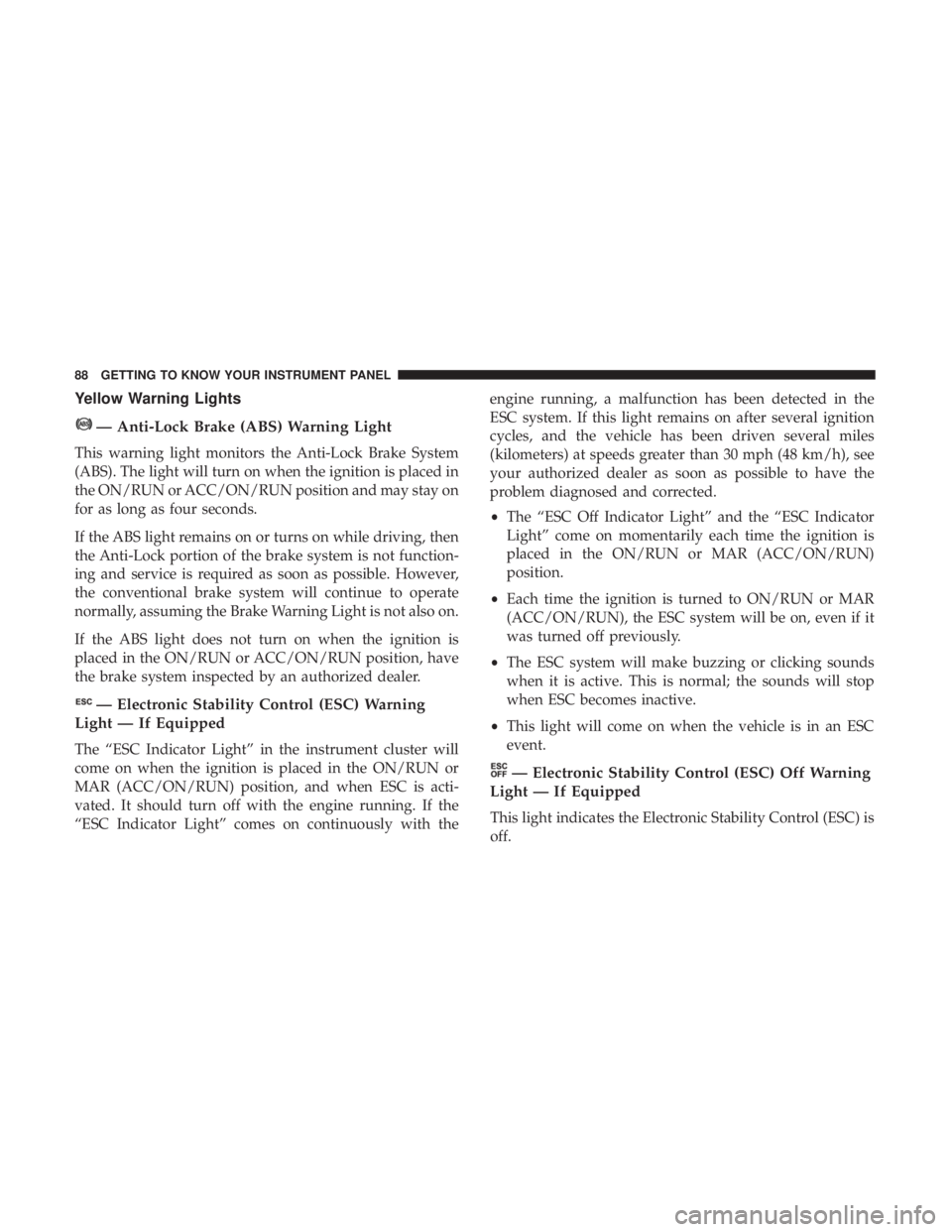
Yellow Warning Lights
— Anti-Lock Brake (ABS) Warning Light
This warning light monitors the Anti-Lock Brake System
(ABS). The light will turn on when the ignition is placed in
the ON/RUN or ACC/ON/RUN position and may stay on
for as long as four seconds.
If the ABS light remains on or turns on while driving, then
the Anti-Lock portion of the brake system is not function-
ing and service is required as soon as possible. However,
the conventional brake system will continue to operate
normally, assuming the Brake Warning Light is not also on.
If the ABS light does not turn on when the ignition is
placed in the ON/RUN or ACC/ON/RUN position, have
the brake system inspected by an authorized dealer.
— Electronic Stability Control (ESC) Warning
Light — If Equipped
The “ESC Indicator Light” in the instrument cluster will
come on when the ignition is placed in the ON/RUN or
MAR (ACC/ON/RUN) position, and when ESC is acti-
vated. It should turn off with the engine running. If the
“ESC Indicator Light” comes on continuously with the engine running, a malfunction has been detected in the
ESC system. If this light remains on after several ignition
cycles, and the vehicle has been driven several miles
(kilometers) at speeds greater than 30 mph (48 km/h), see
your authorized dealer as soon as possible to have the
problem diagnosed and corrected.
• The “ESC Off Indicator Light” and the “ESC Indicator
Light” come on momentarily each time the ignition is
placed in the ON/RUN or MAR (ACC/ON/RUN)
position.
• Each time the ignition is turned to ON/RUN or MAR
(ACC/ON/RUN), the ESC system will be on, even if it
was turned off previously.
• The ESC system will make buzzing or clicking sounds
when it is active. This is normal; the sounds will stop
when ESC becomes inactive.
• This light will come on when the vehicle is in an ESC
event.
— Electronic Stability Control (ESC) Off Warning
Light — If Equipped
This light indicates the Electronic Stability Control (ESC) is
off.88 GETTING TO KNOW YOUR INSTRUMENT PANEL