radio FIAT 500C 2019 Owner's Manual
[x] Cancel search | Manufacturer: FIAT, Model Year: 2019, Model line: 500C, Model: FIAT 500C 2019Pages: 332, PDF Size: 3.17 MB
Page 303 of 332
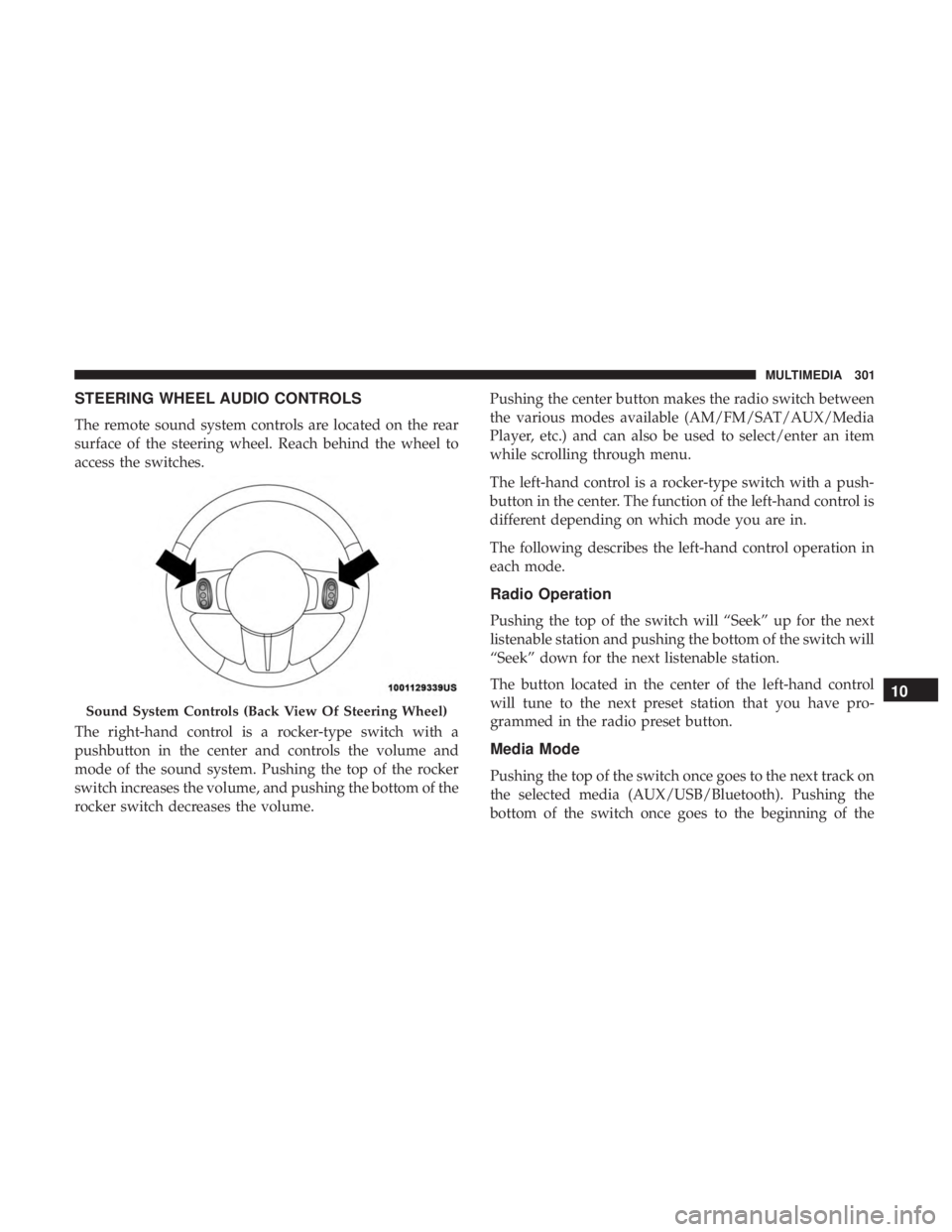
STEERING WHEEL AUDIO CONTROLS
The remote sound system controls are located on the rear
surface of the steering wheel. Reach behind the wheel to
access the switches.
The right-hand control is a rocker-type switch with a
pushbutton in the center and controls the volume and
mode of the sound system. Pushing the top of the rocker
switch increases the volume, and pushing the bottom of the
rocker switch decreases the volume.Pushing the center button makes the radio switch between
the various modes available (AM/FM/SAT/AUX/Media
Player, etc.) and can also be used to select/enter an item
while scrolling through menu.
The left-hand control is a rocker-type switch with a push-
button in the center. The function of the left-hand control is
different depending on which mode you are in.
The following describes the left-hand control operation in
each mode.
Radio Operation
Pushing the top of the switch will “Seek” up for the next
listenable station and pushing the bottom of the switch will
“Seek” down for the next listenable station.
The button located in the center of the left-hand control
will tune to the next preset station that you have pro-
grammed in the radio preset button.
Media Mode
Pushing the top of the switch once goes to the next track on
the selected media (AUX/USB/Bluetooth). Pushing the
bottom of the switch once goes to the beginning of the
Sound System Controls (Back View Of Steering Wheel)
10
MULTIMEDIA 301
Page 304 of 332
current track, or to the beginning of the previous track if it
is within eight seconds after the current track begins to
play.
IPOD/USB/MEDIA PLAYER CONTROL —
IF EQUIPPED
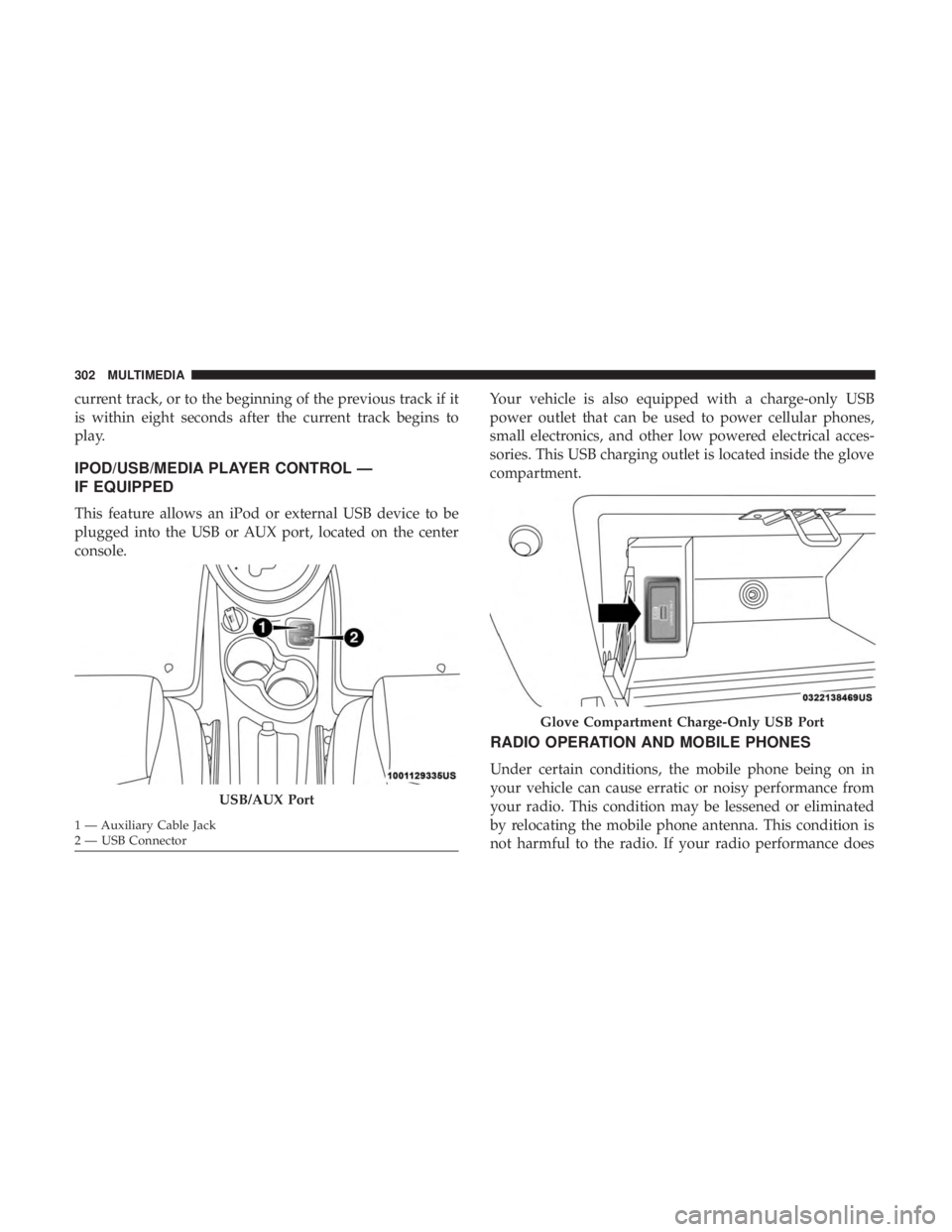
This feature allows an iPod or external USB device to be
plugged into the USB or AUX port, located on the center
console.Your vehicle is also equipped with a charge-only USB
power outlet that can be used to power cellular phones,
small electronics, and other low powered electrical acces-
sories. This USB charging outlet is located inside the glove
compartment.
RADIO OPERATION AND MOBILE PHONES
Under certain conditions, the mobile phone being on in
your vehicle can cause erratic or noisy performance from
your radio. This condition may be lessened or eliminated
by relocating the mobile phone antenna. This condition is
not harmful to the radio. If your radio performance does
USB/AUX Port
1 — Auxiliary Cable Jack
2 — USB Connector
Glove Compartment Charge-Only USB Port
302 MULTIMEDIA
Page 305 of 332
not satisfactorily “clear” by the repositioning of the an-
tenna, it is recommended that the radio volume be turned
down or off during mobile phone operation.
General Information
The following regulatory statement applies to all Radio
Frequency (RF) devices equipped in this vehicle:
This device complies with Part 15 of the FCC Rules and
with Industry Canada license-exempt RSS standard(s).
Operation is subject to the following two conditions:
•This device may not cause harmful interference, and
• This device must accept any interference received, in-
cluding interference that may cause undesired opera-
tion.
NOTE: Changes or modifications not expressly approved
by the party responsible for compliance could void the
user ’s authority to operate the equipment.
UCONNECT 3/3 NAV VOICE RECOGNITION QUICK
TIPS
Introducing Uconnect
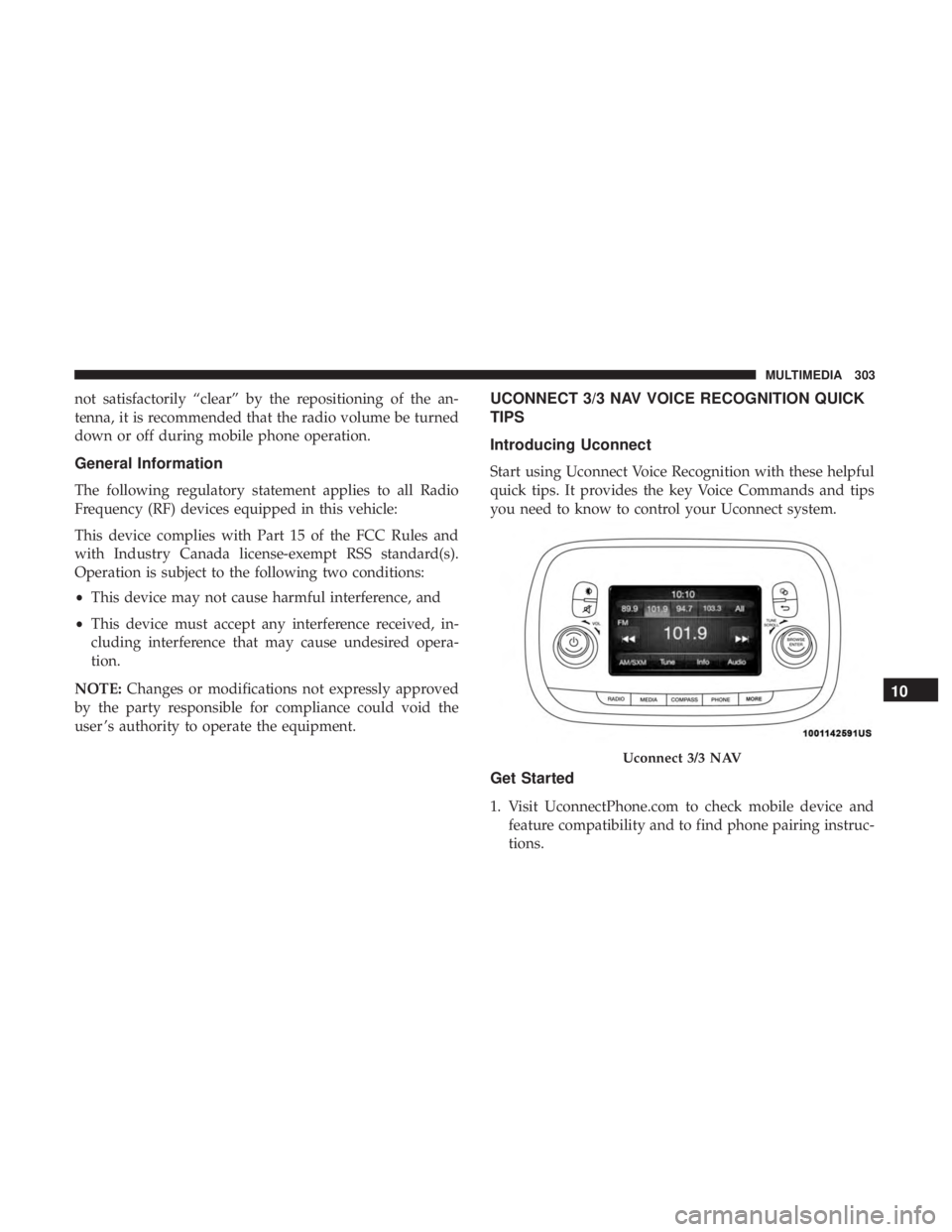
Start using Uconnect Voice Recognition with these helpful
quick tips. It provides the key Voice Commands and tips
you need to know to control your Uconnect system.
Get Started
1. Visit UconnectPhone.com to check mobile device and feature compatibility and to find phone pairing instruc-
tions.
Uconnect 3/3 NAV
10
MULTIMEDIA 303
Page 306 of 332
2. Reduce background noise. Wind and passenger conver-sations are examples of noise that may impact recogni-
tion.
3. Speak clearly at a normal pace and volume while facing straight ahead. The microphone is positioned on the
rearview mirror and aimed at the driver.
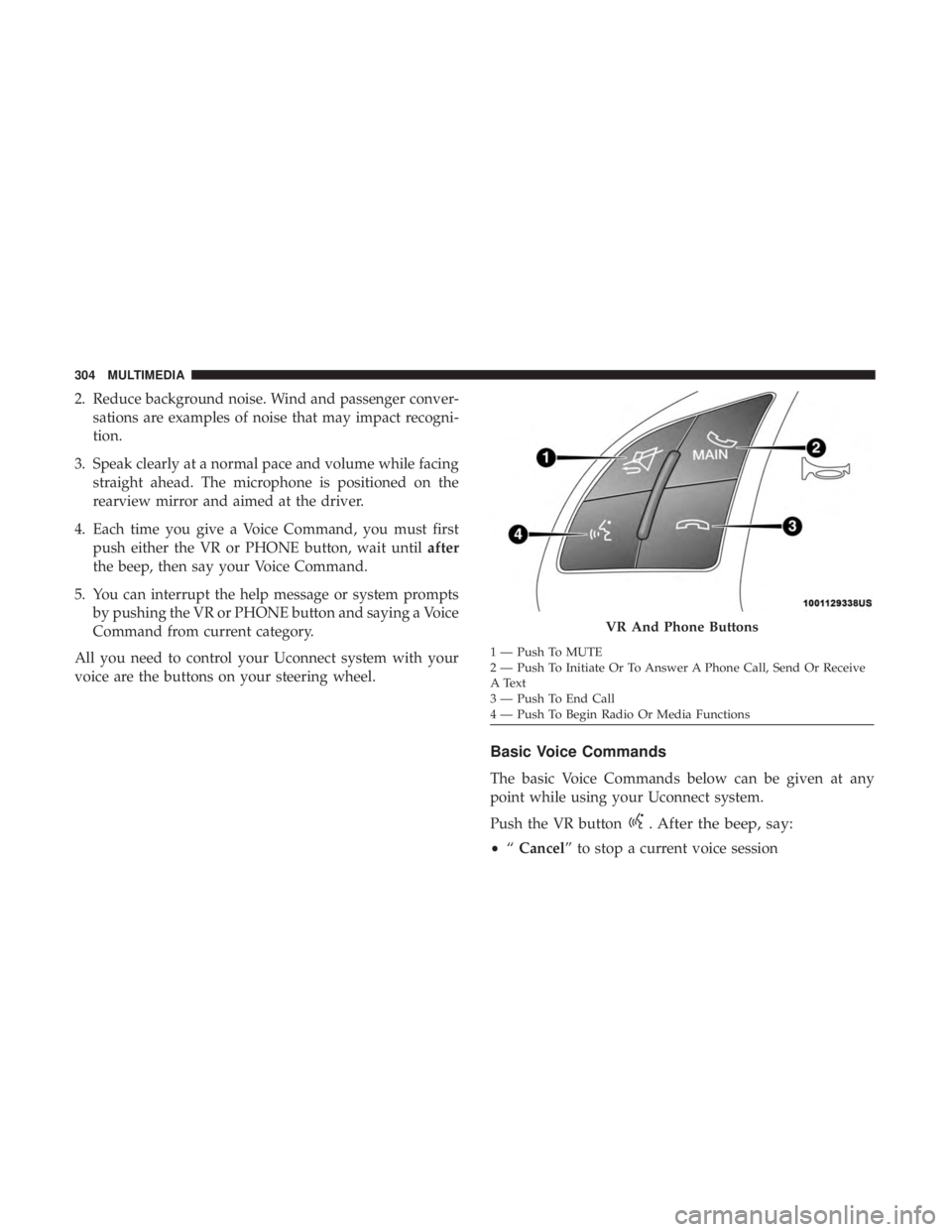
4. Each time you give a Voice Command, you must first push either the VR or PHONE button, wait until after
the beep, then say your Voice Command.
5. You can interrupt the help message or system prompts by pushing the VR or PHONE button and saying a Voice
Command from current category.
All you need to control your Uconnect system with your
voice are the buttons on your steering wheel.
Basic Voice Commands
The basic Voice Commands below can be given at any
point while using your Uconnect system.
Push the VR button
. After the beep, say:
• “Cancel” to stop a current voice session
VR And Phone Buttons
1 — Push To MUTE
2 — Push To Initiate Or To Answer A Phone Call, Send Or Receive
A Text
3 — Push To End Call
4 — Push To Begin Radio Or Media Functions
304 MULTIMEDIA
Page 307 of 332
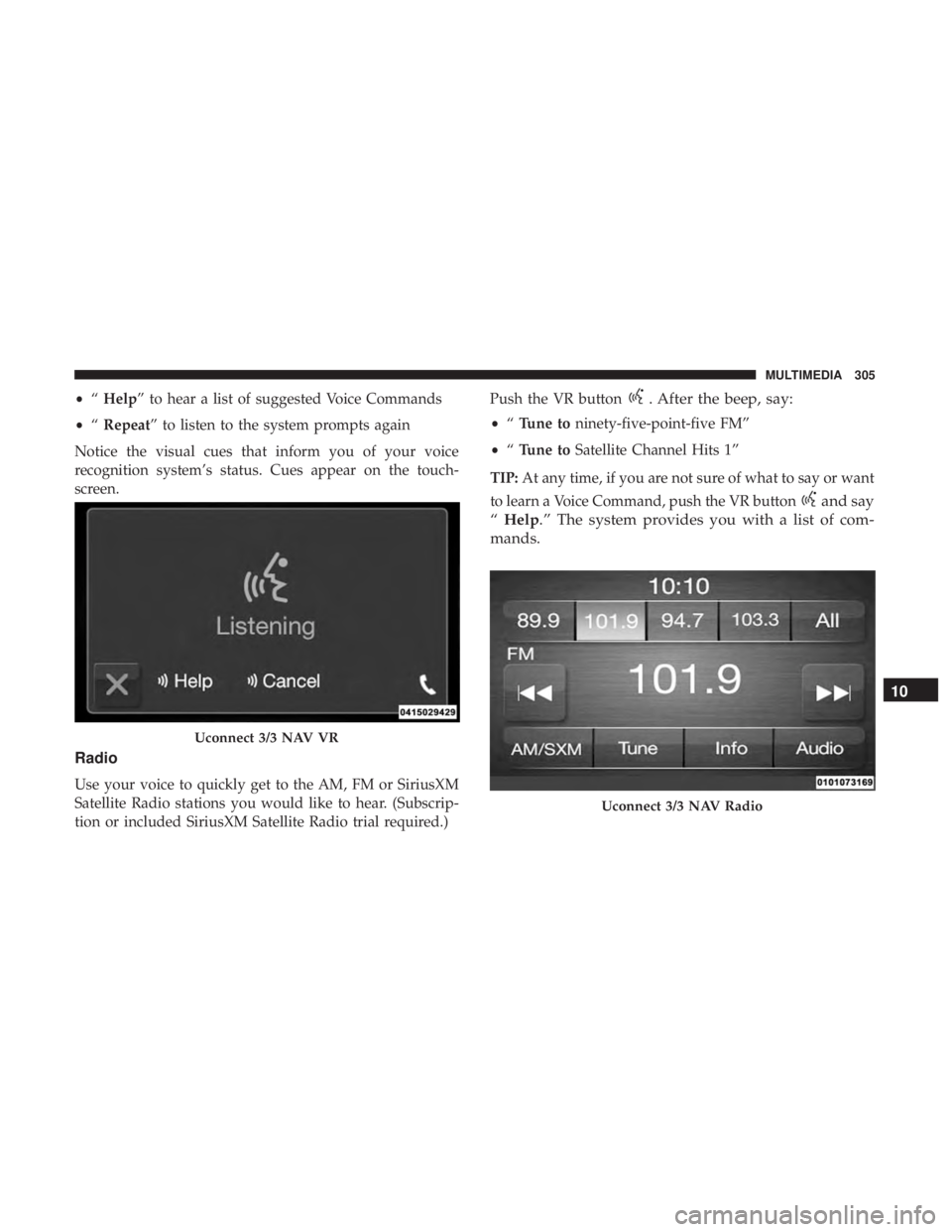
•“Help” to hear a list of suggested Voice Commands
• “Repeat” to listen to the system prompts again
Notice the visual cues that inform you of your voice
recognition system’s status. Cues appear on the touch-
screen.
Radio
Use your voice to quickly get to the AM, FM or SiriusXM
Satellite Radio stations you would like to hear. (Subscrip-
tion or included SiriusXM Satellite Radio trial required.) Push the VR button
. After the beep, say:
•
“Tune to ninety-five-point-five FM”
• “Tune to Satellite Channel Hits 1”
TIP: At any time, if you are not sure of what to say or want
to learn a Voice Command, push the VR button
and say
“ Help.” The system provides you with a list of com-
mands.
Uconnect 3/3 NAV VR
Uconnect 3/3 NAV Radio
10
MULTIMEDIA 305
Page 308 of 332
Media
Uconnect offers connections via USB, Bluetooth and Aux-
iliary ports (if equipped). Voice operation is only available
for connected USB and iPod devices.
Push the VR button
. After the beep, say one of the
following commands and follow the prompts to switch
your media source or choose an artist.
• “Change source to Bluetooth”
• “Change source to iPod”
• “Change source to USB”
• “Play artist Beethoven”; “ Play albumGreatest Hits”;
“ Play song Moonlight Sonata”; “ Play genreClassical”
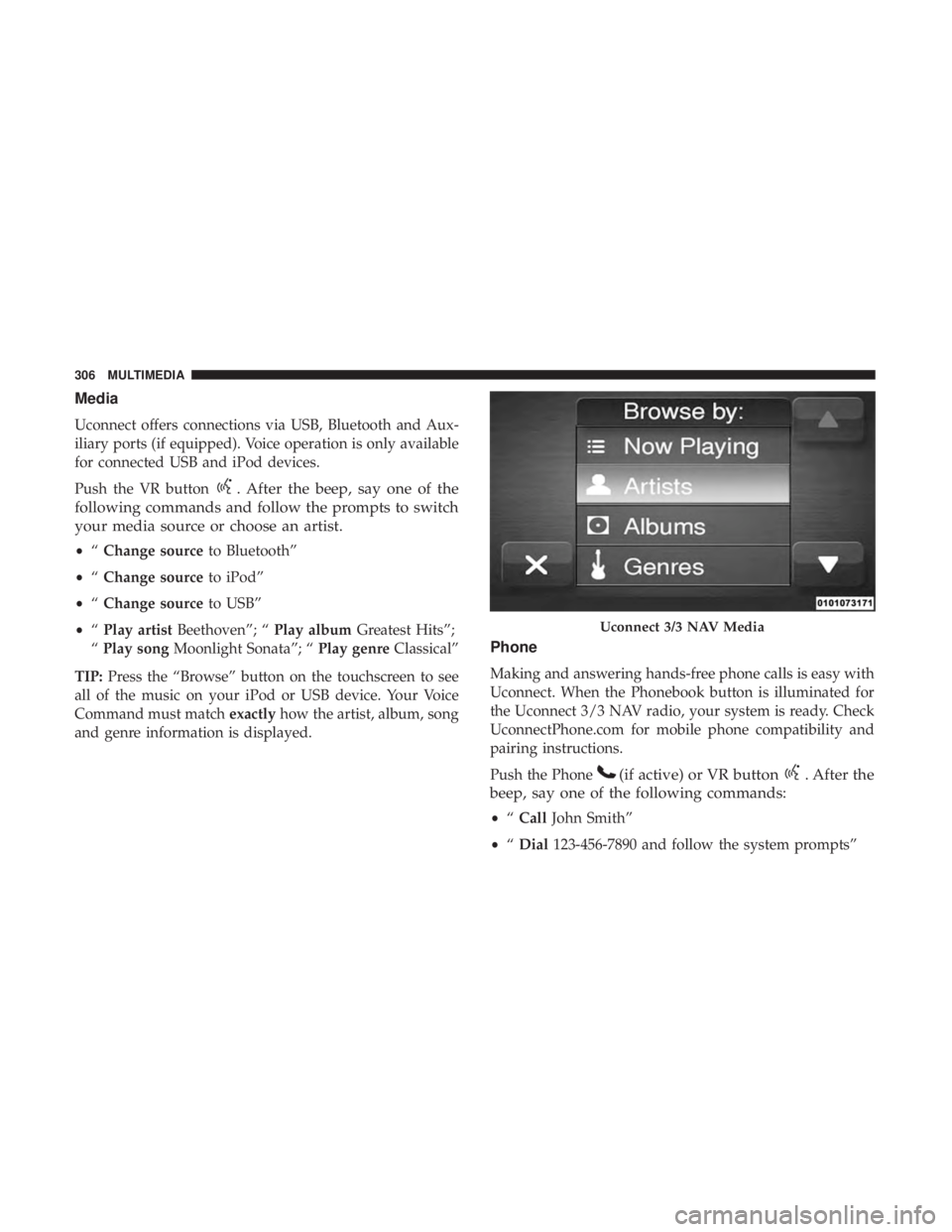
TIP: Press the “Browse” button on the touchscreen to see
all of the music on your iPod or USB device. Your Voice
Command must match exactlyhow the artist, album, song
and genre information is displayed.
Phone
Making and answering hands-free phone calls is easy with
Uconnect. When the Phonebook button is illuminated for
the Uconnect 3/3 NAV radio, your system is ready. Check
UconnectPhone.com for mobile phone compatibility and
pairing instructions.
Push the Phone
(if active) or VR button. After the
beep, say one of the following commands:
• “Call John Smith”
• “Dial 123-456-7890 and follow the system prompts”
Uconnect 3/3 NAV Media
306 MULTIMEDIA
Page 309 of 332
•“Redial (call previous outgoing phone number)”
• “Call back (call previous incoming phone number)”
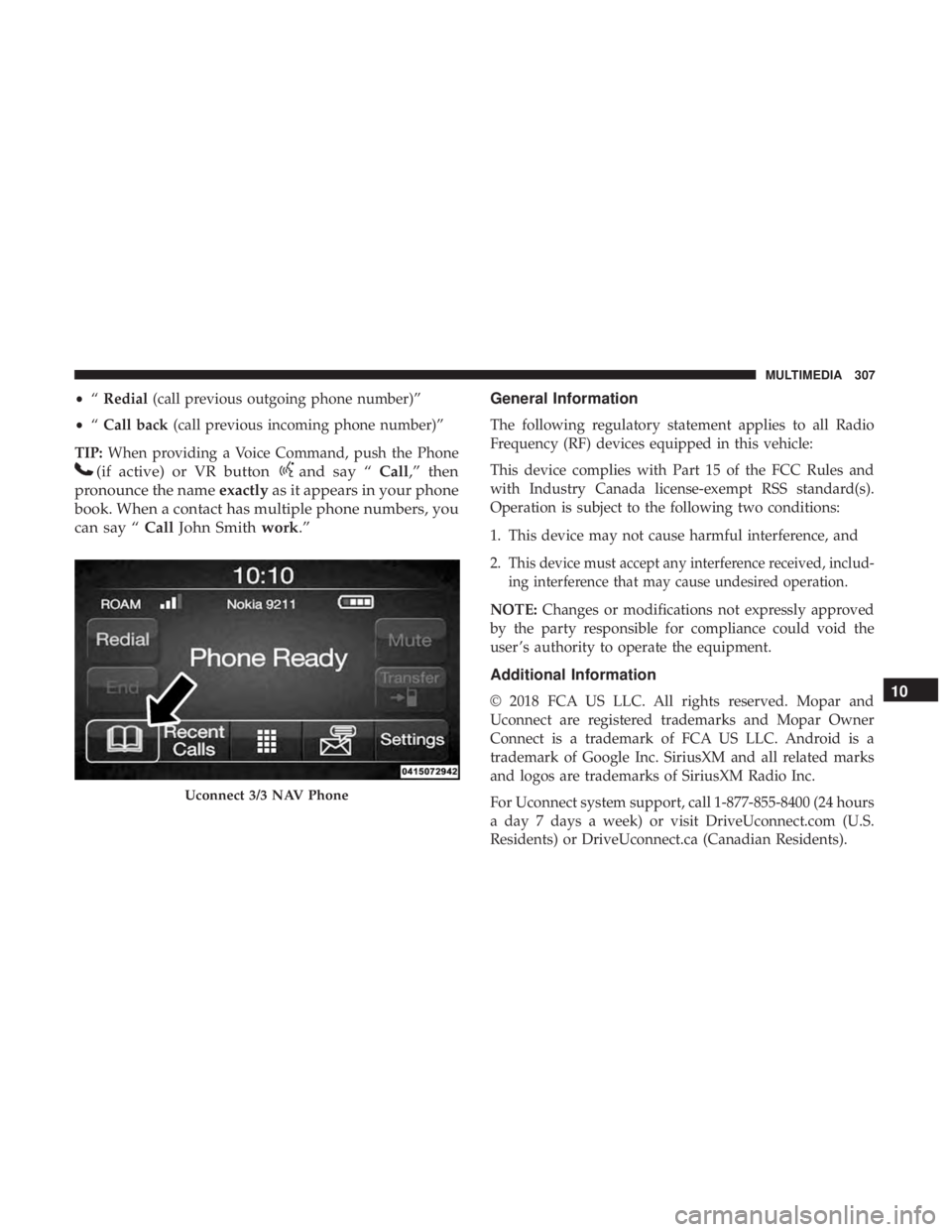
TIP: When providing a Voice Command, push the Phone
(if active) or VR buttonand say “ Call,” then
pronounce the name exactlyas it appears in your phone
book. When a contact has multiple phone numbers, you
can say “ CallJohn Smith work.” General Information
The following regulatory statement applies to all Radio
Frequency (RF) devices equipped in this vehicle:
This device complies with Part 15 of the FCC Rules and
with Industry Canada license-exempt RSS standard(s).
Operation is subject to the following two conditions:
1. This device may not cause harmful interference, and
2.
This device must accept any interference received, includ-
ing interference that may cause undesired operation.
NOTE:
Changes or modifications not expressly approved
by the party responsible for compliance could void the
user ’s authority to operate the equipment.
Additional Information
© 2018 FCA US LLC. All rights reserved. Mopar and
Uconnect are registered trademarks and Mopar Owner
Connect is a trademark of FCA US LLC. Android is a
trademark of Google Inc. SiriusXM and all related marks
and logos are trademarks of SiriusXM Radio Inc.
For Uconnect system support, call 1-877-855-8400 (24 hours
a day 7 days a week) or visit DriveUconnect.com (U.S.
Residents) or DriveUconnect.ca (Canadian Residents).
Uconnect 3/3 NAV Phone
10
MULTIMEDIA 307
Page 318 of 332
About Your Brakes........................ .280
Adding Engine Coolant (Antifreeze) .............244
Adding Fuel ............................. .186
Adding Washing Fluid ...................... .230
Additives, Fuel ........................... .283
Air Bag Air Bag Operation ....................... .127
Air Bag Warning Light .....................124
Driver Knee Air Bag ..................... .128
Enhanced Accident Response .............133, 221
Event Data Recorder (EDR) .................221
If Deployment Occurs .....................132
Knee Impact Bolsters ..................... .127
Maintaining Your Air Bag System .............136
Maintenance ........................... .136
Side Air Bags .......................... .128
Transporting Pets ....................... .153
Air Bag Light ...................... .86, 124, 155
Air Cleaner, Engine (Engine Air Cleaner Filter) ......234
Air Conditioner Maintenance ..................235
Air Conditioner Refrigerant ................235, 236
Air Conditioner System ..................... .235
Air Conditioning Filter ....................57, 236
Air Conditioning, Operating Tips ................55
Air Filter ............................... .234Air Pressure
Tires................................. .259
Alarm Security Alarm ...........................22
Alarm System Security Alarm ...........................22
Alterations/Modifications Vehicle .................................5
Antifreeze (Engine Coolant) ................243, 286
Capacites ............................. .286
Disposal .............................. .245
Anti-Lock Brake System (ABS) .................100
Anti-Lock Warning Light ...................89, 94
Arming System Security Alarm ...........................22
Audio
Systems (Radio) ...................... .290
Automatic Dimming Mirror .................34, 35
Automatic Transmission ..................167, 248
Adding Fluid .......................... .250
Autostick ............................. .174
Fluid And Filter Change ...................250
Fluid Change .......................... .250
Fluid Level Check ....................... .249
Fluid Type ......................... .248, 288
Special Additives ........................ .249
316 INDEX
Page 325 of 332
Filter Disposal.......................... .234
Identification Logo ...................... .233
Materials Added To ...................... .234
Pressure Warning Light .....................89
Recommendation .....................232, 286
Synthetic ............................. .233
Viscosity .............................. .233
Oil Filter, Change ......................... .234
Oil Filter, Selection ......................... .234
Oil Pressure Light ...........................89
Oil Reset .................................84
Onboard Diagnostic System ....................96
Operating Precautions ........................96
Operator Manual Owner’s Manual .......................5,314
Outlet Power .................................69
Outside Rearview Mirrors .....................34
Overheating, Engine ....................... .216
Owner ’s Manual (Operator Manual) ...............5
Paint Care ............................... .273
Parking Brake ............................ .163
Passing Light ..............................38
Pets ................................... .153Placard, Tire And Loading Information
...........254
Power Brakes ............................... .280
Convertible Top ..........................17
Door Locks ..............................25
Mirrors ................................36
Outlet (Auxiliary Electrical Outlet) .............69
Steering .............................. .176
Sunroof ................................59
Pregnant Women And Seat Belts ................120
Pretensioners Seat Belts ............................. .121
Radial Ply Tires ........................... .260
Radiator Cap (Coolant Pressure Cap) .............245
Radio Frequency General Information .....................19, 22
Radio Operation .......................... .302
Rear Camera ............................. .185
Recreational Towing ........................ .190
Reformulated
Gasoline...................... .283
Refrigerant ........................... .235, 236
Release, Hood ..............................64
Reminder, Lights On .........................37
Reminder, Seat Belt .........................11412
INDEX 323
Page 331 of 332

INSTALLATION OF RADIO TRANSMITTING
EQUIPMENT
Special design considerations are incorporated into this
vehicle’s electronic system to provide immunity to radio
frequency signals. Mobile two-way radios and telephone
equipment must be installed properly by trained person-
nel. The following must be observed during installation.
The positive power connection should be made directly
to the battery and fused as close to the battery as possible.
The negative power connection should be made to body
sheet metal adjacent to the negative battery connection.
This connection should not be fused.
Antennas for two-way radios should be mounted on the
roof or the rear area of the vehicle. Care should be used
in mounting antennas with magnet bases. Magnets may
affect the accuracy or operation of the compass on
vehicles so equipped.
The antenna cable should be as short as practical and
routed away from the vehicle wiring when possible. Use
only fully shielded coaxial cable.
Carefully match the antenna and cable to the radio to
ensure a low Standing Wave Ratio (SWR).Mobile radio equipment with output power greater than
normal may require special precautions.
All installations should be checked for possible interfer-
ence between the communications equipment and the
vehicle’s electronic systems.
WARNING:
Operating, servicing and maintaining a
passenger vehicle or off-road highway
motor vehicle can expose you to chemicals
including engine exhaust, carbon monoxide,
phthalates, and lead, which are known to
the State of California to cause cancer and
birth defects or other reproductive harm.
To minimize exposure, avoid breathing
exhaust, do not idle the engine except as
necessary, service your vehicle in a
well-ventilated area and wear gloves or
wash your hands frequently when servicing
your vehicle. For more information go to
www.P65Warnings.ca.gov/passenger-vehicle.