display FIAT 500E 2013 2.G User Guide
[x] Cancel search | Manufacturer: FIAT, Model Year: 2013, Model line: 500E, Model: FIAT 500E 2013 2.GPages: 350, PDF Size: 2.49 MB
Page 136 of 350
Cleaning The Rear Park Assist System
Clean the Rear Park Assist sensors with water, car wash
soap and a soft cloth. Do not use rough or hard cloths. In
washing stations, clean sensors quickly keeping the va-
por jet/high pressure washing nozzles at least 4 in (10
cm) from the sensors. Do not scratch or poke the sensors.
Otherwise, you could damage the sensors.
Park Assist System Usage Precautions
NOTE:
•Ensure that the outer surface and the underside of the
rear bumper is clean and clear of snow, ice, mud, dirt
or other obstruction to keep the Rear Park Assist
system operating properly.
• Jackhammers, large trucks, and other vibrations could
affect the performance of Rear Park Assist. •
Clean the Rear Park Assist sensors regularly, taking
care not to scratch or damage them. The sensors must
not be covered with ice, snow, slush, mud, dirt or
debris. Failure to do so can result in the system not
working properly. The Rear Park Assist system might
not detect an obstacle behind the fascia/bumper, or it
could provide a false indication that an obstacle is
behind the fascia/bumper.
• Objects such as bicycle carriers, etc., must not be
placed within 12 in (30 cm) from the rear fascia/
bumper while driving the vehicle. Failure to do so can
result in the system misinterpreting a close object as a
sensor problem, causing a failure indication to be
displayed in the instrument cluster.
134 UNDERSTANDING THE FEATURES OF YOUR VEHICLE
Page 138 of 350
WARNING!(Continued)
•Before using ParkSense®, it is strongly recom-
mended that the ball mount and hitch ball assem-
bly is disconnected from the vehicle when the
vehicle is not used for towing. Failure to do so can
result in injury or damage to vehicles or obstacles
because the hitch ball will be much closer to the
obstacle than the rear fascia when the loudspeaker
sounds the continuous tone. Also, the sensors
could detect the ball mount and hitch ball assem-
bly, depending on its size and shape, giving a false
indication that an obstacle is behind the vehicle.
Failure Indications
A malfunction of the Rear Park Assist sensors or system
is indicated, during REVERSE engagement, by the instru-
ment panel warning icon. The warning icon is illuminated and a message
is displayed on the multifunction display (if
equipped). Refer to “Instrument Cluster De-
scriptions” in “Understanding Your Instrument
Panel” for further information.
The sensors and wiring are tested continuously when the
ignition is in the ON/RUN position. Failures are indi-
cated immediately if they occur when the system is ON.
Even if the system is able to identify that a specific sensor
is in failure condition, the instrument cluster display
shall indicate that the Rear Park Assist system is unavail-
able, without reference to the sensor in failure condition.
If even a single sensor fails, the entire system must be
disabled. The system is turned off automatically.
NOTE: The instrument cluster will NOT display any
message if the bumper sensors are dirty.
136 UNDERSTANDING THE FEATURES OF YOUR VEHICLE
Page 160 of 350
22. Charging System Light
This light shows the status of the electrical charg-
ing system. If the light stays on or comes on while
driving, turn off some of the vehicle’s non-essential
electrical devices. If the charging system light remains on,
it means that the vehicle is experiencing a problem with
the charging system. Obtain SERVICE IMMEDIATELY.
See an authorized studio.
If jump starting is required, refer to “Jump Starting
Procedures” in “What To Do In Emergencies”.
For vehicles equipped with a premium cluster this indi-
cator will display in the Electronic Vehicle Information
Center (EVIC). Refer to ”Electronic Vehicle Information
Center (EVIC) — If Equipped” for further information.
23. Exterior Bulb Failure Indicator
This light will illuminate when there is a malfunction in
one of the exterior bulbs.
24. Power Steering System Warning
This light is used to manage the electrical
warning of the EPS (Power Steering System).
Refer to “Power Steering” in “Starting and
Operating” for further information.
25. Speedometer
The Speedometer shows the vehicle speed in miles per
hour (mph) and/or kilometers per hour (km/h).
26. Anti-Lock Brake (ABS) Light
This light monitors the Anti-Lock Brake System
(ABS). The light will turn on when the ignition
switch is turned to the ON/RUN position and
may stay on for as long as four seconds.
158 UNDERSTANDING YOUR INSTRUMENT PANEL
Page 163 of 350
ELECTRONIC VEHICLE INFORMATION CENTER
(EVIC)
The Electronic Vehicle Information Center (EVIC) fea-
tures a driver-interactive display that is located in the
instrument cluster.The EVIC consists of the following:
•
System Status
• Vehicle Information Warning Message Displays
• Personal Settings (Customer-Programmable Features)
• Outside Temperature Display
• Trip Computer Functions
EVIC Control Buttons
The EVIC control buttons are located on the right side of
the Instrument Cluster. There are three control buttons
that are used to navigate through the EVIC functions and
personal settings:
•+ button
• – button
Electronic Vehicle Information Center (EVIC) Display
4
UNDERSTANDING YOUR INSTRUMENT PANEL 161
Page 164 of 350
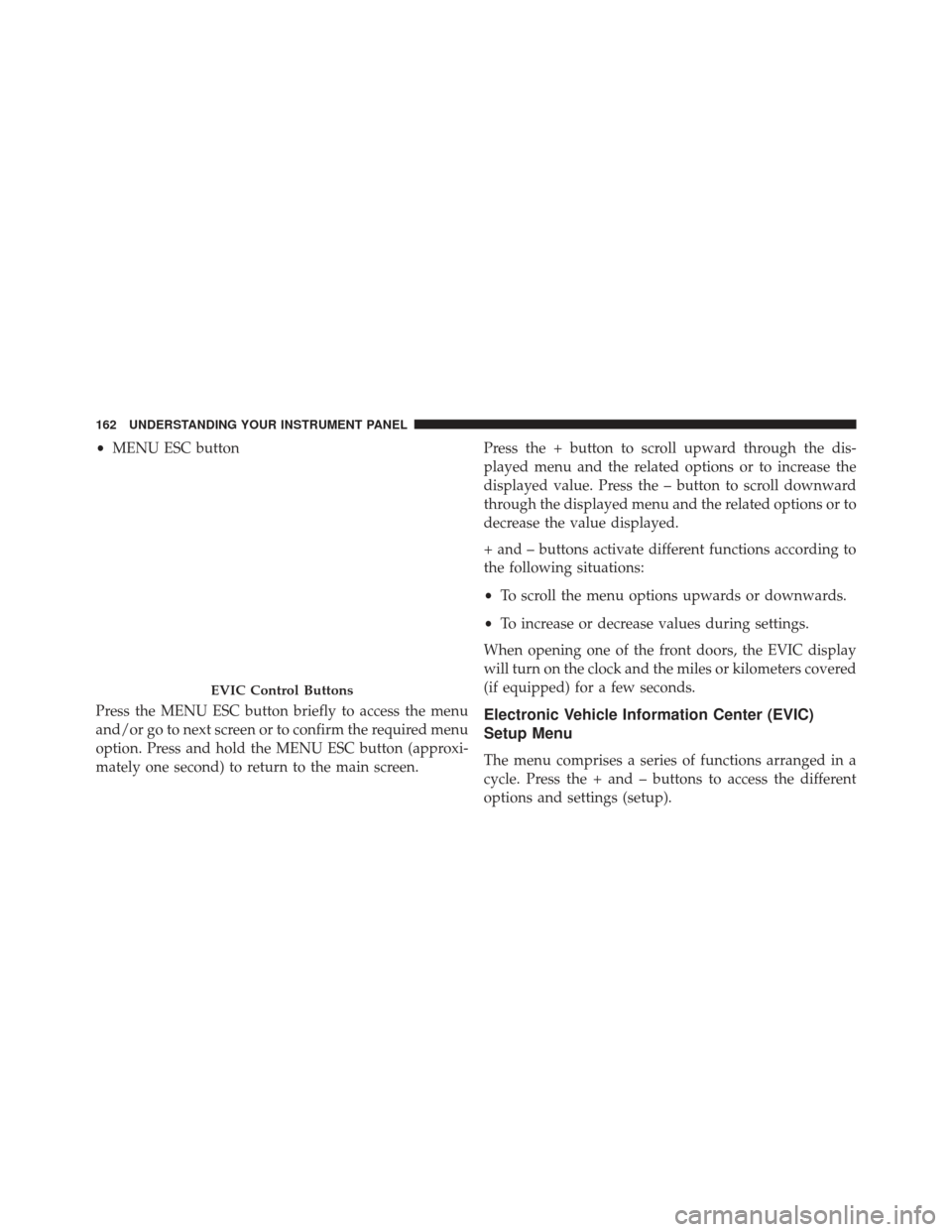
•MENU ESC button
Press the MENU ESC button briefly to access the menu
and/or go to next screen or to confirm the required menu
option. Press and hold the MENU ESC button (approxi-
mately one second) to return to the main screen. Press the + button to scroll upward through the dis-
played menu and the related options or to increase the
displayed value. Press the – button to scroll downward
through the displayed menu and the related options or to
decrease the value displayed.
+ and – buttons activate different functions according to
the following situations:
•
To scroll the menu options upwards or downwards.
• To increase or decrease values during settings.
When opening one of the front doors, the EVIC display
will turn on the clock and the miles or kilometers covered
(if equipped) for a few seconds.
Electronic Vehicle Information Center (EVIC)
Setup Menu
The menu comprises a series of functions arranged in a
cycle. Press the + and – buttons to access the different
options and settings (setup).
EVIC Control Buttons
162 UNDERSTANDING YOUR INSTRUMENT PANEL
Page 165 of 350
The setup menu can be activated by pressing the MENU
ESC button. Single presses on the + or – buttons will
scroll through the setup menu options. The menu in-
cludes the following functions:
•Charging Schedule
• Set Date
• Set Time
• Standard Units
• Languages
• Audio Display
• Battery % Display
• Auto Door Lock
• Remote Unlock
• Daytime Running Lights •
Button Volume
• Hill Start Assist
• Stored Warning
• Connectivity ID
• Restore Factory Settings
• Exit Menu
Selecting An Option Of The Main Menu Without
Submenu:
1. Briefly press the MENU ESC button to select the main menu option to set.
2. Press the + or – button (by single presses) to select the new setting.
3. Briefly press the MENU ESC button to store the new setting and go back to the main menu option previ-
ously selected.
4
UNDERSTANDING YOUR INSTRUMENT PANEL 163
Page 166 of 350
Selecting An Option Of The Main Menu With Sub-
menu:
1. Briefly press the MENU ESC button to display the firstsubmenu option.
2. Press the + or – button (by single presses) to scroll through all the submenu options.
3. Briefly press the MENU ESC button to select the displayed submenu option and to open the relevant
setup menu.
4. Press the + or – button (by single presses) to select the new setting for this submenu option.
5. Briefly press the MENU ESC button to store the new setting and go back to the previously selected sub-
menu option. 6. Press and hold the MENU ESC button to return to the
main menu (short hold) or the main screen (longer
hold).
Trip Computer
The Trip Computer is located in the instrument cluster. It
features a driver-interactive display (displays informa-
tion such as; trip information, range, driving range,
average speed and travel time).
Trip Button
The TRIP button, located on the right steering column
stalk.
164 UNDERSTANDING YOUR INSTRUMENT PANEL
Page 167 of 350
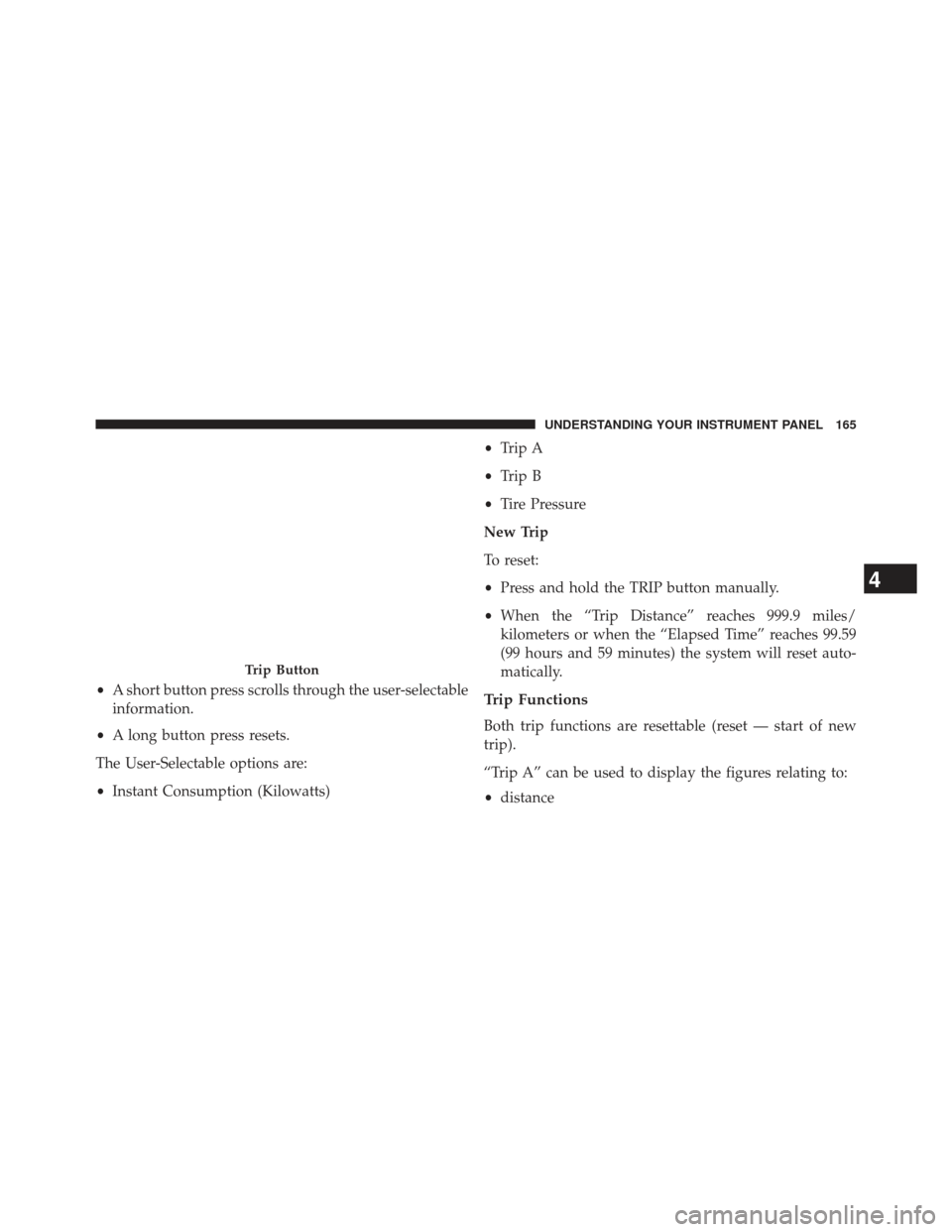
•A short button press scrolls through the user-selectable
information.
• A long button press resets.
The User-Selectable options are:
• Instant Consumption (Kilowatts) •
Trip A
• Trip B
• Tire Pressure
New Trip
To reset:
• Press and hold the TRIP button manually.
• When the “Trip Distance” reaches 999.9 miles/
kilometers or when the “Elapsed Time” reaches 99.59
(99 hours and 59 minutes) the system will reset auto-
matically.Trip Functions
Both trip functions are resettable (reset — start of new
trip).
“Trip A” can be used to display the figures relating to:
• distance
Trip Button
4
UNDERSTANDING YOUR INSTRUMENT PANEL 165
Page 168 of 350
•avg. energy
• avg. speed
• elapsed time (driving time).
“Trip B” can be used to display the figures relating to:
• distance
• avg. energy
• avg. speed
• elapsed time (driving time).
Values Displayed
Range
This indicates the distance which may be travelled with
the remaining battery charge, assuming that driving
conditions will not change. The message “----” will
appear when the system is initializing. NOTE:
The range depends on several factors: driving
style, type of route (freeway, residential, mountain roads,
etc.), conditions of use of the car (load, tire pressure, etc.).
Trip planning must take into account the above notes.
Distance Traveled
This value shows the distance covered since the last reset.
Average Speed
This value shows the vehicle’s average speed as a func-
tion of the overall time elapsed since the last reset.
Elapsed Time
This value shows the time elapsed since the last reset.
166 UNDERSTANDING YOUR INSTRUMENT PANEL
Page 176 of 350
•FM Multipath detector
• Manual storing of 25 stations (base radio) and 40
stations (if equipped with Satellite): 15 on FM band (5
on FMA, 5 on FMB, 5 on FMC), 10 on AM band (5 on
AMA, 5 on AMB), 15 on Satellite Band - if equipped (5
on SATA, 5 on SATB, 5 on SATC)
• SPEED VOLUME function: Customer selectable auto-
matic volume adjustment depending on the car speed
• Automatic Stereo/Mono selection
CD Section
•Track selection (forward/backward)
• Fast forward/rewind through tracks
• CD Display function: display of track number and on
mp3 discs (song title, artist) and time elapsed since
start of the track •
Playing Audio CD, CD-R and CD-RW
WARNING!
On multimedia CDs, besides audio tracks, there are
data tracks too. Playing this type of CD could cause
hissing at a volume that could jeopardize road safety
as well as causing damage to the final stages and the
speakers.
CD/MP3 Section
•MP3-Info function (ID3-TAG)
• Folder selection (previous/next)
• Track selection (forward/backward)
• Fast forward/rewind through tracks
174 UNDERSTANDING YOUR INSTRUMENT PANEL