key FIAT 500E 2015 2.G User Guide
[x] Cancel search | Manufacturer: FIAT, Model Year: 2015, Model line: 500E, Model: FIAT 500E 2015 2.GPages: 367, PDF Size: 9.42 MB
Page 42 of 367
If your RKE transmitter fails to operate from a normal
distance, check for these two conditions:
1. A weak battery in the transmitter. The expected life of
the battery is a minimum of three years.
2. Closeness to a radio transmitter such as a radio station
tower, airport transmitter, and some mobile or CB
radios.
DOOR LOCKS
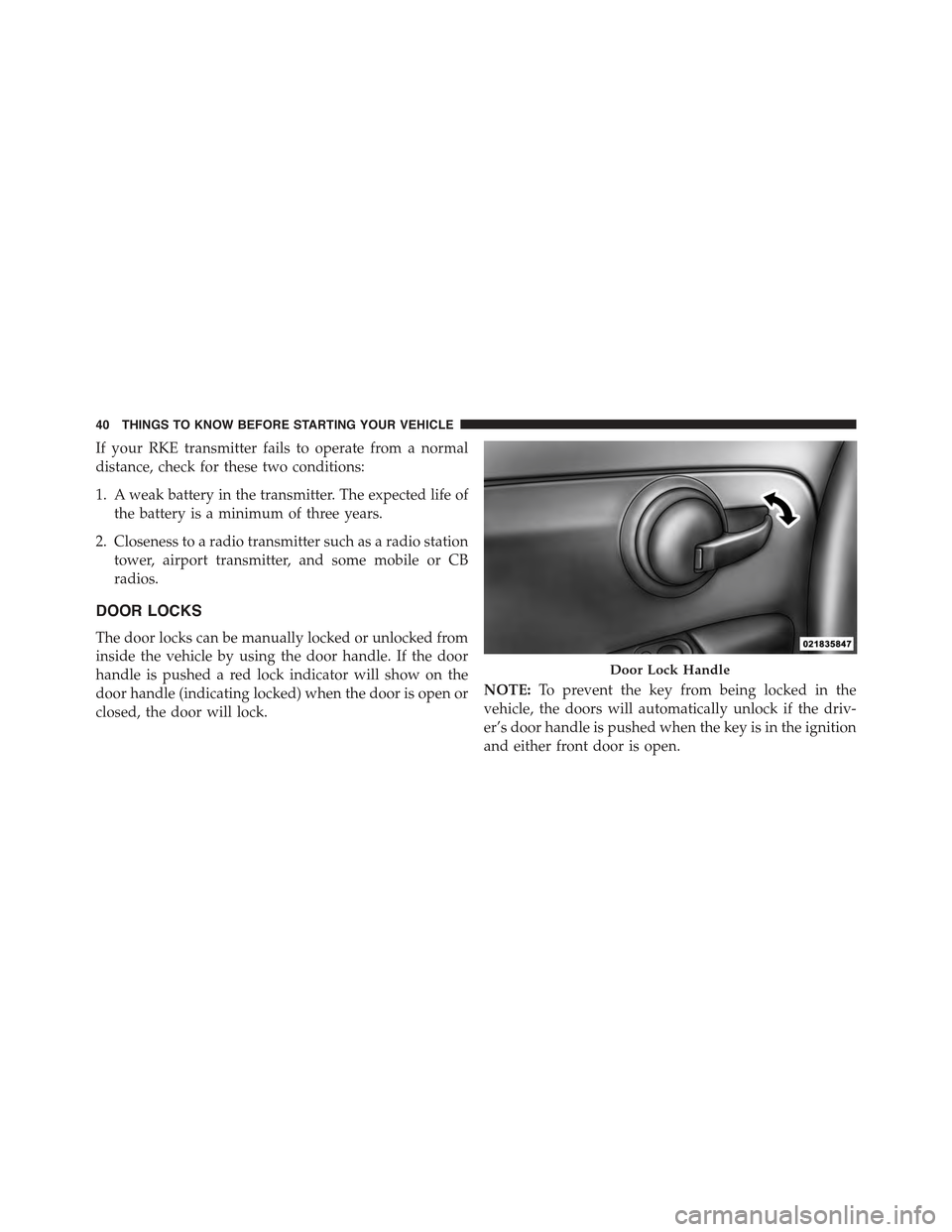
The door locks can be manually locked or unlocked from
inside the vehicle by using the door handle. If the door
handle is pushed a red lock indicator will show on the
door handle (indicating locked) when the door is open or
closed, the door will lock.
NOTE:To prevent the key from being locked in the
vehicle, the doors will automatically unlock if the driv-
er’s door handle is pushed when the key is in the ignition
and either front door is open.
Door Lock Handle
40 THINGS TO KNOW BEFORE STARTING YOUR VEHICLE
Page 43 of 367
WARNING!
•Do not leave children or animals inside parked
vehicles in hot weather. Interior heat build-up may
cause serious injury or death.
•For personal security and safety in the event of an
collision, lock the vehicle doors as you drive as
well as when you park and leave the vehicle.
•Before exiting a vehicle, always apply the parking
brake, place the transmission into PARK, and re-
move the Key Fob from the ignition. When leaving
the vehicle, always lock your vehicle.
•Never leave children alone in a vehicle, or with
access to an unlocked vehicle.
(Continued)
WARNING!(Continued)
•Allowing children to be in a vehicle unattended is
dangerous for a number of reasons. A child or others
could be seriously or fatally injured. Children
should be warned not to touch the parking brake,
brake pedal or the transmission push-buttons.
•Do not leave the Key Fob in or near the vehicle, or
in a location accessible to children. A child could
operate power windows, other controls, or move
the vehicle.
CAUTION!
An unlocked vehicle is an invitation to thieves.
Always remove the key from the ignition and lock all
of the doors when leaving the vehicle unattended.
2
THINGS TO KNOW BEFORE STARTING YOUR VEHICLE 41
Page 44 of 367
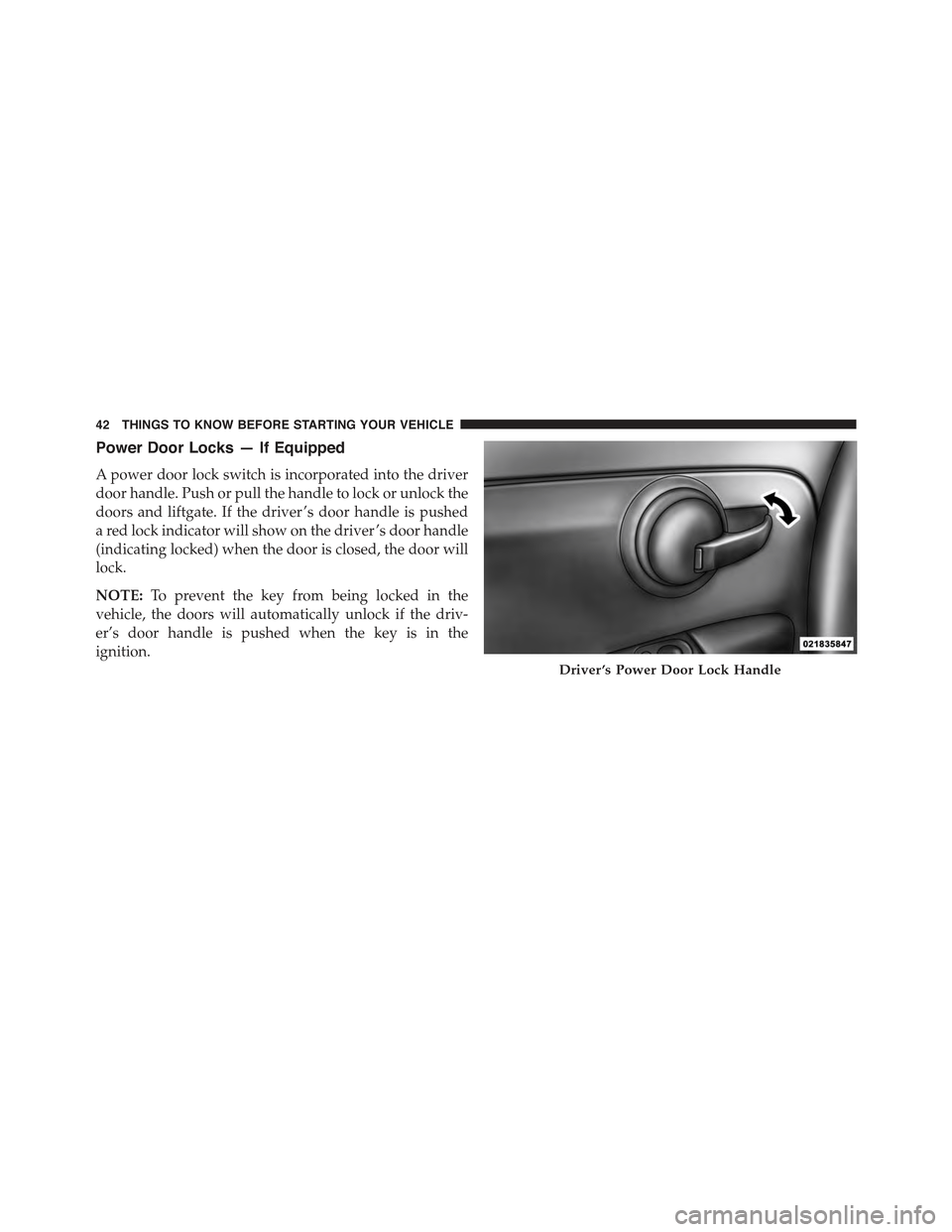
Power Door Locks — If Equipped
A power door lock switch is incorporated into the driver
door handle. Push or pull the handle to lock or unlock the
doors and liftgate. If the driver ’s door handle is pushed
a red lock indicator will show on the driver ’s door handle
(indicating locked) when the door is closed, the door will
lock.
NOTE:To prevent the key from being locked in the
vehicle, the doors will automatically unlock if the driv-
er’s door handle is pushed when the key is in the
ignition.
Driver ’s Power Door Lock Handle
42 THINGS TO KNOW BEFORE STARTING YOUR VEHICLE
Page 46 of 367
WARNING!
Never leave children unattended in a vehicle, and do
not let children play with power windows. Do not
leave the Key Fob in or near the vehicle, or in a
location accessible to children. Occupants, particu-
larly unattended children, can become entrapped by
the windows while operating the power window
switches. Such entrapment may result in serious
injury or death.
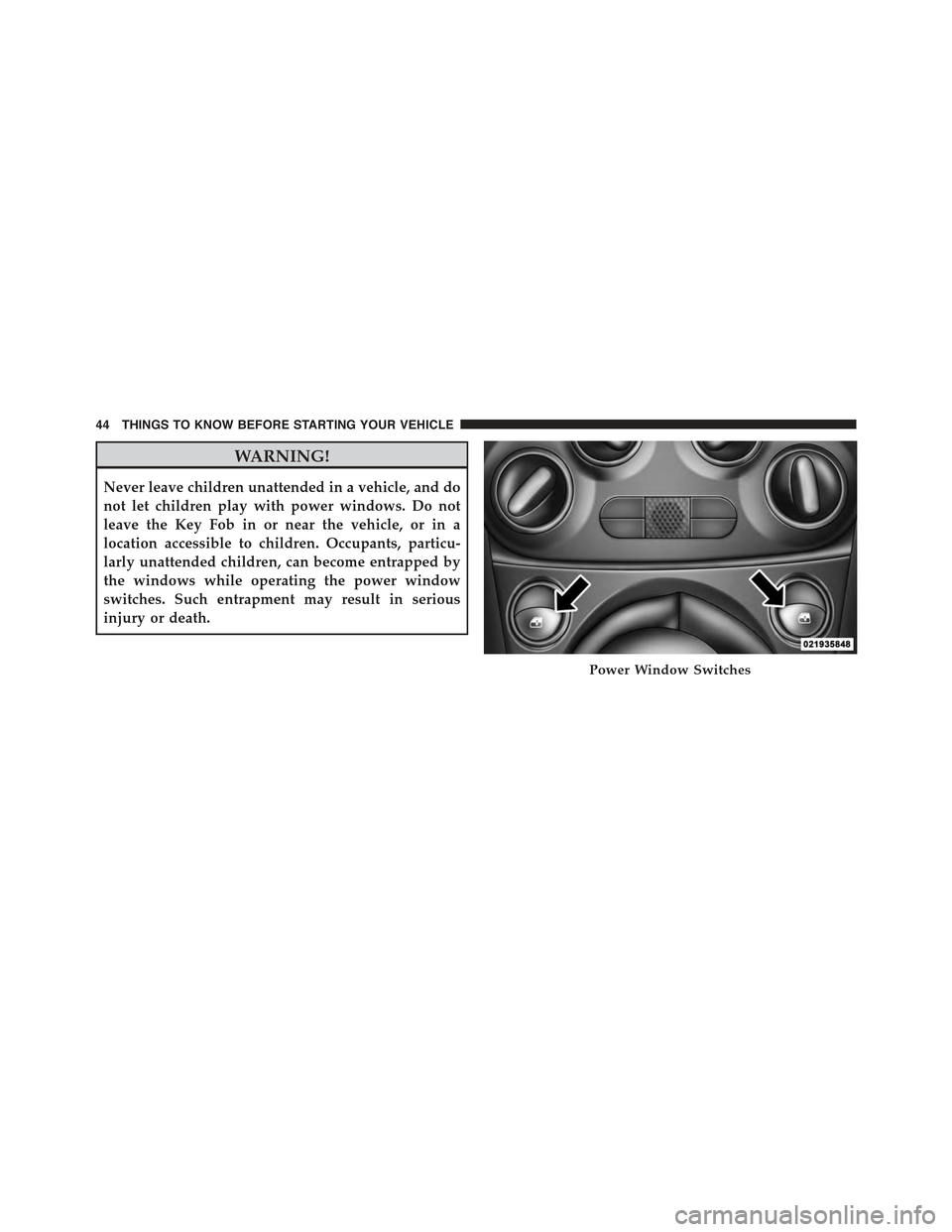
Power Window Switches
44 THINGS TO KNOW BEFORE STARTING YOUR VEHICLE
Page 47 of 367
Auto-Down
The driver’s door window switch has an Auto-Down
feature. Push the window switch for approximately one
second, release, and the window will go down automati-
cally. To cancel the Auto-Down movement, operate the
switch in either the up or down direction and release the
switch.
Wind Buffeting
Wind buffeting can be described as the perception of
pressure on the ears or a helicopter-type sound in the
ears. Your vehicle may exhibit wind buffeting with the
windows down, or the sunroof (if equipped) in certain
open or partially open positions. This is a normal occur-
rence and can be minimized. If the buffeting occurs with
the sunroof open, adjust the sunroof opening to minimize
the buffeting or open any window.
LIFTGATE
To unlock the liftgate, use the Remote Keyless Entry (RKE)
transmitter or activate the power door lock switches lo-
cated on the front door handles.
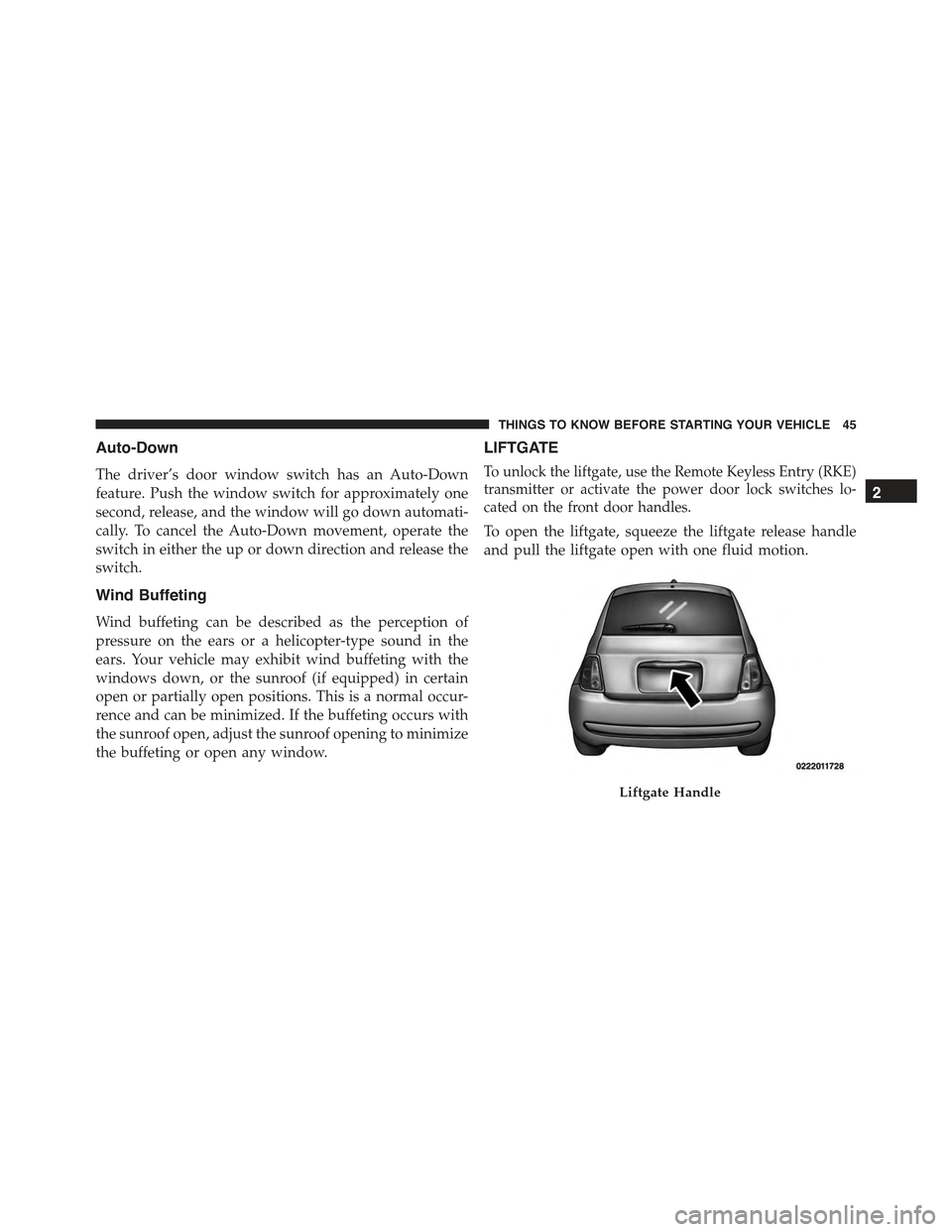
To open the liftgate, squeeze the liftgate release handle
and pull the liftgate open with one fluid motion.
Liftgate Handle
2
THINGS TO KNOW BEFORE STARTING YOUR VEHICLE 45
Page 111 of 367
•To interact with BLUE&ME™ you can use either the
buttons on the steering wheel or voice commands.
With voice recognition, you can perform system func-
tions by speaking voice commands, also identified as
“keywords”. When the system recognizes a keyword,
it will respond with the appropriate action. Voice
recognition is an easy and convenient way to use
BLUE&ME™.
All the system functions are available within the
BLUE&ME™ Main Menu. When the car is not moving,
you can scroll through the complete menu by using either
the buttons on the steering wheel or the voice commands.
When you are traveling, you can interact with
BLUE&ME™ by using the buttons on the steering wheel
or voice commands relevant only to phone functions
(LAST CALLS and PHONEBOOK) and the media player.
To activate settings when travelling you can only use
voice commands.
The hands-free kit enables the following operations:
•Contact Calling By Voice— You can call a contact in
your mobile phone phonebook using your voice. You
can also call a contact in your phonebook by scanning
through the entries on the multifunction display. (To
use this option you have to transfer your mobile phone
contacts to the hands-free kit phonebook).
•Digit Dialing By Voice— You can dial a phone
number by pushing the VR button on the steering
wheel and speaking the digits to be dialed.
•To Call The SMS Text Sender— Call directly the last
SMS text sender or the sender of a message received
and stored in the BLUE&ME™ inbox.
•To Answer A Call— You can answer an incoming call
by pushing the MAIN/Phone button on the steering
wheel.
3
UNDERSTANDING THE FEATURES OF YOUR VEHICLE 109
Page 112 of 367
•Conference Call— You can call another contact while
you are engaged in a phone conversation (with
Bluetooth® phones supporting this option).
•Call Waiting— While engaged in a phone conversa-
tion, you can receive notification of another incoming
phone call, answer the other incoming phone call, and
switch between two ongoing phone conversations.
(Call waiting is only supported by a subset of compat-
ible mobile phones).
•Refusing Incoming Call Or Ending A Call—You can
refuse an incoming call or end a current call by pushing
the Phone Hang-up button on the steering wheel.
After pairing and connecting your phone with the
BLUE&ME™ system, you can make phone calls by
speaking keywords or pushing buttons on the steering
wheel. When using the hands-free phone, the audio
output of a phone conversation is heard through your car
sound speakers.
Message Reader
The BLUE&ME™ message reader enables automatic
reading, through the car sound system, of the SMS texts
you receive on your Bluetooth® wireless technology
mobile phone that are received when the phone is paired
and connected to the BLUE&ME™ system. It does not
provide access to messages that were received before the
device was connected with the BLUE&ME™ system. The
message reader will also interpret many abbreviations
and emoticons contained in the SMS text.
NOTE:Not all mobile phones support the SMS text message
reader function or automatic phonebook transfer via
Bluetooth®. For further information on the list of compatible
mobile phones go to http://www.fiatusa.com, find the
SUPPORT section near the bottom of web page and click on
the Bluetooth® logo.
11 0 U N D E R S TA N D I N G T H E F E AT U R E S O F Y O U R V E H I C L E
Page 114 of 367
The media player enables the following operations:
•Digital Audio Playback— You can play all your
digital audio files (.mp3, .wma, .wav, .aac) or play a
customized playlist (.m3u or .wpl format).
•Audio File Selection By Category— You can play all
audio files of a certain category, e.g.: album, artist or
genre.
•Playback Options— While playing tracks you can
select the following options: Play, Stop, Next track,
Previous track, Shuffle and Loop track.
NOTE:
•The media player does not support audio files com-
pressed with other formats and DRM (Digital Rights
Management) protected audio files. Non-supported
audio files that may be present on the USB device will
be ignored.
•To use the media player, you have to simply connect
(directly or by an extension lead) your USB device to the
center console USB port. After turning the ignition key
to ON, BLUE&ME™ will start building your media
library. At the end of this operation you can surf the
complete library and scroll its categories as required
using the buttons on the steering wheel or voice com-
mands. BLUE&ME™ will then play your selection via
the car sound system.
WARNING!
•Driving while distracted can result in loss of ve-
hicle control, accident and injury. It is strongly
recommended that you use extreme caution when
using any device or feature that may take your
focus off the road or your hands off the steering
wheel. Your primary responsibility is the safe op-
eration of your vehicle.
(Continued)
11 2 U N D E R S TA N D I N G T H E F E AT U R E S O F Y O U R V E H I C L E
Page 125 of 367
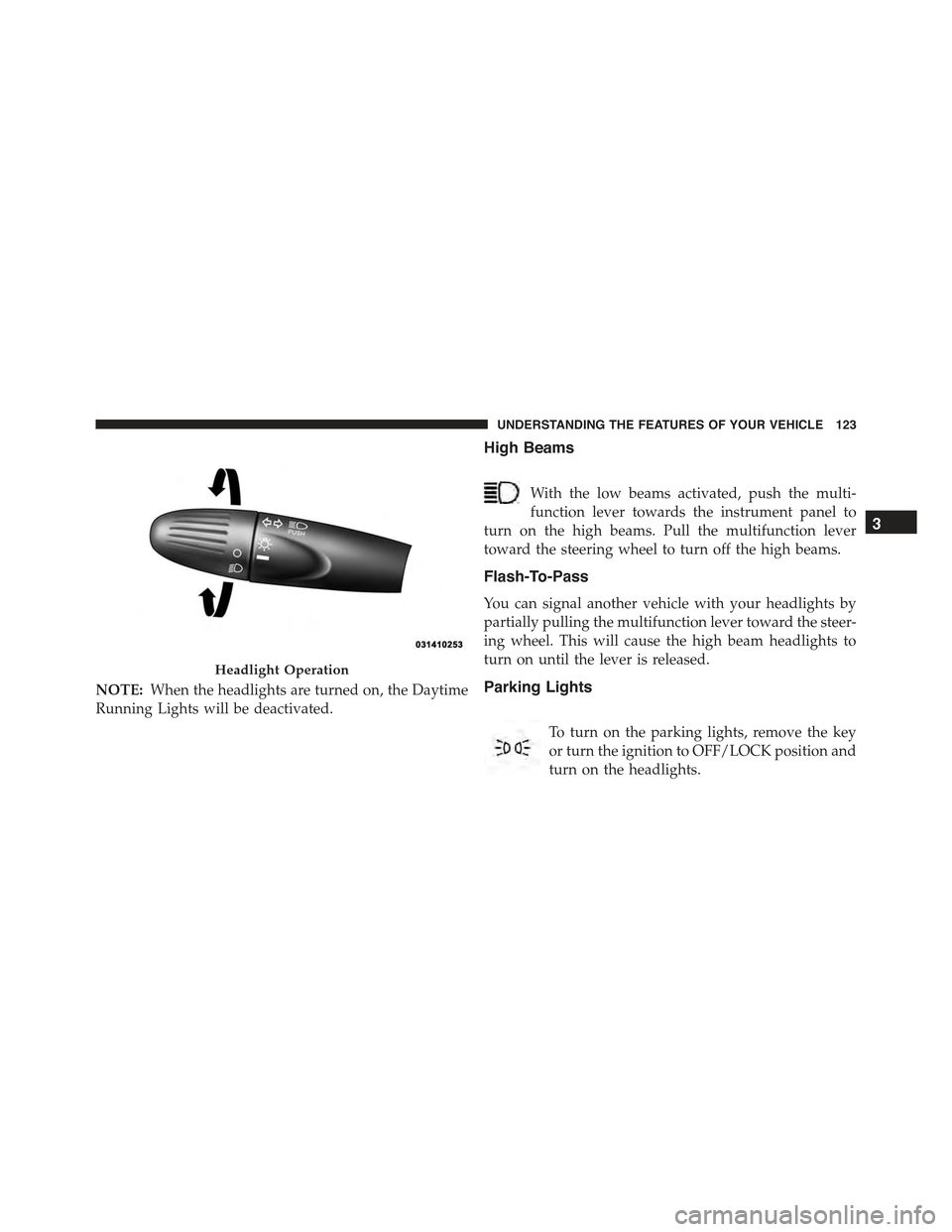
NOTE:When the headlights are turned on, the Daytime
Running Lights will be deactivated.
High Beams
With the low beams activated, push the multi-
function lever towards the instrument panel to
turn on the high beams. Pull the multifunction lever
toward the steering wheel to turn off the high beams.
Flash-To-Pass
You can signal another vehicle with your headlights by
partially pulling the multifunction lever toward the steer-
ing wheel. This will cause the high beam headlights to
turn on until the lever is released.
Parking Lights
To turn on the parking lights, remove the key
or turn the ignition to OFF/LOCK position and
turn on the headlights.
Headlight Operation
3
UNDERSTANDING THE FEATURES OF YOUR VEHICLE 123
Page 127 of 367
Lane Change Assist
Tap the lever up or down once, without moving beyond
the detent, and the turn signal (right or left) will flash
three times then automatically turn off.
Follow Me Home/Headlight Delay
When this feature is selected the driver can choose to
have the headlights remain on for a preset period of time.
Activation
Remove the key or turn the ignition to the OFF/LOCK
position, and pull the multifunction lever toward the
steering wheel, within two minutes. Each time the lever
is pulled, the activation of the lights will be extended by
30 seconds. The activation of the lights can be extended to
a maximum of 210 seconds.
Deactivation
Pull the multifunction lever toward the steering wheel
and hold it for more than two seconds.
Interior Lights
The interior light switches are located in the overhead
console. The interior lights can be set to three different
positions (Off/Left Position, Center Position, On/Right
Position).
Using the switch on the left overhead, push the switch to the
right from its center position and the lights are always on.
Push the switch to the left from its center position and the
lights are always off. Leave the switch in the center position,
and the lights are turned on and off when the doors are
opened or closed. The switch on the right side of the
overhead console controls the map or reading function of the
lights. Push the switch to the right to turn on the right light
and push the switch to the left to turn on the left light.
3
UNDERSTANDING THE FEATURES OF YOUR VEHICLE 125