key FIAT 500E 2015 2.G Owner's Manual
[x] Cancel search | Manufacturer: FIAT, Model Year: 2015, Model line: 500E, Model: FIAT 500E 2015 2.GPages: 367, PDF Size: 9.42 MB
Page 128 of 367
CAUTION!
Before getting out of the vehicle be sure that the
switch is in the center position or that the lights are
off to avoid draining the battery.
Interior Light Timing (Center Position)
There are four different modes of operation that can be
activated in this position:
•When one door is opened a three minute timer is
activated.
•When the key is removed from the ignition (within
two minutes of the ignition being turned off), a
10 second timer is activated.
•When the doors are unlocked with the Key Fob a
10 second timer is activated.
•When the doors are locked with the Key Fob the lights
will turn off.
Interior Light Timing (On/Right Position)
•When all doors are closed a 15 minute timer is
activated.
NOTE:The timer is deactivated when the key is moved
into the ON/RUN position.
126 UNDERSTANDING THE FEATURES OF YOUR VEHICLE
Page 144 of 367
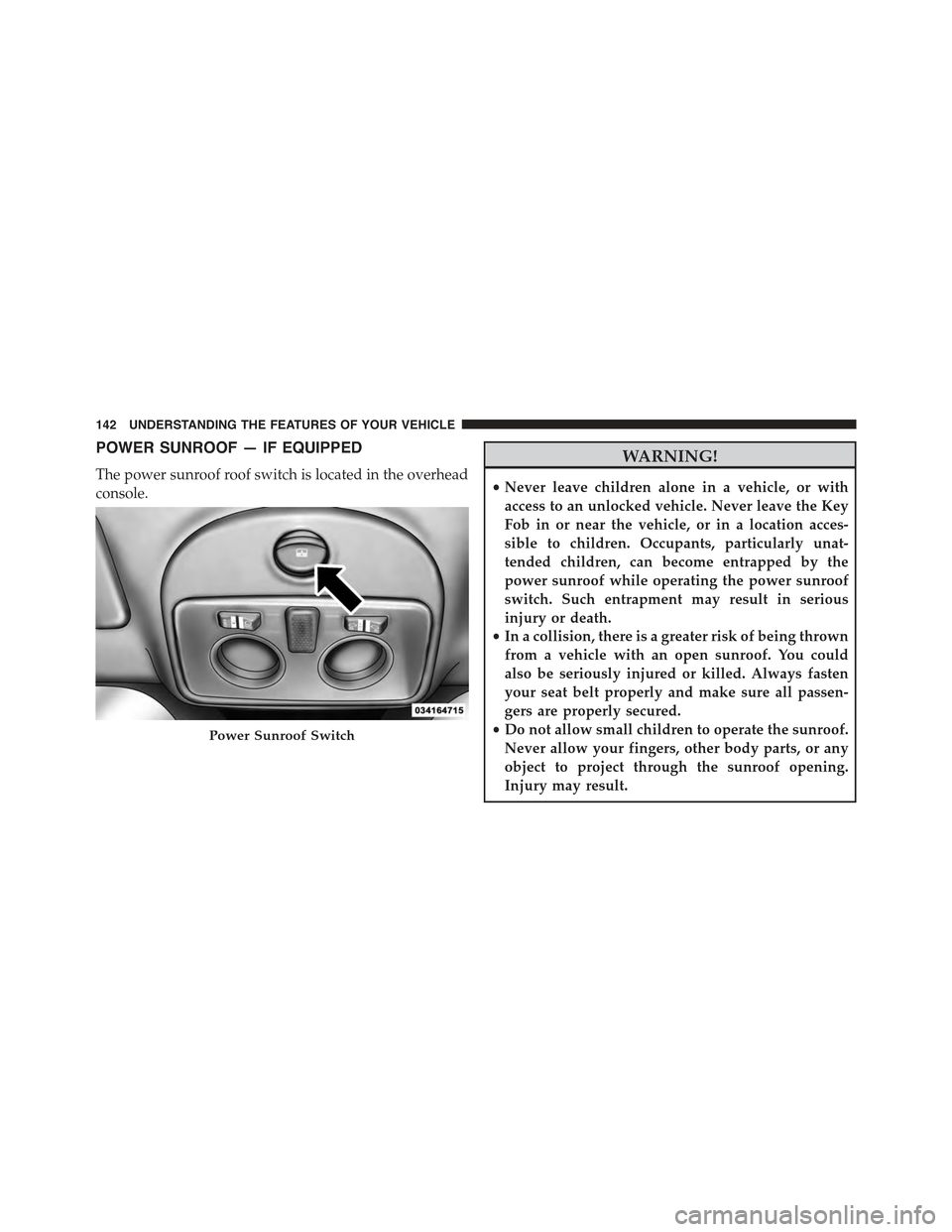
POWER SUNROOF — IF EQUIPPED
The power sunroof roof switch is located in the overhead
console.
WARNING!
•Never leave children alone in a vehicle, or with
access to an unlocked vehicle. Never leave the Key
Fob in or near the vehicle, or in a location acces-
sible to children. Occupants, particularly unat-
tended children, can become entrapped by the
power sunroof while operating the power sunroof
switch. Such entrapment may result in serious
injury or death.
•In a collision, there is a greater risk of being thrown
from a vehicle with an open sunroof. You could
also be seriously injured or killed. Always fasten
your seat belt properly and make sure all passen-
gers are properly secured.
•Do not allow small children to operate the sunroof.
Never allow your fingers, other body parts, or any
object to project through the sunroof opening.
Injury may result.
Power Sunroof Switch
142 UNDERSTANDING THE FEATURES OF YOUR VEHICLE
Page 190 of 367
The chosen mode appears on the display:
•“Radio off: 00 min” — The radio turns off in connection
with the ignition key; the radio is turned automatically off
as soon as the key is turned to the STOP position.
•“Radio off: 20 min” — The radio turns off indepen-
dently from the ignition key; the radio remains on for
a maximum period of 20 minutes after the key has
been turned to the STOP position.
System Reset Function
This function is used to restore all settings to the factory
values. The options are:
•NO — No restore intervention.
•YES — The default parameters will be restored. During
such operation, the wording “Resetting” appears on the
display. At the end of the operation, the source does not
change and the previous situation will be displayed.
Radio
(Tuner) Introduction
When the car radio is turned on, the last function that
was selected before turning it off (Radio, CD, CD MP3,
AUX) is activated.
To select the Radio function when another audio source is
being listened to, briefly push the TUNER button.
Once the Radio mode has been activated, the display will
show the name (RBDS stations only) or the frequency of
the selected radio station, the frequency band selected
(e.g. FMA) and the preset button number (e.g. P1).
Frequency Band Selection
With the Radio mode active, press the FM or AM tuner
button briefly and repeatedly to select the desired recep-
tion band.
188 UNDERSTANDING YOUR INSTRUMENT PANEL
Page 196 of 367
CD Loading/Ejecting
To load the CD, insert it gently into the slot to activate the
motorized loading system, which will position it cor-
rectly.
The CD can be loaded with the radio off and the ignition
key turned to ON/RUN. In this case, the radio will
remain off. When the radio is turned on, the last source
listened to before being switched off, will be activated.
When a CD is inserted, the display will show the symbol
“CD” and the wording “CD Reading.” They will remain
displayed for the whole time required for the radio to
read the CD. When this time has elapsed the radio
automatically starts playing the first track.
Push thebutton with the radio turned on, to
activate the motorized CD ejection system. After ejec-
tion, the last audio source listened to before playing
the CD will be heard.
If the CD is not removed from the radio, it will automati-
cally be reloaded about 20 seconds later but will not
resume playing until the#MEDIA#button is pushed to
select the CD mode. The radio will switch to the last
source prior to CD mode.
The CD cannot be ejected if the radio is off.
Possible Error Messages
If the loaded CD cannot be read (e.g. a CD ROM has been
inserted or the CD is inserted the wrong way or there is
a reading error) the display shows the wording “CD Disc
error.”
The CD will then be ejected and the audio source
activated before the CD mode selection will be heard.
A CD which cannot be read will not be ejected until these
functions are over. At the end, with the CD mode
activated, the display will show the wording “CD Disc
error” for a few seconds and then the CD will be ejected.
194 UNDERSTANDING YOUR INSTRUMENT PANEL
Page 213 of 367
STARTING AND OPERATING
CONTENTS
!STARTING PROCEDURES................214
▫Single-Speed Transmission...............214
▫Normal Starting.......................214
!SINGLE–SPEED TRANSMISSION...........215
▫Key Ignition Park Interlock...............218
▫Gear Ranges.........................218
▫Auto Park...........................221
!DRIVING ON SLIPPERY SURFACES.........222
▫Acceleration.........................222
▫Traction............................223
!DRIVING THROUGH WATER.............223
▫Flowing/Rising Water..................223
▫Shallow Standing Water.................224
!POWER STEERING.....................225
!PARKING BRAKE......................226
!BRAKE SYSTEM.......................228
!ELECTRONIC BRAKE CONTROL SYSTEM . . . .228
▫Four-Wheel Anti-Lock Brake System (ABS) . . .228
▫Brake Assist System (BAS)...............230
▫Traction Control System (TCS)............231
5
Page 216 of 367
STARTING PROCEDURES
Before starting your vehicle, adjust your seat, adjust both
inside and outside mirrors, and fasten your seat belts.
WARNING!
•Never leave children alone in a vehicle, or with
access to an unlocked vehicle.
•Allowing children to be in a vehicle unattended is
dangerous for a number of reasons. A child or
others could be seriously or fatally injured. Chil-
dren should be warned not to touch the parking
brake, brake pedal or the shift lever.
•Do not leave the Key Fob in or near the vehicle (or
in a location accessible to children). A child could
operate power windows, other controls, or move
the vehicle.
Single-Speed Transmission
The transmission must be in the PARK or NEUTRAL
position before you can start the vehicle. Apply the
brakes when selecting a transmission gear from Park.
NOTE:You must press the brake pedal before selecting
a transmission gear.
Normal Starting
Turn the key to the START position while your vehicle is
in PARK. When the ignition key is turned to the START
and then released to the RUN position, a chime will
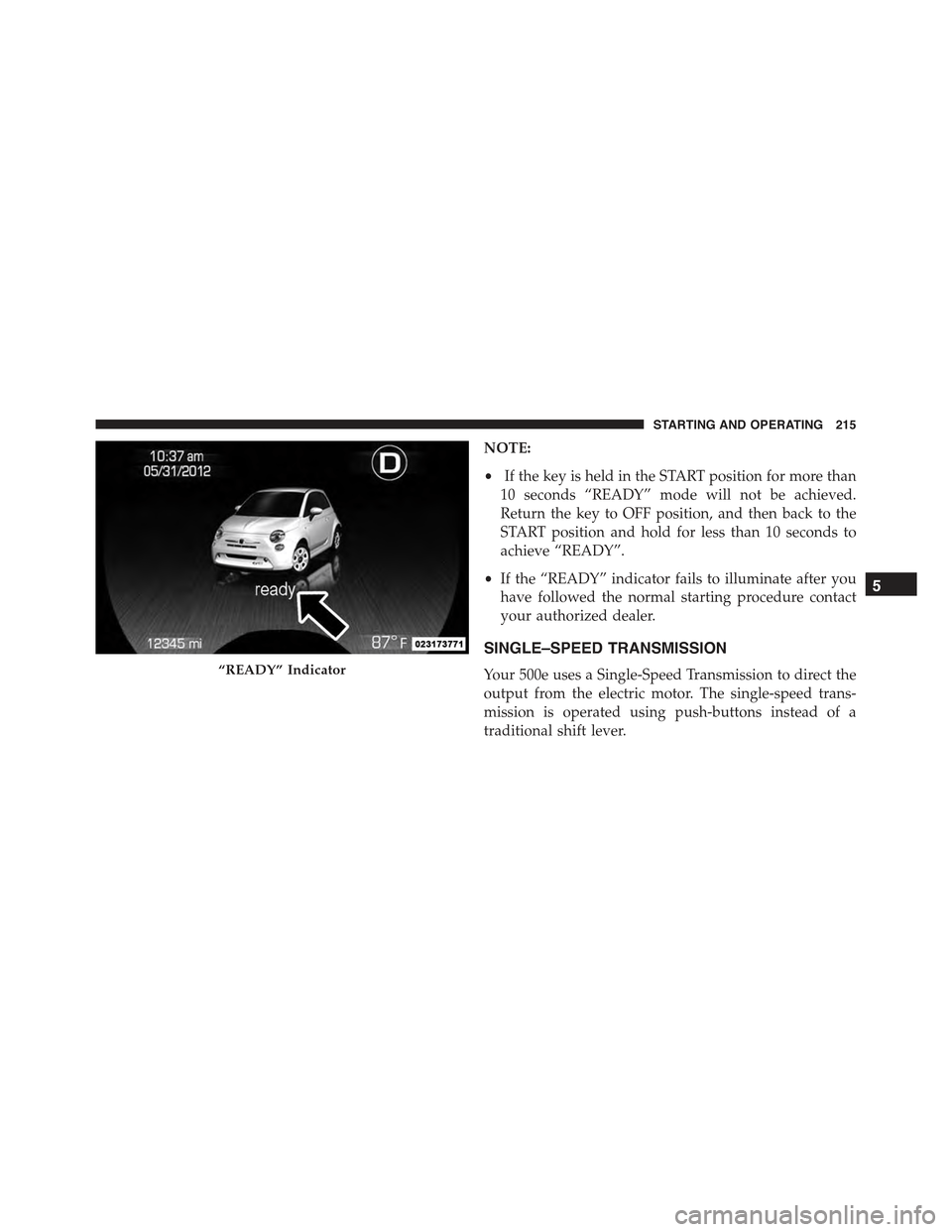
sound and the “READY” indicator in the EVIC will
illuminate to indicate the 500e’s Electric Drive System has
started. When the “READY” indicator is illuminated
your 500e is ready to be driven.
214 STARTING AND OPERATING
Page 217 of 367
NOTE:
•If the key is held in the START position for more than
10 seconds “READY” mode will not be achieved.
Return the key to OFF position, and then back to the
START position and hold for less than 10 seconds to
achieve “READY”.
•If the “READY” indicator fails to illuminate after you
have followed the normal starting procedure contact
your authorized dealer.
SINGLE–SPEED TRANSMISSION
Your 500e uses a Single-Speed Transmission to direct the
output from the electric motor. The single-speed trans-
mission is operated using push-buttons instead of a
traditional shift lever.
“READY” Indicator
5
STARTING AND OPERATING 215
Page 218 of 367
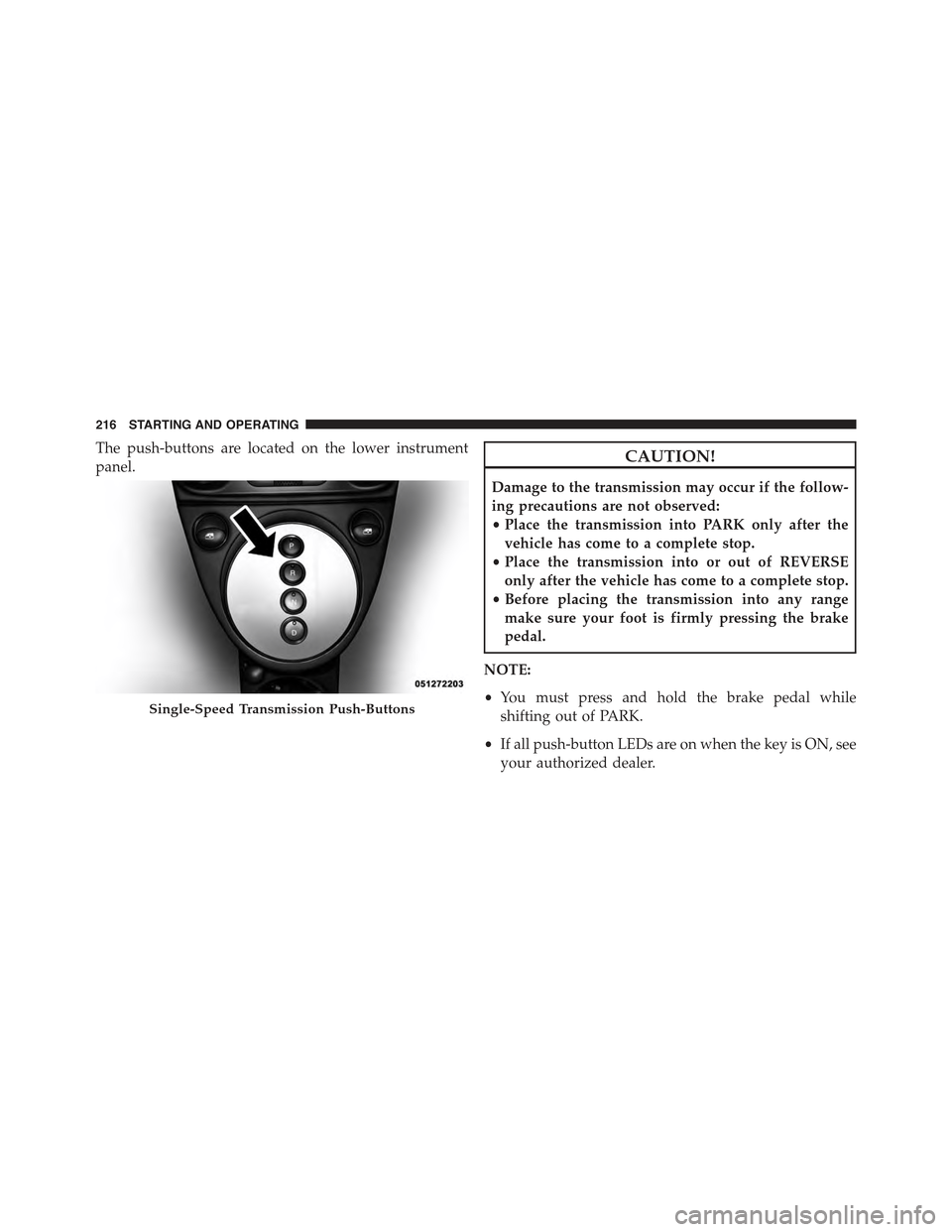
The push-buttons are located on the lower instrument
panel.CAUTION!
Damage to the transmission may occur if the follow-
ing precautions are not observed:
•Place the transmission into PARK only after the
vehicle has come to a complete stop.
•Place the transmission into or out of REVERSE
only after the vehicle has come to a complete stop.
•Before placing the transmission into any range
make sure your foot is firmly pressing the brake
pedal.
NOTE:
•You must press and hold the brake pedal while
shifting out of PARK.
•If all push-button LEDs are on when the key is ON, see
your authorized dealer.
Single-Speed Transmission Push-Buttons
216 STARTING AND OPERATING
Page 219 of 367
WARNING!
•Only place the transmission into gear when your
foot is firmly pressing the brake pedal.
•Unintended movement of a vehicle could injure
those in or near the vehicle. As with all vehicles,
you should never exit a vehicle while the vehicle is
in “READY” mode. Before exiting a vehicle, always
apply the parking brake, shift the transmission
into PARK, and remove the ignition key. Once the
key is removed, the transmission is locked in
PARK, securing the vehicle against unwanted
movement.
•When leaving the vehicle, always remove the igni-
tion key and lock your vehicle.
(Continued)
WARNING!(Continued)
•Never leave children alone in a vehicle, or with
access to an unlocked vehicle. Allowing children to
be in a vehicle unattended is dangerous for a
number of reasons. A child or others could be
seriously or fatally injured. Children should be
warned not to touch the parking brake, brake pedal
or the transmission range buttons.
•Do not leave the ignition key in or near the vehicle
(or in a location accessible to children). A child
could operate power windows, other controls, or
move the vehicle.
5
STARTING AND OPERATING 217
Page 220 of 367
Key Ignition Park Interlock
This vehicle is equipped with a Key Ignition Park Inter-
lock which requires the transmission to be in PARK
before the ignition switch can be turned to the OFF
position. The key can only be removed from the ignition
when the ignition is in the OFF position, and once
removed, the transmission is locked in PARK.
Gear Ranges
Press the desired push button to shift into gear.
NOTE:
•The brake pedal must be depressed to select a trans-
mission gear.
•After selecting any gear, wait a moment to allow the
selected gear to engage before accelerating.
PARK (P)
The PARK selection supplements the parking brake by
locking the transmission. The vehicle can be started in
this range. Never attempt to use PARK while the vehicle
is in motion. Apply the parking brake when leaving the
vehicle in this PARK.
When parking on a level surface, you may place the
transmission into PARK first, and then apply the parking
brake.
When parking on a hill, apply the parking brake before
placing the transmission into PARK. As an added pre-
caution, turn the front wheels toward the curb on a
downhill grade and away from the curb on an uphill
grade.
NOTE:Refer to the transmission range position dis-
played on the EVIC and verify that it indicates the PARK
position.
218 STARTING AND OPERATING