lock FIAT 500E 2015 2.G Owner's Guide
[x] Cancel search | Manufacturer: FIAT, Model Year: 2015, Model line: 500E, Model: FIAT 500E 2015 2.GPages: 367, PDF Size: 9.42 MB
Page 124 of 367
CAUTION!
To prevent possible damage, do not slam the hood to
close it. Lower the hood until it is open approxi-
mately 6 inches (15 cm), and then drop it. This should
secure both latches. Never drive your vehicle unless
the hood is fully closed, with both latches engaged.
WARNING!
Be sure the hood is fully latched before driving your
vehicle. If the hood is not fully latched, it could open
when the vehicle is in motion and block your vision.
Failure to follow this warning could result in serious
injury or death.
LIGHTS
Multifunction Lever
The multifunction lever, located on the left side of the
steering wheel, controls the operation of the headlights,
headlight beam selection, passing light and turn signals.
NOTE:The external lights can only be turned on with
the ignition in the ON/RUN position.
Headlights
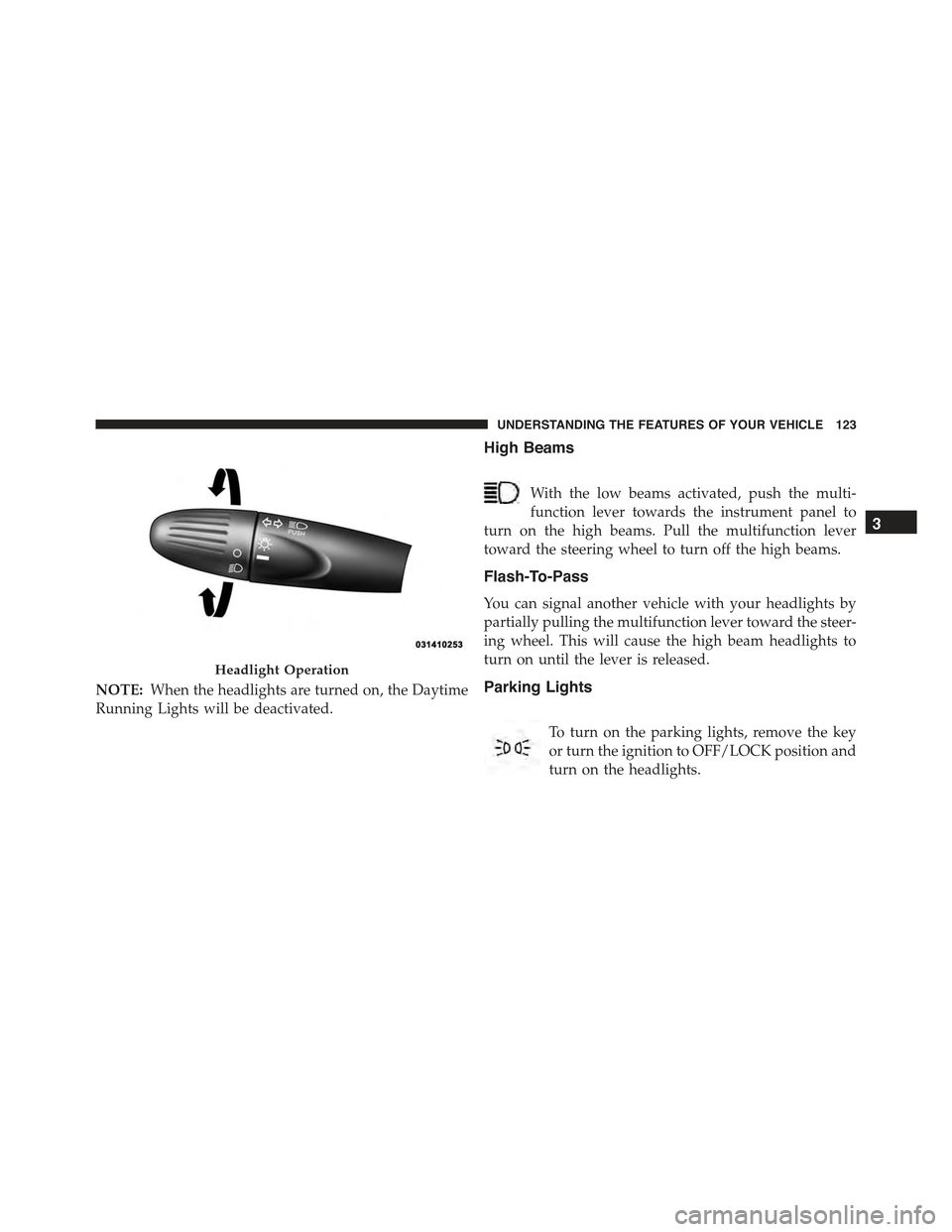
Rotate the end of the multifunction lever up-
ward to the first detent for headlight operation.
122 UNDERSTANDING THE FEATURES OF YOUR VEHICLE
Page 125 of 367
NOTE:When the headlights are turned on, the Daytime
Running Lights will be deactivated.
High Beams
With the low beams activated, push the multi-
function lever towards the instrument panel to
turn on the high beams. Pull the multifunction lever
toward the steering wheel to turn off the high beams.
Flash-To-Pass
You can signal another vehicle with your headlights by
partially pulling the multifunction lever toward the steer-
ing wheel. This will cause the high beam headlights to
turn on until the lever is released.
Parking Lights
To turn on the parking lights, remove the key
or turn the ignition to OFF/LOCK position and
turn on the headlights.
Headlight Operation
3
UNDERSTANDING THE FEATURES OF YOUR VEHICLE 123
Page 127 of 367
Lane Change Assist
Tap the lever up or down once, without moving beyond
the detent, and the turn signal (right or left) will flash
three times then automatically turn off.
Follow Me Home/Headlight Delay
When this feature is selected the driver can choose to
have the headlights remain on for a preset period of time.
Activation
Remove the key or turn the ignition to the OFF/LOCK
position, and pull the multifunction lever toward the
steering wheel, within two minutes. Each time the lever
is pulled, the activation of the lights will be extended by
30 seconds. The activation of the lights can be extended to
a maximum of 210 seconds.
Deactivation
Pull the multifunction lever toward the steering wheel
and hold it for more than two seconds.
Interior Lights
The interior light switches are located in the overhead
console. The interior lights can be set to three different
positions (Off/Left Position, Center Position, On/Right
Position).
Using the switch on the left overhead, push the switch to the
right from its center position and the lights are always on.
Push the switch to the left from its center position and the
lights are always off. Leave the switch in the center position,
and the lights are turned on and off when the doors are
opened or closed. The switch on the right side of the
overhead console controls the map or reading function of the
lights. Push the switch to the right to turn on the right light
and push the switch to the left to turn on the left light.
3
UNDERSTANDING THE FEATURES OF YOUR VEHICLE 125
Page 128 of 367
CAUTION!
Before getting out of the vehicle be sure that the
switch is in the center position or that the lights are
off to avoid draining the battery.
Interior Light Timing (Center Position)
There are four different modes of operation that can be
activated in this position:
•When one door is opened a three minute timer is
activated.
•When the key is removed from the ignition (within
two minutes of the ignition being turned off), a
10 second timer is activated.
•When the doors are unlocked with the Key Fob a
10 second timer is activated.
•When the doors are locked with the Key Fob the lights
will turn off.
Interior Light Timing (On/Right Position)
•When all doors are closed a 15 minute timer is
activated.
NOTE:The timer is deactivated when the key is moved
into the ON/RUN position.
126 UNDERSTANDING THE FEATURES OF YOUR VEHICLE
Page 133 of 367
Rear Windshield Washer Operation
Push the windshield wiper/washer lever toward the
instrument panel to activate the rear washer. Push and
hold the lever for more than a half second and the wipers
will activate automatically for three cycles after the lever
is released.
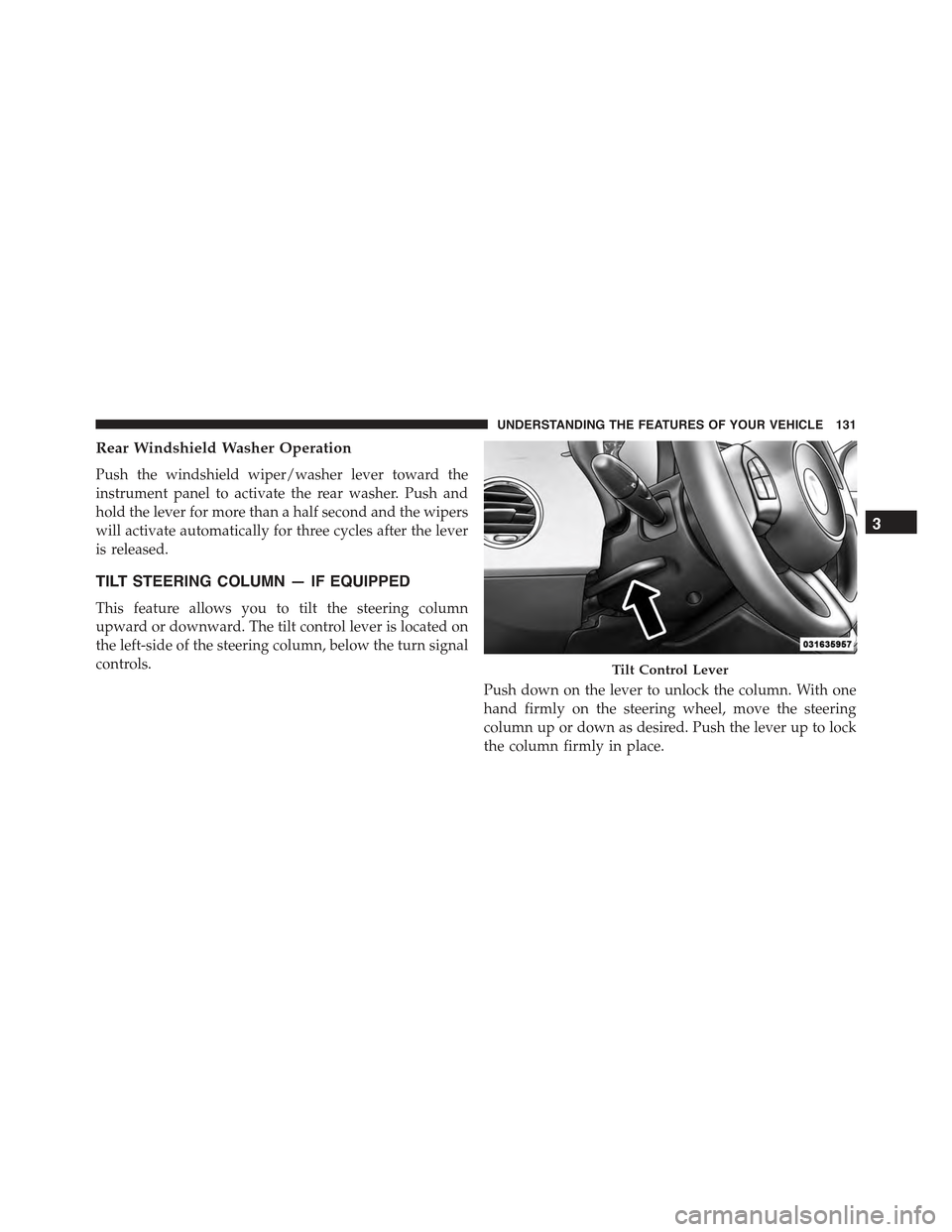
TILT STEERING COLUMN — IF EQUIPPED
This feature allows you to tilt the steering column
upward or downward. The tilt control lever is located on
the left-side of the steering column, below the turn signal
controls.
Push down on the lever to unlock the column. With one
hand firmly on the steering wheel, move the steering
column up or down as desired. Push the lever up to lock
the column firmly in place.
Tilt Control Lever
3
UNDERSTANDING THE FEATURES OF YOUR VEHICLE 131
Page 134 of 367
WARNING!
Do not adjust the steering column while driving.
Adjusting the steering column while driving or driv-
ing with the steering column unlocked, could cause
the driver to lose control of the vehicle. Failure to
follow this warning may result in serious injury or
death.
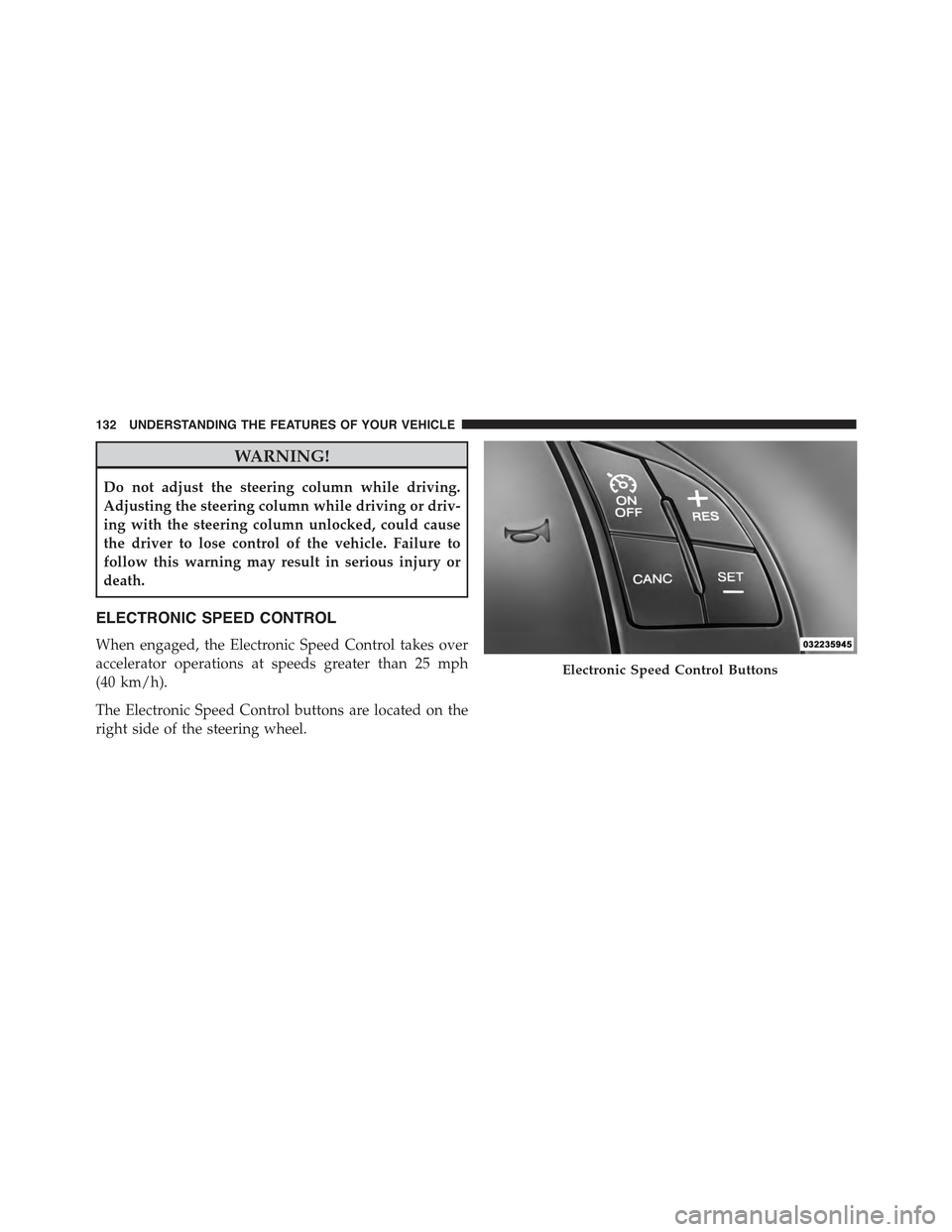
ELECTRONIC SPEED CONTROL
When engaged, the Electronic Speed Control takes over
accelerator operations at speeds greater than 25 mph
(40 km/h).
The Electronic Speed Control buttons are located on the
right side of the steering wheel.
Electronic Speed Control Buttons
132 UNDERSTANDING THE FEATURES OF YOUR VEHICLE
Page 144 of 367
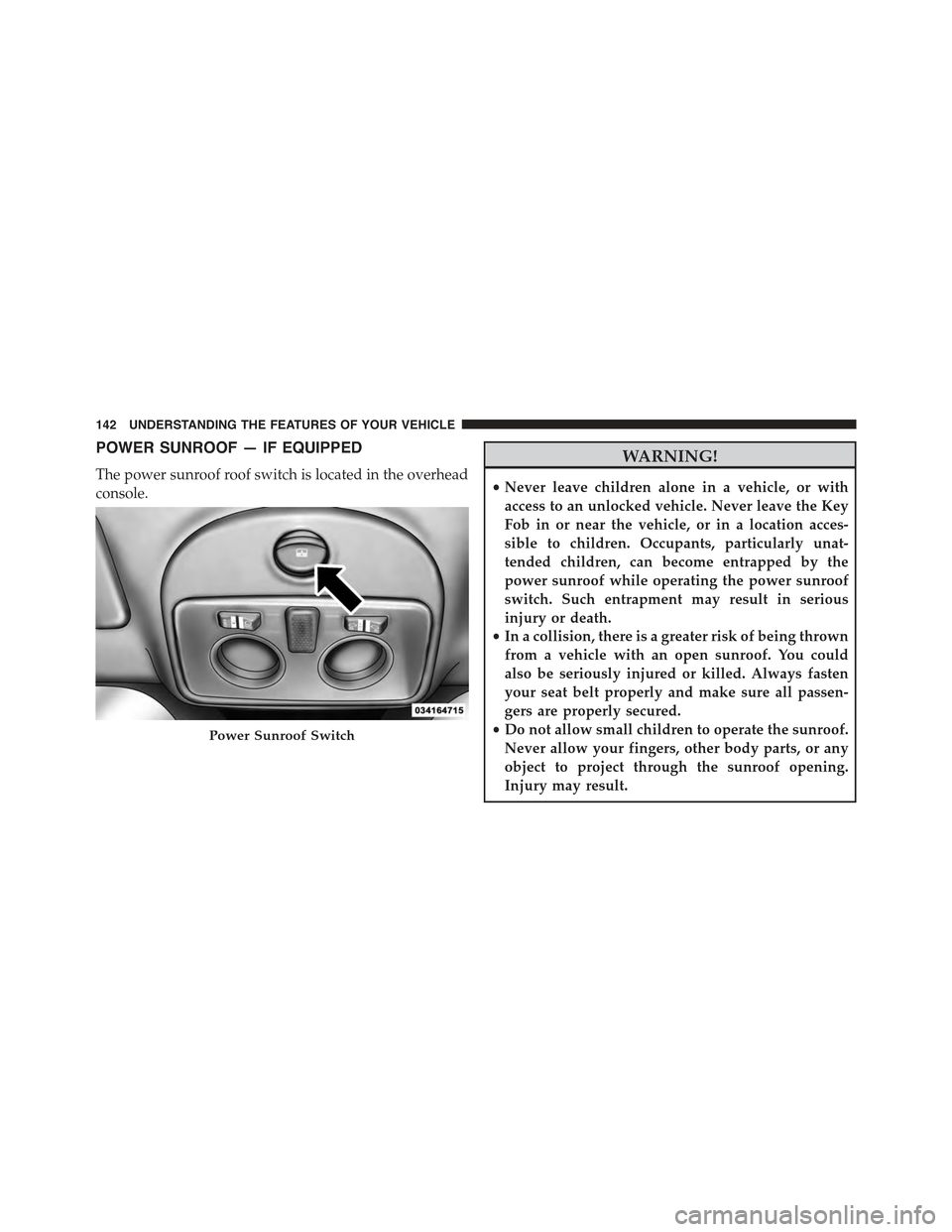
POWER SUNROOF — IF EQUIPPED
The power sunroof roof switch is located in the overhead
console.
WARNING!
•Never leave children alone in a vehicle, or with
access to an unlocked vehicle. Never leave the Key
Fob in or near the vehicle, or in a location acces-
sible to children. Occupants, particularly unat-
tended children, can become entrapped by the
power sunroof while operating the power sunroof
switch. Such entrapment may result in serious
injury or death.
•In a collision, there is a greater risk of being thrown
from a vehicle with an open sunroof. You could
also be seriously injured or killed. Always fasten
your seat belt properly and make sure all passen-
gers are properly secured.
•Do not allow small children to operate the sunroof.
Never allow your fingers, other body parts, or any
object to project through the sunroof opening.
Injury may result.
Power Sunroof Switch
142 UNDERSTANDING THE FEATURES OF YOUR VEHICLE
Page 161 of 367
Vehicles equipped with the Anti-Lock Brake System
(ABS), are also equipped with Electronic Brake Force
Distribution (EBD). In the event of an EBD failure, the
Brake Warning Light will turn on along with the ABS
Light. Immediate repair to the ABS system is required.
Operation of the Brake Warning Light can be checked by
turning the ignition switch from the OFF/LOCK position
to the ON/RUN position. The light should illuminate for
approximately two seconds. The light should then turn
off unless the parking brake is applied or a brake fault is
detected. If the light does not illuminate, have the light
inspected by an authorized dealer.
The light also will turn on when the parking brake is
applied with the ignition switch in the ON/RUN posi-
tion.
NOTE:This light shows only that the parking brake is
applied. It does not show the degree of brake application.
4. Rear Defrost Button
Push and release this button to turn on the rear
window defroster. This indicator will illuminate
when the rear window defroster is on. The rear window
defroster automatically turns off after 20 minutes.
CAUTION!
Failure to follow these cautions can cause damage to
the heating elements:
•Use care when washing the inside of the rear
window. Do not use abrasive window cleaners on
the interior surface of the window. Use a soft cloth
and a mild washing solution, wiping parallel to the
heating elements. Labels can be peeled off after
soaking with warm water.
(Continued)
4
UNDERSTANDING YOUR INSTRUMENT PANEL 159
Page 166 of 367
24. Power Steering System Warning
This light is used to manage the electrical
warning of the EPS (Power Steering System).
Refer to “Power Steering” in “Starting and
Operating” for further information.
25. Speedometer
The Speedometer shows the vehicle speed in miles per
hour (mph) and/or kilometers per hour (km/h).
26. Anti-Lock Brake (ABS) Light
This light monitors the Anti-Lock Brake System
(ABS). The light will turn on when the ignition
switch is turned to the ON/RUN position and
may stay on for as long as four seconds.
If the ABS light remains on or turns on while driving, it
indicates that the Anti-Lock portion of the brake system
is not functioning and that service is required. However,
the conventional brake system will continue to operate
normally if the BRAKE warning light is not on.
If the ABS light is on, the brake system should be serviced
as soon as possible to restore the benefits of Anti-Lock
brakes. If the ABS light does not turn on when the
ignition switch is turned to the ON/RUN position, have
the light inspected by an authorized dealer.
27. Tire Pressure Monitoring Telltale Light
Each tire, including the spare (if provided),
should be checked monthly when cold and
inflated to the inflation pressure recommended
by the vehicle manufacturer on the vehicle
placard or tire inflation pressure label. (If your vehicle
has tires of a different size than the size indicated on the
vehicle placard or tire inflation pressure label, you should
determine the proper tire inflation pressure for those
tires.)
164 UNDERSTANDING YOUR INSTRUMENT PANEL
Page 170 of 367
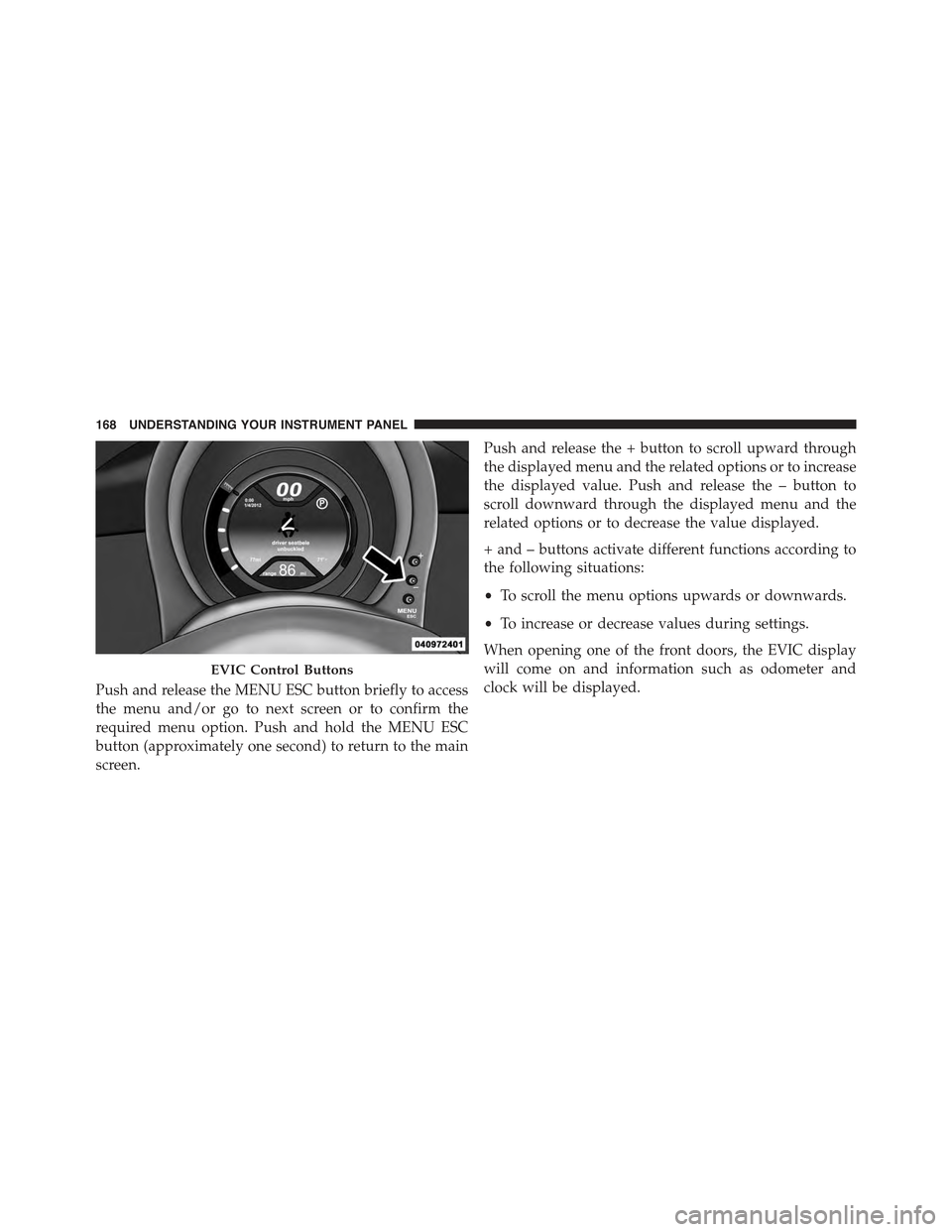
Push and release the MENU ESC button briefly to access
the menu and/or go to next screen or to confirm the
required menu option. Push and hold the MENU ESC
button (approximately one second) to return to the main
screen.
Push and release the + button to scroll upward through
the displayed menu and the related options or to increase
the displayed value. Push and release the – button to
scroll downward through the displayed menu and the
related options or to decrease the value displayed.
+ and – buttons activate different functions according to
the following situations:
•To scroll the menu options upwards or downwards.
•To increase or decrease values during settings.
When opening one of the front doors, the EVIC display
will come on and information such as odometer and
clock will be displayed.
EVIC Control Buttons
168 UNDERSTANDING YOUR INSTRUMENT PANEL