instrument panel FIAT 500E 2015 2.G Manual Online
[x] Cancel search | Manufacturer: FIAT, Model Year: 2015, Model line: 500E, Model: FIAT 500E 2015 2.GPages: 367, PDF Size: 9.42 MB
Page 208 of 367
NOTE:
•If the system is in Mix or Defrost Mode, the A/C can
be turned off, but the A/C system shall remain active
to prevent fogging of the windows.
•If fog or mist appears on the windshield or side glass,
select Defrost mode and adjust blower speed if
needed.
Recirculation Control
When outside air contains smoke, odors, or high
humidity, or if rapid cooling is desired, you may
wish to recirculate interior air by pushing the RECIRCU-
LATION control button. Recirculation mode should only
be used temporarily. The recirculation LED will illumi-
nate when this button is selected. Push the button a
second time to turn off the Recirculation mode LED and
allow outside air into the vehicle.
NOTE:In cold weather, use of Recirculation mode may lead
to excessive window fogging. The recirculation feature may
be unavailable (indicator light shall blink) if conditions exist
that could create fogging on the inside of the windshield. On
systems with Manual Climate Controls, the Recirculation
mode is not allowed in Defrost mode to improve window
clearing operation. Recirculation will be disabled automati-
cally if this mode is selected. Attempting to use Recirculation
while in this mode will cause the LED in the control button
to blink and then turn off.
Automatic Operation
1. Push the AUTO button on the Automatic Temperature
Control (ATC) Panel, the indicator will illuminate
when on.
2.Next, adjust the temperature you would like the system
to maintain by adjusting the temperature control buttons.
Once the desired temperature is displayed, the system
will achieve and automatically maintain that comfort
level.
206 UNDERSTANDING YOUR INSTRUMENT PANEL
Page 209 of 367
3. When the system is set up for your comfort level, it is
not necessary to change the settings. You will experi-
ence the greatest efficiency by simply allowing the
system to function automatically.
NOTE:
•It is not necessary to move the temperature settings for
cold or hot vehicles. The system automatically adjusts
the temperature, mode and fan speed to provide
comfort as quickly as possible.
•The temperature can be displayed in U.S. or Metric
units by selecting the US/M customer-programmable
feature. Refer to the “Electronic Vehicle Information
Center (EVIC) — Customer-Programmable Features”
in this section of the manual.
Manual Operation
The system allows for manual selection of blower speed,
air distribution mode, A/C status and recirculation control.
The blower fan speed can be set to any fixed speed by
adjusting the blower control. The fan will now operate at
a fixed speed until additional speeds are selected. This
allows the front occupants to control the volume of air
circulated in the vehicle and cancel the Auto mode.
The operator can also select the direction of the airflow
by selecting one of the available mode settings. A/C
operation and Recirculation control can also be manually
selected in Manual operation.
4
UNDERSTANDING YOUR INSTRUMENT PANEL 207
Page 210 of 367
Operating Tips
NOTE:Refer to the chart at the end of this section for
suggested control settings for various weather condi-
tions.
Window Fogging
Windows will fog on the inside when the humidity inside
the vehicle is high. This often occurs in mild or cool
temperatures when it’s rainy or humid. In most cases,
turning the air conditioning (pressing the A/C button) on
will clear the fog. Adjust the temperature control, air
direction, and blower speed to maintain comfort.
As the temperature gets colder, it may be necessary to
direct air onto the windshield. Adjust the temperature
control and blower speed to maintain comfort. Higher
blower speeds will reduce fogging. Interior fogging on
the windshield can be quickly removed by selecting the
Defrost mode.
Regular cleaning of the inside of the windows with a
non-filming cleaning solution (vinegar and water works
very well) will help prevent contaminates (cigarette
smoke, perfumes, etc.) from sticking to the windows.
Contaminates increase the rate of window fogging.
NOTE:Automatic Temperature Controls (ATC) will au-
tomatically adjust the climate control settings to reduce
or eliminate window fogging on the front windshield.
When this occurs, recirculation will be unavailable.
208 UNDERSTANDING YOUR INSTRUMENT PANEL
Page 211 of 367
Summer Operation
NOTE:In some cases during high temperature opera-
tion, the air conditioning system performance may be
reduced. This is to help protect the engine from overheat-
ing during the high load condition.
Your air conditioning system is also equipped with an
automatic recirculation system. When the system senses
a heavy load or high heat conditions, it may use Recir-
culation A/C mode to provide additional comfort while
in automatic mode.
Winter Operation
When operating the system during the winter months,
make sure the air intake, located directly in front of the
windshield, is free of ice, slush, snow, or other obstruc-
tions.
Vacation Storage
Anytime you store your vehicle, or keep it out of service
(i.e., vacation) for two weeks or more, run the air
conditioning system at idle for about five minutes in the
fresh air using the high blower setting. This will ensure
adequate system lubrication to minimize the possibility
of compressor damage when the air conditioning system
is started again.
4
UNDERSTANDING YOUR INSTRUMENT PANEL 209
Page 212 of 367
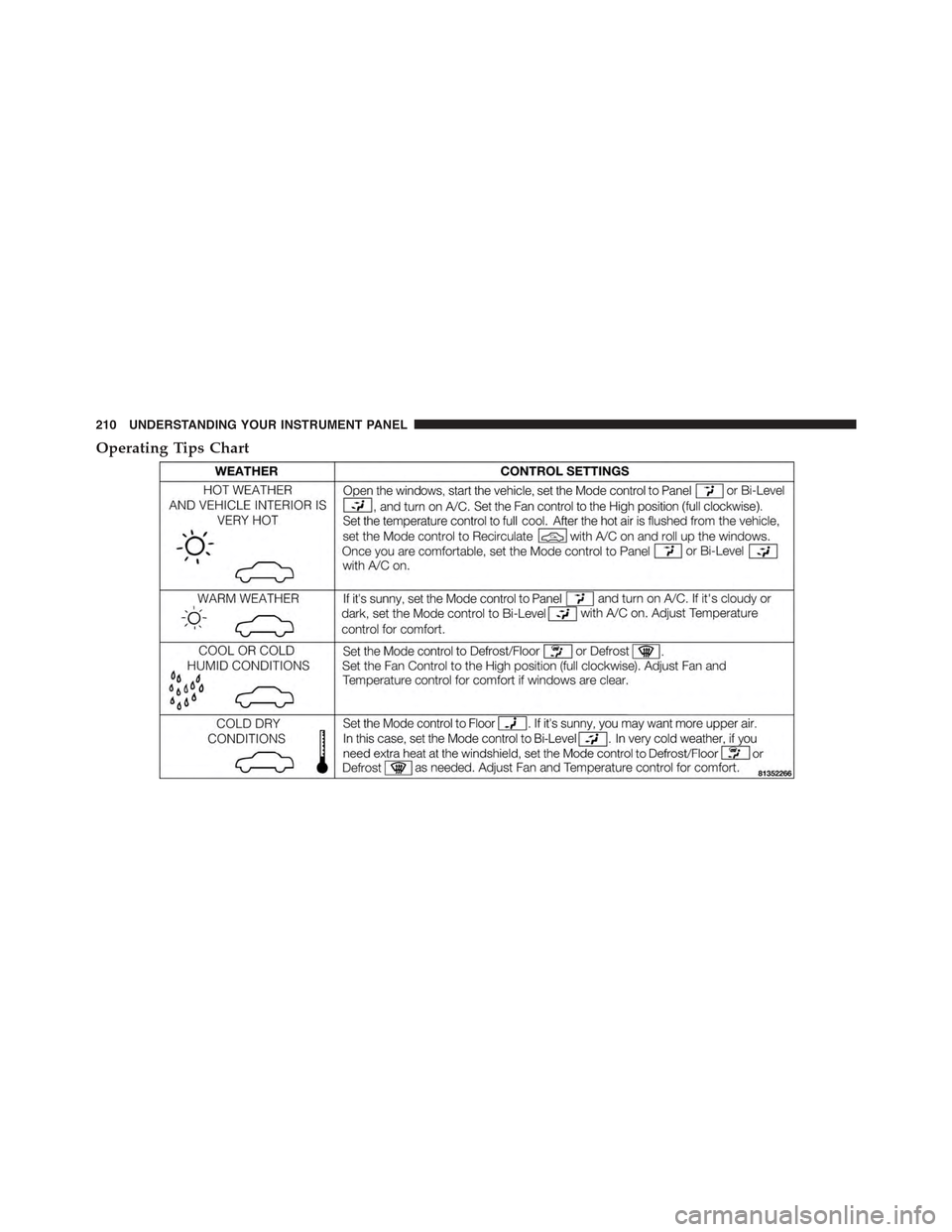
Operating Tips Chart
210 UNDERSTANDING YOUR INSTRUMENT PANEL
Page 218 of 367
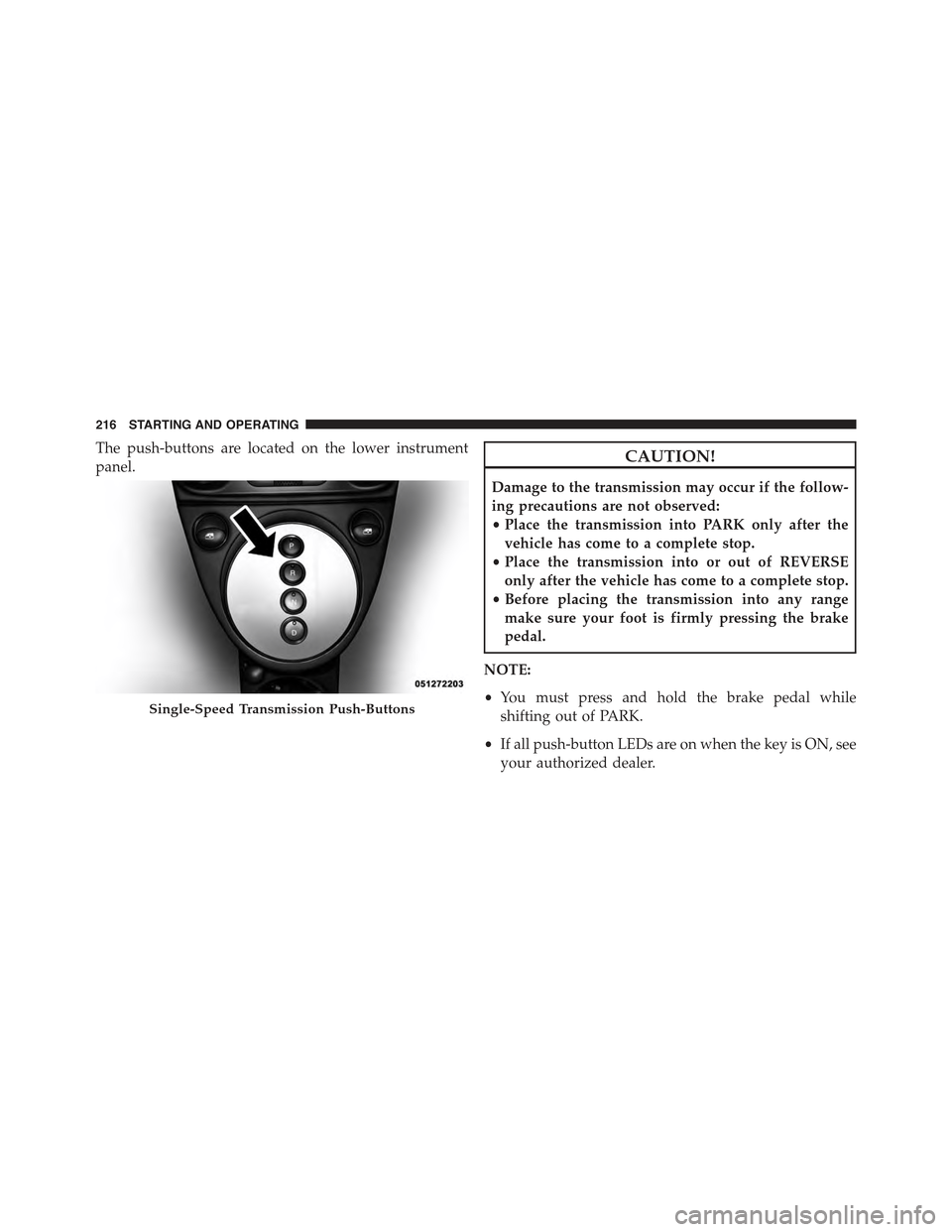
The push-buttons are located on the lower instrument
panel.CAUTION!
Damage to the transmission may occur if the follow-
ing precautions are not observed:
•Place the transmission into PARK only after the
vehicle has come to a complete stop.
•Place the transmission into or out of REVERSE
only after the vehicle has come to a complete stop.
•Before placing the transmission into any range
make sure your foot is firmly pressing the brake
pedal.
NOTE:
•You must press and hold the brake pedal while
shifting out of PARK.
•If all push-button LEDs are on when the key is ON, see
your authorized dealer.
Single-Speed Transmission Push-Buttons
216 STARTING AND OPERATING
Page 227 of 367
CAUTION!(Continued)
•Driving through standing water limits your vehi-
cle’s braking capabilities, which increases stopping
distances. Therefore, after driving through stand-
ing water, drive slowly and lightly press on the
brake pedal several times to dry the brakes.
•Failure to follow these warnings may result in
injuries that are serious or fatal to you, your pas-
sengers, and others around you.
POWER STEERING
The electric power steering system will give you good
vehicle response and increased ease of maneuverability
in tight spaces. The system will vary its assist to provide
light efforts while parking and good feel while driving. If
the electric steering system experiences a fault that
prevents it from providing assist, you will still have the
ability to steer the vehicle manually.
WARNING!
Continued operation with reduced or no power steer-
ing assist could pose a safety risk to yourself and
others. Service should be obtained as soon as possible.
If the Steering icon is flashing, it indicates that the vehicle
needs to be taken to an authorized dealer for service. It is
likely the vehicle has lost power steering assistance.
If the Steering icon is displayed and the “SERVICE
POWER STEERING” message is displayed on the EVIC
screen, they indicate that extreme steering maneuvers
may have occurred which caused an over temperature
condition in the power steering system. Once driving
conditions are safe, pull over and let the vehicle idle for
a few moments until the icon and message turn off. Refer
to “Electronic Vehicle Information (EVIC)” in “Under-
standing Your Instrument Panel” for further information.
5
STARTING AND OPERATING 225
Page 228 of 367
If the Steering icon, and the#SERVICE POWER STEER-
ING - ASSIST OFF#message is displayed on the EVIC
screen, the vehicle needs to be taken to an authorized
dealer for service. Refer to “Electronic Vehicle Informa-
tion (EVIC)” in “Understanding Your Instrument Panel”
for further information.
NOTE:
•Even if the power steering assistance is no longer
operational, it is still possible to steer the vehicle.
Under these conditions there will be a substantial
increase in steering effort, especially at low speeds and
during parking maneuvers.
•If the condition persists, see your authorized dealer for
service.
PARKING BRAKE
Before leaving the vehicle, make sure that the parking
brake is fully applied.
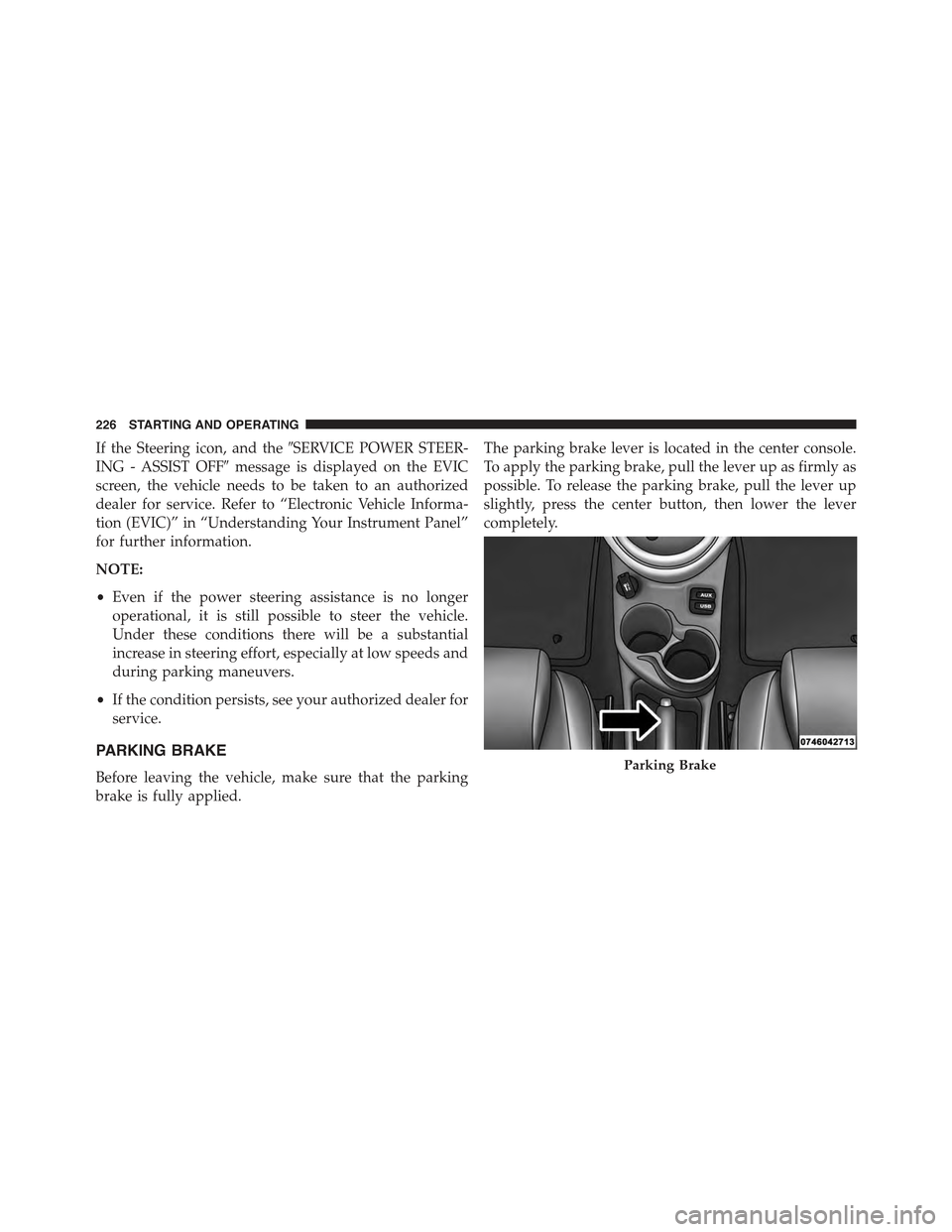
The parking brake lever is located in the center console.
To apply the parking brake, pull the lever up as firmly as
possible. To release the parking brake, pull the lever up
slightly, press the center button, then lower the lever
completely.
Parking Brake
226 STARTING AND OPERATING
Page 234 of 367
NOTE:The ESC Off switch is located on the instrument
panel.
WARNING!
The Electronic Stability Control (ESC) cannot pre-
vent the natural laws of physics from acting on the
vehicle, nor can it increase the traction afforded by
prevailing road conditions. ESC cannot prevent all
accidents, including those resulting from excessive
speed in turns, driving on very slippery surfaces, or
hydroplaning. ESC also cannot prevent collisions
resulting from loss of vehicle control due to inappro-
priate driver input for the conditions. Only a safe,
attentive, and skillful driver can prevent accidents.
The capabilities of an ESC equipped vehicle must
never be exploited in a reckless or dangerous manner
which could jeopardize the user ’s safety or the safety
of others.
ESC Operating Modes
The ESC system has two available operating modes.
Full On
This is the normal operating mode for ESC. Whenever
the vehicle is started, the ESC system will be in On mode.
This mode should be used for most driving situations.
ESC should only be turned to Partial Off for specific
reasons as noted below.
Partial Off
This mode is entered by momentarily pushing the ESC Off
switch. This mode is intended to be used if the vehicle is in
deep snow, sand or gravel conditions and more wheel spin
than ESC would normally allow is required to gain traction.
To turn ESC on again, momentarily pushing the switch
again. This will restore the normal ESC On mode of opera-
tion.
232 STARTING AND OPERATING
Page 276 of 367
HAZARD WARNING FLASHERS
The Hazard Warning flasher switch is located on the
instrument panel below the radio.
Push the switch to turn on the Hazard Warning
flashers. When the switch is activated, all direc-
tional turn signals will flash on and off to warn oncoming
traffic of an emergency. Push the switch a second time to
turn off the Hazard Warning flashers.
Do not use this emergency warning system when the
vehicle is in motion. Use it when your vehicle is disabled
and it is creating a safety hazard for other motorists.
If it is necessary to leave the vehicle to go for service, the
Hazard Warning flashers will continue to operate with
the ignition key removed and the vehicle locked.
NOTE:With extended use, the Hazard Warning flashers
may wear down your battery.
Range Projection Indicators
274 WHAT TO DO IN EMERGENCIES