Battery FIAT 500E 2017 2.G User Guide
[x] Cancel search | Manufacturer: FIAT, Model Year: 2017, Model line: 500E, Model: FIAT 500E 2017 2.GPages: 300, PDF Size: 2.58 MB
Page 29 of 300
NOTE:The vehicle should start charging automati-
cally. If not, please check the following:
• Charging Station – Check the indications and instruc-
tions at the charging station.
• Charging Schedule – Check whether the charging
schedule is enabled and if so, whether the vehicle is
currently within the scheduled charge time/date. If
the charging schedule is enabled, you may override
them for this charging event by plugging in the
charge connector, unplugging it, and then plugging it
back into the vehicle charge inlet. Complete the
double plug sequence within 10 seconds for it to
override the set schedule.
To stop the charging process, disconnect the charge
connector from the vehicle inlet.
Charge Times
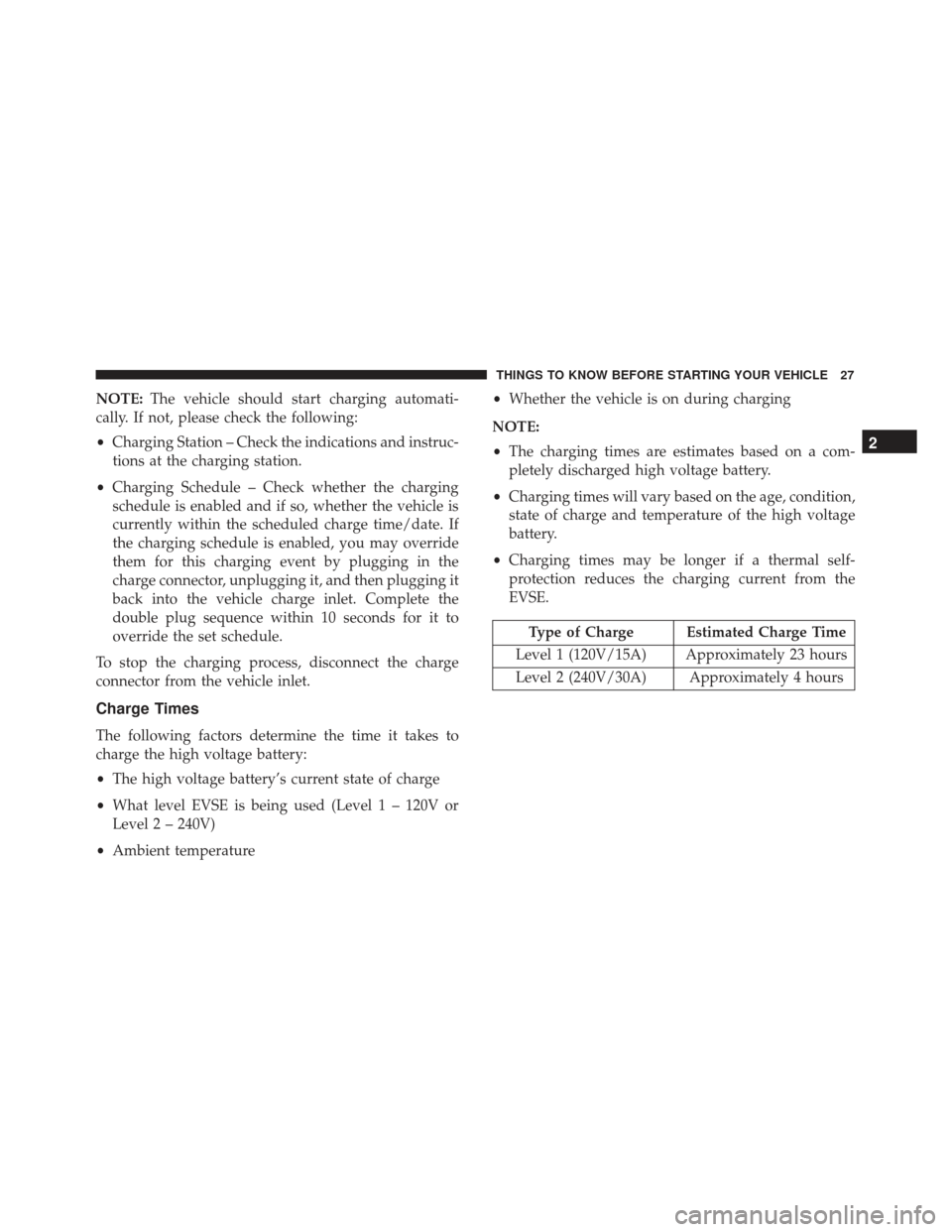
The following factors determine the time it takes to
charge the high voltage battery:
• The high voltage battery’s current state of charge
• What level EVSE is being used (Level 1 – 120V or
Level 2 – 240V)
• Ambient temperature •
Whether the vehicle is on during charging
NOTE:
• The charging times are estimates based on a com-
pletely discharged high voltage battery.
• Charging times will vary based on the age, condition,
state of charge and temperature of the high voltage
battery.
• Charging times may be longer if a thermal self-
protection reduces the charging current from the
EVSE.
Type of Charge Estimated Charge Time
Level 1 (120V/15A) Approximately 23 hours
Level 2 (240V/30A) Approximately 4 hours
2
THINGS TO KNOW BEFORE STARTING YOUR VEHICLE 27
Page 33 of 300
NOTE:Changes or modifications not expressly ap-
proved by the party responsible for compliance could
void the user ’s authority to operate the equipment.
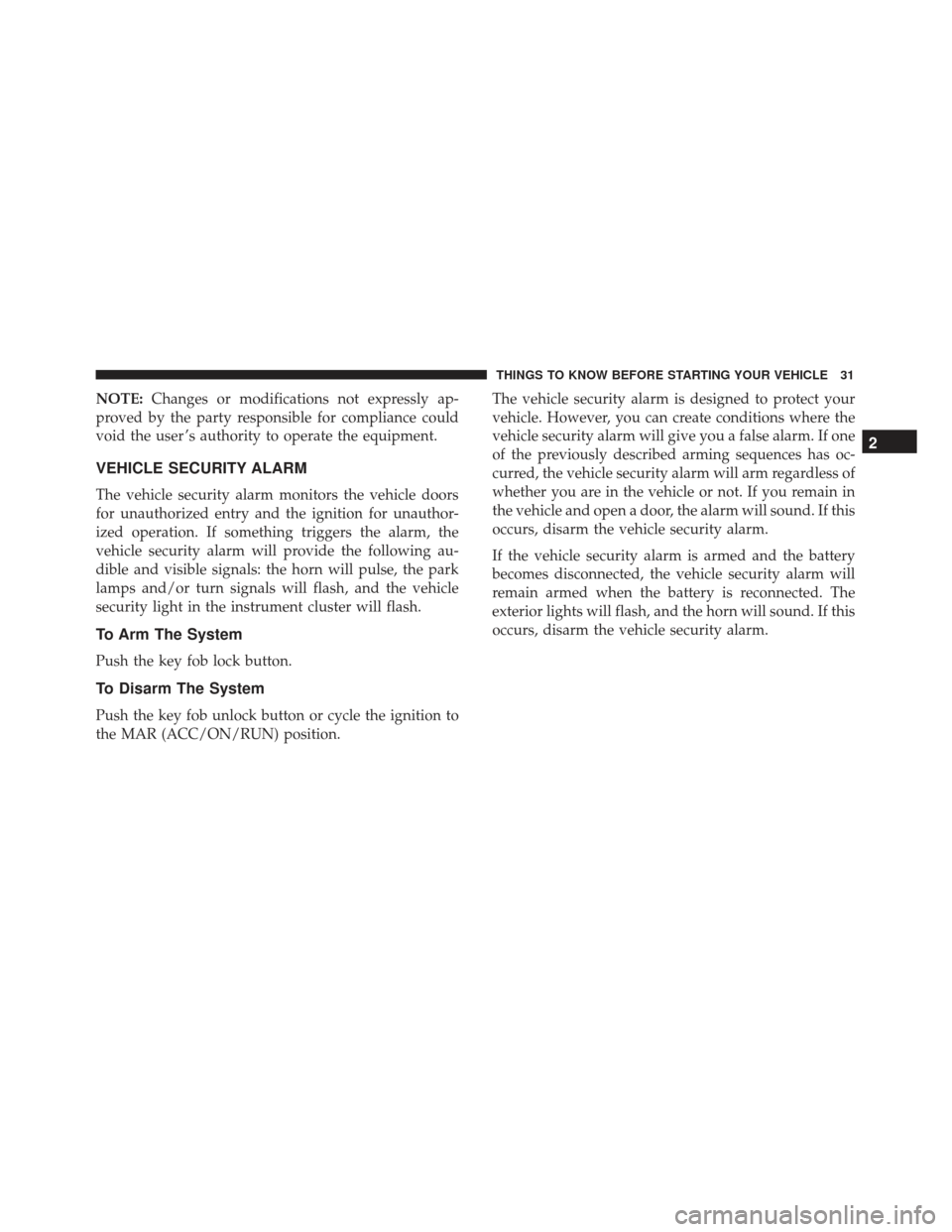
VEHICLE SECURITY ALARM
The vehicle security alarm monitors the vehicle doors
for unauthorized entry and the ignition for unauthor-
ized operation. If something triggers the alarm, the
vehicle security alarm will provide the following au-
dible and visible signals: the horn will pulse, the park
lamps and/or turn signals will flash, and the vehicle
security light in the instrument cluster will flash.
To Arm The System
Push the key fob lock button.
To Disarm The System
Push the key fob unlock button or cycle the ignition to
the MAR (ACC/ON/RUN) position. The vehicle security alarm is designed to protect your
vehicle. However, you can create conditions where the
vehicle security alarm will give you a false alarm. If one
of the previously described arming sequences has oc-
curred, the vehicle security alarm will arm regardless of
whether you are in the vehicle or not. If you remain in
the vehicle and open a door, the alarm will sound. If this
occurs, disarm the vehicle security alarm.
If the vehicle security alarm is armed and the battery
becomes disconnected, the vehicle security alarm will
remain armed when the battery is reconnected. The
exterior lights will flash, and the horn will sound. If this
occurs, disarm the vehicle security alarm.
2
THINGS TO KNOW BEFORE STARTING YOUR VEHICLE 31
Page 35 of 300
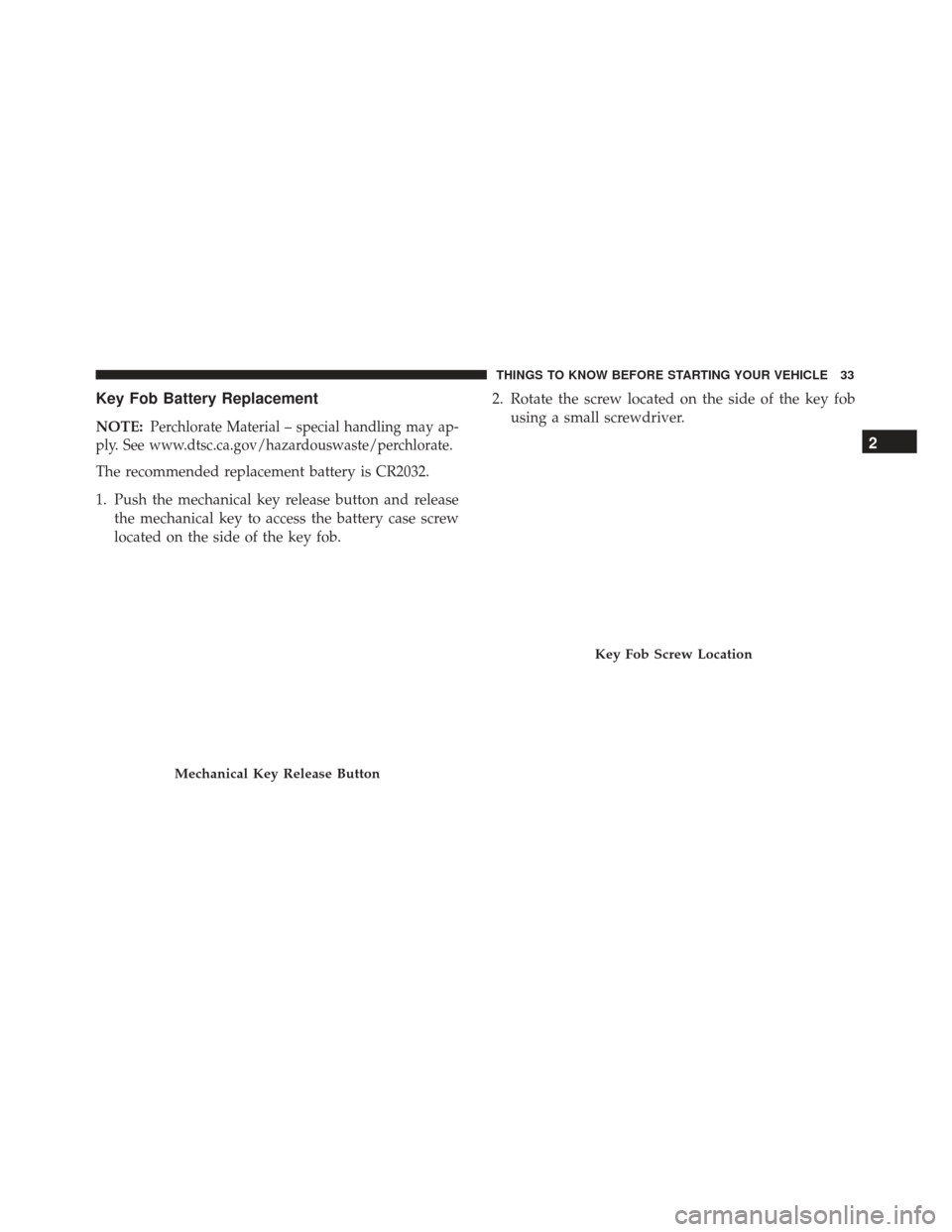
Key Fob Battery Replacement
NOTE:Perchlorate Material – special handling may ap-
ply. See www.dtsc.ca.gov/hazardouswaste/perchlorate.
The recommended replacement battery is CR2032.
1. Push the mechanical key release button and release the mechanical key to access the battery case screw
located on the side of the key fob. 2. Rotate the screw located on the side of the key fob
using a small screwdriver.
Mechanical Key Release Button
Key Fob Screw Location
2
THINGS TO KNOW BEFORE STARTING YOUR VEHICLE 33
Page 36 of 300
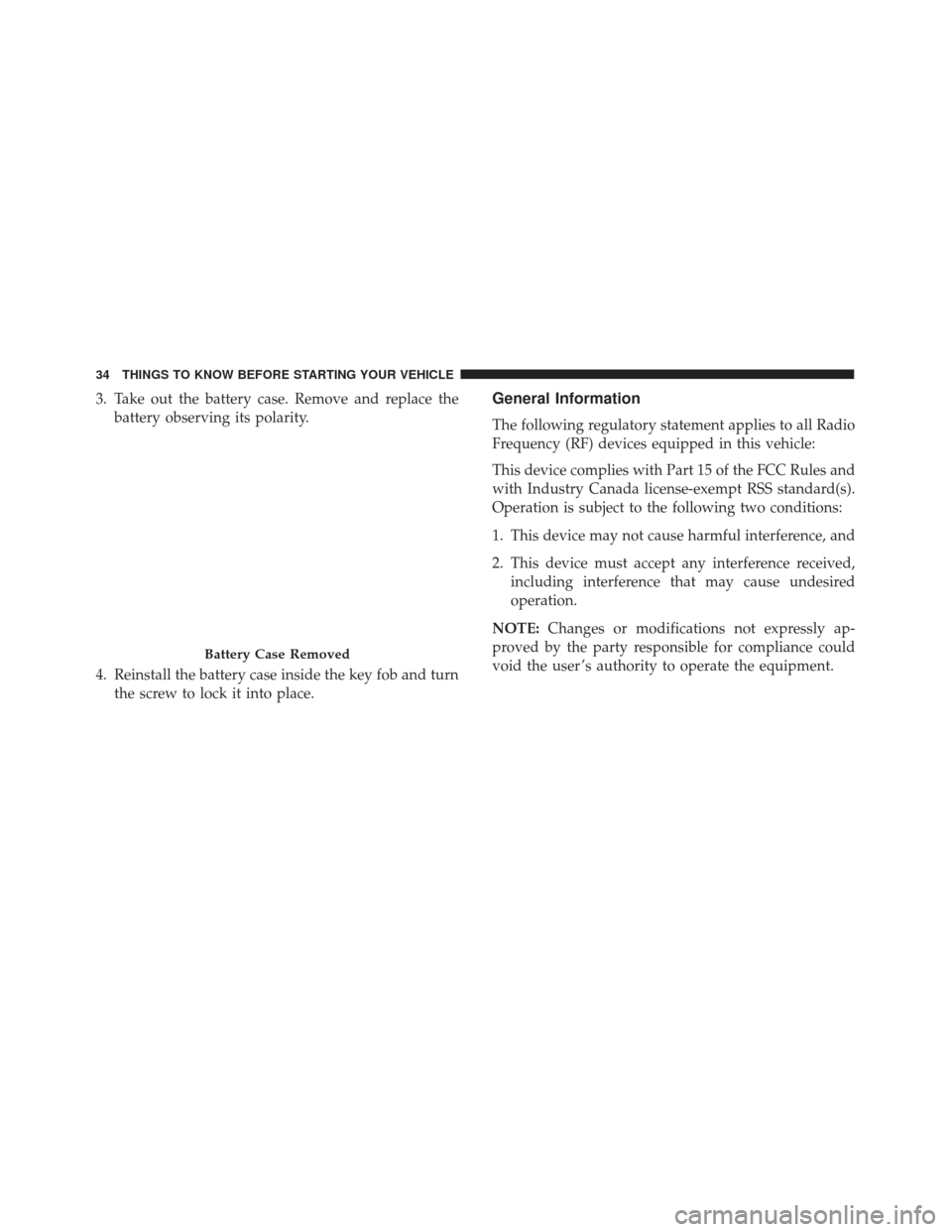
3. Take out the battery case. Remove and replace thebattery observing its polarity.
4. Reinstall the battery case inside the key fob and turn the screw to lock it into place.General Information
The following regulatory statement applies to all Radio
Frequency (RF) devices equipped in this vehicle:
This device complies with Part 15 of the FCC Rules and
with Industry Canada license-exempt RSS standard(s).
Operation is subject to the following two conditions:
1. This device may not cause harmful interference, and
2. This device must accept any interference received,including interference that may cause undesired
operation.
NOTE: Changes or modifications not expressly ap-
proved by the party responsible for compliance could
void the user ’s authority to operate the equipment.
Battery Case Removed
34 THINGS TO KNOW BEFORE STARTING YOUR VEHICLE
Page 52 of 300
The ORC contains a backup power supply system that
may deploy the air bag system even if the battery loses
power or it becomes disconnected prior to deployment.
The ORC turns on the Air Bag Warning Light in the
instrument panel for approximately four to eight sec-
onds for a self-check when the ignition switch is in the
MAR/ACC/ON/RUN position. After the self-check,
the Air Bag Warning Light will turn off. If the ORC
detects a malfunction in any part of the system, it turns
on the Air Bag Warning Light, either momentarily or
continuously. A single chime will sound to alert you if
the light comes on again after initial startup.
The ORC also includes diagnostics that will illuminate
the instrument panel Air Bag Warning Light if a mal-
function is detected that could affect the air bag system.
The diagnostics also record the nature of the malfunc-
tion. While the air bag system is designed to be main-
tenance free, if any of the following occurs, have an
authorized dealer service the air bag system
immediately.
•The Air Bag Warning Light does not come on during
the four to eight seconds when the ignition switch is
first in the MAR/ACC/ON/RUN position. •
The Air Bag Warning Light remains on after the four
to eight-second interval.
• The Air Bag Warning Light comes on intermittently
or remains on while driving.
NOTE: If the speedometer, tachometer, or any engine
related gauges are not working, the Occupant Restraint
Controller (ORC) may also be disabled. In this condi-
tion the air bags may not be ready to inflate for your
protection. Have an authorized dealer service the air
bag system immediately.
WARNING!
Ignoring the Air Bag Warning Light in your instru-
ment panel could mean you won’t have the air bags
to protect you in a collision. If the light does not
come on as a bulb check when the ignition is first
turned on, stays on after you start the vehicle, or if
it comes on as you drive, have an authorized dealer
service the air bag system immediately.
Front Air Bags
This vehicle has front air bags and lap/shoulder belts
for both the driver and front passenger. The front air
bags are a supplement to the seat belt restraint systems.
50 THINGS TO KNOW BEFORE STARTING YOUR VEHICLE
Page 60 of 300
friction rope burns or those you might get sliding
along a carpet or gymnasium floor. They are not
caused by contact with chemicals. They are not
permanent and normally heal quickly. However, if
you haven’t healed significantly within a few days,
or if you have any blistering, see your doctor imme-
diately.
• As the air bags deflate, you may see some smoke-like
particles. The particles are a normal by-product of the
process that generates the non-toxic gas used for air
bag inflation. These airborne particles may irritate
the skin, eyes, nose, or throat. If you have skin or eye
irritation, rinse the area with cool water. For nose or
throat irritation, move to fresh air. If the irritation
continues, see your doctor. If these particles settle on
your clothing, follow the garment manufacturer ’s
instructions for cleaning.
Do not drive your vehicle after the air bags have
deployed. If you are involved in another collision, the
air bags will not be in place to protect you.WARNING!
Deployed air bags and seat belt pretensioners can-
not protect you in another collision. Have the air
bags, seat belt pretensioners, and the seat belt
retractor assemblies replaced by an authorized
dealer immediately. Also, have the Occupant Re-
straint Controller System serviced as well.
NOTE:
• Air bag covers may not be obvious in the interior
trim, but they will open during air bag deployment.
• After any collision, the vehicle should be taken to an
authorized dealer immediately.
Enhanced Accident Response System
In the event of an impact, if the communication net-
work remains intact, and the power remains intact,
depending on the nature of the event, the ORC will
determine whether to have the Enhanced Accident
Response System perform the following functions:
• Cut off battery power to the motor.
58 THINGS TO KNOW BEFORE STARTING YOUR VEHICLE
Page 61 of 300
•Flash hazard lights as long as the battery has power
or until the hazard light button is pressed. The
hazard lights can be deactivated by pressing the
hazard light button.
• Turn on the interior lights, which remain on as long
as the battery has power.
• Unlock the power door locks.
Enhanced Accident Response System Reset
Procedure
After an event occurs requiring activation of the En-
hanced Accident Response System, when the system is
active, a “Service Electrical System” message will be
displayed on the instrument cluster. The vehicle is not
drivable in this state and must be towed to an autho-
rized dealer immediately to be inspected and have the
Enhanced Accident Response System reset.
Maintaining Your Air Bag System
WARNING!
•Modifications to any part of the air bag system
could cause it to fail when you need it. You could
(Continued)
WARNING! (Continued)
be injured if the air bag system is not there to
protect you. Do not modify the components or
wiring, including adding any kind of badges or
stickers to the steering wheel hub trim cover or
the upper right side of the instrument panel. Do
not modify the front bumper, vehicle body struc-
ture, or add aftermarket side steps or running
boards.
• It is dangerous to try to repair any part of the air
bag system yourself. Be sure to tell anyone who
works on your vehicle that it has an air bag
system.
• Do not attempt to modify any part of your air bag
system. The air bag may inflate accidentally or
may not function properly if modifications are
made. Take your vehicle to an authorized dealer
for any air bag system service. If your seat,
including your trim cover and cushion, needs to
be serviced in any way (including removal or
loosening/tightening of seat attachment bolts),
take the vehicle to your authorized dealer. Only
manufacturer approved seat accessories may be
(Continued)
2
THINGS TO KNOW BEFORE STARTING YOUR VEHICLE 59
Page 98 of 300
Follow Me Home/Headlight Delay
When this feature is selected, the driver can choose to
have the headlights remain on for a preset period of
time.
Activation
Remove the key or turn the ignition to the STOP
(OFF/LOCK) position, and pull the multifunction lever
toward the steering wheel within two minutes. Each
time the lever is pulled, the activation of the lights will
be extended by 30 seconds. The activation of the lights
can be extended to a maximum of 210 seconds.
Deactivation
Pull the multifunction lever toward the steering wheel
and hold it for more than two seconds.
Interior Lights
The interior light switches are located in the overhead
console. The interior lights can be set to three different
positions (Off/Left Position, Center Position, On/Right
Position).
Using the switch on the left overhead, push the switch
to the right from its center position and the lights are
always on. Push the switch to the left from its centerposition and the lights are always off. Leave the switch
in the center position, and the lights are turned on and
off when the doors are opened or closed. The switch on
the right side of the overhead console controls the map
or reading function of the lights. Push the switch to the
right to turn on the right light and push the switch to
the left to turn on the left light.
CAUTION!
Before getting out of the vehicle be sure that the
switch is in the center position or that the lights are
off to avoid draining the battery.
Interior Light Timing (Center Position)
There are four different modes of operation that can be
activated in this position:
•
When one door is opened, a three minute timer is
activated.
• When the key is removed from the ignition (within
two minutes of the ignition being turned OFF), a 10
second timer is activated.
• When the doors are unlocked with the key fob, a 10
second timer is activated.
96 UNDERSTANDING THE FEATURES OF YOUR VEHICLE
Page 114 of 300
WARNING!
To avoid serious injury or death:
•Only devices designed for use in this type of
outlet should be inserted into any 12 Volt outlet.
• Do not touch with wet hands.
• Close the lid when not in use and while driving
the vehicle.
• If this outlet is mishandled, it may cause an
electric shock and failure.
CAUTION!
• Many accessories that can be plugged in draw
power from the vehicle’s battery, even when not
in use (i.e., cellular phones, etc.). Eventually, if
plugged in long enough, the vehicle’s battery will
discharge sufficiently to degrade battery life
and/or prevent the engine from starting.
• Accessories that draw higher power (i.e., coolers,
vacuum cleaners, lights, etc.) will degrade the
battery even more quickly. Only use these inter-
mittently and with great caution.
(Continued)
CAUTION! (Continued)
•After the use of high power draw accessories, or
long periods of the vehicle not being started (with
accessories still plugged in), the vehicle must be
driven a sufficient length of time to allow the
generator to recharge the vehicle’s battery.
CIGAR LIGHTER — IF EQUIPPED
This is located on the center console, in front of the cup
holders. To activate the cigar lighter, push and release
the knob. After a few seconds the knob automatically
returns to its initial position, and the cigar lighter is
ready for use.
WARNING!
When the cigar lighter is in use it becomes very hot.
To avoid serious injury, handle the cigar lighter
with care. Always check that the cigar lighter has
turned off.
112 UNDERSTANDING THE FEATURES OF YOUR VEHICLE
Page 123 of 300
Instrument Cluster Descriptions
1.Battery Charge Gauge
• This gauge indicates the charge level of the battery.
2. Speedometer
• Indicates vehicle speed.
3. Instrument Cluster Display
• The instrument cluster display shows messages,
when the appropriate conditions exist. Refer to
“Instrument Cluster Display” in “Understanding
Your Instrument Panel” for further information.
4. Power Flow Gauge
This gauge indicates how battery energy is being used
by the vehicle: •ECO Mode (Green): The vehicle is conserving en-
ergy.
• POWER Mode (Red): The vehicle is utilizing en-
ergy.
• CHARGE Mode (Purple): The vehicle is regenerat-
ing energy.
WARNING AND INDICATOR LIGHTS
The warning/indicator lights switch on in the instru-
ment panel together with a dedicated message and/or
acoustic signal when applicable. These indications are
indicative and precautionary and as such must not be
considered as exhaustive and/or alternative to the
information contained in the Owner ’s Manual, which
you are advised to read carefully in all cases. Always
refer to the information in this chapter in the event of a
failure indication.
All active telltales will display first if applicable. The
system check menu may appear different based upon
equipment options and current vehicle status. Some
telltales are optional and may not appear.
4
UNDERSTANDING YOUR INSTRUMENT PANEL 121