display FIAT 500E 2018 Owners Manual
[x] Cancel search | Manufacturer: FIAT, Model Year: 2018, Model line: 500E, Model: FIAT 500E 2018Pages: 302, PDF Size: 3.32 MB
Page 22 of 302
Smartphone Features (Not Available In Canada)
With the Uconnect app, you can monitor the state of charge
of the high voltage battery or initiate charging from your
phone. You can also turn on your vehicle’s climate control
system remotely. The app provides the following features:
•Monitor battery charge level
• Display available driving distance
• Check charging status
• Remotely activate vehicle climate control system
• Unlock and lock doors
• Assist with locating your vehicle
• Locate charging stations
• Send a point-of-interest to your vehicle’s navigation
system
• Schedule a charge
• View energy consumed
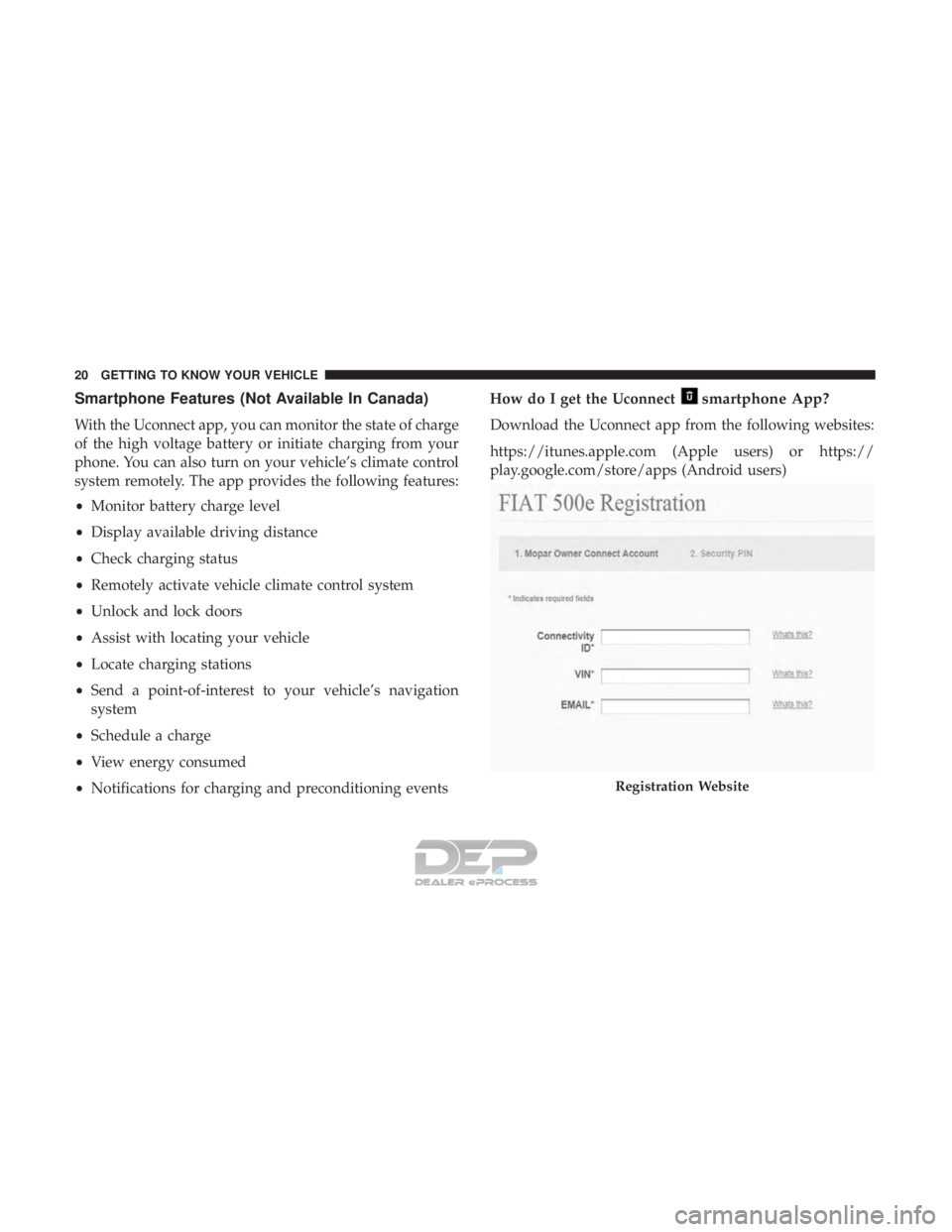
• Notifications for charging and preconditioning events How do I get the Uconnect
smartphone App?
Download the Uconnect app from the following websites:
https://itunes.apple.com (Apple users) or https://
play.google.com/store/apps (Android users)
Registration Website
20 GETTING TO KNOW YOUR VEHICLE
Page 26 of 302
WARNING!(Continued)
•Ensure that the EVSEs are always stored in a safe
place. Do not expose them to rain or wet conditions.
Avoid pouring or dipping water or other liquids over
them. If water penetrates the electrical device, the
risk or electrical shock increases. Ensure that all
plugs and cables are free of moisture before using
the EVSEs.
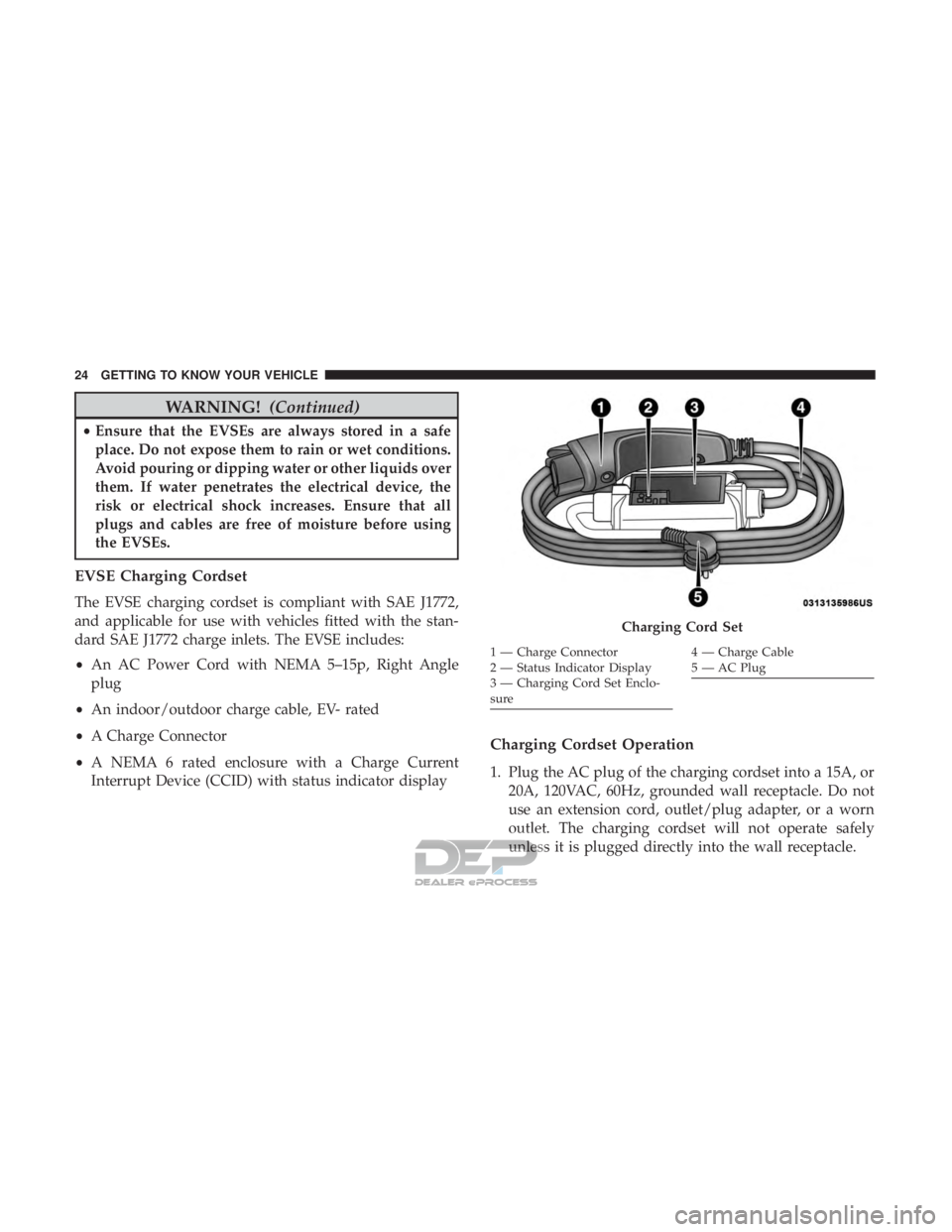
EVSE Charging Cordset
The EVSE charging cordset is compliant with SAE J1772,
and applicable for use with vehicles fitted with the stan-
dard SAE J1772 charge inlets. The EVSE includes:
• An AC Power Cord with NEMA 5–15p, Right Angle
plug
• An indoor/outdoor charge cable, EV- rated
• A Charge Connector
• A NEMA 6 rated enclosure with a Charge Current
Interrupt Device (CCID) with status indicator display
Charging Cordset Operation
1. Plug the AC plug of the charging cordset into a 15A, or
20A, 120VAC, 60Hz, grounded wall receptacle. Do not
use an extension cord, outlet/plug adapter, or a worn
outlet. The charging cordset will not operate safely
unless it is plugged directly into the wall receptacle.
Charging Cord Set
1 — Charge Connector
2 — Status Indicator Display
3 — Charging Cord Set Enclo-
sure4—ChargeCable
5 — AC Plug
24 GETTING TO KNOW YOUR VEHICLE
Page 28 of 302
4. When the vehicle commences charging, the Charge RateIndicator Lights will cycle from left to right, and then
both turn off. This pattern will repeat while the vehicle
is charging. The lights are illuminated at the rate of
approximately one cycle per second.
NOTE: The vehicle should start charging automatically. If
not, please check the following:
•Charging Cordset - The charging cordset status indi-
cators illuminate green or red to identify the charging
cordset status. Refer to “Troubleshooting Using The Status Indicator Display” in this section for further
information on the charging cordset status.
• Wall Receptacle – Check whether the wall receptacle is
functional (no power outage) and/or plug the charg-
ing cordset into a different wall receptacle.
• Charging Schedule – Check whether or not the charg-
ing schedules have been enabled. If enabled, check
that you are within the scheduled time and date. If a
charging schedule has been enabled and you are
outside the time and date, you may override the
schedule for this charging event by plugging in the
charge connector, unplugging it, and then plugging it
back into the vehicle charge inlet. Complete the double
plug sequence within ten seconds for it to override the
set schedule.
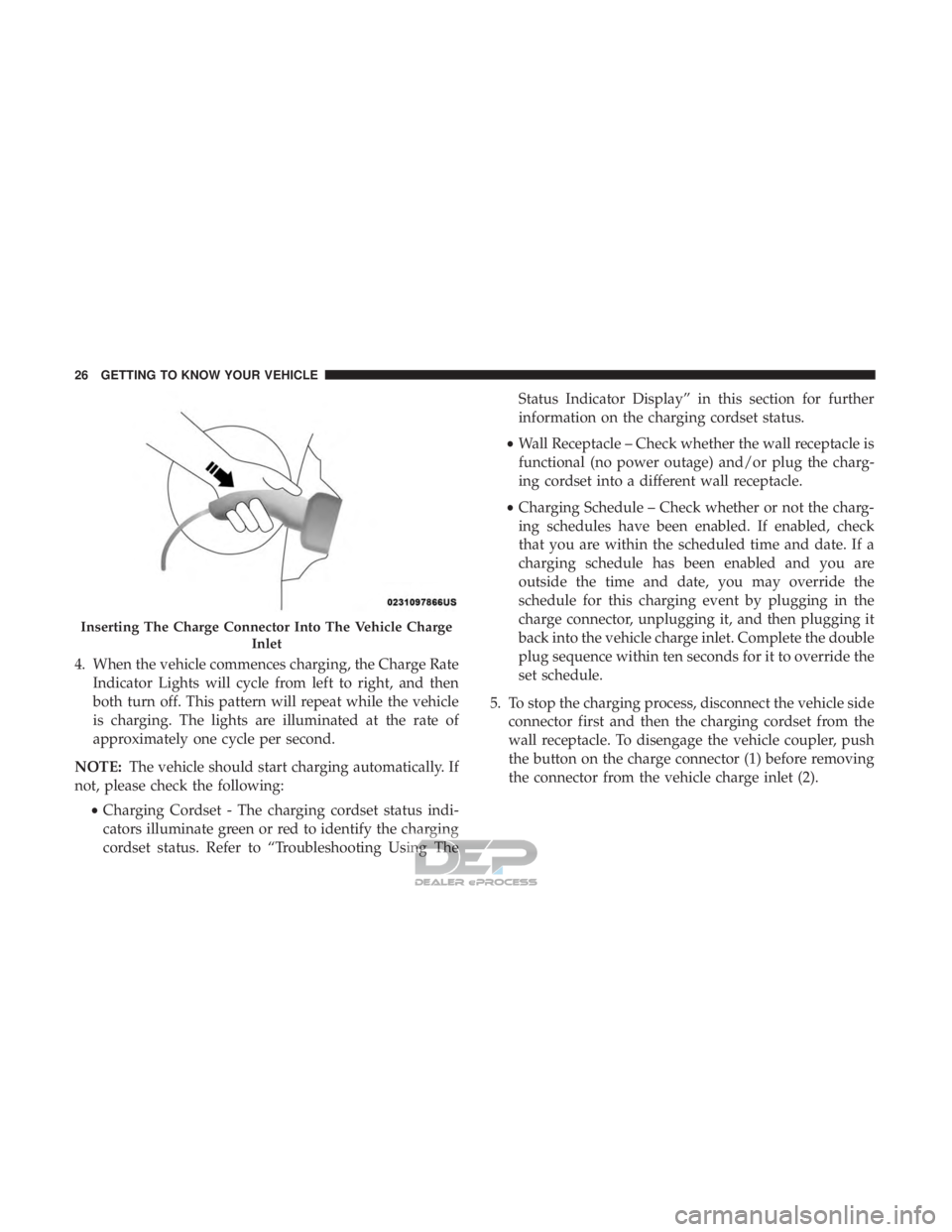
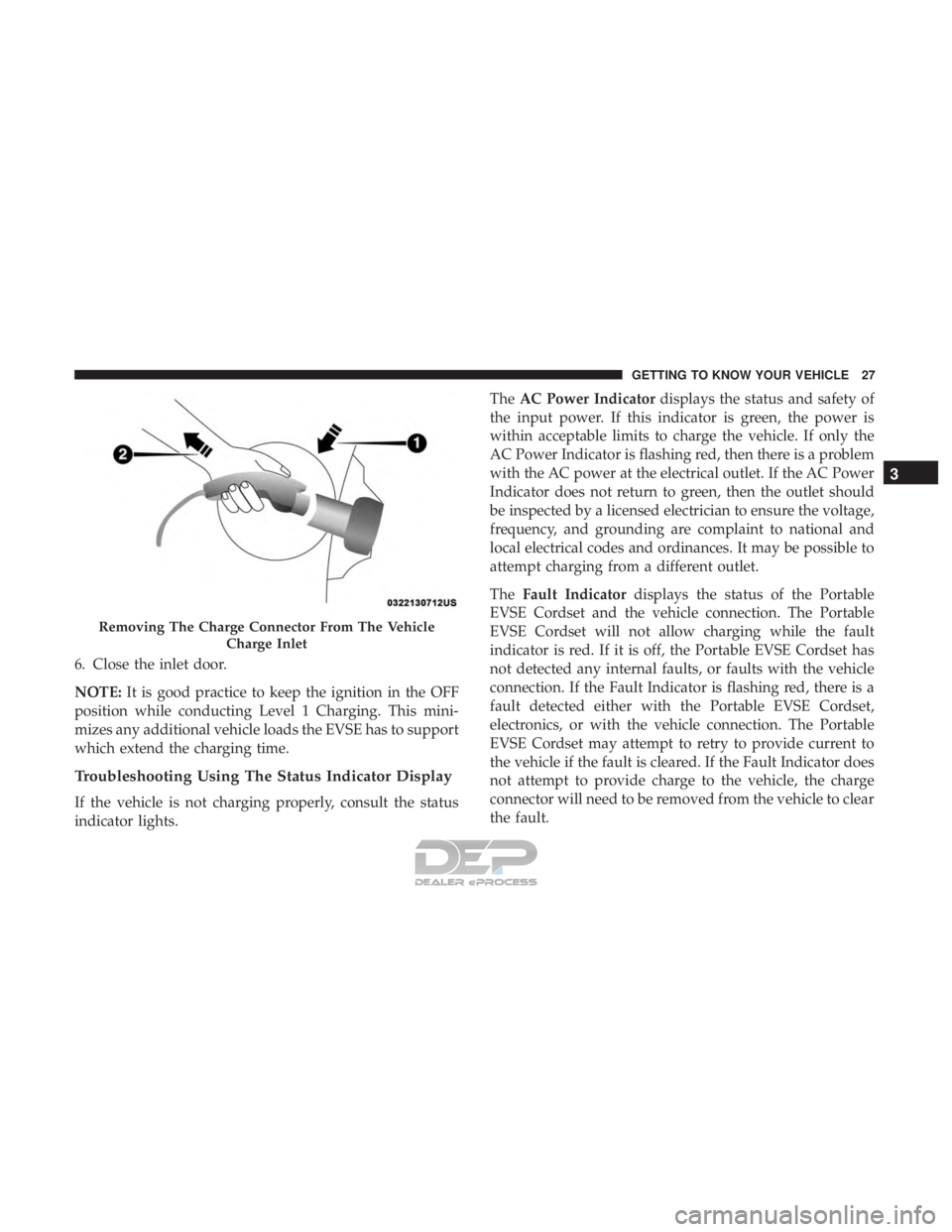
5. To stop the charging process, disconnect the vehicle side connector first and then the charging cordset from the
wall receptacle. To disengage the vehicle coupler, push
the button on the charge connector (1) before removing
the connector from the vehicle charge inlet (2).
Inserting The Charge Connector Into The Vehicle Charge
Inlet
26 GETTING TO KNOW YOUR VEHICLE
Page 29 of 302
6. Close the inlet door.
NOTE:It is good practice to keep the ignition in the OFF
position while conducting Level 1 Charging. This mini-
mizes any additional vehicle loads the EVSE has to support
which extend the charging time.
Troubleshooting Using The Status Indicator Display
If the vehicle is not charging properly, consult the status
indicator lights. The
AC Power Indicator displays the status and safety of
the input power. If this indicator is green, the power is
within acceptable limits to charge the vehicle. If only the
AC Power Indicator is flashing red, then there is a problem
with the AC power at the electrical outlet. If the AC Power
Indicator does not return to green, then the outlet should
be inspected by a licensed electrician to ensure the voltage,
frequency, and grounding are complaint to national and
local electrical codes and ordinances. It may be possible to
attempt charging from a different outlet.
The Fault Indicator displays the status of the Portable
EVSE Cordset and the vehicle connection. The Portable
EVSE Cordset will not allow charging while the fault
indicator is red. If it is off, the Portable EVSE Cordset has
not detected any internal faults, or faults with the vehicle
connection. If the Fault Indicator is flashing red, there is a
fault detected either with the Portable EVSE Cordset,
electronics, or with the vehicle connection. The Portable
EVSE Cordset may attempt to retry to provide current to
the vehicle if the fault is cleared. If the Fault Indicator does
not attempt to provide charge to the vehicle, the charge
connector will need to be removed from the vehicle to clear
the fault.
Removing The Charge Connector From The Vehicle
Charge Inlet
3
GETTING TO KNOW YOUR VEHICLE 27
Page 30 of 302
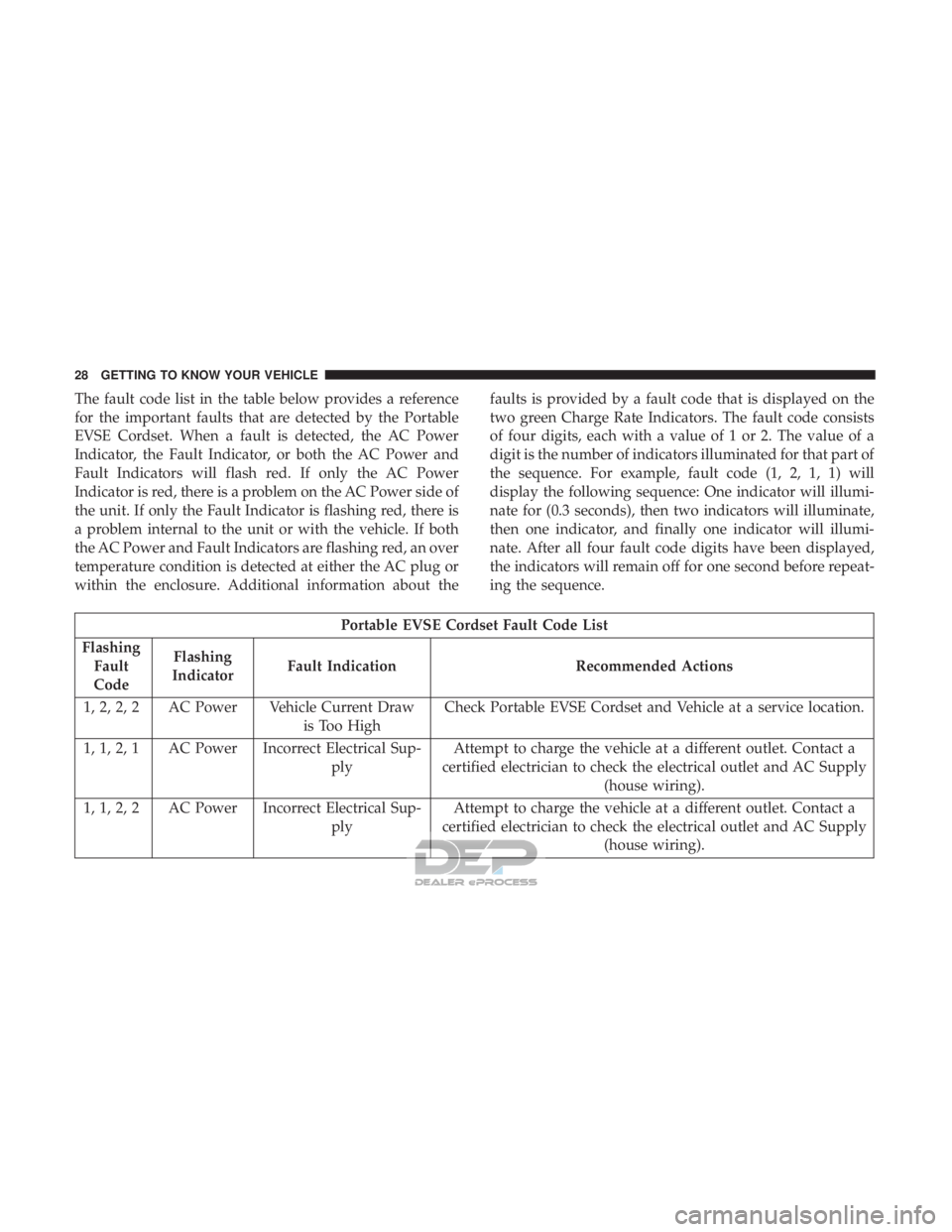
The fault code list in the table below provides a reference
for the important faults that are detected by the Portable
EVSE Cordset. When a fault is detected, the AC Power
Indicator, the Fault Indicator, or both the AC Power and
Fault Indicators will flash red. If only the AC Power
Indicator is red, there is a problem on the AC Power side of
the unit. If only the Fault Indicator is flashing red, there is
a problem internal to the unit or with the vehicle. If both
the AC Power and Fault Indicators are flashing red, an over
temperature condition is detected at either the AC plug or
within the enclosure. Additional information about thefaults is provided by a fault code that is displayed on the
two green Charge Rate Indicators. The fault code consists
of four digits, each with a value of 1 or 2. The value of a
digit is the number of indicators illuminated for that part of
the sequence. For example, fault code (1, 2, 1, 1) will
display the following sequence: One indicator will illumi-
nate for (0.3 seconds), then two indicators will illuminate,
then one indicator, and finally one indicator will illumi-
nate. After all four fault code digits have been displayed,
the indicators will remain off for one second before repeat-
ing the sequence.
Portable EVSE Cordset Fault Code List
Flashing Fault
Code Flashing
Indicator Fault Indication Recommended Actions
1, 2, 2, 2 AC Power Vehicle Current Draw is Too HighCheck Portable EVSE Cordset and Vehicle at a service location.
1, 1, 2, 1 AC Power Incorrect Electrical Sup- plyAttempt to charge the vehicle at a different outlet. Contact a
certified electrician to check the electrical outlet and AC Supply (house wiring).
1, 1, 2, 2 AC Power Incorrect Electrical Sup- plyAttempt to charge the vehicle at a different outlet. Contact a
certified electrician to check the electrical outlet and AC Supply (house wiring).
28 GETTING TO KNOW YOUR VEHICLE
Page 35 of 302
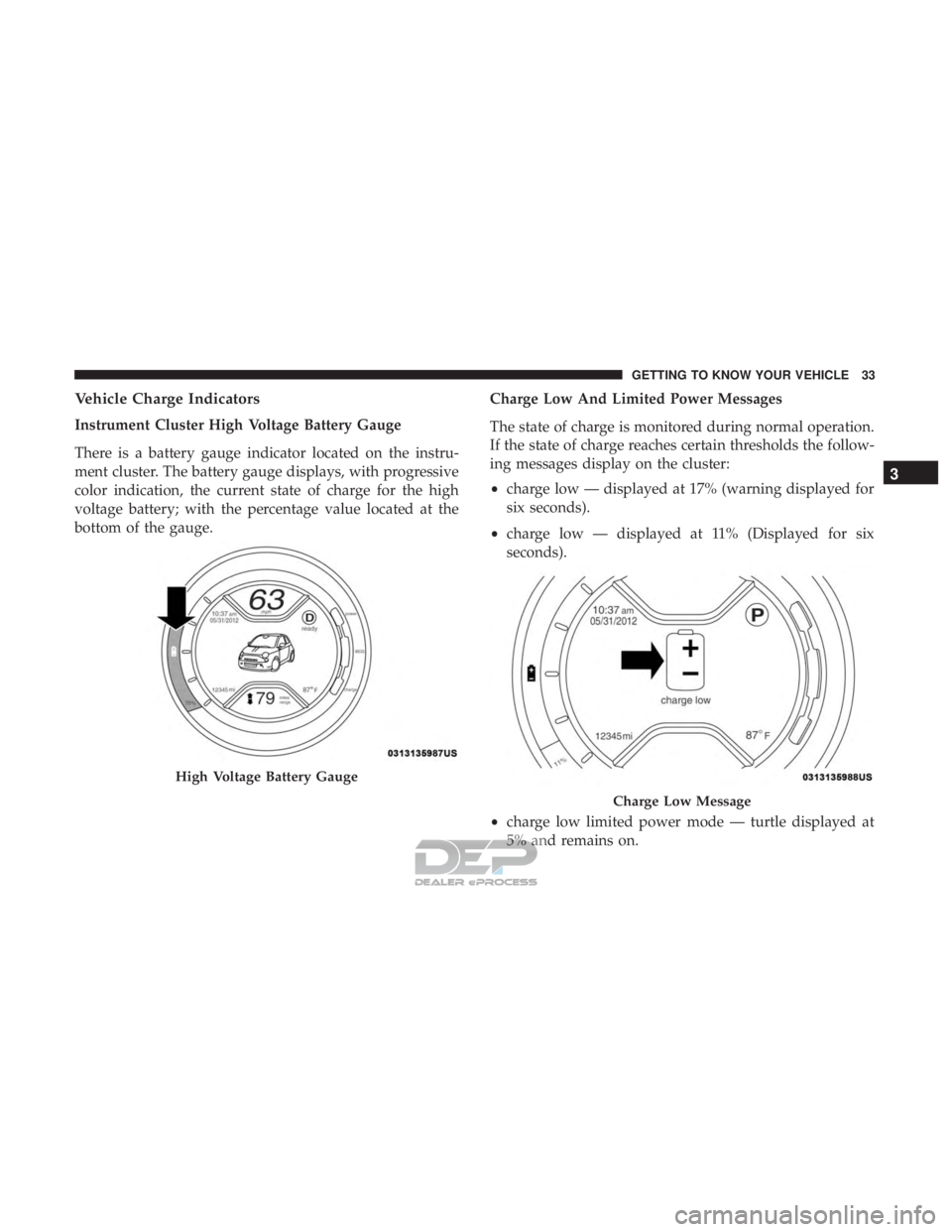
Vehicle Charge Indicators
Instrument Cluster High Voltage Battery Gauge
There is a battery gauge indicator located on the instru-
ment cluster. The battery gauge displays, with progressive
color indication, the current state of charge for the high
voltage battery; with the percentage value located at the
bottom of the gauge.Charge Low And Limited Power Messages
The state of charge is monitored during normal operation.
If the state of charge reaches certain thresholds the follow-
ing messages display on the cluster:
•
charge low — displayed at 17% (warning displayed for
six seconds).
• charge low — displayed at 11% (Displayed for six
seconds).
• charge low limited power mode — turtle displayed at
5% and remains on.
High Voltage Battery Gauge
Charge Low Message
3
GETTING TO KNOW YOUR VEHICLE 33
Page 59 of 302
NOTE:When the headlights are turned on, the Daytime
Running Lights will be deactivated.
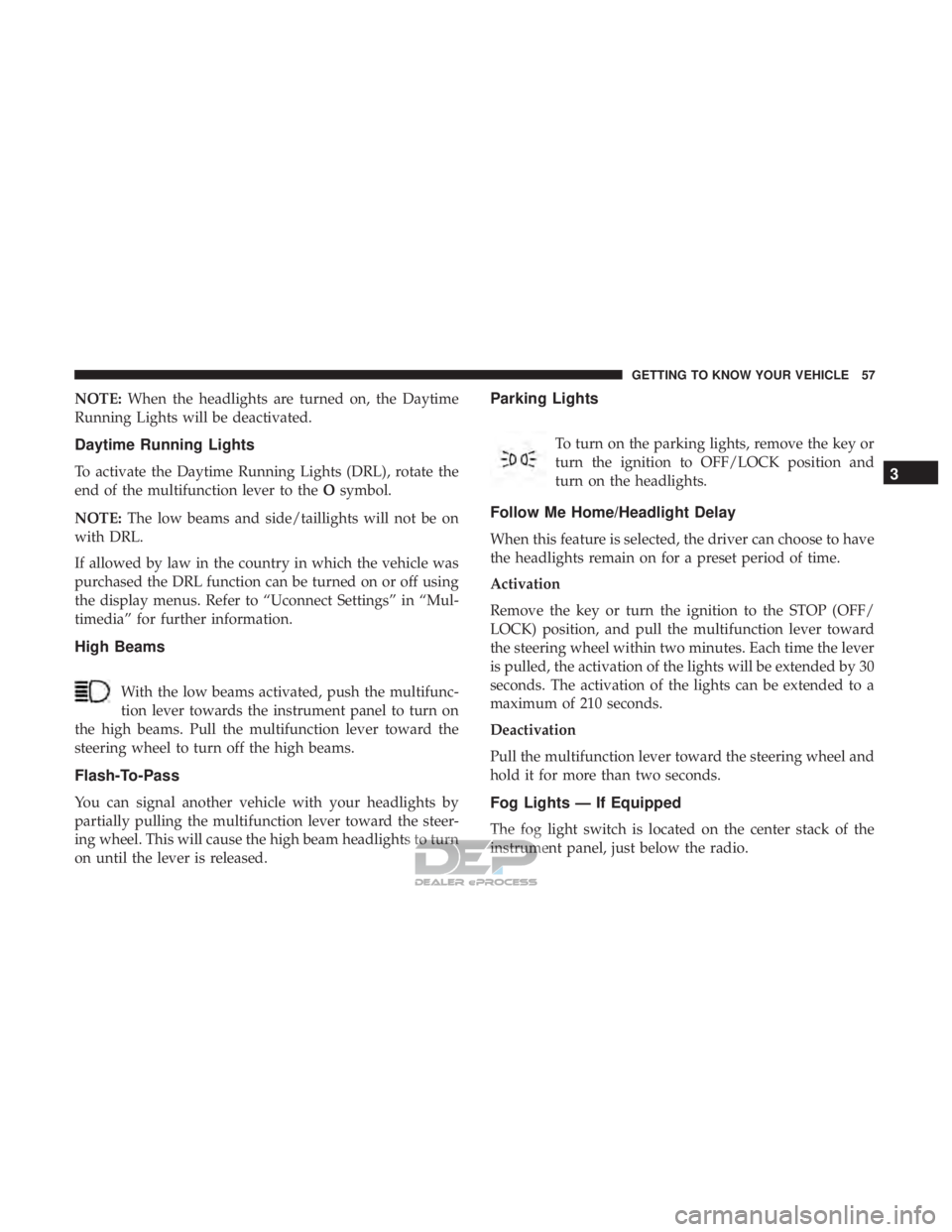
Daytime Running Lights
To activate the Daytime Running Lights (DRL), rotate the
end of the multifunction lever to the Osymbol.
NOTE: The low beams and side/taillights will not be on
with DRL.
If allowed by law in the country in which the vehicle was
purchased the DRL function can be turned on or off using
the display menus. Refer to “Uconnect Settings” in “Mul-
timedia” for further information.
High Beams
With the low beams activated, push the multifunc-
tion lever towards the instrument panel to turn on
the high beams. Pull the multifunction lever toward the
steering wheel to turn off the high beams.
Flash-To-Pass
You can signal another vehicle with your headlights by
partially pulling the multifunction lever toward the steer-
ing wheel. This will cause the high beam headlights to turn
on until the lever is released.
Parking Lights
To turn on the parking lights, remove the key or
turn the ignition to OFF/LOCK position and
turn on the headlights.
Follow Me Home/Headlight Delay
When this feature is selected, the driver can choose to have
the headlights remain on for a preset period of time.
Activation
Remove the key or turn the ignition to the STOP (OFF/
LOCK) position, and pull the multifunction lever toward
the steering wheel within two minutes. Each time the lever
is pulled, the activation of the lights will be extended by 30
seconds. The activation of the lights can be extended to a
maximum of 210 seconds.
Deactivation
Pull the multifunction lever toward the steering wheel and
hold it for more than two seconds.
Fog Lights — If Equipped
The fog light switch is located on the center stack of the
instrument panel, just below the radio.
3
GETTING TO KNOW YOUR VEHICLE 57
Page 60 of 302
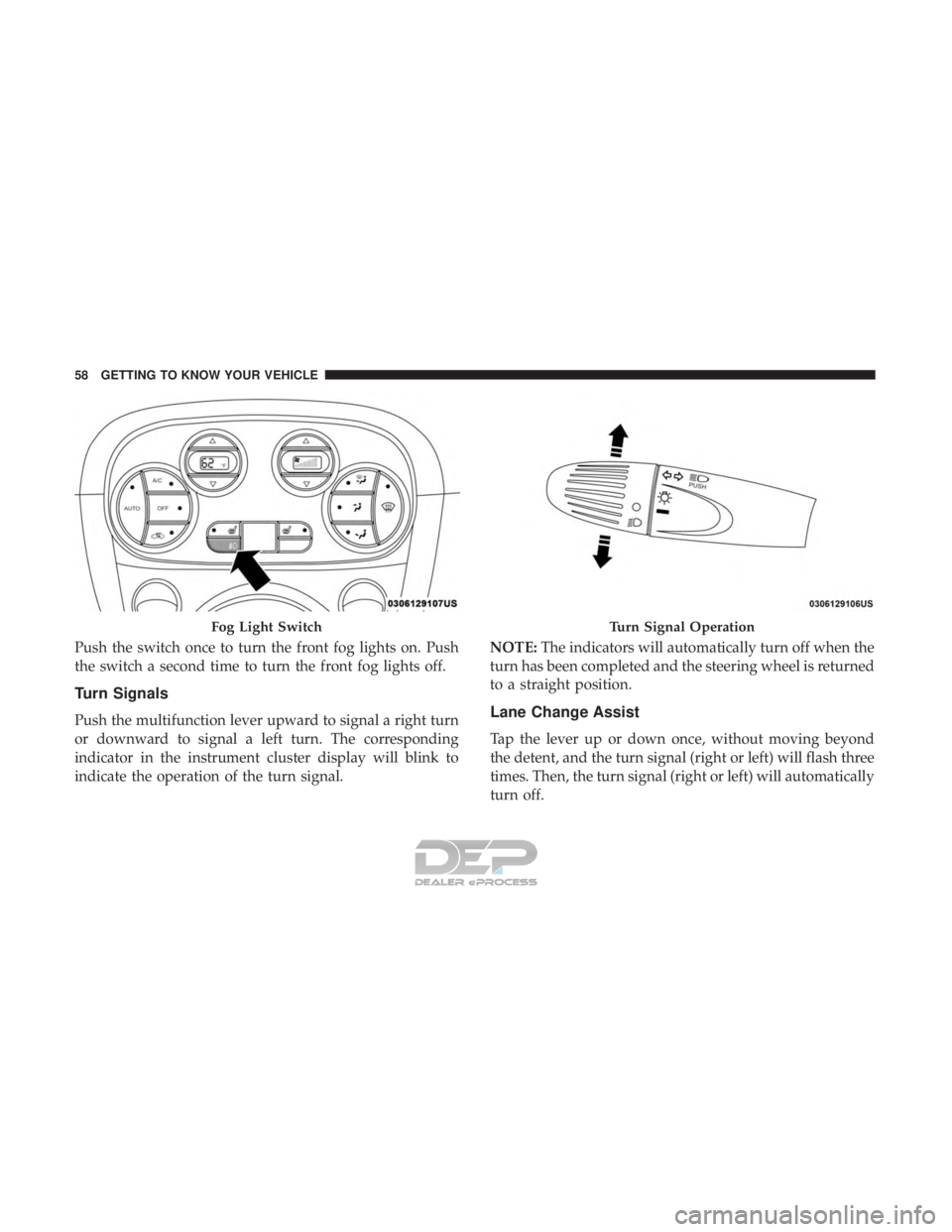
Push the switch once to turn the front fog lights on. Push
the switch a second time to turn the front fog lights off.
Turn Signals
Push the multifunction lever upward to signal a right turn
or downward to signal a left turn. The corresponding
indicator in the instrument cluster display will blink to
indicate the operation of the turn signal.NOTE:
The indicators will automatically turn off when the
turn has been completed and the steering wheel is returned
to a straight position.Lane Change Assist
Tap the lever up or down once, without moving beyond
the detent, and the turn signal (right or left) will flash three
times. Then, the turn signal (right or left) will automatically
turn off.
Fog Light SwitchTurn Signal Operation
58 GETTING TO KNOW YOUR VEHICLE
Page 71 of 302
Climate Control Functions
A/C (Air Conditioning)
The Air Conditioning (A/C) button allows the operator to
manually activate or deactivate the air conditioning sys-
tem. When the air conditioning system is turned on, cool
dehumidified air will flow through the outlets into the
cabin. For improved fuel economy, push the A/C button to
turn off the air conditioning and manually adjust the
blower and airflow mode settings. Also, make sure to select
only Panel, Bi-Level or Floor modes.
NOTE:
•For Manual Climate Controls, if the system is in Mix,
Floor or Defrost Mode, the A/C can be turned off, but
the A/C system shall remain active to prevent fogging of
the windows.
• If fog or mist appears on the windshield or side glass,
select Defrost mode, and increase blower speed if
needed.
• If your air conditioning performance seems lower than
expected, check the front of the A/C condenser (located
in front of the radiator), for an accumulation of dirt or
insects. Clean with a gentle water spray from the front of
the radiator and through the condenser. Recirculation
In cold weather, use of Recirculation mode may lead to
excessive window fogging. The Recirculation feature may
be unavailable if conditions exist that could create fogging
on the inside of the windshield.
Automatic Temperature Control (ATC) — If
Equipped
Automatic Operation
1. Push the AUTO button on the faceplate.
2. Next, adjust the temperature you would like the system
to maintain by adjusting the temperature control but-
tons. Once the desired temperature is displayed, the
system achieves and automatically maintains that com-
fort level.
3. When the system is set up for your comfort level, it is not necessary to change the settings. You experience the
greatest efficiency by simply allowing the system to
function automatically.
3
GETTING TO KNOW YOUR VEHICLE 69
Page 72 of 302
NOTE:
•It is not necessary to move the temperature settings for
cold or hot vehicles. The system automatically adjusts
the temperature, mode, and blower speed to provide
comfort as quickly as possible.
• The temperature can be displayed in U.S. or Metric units
by selecting the US/Metric customer-programmable fea-
ture.
To provide you with maximum comfort in the Automatic
mode during cold start-ups, the blower fan remains on low
until the vehicle warms up. The blower increases in speed
and transition into Auto mode.
Manual Operation Override
This system offers a full complement of manual override
features. The AUTO symbol in the front ATC display will
be turned off when the system is being used in the manual
mode.
NOTE: The system will not automatically sense the pres-
ence of fog, mist or ice on the windshield. Defrost mode
must be manually selected to clear the windshield and side
glass.
Operating Tips
NOTE: Refer to the chart at the end of this section for
suggested control settings for various weather conditions.
Summer Operation
The vehicle cooling system must be protected with a
high-quality antifreeze coolant to provide proper corrosion
protection and to protect against vehicle overheating. OAT
coolant (conforming to MS.90032) is recommended.
Winter Operation
To ensure the best possible heater and defroster perfor-
mance, make sure the vehicle cooling system is functioning
properly and the proper amount, type, and concentration
of coolant is used. Use of the Air Recirculation mode
during Winter months is not recommended, because it may
cause window fogging.
Vacation/Storage
Before you store your vehicle, or keep it out of service (i.e.,
vacation) for two weeks or more, run the air conditioning
system at idle for about five minutes, in fresh air with the
blower setting on high. This ensures adequate system
lubrication to minimize the possibility of compressor dam-
age when the system is started again.
70 GETTING TO KNOW YOUR VEHICLE