door lock FIAT 500L 2017 2.G Owner's Manual
[x] Cancel search | Manufacturer: FIAT, Model Year: 2017, Model line: 500L, Model: FIAT 500L 2017 2.GPages: 370, PDF Size: 3.56 MB
Page 172 of 370
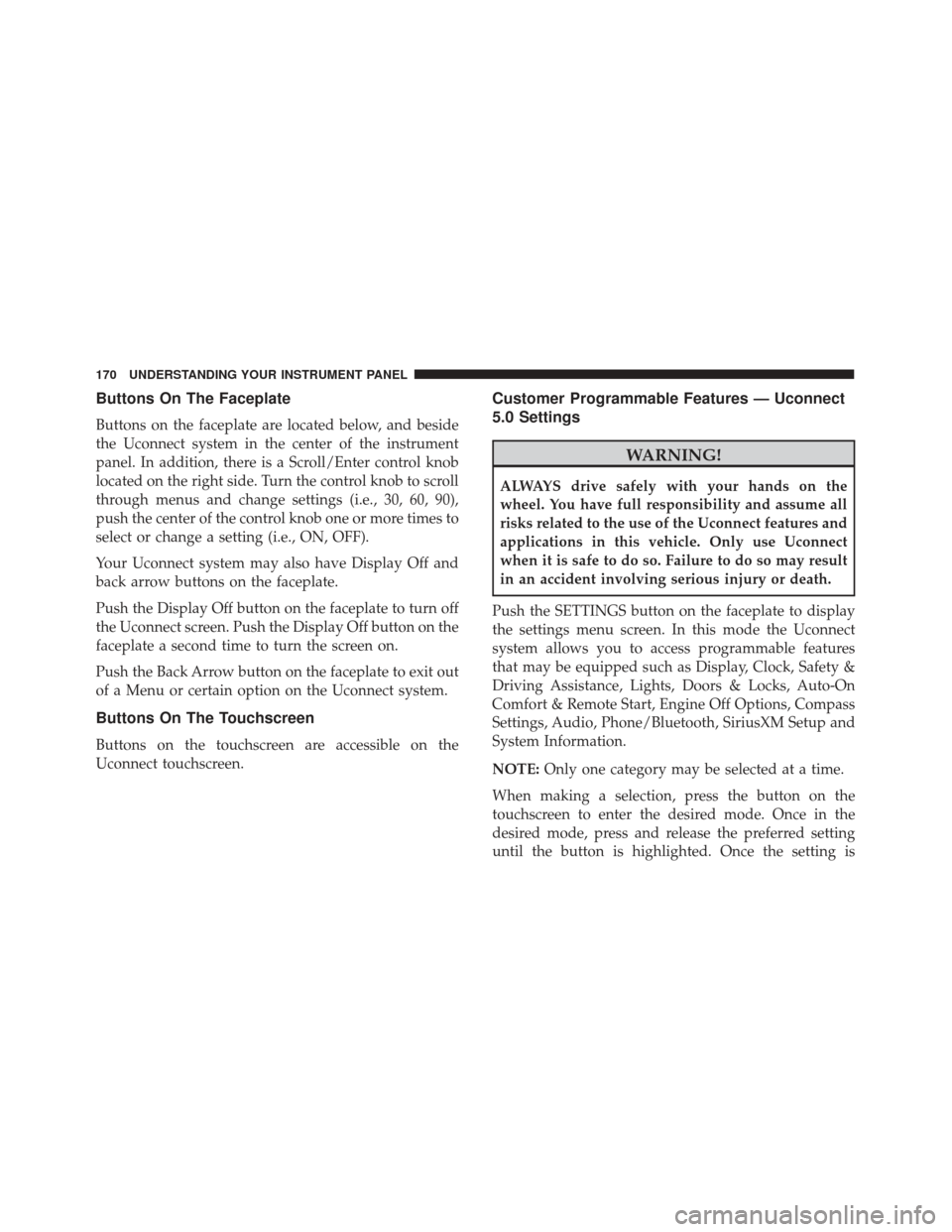
Buttons On The Faceplate
Buttons on the faceplate are located below, and beside
the Uconnect system in the center of the instrument
panel. In addition, there is a Scroll/Enter control knob
located on the right side. Turn the control knob to scroll
through menus and change settings (i.e., 30, 60, 90),
push the center of the control knob one or more times to
select or change a setting (i.e., ON, OFF).
Your Uconnect system may also have Display Off and
back arrow buttons on the faceplate.
Push the Display Off button on the faceplate to turn off
the Uconnect screen. Push the Display Off button on the
faceplate a second time to turn the screen on.
Push the Back Arrow button on the faceplate to exit out
of a Menu or certain option on the Uconnect system.
Buttons On The Touchscreen
Buttons on the touchscreen are accessible on the
Uconnect touchscreen.
Customer Programmable Features — Uconnect
5.0 Settings
WARNING!
ALWAYS drive safely with your hands on the
wheel. You have full responsibility and assume all
risks related to the use of the Uconnect features and
applications in this vehicle. Only use Uconnect
when it is safe to do so. Failure to do so may result
in an accident involving serious injury or death.
Push the SETTINGS button on the faceplate to display
the settings menu screen. In this mode the Uconnect
system allows you to access programmable features
that may be equipped such as Display, Clock, Safety &
Driving Assistance, Lights, Doors & Locks, Auto-On
Comfort & Remote Start, Engine Off Options, Compass
Settings, Audio, Phone/Bluetooth, SiriusXM Setup and
System Information.
NOTE: Only one category may be selected at a time.
When making a selection, press the button on the
touchscreen to enter the desired mode. Once in the
desired mode, press and release the preferred setting
until the button is highlighted. Once the setting is
170 UNDERSTANDING YOUR INSTRUMENT PANEL
Page 176 of 370
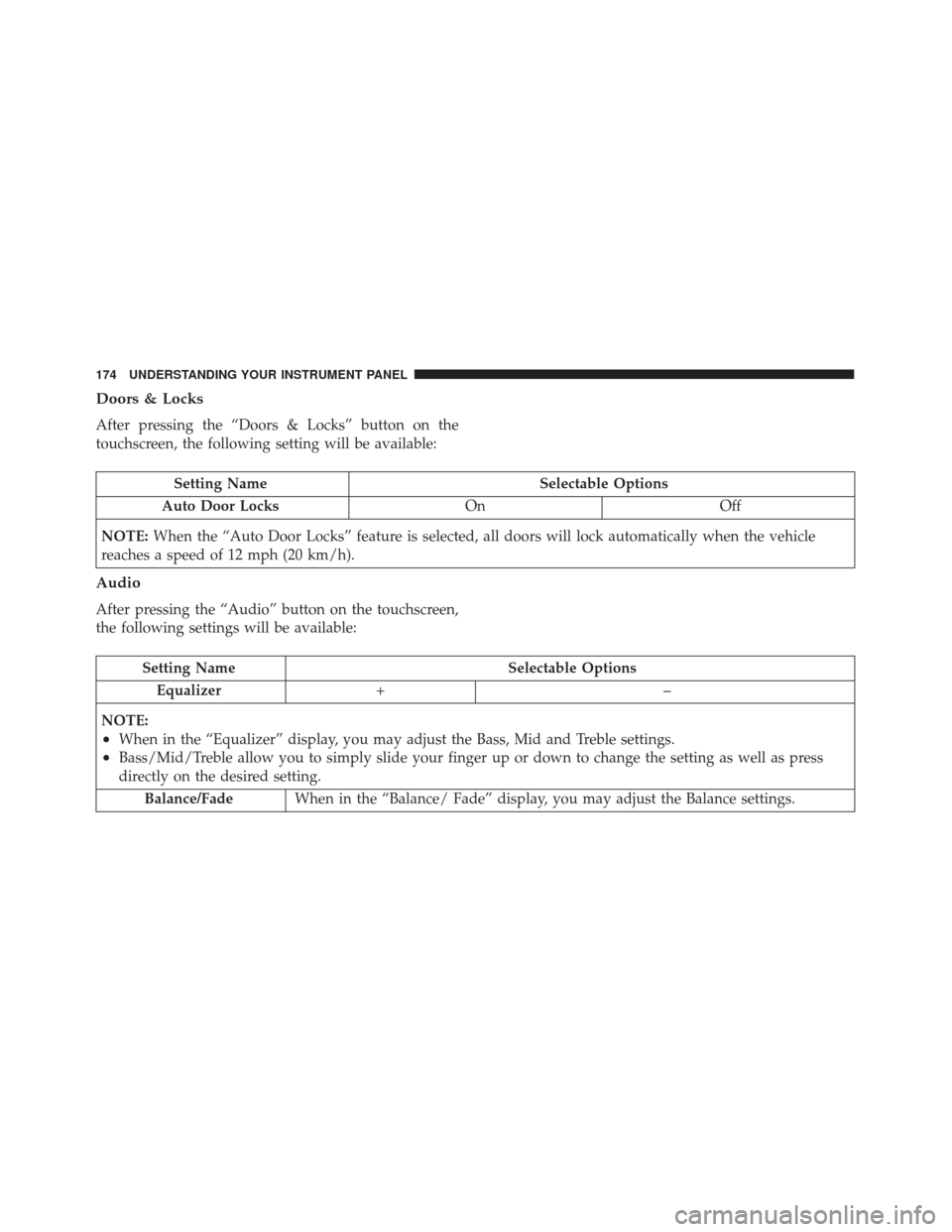
Doors & Locks
After pressing the “Doors & Locks” button on the
touchscreen, the following setting will be available:
Setting NameSelectable Options
Auto Door Locks OnOff
NOTE: When the “Auto Door Locks” feature is selected, all doors will lock automatically when the vehicle
reaches a speed of 12 mph (20 km/h).
Audio
After pressing the “Audio” button on the touchscreen,
the following settings will be available:
Setting Name Selectable Options
Equalizer +–
NOTE:
•When in the “Equalizer” display, you may adjust the Bass, Mid and Treble settings.
•Bass/Mid/Treble allow you to simply slide your finger up or down to change the setting as well as press
directly on the desired setting. Balance/Fade When in the “Balance/ Fade” display, you may adjust the Balance settings.
174 UNDERSTANDING YOUR INSTRUMENT PANEL
Page 179 of 370
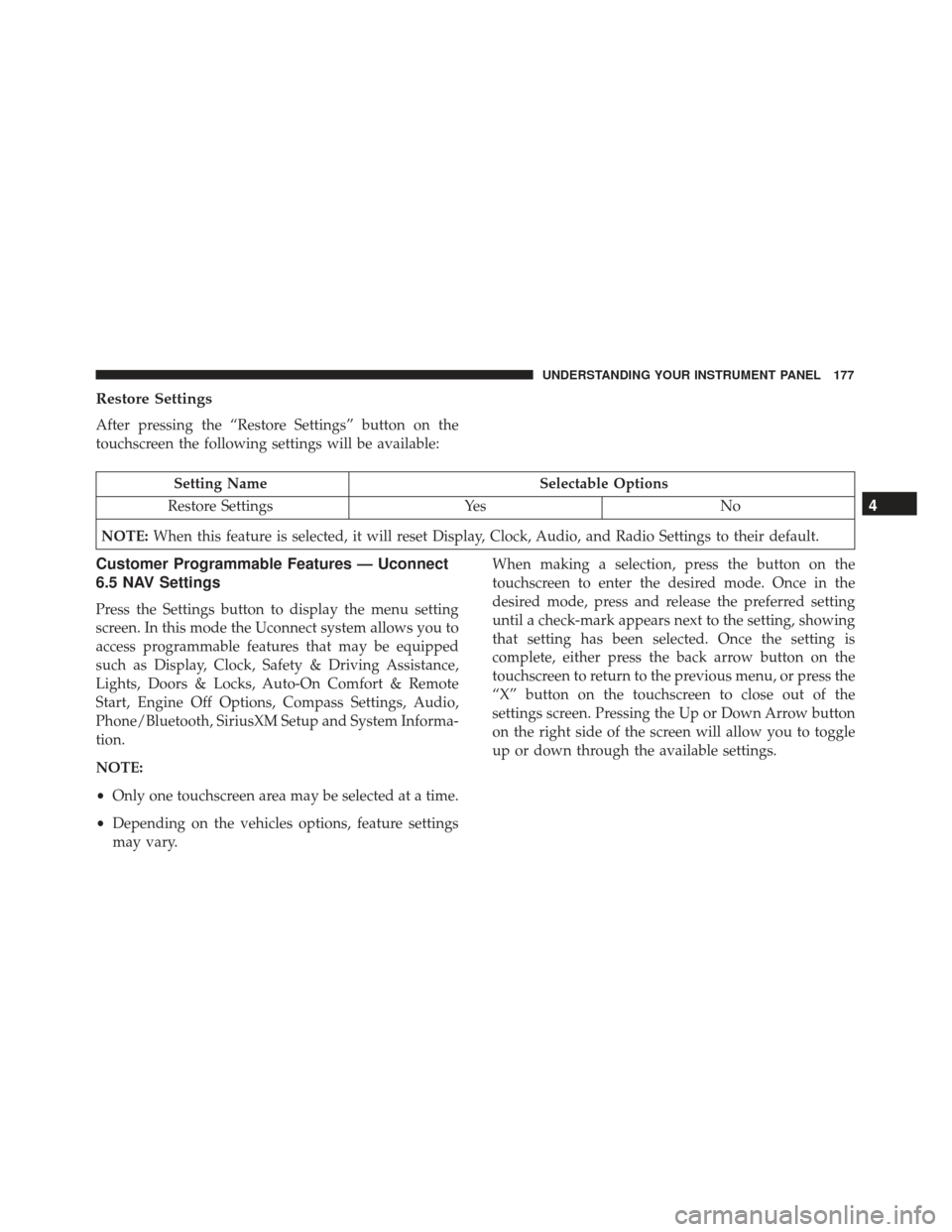
Restore Settings
After pressing the “Restore Settings” button on the
touchscreen the following settings will be available:
Setting NameSelectable Options
Restore Settings YesNo
NOTE: When this feature is selected, it will reset Display, Clock, Audio, and Radio Settings to their default.
Customer Programmable Features — Uconnect
6.5 NAV Settings
Press the Settings button to display the menu setting
screen. In this mode the Uconnect system allows you to
access programmable features that may be equipped
such as Display, Clock, Safety & Driving Assistance,
Lights, Doors & Locks, Auto-On Comfort & Remote
Start, Engine Off Options, Compass Settings, Audio,
Phone/Bluetooth, SiriusXM Setup and System Informa-
tion.
NOTE:
•Only one touchscreen area may be selected at a time.
• Depending on the vehicles options, feature settings
may vary. When making a selection, press the button on the
touchscreen to enter the desired mode. Once in the
desired mode, press and release the preferred setting
until a check-mark appears next to the setting, showing
that setting has been selected. Once the setting is
complete, either press the back arrow button on the
touchscreen to return to the previous menu, or press the
“X” button on the touchscreen to close out of the
settings screen. Pressing the Up or Down Arrow button
on the right side of the screen will allow you to toggle
up or down through the available settings.
4
UNDERSTANDING YOUR INSTRUMENT PANEL 177
Page 185 of 370
Setting NameSelectable Options
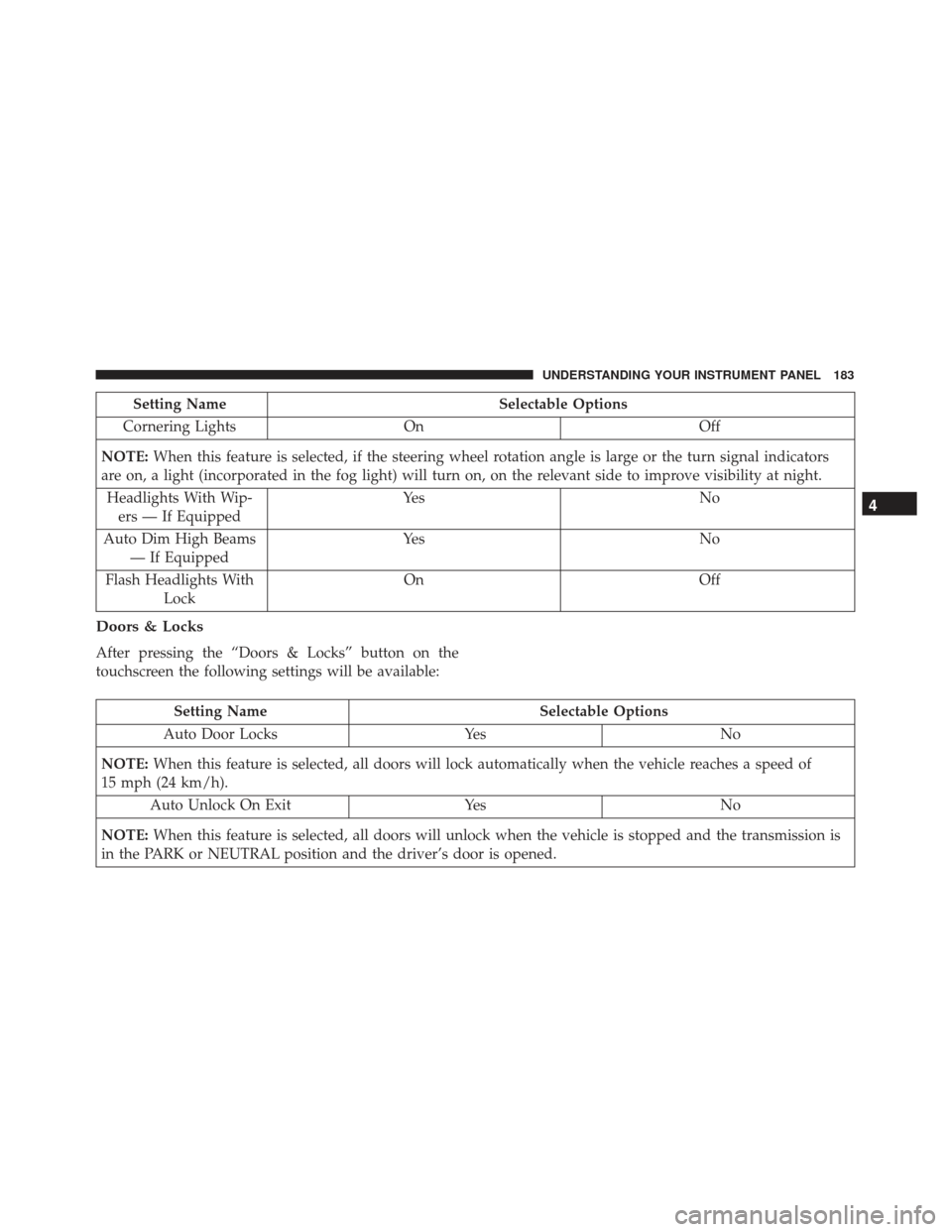
Cornering Lights On Off
NOTE: When this feature is selected, if the steering wheel rotation angle is large or the turn signal indicators
are on, a light (incorporated in the fog light) will turn on, on the relevant side to improve visibility at night.
Headlights With Wip- ers — If Equipped Ye s
N o
Auto Dim High Beams — If Equipped Ye s
N o
Flash Headlights With Lock On
Off
Doors & Locks
After pressing the “Doors & Locks” button on the
touchscreen the following settings will be available:
Setting Name Selectable Options
Auto Door Locks YesNo
NOTE: When this feature is selected, all doors will lock automatically when the vehicle reaches a speed of
15 mph (24 km/h).
Auto Unlock On Exit YesNo
NOTE: When this feature is selected, all doors will unlock when the vehicle is stopped and the transmission is
in the PARK or NEUTRAL position and the driver’s door is opened.
4
UNDERSTANDING YOUR INSTRUMENT PANEL 183
Page 186 of 370
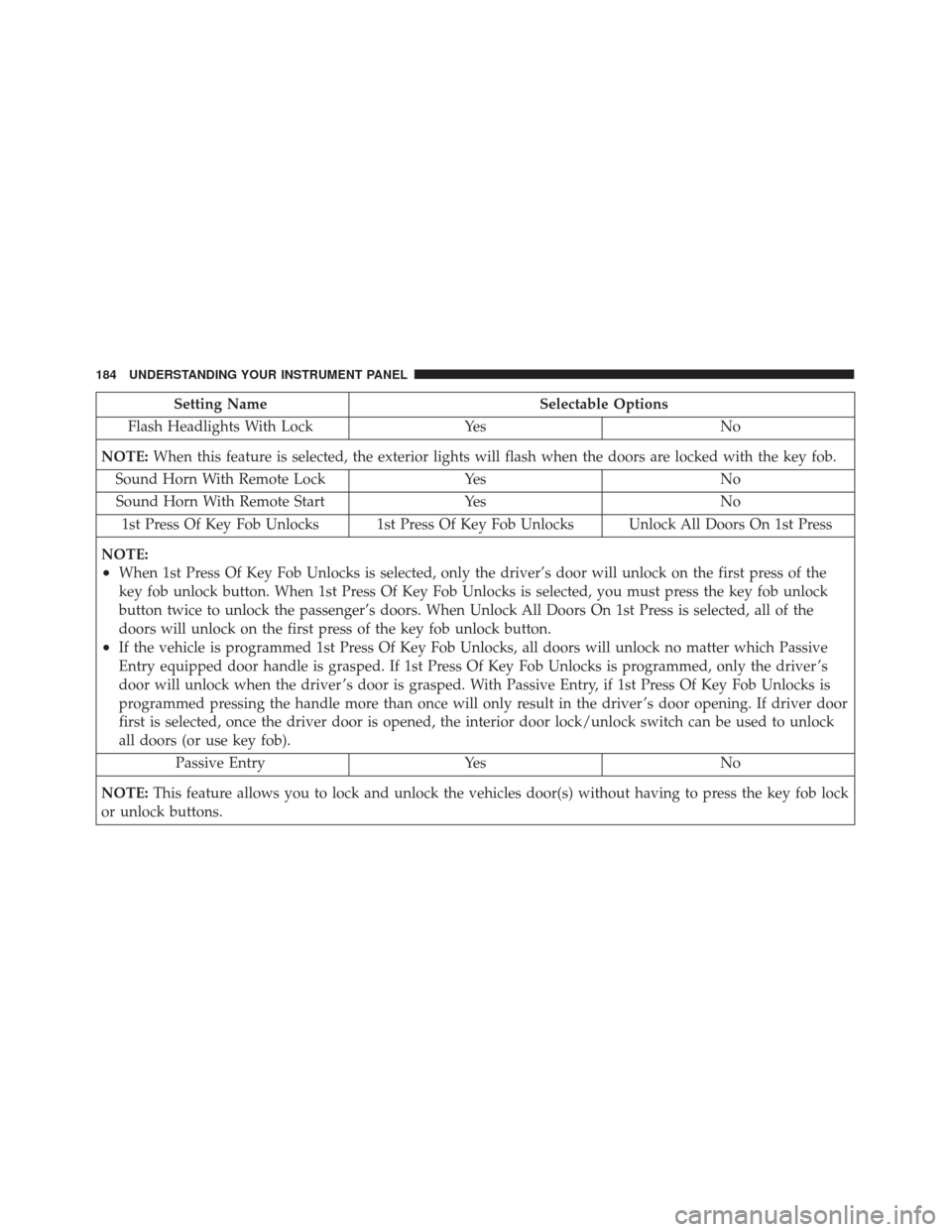
Setting NameSelectable Options
Flash Headlights With Lock YesNo
NOTE: When this feature is selected, the exterior lights will flash when the doors are locked with the key fob.
Sound Horn With Remote Lock YesNo
Sound Horn With Remote Start YesNo
1st Press Of Key Fob Unlocks 1st Press Of Key Fob Unlocks Unlock All Doors On 1st Press
NOTE:
•When 1st Press Of Key Fob Unlocks is selected, only the driver’s door will unlock on the first press of the
key fob unlock button. When 1st Press Of Key Fob Unlocks is selected, you must press the key fob unlock
button twice to unlock the passenger’s doors. When Unlock All Doors On 1st Press is selected, all of the
doors will unlock on the first press of the key fob unlock button.
•If the vehicle is programmed 1st Press Of Key Fob Unlocks, all doors will unlock no matter which Passive
Entry equipped door handle is grasped. If 1st Press Of Key Fob Unlocks is programmed, only the driver ’s
door will unlock when the driver ’s door is grasped. With Passive Entry, if 1st Press Of Key Fob Unlocks is
programmed pressing the handle more than once will only result in the driver ’s door opening. If driver door
first is selected, once the driver door is opened, the interior door lock/unlock switch can be used to unlock
all doors (or use key fob). Passive Entry YesNo
NOTE: This feature allows you to lock and unlock the vehicles door(s) without having to press the key fob lock
or unlock buttons.
184 UNDERSTANDING YOUR INSTRUMENT PANEL
Page 311 of 370
Refer to the “Maintenance Schedule” for the proper
maintenance intervals.
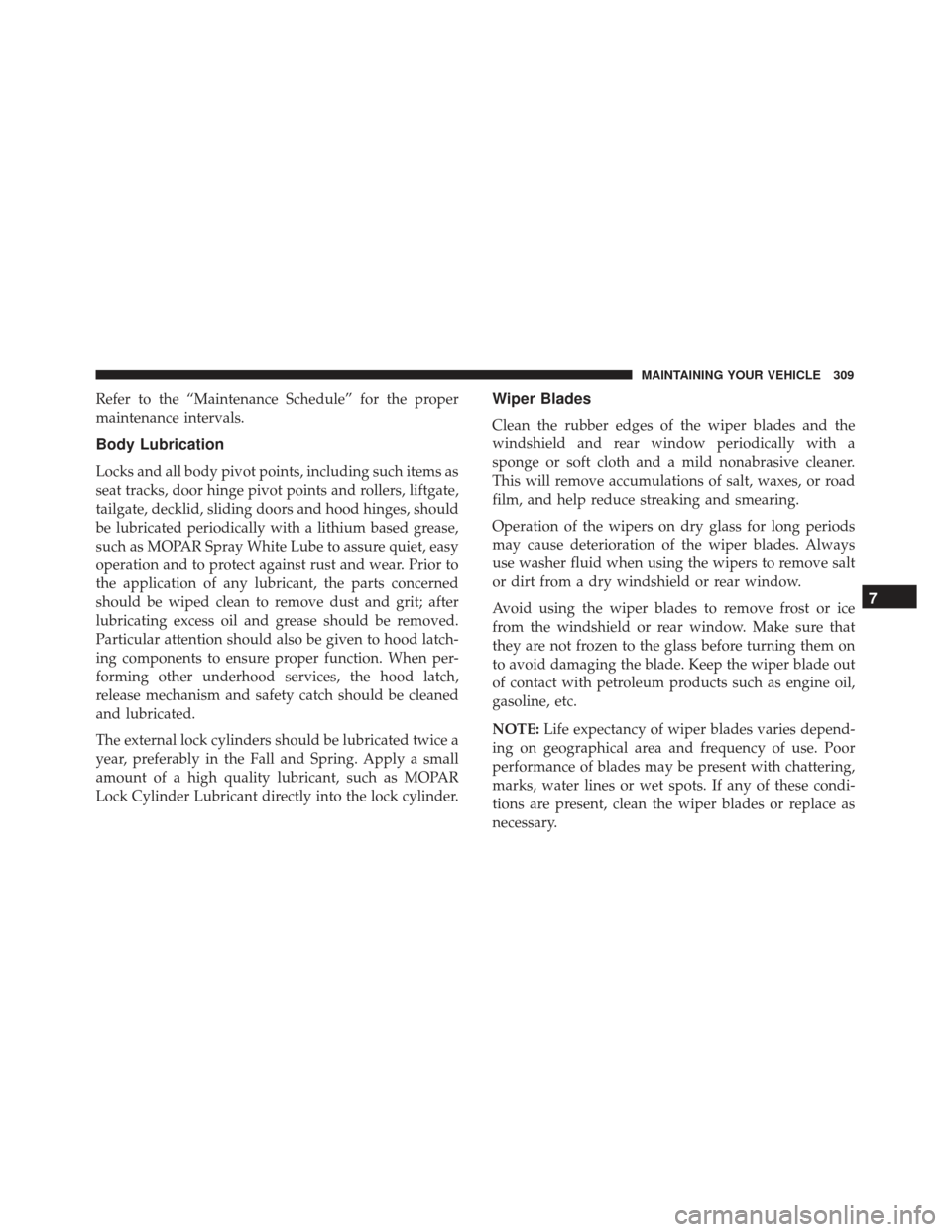
Body Lubrication
Locks and all body pivot points, including such items as
seat tracks, door hinge pivot points and rollers, liftgate,
tailgate, decklid, sliding doors and hood hinges, should
be lubricated periodically with a lithium based grease,
such as MOPAR Spray White Lube to assure quiet, easy
operation and to protect against rust and wear. Prior to
the application of any lubricant, the parts concerned
should be wiped clean to remove dust and grit; after
lubricating excess oil and grease should be removed.
Particular attention should also be given to hood latch-
ing components to ensure proper function. When per-
forming other underhood services, the hood latch,
release mechanism and safety catch should be cleaned
and lubricated.
The external lock cylinders should be lubricated twice a
year, preferably in the Fall and Spring. Apply a small
amount of a high quality lubricant, such as MOPAR
Lock Cylinder Lubricant directly into the lock cylinder.
Wiper Blades
Clean the rubber edges of the wiper blades and the
windshield and rear window periodically with a
sponge or soft cloth and a mild nonabrasive cleaner.
This will remove accumulations of salt, waxes, or road
film, and help reduce streaking and smearing.
Operation of the wipers on dry glass for long periods
may cause deterioration of the wiper blades. Always
use washer fluid when using the wipers to remove salt
or dirt from a dry windshield or rear window.
Avoid using the wiper blades to remove frost or ice
from the windshield or rear window. Make sure that
they are not frozen to the glass before turning them on
to avoid damaging the blade. Keep the wiper blade out
of contact with petroleum products such as engine oil,
gasoline, etc.
NOTE:Life expectancy of wiper blades varies depend-
ing on geographical area and frequency of use. Poor
performance of blades may be present with chattering,
marks, water lines or wet spots. If any of these condi-
tions are present, clean the wiper blades or replace as
necessary.
7
MAINTAINING YOUR VEHICLE 309
Page 334 of 370
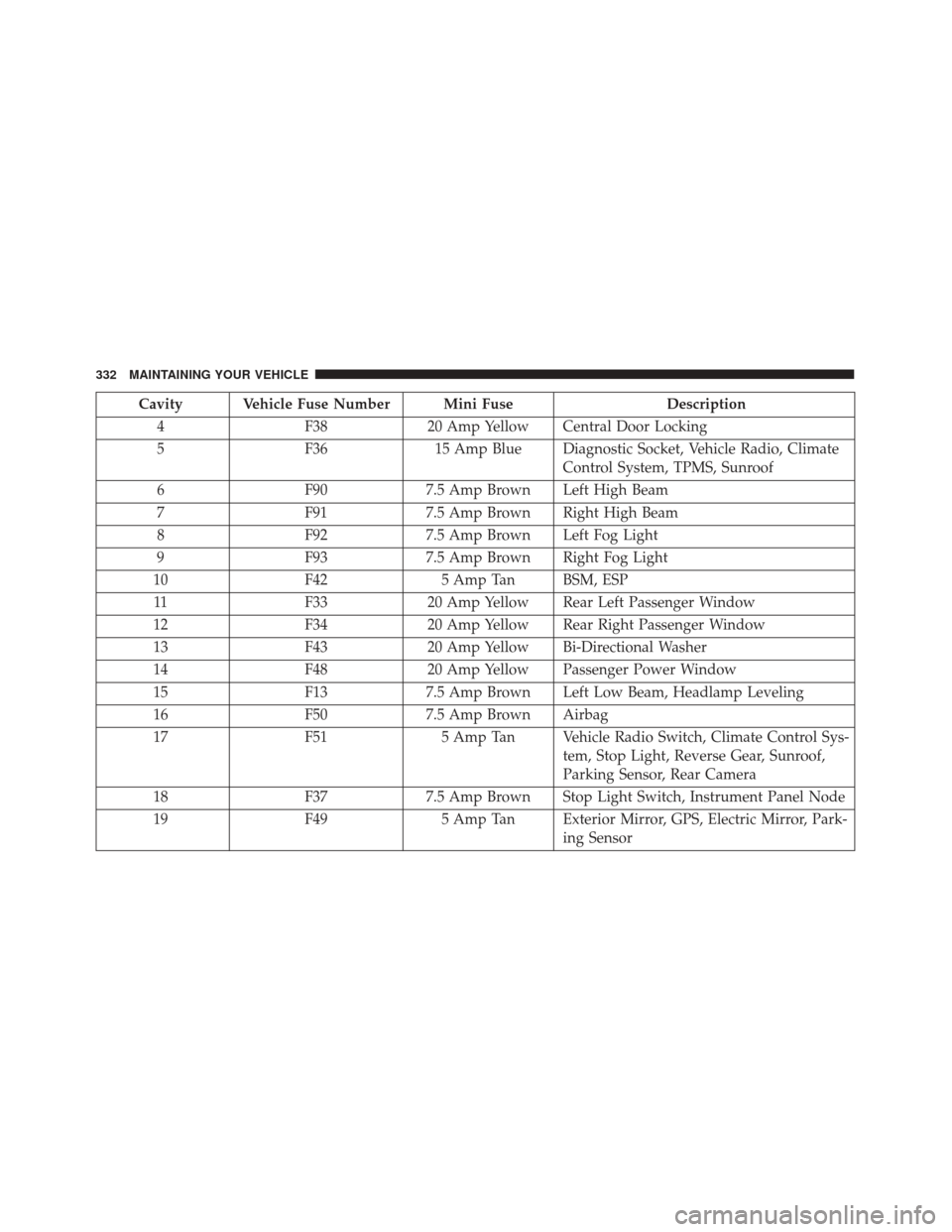
Cavity Vehicle Fuse Number Mini FuseDescription
4 F3820 Amp Yellow Central Door Locking
5 F3615 Amp Blue Diagnostic Socket, Vehicle Radio, Climate
Control System, TPMS, Sunroof
6 F907.5 Amp Brown Left High Beam
7 F917.5 Amp Brown Right High Beam
8 F927.5 Amp Brown Left Fog Light
9 F937.5 Amp Brown Right Fog Light
10 F425 Amp Tan BSM, ESP
11 F3320 Amp Yellow Rear Left Passenger Window
12 F3420 Amp Yellow Rear Right Passenger Window
13 F4320 Amp Yellow Bi-Directional Washer
14 F4820 Amp Yellow Passenger Power Window
15 F137.5 Amp Brown Left Low Beam, Headlamp Leveling
16 F507.5 Amp Brown Airbag
17 F515 Amp Tan Vehicle Radio Switch, Climate Control Sys-
tem, Stop Light, Reverse Gear, Sunroof,
Parking Sensor, Rear Camera
18 F377.5 Amp Brown Stop Light Switch, Instrument Panel Node
19 F495 Amp Tan Exterior Mirror, GPS, Electric Mirror, Park-
ing Sensor
332 MAINTAINING YOUR VEHICLE
Page 360 of 370
ConnectorUCI............................... .192
Universal Consumer Interface (UCI) .........192
Contract, Service ........................ .352
Coolant (Antifreeze) ...................339, 340
Cooling System ..........................314
Adding Coolant (Antifreeze) ..............315
Coolant Level .....................314, 317
Disposal Of Used Coolant ................317
Drain, Flush, And Refill ..................314
Inspection .......................... .317
Points To Remember .................316, 317
Pressure Cap ........................ .316
Selection Of Coolant (Antifreeze) ...........315
Corrosion Protection ..................... .321
Cruise Light ............................151
Cupholders ............................120
Customer Assistance ..................... .350
Daytime Running Lights ....................91
Dealer Service .......................... .301
Deck Lid, Emergency Release ................24
Defroster, Windshield ......................68
Diagnostic System, Onboard ................300 Dipsticks
Automatic Transmission .................320
Disposal Antifreeze (Engine Coolant) ...............317
Door Locks .............................19
Door Opener, Garage ......................110
Driving Through Flowing, Rising, Or Shallow Standing
Water ...............................229
Electrical Outlet, Auxiliary (Power Outlet) .......119
Electrical Power Outlets ....................119
Electric Remote Mirrors .....................76
Electronic Brake Control System ..............232
Brake Assist System ....................233
Electronic Roll Mitigation (ERM) .............238
Electronic Speed Control (Cruise Control) .......100
Electronic Stability Control (ESC) .............235
Electronic Throttle Control Warning Light .......141
Electr onic
Vehicle Information Center (EVIC) .....108
Emergency Deck Lid Release .................24
Emergency, In Case Of Hazard Warning Flasher .................274
Jacking ............................ .280
Jump Starting ........................ .286
358 INDEX
Page 363 of 370
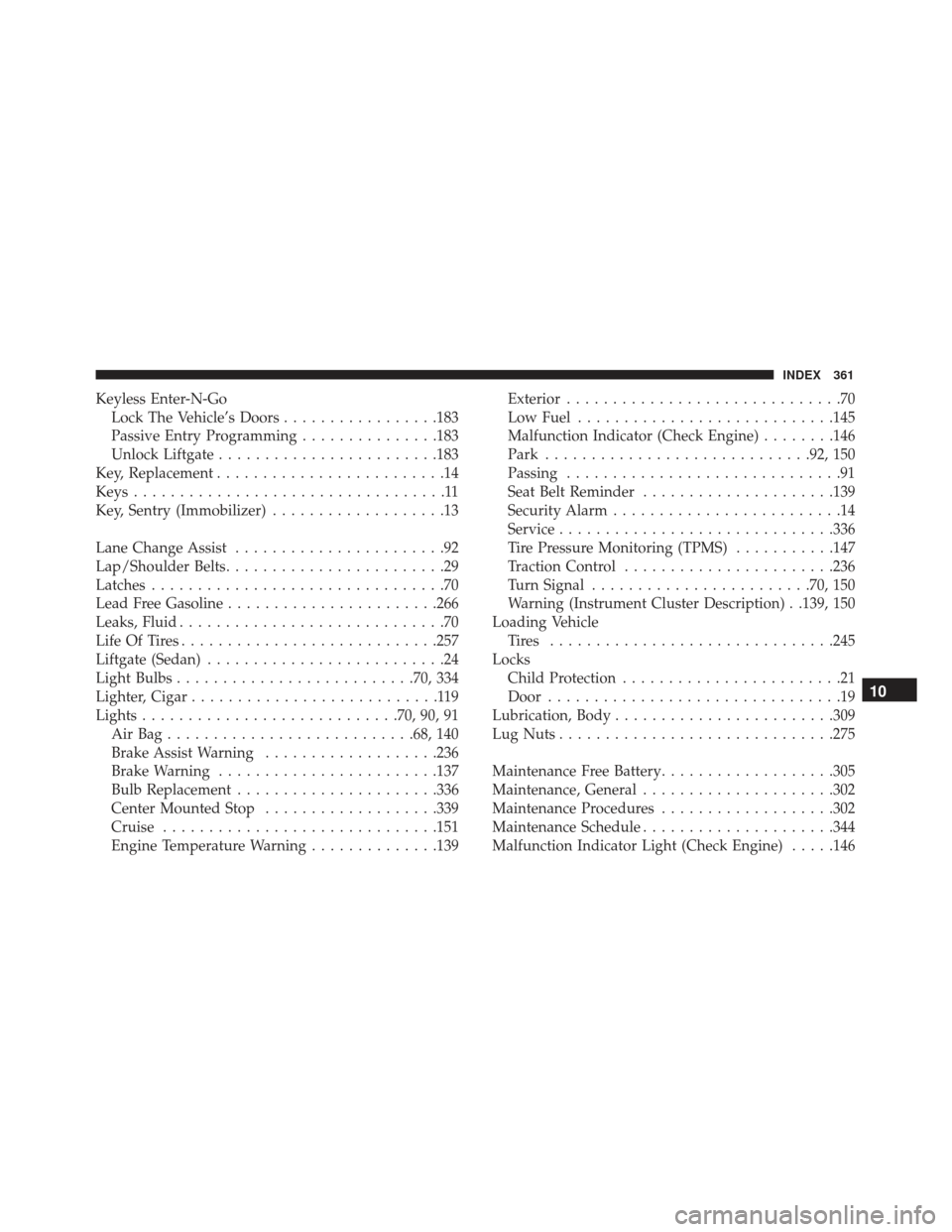
Keyless Enter-N-GoLock The Vehicle’s Doors .................183
Passive Entry Programming ...............183
Unlock Liftgate ........................183
Key, Replacement .........................14
Keys ..................................11
Key, Sentry (Immobilizer) ...................13
Lane Change Assist .......................92
Lap/Shoulder Belts ........................29
Latches ................................70
Lead Free Gasoline .......................266
Leaks, Fluid .............................70
Life Of Tires ............................257
Liftgate (Sedan) ..........................24
Light Bulbs ..........................70, 334
Lighter, Cigar ...........................119
Lights ............................70, 90, 91
AirBag...........................68, 140
Brake Assist Warning ...................236
Brake Warning ........................137
Bulb Replacement ..................... .336
Center Mounted Stop ...................339
Cruise ............................. .151
Engine Temperature Warning ..............139Exterior
..............................70
Low Fuel ............................145
Malfunction Indicator (Check Engine) ........146
Park ............................ .92, 150
Passing ..............................91
Seat Belt Reminder .....................139
Security Alarm .........................14
Service ............................. .336
Tire Pressure Monitoring (TPMS) ...........147
Traction Control .......................236
Turn Signal ........................70, 150
Warning (Instrument Cluster Description) . .139, 150
Loading Vehicle Tires ...............................245
Locks Child Protection ........................21
Door ................................19
Lubrication, Body ....................... .309
Lug Nuts ............................. .275
Maintenance
Free Battery ...................305
Maintenance, General .....................302
Maintenance Procedures ...................302
Maintenance Schedule .....................344
Malfunction Indicator Light (Check Engine) .....146
10
INDEX 361