clock FIAT 500L LIVING 2014 2.G Owner's Manual
[x] Cancel search | Manufacturer: FIAT, Model Year: 2014, Model line: 500L LIVING, Model: FIAT 500L LIVING 2014 2.GPages: 420, PDF Size: 9.77 MB
Page 382 of 420
TRANSFERRING A CALL
The ongoing calls can be transferred from the mobile
phone to the system and vice versa without ending
the calls.
To transfer the call, press the "Transfer" button.
SMS MESSAGE READER
The system can read the messages received by the
mobile phone.
To use this function the mobile phone must support
the SMS exchange function viaBluetooth®.
If this function is not supported by the phone, the
corresponding
button is deactivated (greyed out).
When a text message is received, the display will
show a screen where the options "Listen", "Call" or
"Ignore" can be selected.
Press the
button to access the list of SMS
messages received by the mobile phone (the list
displays a maximum of 60 messages received).
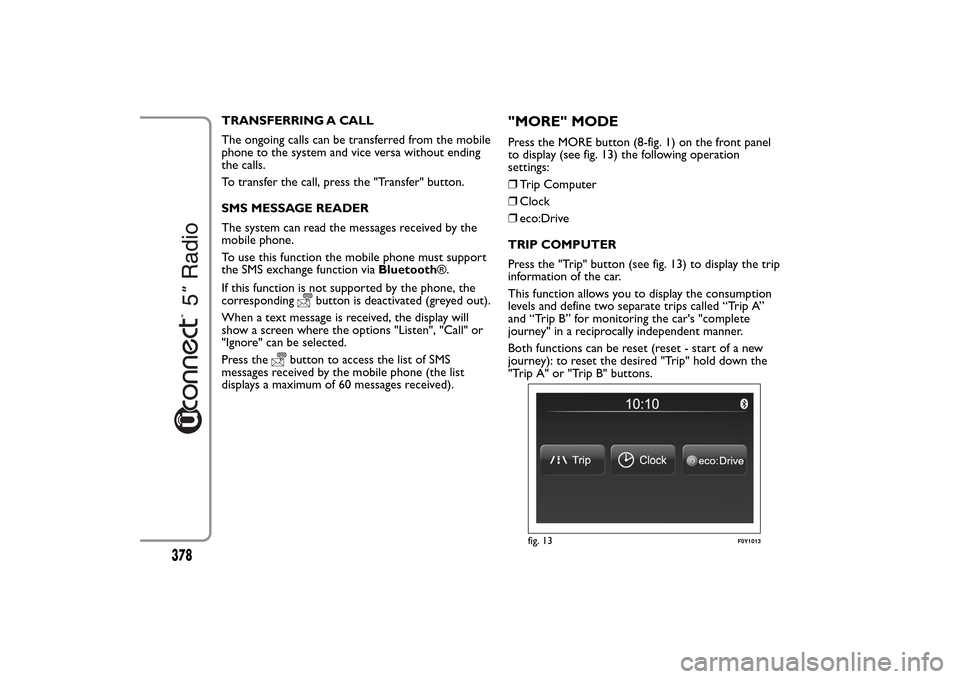
"MORE" MODEPress the MORE button (8-fig. 1) on the front panel
to display (see fig. 13) the following operation
settings:
❒Trip Computer
❒Clock
❒eco:Drive
TRIP COMPUTER
Press the "Trip" button (see fig. 13) to display the trip
information of the car.
This function allows you to display the consumption
levels and define two separate trips called “Trip A”
and “Trip B” for monitoring the car's "complete
journey" in a reciprocally independent manner.
Both functions can be reset (reset - start of a new
journey): to reset the desired "Trip" hold down the
"Trip A" or "Trip B" buttons.
fig. 13
F0Y1013
378
Page 383 of 420
CLOCK
Press the "Clock" button (see fig. 13) to display the
clock.
eco:Drive
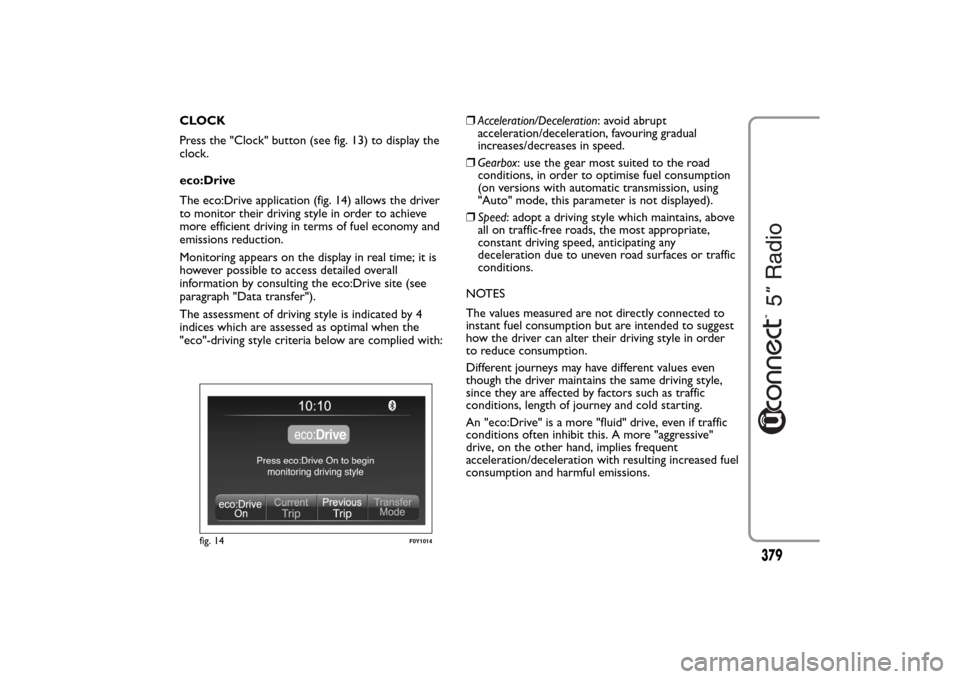
The eco:Drive application (fig. 14) allows the driver
to monitor their driving style in order to achieve
more efficient driving in terms of fuel economy and
emissions reduction.
Monitoring appears on the display in real time; it is
however possible to access detailed overall
information by consulting the eco:Drive site (see
paragraph "Data transfer").
The assessment of driving style is indicated by 4
indices which are assessed as optimal when the
"eco"-driving style criteria below are complied with:❒Acceleration/Deceleration: avoid abrupt
acceleration/deceleration, favouring gradual
increases/decreases in speed.
❒Gearbox: use the gear most suited to the road
conditions, in order to optimise fuel consumption
(on versions with automatic transmission, using
"Auto" mode, this parameter is not displayed).
❒Speed: adopt a driving style which maintains, above
all on traffic-free roads, the most appropriate,
constant driving speed, anticipating any
deceleration due to uneven road surfaces or traffic
conditions.
NOTES
The values measured are not directly connected to
instant fuel consumption but are intended to suggest
how the driver can alter their driving style in order
to reduce consumption.
Different journeys may have different values even
though the driver maintains the same driving style,
since they are affected by factors such as traffic
conditions, length of journey and cold starting.
An "eco:Drive" is a more "fluid" drive, even if traffic
conditions often inhibit this. A more "aggressive"
drive, on the other hand, implies frequent
acceleration/deceleration with resulting increased fuel
consumption and harmful emissions.
fig. 14
F0Y1014
379
Page 387 of 420
Clock & Date
Use this function to set the clock.
Time setting
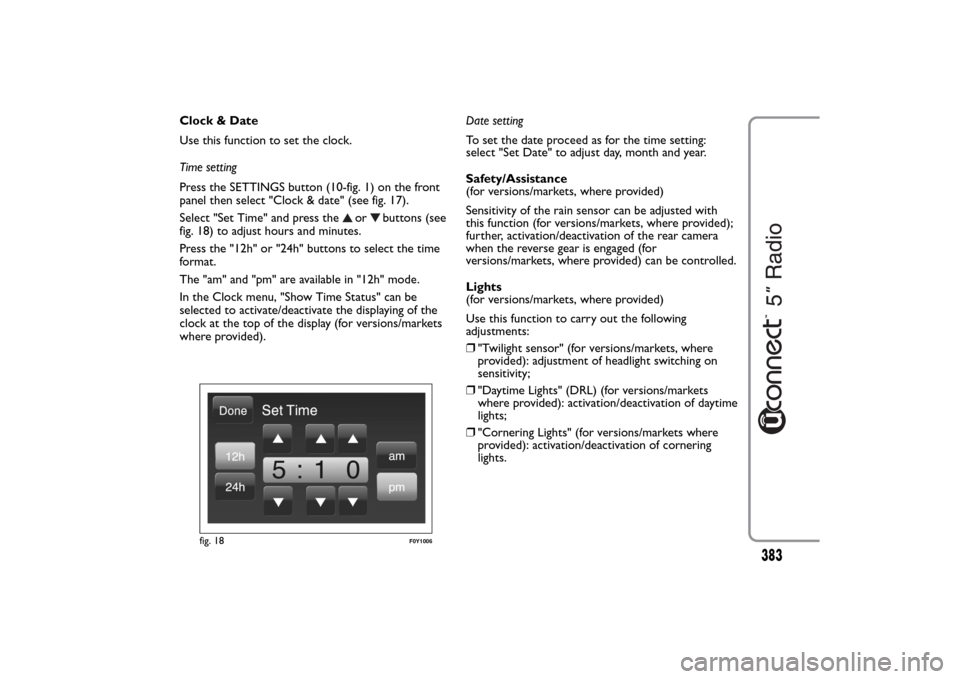
Press the SETTINGS button (10-fig. 1) on the front
panel then select "Clock & date" (see fig. 17).
Select "Set Time" and press the
or
buttons (see
fig. 18) to adjust hours and minutes.
Press the "12h" or "24h" buttons to select the time
format.
The "am" and "pm" are available in "12h" mode.
In the Clock menu, "Show Time Status" can be
selected to activate/deactivate the displaying of the
clock at the top of the display (for versions/markets
where provided).Date setting
To set the date proceed as for the time setting:
select "Set Date" to adjust day, month and year.
Safety/Assistance
(for versions/markets, where provided)
Sensitivity of the rain sensor can be adjusted with
this function (for versions/markets, where provided);
further, activation/deactivation of the rear camera
when the reverse gear is engaged (for
versions/markets, where provided) can be controlled.
Lights
(for versions/markets, where provided)
Use this function to carry out the following
adjustments:
❒"Twilight sensor" (for versions/markets, where
provided): adjustment of headlight switching on
sensitivity;
❒"Daytime Lights" (DRL) (for versions/markets
where provided): activation/deactivation of daytime
lights;
❒"Cornering Lights" (for versions/markets where
provided): activation/deactivation of cornering
lights.
fig. 18
F0Y1006
383