warning FIAT 500X 2015 2.G Repair Manual
[x] Cancel search | Manufacturer: FIAT, Model Year: 2015, Model line: 500X, Model: FIAT 500X 2015 2.GPages: 240, PDF Size: 10.72 MB
Page 108 of 240
IGNITION LOCK AND
PARK POSITIONVersions equipped with the Keyless
Go system: this function requires the
gear lever to be positioned at P (Park);
then bring the ignition device to STOP.
Versions equipped with key without
remote control: this function requires
the gear lever to be positioned at P
(Park) before extracting the key from
the ignition device.
If the vehicle battery is flat and the
ignition key is engaged, the latter is
locked in position.
To remove the key manually see
paragraph "Automatic transmission
lever unlock" in chapter "In an
emergency".GEAR ENGAGEMENT
DISABLING WITHOUT
BRAKE PEDAL PRESSEDThis system prevents you from moving
the gear lever from position P (Park) if
the brake pedal has not been previously
depressed.To bring the gear lever to a position
other than P (Park), the ignition device
must be in position MAR (engine on
or off) and the brake pedal must be
depressed. Button A fig. 91 on the gear
lever knob must also be pressed.
STEERING WHEEL
CONTROLS(where provided)
On some versions, the gearbox can be
managed sequentially using the
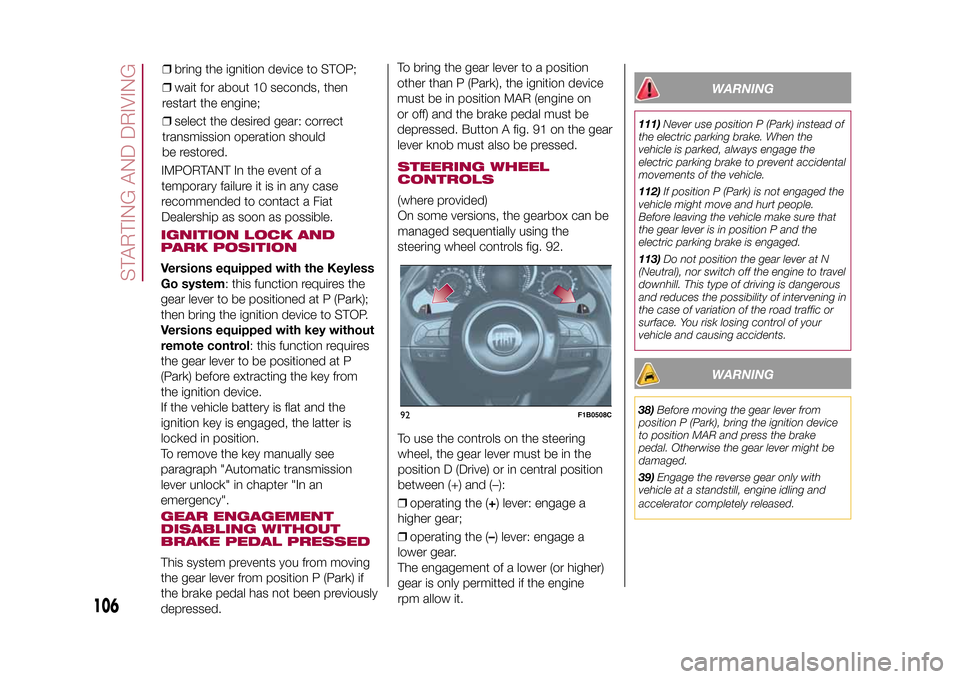
steering wheel controls fig. 92.
To use the controls on the steering
wheel, the gear lever must be in the
position D (Drive) or in central position
between (+) and (–):
❒operating the (+) lever: engage a
higher gear;
❒operating the (–) lever: engage a
lower gear.
The engagement of a lower (or higher)
gear is only permitted if the engine
rpm allow it.
WARNING
111)Never use position P (Park) instead of
the electric parking brake. When the
vehicle is parked, always engage the
electric parking brake to prevent accidental
movements of the vehicle.
112)If position P (Park) is not engaged the
vehicle might move and hurt people.
Before leaving the vehicle make sure that
the gear lever is in position P and the
electric parking brake is engaged.
113)Do not position the gear lever at N
(Neutral), nor switch off the engine to travel
downhill. This type of driving is dangerous
and reduces the possibility of intervening in
the case of variation of the road traffic or
surface. You risk losing control of your
vehicle and causing accidents.
WARNING
38)Before moving the gear lever from
position P (Park), bring the ignition device
to position MAR and press the brake
pedal. Otherwise the gear lever might be
damaged.
39)Engage the reverse gear only with
vehicle at a standstill, engine idling and
accelerator completely released.
92
F1B0508C
106
STARTING AND DRIVING
15-12-2014 8:23 Pagina 106
IMPORTANT In the event of a
temporary failure it is in any case
recommended to contact a Fiat
Dealership as soon as possible.❒bring the ignition device to STOP;
❒wait for about 10 seconds, then
restart the engine;
❒select the desired gear: correct
transmission operation should
be restored.
Page 109 of 240
START&STOP
SYSTEMThe Start&Stop system automatically
stops the engine each time the vehicle
is stationary and starts it again when
the driver wants to move off.
In this way, the vehicle efficiency is
increased, by reducing consumption,
dangerous gas emissions and noise
pollution.
114)40)
OPERATING MODE
Engine stopping mode
Versions with manual gearboxWith the vehicle stopped, the engine
stops with gearbox in neutral and
clutch pedal released.Versions with automatic transmissionWith vehicle at a standstill and brake
pedal pressed, the engine switches off
if the gear lever is in a position other
than R.
In the event of stops uphill, engine
switching off is disabled to make the
"Hill Hold Control" function available
(works only with running engine).The
warning light on the instrument
panel switches on to signal that the
engine was stopped.
Engine restarting mode
Versions with manual gearboxTo restart the engine, press the clutch
pedal.
If the vehicle does not start when the
clutch is pressed, place the gear lever
in neutral and repeat the procedure.
If the problem persists, contact a Fiat
Dealership.Versions with automatic transmissionTo restart the engine, release the brake
pedal.
With brake pressed, if the gear lever is
in automatic mode - D (Drive) - the
engine can be restarted by moving the
lever to R (Reverse) or N (Neutral) or
"AutoStick".
With brake pressed, if the gear lever is
in "AutoStick" mode, the engine can be
restarted by moving the lever to "+" or
"–", or R (Reverse) or N (Neutral).
When the engine has been stopped
automatically, keeping the brake pedal
pressed, the brake can be released
keeping the engine off by quickly
shifting the gear lever to P (Park).
To restart the engine, just move the
lever out of position P.
SYSTEM MANUAL
ACTIVATION/
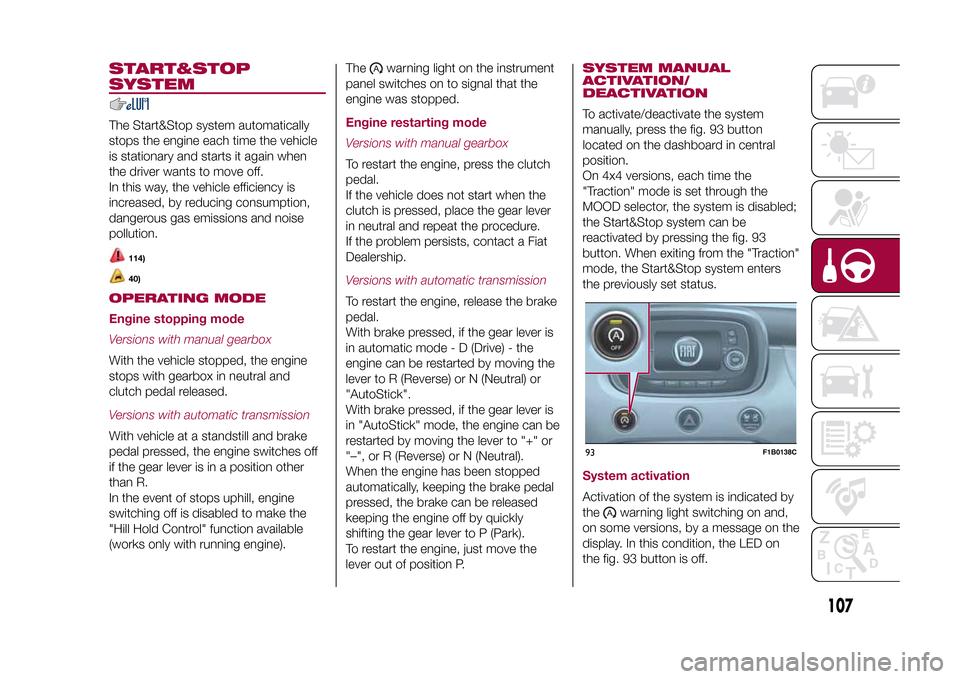
DEACTIVATIONTo activate/deactivate the system
manually, press the fig. 93 button
located on the dashboard in central
position.
On 4x4 versions, each time the
"Traction" mode is set through the
MOOD selector, the system is disabled;
the Start&Stop system can be
reactivated by pressing the fig. 93
button. When exiting from the "Traction"
mode, the Start&Stop system enters
the previously set status.System activationActivation of the system is indicated by
the
warning light switching on and,
on some versions, by a message on the
display. In this condition, the LED on
the fig. 93 button is off.
93
F1B0138C
107
15-12-2014 8:23 Pagina 107
Page 110 of 240
System deactivationA message will appear on the display
when the system is deactivated. In this
condition, the LED on the fig. 93 button
is on.SAFETY FUNCTIONSWhen the engine is stopped through
the Start&Stop system, if the driver
releases their seat belt or opens the
driver's or passenger's door, the engine
can be restarted only by using the
ignition device.
This condition is indicated to the driver
both through a buzzer and a message
on the display.
WARNING
114)If the battery needs to be replaced,
always contact a Fiat Dealership. Replace
the battery using a new one of the same
type (HEAVY DUTY) and having the same
specifications.
WARNING
40)If the climate comfort is to be favoured,
the Start&Stop system can be deactivated,
for a continuous operation of the climate
control system.
SPEED LIMITERDESCRIPTIONThis device allows the speed of the
vehicle to be limited to values which
can be set by the driver.
The maximum speed can be set both
with vehicle stationary and in motion.
The minimum speed that can be set is
30 km/h.
When the device is active, the vehicle
speed depends on the pressure at
the accelerator pedal, until the
programmed speed limit is reached
(see "Speed limit programming"
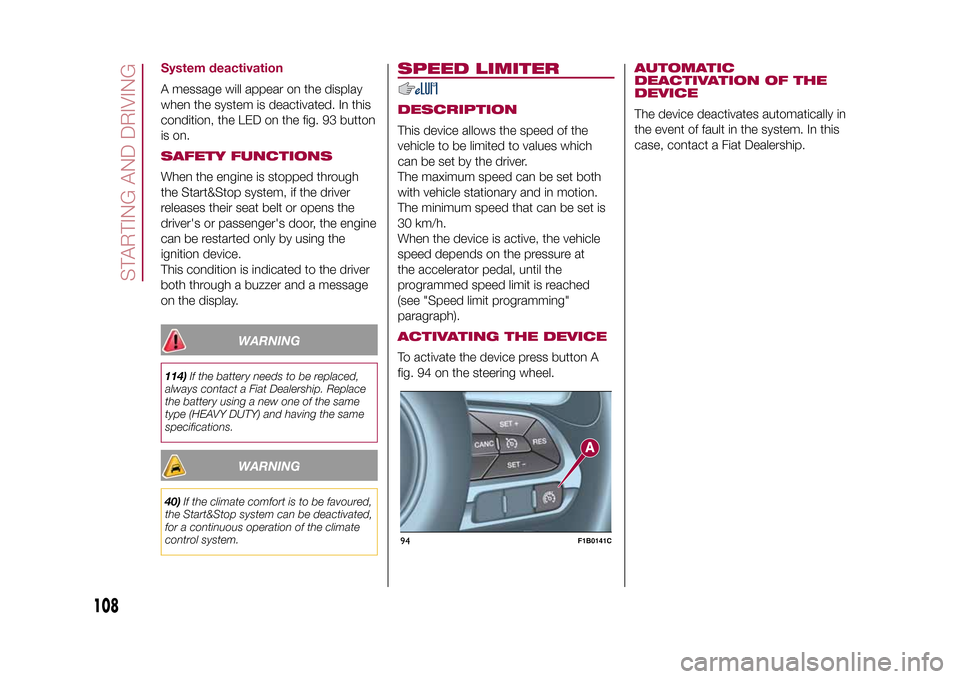
paragraph).ACTIVATING THE DEVICETo activate the device press button A
fig. 94 on the steering wheel.
AUTOMATIC
DEACTIVATION OF THE
DEVICEThe device deactivates automatically in
the event of fault in the system. In this
case, contact a Fiat Dealership.
94
F1B0141C
108
STARTING AND DRIVING
15-12-2014 8:23 Pagina 108
Page 111 of 240
ELECTRONIC
CRUISE CONTROLThis is an electronically controlled
driving assistance device that allows
the desired vehicle speed to be
maintained, without having to press the
accelerator pedal. This device can be
used at a speed above 30 km/h on
long stretches of dry, straight roads
with few variations (e.g. motorways).
It is therefore not recommended to use
this device on extra-urban roads with
traffic. Do not use it in town.ACTIVATING THE DEVICE
115) 116) 117)
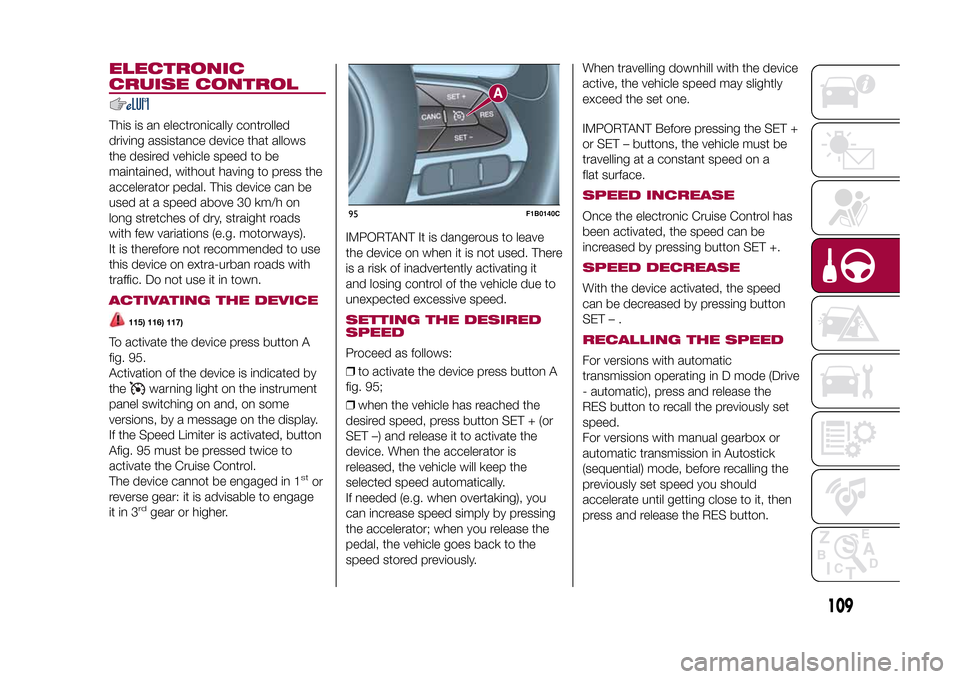
To activate the device press button A
fig. 95.
Activation of the device is indicated by
the
warning light on the instrument
panel switching on and, on some
versions, by a message on the display.
If the Speed Limiter is activated, button
Afig. 95 must be pressed twice to
activate the Cruise Control.
The device cannot be engaged in 1
stor
reverse gear: it is advisable to engage
it in 3
rd
gear or higher.IMPORTANT It is dangerous to leave
the device on when it is not used. There
is a risk of inadvertently activating it
and losing control of the vehicle due to
unexpected excessive speed.
SETTING THE DESIRED
SPEEDProceed as follows:
❒to activate the device press button A
fig. 95;
❒when the vehicle has reached the
desired speed, press button SET + (or
SET –) and release it to activate the
device. When the accelerator is
released, the vehicle will keep the
selected speed automatically.
If needed (e.g. when overtaking), you
can increase speed simply by pressing
the accelerator; when you release the
pedal, the vehicle goes back to the
speed stored previously.When travelling downhill with the device
active, the vehicle speed may slightly
exceed the set one.
IMPORTANT Before pressing the SET +
or SET – buttons, the vehicle must be
travelling at a constant speed on a
flat surface.
SPEED INCREASEOnce the electronic Cruise Control has
been activated, the speed can be
increased by pressing button SET +.SPEED DECREASEWith the device activated, the speed
can be decreased by pressing button
SET–.RECALLING THE SPEEDFor versions with automatic
transmission operating in D mode (Drive
- automatic), press and release the
RES button to recall the previously set
speed.
For versions with manual gearbox or
automatic transmission in Autostick
(sequential) mode, before recalling the
previously set speed you should
accelerate until getting close to it, then
press and release the RES button.
95
F1B0140C
109
15-12-2014 8:23 Pagina 109
Page 112 of 240
DEACTIVATING THE
DEVICELightly pressing the brake pedal or
pressing the CANC button deactivates
the electronic Cruise Control without
deleting the stored speed.DEACTIVATING THE
DEVICEThe electronic Cruise Control is
deactivated by pressing button A fig. 95
or bringing the ignition device to STOP.
WARNING
115)While travelling with the device
activated, do not move the gear lever to
neutral.
116)In the event of device faults or failures,
go to a Fiat Dealership.
117)The electronic Cruise Control can be
dangerous if the system cannot keep a
constant speed. In specific conditions
speed may be excessive, resulting in the
risk of losing control of the vehicle and
causing accidents. Do not use the device
in heavy traffic or on winding, icy, snowy or
slippery roads.
MOOD SELECTOR
(driving mode
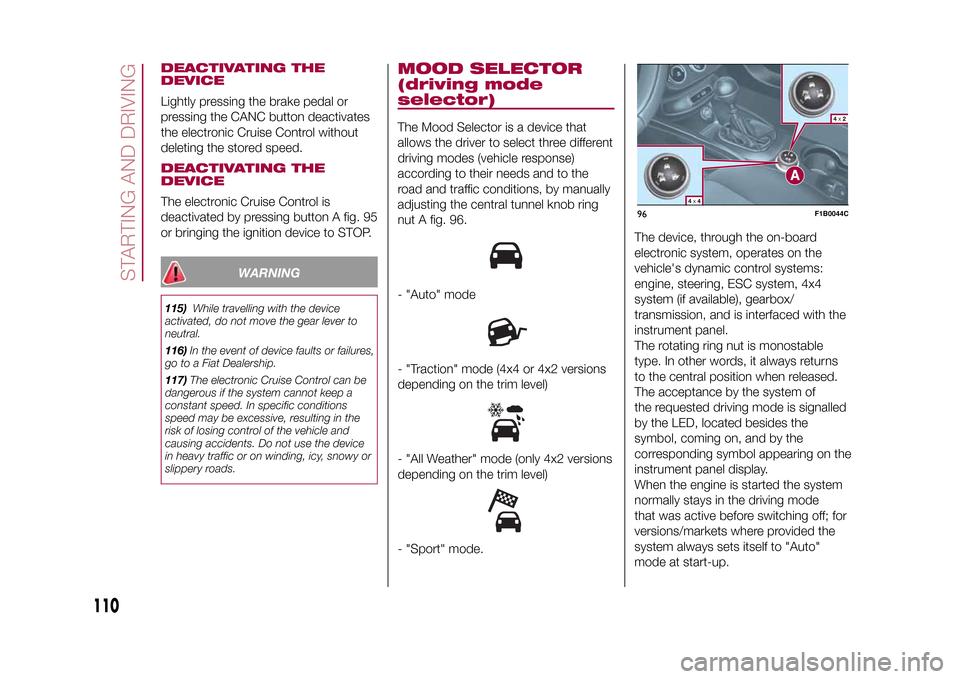
selector)The Mood Selector is a device that
allows the driver to select three different
driving modes (vehicle response)
according to their needs and to the
road and traffic conditions, by manually
adjusting the central tunnel knob ring
nut A fig. 96.- "Auto" mode- "Traction" mode (4x4 or 4x2 versions
depending on the trim level)- "All Weather" mode (only 4x2 versions
depending on the trim level)- "Sport" mode.The device, through the on-board
electronic system, operates on the
vehicle's dynamic control systems:
engine, steering, ESC system, 4x4
system (if available), gearbox/
transmission, and is interfaced with the
instrument panel.
The rotating ring nut is monostable
type. In other words, it always returns
to the central position when released.
The acceptance by the system of
the requested driving mode is signalled
by the LED, located besides the
symbol, coming on, and by the
corresponding symbol appearing on the
instrument panel display.
When the engine is started the system
normally stays in the driving mode
that was active before switching off; for
versions/markets where provided the
system always sets itself to "Auto"
mode at start-up.
96
F1B0044C
110
STARTING AND DRIVING
15-12-2014 8:23 Pagina 110
Page 114 of 240
FAULT INDICATIONSIn the case of system and selector
faults, the mode change option will be
automatically disabled. The system
will automatically set itself to "Auto"
mode. In these cases the display will
show a dedicated warning. Go to a Fiat
Dealership as soon as possible to
have the system checked.
PARK ASSIST
SYSTEMSENSORS
118)41) 42)
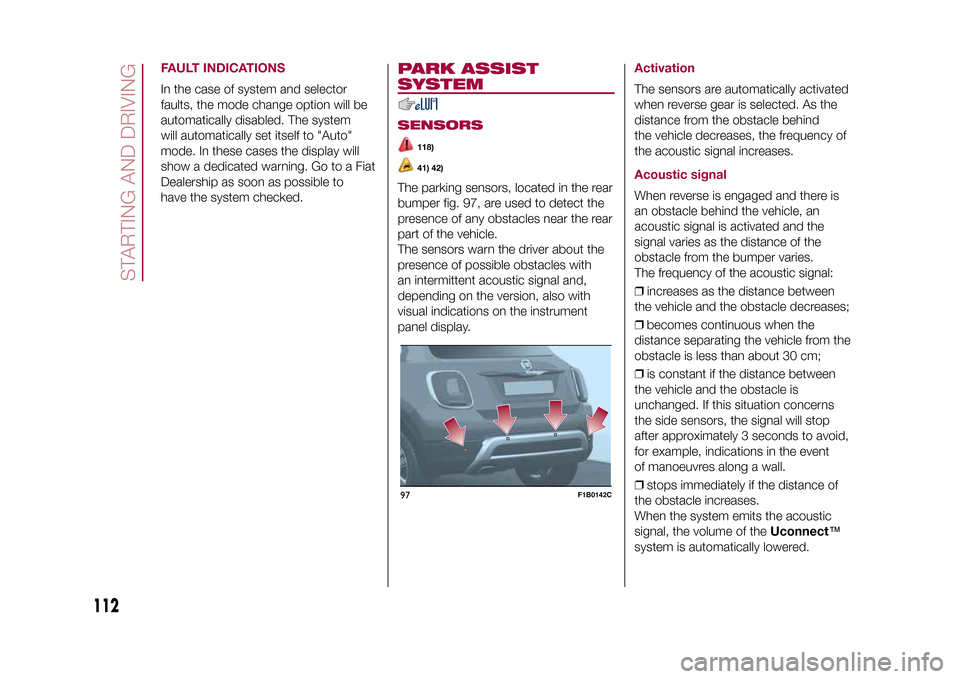
The parking sensors, located in the rear
bumper fig. 97, are used to detect the
presence of any obstacles near the rear
part of the vehicle.
The sensors warn the driver about the
presence of possible obstacles with
an intermittent acoustic signal and,
depending on the version, also with
visual indications on the instrument
panel display.
ActivationThe sensors are automatically activated
when reverse gear is selected. As the
distance from the obstacle behind
the vehicle decreases, the frequency of
the acoustic signal increases.Acoustic signalWhen reverse is engaged and there is
an obstacle behind the vehicle, an
acoustic signal is activated and the
signal varies as the distance of the
obstacle from the bumper varies.
The frequency of the acoustic signal:
❒increases as the distance between
the vehicle and the obstacle decreases;
❒becomes continuous when the
distance separating the vehicle from the
obstacle is less than about 30 cm;
❒is constant if the distance between
the vehicle and the obstacle is
unchanged. If this situation concerns
the side sensors, the signal will stop
after approximately 3 seconds to avoid,
for example, indications in the event
of manoeuvres along a wall.
❒stops immediately if the distance of
the obstacle increases.
When the system emits the acoustic
signal, the volume of theUconnect™
system is automatically lowered.
97
F1B0142C
112
STARTING AND DRIVING
15-12-2014 8:23 Pagina 112
Page 115 of 240
Detection distancesIf several obstacles are detected by the
sensors, only the nearest one is
considered.Indication on displayThe indications regarding the Park
Assist system are shown on the
instrument panel display only if the
"Acoustic signal and display" item in the
"Settings" menu of theUconnect™
system is selected (for more
information, see the description in the
dedicated chapter).
The system indicates the presence of
an obstacle by displaying a single arc in
one of the possible areas, in
accordance with the distance of the
object and the position in relation to the
vehicle. If the obstacle is detected in
the rear central area, a single arc will be
displayed as the obstacle approaches,
first constant, then flashing, in addition
to an acoustic signal.OPERATION WITH
TRAILERThe operation of the sensors is
automatically deactivated when the
trailer's electrical connection is inserted
in the vehicle's tow hook socket.Sensors are reactivated on removing
the trailer's electrical connection.
Before using the Park Assist system, it
is recommended to remove the tow
hook ball assembly and the relevant
attachment from the vehicle Failure to
comply with this prescription may
cause personal injuries or damage to
vehicles or obstacles since, when
the continuous acoustic signal is
emitted, the tow hook ball is already in
a position that is much closer to the
obstacle than the rear bumper. In
addition, the sensors may provide a
false indication, interpreting the tow
hook ball assembly and the relevant
attachment as an obstacle in the area
behind the vehicle.
GENERAL WARNINGSSome conditions may influence the
performance of the parking system:
❒reduced sensor sensitivity and a
reduction in the parking assistance
system performance could be due to
the presence of: ice, snow, mud, paint,
etc. on the surface of the sensor;
❒the sensor may detect a non-existent
obstacle ("echo interference") due to
mechanical interference, for example
when washing the vehicle, in rain
(strong wind), hail;❒the signals sent by the sensor can
also be altered by the presence of
ultrasonic systems (e.g. pneumatic
brake systems of trucks or pneumatic
drills) near the vehicle;
❒Parking assistance system
performance can also be influenced by
the position of the sensors, for example
due to a change in the ride setting
(caused by wear to the shock
absorbers, suspension), or by changing
tyres, overloading the vehicle or fitting
specific trims that require the vehicle to
be lowered;
❒the presence of a tow hook without
trailer, which may interfere with the
correct operation of the parking
sensors. If a fixed tow hook is installed,
the parking sensors cannot operate
correctly. In the case of vehicles fitted
with removable tow hook, whether
as standard or installed after the vehicle
was purchased, it is advisable to
remove it whenever it is not used, to
prevent incorrect operation of the
sensors;
❒the presence of adhesives on the
sensors. Therefore, take care not to
place adhesives on the sensors.
113
15-12-2014 8:23 Pagina 113
Page 116 of 240
WARNING
118)Parking and other potentially
dangerous manoeuvres are, however,
always the driver’s responsibility. When
performing these operations, always make
sure that there are no other people
(especially children) or animals on the route
you want to take. The parking sensors are
an aid for the driver, but the driver must
never allow their attention to lapse during
potentially dangerous manoeuvres, even
those executed at low speeds.
WARNING
41)The sensors must be clean of mud,
dirt, snow or ice in order for the system to
operate correctly. Be careful not to scratch
or damage the sensors while cleaning
them. Avoid using dry, rough or hard
cloths. The sensors should be washed
using clean water with the addition of car
shampoo if necessary. When using special
washing equipment such as high pressure
jets or steam cleaning, clean the sensors
very quickly keeping the jet more than
10 cm away.
42)Have interventions on the bumper in
the area of the sensors carried out only by
a Fiat Dealership. Interventions on the
bumper that are not carried out properly
may compromise the operation of the
parking sensors.
LANE ASSIST
SYSTEM (lane
crossing warning)DESCRIPTION
43) 44) 45) 46) 47) 48)
The Lane Assist system makes use of a
camera located on the windscreen to
detect the lane limits and calculate
the position of the vehicle within such
limits, in order to make sure that it
remains inside the lane.
When both limits of the lane are
detected and the vehicle crosses one of
them without the awareness of the
driver (direction indicator off), the Lane
Assist system provides a tactile warning
by applying torque to the steering
wheel (vibration), thus advising the
driver that he must take an action to
remain in the lane.
IMPORTANT The torque applied to the
steering wheel by the system is
sufficient for the driver to notice it, but
always limited, so that they can easily
override it, and the driver always
maintains control of the vehicle. The
driver can therefore turn the steering
wheel as required at all times.If the vehicle continues going beyond
the line of the lane without any
intervention from the driver, the
warning light (or the icon on the
display) will be displayed on the
instrument panel to urge the driver to
bring the vehicle back into the limits of
the lane.
IMPORTANT The system monitors the
presence of the driver's hands on
the steering wheel. If they are
not detected, the system emits an
acoustic signal and deactivates until it is
reactivated by pressing the dedicated
button (see description below).
When one limit of the lane is detected
and the vehicle crosses it (direction
indicator off), warning light
(or the
icon on the display) will be displayed on
the instrument panel to urge the driver
to bring the vehicle back into the lane.
In this case, the tactile warning
(vibration on the steering wheel) is not
provided.
SYSTEM ACTIVATION/
DEACTIVATIONThe Lane Assist system can be
enabled/disabled using button A fig. 98,
located on the left stalk.
Each time the engine is started, the
system keeps the activation status
there was when it was previously
switched off.
114
STARTING AND DRIVING
15-12-2014 8:23 Pagina 114
Page 117 of 240
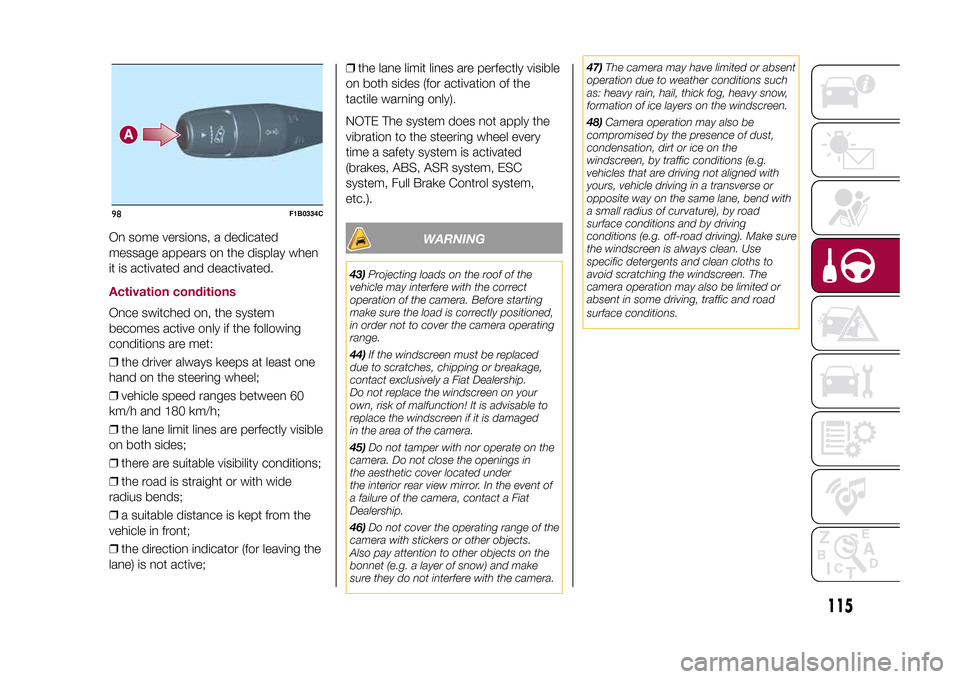
On some versions, a dedicated
message appears on the display when
it is activated and deactivated.Activation conditionsOnce switched on, the system
becomes active only if the following
conditions are met:
❒the driver always keeps at least one
hand on the steering wheel;
❒vehicle speed ranges between 60
km/h and 180 km/h;
❒the lane limit lines are perfectly visible
on both sides;
❒there are suitable visibility conditions;
❒the road is straight or with wide
radius bends;
❒a suitable distance is kept from the
vehicle in front;
❒the direction indicator (for leaving the
lane) is not active;❒the lane limit lines are perfectly visible
on both sides (for activation of the
tactile warning only).
NOTE The system does not apply the
vibration to the steering wheel every
time a safety system is activated
(brakes, ABS, ASR system, ESC
system, Full Brake Control system,
etc.).
WARNING
43)Projecting loads on the roof of the
vehicle may interfere with the correct
operation of the camera. Before starting
make sure the load is correctly positioned,
in order not to cover the camera operating
range.
44)If the windscreen must be replaced
due to scratches, chipping or breakage,
contact exclusively a Fiat Dealership.
Do not replace the windscreen on your
own, risk of malfunction! It is advisable to
replace the windscreen if it is damaged
in the area of the camera.
45)Do not tamper with nor operate on the
camera. Do not close the openings in
the aesthetic cover located under
the interior rear view mirror. In the event of
a failure of the camera, contact a Fiat
Dealership.
46)Do not cover the operating range of the
camera with stickers or other objects.
Also pay attention to other objects on the
bonnet (e.g. a layer of snow) and make
sure they do not interfere with the camera.47)The camera may have limited or absent
operation due to weather conditions such
as: heavy rain, hail, thick fog, heavy snow,
formation of ice layers on the windscreen.
48)Camera operation may also be
compromised by the presence of dust,
condensation, dirt or ice on the
windscreen, by traffic conditions (e.g.
vehicles that are driving not aligned with
yours, vehicle driving in a transverse or
opposite way on the same lane, bend with
a small radius of curvature), by road
surface conditions and by driving
conditions (e.g. off-road driving). Make sure
the windscreen is always clean. Use
specific detergents and clean cloths to
avoid scratching the windscreen. The
camera operation may also be limited or
absent in some driving, traffic and road
surface conditions.
98
F1B0334C
115
15-12-2014 8:23 Pagina 115
Page 118 of 240
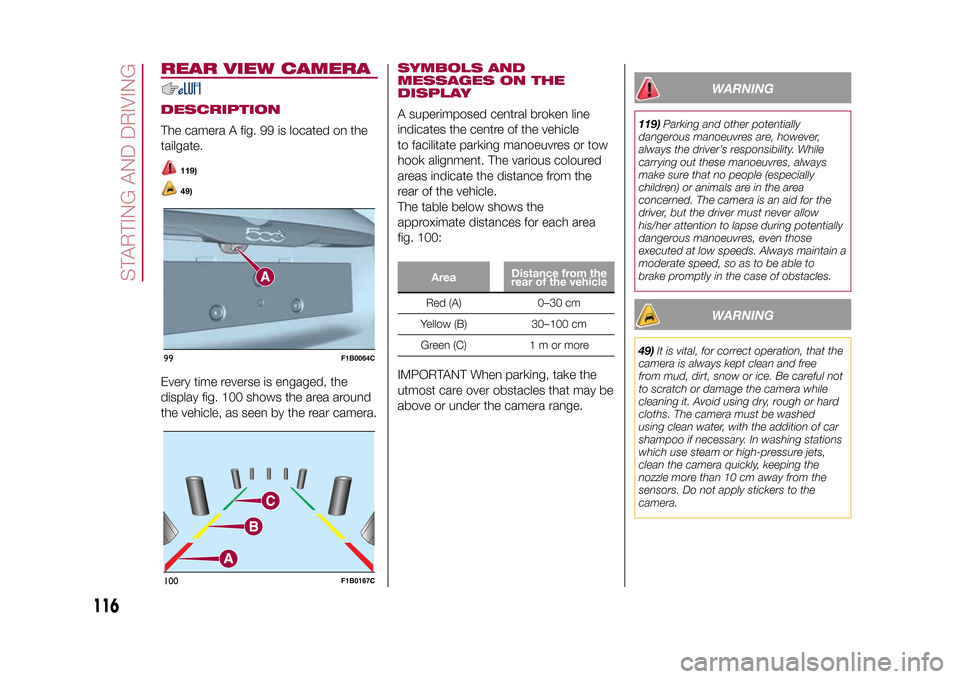
REAR VIEW CAMERADESCRIPTIONThe camera A fig. 99 is located on the
tailgate.
119)49)
Every time reverse is engaged, the
display fig. 100 shows the area around
the vehicle, as seen by the rear camera.
SYMBOLS AND
MESSAGES ON THE
DISPLAYA superimposed central broken line
indicates the centre of the vehicle
to facilitate parking manoeuvres or tow
hook alignment. The various coloured
areas indicate the distance from the
rear of the vehicle.
The table below shows the
approximate distances for each area
fig. 100:
AreaDistance from the
rear of the vehicleRed (A) 0–30 cm
Yellow (B) 30–100 cm
Green (C) 1 m or more
IMPORTANT When parking, take the
utmost care over obstacles that may be
above or under the camera range.
WARNING
119)Parking and other potentially
dangerous manoeuvres are, however,
always the driver’s responsibility. While
carrying out these manoeuvres, always
make sure that no people (especially
children) or animals are in the area
concerned. The camera is an aid for the
driver, but the driver must never allow
his/her attention to lapse during potentially
dangerous manoeuvres, even those
executed at low speeds. Always maintain a
moderate speed, so as to be able to
brake promptly in the case of obstacles.
WARNING
49)It is vital, for correct operation, that the
camera is always kept clean and free
from mud, dirt, snow or ice. Be careful not
to scratch or damage the camera while
cleaning it. Avoid using dry, rough or hard
cloths. The camera must be washed
using clean water, with the addition of car
shampoo if necessary. In washing stations
which use steam or high-pressure jets,
clean the camera quickly, keeping the
nozzle more than 10 cm away from the
sensors. Do not apply stickers to the
camera.
99
F1B0064C
100
F1B0167C
116
STARTING AND DRIVING
15-12-2014 8:23 Pagina 116