reset FIAT 500X 2018 Owner handbook (in English)
[x] Cancel search | Manufacturer: FIAT, Model Year: 2018, Model line: 500X, Model: FIAT 500X 2018Pages: 276, PDF Size: 7.08 MB
Page 24 of 276
Removal
Proceed as follows to remove the head
restraint:
tilt the backrest (to prevent it from
coming into contact with the roof);
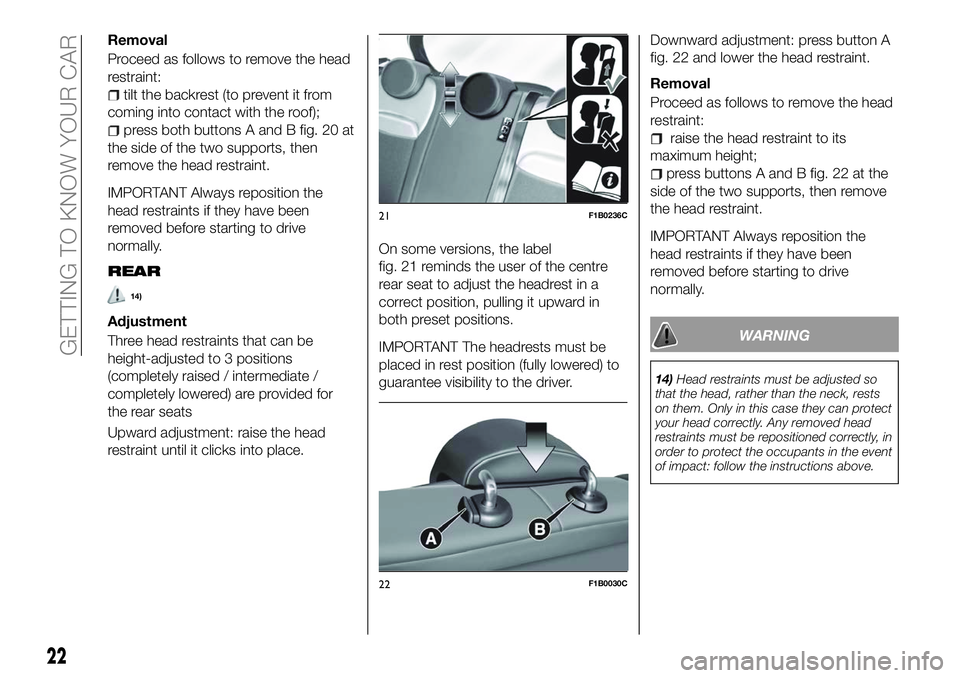
press both buttons A and B fig. 20 at
the side of the two supports, then
remove the head restraint.
IMPORTANT Always reposition the
head restraints if they have been
removed before starting to drive
normally.
REAR
14)
Adjustment
Three head restraints that can be
height-adjusted to 3 positions
(completely raised / intermediate /
completely lowered) are provided for
the rear seats
Upward adjustment: raise the head
restraint until it clicks into place. On some versions, the label
fig. 21 reminds the user of the centre
rear seat to adjust the headrest in a
correct position, pulling it upward in
both preset positions.
IMPORTANT The headrests must be
placed in rest position (fully lowered) to
guarantee visibility to the driver.
Downward adjustment: press button A
fig. 22 and lower the head restraint.
Removal
Proceed as follows to remove the head
restraint:
raise the head restraint to its
maximum height;
press buttons A and B fig. 22 at the
side of the two supports, then remove
the head restraint.
IMPORTANT Always reposition the
head restraints if they have been
removed before starting to drive
normally.
WARNING
14) Head restraints must be adjusted so
that the head, rather than the neck, rests
on them. Only in this case they can protect
your head correctly. Any removed head
restraints must be repositioned correctly, in
order to protect the occupants in the event
of impact: follow the instructions above.
21F1B0236C
22F1B0030C
22
GETTING TO KNOW YOUR CAR
Page 33 of 276
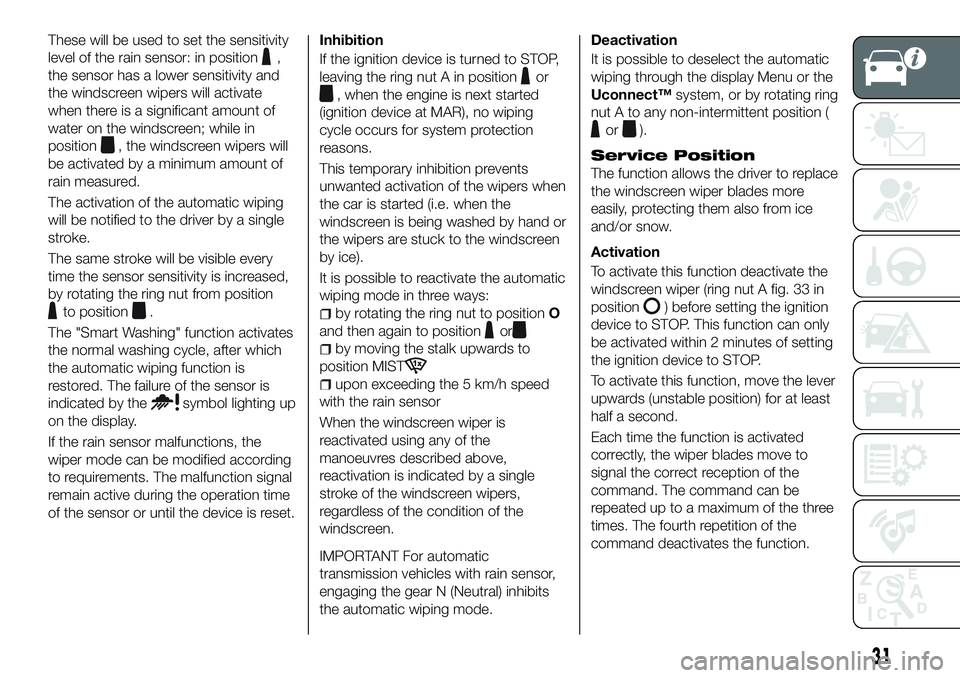
These will be used to set the sensitivity
level of the rain sensor: in position
,
the sensor has a lower sensitivity and
the windscreen wipers will activate
when there is a significant amount of
water on the windscreen; while in
position
, the windscreen wipers will
be activated by a minimum amount of
rain measured.
The activation of the automatic wiping
will be notified to the driver by a single
stroke.
The same stroke will be visible every
time the sensor sensitivity is increased,
by rotating the ring nut from position
to position.
The "Smart Washing" function activates
the normal washing cycle, after which
the automatic wiping function is
restored. The failure of the sensor is
indicated by the
symbol lighting up
on the display.
If the rain sensor malfunctions, the
wiper mode can be modified according
to requirements. The malfunction signal
remain active during the operation time
of the sensor or until the device is reset. Inhibition
If the ignition device is turned to STOP,
leaving the ring nut A in position
or
, when the engine is next started
(ignition device at MAR), no wiping
cycle occurs for system protection
reasons.
This temporary inhibition prevents
unwanted activation of the wipers when
the car is started (i.e. when the
windscreen is being washed by hand or
the wipers are stuck to the windscreen
by ice).
It is possible to reactivate the automatic
wiping mode in three ways:
by rotating the ring nut to position O
and then again to position
or
by moving the stalk upwards to
position MIST
upon exceeding the 5 km/h speed
with the rain sensor
When the windscreen wiper is
reactivated using any of the
manoeuvres described above,
reactivation is indicated by a single
stroke of the windscreen wipers,
regardless of the condition of the
windscreen.
IMPORTANT For automatic
transmission vehicles with rain sensor,
engaging the gear N (Neutral) inhibits
the automatic wiping mode.
Deactivation
It is possible to deselect the automatic
wiping through the display Menu or the
Uconnect™ system, or by rotating ring
nut A to any non-intermittent position (
or).
Service Position
The function allows the driver to replace
the windscreen wiper blades more
easily, protecting them also from ice
and/or snow.
Activation
To activate this function deactivate the
windscreen wiper (ring nut A fig. 33 in
position
) before setting the ignition
device to STOP. This function can only
be activated within 2 minutes of setting
the ignition device to STOP.
To activate this function, move the lever
upwards (unstable position) for at least
half a second.
Each time the function is activated
correctly, the wiper blades move to
signal the correct reception of the
command. The command can be
repeated up to a maximum of the three
times. The fourth repetition of the
command deactivates the function.
31
Page 51 of 276
DISPLAY
DESCRIPTION
The vehicle is equipped with a display
that can show useful information to the
driver while driving.
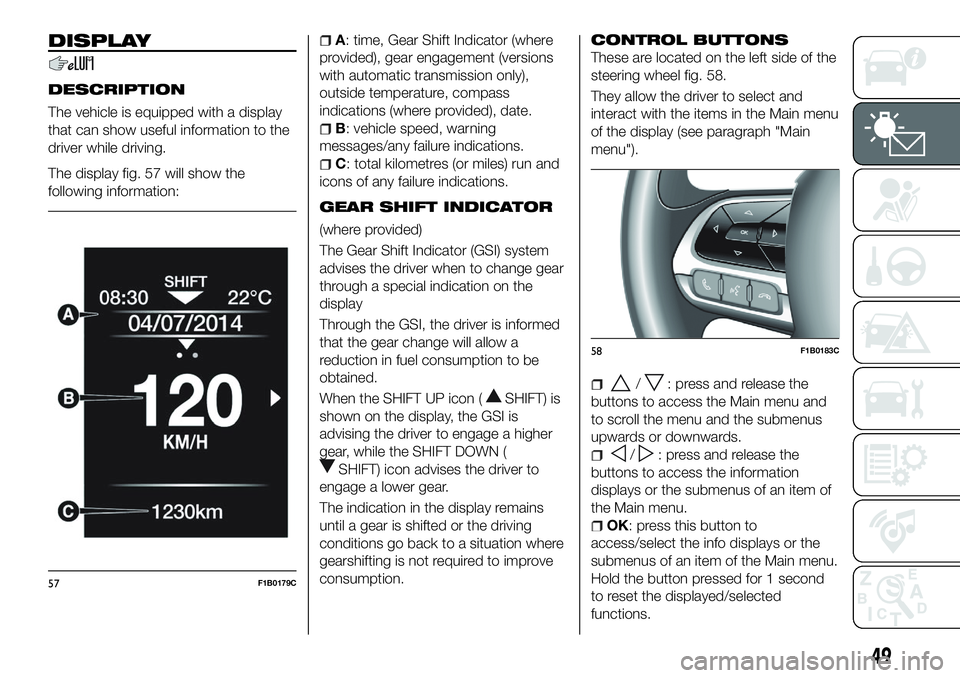
The display fig. 57 will show the
following information:
A: time, Gear Shift Indicator (where
provided), gear engagement (versions
with automatic transmission only),
outside temperature, compass
indications (where provided), date.
B: vehicle speed, warning
messages/any failure indications.
C: total kilometres (or miles) run and
icons of any failure indications.
GEAR SHIFT INDICATOR
(where provided)
The Gear Shift Indicator (GSI) system
advises the driver when to change gear
through a special indication on the
display
Through the GSI, the driver is informed
that the gear change will allow a
reduction in fuel consumption to be
obtained.
When the SHIFT UP icon (
SHIFT) is
shown on the display, the GSI is
advising the driver to engage a higher
gear, while the SHIFT DOWN (
SHIFT) icon advises the driver to
engage a lower gear.
The indication in the display remains
until a gear is shifted or the driving
conditions go back to a situation where
gearshifting is not required to improve
consumption.
CONTROL BUTTONS
These are located on the left side of the
steering wheel fig. 58.
They allow the driver to select and
interact with the items in the Main menu
of the display (see paragraph "Main
menu").
/: press and release the
buttons to access the Main menu and
to scroll the menu and the submenus
upwards or downwards.
/: press and release the
buttons to access the information
displays or the submenus of an item of
the Main menu.
OK: press this button to
access/select the info displays or the
submenus of an item of the Main menu.
Hold the button pressed for 1 second
to reset the displayed/selected
functions.
57F1B0179C
58F1B0183C
49
Page 52 of 276
MAIN MENU
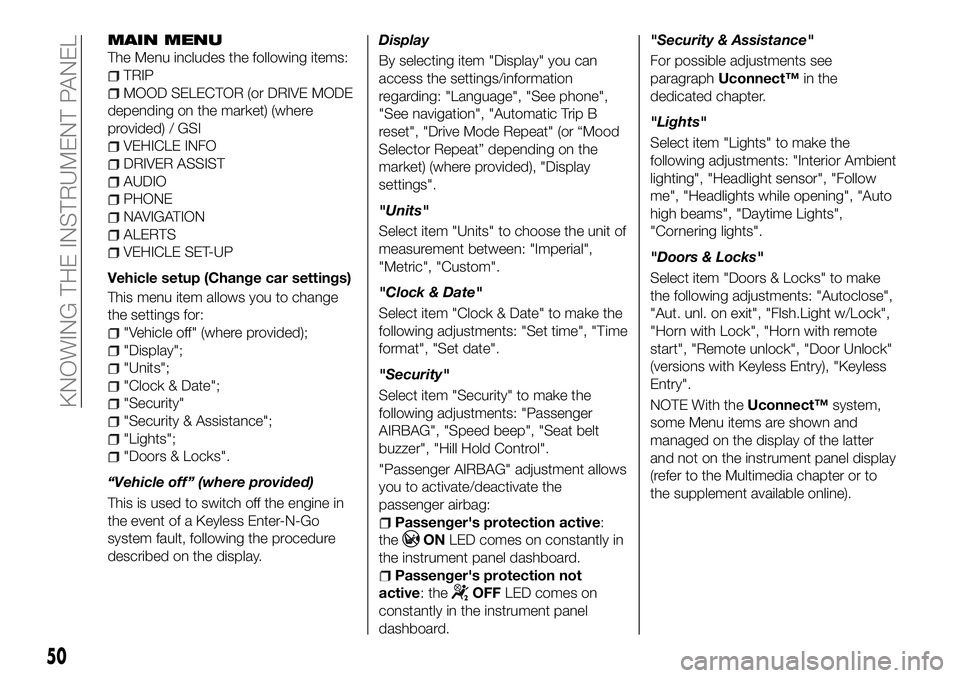
The Menu includes the following items:
TRIP
MOOD SELECTOR (or DRIVE MODE
depending on the market) (where
provided) / GSI
VEHICLE INFO
DRIVER ASSIST
AUDIO
PHONE
NAVIGATION
ALERTS
VEHICLE SET-UP
Vehicle setup (Change car settings)
This menu item allows you to change
the settings for:
"Vehicle off" (where provided);
"Display";
"Units";
"Clock & Date";
"Security"
"Security & Assistance";
"Lights";
"Doors & Locks".
“Vehicle off” (where provided)
This is used to switch off the engine in
the event of a Keyless Enter-N-Go
system fault, following the procedure
described on the display. Display
By selecting item "Display" you can
access the settings/information
regarding: "Language", "See phone",
"See navigation", "Automatic Trip B
reset", "Drive Mode Repeat" (or “Mood
Selector Repeat” depending on the
market) (where provided), "Display
settings".
"Units"
Select item "Units" to choose the unit of
measurement between: "Imperial",
"Metric", "Custom".
"Clock & Date"
Select item "Clock & Date" to make the
following adjustments: "Set time", "Time
format", "Set date".
"Security"
Select item "Security" to make the
following adjustments: "Passenger
AIRBAG", "Speed beep", "Seat belt
buzzer", "Hill Hold Control".
"Passenger AIRBAG" adjustment allows
you to activate/deactivate the
passenger airbag:
Passenger's protection active:
the
ON LED comes on constantly in
the instrument panel dashboard.
Passenger's protection not
active: the
OFF LED comes on
constantly in the instrument panel
dashboard. "Security & Assistance"
For possible adjustments see
paragraph
Uconnect™ in the
dedicated chapter.
"Lights"
Select item "Lights" to make the
following adjustments: "Interior Ambient
lighting", "Headlight sensor", "Follow
me", "Headlights while opening", "Auto
high beams", "Daytime Lights",
"Cornering lights".
"Doors & Locks"
Select item "Doors & Locks" to make
the following adjustments: "Autoclose",
"Aut. unl. on exit", "Flsh.Light w/Lock",
"Horn with Lock", "Horn with remote
start", "Remote unlock", "Door Unlock"
(versions with Keyless Entry), "Keyless
Entry".
NOTE With the Uconnect™system,
some Menu items are shown and
managed on the display of the latter
and not on the instrument panel display
(refer to the Multimedia chapter or to
the supplement available online).
50
KNOWING THE INSTRUMENT PANEL
Page 53 of 276
TRIP COMPUTER
The "Trip computer" is used to display
information on vehicle operation when
the ignition device is at MAR.
This function is characterised by two
separate memories, called "Trip A" and
"Trip B", where the vehicle's "complete
missions" (journeys) are recorded in a
reciprocally independent manner.
“Trip A” and “Trip B” are used to display
the values relating to:
Distance travelled
Average fuel consumption
Average speed
Trip time (driving time)
On LPG versions, the “Range”,
“Average consumption” and
“Instantaneous consumption” values
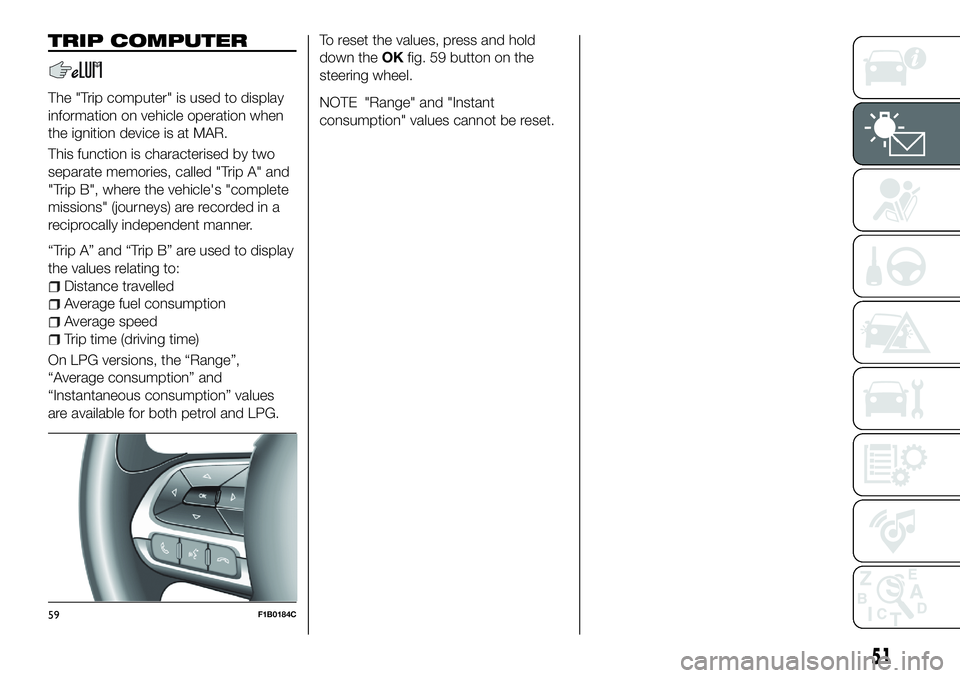
are available for both petrol and LPG. To reset the values, press and hold
down the
OKfig. 59 button on the
steering wheel.
NOTE "Range" and "Instant
consumption" values cannot be reset.
59F1B0184C
51
Page 57 of 276
Warning lightWhat it means
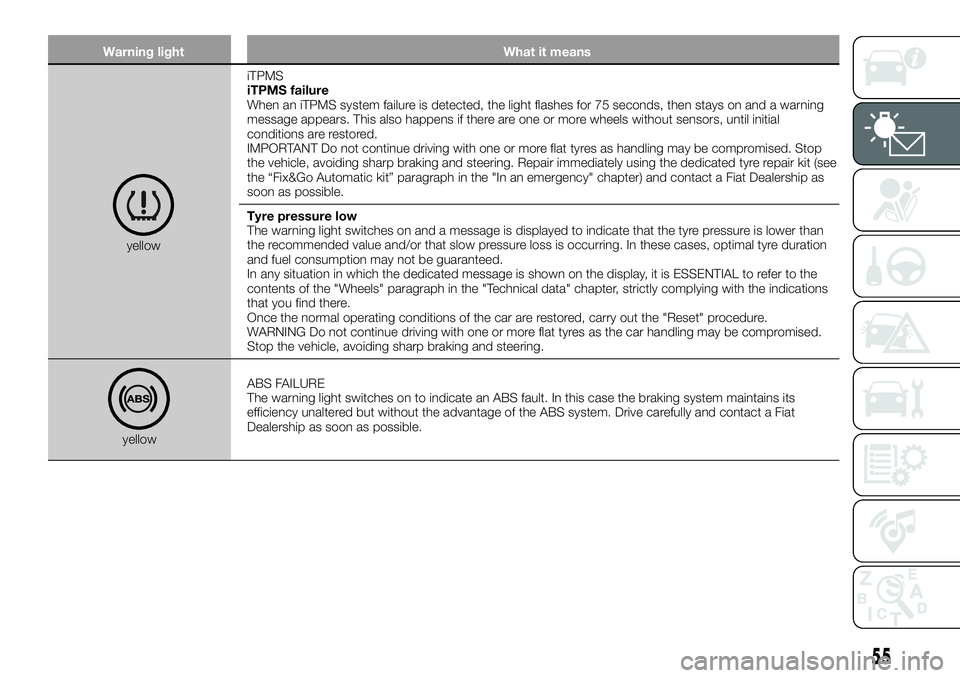
yellowiTPMS
iTPMS failure
When an iTPMS system failure is detected, the light flashes for 75 seconds, then stays on and a warning
message appears. This also happens if there are one or more wheels without sensors, until initial
conditions are restored.
IMPORTANT Do not continue driving with one or more flat tyres as handling may be compromised. Stop
the vehicle, avoiding sharp braking and steering. Repair immediately using the dedicated tyre repair kit (see
the “Fix&Go Automatic kit” paragraph in the "In an emergency" chapter) and contact a Fiat Dealership as
soon as possible.
Tyre pressure low
The warning light switches on and a message is displayed to indicate that the tyre pressure is lower than
the recommended value and/or that slow pressure loss is occurring. In these cases, optimal tyre duration
and fuel consumption may not be guaranteed.
In any situation in which the dedicated message is shown on the display, it is ESSENTIAL to refer to the
contents of the "Wheels" paragraph in the "Technical data" chapter, strictly complying with the indications
that you find there.
Once the normal operating conditions of the car are restored, carry out the "Reset" procedure.
WARNING Do not continue driving with one or more flat tyres as the car handling may be compromised.
Stop the vehicle, avoiding sharp braking and steering.
yellow
ABS FAILURE
The warning light switches on to indicate an ABS fault. In this case the braking system maintains its
efficiency unaltered but without the advantage of the ABS system. Drive carefully and contact a Fiat
Dealership as soon as possible.
55
Page 60 of 276
Warning lightWhat it means
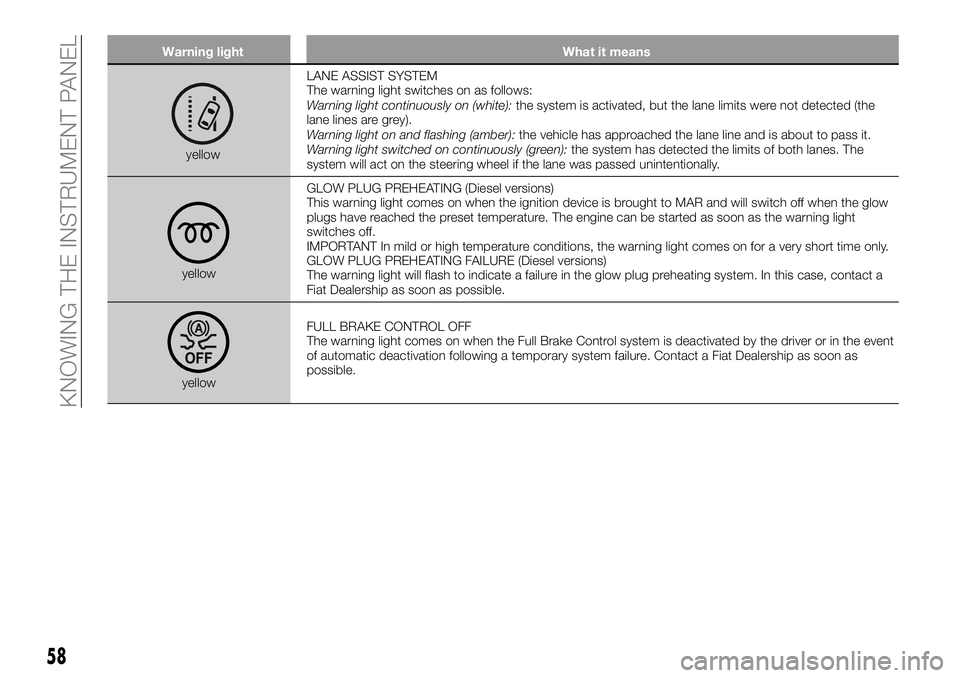
yellowLANE ASSIST SYSTEM
The warning light switches on as follows:
Warning light continuously on (white):
the system is activated, but the lane limits were not detected (the
lane lines are grey).
Warning light on and flashing (amber): the vehicle has approached the lane line and is about to pass it.
Warning light switched on continuously (green): the system has detected the limits of both lanes. The
system will act on the steering wheel if the lane was passed unintentionally.
yellow GLOW PLUG PREHEATING (Diesel versions)
This warning light comes on when the ignition device is brought to MAR and will switch off when the glow
plugs have reached the preset temperature. The engine can be started as soon as the warning light
switches off.
IMPORTANT In mild or high temperature conditions, the warning light comes on for a very short time only.
GLOW PLUG PREHEATING FAILURE (Diesel versions)
The warning light will flash to indicate a failure in the glow plug preheating system. In this case, contact a
Fiat Dealership as soon as possible.
yellow
FULL BRAKE CONTROL OFF
The warning light comes on when the Full Brake Control system is deactivated by the driver or in the event
of automatic deactivation following a temporary system failure. Contact a Fiat Dealership as soon as
possible.
58
KNOWING THE INSTRUMENT PANEL
Page 70 of 276
SymbolWhat it means
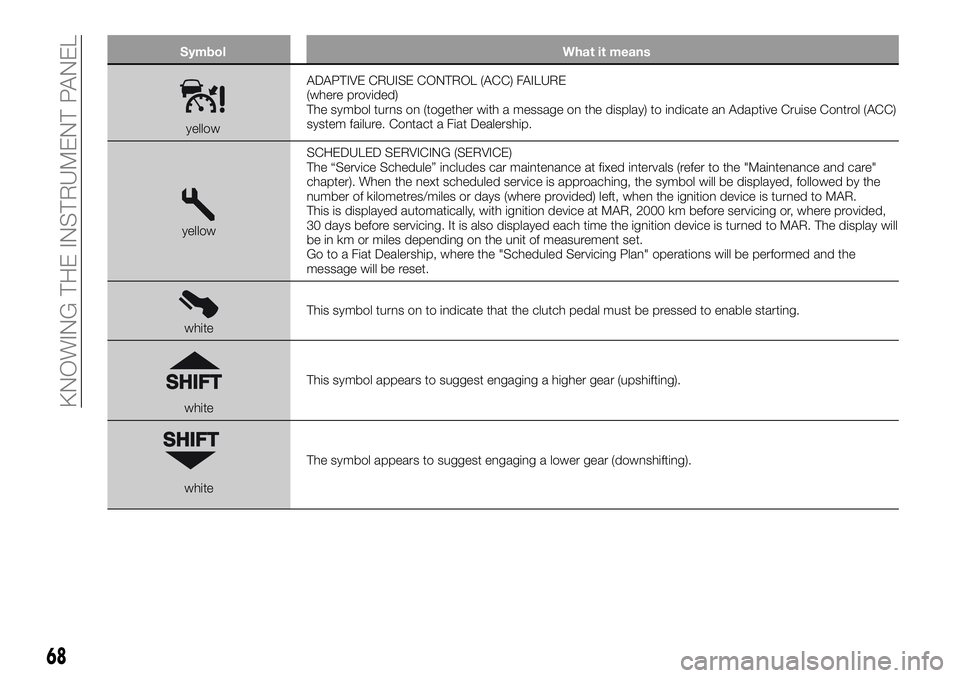
yellowADAPTIVE CRUISE CONTROL (ACC) FAILURE
(where provided)
The symbol turns on (together with a message on the display) to indicate an Adaptive Cruise Control (ACC)
system failure. Contact a Fiat Dealership.
yellow SCHEDULED SERVICING (SERVICE)
The “Service Schedule” includes car maintenance at fixed intervals (refer to the "Maintenance and care"
chapter). When the next scheduled service is approaching, the symbol will be displayed, followed by the
number of kilometres/miles or days (where provided) left, when the ignition device is turned to MAR.
This is displayed automatically, with ignition device at MAR, 2000 km before servicing or, where provided,
30 days before servicing. It is also displayed each time the ignition device is turned to MAR. The display will
be in km or miles depending on the unit of measurement set.
Go to a Fiat Dealership, where the "Scheduled Servicing Plan" operations will be performed and the
message will be reset.
white
This symbol turns on to indicate that the clutch pedal must be pressed to enable starting.
whiteThis symbol appears to suggest engaging a higher gear (upshifting).
whiteThe symbol appears to suggest engaging a lower gear (downshifting).
68
KNOWING THE INSTRUMENT PANEL
Page 87 of 276
This warning is displayed also when
turning the engine off and on again until
the RESET procedure is carried out.
Reset procedure
The iTPMS needs an initial
"self-learning" phase (with length
depending on the driving style and road
conditions: optimal conditions being
driving on a straight road at 80 km/h for
at least 20 minutes) which starts when
the RESET procedure is carried out
manually.
The RESET procedure must be carried
out:
whenever the tyre pressure is
modified;
when even only one tyre is changed;
when tyres are rotated/inverted;
when the space-saver wheel is fitted.
Before carrying out the RESET
procedure, inflate the tyres to the rated
pressure values specified in the inflation
pressure table (see "Wheels" paragraph
in the "Technical specifications"
chapter).
If the RESET procedure is not carried
out, in all above cases, the
warning
light may give false indications on one
or more tyres. To carry out the RESET procedure, with
the car stopped and the ignition device
at MAR, use the Main Menu as follows:
go to "Vehicle info" and then to
"Reset tyre pressure";
press the "OK" and hold down (more
than 2 seconds);
the display will show the procedure
progress (with a graphic bar) till the
RESET is completed.
At the end of the RESET procedure the
display will show the "Reset saved"
message, indicating that the
self-learning has been started and you
will hear a beep. If the self-learning
procedure of the iTPMS system has not
been carried out correctly, you will not
hear any acoustic warning.
Operating conditions
The system is active for speeds above
15 km/h.
In a few situations such as sporty
driving, particular conditions of the road
surface (e.g. icy, snowy, unsurfaced
roads) the signalling may be delayed or
partial in detecting the contemporary
deflation of more than one tyre.
Under special conditions (e.g. car
loaded asymmetrically on one side,
damaged or worn tyre, fitting the
space-saver spare wheel, use of the
"Fix&Go Automatic" tyre repair kit, fitting
snow chains, fitting different tyres on the axles) the system may provide false
indications or be temporarily
deactivated.
If the system is temporarily deactivated
the
warning light flashes for about
75 seconds and then is continuously
on; at the same time, the display shows
a warning message and the symbols "–
–" will appear next to the shape of the
car next to each tyre.
This warning is displayed also after the
engine has been switched off and then
on again if the correct operating
conditions are not restored.
In the case of abnormal signals, it is
recommended to perform the RESET
procedure. If the indications appear
again after a successful RESET, check
that the tyres used on all four wheels
are the same and that the tyres are not
damaged. As soon as possible, refit the
standard tyre instead of the
space-saver spare, remove the snow
chains (if possible), check correct load
distribution and repeat the RESET
procedure by driving on a clean,
tarmacked road. If the indications
persist, contact a Fiat Dealership.
85
Page 90 of 276
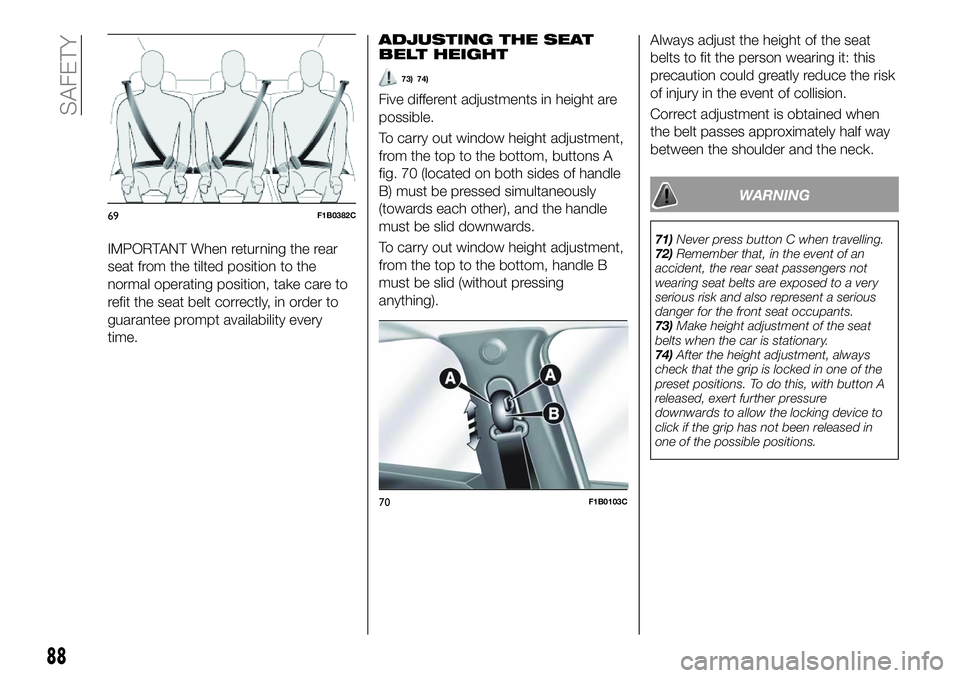
IMPORTANT When returning the rear
seat from the tilted position to the
normal operating position, take care to
refit the seat belt correctly, in order to
guarantee prompt availability every
time.ADJUSTING THE SEAT
BELT HEIGHT
73) 74)
Five different adjustments in height are
possible.
To carry out window height adjustment,
from the top to the bottom, buttons A
fig. 70 (located on both sides of handle
B) must be pressed simultaneously
(towards each other), and the handle
must be slid downwards.
To carry out window height adjustment,
from the top to the bottom, handle B
must be slid (without pressing
anything).
Always adjust the height of the seat
belts to fit the person wearing it: this
precaution could greatly reduce the risk
of injury in the event of collision.
Correct adjustment is obtained when
the belt passes approximately half way
between the shoulder and the neck.
WARNING
71)
Never press button C when travelling.
72) Remember that, in the event of an
accident, the rear seat passengers not
wearing seat belts are exposed to a very
serious risk and also represent a serious
danger for the front seat occupants.
73) Make height adjustment of the seat
belts when the car is stationary.
74) After the height adjustment, always
check that the grip is locked in one of the
preset positions. To do this, with button A
released, exert further pressure
downwards to allow the locking device to
click if the grip has not been released in
one of the possible positions.
69F1B0382C
70F1B0103C
88
SAFETY