instrument panel FIAT CROMA 2006 2.G Owners Manual
[x] Cancel search | Manufacturer: FIAT, Model Year: 2006, Model line: CROMA, Model: FIAT CROMA 2006 2.GPages: 240, PDF Size: 7.41 MB
Page 4 of 240
4
SAFETY
DEVICES
CORRECT USE
OF THE CAR
WARNING
LIGHTS AND
MESSAGES
IN AN
EMERGENCY
CAR
MAINTENANCE
TECHNICAL
SPECIFICATIONS
INDEX
DASHBOARD
AND CONTROLSDASHBOARD ........................................................................ 5
INSTRUMENT PANEL ......................................................... 6
SYMBOLS ................................................................................. 7
THE FIAT CODE SYSTEM ................................................... 7
THE KEYS ................................................................................ 8
ALARM ..................................................................................... 12
IGNITION SWITCH.............................................................. 17
INSTRUMENTS ....................................................................... 18
SEATS ........................................................................................ 31
HEAD RESTRAINTS .............................................................. 34
STEERING WHEEL ............................................................... 35
REARVIEW MIRRORS ........................................................... 36
HEATING/CLIMATE
CONTROL SYSTEM ............................................................. 39
MANUAL CLIMATE CONTROL SYSTEM .................... 41
AUTOMATIC CLIMATE CONTROL SYSTEM ............ 44
EXTERNAL LIGHTS .............................................................. 54
WINDOW WASHING......................................................... 57
CRUISE CONTROL ............................................................. 60
CEILING LIGHTS .................................................................. 62
CONTROLS ........................................................................... 63
INTERIOR FITTINGS ............................................................ 66SUNROOF................................................................................ 70
DOORS .................................................................................... 73
POWER WINDOWS ........................................................... 74
BOOT ........................................................................................ 76
BONNET .................................................................................. 82
HEADLIGHTS .......................................................................... 85
ABS SYSTEM ........................................................................... 86
ESP SYSTEM ............................................................................ 88
ASR SYSTEM ........................................................................... 89
EOBD SYSTEM ....................................................................... 90
T.P.M.S. SYSTEM .................................................................... 91
SOUND SYSTEM .................................................................... 92
ACCESSORIES PURCHASED BY THE OWNER .......... 93
PARKING SENSORS ............................................................ 94
AT THE FILLING STATION .............................................. 95
PROTECTING THE ENVIRONMENT ............................ 97
DIESEL PARTICULATE FILTER (DPF) ............................. 98
D D
A A
S S
H H
B B
O O
A A
R R
D D
A A
N N
D D
C C
O O
N N
T T
R R
O O
L L
S S
001-030 Croma TRW GB 20-11-2006 14:58 Pagina 4
Page 5 of 240
DASHBOARD
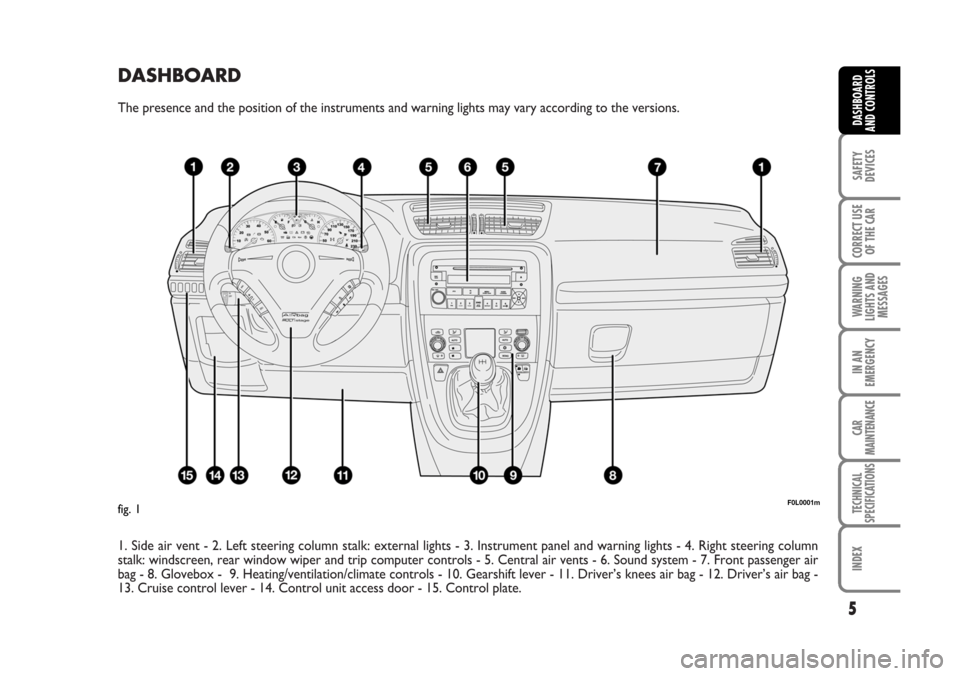
The presence and the position of the instruments and warning lights may vary according to the versions.
1. Side air vent - 2. Left steering column stalk: external lights - 3. Instrument panel and warning lights - 4. Right steering column
stalk: windscreen, rear window wiper and trip computer controls - 5. Central air vents - 6. Sound system - 7. Front passenger air
bag - 8. Glovebox - 9. Heating/ventilation/climate controls - 10. Gearshift lever - 11. Driver’s knees air bag - 12. Driver’s air bag -
13. Cruise control lever - 14. Control unit access door - 15. Control plate.
5
SAFETY
DEVICES
CORRECT USE
OF THE CAR
WARNING
LIGHTS AND
MESSAGES
IN AN
EMERGENCY
CAR
MAINTENANCE
TECHNICAL
SPECIFICATIONS
INDEX
DASHBOARD
AND CONTROLS
F0L0001mfig. 1
001-030 Croma TRW GB 20-11-2006 14:58 Pagina 5
Page 6 of 240
6
SAFETY
DEVICES
CORRECT USE
OF THE CAR
WARNING
LIGHTS AND
MESSAGES
IN AN
EMERGENCY
CAR
MAINTENANCE
TECHNICAL
SPECIFICATIONS
INDEX
DASHBOARD
AND CONTROLS
F0L0182m
F0L0140m
INSTRUMENT PANEL
fig. 3 fig. 2
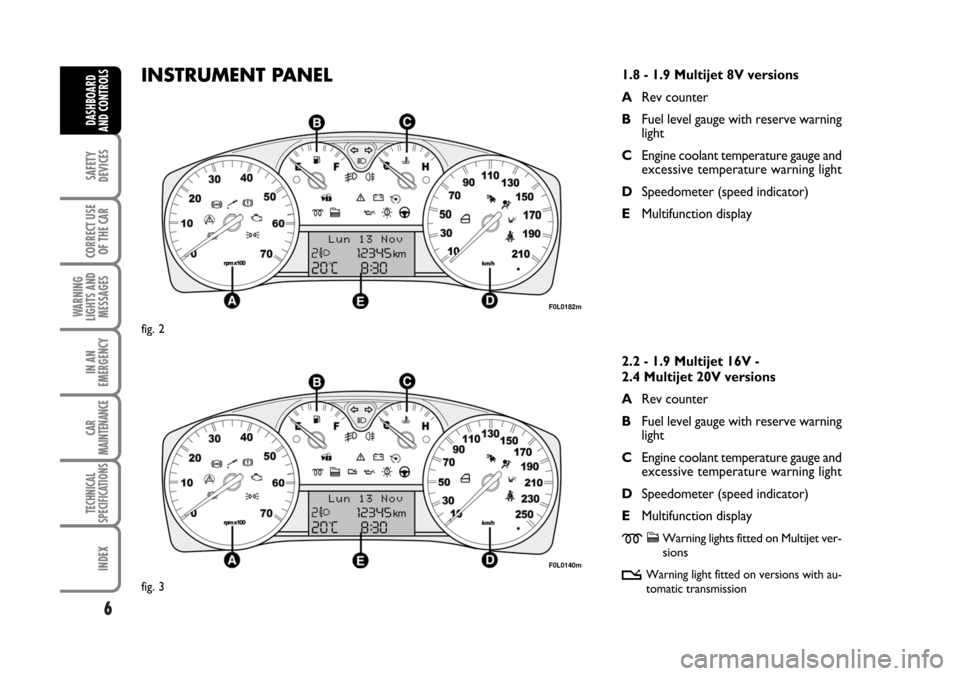
1.8 - 1.9 Multijet 8V versions
ARev counter
BFuel level gauge with reserve warning
light
CEngine coolant temperature gauge and
excessive temperature warning light
DSpeedometer (speed indicator)
EMultifunction display
2.2 - 1.9 Multijet 16V -
2.4 Multijet 20V versions
ARev counter
BFuel level gauge with reserve warning
light
CEngine coolant temperature gauge and
excessive temperature warning light
DSpeedometer (speed indicator)
EMultifunction display
mcWarning lights fitted on Multijet ver-
sions
t
Warning light fitted on versions with au-
tomatic transmission
001-030 Croma TRW GB 20-11-2006 14:58 Pagina 6
Page 14 of 240
Once the dead lock device
has been actuated, doors
cannot be opened from inside the car
in any way whatsoever. For this rea-
son, make sure there are no persons
left inside the car.
14
SAFETY
DEVICES
CORRECT USE
OF THE CAR
WARNING
LIGHTS AND
MESSAGES
IN AN
EMERGENCY
CAR
MAINTENANCE
TECHNICAL
SPECIFICATIONS
INDEX
DASHBOARD
AND CONTROLS
INDICATIONS OF ATTEMPTS
TO BREAK IN
Any attempt to break in is indicated by
turning on of warning light
Y(if pro-
vided) on the instrument panel with the
relevant message on the display (see sec-
tion “Warning lights and messages”).
HOW TO CUT OFF THE ALARM
SYSTEM
To deactivate the alarm system com-
pletely (for instance during prolonged in-
activity of the car) simply lock the car us-
ing the emergency locking.
IMPORTANT To cut-out the alarm if re-
mote control batteries are down or the
system is failing, fit the key into the igni-
tion switch and turn it to ON.
DEAD LOCK DEVICE
(where provided)
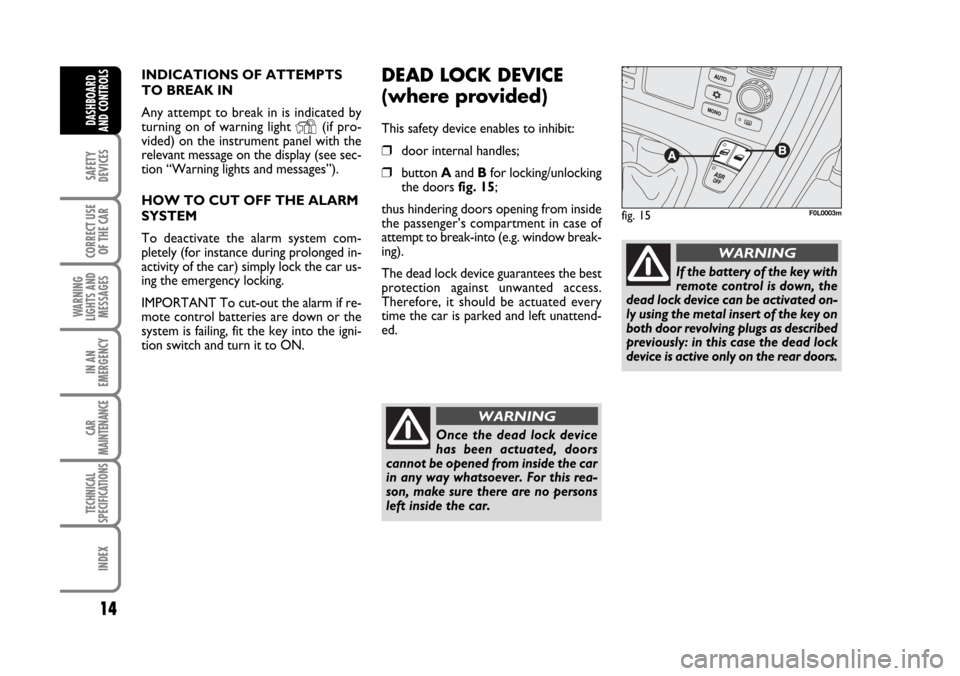
This safety device enables to inhibit:
❒door internal handles;
❒button Aand Bfor locking/unlocking
the doors fig. 15;
thus hindering doors opening from inside
the passenger’s compartment in case of
attempt to break-into (e.g. window break-
ing).
The dead lock device guarantees the best
protection against unwanted access.
Therefore, it should be actuated every
time the car is parked and left unattend-
ed.
fig. 15F0L0003m
WARNING
If the battery of the key with
remote control is down, the
dead lock device can be activated on-
ly using the metal insert of the key on
both door revolving plugs as described
previously: in this case the dead lock
device is active only on the rear doors.
WARNING
001-030 Croma TRW GB 20-11-2006 14:58 Pagina 14
Page 17 of 240
17
SAFETY
DEVICES
CORRECT USE
OF THE CAR
WARNING
LIGHTS AND
MESSAGES
IN AN
EMERGENCY
CAR
MAINTENANCE
TECHNICAL
SPECIFICATIONS
INDEX
DASHBOARD
AND CONTROLS
IGNITION SWITCH
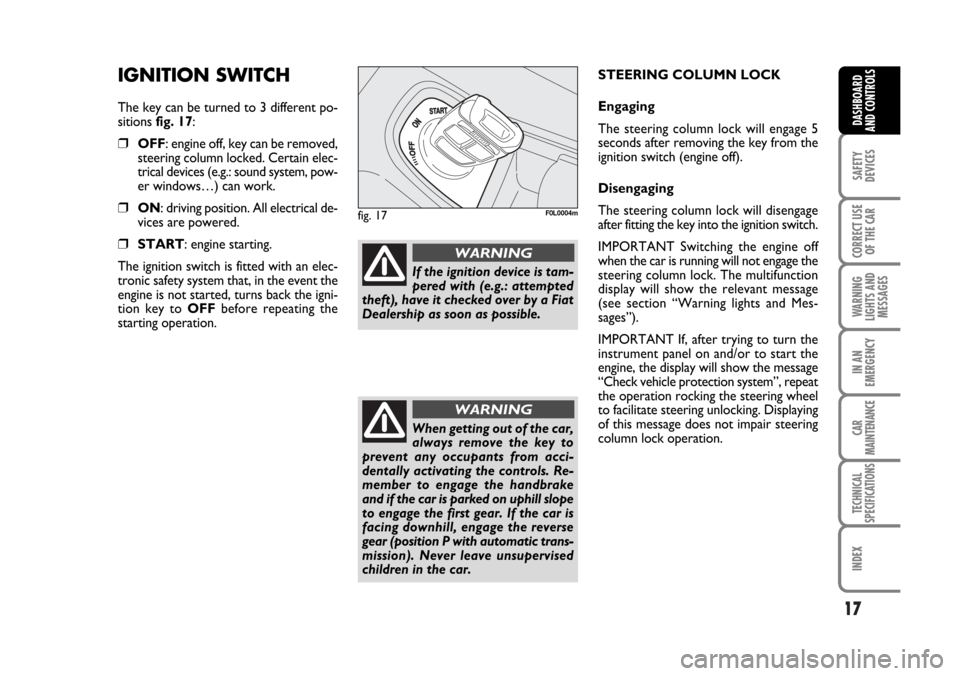
The key can be turned to 3 different po-
sitions fig. 17:
❒OFF: engine off, key can be removed,
steering column locked. Certain elec-
trical devices (e.g.: sound system, pow-
er windows…) can work.
❒ON: driving position. All electrical de-
vices are powered.
❒START: engine starting.
The ignition switch is fitted with an elec-
tronic safety system that, in the event the
engine is not started, turns back the igni-
tion key to OFFbefore repeating the
starting operation.
fig. 17F0L0004m
If the ignition device is tam-
pered with (e.g.: attempted
theft), have it checked over by a Fiat
Dealership as soon as possible.
WARNING
When getting out of the car,
always remove the key to
prevent any occupants from acci-
dentally activating the controls. Re-
member to engage the handbrake
and if the car is parked on uphill slope
to engage the first gear. If the car is
facing downhill, engage the reverse
gear (position P with automatic trans-
mission). Never leave unsupervised
children in the car.
WARNING
STEERING COLUMN LOCK
Engaging
The steering column lock will engage 5
seconds after removing the key from the
ignition switch (engine off).
Disengaging
The steering column lock will disengage
after fitting the key into the ignition switch.
IMPORTANT Switching the engine off
when the car is running will not engage the
steering column lock. The multifunction
display will show the relevant message
(see section “Warning lights and Mes-
sages”).
IMPORTANT If, after trying to turn the
instrument panel on and/or to start the
engine, the display will show the message
“Check vehicle protection system”, repeat
the operation rocking the steering wheel
to facilitate steering unlocking. Displaying
of this message does not impair steering
column lock operation.
001-030 Croma TRW GB 20-11-2006 14:58 Pagina 17
Page 20 of 240
20
SAFETY
DEVICES
CORRECT USE
OF THE CAR
WARNING
LIGHTS AND
MESSAGES
IN AN
EMERGENCY
CAR
MAINTENANCE
TECHNICAL
SPECIFICATIONS
INDEX
DASHBOARD
AND CONTROLS
RECONFIGURABLE
MULTIFUNCTION
DISPLAY
(where provided)
The car can be provided with the recon-
figurable multifunction display that shows
useful information, according to the pre-
vious settings made, necessary when dri-
ving.
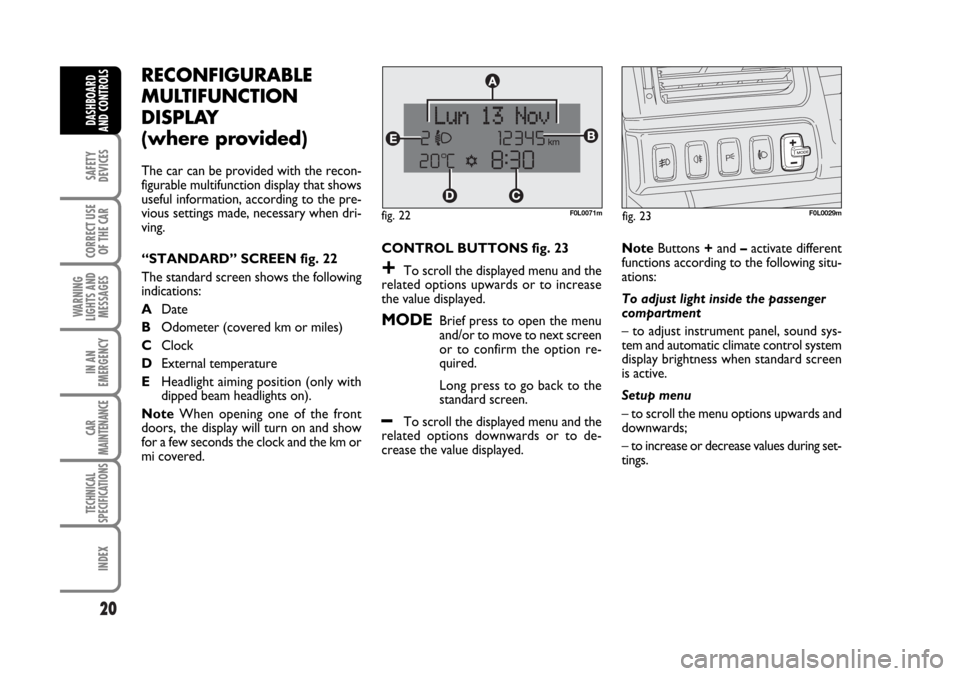
“STANDARD” SCREEN fig. 22
The standard screen shows the following
indications:
ADate
BOdometer (covered km or miles)
CClock
DExternal temperature
EHeadlight aiming position (only with
dipped beam headlights on).
NoteWhen opening one of the front
doors, the display will turn on and show
for a few seconds the clock and the km or
mi covered.CONTROL BUTTONS fig. 23
+To scroll the displayed menu and the
related options upwards or to increase
the value displayed.
MODEBrief press to open the menu
and/or to move to next screen
or to confirm the option re-
quired.
Long press to go back to the
standard screen.
–To scroll the displayed menu and the
related options downwards or to de-
crease the value displayed.NoteButtons +and –activate different
functions according to the following situ-
ations:
To adjust light inside the passenger
compartment
– to adjust instrument panel, sound sys-
tem and automatic climate control system
display brightness when standard screen
is active.
Setup menu
– to scroll the menu options upwards and
downwards;
– to increase or decrease values during set-
tings.
F0L0029mfig. 23 fig. 22F0L0071m
001-030 Croma TRW GB 20-11-2006 14:58 Pagina 20
Page 54 of 240
54
SAFETY
DEVICES
CORRECT USE
OF THE CAR
WARNING
LIGHTS AND
MESSAGES
IN AN
EMERGENCY
CAR
MAINTENANCE
TECHNICAL
SPECIFICATIONS
INDEX
DASHBOARD
AND CONTROLS
EXTERNAL LIGHTS
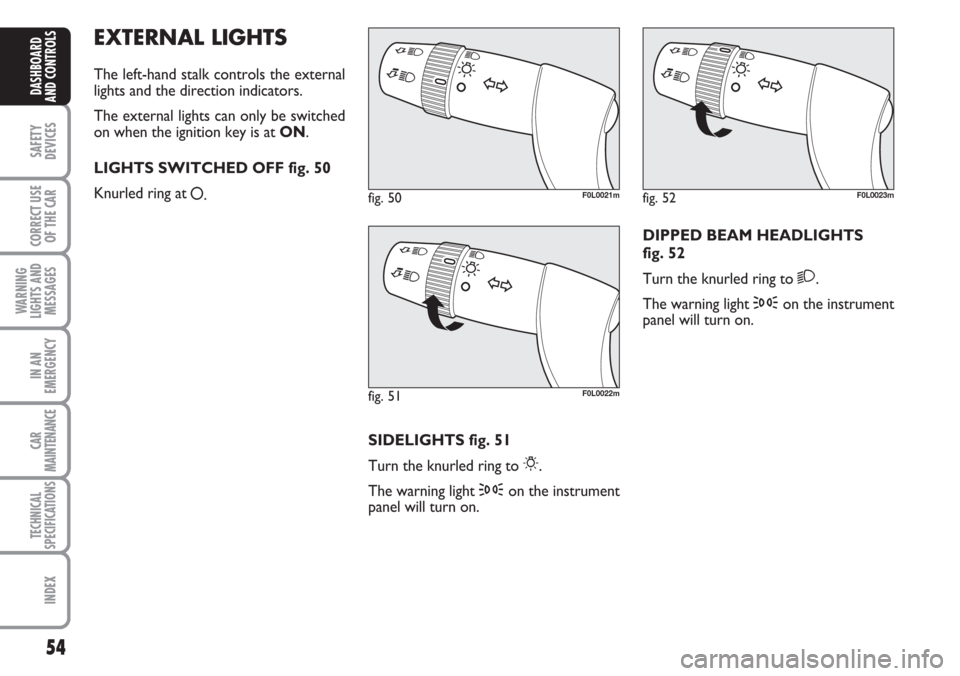
The left-hand stalk controls the external
lights and the direction indicators.
The external lights can only be switched
on when the ignition key is at ON.
LIGHTS SWITCHED OFF fig. 50
Knurled ring at
å.
SIDELIGHTS fig. 51
Turn the knurled ring to
6.
The warning light 3on the instrument
panel will turn on.DIPPED BEAM HEADLIGHTS
fig. 52
Turn the knurled ring to
2.
The warning light 3on the instrument
panel will turn on.
fig. 50F0L0021m
fig. 51F0L0022m
fig. 52F0L0023m
Page 55 of 240
55
SAFETY
DEVICES
CORRECT USE
OF THE CAR
WARNING
LIGHTS AND
MESSAGES
IN AN
EMERGENCY
CAR
MAINTENANCE
TECHNICAL
SPECIFICATIONS
INDEX
DASHBOARD
AND CONTROLS
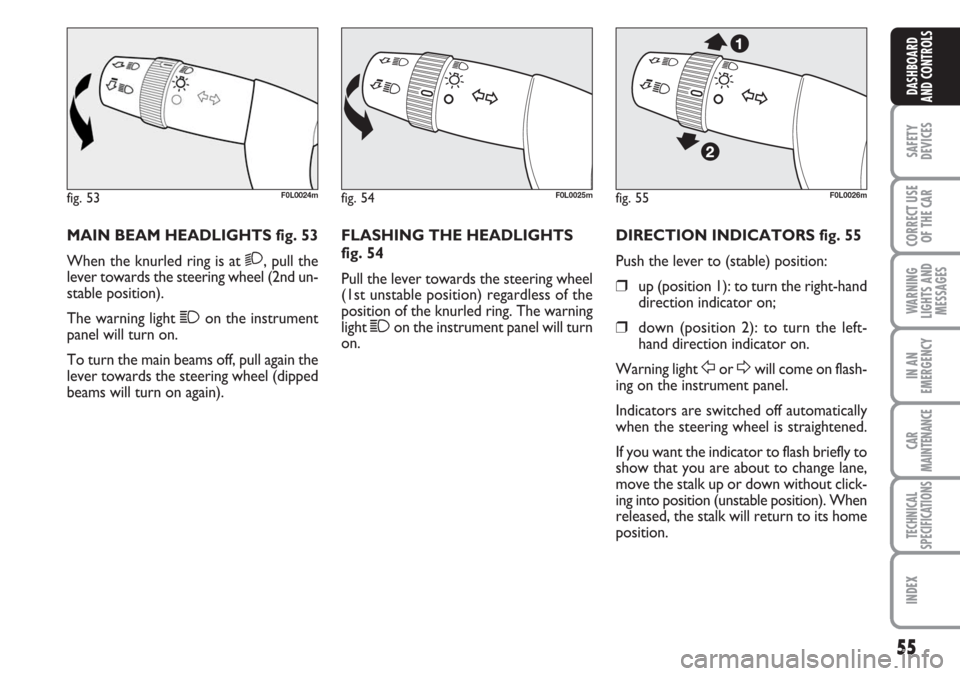
MAIN BEAM HEADLIGHTS fig. 53
When the knurled ring is at
2, pull the
lever towards the steering wheel (2nd un-
stable position).
The warning light 1on the instrument
panel will turn on.
To turn the main beams off, pull again the
lever towards the steering wheel (dipped
beams will turn on again).FLASHING THE HEADLIGHTS
fig. 54
Pull the lever towards the steering wheel
(1st unstable position) regardless of the
position of the knurled ring. The warning
light 1on the instrument panel will turn
on.DIRECTION INDICATORS fig. 55
Push the lever to (stable) position:
❒up (position 1): to turn the right-hand
direction indicator on;
❒down (position 2): to turn the left-
hand direction indicator on.
Warning light
ForDwill come on flash-
ing on the instrument panel.
Indicators are switched off automatically
when the steering wheel is straightened.
If you want the indicator to flash briefly to
show that you are about to change lane,
move the stalk up or down without click-
ing into position (unstable position). When
released, the stalk will return to its home
position.
fig. 53F0L0024mfig. 54F0L0025mfig. 55F0L0026m
Page 60 of 240
60
SAFETY
DEVICES
CORRECT USE
OF THE CAR
WARNING
LIGHTS AND
MESSAGES
IN AN
EMERGENCY
CAR
MAINTENANCE
TECHNICAL
SPECIFICATIONS
INDEX
DASHBOARD
AND CONTROLS
CRUISE CONTROL
(where provided)
It is a device able to support the driver,
with electronic control, which allows dri-
ving at speed over 30 km/h on long and
straight dry roads (e.g.: motorways), at a
desired speed, without pressing the ac-
celerator pedal. Therefore it is not sug-
gested to use this device on extra-urban
roads with traffic. Do not use it in town.
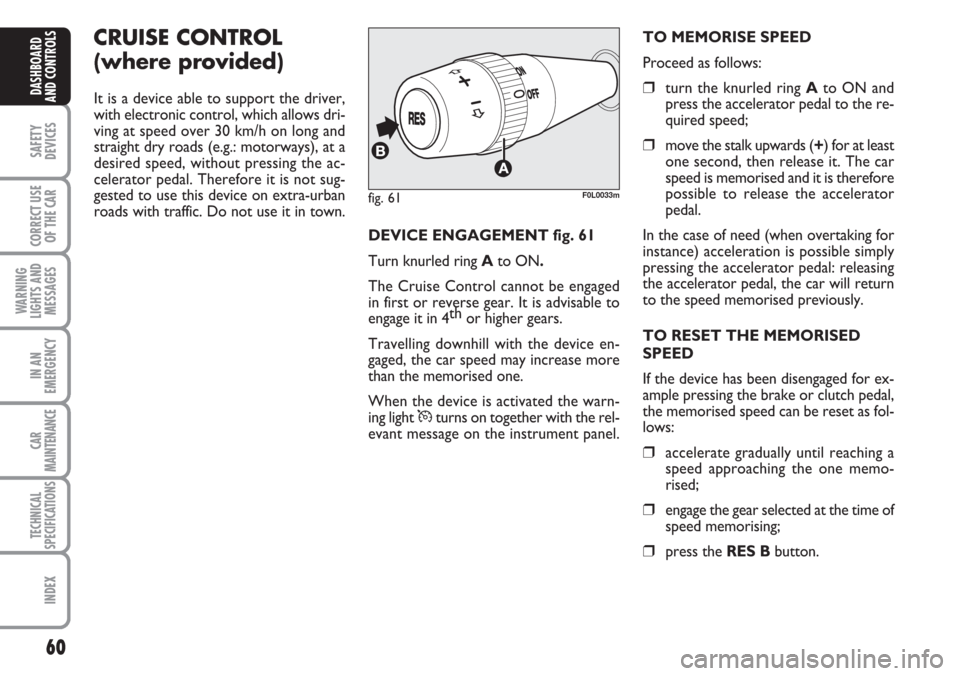
DEVICE ENGAGEMENT fig. 61
Turn knurled ring Ato ON.
The Cruise Control cannot be engaged
in first or reverse gear. It is advisable to
engage it in 4th
or higher gears.
Travelling downhill with the device en-
gaged, the car speed may increase more
than the memorised one.
When the device is activated the warn-
ing light
Üturns on together with the rel-
evant message on the instrument panel.TO MEMORISE SPEED
Proceed as follows:
❒turn the knurled ring Ato ON and
press the accelerator pedal to the re-
quired speed;
❒move the stalk upwards (+) for at least
one second, then release it. The car
speed is memorised and it is therefore
possible to release the accelerator
pedal.
In the case of need (when overtaking for
instance) acceleration is possible simply
pressing the accelerator pedal: releasing
the accelerator pedal, the car will return
to the speed memorised previously.
TO RESET THE MEMORISED
SPEED
If the device has been disengaged for ex-
ample pressing the brake or clutch pedal,
the memorised speed can be reset as fol-
lows:
❒accelerate gradually until reaching a
speed approaching the one memo-
rised;
❒engage the gear selected at the time of
speed memorising;
❒press the RES Bbutton.
fig. 61F0L0033m
Page 64 of 240
64
SAFETY
DEVICES
CORRECT USE
OF THE CAR
WARNING
LIGHTS AND
MESSAGES
IN AN
EMERGENCY
CAR
MAINTENANCE
TECHNICAL
SPECIFICATIONS
INDEX
DASHBOARD
AND CONTROLS
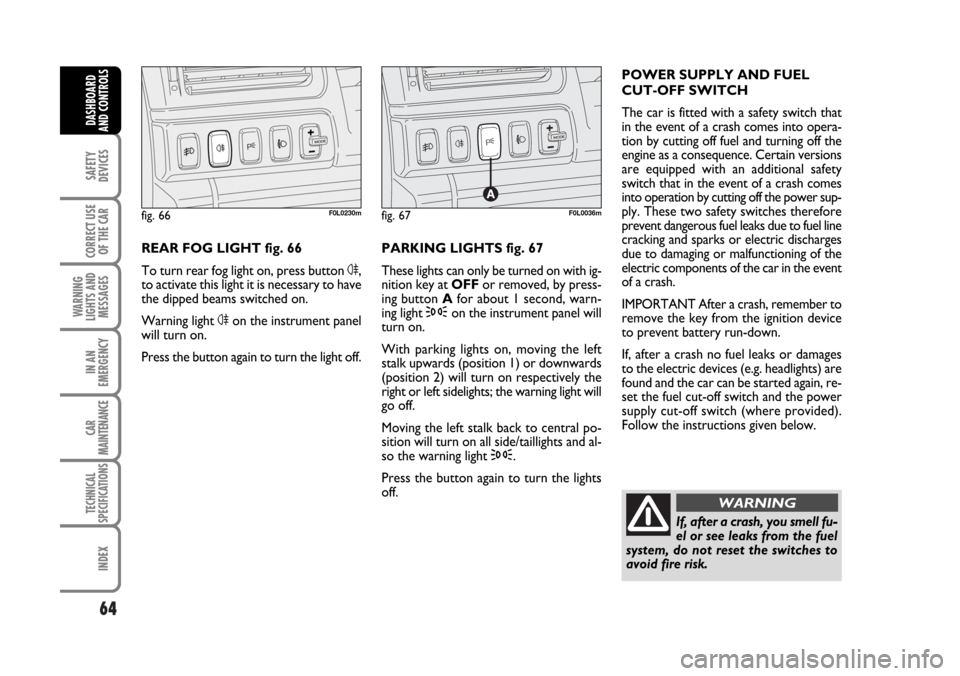
REAR FOG LIGHT fig. 66
To turn rear fog light on, press button 4,
to activate this light it is necessary to have
the dipped beams switched on.
Warning light 4on the instrument panel
will turn on.
Press the button again to turn the light off.PARKING LIGHTS fig. 67
These lights can only be turned on with ig-
nition key at OFFor removed, by press-
ing button Afor about 1 second, warn-
ing light 3on the instrument panel will
turn on.
With parking lights on, moving the left
stalk upwards (position 1) or downwards
(position 2) will turn on respectively the
right or left sidelights; the warning light will
go off.
Moving the left stalk back to central po-
sition will turn on all side/taillights and al-
so the warning light 3.
Press the button again to turn the lights
off. POWER SUPPLY AND FUEL
CUT-OFF SWITCH
The car is fitted with a safety switch that
in the event of a crash comes into opera-
tion by cutting off fuel and turning off the
engine as a consequence. Certain versions
are equipped with an additional safety
switch that in the event of a crash comes
into operation by cutting off the power sup-
ply. These two safety switches therefore
prevent dangerous fuel leaks due to fuel line
cracking and sparks or electric discharges
due to damaging or malfunctioning of the
electric components of the car in the event
of a crash.
IMPORTANT After a crash, remember to
remove the key from the ignition device
to prevent battery run-down.
If, after a crash no fuel leaks or damages
to the electric devices (e.g. headlights) are
found and the car can be started again, re-
set the fuel cut-off switch and the power
supply cut-off switch (where provided).
Follow the instructions given below.
fig. 66F0L0230mfig. 67F0L0036m
If, after a crash, you smell fu-
el or see leaks from the fuel
system, do not reset the switches to
avoid fire risk.
WARNING
062-098 Croma TRW GB 20-11-2006 15:01 Pagina 64