heating FIAT FREEMONT 2012 Owner handbook (in English)
[x] Cancel search | Manufacturer: FIAT, Model Year: 2012, Model line: FREEMONT, Model: FIAT FREEMONT 2012Pages: 332, PDF Size: 5.61 MB
Page 29 of 332
Further overheating will cause the temperature gauge
to passH,the indicator will continuously flash and a
continuous chime will occur until the engine is allowed
to cool.
If the light turns on while driving, safely pull over and
stop the vehicle. If the A/C system is on, turn it off.
Also, shift the transmission into NEUTRAL and idle the
vehicle. If the temperature reading does not return to
normal, turn the engine off immediately and call for
service.
Transmission Temperature Warning Light This light indicates that the transmission fluid
temperature is running hot. This may occur
with severe usage, such as trailer towing. If
this light turns on, safely pull over and stop
the vehicle. Then, shift the transmission into NEU-
TRAL and run the engine at idle or faster until the light
turns off.
Continuous driving with the Transmission
Temperature Warning Light illuminated
will eventually cause severe transmission
damage or transmission failure.
WARNING!
If the Transmission Temperature Warning
Light is illuminated and you continue
operating the vehicle, in some circumstances you
could cause the fluid to boil over, come in contact
with hot engine or exhaust components and
cause a fire.
OIL CHANGE DUE
Your vehicle is equipped with an engine oil change
indicator system. The “Oil Change Due” message will
flash in the EVIC display for approximately 10 seconds
after a single chime has sounded to indicate the next
scheduled oil change interval. The engine oil change
indicator system is duty cycle based, which means the
engine oil change interval may fluctuate dependent
upon your personal driving style.
Unless reset, this message will continue to display each
time you cycle the ignition to the ON/RUN position.
To turn off the message temporarily, press and release
the BACK button. To reset the oil change indicator
system please refer to a Fiat Dealership.
FUEL ECONOMY
Press and release the UP or DOWN button until “Fuel
Economy” displays highlighted in the EVIC and press
the SELECT button. The following Fuel Economy func-
tions will display in the EVIC:
23KNOWING
YOURVEHICLESAFETY
STARTING ANDDRIVING
WARNING LIGHTSAND
MESSAGES
IN AN
EMERGENCY
SERVICING AND
CARETECHNICAL
SPECIFICATIONSCONTENTS
Page 48 of 332
HEATED SEATS (for versions/markets, where
provided)
On some models, the front driver and passenger seats
may be equipped with heaters in both the seat cushions
and seatbacks. The heated seats are operated using the
Uconnect Touch™ System.
For Vehicles Equipped With Uconnect Touch™ 4.3:
Touch the CLIMATE hard-key (located on the left side
of the Uconnect Touch™ display) to enter the climate
control screen.Touch the “Driver” or “Pass” seat soft-key
(located on the Uconnect Touch™ display)
once to select HI-level heating. Touch the
soft-key a second time to select LO-level heating. Touch the soft-key a third time to shut the
heating elements OFF.
For Vehicles Equipped With Uconnect Touch™
8.4 And 8.4 Nav:
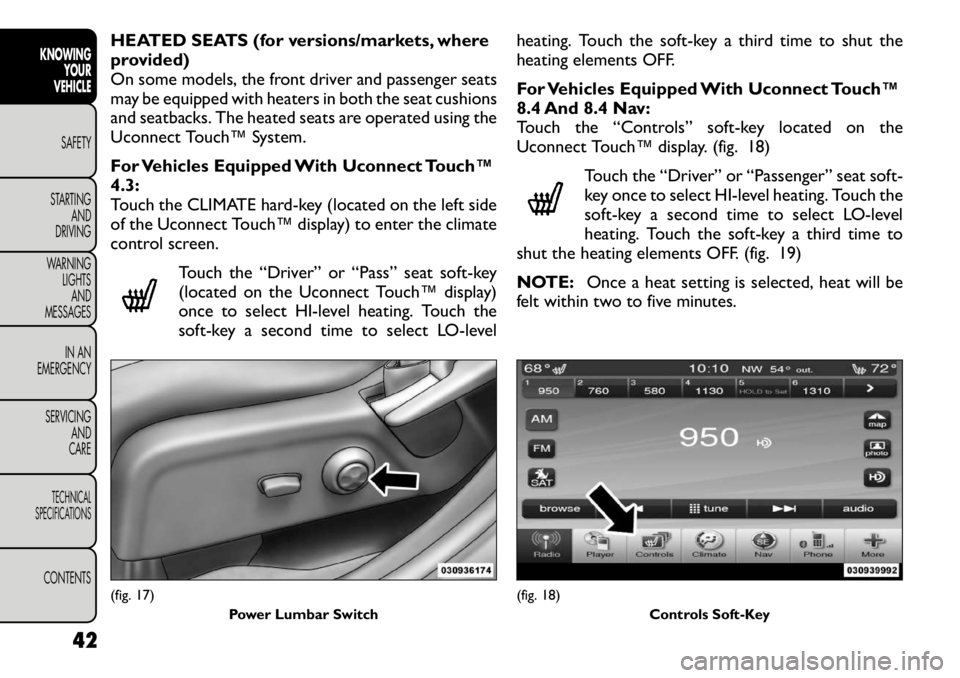
Touch the “Controls” soft-key located on the
Uconnect Touch™ display. (fig. 18)
Touch the “Driver” or “Passenger” seat soft-
key once to select HI-level heating. Touch the
soft-key a second time to select LO-level
heating. Touch the soft-key a third time to
shut the heating elements OFF. (fig. 19)
NOTE: Once a heat setting is selected, heat will be
felt within two to five minutes.(fig. 17)
Power Lumbar Switch
(fig. 18) Controls Soft-Key
42
KNOWINGYOUR
VEHICLE
SAFETY
STARTING AND
DRIVING
WARNING LIGHTSAND
MESSAGES
IN AN
EMERGENCY
SERVICING AND
CARETECHNICAL
SPECIFICATIONSCONTENTS
Page 65 of 332
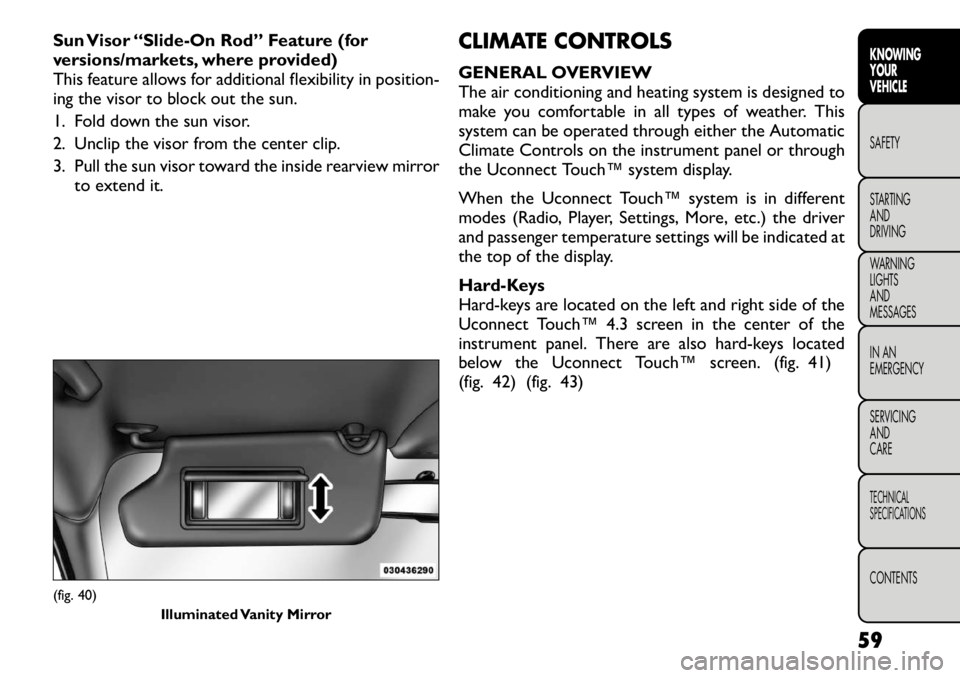
Sun Visor “Slide-On Rod” Feature (for
versions/markets, where provided)
This feature allows for additional flexibility in position-
ing the visor to block out the sun.
1. Fold down the sun visor.
2. Unclip the visor from the center clip.
3. Pull the sun visor toward the inside rearview mirrorto extend it. CLIMATE CONTROLS
GENERAL OVERVIEW
The air conditioning and heating system is designed to
make you comfortable in all types of weather. This
system can be operated through either the Automatic
Climate Controls on the instrument panel or through
the Uconnect Touch™ system display.
When the Uconnect Touch™ system is in different
modes (Radio, Player, Settings, More, etc.) the driver
and passenger temperature settings will be indicated at
the top of the display.
Hard-Keys
Hard-keys are located on the left and right side of the
Uconnect Touch™ 4.3 screen in the center of the
instrument panel. There are also hard-keys located
below the Uconnect Touch™ screen. (fig. 41)
(fig. 42) (fig. 43)(fig. 40)
Illuminated Vanity Mirror
59
KNOWING
YOURVEHICLESAFETY
STARTING ANDDRIVING
WARNING LIGHTSAND
MESSAGES
IN AN
EMERGENCY
SERVICING AND
CARETECHNICAL
SPECIFICATIONSCONTENTS
Page 68 of 332
4. Front Defrost Button
Press and release to change the current airflow setting
to Defrost mode. The indicator illuminates when this
feature is ON. Performing this function will cause the
ATC (for versions/markets, where provided) to switch
into manual mode. The blower speed may increase
when Defrost mode is selected. If the front defrost
mode is turned off, the climate system will return the
previous setting.
5. Rear Defrost Button
Press and release this button to turn on the rear
window defroster and the heated outside mirrors (for
versions/markets, where provided). An indicator will
illuminate when the rear window defroster is on. The
rear window defroster automatically turns off after
10 minutes.
Failure to follow these cautions can
cause damage to the heating elements:
Use care when washing the inside of
the rear window. Do not use abrasive window
cleaners on the interior surface of the window.
Use a soft cloth and a mild washing solution,
wiping parallel to the heating elements. Labels
can be peeled off after soaking with warm water.
Do not use scrapers, sharp instruments, or abra-
sive window cleaners on the interior surface of
the window.
Keep all objects a safe distance from the
window.
6. Passenger Temperature Control Up Button
Provides the passenger with independent temperature
control. Push the button for warmer temperaturesettings.
NOTE: Pressing this button while in Sync mode will
automatically exit Sync.
7. Passenger Temperature Control Down Button
Provides the passenger with independent temperature
control. Push the button for cooler temperature set-tings.
NOTE: Pressing this button while in Sync mode will
automatically exit Sync.
62
KNOWING YOUR
VEHICLE
SAFETY
STARTING AND
DRIVING
WARNING LIGHTSAND
MESSAGES
IN AN
EMERGENCY
SERVICING AND
CARETECHNICAL
SPECIFICATIONSCONTENTS
Page 74 of 332

temperature. The rear temperature settings are dis-
played in the Uconnect Touch™ system.
When rear controls are locked by the Uconnect
Touch™ system , the Rear Temperature Lock symbol
on the temperature knob is illuminated and any rear
overhead adjustments are ignored.
REAR MODE CONTROL
Auto Mode
The rear system automatically maintains the correct
mode and comfort level desired by the rear seat occu-pants.
Headliner ModeAir comes from the outlets in the headliner. Each
of these outlets can be individually adjusted to
direct the flow of air. Moving the air vanes of the
outlets to one side will shut off the airflow.
Bi-Level Mode
Air comes from both the headliner outlets and
the floor outlets.
NOTE: In many temperature positions, the BI-LEVEL
mode is designed to provide cooler air out of the
headliner outlets and warmer air from the floor out-lets.
Floor Mode Air comes from the floor outlets. OPERATING TIPS
NOTE:
Refer to the chart at the end of this section
for suggested control settings for various weather conditions.
Summer Operation
The engine cooling system in air-conditioned vehicles
must be protected with a high-quality antifreeze cool-
ant to provide proper corrosion protection and to
protect against engine overheating. A solution of 50%
ethylene glycol antifreeze coolant and 50% water is
recommended. Refer to “Maintenance Procedures” in
“Servicing And Care” for proper coolant selection.
Winter Operation
Use of the air Recirculation mode during Winter
months is not recommended because it may cause
window fogging.
Vacation Storage
Any time you store your vehicle or keep it out of
service (i.e., vacation) for two weeks or more, run the
air conditioning system at idle for about five minutes in
the fresh air and high blower setting. This will ensure
adequate system lubrication to minimize the possibility
of compressor damage when the system is started
again.
68
KNOWING YOUR
VEHICLE
SAFETY
STARTING AND
DRIVING
WARNING LIGHTSAND
MESSAGES
IN AN
EMERGENCY
SERVICING AND
CARETECHNICAL
SPECIFICATIONSCONTENTS
Page 75 of 332
Window Fogging
Interior fogging on the windshield can be quickly re-
moved by turning the mode selector to Defrost. The
Defrost/Floor mode can be used to maintain a clear
windshield and provide sufficient heating. If side win-
dow fogging becomes a problem, increase the blower
speed. Vehicle windows tend to fog on the inside in
mild but rainy or humid weather.
NOTE:Recirculation mode without A/C should not
be used for long periods, as fogging may occur.
Outside Air Intake
Make sure the air intake, located directly in front of the
windshield, is free of obstructions such as leaves.
Leaves collected in the air intake may reduce airflow,
and if they enter the plenum, they could plug the water
drains. In winter months, make sure the air intake is
clear of ice, slush, and snow.
A/C Air Filter
The climate control system filters outside air contain-
ing dust, pollen and some odors. Strong odors cannot
be totally filtered out. Refer to “Maintenance Proce-
dures” in “Servicing And Care” for filter replacementinstructions.
69
KNOWING
YOURVEHICLESAFETY
STARTING ANDDRIVING
WARNING LIGHTSAND
MESSAGES
IN AN
EMERGENCY
SERVICING AND
CARETECHNICAL
SPECIFICATIONSCONTENTS
Page 86 of 332
Turn the rear wiper off when driving
through an automatic car wash. Damage
to the rear wiper may result if the rear
wiper switch is left in the on position.
In cold weather, always turn off the rear wiper
switch and allow the rear wiper to return to the
park position before turning off the engine. If the
rear wiper switch is left on and the rear wiper
freezes to the window, damage to the rear wiper
motor may occur when the vehicle is restarted.
Always remove any buildup of snow that pre-
vents the rear wiper blade from returning to the
park position. If the rear wiper control is turned
off and the blade cannot return to the park
position, damage to the rear wiper motor may
occur.
REAR WINDOW DEFROSTER The rear window defroster button is located on
the climate control panel. Press this button to
turn on the rear window defroster and the heated
outside mirrors (for versions/markets, where pro-
vided). An indicator in the button will illuminate when
the rear window defroster is on. The rear window
defroster automatically turns off after approximately
10 minutes. NOTE:
To prevent excessive battery drain, use the
rear window defroster only when the engine is oper-ating.
Failure to follow these cautions can
cause damage to the heating elements:
Use care when washing the inside of
the rear window. Do not use abrasive window
cleaners on the interior surface of the window.
Use a soft cloth and a mild washing solution,
wiping parallel to the heating elements. Labels
can be peeled off after soaking with warm water.
Do not use scrapers, sharp instruments, or abra-
sive window cleaners on the interior surface of
the window.
Keep all objects a safe distance from the
window.
80
KNOWING YOUR
VEHICLE
SAFETY
STARTING AND
DRIVING
WARNING LIGHTSAND
MESSAGES
IN AN
EMERGENCY
SERVICING AND
CARETECHNICAL
SPECIFICATIONSCONTENTS
Page 95 of 332
ELECTRICAL POWER OUTLETS
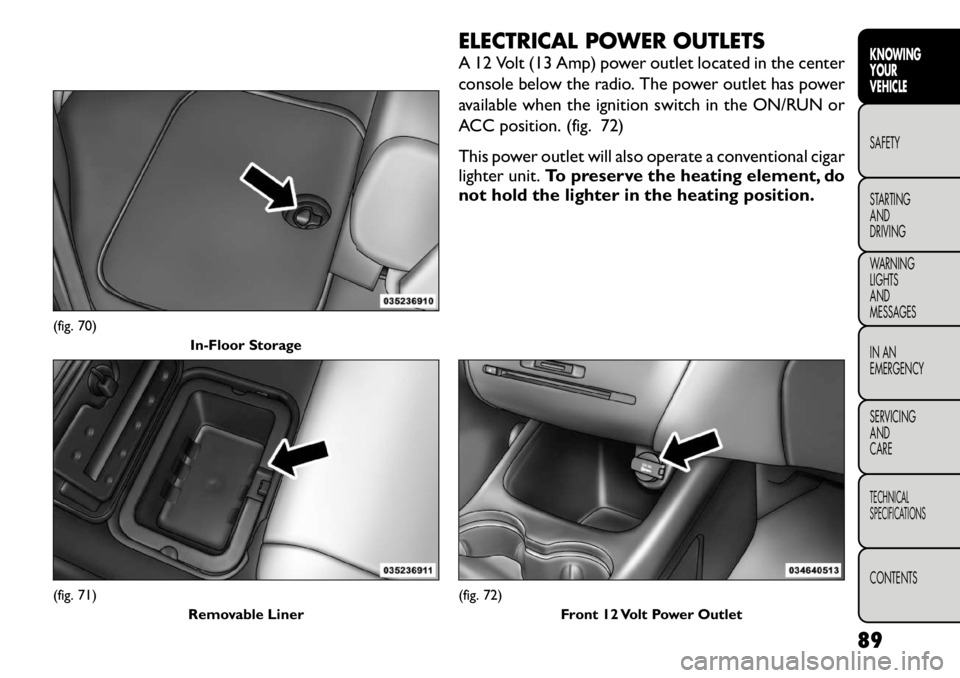
A 12 Volt (13 Amp) power outlet located in the center
console below the radio. The power outlet has power
available when the ignition switch in the ON/RUN or
ACC position. (fig. 72)
This power outlet will also operate a conventional cigar
lighter unit.To preserve the heating element, do
not hold the lighter in the heating position.
(fig. 70) In-Floor Storage(fig. 71)
Removable Liner
(fig. 72)Front 12 Volt Power Outlet
89
KNOWING
YOURVEHICLESAFETY
STARTING ANDDRIVING
WARNING LIGHTSAND
MESSAGES
IN AN
EMERGENCY
SERVICING AND
CARETECHNICAL
SPECIFICATIONSCONTENTS
Page 198 of 332
SAFETY TIPS
TRANSPORTING PASSENGERS
NEVER TRANSPORT PASSENGERS IN THE CARGO
AREA.
WARNING!
Do not leave children or animals inside
parked vehicles in hot weather. Interior
heat build-up may cause serious injury or death.
It is extremely dangerous to ride in a cargo
area, inside or outside of a vehicle. In a collision,
people riding in these areas are more likely to be
seriously injured or killed.
Do not allow people to ride in any area of your
vehicle that is not equipped with seats and seat
belts.
Be sure everyone in your vehicle is in a seat and
using a seat belt properly.
On seven passenger models, do not drive the
vehicle with the second row passenger seat in the
easy entry/exit position (seat cushion flipped up-
ward and seat moved forward), as this position is
only intended for entering and exiting the third
row seats. Failure to follow this warning may
result in personal injury.
(Continued)(Continued)
On seven passenger models, do not allow a
passenger to sit in a third row seat with the
second row seatback(s) folded flat . In a collision,
the passenger could slide underneath the seat
belt and be seriously or even fatally injured.
EXHAUST GAS
WARNING!
Exhaust gases can injure or kill. They
contain carbon monoxide (CO), which is
colorless and odorless. Breathing it can make you
unconscious and can eventually poison you. To
avoid breathing (CO), follow these safety tips:
Do not run the engine in a closed garage or in
confined areas any longer than needed to move
your vehicle in or out of the area.
If you are required to drive with the trunk/
liftgate open, make sure that all windows are
closed and the climate control BLOWER switch is
set at high speed. DO NOT use the recirculation
mode.
If it is necessary to sit in a parked vehicle with
the engine running, adjust your heating or cooling
controls to force outside air into the vehicle. Set
the blower at high speed.
192
KNOWING YOUR
VEHICLESAFETYSTARTING AND
DRIVING
WARNING LIGHTSAND
MESSAGES
IN AN
EMERGENCY
SERVICING AND
CARETECHNICAL
SPECIFICATIONSCONTENTS
Page 227 of 332
Automatic Transmission (for versions/markets,
where provided)
The DRIVE range can be selected when towing. How-
ever, if frequent shifting occurs while in this range,
select a lower gear (using the AutoStick
®
shift con-
trol).
NOTE: Using a lower gear while operating the ve-
hicle under heavy operating conditions will improve
performance and extend transmission life by reducing
excessive shifting and heat build up. This action will also
provide better engine braking.
If you REGULARLY tow a trailer for more than 45 min-
utes of continuous operation, then change the trans-
mission fluid and automatic transmission filter accord-
ing to the interval specified for “police, taxi, fleet, or
frequent trailer towing.” Refer to the “Maintenance
Schedule” for the proper maintenance intervals.
Electronic Speed Control (for versions/
markets, where provided)
Do not use in hilly terrain or with heavy loads.
When using the speed control, if you experience speed drops greater than 16 km/h, disengage until you can get
back to cruising speed.
Use speed control in flat terrain and with light loads to maximize fuel efficiency.
AutoStick
®
By using the AutoStick
®shift control to select a specific
gear, frequent shifting can be avoided. Select the highest
gear that allows for adequate performance. For example,
choose “4” if the desired speed can be maintained.
Choose “3” or “2” if needed to maintain the desiredspeed.
Extended driving at high RPM should be avoided to pr e-
vent excess heat generation. A reduction in vehicle speed
may be required to avoid extended driving at high RPM.
Return to a higher gear or vehicle speed when road
conditions and RPM level allows.
Cooling System
To reduce potential for engine and transmission over-
heating, take the following actions: City DrivingWhen stopped for short periods, shift the transmission
into NEUTRAL and increase engine idle speed. Highway DrivingReduce speed. Air ConditioningTurn off temporarily.
TRAILER HITCH ATTACHING POINTS
Your vehicle will require extra equipment to tow a
trailer safely and efficiently. The trailer tow hitch must
be attached to your vehicle using the provided attach-
ing points on the vehicle's frame. Refer to the following
221
KNOWING
YOURVEHICLE SAFETYSTARTING ANDDRIVINGWARNING LIGHTSAND
MESSAGES
IN AN
EMERGENCY
SERVICING AND
CARETECHNICAL
SPECIFICATIONSCONTENTS