ECO mode FIAT FULLBACK 2016 1.G Owner's Manual
[x] Cancel search | Manufacturer: FIAT, Model Year: 2016, Model line: FULLBACK, Model: FIAT FULLBACK 2016 1.GPages: 312, PDF Size: 13.67 MB
Page 65 of 312
periodically to increase ventilation so
that the windows do not become
fogged up.
NOTE When the engine coolant
temperature rises to a certain level, the
air selection is automatically switched to
the recirculation position and the
indicator lamp (A) comes on. At this
time, the system will not switch to the
outside position even if the air selection
switch is pushed.
Customising the air selection
Functions can be changed as desired,
as stated below.
Enable automatic air control When
the AUTO switch is pressed, the air
selection switch is also controlled
automatically.
Disable automatic air control Even
when the AUTO switch is pressed, the
air selection switch is not controlled
automatically.
Setting change method Hold down
the air selection switch for about
10 seconds or more.
1. When the setting is changed from
enable to disable 3 sounds are emitted
and the indicator lamp flashes 3 times.
2. When the setting is changed from
disable to enable 2 sounds are emitted
and the indicator lamp flashes 3 times.
NOTE The factory setting is “Enable
automatic air control”.NOTE When the demister switch is
pressed, in order to prevent misting of
the windows the ventilator automatically
switches to outside air even if “Disable
automatic air control” is set.
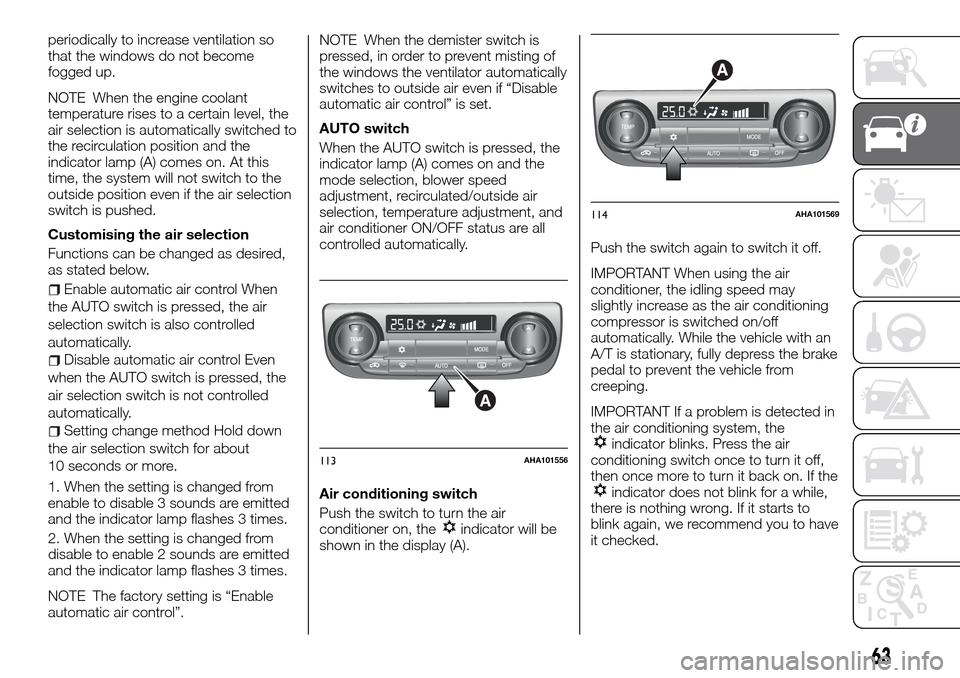
AUTO switch
When the AUTO switch is pressed, the
indicator lamp (A) comes on and the
mode selection, blower speed
adjustment, recirculated/outside air
selection, temperature adjustment, and
air conditioner ON/OFF status are all
controlled automatically.
Air conditioning switch
Push the switch to turn the air
conditioner on, the
indicator will be
shown in the display (A).Push the switch again to switch it off.
IMPORTANT When using the air
conditioner, the idling speed may
slightly increase as the air conditioning
compressor is switched on/off
automatically. While the vehicle with an
A/T is stationary, fully depress the brake
pedal to prevent the vehicle from
creeping.
IMPORTANT If a problem is detected in
the air conditioning system, the
indicator blinks. Press the air
conditioning switch once to turn it off,
then once more to turn it back on. If the
indicator does not blink for a while,
there is nothing wrong. If it starts to
blink again, we recommend you to have
it checked.
A
113AHA101556
A
114AHA101569
63
Page 66 of 312
Customising the air conditioning
switch
Functions can be changed as desired,
as stated below.
Enable automatic air conditioning
control When the AUTO switch is
pressed, or the temperature control
switch is set to the minimum
temperature, the air conditioning switch
is controlled automatically.
Disable automatic air conditioning
control The air conditioning switch is
not controlled automatically as long as
the air conditioning switch is not
operated.
Setting change method Hold down
the air conditioning switch for about
10 seconds or more.
1. When the setting is changed from
enable to disable 3 sounds are emitted
and the
indicator flashes 3 times.
2. When the setting is changed from
disable to enable 2 sounds are emitted
and the
indicator flashes 3 times.
NOTE The factory setting is “Enable
automatic air conditioning control”.
NOTE When the demister switch is
pressed, in order to prevent misting of
the windows the air conditioner
operates automatically even if “Disable
automatic air conditioning control” is
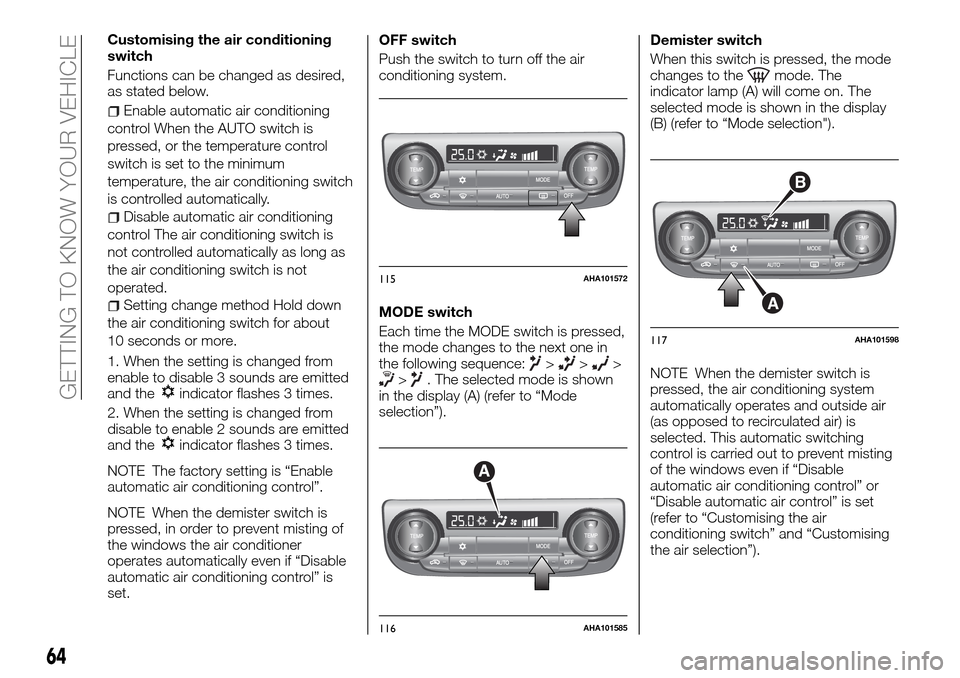
set.OFF switch
Push the switch to turn off the air
conditioning system.
MODE switch
Each time the MODE switch is pressed,
the mode changes to the next one in
the following sequence:
>>>>. The selected mode is shown
in the display (A) (refer to “Mode
selection”).Demister switch
When this switch is pressed, the mode
changes to the
mode. The
indicator lamp (A) will come on. The
selected mode is shown in the display
(B) (refer to “Mode selection").
NOTE When the demister switch is
pressed, the air conditioning system
automatically operates and outside air
(as opposed to recirculated air) is
selected. This automatic switching
control is carried out to prevent misting
of the windows even if “Disable
automatic air conditioning control” or
“Disable automatic air control” is set
(refer to “Customising the air
conditioning switch” and “Customising
the air selection”).
115AHA101572
A
116AHA101585
B
A
117AHA101598
64
GETTING TO KNOW YOUR VEHICLE
Page 70 of 312
Setting change method Hold down
the rear window demister switch for
about 10 seconds or more. When the
setting is changed from enable to
disable 3 sounds are emitted and the
indicator lamp flashes 3 times. When
the setting is changed from disable to
enable 2 sounds are emitted and the
indicator lamp flashes 3 times.
NOTE The factory setting is “Disable
automatic rear window demister”.
WARNING
60)For safety, make sure you have a clear
view through all windows.
IMPORTANT
18)When using the air conditioning, the
idling speed may slightly increase as the air
conditioning compressor is switched on/off
automatically. While the vehicle with an
automatic transmission is stationary, fully
depress the brake pedal to prevent the
vehicle from creeping.
19)When using the mode selection dial
between the
andpositions, prevent
fogging by moving the air selection lever to
select outside air (refer to “Air selection
lever”).
20)Use of the
(recirculation) position
for extended time may cause the windows
to fog up.21)If the outside air is dusty or otherwise
contaminated, or if high cooling
performance is desired, set air selection
lever to the
(recirculation) position and
the temperature control dial all the way to
the right. Switch to the
(outside)
position periodically to increase ventilation
so that the windows do not become
fogged up.
IMPORTANT
2)The system uses a coolant that is
compatible with the laws in force in the
countries where the vehicle is sold, R134a
or R1234yf (indicated on a specific plate in
the engine compartment). The use of other
coolants affects the efficiency and condition
of the system. Also the compressor
coolants used must be compatible with the
indicated coolant.
WINDOW
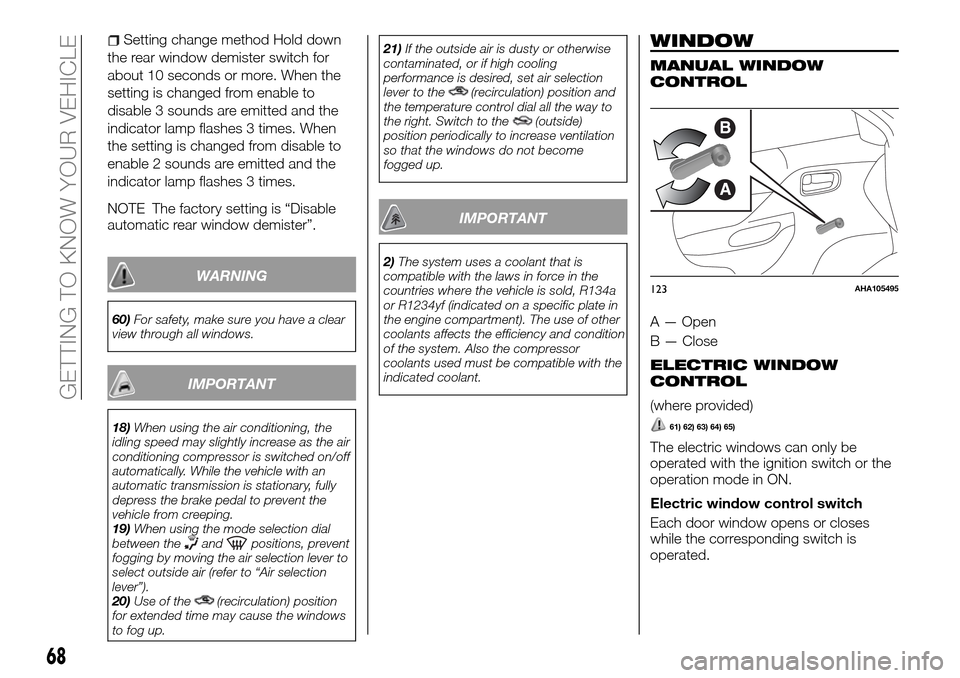
MANUAL WINDOW
CONTROL
A — Open
B — Close
ELECTRIC WINDOW
CONTROL
(where provided)
61) 62) 63) 64) 65)
The electric windows can only be
operated with the ignition switch or the
operation mode in ON.
Electric window control switch
Each door window opens or closes
while the corresponding switch is
operated.
B
A
123AHA105495
68
GETTING TO KNOW YOUR VEHICLE
Page 78 of 312
CIGARETTE LIGHTER
(where provided)
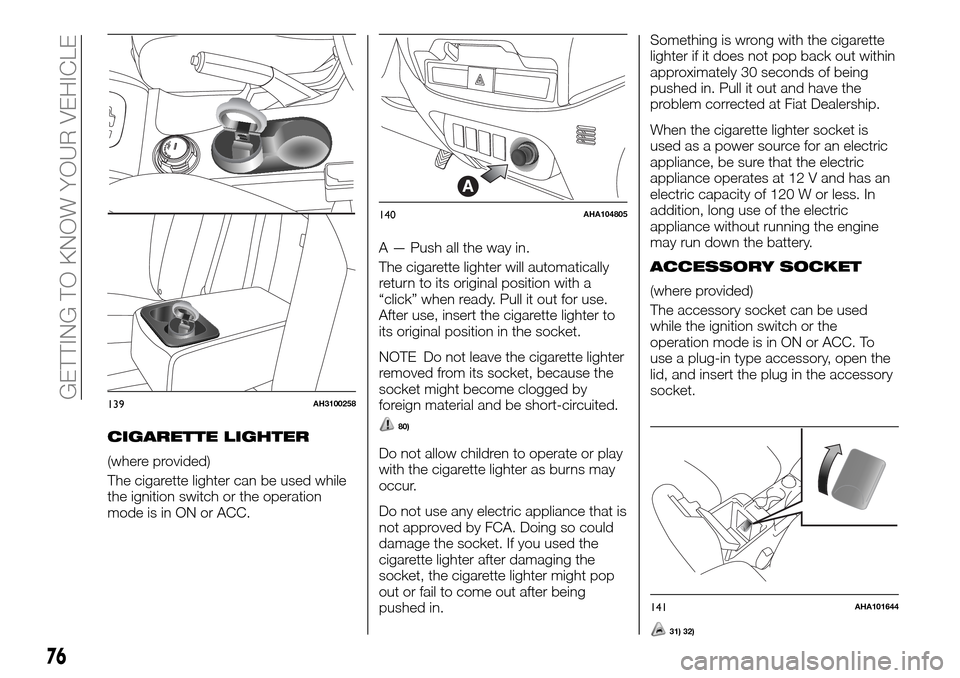
The cigarette lighter can be used while
the ignition switch or the operation
mode is in ON or ACC.A — Push all the way in.
The cigarette lighter will automatically
return to its original position with a
“click” when ready. Pull it out for use.
After use, insert the cigarette lighter to
its original position in the socket.
NOTE Do not leave the cigarette lighter
removed from its socket, because the
socket might become clogged by
foreign material and be short-circuited.
80)
Do not allow children to operate or play
with the cigarette lighter as burns may
occur.
Do not use any electric appliance that is
not approved by FCA. Doing so could
damage the socket. If you used the
cigarette lighter after damaging the
socket, the cigarette lighter might pop
out or fail to come out after being
pushed in.Something is wrong with the cigarette
lighter if it does not pop back out within
approximately 30 seconds of being
pushed in. Pull it out and have the
problem corrected at Fiat Dealership.
When the cigarette lighter socket is
used as a power source for an electric
appliance, be sure that the electric
appliance operates at 12 V and has an
electric capacity of 120 W or less. In
addition, long use of the electric
appliance without running the engine
may run down the battery.
ACCESSORY SOCKET
(where provided)
The accessory socket can be used
while the ignition switch or the
operation mode is in ON or ACC. To
use a plug-in type accessory, open the
lid, and insert the plug in the accessory
socket.
139AH3100258
A
140AHA104805
141AHA101644
76
GETTING TO KNOW YOUR VEHICLE
31) 32)
Page 79 of 312
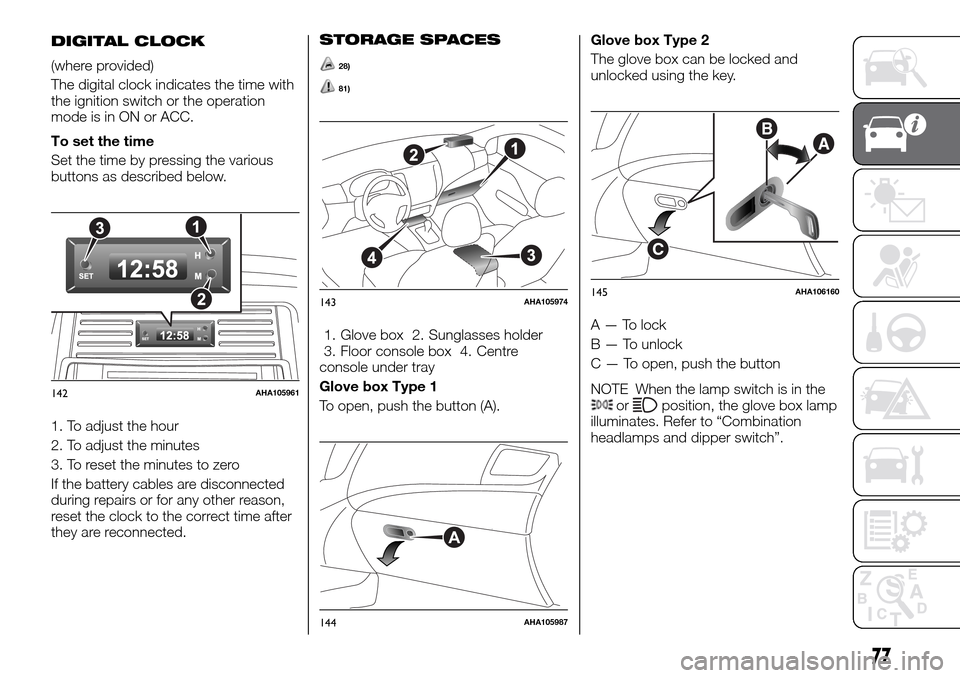
DIGITAL CLOCK
(where provided)
The digital clock indicates the time with
the ignition switch or the operation
mode is in ON or ACC.
To set the time
Set the time by pressing the various
buttons as described below.
1. To adjust the hour
2. To adjust the minutes
3. To reset the minutes to zero
If the battery cables are disconnected
during repairs or for any other reason,
reset the clock to the correct time after
they are reconnected.
STORAGE SPACES
28)
81)
1. Glove box 2. Sunglasses holder
3. Floor console box 4. Centre
console under tray
Glove box Type 1
To open, push the button (A).Glove box Type 2
The glove box can be locked and
unlocked using the key.
A — To lock
B — To unlock
C — To open, push the button
NOTE When the lamp switch is in the
orposition, the glove box lamp
illuminates. Refer to “Combination
headlamps and dipper switch”.142AHA105961
143AHA105974
A
144AHA105987
B
C
A
145AHA106160
77
Page 88 of 312
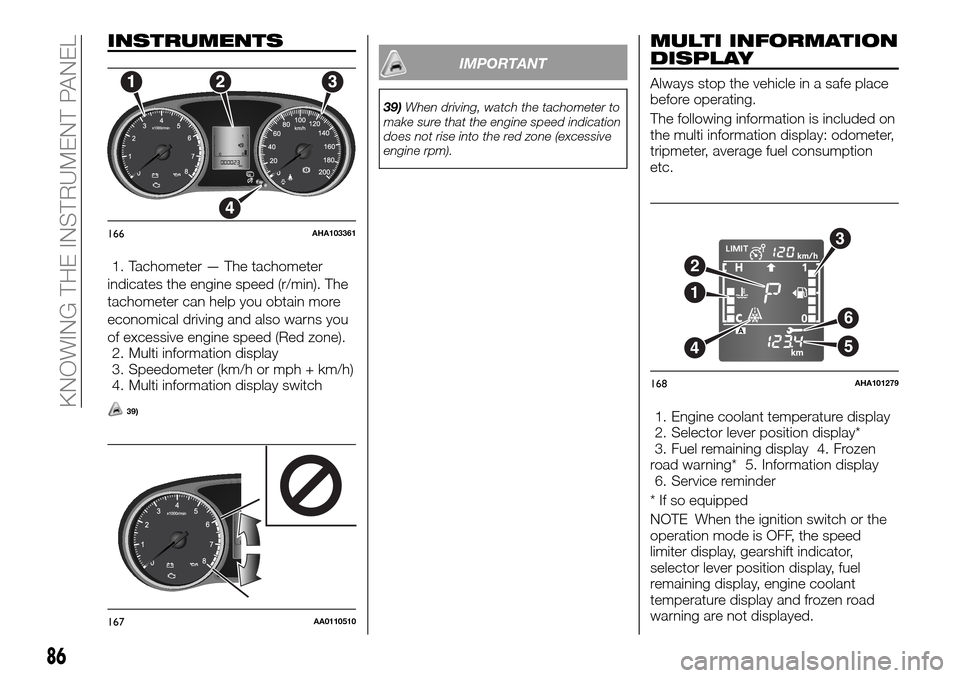
INSTRUMENTS
1. Tachometer — The tachometer
indicates the engine speed (r/min). The
tachometer can help you obtain more
economical driving and also warns you
of excessive engine speed (Red zone).
2. Multi information display
3. Speedometer (km/h or mph + km/h)
4. Multi information display switch
39)
IMPORTANT
39)When driving, watch the tachometer to
make sure that the engine speed indication
does not rise into the red zone (excessive
engine rpm).
MULTI INFORMATION
DISPLAY
Always stop the vehicle in a safe place
before operating.
The following information is included on
the multi information display: odometer,
tripmeter, average fuel consumption
etc.
1. Engine coolant temperature display
2. Selector lever position display*
3. Fuel remaining display 4. Frozen
road warning* 5. Information display
6. Service reminder
* If so equipped
NOTE When the ignition switch or the
operation mode is OFF, the speed
limiter display, gearshift indicator,
selector lever position display, fuel
remaining display, engine coolant
temperature display and frozen road
warning are not displayed.
166AHA103361
167AA0110510
6
5
3
2
4
1
168AHA101279
86
KNOWING THE INSTRUMENT PANEL
Page 90 of 312
Odometer
The odometer indicates the distance
travelled
Tripmeter
The tripmeter indicates the distance
travelled between two points.
Example usage of tripmeter A and
tripmeter B.
It is possible to measure two currently
travelled distances, from home using
tripmeter A and from a particular point
on the way using tripmeter B.
To reset tripmeter
To return the display to 0, hold down
the multi information display switch for
about 2 seconds or more. Only the
currently displayed value will be reset.
Example
If tripmeter A is displayed, only
tripmeter A will be reset.
NOTE When disconnecting the battery
terminal, the memory of tripmeter A and
B are cleared, and the display returns to
“0”.
Meter illumination control
Each time you press and hold the multi
information display switch (2) for about
2 seconds or more, there is a sound
and the brightness of the instruments
changes.NOTE You can adjust to 8 different
levels respectively for when the position
lamps are illuminated and when they
are not. Each time you reduce two
brightness levels, the segment display
of the brightness level decreases one
by one.
NOTE If the vehicle is equipped with
the automatic lamp control, when the
lamp switch is in a position other than
the “OFF” position, the meter
illumination switches automatically to
the adjusted brightness, depending on
the brightness outside the vehicle.
NOTE The brightness level of the
instruments is stored when the ignition
switch is turned off or the operation
mode is put in OFF.Driving range display
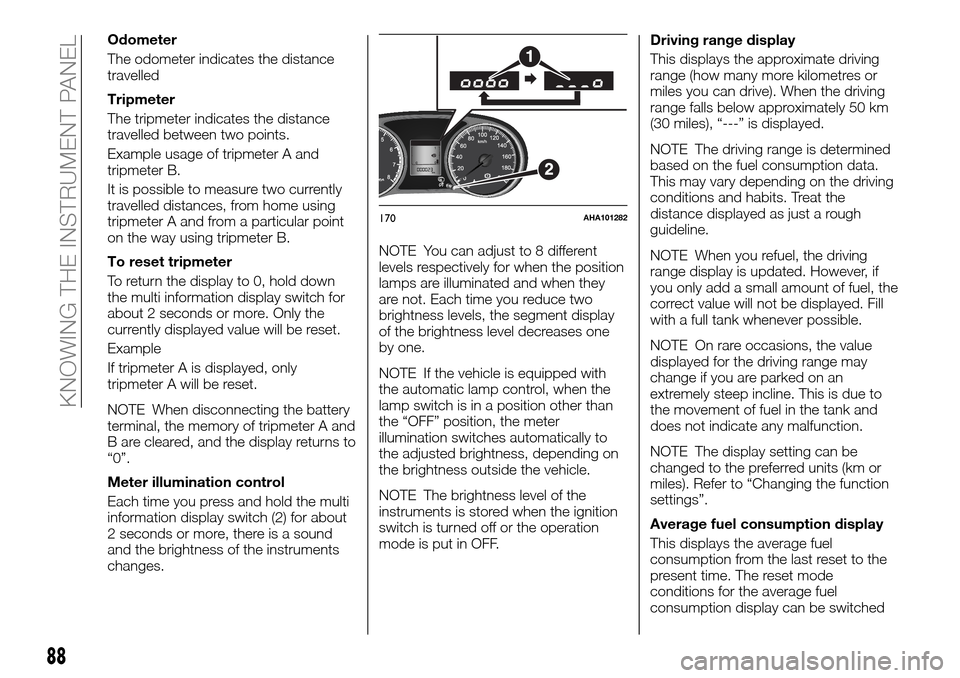
This displays the approximate driving
range (how many more kilometres or
miles you can drive). When the driving
range falls below approximately 50 km
(30 miles), “---” is displayed.
NOTE The driving range is determined
based on the fuel consumption data.
This may vary depending on the driving
conditions and habits. Treat the
distance displayed as just a rough
guideline.
NOTE When you refuel, the driving
range display is updated. However, if
you only add a small amount of fuel, the
correct value will not be displayed. Fill
with a full tank whenever possible.
NOTE On rare occasions, the value
displayed for the driving range may
change if you are parked on an
extremely steep incline. This is due to
the movement of fuel in the tank and
does not indicate any malfunction.
NOTE The display setting can be
changed to the preferred units (km or
miles). Refer to “Changing the function
settings”.
Average fuel consumption display
This displays the average fuel
consumption from the last reset to the
present time. The reset mode
conditions for the average fuel
consumption display can be switched
170AHA101282
88
KNOWING THE INSTRUMENT PANEL
Page 91 of 312
between “Auto reset” and “Manual
reset”.
For information on how to change the
average fuel consumption display
setting, refer to “Changing the function
settings”.
NOTE The average fuel consumption
display can be reset separately for the
auto reset mode and for the manual
reset mode.
NOTE “---” is displayed when the
average fuel consumption cannot be
measured.
NOTE The initial (default) setting is
“Auto reset mode”.
NOTE The average fuel consumption
will depend on the driving conditions
(road conditions, how you drive, etc.).
The displayed fuel consumption may
vary from the actual fuel consumption.
Treat the fuel consumption displayed as
just a rough guideline.
NOTE The memory of the manual reset
mode or auto reset mode for the
average fuel consumption display is
erased if the battery is disconnected.
NOTE The display setting can be
changed to the preferred units {km/L,
L/100 km, mpg}. Refer to “Changing
the function settings”.Outside temperature display (if so
equipped)
This displays the temperature outside
the vehicle.
NOTE The display setting can be
changed to the preferred units (°C or
°F). Refer to “Changing the function
settings”.
NOTE Depending on factors such as
the driving conditions, the displayed
temperature may vary from the actual
outside temperature.
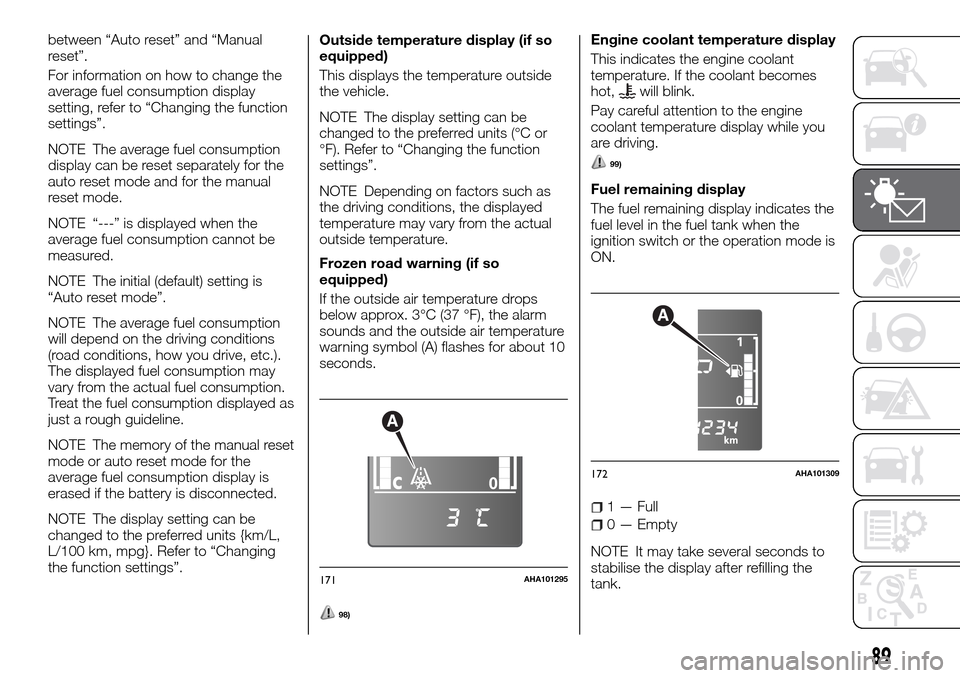
Frozen road warning (if so
equipped)
If the outside air temperature drops
below approx. 3°C (37 °F), the alarm
sounds and the outside air temperature
warning symbol (A) flashes for about 10
seconds.
98)
Engine coolant temperature display
This indicates the engine coolant
temperature. If the coolant becomes
hot,
will blink.
Pay careful attention to the engine
coolant temperature display while you
are driving.
99)
Fuel remaining display
The fuel remaining display indicates the
fuel level in the fuel tank when the
ignition switch or the operation mode is
ON.
1 — Full
0 — Empty
NOTE It may take several seconds to
stabilise the display after refilling the
tank.
A
171AHA101295
A
172AHA101309
89
Page 92 of 312
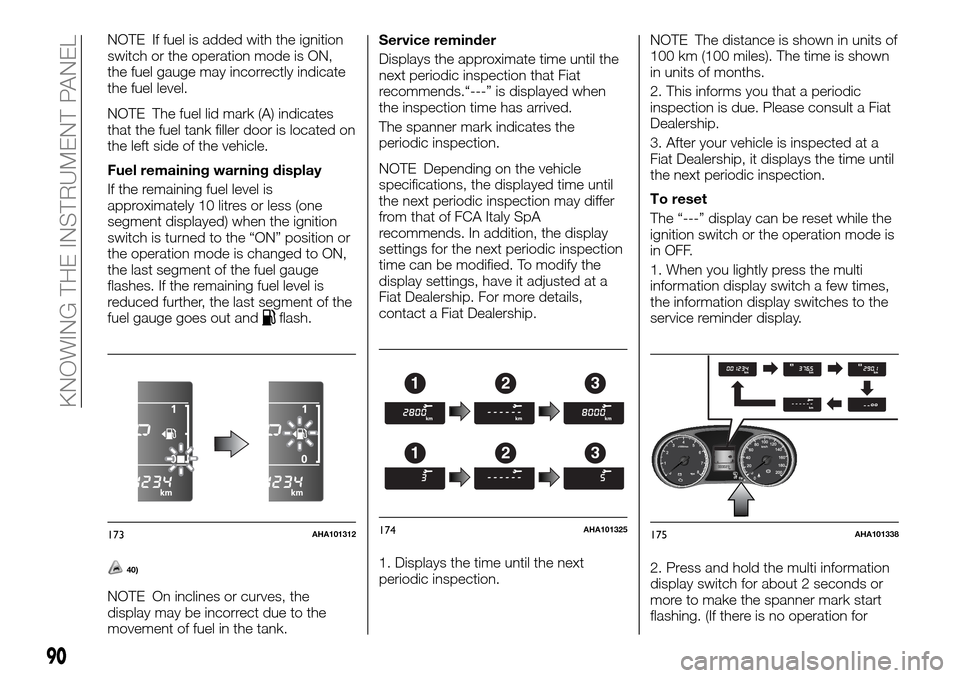
NOTE If fuel is added with the ignition
switch or the operation mode is ON,
the fuel gauge may incorrectly indicate
the fuel level.
NOTE The fuel lid mark (A) indicates
that the fuel tank filler door is located on
the left side of the vehicle.
Fuel remaining warning display
If the remaining fuel level is
approximately 10 litres or less (one
segment displayed) when the ignition
switch is turned to the “ON” position or
the operation mode is changed to ON,
the last segment of the fuel gauge
flashes. If the remaining fuel level is
reduced further, the last segment of the
fuel gauge goes out and
flash.
40)
NOTE On inclines or curves, the
display may be incorrect due to the
movement of fuel in the tank.Service reminder
Displays the approximate time until the
next periodic inspection that Fiat
recommends.“---” is displayed when
the inspection time has arrived.
The spanner mark indicates the
periodic inspection.
NOTE Depending on the vehicle
specifications, the displayed time until
the next periodic inspection may differ
from that of FCA Italy SpA
recommends. In addition, the display
settings for the next periodic inspection
time can be modified. To modify the
display settings, have it adjusted at a
Fiat Dealership. For more details,
contact a Fiat Dealership.
1. Displays the time until the next
periodic inspection.NOTE The distance is shown in units of
100 km (100 miles). The time is shown
in units of months.
2. This informs you that a periodic
inspection is due. Please consult a Fiat
Dealership.
3. After your vehicle is inspected at a
Fiat Dealership, it displays the time until
the next periodic inspection.
To reset
The “---” display can be reset while the
ignition switch or the operation mode is
in OFF.
1. When you lightly press the multi
information display switch a few times,
the information display switches to the
service reminder display.
2. Press and hold the multi information
display switch for about 2 seconds or
more to make the spanner mark start
flashing. (If there is no operation for
173AHA101312
123
123
174AHA101325175AHA101338
90
KNOWING THE INSTRUMENT PANEL
Page 93 of 312
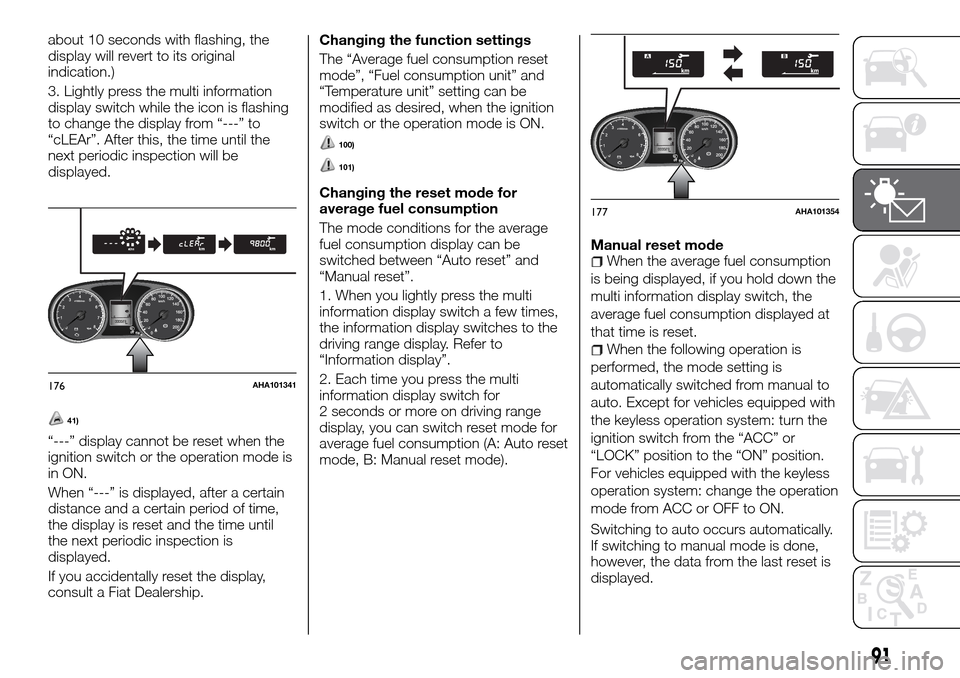
about 10 seconds with flashing, the
display will revert to its original
indication.)
3. Lightly press the multi information
display switch while the icon is flashing
to change the display from “---” to
“cLEAr”. After this, the time until the
next periodic inspection will be
displayed.
41)
“---” display cannot be reset when the
ignition switch or the operation mode is
in ON.
When “---” is displayed, after a certain
distance and a certain period of time,
the display is reset and the time until
the next periodic inspection is
displayed.
If you accidentally reset the display,
consult a Fiat Dealership.Changing the function settings
The “Average fuel consumption reset
mode”, “Fuel consumption unit” and
“Temperature unit” setting can be
modified as desired, when the ignition
switch or the operation mode is ON.
100)
101)
Changing the reset mode for
average fuel consumption
The mode conditions for the average
fuel consumption display can be
switched between “Auto reset” and
“Manual reset”.
1. When you lightly press the multi
information display switch a few times,
the information display switches to the
driving range display. Refer to
“Information display”.
2. Each time you press the multi
information display switch for
2 seconds or more on driving range
display, you can switch reset mode for
average fuel consumption (A: Auto reset
mode, B: Manual reset mode).Manual reset mode
When the average fuel consumption
is being displayed, if you hold down the
multi information display switch, the
average fuel consumption displayed at
that time is reset.
When the following operation is
performed, the mode setting is
automatically switched from manual to
auto. Except for vehicles equipped with
the keyless operation system: turn the
ignition switch from the “ACC” or
“LOCK” position to the “ON” position.
For vehicles equipped with the keyless
operation system: change the operation
mode from ACC or OFF to ON.
Switching to auto occurs automatically.
If switching to manual mode is done,
however, the data from the last reset is
displayed.
176AHA101341
177AHA101354
91