ESP FIAT SEDICI 2007 2.G User Guide
[x] Cancel search | Manufacturer: FIAT, Model Year: 2007, Model line: SEDICI, Model: FIAT SEDICI 2007 2.GPages: 266, PDF Size: 3.24 MB
Page 80 of 266
79
MAIN BEAM (HIGH BEAM)
INDICATOR LIGHT
50G055
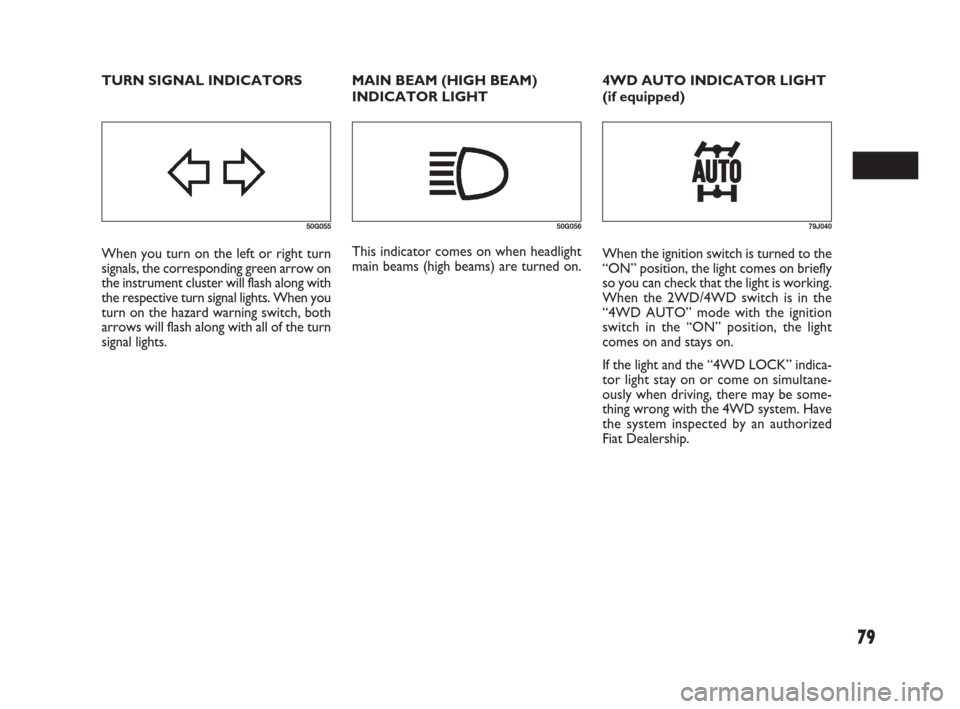
When you turn on the left or right turn
signals, the corresponding green arrow on
the instrument cluster will flash along with
the respective turn signal lights. When you
turn on the hazard warning switch, both
arrows will flash along with all of the turn
signal lights.
50G056
This indicator comes on when headlight
main beams (high beams) are turned on.
79J040
When the ignition switch is turned to the
“ON” position, the light comes on briefly
so you can check that the light is working.
When the 2WD/4WD switch is in the
“4WD AUTO” mode with the ignition
switch in the “ON” position, the light
comes on and stays on.
If the light and the “4WD LOCK” indica-
tor light stay on or come on simultane-
ously when driving, there may be some-
thing wrong with the 4WD system. Have
the system inspected by an authorized
Fiat Dealership. TURN SIGNAL INDICATORS 4WD AUTO INDICATOR LIGHT
(if equipped)
069-128 Fiat16 New GB 27-11-2007 11:26 Pagina 79
Page 86 of 266
85
HAZARD WARNING
SWITCH
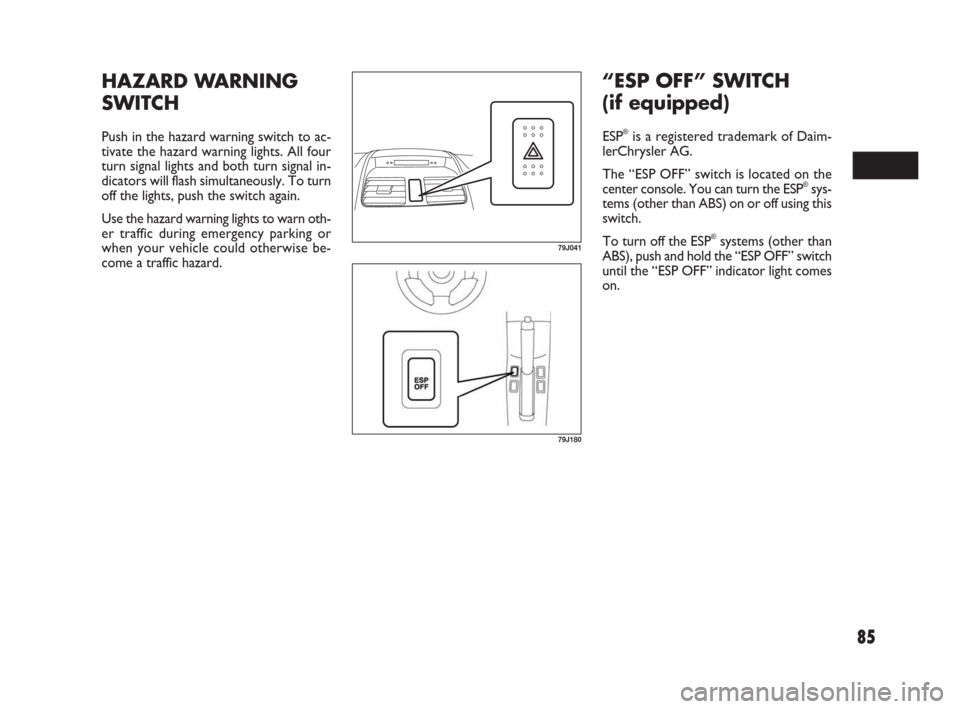
Push in the hazard warning switch to ac-
tivate the hazard warning lights. All four
turn signal lights and both turn signal in-
dicators will flash simultaneously. To turn
off the lights, push the switch again.
Use the hazard warning lights to warn oth-
er traffic during emergency parking or
when your vehicle could otherwise be-
come a traffic hazard.
79J041
79J180
“ESP OFF” SWITCH
(if equipped)
ESP®is a registered trademark of Daim-
lerChrysler AG.
The “ESP OFF” switch is located on the
center console. You can turn the ESP
®sys-
tems (other than ABS) on or off using this
switch.
To turn off the ESP
®systems (other than
ABS), push and hold the “ESP OFF” switch
until the “ESP OFF” indicator light comes
on.
069-128 Fiat16 New GB 27-11-2007 11:26 Pagina 85
Page 87 of 266
86
79J042
2WD/4WD SWITCH
(if equipped)
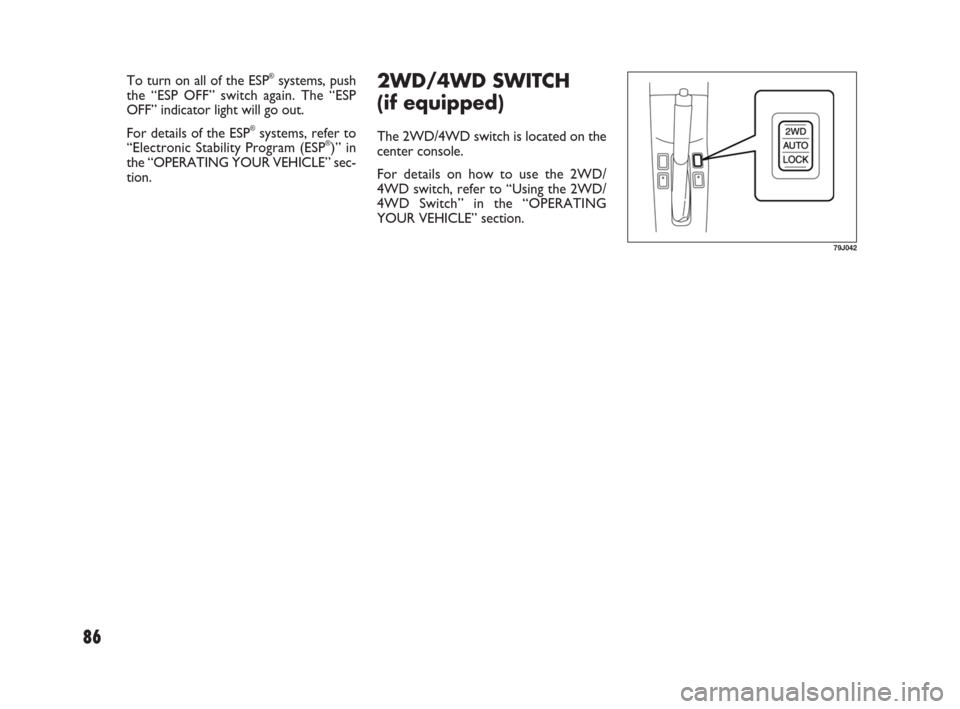
The 2WD/4WD switch is located on the
center console.
For details on how to use the 2WD/
4WD switch, refer to “Using the 2WD/
4WD Switch” in the “OPERATING
YOUR VEHICLE” section. To turn on all of the ESP
®systems, push
the “ESP OFF” switch again. The “ESP
OFF” indicator light will go out.
For details of the ESP
®systems, refer to
“Electronic Stability Program (ESP®)” in
the “OPERATING YOUR VEHICLE” sec-
tion.
069-128 Fiat16 New GB 27-11-2007 11:26 Pagina 86
Page 115 of 266
114
❒Stations can be preset for FM1, FM2,
LW, MW1, and MW2 respectively.
❒Up to six stations can be preset. If sta-
tions in good receiving condition are
not found, the number of stations pre-
set may be less than six.
❒After you have preset stations, the sta-
tion preset under the button with num-
ber [1] is received. If none of stations
is found, the unit is reset to the pre-
ceding frequency.
❒When stations are preset, the new da-
ta is written over the old data.
❒If AF is ON, only RDS stations are pre-
set.
Preset Station Calling
By pressing any of the preset buttons (7)
with numbers [1] to [6], the correspond-
ing station preset can be received.
NOTE If the button for a station not pre-
set is pressed, the unit displays “- - -”. Manual Preset
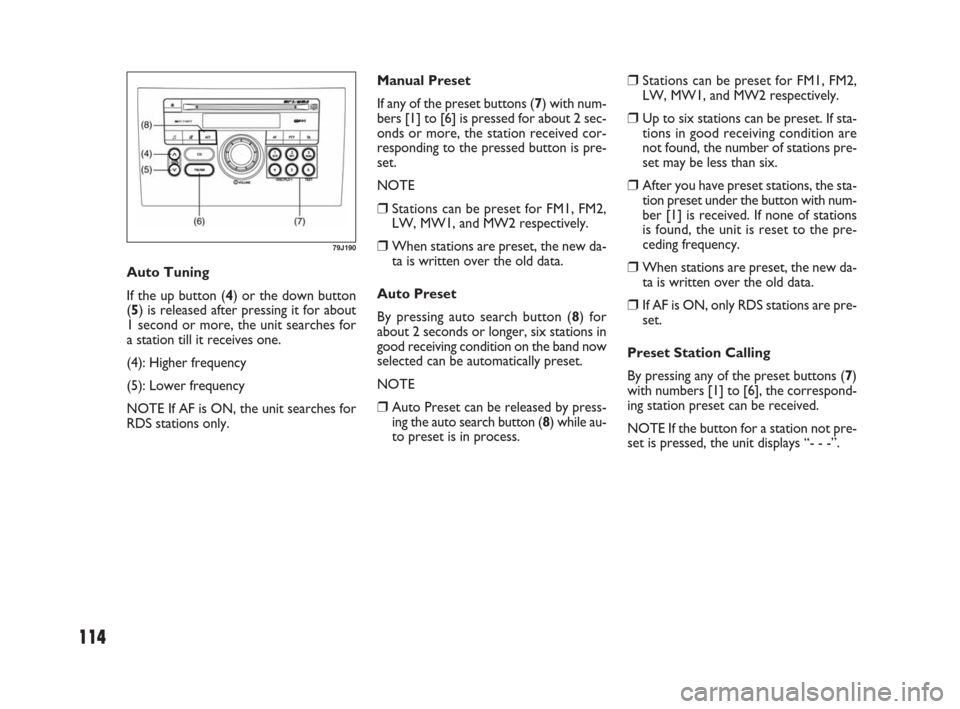
If any of the preset buttons (7) with num-
bers [1] to [6] is pressed for about 2 sec-
onds or more, the station received cor-
responding to the pressed button is pre-
set.
NOTE
❒Stations can be preset for FM1, FM2,
LW, MW1, and MW2 respectively.
❒When stations are preset, the new da-
ta is written over the old data.
Auto Preset
By pressing auto search button (8) for
about 2 seconds or longer, six stations in
good receiving condition on the band now
selected can be automatically preset.
NOTE
❒Auto Preset can be released by press-
ing the auto search button (8) while au-
to preset is in process. Auto Tuning
If the up button (4) or the down button
(5) is released after pressing it for about
1 second or more, the unit searches for
a station till it receives one.
(4): Higher frequency
(5): Lower frequency
NOTE If AF is ON, the unit searches for
RDS stations only.
79J190
069-128 Fiat16 New GB 27-11-2007 11:26 Pagina 114
Page 116 of 266
115
REG (Region)
An area in which the AF function may be
used to select stations can be set. When
REG is ON, the AF function is effective
in the present area only.
PS (Program Service Name)
Instead of the frequency, the name of the
broadcast station appears.
PTY (Program Type)
Programs can be searched for by PTY.TA (Traffic Announcement)
The unit can search for stations emitting
TP (traffic programmes), and tune in to
such stations in preference to others. Sta-
tions emitting TP are called TP stations.
EON (Enhanced Other Network)
RDS information is updated constantly in
response to the current position.
The “EON” indicator remains lit while
RDS information is received.
Emergency Announcement
Reception
Emergency announcements are automat-
ically received and displayed.
AF/REG On/Off
Each time the auto frequency button (9)
is pressed, AF/ REG changes as follows:
AF ON / REG OFF / AF ON/ REG ON /
AF OFF / REG OFF / (AF ON/ REG OFF)
The “AF” indicator lights up when AF is
ON. In addition to that, the “REG” indi-
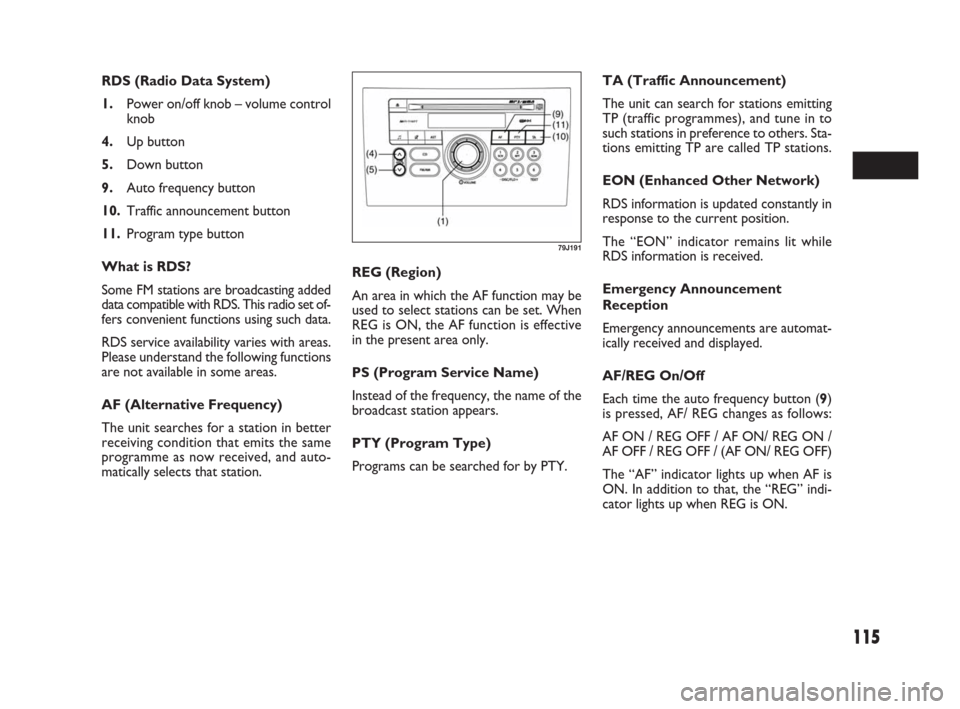
cator lights up when REG is ON. RDS (Radio Data System)
1.Power on/off knob – volume control
knob
4.Up button
5.Down button
9.Auto frequency button
10.Traffic announcement button
11.Program type button
What is RDS?
Some FM stations are broadcasting added
data compatible with RDS. This radio set of-
fers convenient functions using such data.
RDS service availability varies with areas.
Please understand the following functions
are not available in some areas.
AF (Alternative Frequency)
The unit searches for a station in better
receiving condition that emits the same
programme as now received, and auto-
matically selects that station.
79J191
069-128 Fiat16 New GB 27-11-2007 11:26 Pagina 115
Page 124 of 266
123
User ID Entry
Once the ID is set up, this unit displays
“SEC” to prompt you to enter your user
ID when the power is turned on again in
the case of removal of this unit or the bat-
tery.
The unit cannot be used unless the ID is
entered in the following order.
NOTE The unit does not display “SEC”
when the power is turned on within 20
seconds from the last use.
❒With the up button (4) kept depressed,
press the numbered button (19) with
number [1].
The unit displays “- - - -”.
❒Press the numbered buttons (19) with
number [1] to [4], and enter the user
ID. Each button corresponds to each
digit. Enter the stored user ID.
❒Press program type button (11) for
about 2 second or more to enter.
Power is switched off.
When you switch the unit back on, it is
in radio mode for normal use.Erasing User ID
Your stored user ID can be erased. After
erasing it, you may set a new user ID.
Therefore, you can change your user ID
as often as you like.
❒Press the power on/off knob (1) to turn
off the power.
❒With the numbered buttons (19) with
numbers [3] and [4] kept depressed at
the same time, press the power on/ off
know (1) for about 1 second or more.
The unit displays “SEC”.
❒With the up button (4) kept depressed,
press the numbered button (19) with
number [1].
The unit displays “- - - -”.
❒Press the numbered buttons (19) with
number [1] to [4], and enter the user ID.
Each button corresponds to each digit.
Enter the stored user ID.
❒Press the program type button (11) for
about 2 seconds or more to enter.
The power is turned off approx, 10 sec-
onds after “- - - -” is displayed.
❒Press the numbered buttons (19) with
number [1] to [4], and enter the user
ID. Each button corresponds to each
digit, and the number increases each
time the button is pressed. For exam-
ple, to raise the digit second from the
left to 3, press the numbered button
(19) with number [2] four times.
❒Press the program type button (11) for
about 2 second or more to enter.
Power is switched off after the unit dis-
plays “SEC”.
Once the ID is set up, the ID is re-
quired at power-on when this unit or
the battery has been removed.
069-128 Fiat16 New GB 27-11-2007 11:26 Pagina 123
Page 140 of 266
139
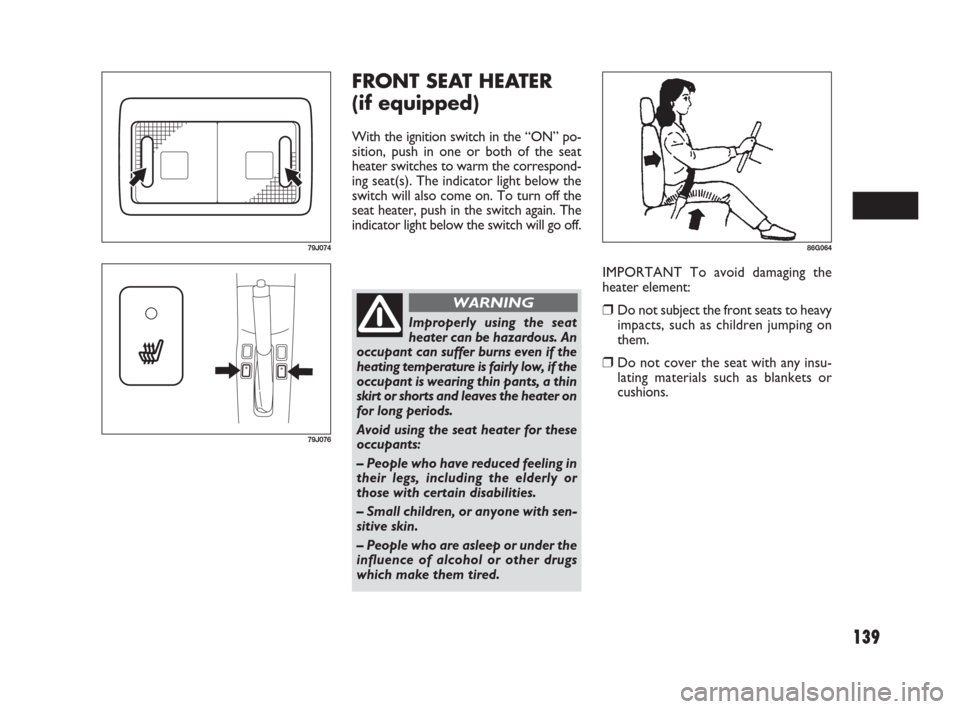
FRONT SEAT HEATER
(if equipped)
With the ignition switch in the “ON” po-
sition, push in one or both of the seat
heater switches to warm the correspond-
ing seat(s). The indicator light below the
switch will also come on. To turn off the
seat heater, push in the switch again. The
indicator light below the switch will go off.
IMPORTANT To avoid damaging the
heater element:
❒Do not subject the front seats to heavy
impacts, such as children jumping on
them.
❒Do not cover the seat with any insu-
lating materials such as blankets or
cushions.
79J074
79J076
Improperly using the seat
heater can be hazardous. An
occupant can suffer burns even if the
heating temperature is fairly low, if the
occupant is wearing thin pants, a thin
skirt or shorts and leaves the heater on
for long periods.
Avoid using the seat heater for these
occupants:
– People who have reduced feeling in
their legs, including the elderly or
those with certain disabilities.
– Small children, or anyone with sen-
sitive skin.
– People who are asleep or under the
influence of alcohol or other drugs
which make them tired.
WARNING
86G064
129-148 Fiat16 New GB 27-11-2007 11:27 Pagina 139
Page 150 of 266
149
O O
P P
E E
R R
A A
T T
I I
N N
G G
Y Y
O O
U U
R R
V V
E E
H H
I I
C C
L L
E E
60G408
EXHAUST GAS WARNING ............................................. 150
DAILY INSPECTION CHECKLIST .................................. 150
ENGINE OIL CONSUMPTION ....................................... 152
STARTING THE ENGINE ................................................. 152
USING THE TRANSAXLE ................................................. 156
USING THE 2WD/ 4WD SWITCH (if equipped) ........ 157
BRAKING .............................................................................. 160
ELECTRONIC STABILITY PROGRAM (ESP
®)
(if equipped) ........................................................................... 162
RUNNING-IN ....................................................................... 165
CATALYTIC CONVERTER (if equipped)...................... 165
IMPROVING FUEL ECONOMY ...................................... 166
5
149-166 Fiat16 New GB 27-11-2007 11:27 Pagina 149
Page 163 of 266
162
HOW THE ABS WORKS
A computer continuously monitors wheel
speed. The computer compares the
changes in wheel speed when braking. If
the wheels slow suddenly, indicating a
skidding situation, the computer will
change braking pressure several times
each second to prevent the wheels from
locking. When you start your vehicle af-
ter a stop you may hear a momentary mo-
tor noise as the system checks itself.
The ABS may not work
properly if tires or wheels
other than those specified in the own-
er’s manual are used. This is because
the ABS works by comparing changes
in wheel speed. When replacing tires
or wheels, use only the size and type
specified in this owner’s manual.
WARNING
ELECTRONIC STABILITY
PROGRAM (ESP®)
(if equipped)
ESP®is a registered trademark of Daim-
lerChrysler AG.
The Electronic Stability Program (ESP
®)
helps to control the vehicle during cor-
nering if the vehicle is understeering or
oversteering. It also assists you in main-
taining traction while accelerating on loose
or slippery road surfaces. It does this by
regulating the engine’s output, and by se-
lectively applying the brakes. In addition,
ESP
®helps to avoid skidding by controlling
braking pressure.
The ESP®cannot enhance
the vehicle’s driving stabili-
ty in all situations and does not con-
trol your vehicle’s entire braking sys-
tem. The ESP
®cannot prevent acci-
dents, including those resulting from
excessive speed in turns, or hy-
droplaning. Only a safe and attentive
driver can prevent accidents. The ca-
pabilities of an ESP
®- equipped ve-
hicle must never be used as a substi-
tute for careful driving.
WARNING
The ESP®has the following three systems:
STABILITY CONTROL SYSTEM
The vehicle stability control system helps
provide integrated control of systems such
as anti- lock brakes, traction control, en-
gine control, etc. This system automati-
cally controls the brakes and engine to
help prevent the vehicle from skidding
when cornering on a slippery road surface
or when turning the steering wheel
abruptly.
TRACTION CONTROL SYSTEM
The traction control system automatical-
ly helps prevent the spinning of wheels
when the vehicle is started or accelerated
on slippery road surfaces. The system op-
erates only if it senses that some of the
wheels are spinning or beginning to lose
traction. When this happens, the system
operates the front or rear brakes and re-
duces engine power to limit wheel spin.
NOTE You may hear a clicking sound in
the engine compartment for a few seconds
when you start the engine or just after the
vehicle begins to move. This means that
the above systems are in the self-check
mode. This sound does not indicate a mal-
function.
149-166 Fiat16 New GB 27-11-2007 11:27 Pagina 162
Page 164 of 266
163
The ESP may not work prop-
erly if tires or wheels other
than those specified in the Owner’s
Manual are used. When replacing
tires or wheels, use only the size and
type specified in this Owner’s Man-
ual.
The ESP
®may not work properly if
tires are not inflated to the recom-
mended tire inflation pressure.
The ESP
®may not work properly if
tires are fitted with tire chains.
The ESP
®may not work properly if
the tires are excessively worn. Be sure
to replace tires when the tread wear
indicators in the grooves appear on
the tread surface.
The ESP
®is not a substitute for win-
ter tires or tire chains on a snow cov-
ered road.
WARNING
The ESP®may not work
properly if engine related
parts such as the muffler are not
equivalent to standard equipment or
are extremely deteriorated.
Do not modify the vehicle’s suspen-
sion since the ESP
®may not operate
correctly.
WARNING
ANTI-LOCK BRAKING SYSTEM
(ABS)
ABS will help you avoid skidding by elec-
tronically controlling braking pressure. It
will also help you maintain steering con-
trol when braking on slippery surfaces or
when braking hard. The ABS works au-
tomatically, so you do not have to use any
special braking technique. Just push the
brake pedal down without pumping. The
ABS will operate whenever it senses that
wheels are locking up. You may feel the
brake pedal pulsate while the ABS is op-
erating.
(For more information on ABS, see “Brak-
ing” in the “OPERATING YOUR VEHI-
CLE” section.)
NOTE If the ABS system is activated, you
may hear a clunking noise and/ or feel pul-
sating in the brake pedal. This is normal
and indicates that the brake fluid pressure
is being controlled properly.The ESP®indicator lights are described be-
low:
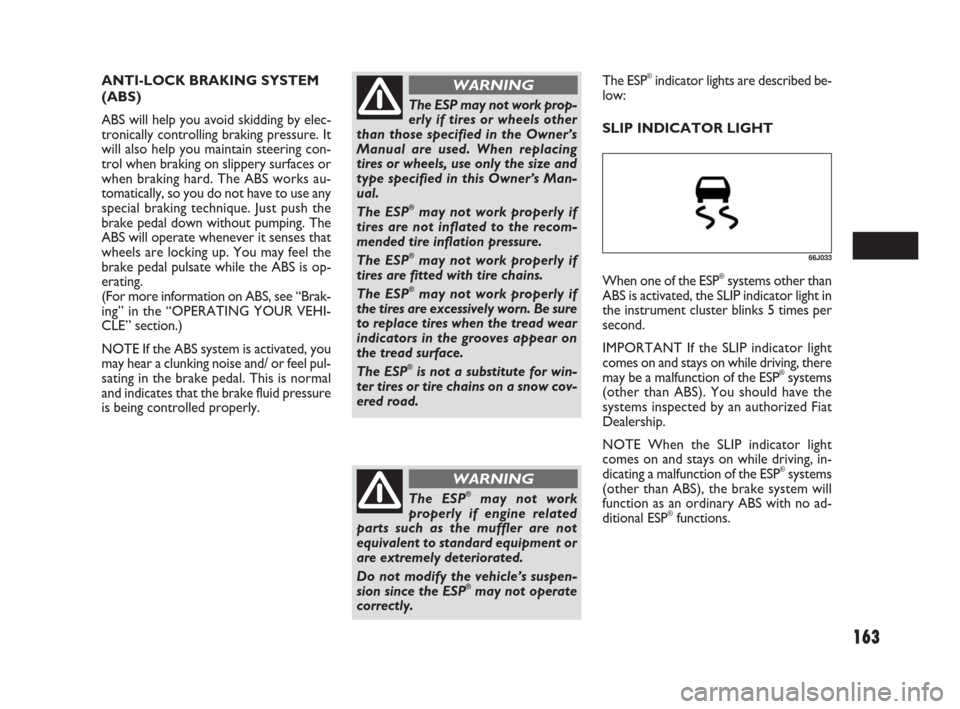
SLIP INDICATOR LIGHT
66J033
When one of the ESP®systems other than
ABS is activated, the SLIP indicator light in
the instrument cluster blinks 5 times per
second.
IMPORTANT If the SLIP indicator light
comes on and stays on while driving, there
may be a malfunction of the ESP
®systems
(other than ABS). You should have the
systems inspected by an authorized Fiat
Dealership.
NOTE When the SLIP indicator light
comes on and stays on while driving, in-
dicating a malfunction of the ESP
®systems
(other than ABS), the brake system will
function as an ordinary ABS with no ad-
ditional ESP
®functions.
149-166 Fiat16 New GB 27-11-2007 11:27 Pagina 163