ECO mode FIAT SPIDER ABARTH 2017 Owners Manual
[x] Cancel search | Manufacturer: FIAT, Model Year: 2017, Model line: SPIDER ABARTH, Model: FIAT SPIDER ABARTH 2017Pages: 292, PDF Size: 9.24 MB
Page 3 of 292
DEAR CUSTOMER Dear Customer,
We would like to congratulate and thank you for choosing a Fiat 124 Spider.
We have written this Owner’s Manual to help you get to know all the features of your vehicle and use it in the best possible way.
Here you will find information, advice and important warnings regarding use of your vehicle and how to achieve the best
performance from the technical features of your vehicle.
You are advised to take the time to read these publications carefully before taking to the road for the first time, to become
familiar with the controls and above all with those concerning brakes, steering and transmission; at the same time, you can
understand the vehicle behavior on different road surfaces.
This document also provides a description of special features and tips, as well as essential information for the safe driving, care
and maintenance of your vehicle over time.
After reading it, you are advised to keep the Owner’s Manual inside the vehicle, for an easy reference and for making sure it
remains in the vehicle should it be sold.
In the attached Warranty Booklet you will also find a description of the Services that FCA offers to its customers, and the detail
of the terms and conditions for maintaining its validity.
We are sure that these will help you to get in touch with and appreciate your new vehicle and the service provided by the
people at FCA.
Enjoy reading. Happy motoring!
Note: This Owner’s Manual describes all models of the vehicle; please consider only the information relevant to your vehicle’s
trim level, engine and model. All data contained in this publication are purely indicative. FCA can modify the vehicle model
described in this publication at any time, for technical or commercial purposes. For further information, contact your authorized
dealer.
Page 42 of 292
Daytime Running Lights
(DRL)
The daytime running lights turn on
automatically when the vehicle starts
moving.
They turn off when the parking brake is
engaged or the gear selector is shifted
to the PARK position (if equipped with
automatic transmission).
Note: In some markets, the daytime
running lights can be deactivated. Refer
to “Personalization Features” in “Getting
To Know Your Instrument Panel” for
further information.
High Beams
The headlights can be switched
between high and low beams by
pushing the headlight switch lever
forward for high beams, and pulling the
lever rearward to return to low beams.
When the headlight high beams are on,
the
high beam indicator is
illuminated in the instrument cluster.
Flash To Pass
You can signal another vehicle with your
headlights by partially pulling the
headlight lever toward the steering
wheel. This will cause the high beam
headlights to turn on until the lever is
released.
The
high beam indicator in the
instrument cluster illuminates while the
high beams are active. Automatic Lighting
When the headlight switch is in the
AUTO position and the ignition is
switched ON, the light sensor will
detect the surrounding light levels and
automatically turns the headlights, other
exterior lights and dashboard
illumination on or off.
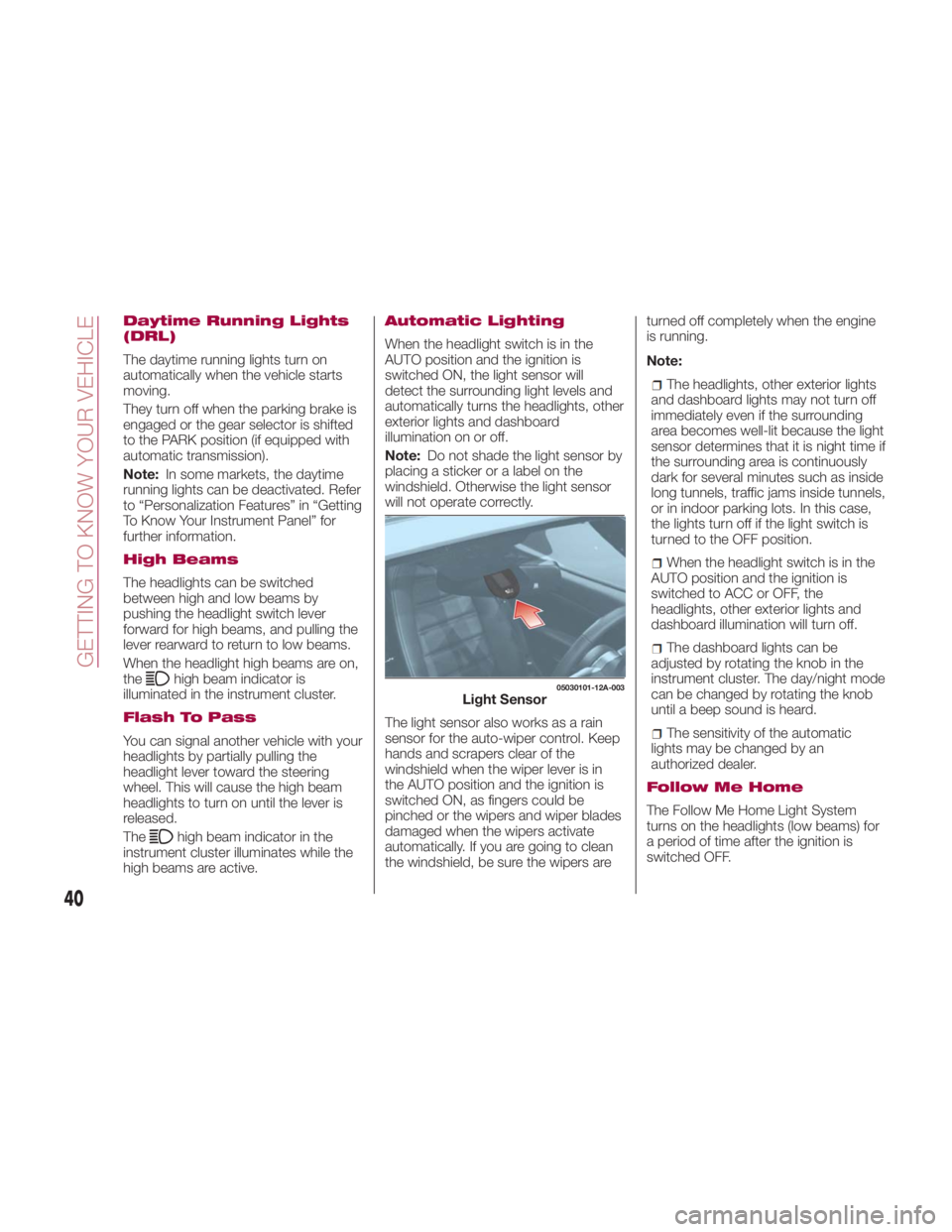
Note: Do not shade the light sensor by
placing a sticker or a label on the
windshield. Otherwise the light sensor
will not operate correctly.
The light sensor also works as a rain
sensor for the auto-wiper control. Keep
hands and scrapers clear of the
windshield when the wiper lever is in
the AUTO position and the ignition is
switched ON, as fingers could be
pinched or the wipers and wiper blades
damaged when the wipers activate
automatically. If you are going to clean
the windshield, be sure the wipers are turned off completely when the engine
is running.
Note:
The headlights, other exterior lights
and dashboard lights may not turn off
immediately even if the surrounding
area becomes well-lit because the light
sensor determines that it is night time if
the surrounding area is continuously
dark for several minutes such as inside
long tunnels, traffic jams inside tunnels,
or in indoor parking lots. In this case,
the lights turn off if the light switch is
turned to the OFF position.
When the headlight switch is in the
AUTO position and the ignition is
switched to ACC or OFF, the
headlights, other exterior lights and
dashboard illumination will turn off.
The dashboard lights can be
adjusted by rotating the knob in the
instrument cluster. The day/night mode
can be changed by rotating the knob
until a beep sound is heard.
The sensitivity of the automatic
lightsmaybechangedbyan
authorized dealer.
Follow Me Home
The Follow Me Home Light System
turns on the headlights (low beams) for
a period of time after the ignition is
switched OFF. 05030101-12A-003
Light Sensor
40
GETTING TO KNOW YOUR VEHICLE
Page 44 of 292
The three-flash turn signal function can
be turned on or off using the
personalization function in the radio.
Adaptive Front Lighting
System (AFS) — If
Equipped
This system directs the main headlight
beams and adapts it to the driving
conditions around bends and turns,
continuously and automatically.
The system directs the headlight beam
to illuminate the road in the best way,
taking into account the speed of the
vehicle, the bend or corner angle and
the speed of steering.
The Adaptive Front Lighting System is
automatically activated when the
vehicle is started.
Leaving Home Light
System
The Leaving Home Light System turns
the headlights on when the unlock
button on the key fob is pushed while
away from the vehicle.
Activation
With the ignition switch in the OFF
position, and the headlight switch is in
the
or position, the
headlights will illuminate when the
unlock button on the key fob is pushed,
and the vehicle receives the signal.
The headlights turn off after
30 seconds. The following lights turn on when the
Leaving Home Light System is
operated: low beams/parking lights/tail
lights/license plate lights.
Operation of the Leaving Home Light
System can be turned on or off through
the Connect system.
When the lock button on the key fob
is pushed, and the vehicle receives the
signal, the headlights turn off.
When the headlight switch is in a
position other than
or ,the
headlights turn off.
Headlamp Leveling
System — If Equipped
On some models, the angle of the
headlights will be automatically adjusted
when turning on the headlights.
Adjusting The Headlight
When Abroad
Dipped headlights are adjusted for
driving in the country where the vehicle
was originally purchased.
When travelling in countries with
opposite driving direction, to avoid
flashing the drivers on the other side of
the road, you need to cover areas of
the headlight. For this operation contact
an authorized dealer. WINDSHIELD
WIPERS / WASHER Windshield Wipers And
Washer
The windshield wiper/washer lever is
located on the right side of the steering
wheel. The ignition must be in the ON
position to use these features.
Windshield Wipers
Activate the windshield wipers by
pushing the wiper lever up or down.
With Intermittent Wiper
Set the lever to the intermittent position
and choose the interval timing by
rotating the center switch.
Switch positions:
or MIST : operation while
pushing the lever upward
OFF : stop
--- or INT : intermittent operation
— or LO : low speed operation
= or HI : high speed operation
42
GETTING TO KNOW YOUR VEHICLE
Page 60 of 292
Warning!Never leave children unattended in a
vehicle, and do not let children play with
power windows. Do not leave the key fob
in or near the vehicle, or in a location
accessible to children, and do not leave the
ignition of a vehicle equipped with the
Keyless Entry System in the ACC or
ON/RUN mode. Occupants, particularly
unattended children, can become
entrapped by the windows while operating
the power window switches. Such
entrapment may result in serious injury or
death.
Power Window Lock
Switch
This feature prevents the passengers
power window from operating. Keep
this switch in the locked position while
children are in the vehicle.
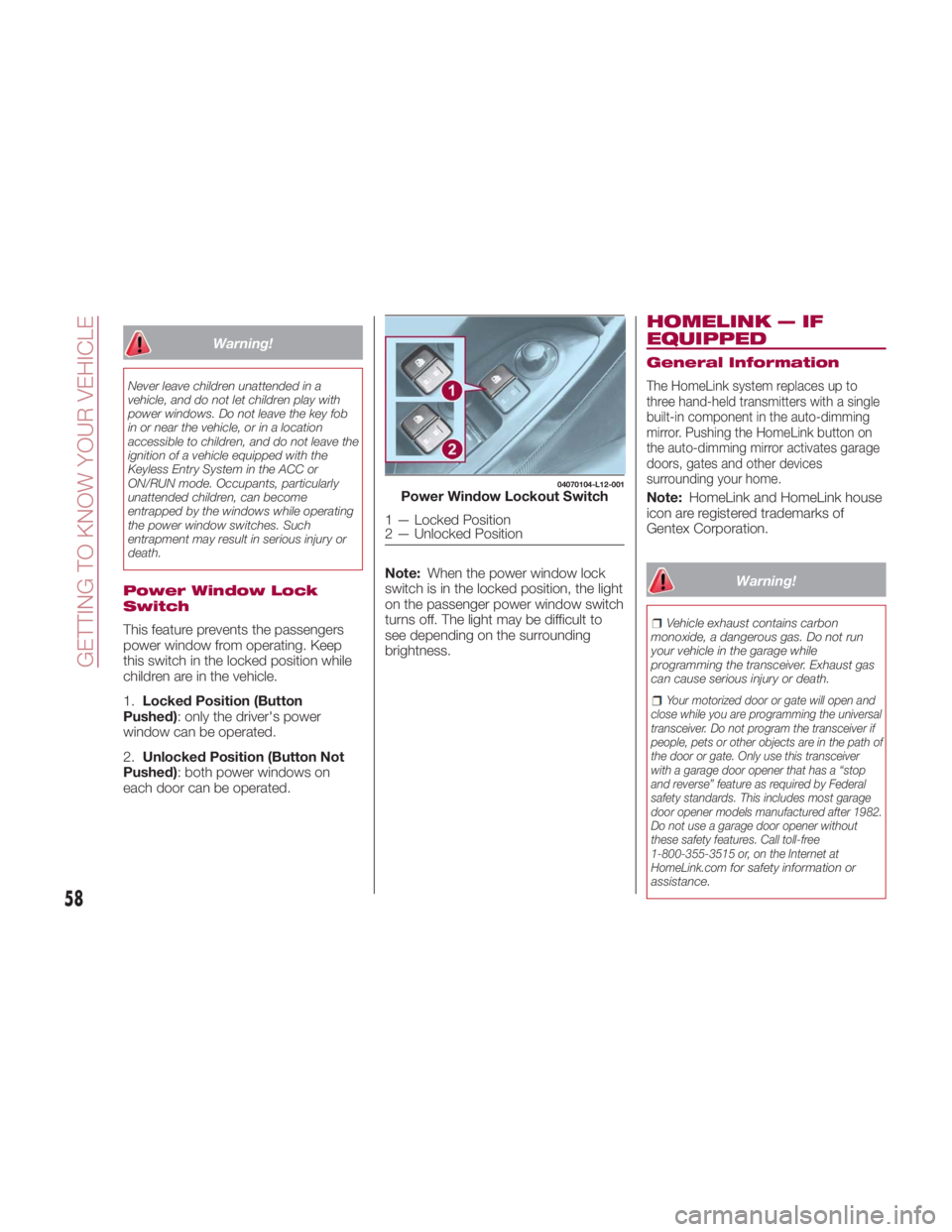
1. Locked Position (Button
Pushed) : only the driver's power
window can be operated.
2. Unlocked Position (Button Not
Pushed) : both power windows on
each door can be operated. Note: When the power window lock
switch is in the locked position, the light
on the passenger power window switch
turns off. The light may be difficult to
see depending on the surrounding
brightness. HOMELINK — IF
EQUIPPED General Information
The HomeLink system replaces up to
three hand-held transmitters with a single
built-in component in the auto-dimming
mirror. Pushing the HomeLink button on
the auto-dimming mirror activates garage
doors, gates and other devices
surrounding your home.
Note: HomeLink and HomeLink house
icon are registered trademarks of
Gentex Corporation.
Warning! Vehicle exhaust contains carbon
monoxide, a dangerous gas. Do not run
your vehicle in the garage while
programming the transceiver. Exhaust gas
can cause serious injury or death.
Your motorized door or gate will open and
close while you are programming the universal
transceiver. Do not program the transceiver if
people, pets or other objects are in the path of
the door or gate. Only use this transceiver
with a garage door opener that has a “stop
and reverse” feature as required by Federal
safety standards. This includes most garage
door opener models manufactured after 1982.
Do not use a garage door opener without
these safety features. Call toll-free
1-800-355-3515 or, on the Internet at
HomeLink.com
for safety information or
assistance. 04070104-L12-001
Power Window Lockout Switch
1 — Locked Position
2 — Unlocked Position
58
GETTING TO KNOW YOUR VEHICLE
Page 79 of 292
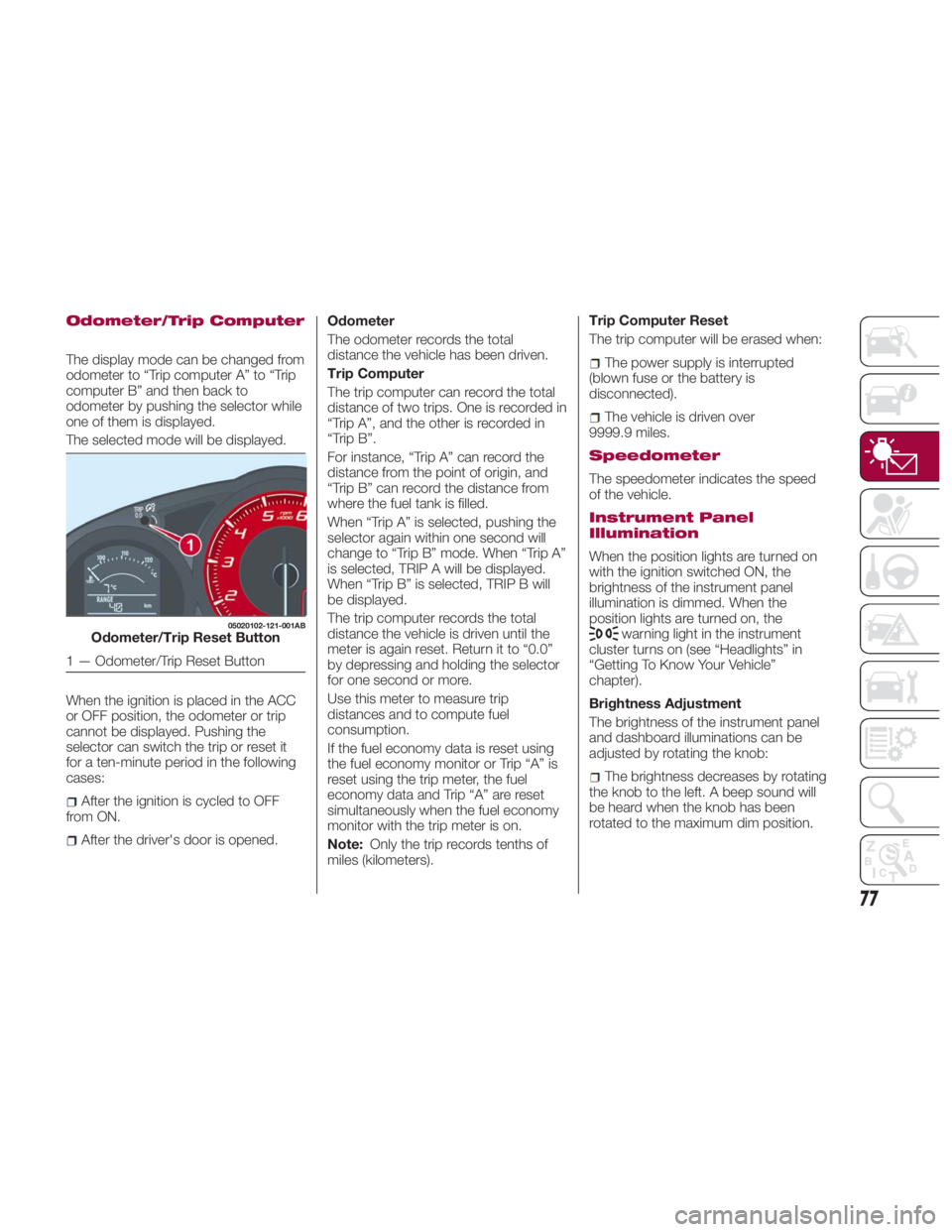
Odometer/Trip Computer
The display mode can be changed from
odometer to “Trip computer A” to “Trip
computer B” and then back to
odometer by pushing the selector while
one of them is displayed.
The selected mode will be displayed.
When the ignition is placed in the ACC
or OFF position, the odometer or trip
cannot be displayed. Pushing the
selector can switch the trip or reset it
for a ten-minute period in the following
cases:
After the ignition is cycled to OFF
from ON.
After the driver's door is opened. Odometer
The odometer records the total
distance the vehicle has been driven.
Trip Computer
The trip computer can record the total
distance of two trips. One is recorded in
“Trip A”, and the other is recorded in
“Trip B”.
For instance, “Trip A” can record the
distance from the point of origin, and
“Trip B” can record the distance from
where the fuel tank is filled.
When “Trip A” is selected, pushing the
selector again within one second will
change to “Trip B” mode. When “Trip A”
is selected, TRIP A will be displayed.
When “Trip B” is selected, TRIP B will
be displayed.
The trip computer records the total
distance the vehicle is driven until the
meter is again reset. Return it to “0.0”
by depressing and holding the selector
for one second or more.
Use this meter to measure trip
distances and to compute fuel
consumption.
If the fuel economy data is reset using
the fuel economy monitor or Trip “A” is
reset using the trip meter, the fuel
economy data and Trip “A” are reset
simultaneously when the fuel economy
monitor with the trip meter is on.
Note: Only the trip records tenths of
miles (kilometers). Trip Computer Reset
The trip computer will be erased when:
The power supply is interrupted
(blown fuse or the battery is
disconnected).
The vehicle is driven over
9999.9 miles.
Speedometer
The speedometer indicates the speed
of the vehicle.
Instrument Panel
Illumination
When the position lights are turned on
with the ignition switched ON, the
brightness of the instrument panel
illumination is dimmed. When the
position lights are turned on, the
warning light in the instrument
cluster turns on (see “Headlights” in
“Getting To Know Your Vehicle”
chapter).
Brightness Adjustment
The brightness of the instrument panel
and dashboard illuminations can be
adjusted by rotating the knob:
The brightness decreases by rotating
the knob to the left. A beep sound will
be heard when the knob has been
rotated to the maximum dim position.05020102-121-001AB
Odometer/Trip Reset Button
1 — Odometer/Trip Reset Button
77
Page 80 of 292
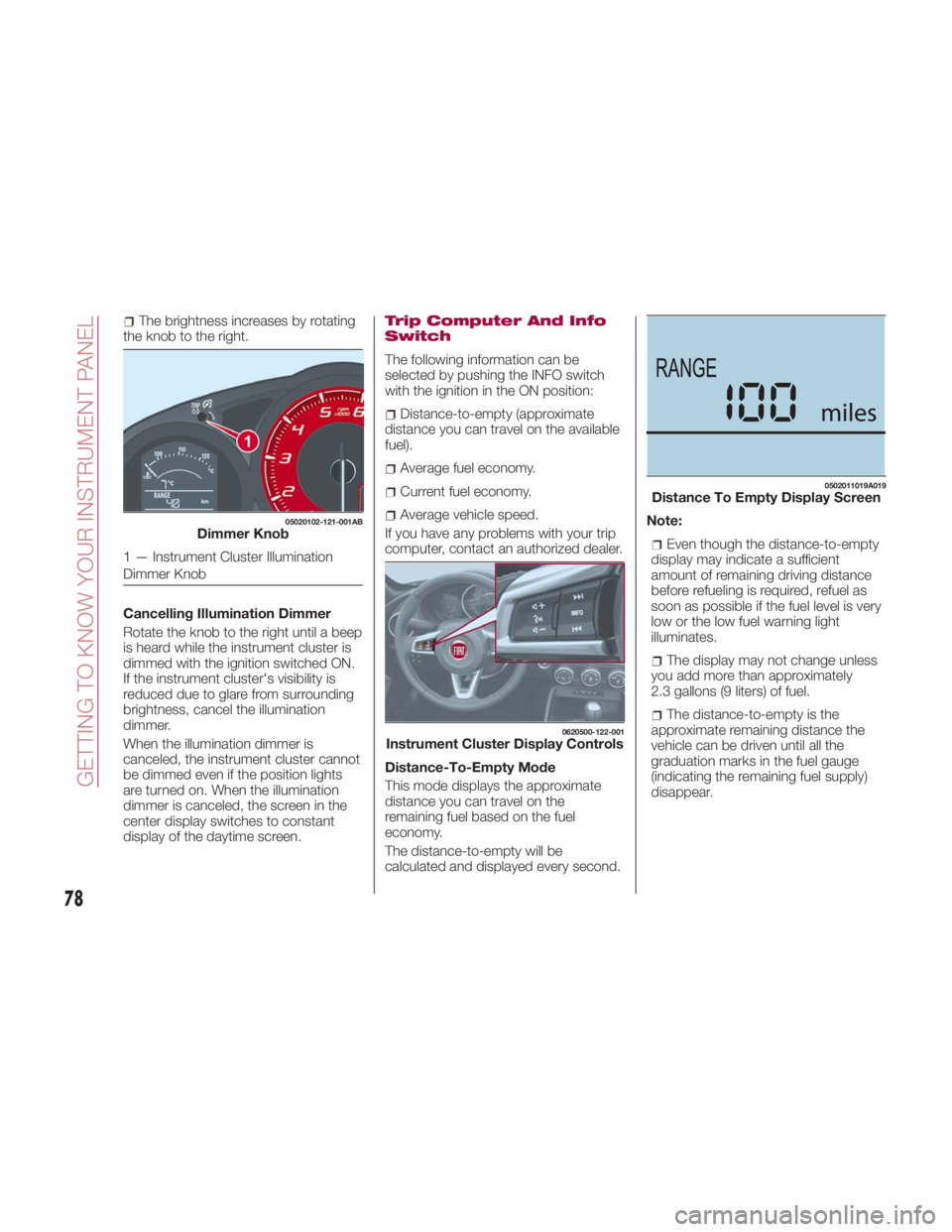
The brightness increases by rotating
the knob to the right.
Cancelling Illumination Dimmer
Rotate the knob to the right until a beep
is heard while the instrument cluster is
dimmed with the ignition switched ON.
If the instrument cluster's visibility is
reduced due to glare from surrounding
brightness, cancel the illumination
dimmer.
When the illumination dimmer is
canceled, the instrument cluster cannot
be dimmed even if the position lights
are turned on. When the illumination
dimmer is canceled, the screen in the
center display switches to constant
display of the daytime screen. Trip Computer And Info
Switch
The following information can be
selected by pushing the INFO switch
with the ignition in the ON position:
Distance-to-empty (approximate
distance you can travel on the available
fuel).
Average fuel economy.
Current fuel economy.
Average vehicle speed.
If you have any problems with your trip
computer, contact an authorized dealer.
Distance-To-Empty Mode
This mode displays the approximate
distance you can travel on the
remaining fuel based on the fuel
economy.
The distance-to-empty will be
calculated and displayed every second. Note:
Even though the distance-to-empty
display may indicate a sufficient
amount of remaining driving distance
before refueling is required, refuel as
soon as possible if the fuel level is very
low or the low fuel warning light
illuminates.
The display may not change unless
you add more than approximately
2.3 gallons (9 liters) of fuel.
The distance-to-empty is the
approximate remaining distance the
vehicle can be driven until all the
graduation marks in the fuel gauge
(indicating the remaining fuel supply)
disappear.05020102-121-001AB
Dimmer Knob
1 — Instrument Cluster Illumination
Dimmer Knob 0620500-122-001
Instrument Cluster Display Controls 0502011019A019
Distance To Empty Display Screen
78
GETTING TO KNOW YOUR INSTRUMENT PANEL
Page 81 of 292
If there is no past fuel economy
information such as after first
purchasing your vehicle or the
information is deleted when the battery
cables are disconnected, the actual
distance-to empty/range may differ
from the amount indicated.
Average Fuel Economy Mode
This mode displays the average fuel
economy by calculating the total fuel
consumption and the total traveled
distance since purchasing the vehicle,
reconnecting the battery after
disconnection, or resetting the data.
The average fuel economy is calculated
and displayed every minute. To clear
the data being displayed, push the
INFO switch for more than 1.5 seconds.
After pushing the INFO switch, “- - -
mpg” (“ ---L/100km”)willbe
displayed for about 1 minute before the
fuel economy is recalculated and
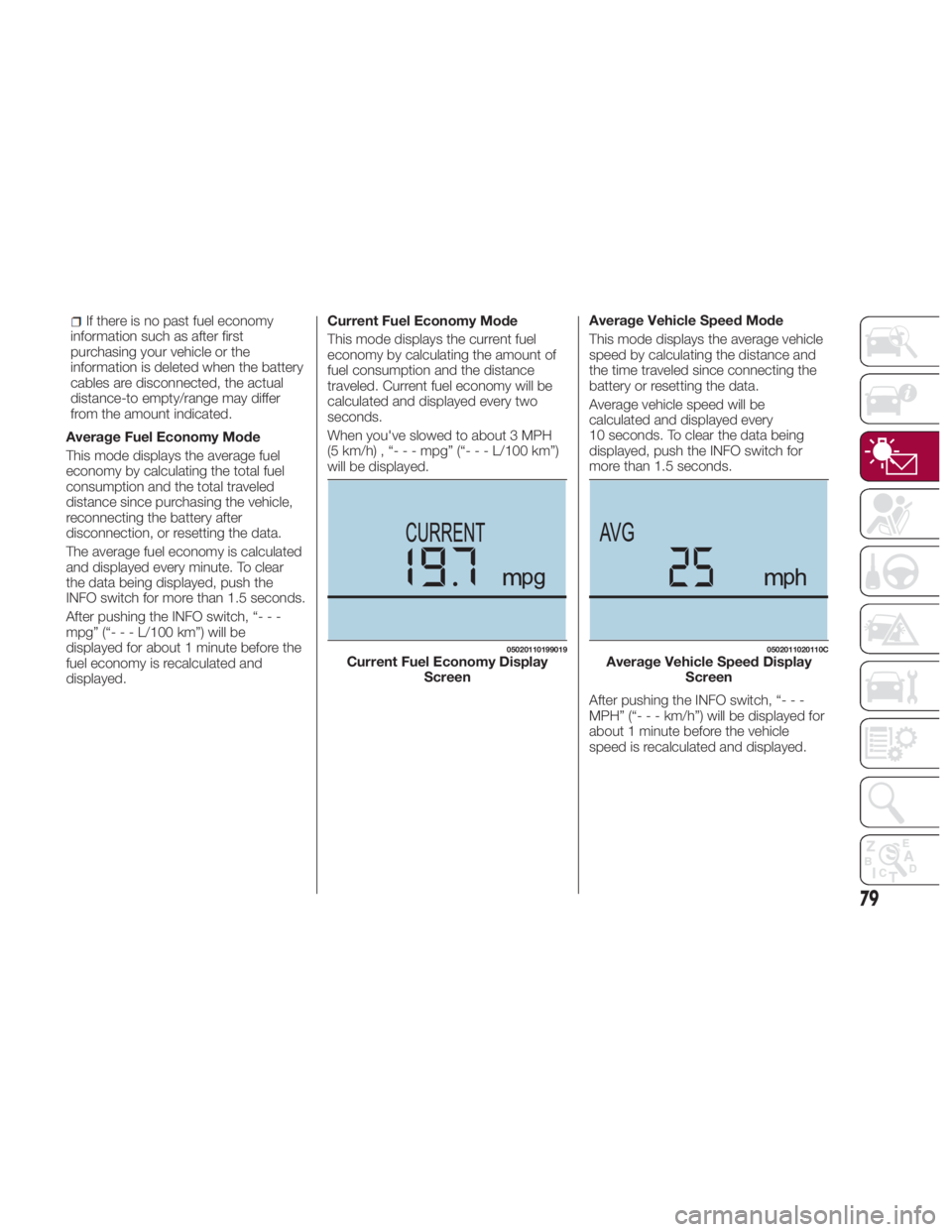
displayed. Current Fuel Economy Mode
This mode displays the current fuel
economy by calculating the amount of
fuel consumption and the distance
traveled. Current fuel economy will be
calculated and displayed every two
seconds.
When you've slowed to about 3 MPH
(5 km/h) , “- - - mpg” (“- - - L/100 km”)
will be displayed. Average Vehicle Speed Mode
This mode displays the average vehicle
speed by calculating the distance and
the time traveled since connecting the
battery or resetting the data.
Average vehicle speed will be
calculated and displayed every
10 seconds. To clear the data being
displayed, push the INFO switch for
more than 1.5 seconds.
After pushing the INFO switch, “- - -
MPH” (“ ---km/h”)willbed isplayed for
about 1 minute before the vehicle
speed is recalculated and displayed. 05020110199019
Current Fuel Economy Display
Screen 0502011020110C
Average Vehicle Speed Display
Screen
79
Page 115 of 292
power to the drive wheels, limiting
wheel spin and loss of traction.
The indicator light turns on when the
system has a malfunction. Refer to
“Warning Lights And Messages” in
“Getting To Know Your Instrument
Panel” for further information.
TCS / DSC Indicator Light
The
indicator light stays on for a few
seconds when the ignition is placed in
the ON mode.
If the TCS or DSC is operating, the
indicator light flashes.
If the
indicator light stays on, the
TCS, DSC or the brake assist system
may have a malfunction and they may
not operate correctly. Contact your
authorized dealer.
Note:
In addition to the indicator light
flashing, a slight sound will come from
the engine. This indicates that the
TCS/DSC is operating properly.
On slippery surfaces, such as fresh
snow, it will be impossible to achieve
high rpm when the TCS is on. DSC System (Dynamic
Stability Control)
The Dynamic Stability Control (DSC)
automatically controls braking and
engine torque in conjunction with
systems such as ABS and TCS to help
control side slip when driving on
slippery surfaces, or during sudden or
evasive maneuvering, enhancing vehicle
safety. Refer to “ABS System (Antilock
Brake System)” and “TCS System
(Traction Control System)” in this
chapter for further information.
DSC operation is possible at speeds
greater than 12 mph (20 km/h).
The indicator light turns on when the
system has a malfunction. Refer to
“Warning Lights And Messages” in
“Getting To Know Your Instrument
Panel” for further information.
Note: The DSC may not operate
correctly unless the following are
observed:
Use tires of the correct size
specified for your vehicle on all four
wheels.
Use tires of the same manufacturer,
brand and tread pattern on all four
wheels.
Do not mix worn tires.
Note: The DSC may not operate
correctly when tire chains are used. TCS / DSC Indicator Light
The
indicator light stays on for a few
seconds when the ignition is placed in
the ON mode. It also illuminates when
the DSC OFF switch is pressed and
TCS/DSC is switched off.
If the light stays on, the TCS, DSC or
the brake assist system may have a
malfunction and they may not operate
correctly. Take your vehicle to an
authorized dealer.
DSC OFF Indicator Light
The
indicator light stays on for a few
seconds when the ignition is placed in
the ON mode. It also illuminates when
the DSC OFF switch is pressed and
TCS/DSC is switched off.
If the light remains illuminated and the
TCS/DSC is not switched off, contact
your authorized dealer. The DSC may
have a malfunction.
DSC OFF Switch
Push the switch to turn off the
TCS/DSC. The
indicator light in the
instrument cluster will illuminate. Push
the switch again to turn the TCS/DSC
back on. The indicator light will turn off.
113
Page 123 of 292
When your authorized dealer
changes your vehicle's tires, they will
complete the tire pressure sensor ID
signal code registration.
If you or someone else changes tires,
you or someone else can also
undertake the steps for the TPMS to
complete the ID signal code
registration:
After tires have been changed, place
the ignition in the ON mode, then back
to ACC or OFF modes.
Wait for about 15 minutes.
After about 15 minutes, drive the
vehicle at a speed of at least 16 mph
(25 km/h) for 20 minutes and the tire
pressure sensor ID signal code will be
registered automatically.
Note: If the vehicle is driven within
about 15 minutes of changing tires, the
warning light will flash because the
sensor ID signal code would not have
been registered. If this happens, park
the vehicle for about 15 minutes, after
which the sensor ID signal code will
register upon driving the vehicle for
20 minutes.
Replacing Tires And Wheels
Note:
When replacing/repairing the tires or
wheels or both, have the work done by
your authorized dealer, or the tire
pressure sensors may be damaged. The wheels equipped on your
vehicle are specially designed for
installation of the tire pressure sensors.
Do not use non-genuine wheels,
otherwise it may not be possible to
install the tire pressure sensors.
Be sure to have the tire pressure
sensors installed whenever tires or
wheels are replaced.
When having a tire or wheel or both
replaced, the following types of tire
pressure sensor installations are
possible:
The tire pressure sensor is removed
from the old wheel and installed to the
new one.
The same tire pressure sensor is
used with the same wheel. Only the tire
is replaced.
A new tire pressure sensor is
installed to a new wheel.
Note:
The tire pressure sensor ID signal
code must be registered when a new
tire pressure sensor is purchased. For
purchase of a tire pressure sensor and
registration of the tire pressure sensor
ID signal code, consult your authorized
dealer.
When reinstalling a previously
removed tire pressure sensor to a
wheel, replace the grommet (seal
between valve body/sensor and wheel)
for the tire pressure sensor. Caution! The TPMS has been optimized for the
original equipment tires and wheels. TPMS
pressures and warning have been
established for the tire size equipped on
your vehicle. Undesirable system operation
or sensor damage may result when using
replacement equipment that is not of the
same size, type, and/or style. The TPM
sensor is not designed for use on
aftermarket wheels and may contribute to a
poor overall system performance or sensor
damage. Customers are encouraged to
use OEM wheels to assure proper TPM
feature operation.
Using aftermarket tire sealants may
cause the Tire Pressure Monitoring System
(TPMS) sensor to become inoperable. After
using an aftermarket tire sealant it is
recommended that you take your vehicle to
an authorized dealership to have your
sensor function checked.
After inspecting or adjusting the tire
pressure always reinstall the valve stem
cap. This will prevent moisture and dirt
from entering the valve stem, which could
damage the TPMS sensor.
121
Page 125 of 292
Seat Belt Precautions
Seat belts help to decrease the
possibility of severe injury during
accidents and sudden stops. FCA
recommends that the driver and
passengers always wear seat belts.
Mexico
All the seats have lap/shoulder belts.
These belts have retractors with inertia
locks that keep them out of the way
when not in use.
The locks allow the belts to remain
comfortable on users, but they will lock
in position during a collision.
Except Mexico
All of the seat belt retractors are
designed to keep the lap/shoulder belts
out of the way when not in use.
The driver's seat belt has no provisions
for child-restraint systems and has only
an emergency locking mode.
The driver may wear it comfortably, and
it will lock during a collision.
However, the passenger's seat
lap/shoulder belt retractor operates in
two modes: emergency locking mode,
and for child-restraint systems,
automatic locking mode. If you must
use the passenger seat for a child, slide
the passenger seat as far back as
possible and make sure any child
restraint system is secured properly.
Belt retraction may become difficult if
the belts and seat belt guides are
soiled, so try to keep them clean. Refer to “Lap/Shoulder Belt” in ”Interiors,”
found in Servicing And Maintenance”
for further information.
Warning!Relying on the air bags alone could lead
to more severe injuries in a collision. The air
bags work with your seat belt to restrain
you properly. In some collisions, the air
bags won’t deploy at all. Always wear your
seat belt even though you have air bags.
In a collision, you and your passengers
can suffer much greater injuries if you are
not properly buckled up. You can strike the
interior of your vehicle or other passengers,
or you can be thrown out of the vehicle.
Always be sure you and others in your
vehicle are buckled up properly.
It is dangerous to ride in a cargo area,
inside or outside of a vehicle. In a collision,
people riding in these areas are more likely
to be seriously injured or killed. Do not allow people to ride in any area
of your vehicle that is not equipped with
seats and seat belts.
Be sure everyone in your vehicle is in a
seat and using a seat belt properly.
Occupants, including the driver, should
always wear their seat belts whether or not
an air bag is also provided at their seating
position to minimize the risk of severe injury
or death in the event of a crash.
Wearing your seat belt incorrectly could
make your injuries in a collision much
worse. You might suffer internal injuries, or
you could even slide out of the seat belt.
Follow these instructions to wear your seat
belt safely and to keep your passengers
safe, too.
Two people should never be belted into
a single seat belt. People belted together
can crash into one another in a collision,
hurting one another badly. Never use a
lap/shoulder belt or a lap belt for more than
one person, no matter what their size.
A lap belt worn too high can increase
the risk of injury in a collision. The seat belt
forces won’t be at the strong hip and pelvic
bones, but across your abdomen. Always
wear the lap part of your seat belt as low
as possible and keep it snug.
A twisted seat belt may not protect you
properly. In a collision, it could even cut into
you. Be sure the seat belt is flat against
your body, without twists. If you can’t
straighten a seat belt in your vehicle, take it
to your authorized dealer immediately and
have it fixed. 03020100-12A-001
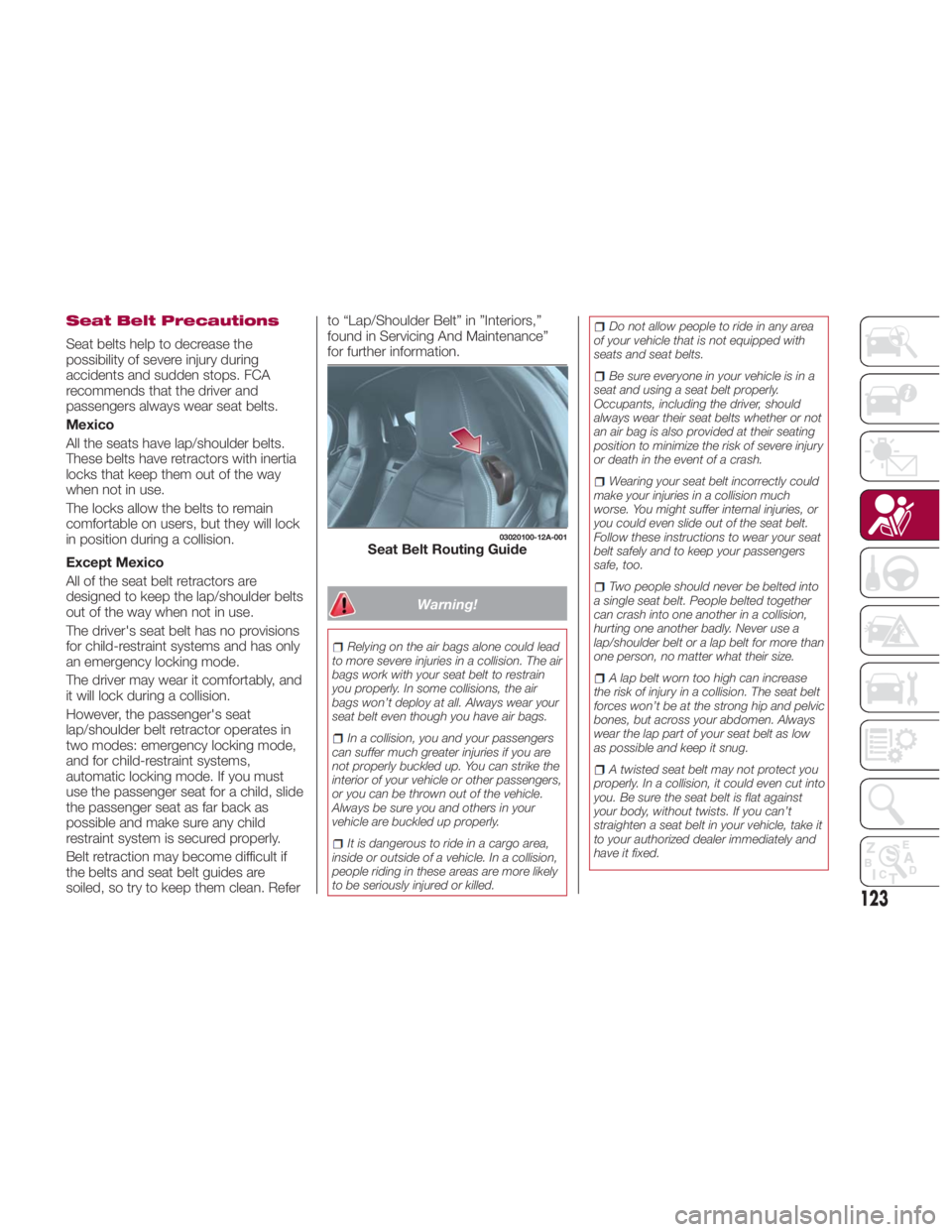
Seat Belt Routing Guide
123