brake FIAT TIPO 4DOORS 2016 1.G Workshop Manual
[x] Cancel search | Manufacturer: FIAT, Model Year: 2016, Model line: TIPO 4DOORS, Model: FIAT TIPO 4DOORS 2016 1.GPages: 204, PDF Size: 4.94 MB
Page 163 of 204
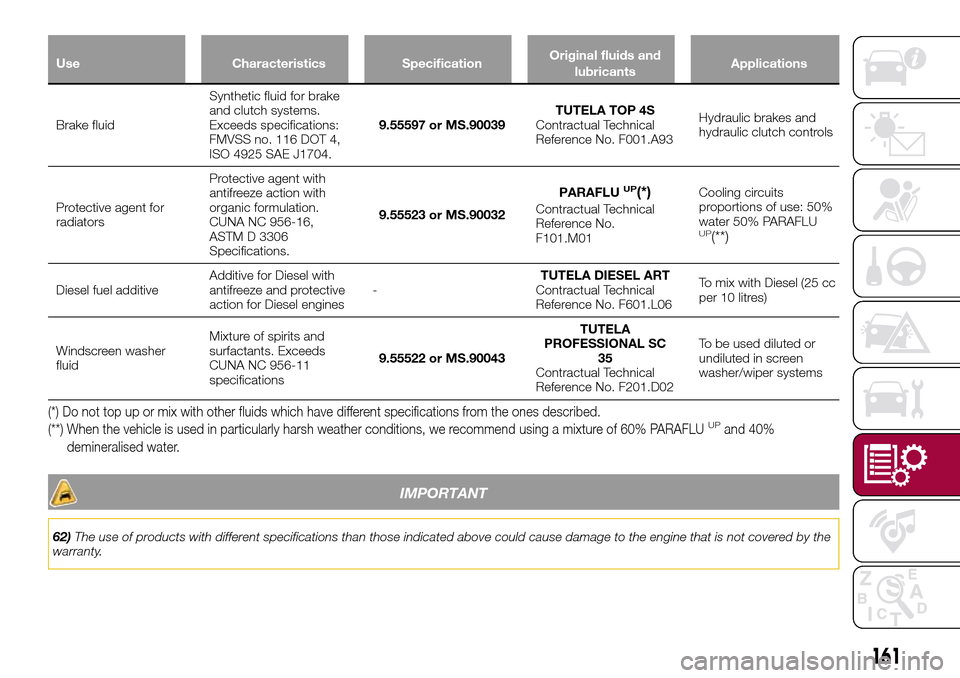
Use Characteristics SpecificationOriginal fluids and
lubricantsApplications
Brake fluidSynthetic fluid for brake
and clutch systems.
Exceeds specifications:
FMVSS no. 116 DOT 4,
ISO 4925 SAE J1704.9.55597 or MS.90039TUTELA TOP 4S
Contractual Technical
Reference No. F001.A93Hydraulic brakes and
hydraulic clutch controls
Protective agent for
radiatorsProtective agent with
antifreeze action with
organic formulation.
CUNA NC 956-16,
ASTM D 3306
Specifications.9.55523 or MS.90032PARAFLU
UP(*)
Contractual Technical
Reference No.
F101.M01Cooling circuits
proportions of use: 50%
water 50% PARAFLU
UP(**)
Diesel fuel additiveAdditive for Diesel with
antifreeze and protective
action for Diesel engines-TUTELA DIESEL ART
Contractual Technical
Reference No. F601.L06To mix with Diesel (25 cc
per 10 litres)
Windscreen washer
fluidMixture of spirits and
surfactants. Exceeds
CUNA NC 956-11
specifications9.55522 or MS.90043TUTELA
PROFESSIONAL SC
35
Contractual Technical
Reference No. F201.D02To be used diluted or
undiluted in screen
washer/wiper systems
(*) Do not top up or mix with other fluids which have different specifications from the ones described.
(**) When the vehicle is used in particularly harsh weather conditions, we recommend using a mixture of 60% PARAFLUUPand 40%
demineralised water.
IMPORTANT
62)The use of products with different specifications than those indicated above could cause damage to the engine that is not covered by the
warranty.
161
Page 179 of 204
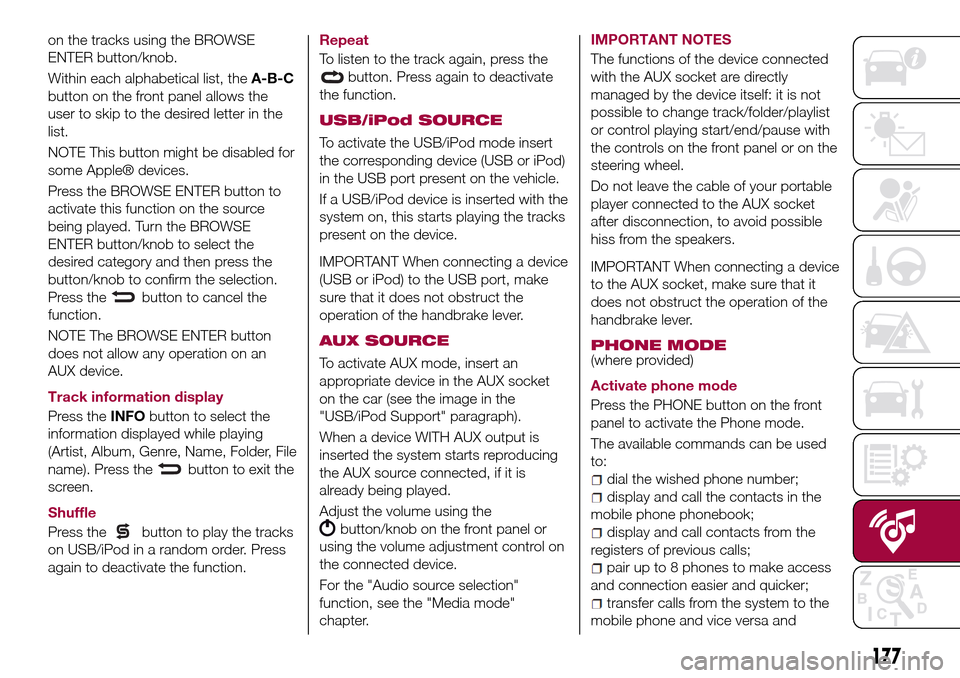
on the tracks using the BROWSE
ENTER button/knob.
Within each alphabetical list, theA-B-C
button on the front panel allows the
user to skip to the desired letter in the
list.
NOTE This button might be disabled for
some Apple® devices.
Press the BROWSE ENTER button to
activate this function on the source
being played. Turn the BROWSE
ENTER button/knob to select the
desired category and then press the
button/knob to confirm the selection.
Press the
button to cancel the
function.
NOTE The BROWSE ENTER button
does not allow any operation on an
AUX device.
Track information display
Press theINFObutton to select the
information displayed while playing
(Artist, Album, Genre, Name, Folder, File
name). Press the
button to exit the
screen.
Shuffle
Press the
button to play the tracks
on USB/iPod in a random order. Press
again to deactivate the function.Repeat
To listen to the track again, press the
button. Press again to deactivate
the function.
USB/iPod SOURCE
To activate the USB/iPod mode insert
the corresponding device (USB or iPod)
in the USB port present on the vehicle.
If a USB/iPod device is inserted with the
system on, this starts playing the tracks
present on the device.
IMPORTANT When connecting a device
(USB or iPod) to the USB port, make
sure that it does not obstruct the
operation of the handbrake lever.
AUX SOURCE
To activate AUX mode, insert an
appropriate device in the AUX socket
on the car (see the image in the
"USB/iPod Support" paragraph).
When a device WITH AUX output is
inserted the system starts reproducing
the AUX source connected, if it is
already being played.
Adjust the volume using the
button/knob on the front panel or
using the volume adjustment control on
the connected device.
For the "Audio source selection"
function, see the "Media mode"
chapter.IMPORTANT NOTES
The functions of the device connected
with the AUX socket are directly
managed by the device itself: it is not
possible to change track/folder/playlist
or control playing start/end/pause with
the controls on the front panel or on the
steering wheel.
Do not leave the cable of your portable
player connected to the AUX socket
after disconnection, to avoid possible
hiss from the speakers.
IMPORTANT When connecting a device
to the AUX socket, make sure that it
does not obstruct the operation of the
handbrake lever.
PHONE MODE
(where provided)
Activate phone mode
Press the PHONE button on the front
panel to activate the Phone mode.
The available commands can be used
to:
dial the wished phone number;
display and call the contacts in the
mobile phone phonebook;
display and call contacts from the
registers of previous calls;
pair up to 8 phones to make access
and connection easier and quicker;
transfer calls from the system to the
mobile phone and vice versa and
177
Page 189 of 204
Radio Setup;
Restore settings
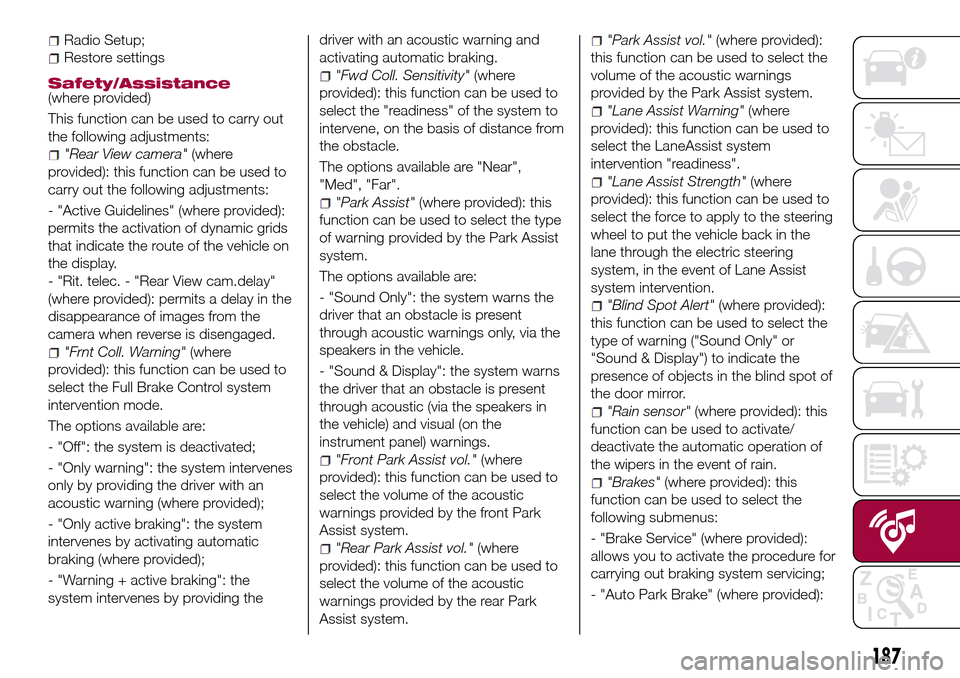
Safety/Assistance(where provided)
This function can be used to carry out
the following adjustments:
"Rear View camera"(where
provided): this function can be used to
carry out the following adjustments:
- "Active Guidelines" (where provided):
permits the activation of dynamic grids
that indicate the route of the vehicle on
the display.
- "Rit. telec. - "Rear View cam.delay"
(where provided): permits a delay in the
disappearance of images from the
camera when reverse is disengaged.
"Frnt Coll. Warning"(where
provided): this function can be used to
select the Full Brake Control system
intervention mode.
The options available are:
- "Off": the system is deactivated;
- "Only warning": the system intervenes
only by providing the driver with an
acoustic warning (where provided);
- "Only active braking": the system
intervenes by activating automatic
braking (where provided);
- "Warning + active braking": the
system intervenes by providing thedriver with an acoustic warning and
activating automatic braking.
"Fwd Coll. Sensitivity"(where
provided): this function can be used to
select the "readiness" of the system to
intervene, on the basis of distance from
the obstacle.
The options available are "Near",
"Med", "Far".
"Park Assist"(where provided): this
function can be used to select the type
of warning provided by the Park Assist
system.
The options available are:
- "Sound Only": the system warns the
driver that an obstacle is present
through acoustic warnings only, via the
speakers in the vehicle.
- "Sound & Display": the system warns
the driver that an obstacle is present
through acoustic (via the speakers in
the vehicle) and visual (on the
instrument panel) warnings.
"Front Park Assist vol."(where
provided): this function can be used to
select the volume of the acoustic
warnings provided by the front Park
Assist system.
"Rear Park Assist vol."(where
provided): this function can be used to
select the volume of the acoustic
warnings provided by the rear Park
Assist system.
"Park Assist vol."(where provided):
this function can be used to select the
volume of the acoustic warnings
provided by the Park Assist system.
"Lane Assist Warning"(where
provided): this function can be used to
select the LaneAssist system
intervention "readiness".
"Lane Assist Strength"(where
provided): this function can be used to
select the force to apply to the steering
wheel to put the vehicle back in the
lane through the electric steering
system, in the event of Lane Assist
system intervention.
"Blind Spot Alert"(where provided):
this function can be used to select the
type of warning ("Sound Only" or
"Sound & Display") to indicate the
presence of objects in the blind spot of
the door mirror.
"Rain sensor"(where provided): this
function can be used to activate/
deactivate the automatic operation of
the wipers in the event of rain.
"Brakes"(where provided): this
function can be used to select the
following submenus:
- "Brake Service" (where provided):
allows you to activate the procedure for
carrying out braking system servicing;
- "Auto Park Brake" (where provided):
187
Page 190 of 204
allows you to activate/deactivate the
automatic park brake engagement.
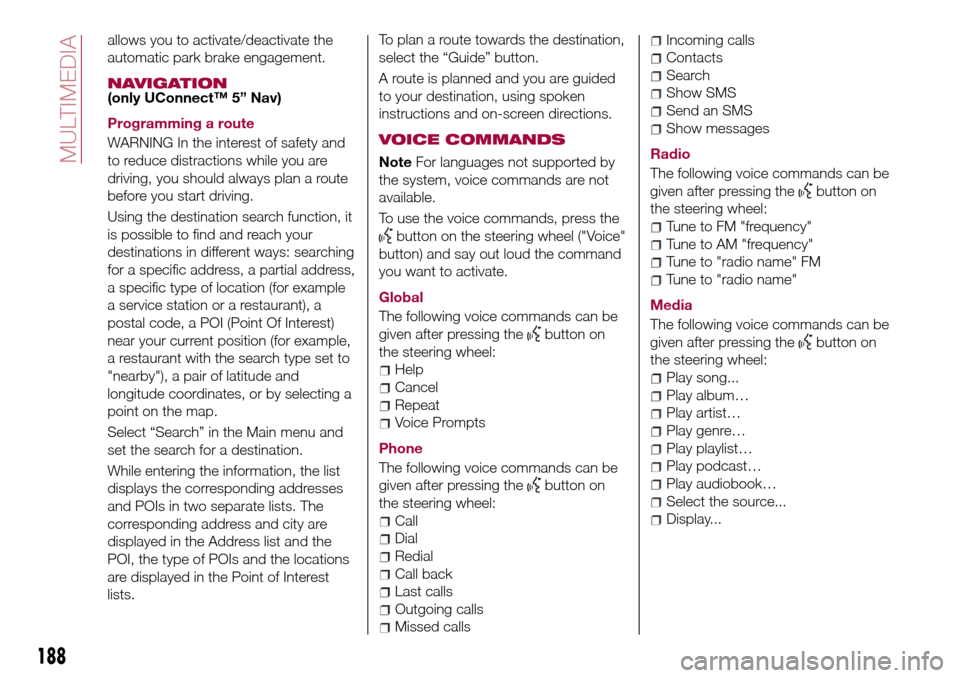
NAVIGATION(only UConnect™ 5” Nav)
Programming a route
WARNING In the interest of safety and
to reduce distractions while you are
driving, you should always plan a route
before you start driving.
Using the destination search function, it
is possible to find and reach your
destinations in different ways: searching
for a specific address, a partial address,
a specific type of location (for example
a service station or a restaurant), a
postal code, a POI (Point Of Interest)
near your current position (for example,
a restaurant with the search type set to
"nearby"), a pair of latitude and
longitude coordinates, or by selecting a
point on the map.
Select “Search” in the Main menu and
set the search for a destination.
While entering the information, the list
displays the corresponding addresses
and POIs in two separate lists. The
corresponding address and city are
displayed in the Address list and the
POI, the type of POIs and the locations
are displayed in the Point of Interest
lists.To plan a route towards the destination,
select the “Guide” button.
A route is planned and you are guided
to your destination, using spoken
instructions and on-screen directions.
VOICE COMMANDS
NoteFor languages not supported by
the system, voice commands are not
available.
To use the voice commands, press the
button on the steering wheel ("Voice"
button) and say out loud the command
you want to activate.
Global
The following voice commands can be
given after pressing the
button on
the steering wheel:
Help
Cancel
Repeat
Voice Prompts
Phone
The following voice commands can be
given after pressing the
button on
the steering wheel:
Call
Dial
Redial
Call back
Last calls
Outgoing calls
Missed calls
Incoming calls
Contacts
Search
Show SMS
Send an SMS
Show messages
Radio
The following voice commands can be
given after pressing the
button on
the steering wheel:
Tune to FM "frequency"
Tune to AM "frequency"
Tune to "radio name" FM
Tune to "radio name"
Media
The following voice commands can be
given after pressing the
button on
the steering wheel:
Play song...
Play album…
Play artist…
Play genre…
Play playlist…
Play podcast…
Play audiobook…
Select the source...
Display...
188
MULTIMEDIA
Page 199 of 204
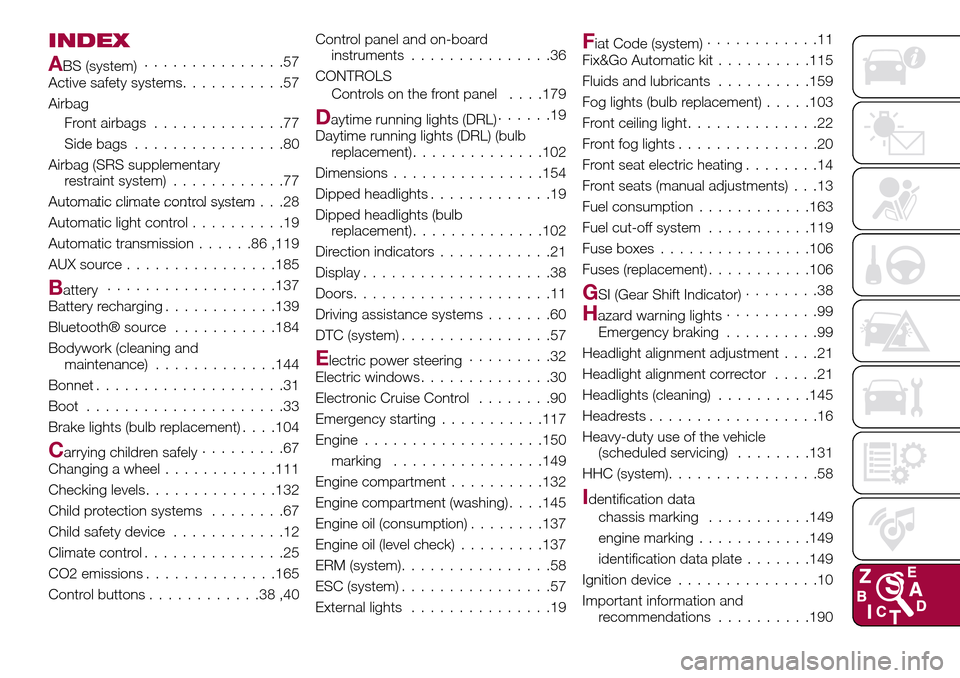
INDEX
ABS (system)...............57
Active safety systems...........57
Airbag
Front airbags..............77
Side bags................80
Airbag (SRS supplementary
restraint system)............77
Automatic climate control system.......................28
Automatic light control..........19
Automatic transmission......86,119
AUX source................185
Battery..................137
Battery recharging............139
Bluetooth® source...........184
Bodywork (cleaning and
maintenance).............144
Bonnet....................31
Boot.....................33
Brake lights (bulb replacement). . . .104
Carrying children safely.........67
Changing a wheel............111
Checking levels..............132
Child protection systems........67
Child safety device............12
Climate control...............25
CO2 emissions..............165
Control buttons............38,40Control panel and on-board
instruments...............36
CONTROLS
Controls on the front panel. . . .179
Daytime running lights (DRL)......19
Daytime running lights (DRL) (bulb
replacement)..............102
Dimensions................154
Dipped headlights.............19
Dipped headlights (bulb
replacement)..............102
Direction indicators............21
Display....................38
Doors.....................11
Driving assistance systems.......60
DTC (system)................57
Electric power steering.........32
Electric windows..............30
Electronic Cruise Control........90
Emergency starting...........117
Engine...................150
marking................149
Engine compartment..........132
Engine compartment (washing). . . .145
Engine oil (consumption)........137
Engine oil (level check).........137
ERM (system)................58
ESC (system)................57
External lights...............19
Fiat Code (system)............11
Fix&Go Automatic kit..........115
Fluids and lubricants..........159
Fog lights (bulb replacement).....103
Front ceiling light..............22
Front fog lights...............20
Front seat electric heating........14
Front seats (manual adjustments) . . .13
Fuel consumption............163
Fuel cut-off system...........119
Fuse boxes................106
Fuses (replacement)...........106
GSI (Gear Shift Indicator)........38
Hazard warning lights..........99
Emergency braking..........99
Headlight alignment adjustment....21
Headlight alignment corrector.....21
Headlights (cleaning)..........145
Headrests..................16
Heavy-duty use of the vehicle
(scheduled servicing)........131
HHC (system)................58
Identification data
chassis marking...........149
engine marking............149
identification data plate.......149
Ignition device...............10
Important information and
recommendations..........190
Page 200 of 204
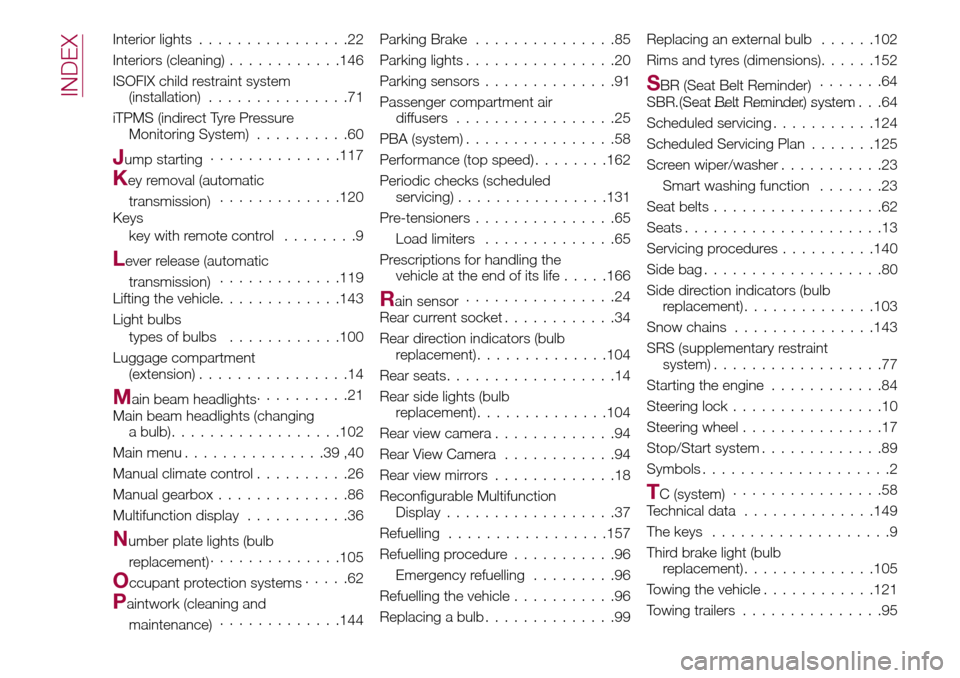
Interior lights................22
Interiors (cleaning)............146
ISOFIX child restraint system
(installation)...............71
iTPMS (indirect Tyre Pressure
Monitoring System)..........60
Jump starting..............117
Key removal (automatic
transmission).............120
Keys
key with remote control........9
Lever release (automatic
transmission).............119
Lifting the vehicle.............143
Light bulbs
types of bulbs............100
Luggage compartment
(extension)................14
Main beam headlights..........21
Main beam headlights (changing
a bulb)..................102
Main menu...............39,40
Manual climate control..........26
Manual gearbox..............86
Multifunction display...........36
Number plate lights (bulb
replacement)..............105
Occupant protection systems.....62
Paintwork (cleaning and
maintenance).............144Parking Brake...............85
Parking lights................20
Parking sensors..............91
Passenger compartment air
diffusers.................25
PBA (system)................58
Performance (top speed)........162
Periodic checks (scheduled
servicing)................131
Pre-tensioners...............65
Load limiters..............65
Prescriptions for handling the
vehicle at the end of its life.....166
Rain sensor................24
Rear current socket............34
Rear direction indicators (bulb
replacement)..............104
Rear seats..................14
Rear side lights (bulb
replacement)..............104
Rear view camera.............94
Rear View Camera............94
Rear view mirrors.............18
Reconfigurable Multifunction
Display..................37
Refuelling.................157
Refuelling procedure...........96
Emergency refuelling.........96
Refuelling the vehicle...........96
Replacing a bulb..............99Replacing an external bulb......102
Rims and tyres (dimensions)......152
SBR (Seat Belt Reminder).......64
SBR (Seat Belt Reminder) system.......................64
Scheduled servicing...........124
Scheduled Servicing Plan.......125
Screen wiper/washer...........23
Smart washing function.......23
Seat belts..................62
Seats.....................13
Servicing procedures..........140
Side bag...................80
Side direction indicators (bulb
replacement)..............103
Snow chains...............143
SRS (supplementary restraint
system)..................77
Starting the engine............84
Steering lock................10
Steering wheel...............17
Stop/Start system.............89
Symbols....................2
TC (system)................58
Technical data..............149
The keys...................9
Third brake light (bulb
replacement)..............105
Towing the vehicle............121
Towing trailers...............95
INDEX