radio FIAT TIPO 5DOORS STATION WAGON 2019 Owner handbook (in English)
[x] Cancel search | Manufacturer: FIAT, Model Year: 2019, Model line: TIPO 5DOORS STATION WAGON, Model: FIAT TIPO 5DOORS STATION WAGON 2019Pages: 304, PDF Size: 9.12 MB
Page 287 of 304
SETTINGS
Press the “Settings” button on the
display to show the main “Settings”
menu.
NOTE The menu items displayed vary
according to the versions.
As a guideline, the menu includes the
following items:
Display
Units (where provided)
Voice commands
Time and Date;
Safety/Driving assistance (where
provided)
Lights
Doors & Locks
Engine Off Options
Audio
Telephone/Bluetooth®
Radio Setup
SiriusXM Setup (where provided)
Restore Default Settings
Clear Personal Data
Apps restore (where provided)
Safety / Driving
Assistance
(where provided)
This function can be used to carry out
the following adjustments:
“Brake Control” (where provided):
this function can be used to select the
Brake Control system intervention
mode.The options available are:
- "Off": the system is deactivated;
- “Warning only”: the system intervenes
by activating automatic braking;
- “Warn + Act. Brk": the system
intervenes by providing the driver with
an acoustic warning and activating
automatic braking.
"Brake Control Sensitivity" (where
provided): this function can be used to
select the "readiness" of the Brake
Control system to intervene, according
to the distance from the obstacle. The
options available are "Near", "Med",
"Far".
“Park Assist"(for versions/markets,
where provided): this function can be
used to select the type of warning
provided by the Park Assist system.
The options available are:
- “Warning Only”
- “Warning + image”
“Front Park Assist”
The options available are: "Low",
"Medium", "High".
“Rear Park Assist”
The options available are: "Low",
"Medium", "High".
"Rear View Camera Delay" (where
provided): permits a delay in the
disappearance of images from the
camera when reverse is disengaged.
“Active Rear View Camera
Guidelines”(where provided): activates
dynamic grids that indicate the
trajectory of the vehicle on the display.
"Rain sensor"(where provided): this
function can be used to activate/
deactivate the automatic operation of
the wipers in the event of rain.
NAVIGATION
(Uconnect™ 7" HD Nav LIVE only)
Press the "Nav" button to show the
navigation map on the display.
NOTE: The navigation system volume
can only be adjusted during navigation
when the system provides voice
indications.
Navigation main menu
In the map display or navigation view,
tap the main menu button to open the
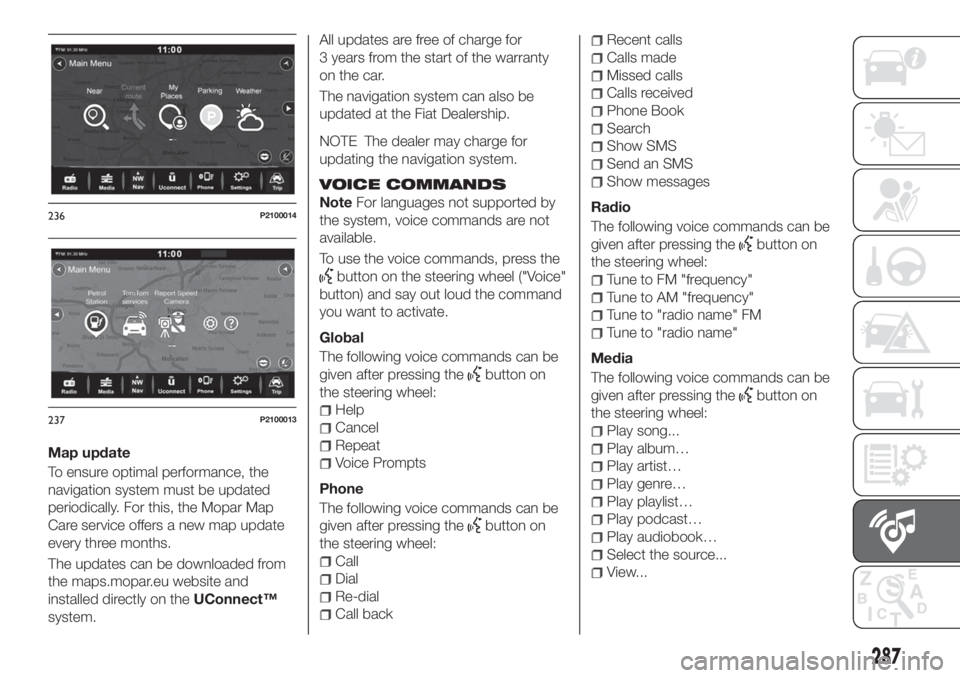
menu fig. 236 and fig. 237:
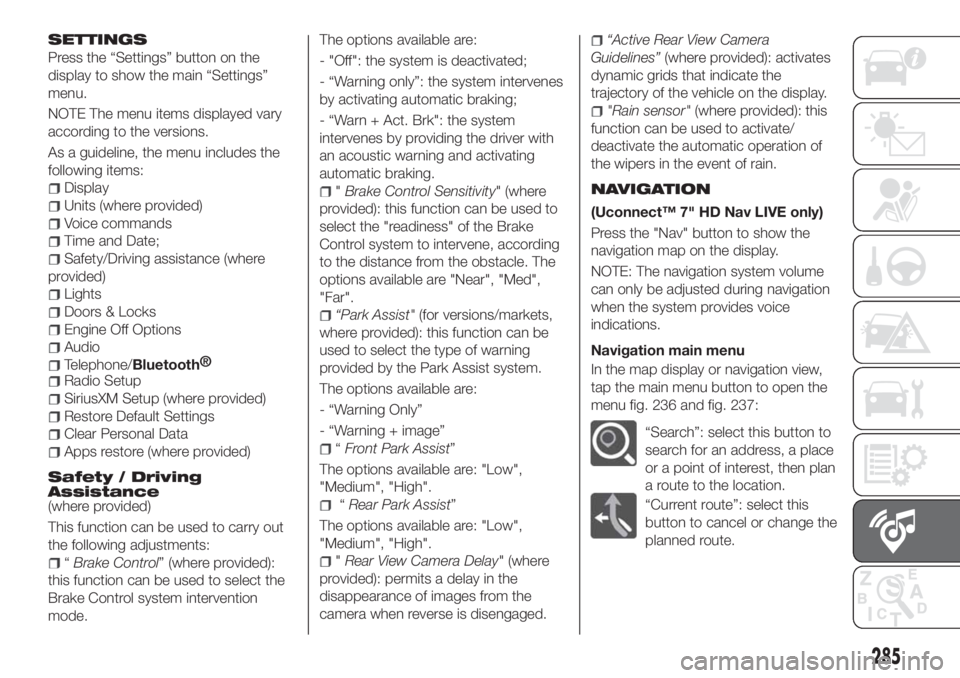
“Search”: select this button to
search for an address, a place
or a point of interest, then plan
a route to the location.
“Current route”: select this
button to cancel or change the
planned route.
285
Page 289 of 304
Map update
To ensure optimal performance, the
navigation system must be updated
periodically. For this, the Mopar Map
Care service offers a new map update
every three months.
The updates can be downloaded from
the maps.mopar.eu website and
installed directly on theUConnect™
system.All updates are free of charge for
3 years from the start of the warranty
on the car.
The navigation system can also be
updated at the Fiat Dealership.
NOTE The dealer may charge for
updating the navigation system.
VOICE COMMANDS
NoteFor languages not supported by
the system, voice commands are not
available.
To use the voice commands, press the
button on the steering wheel ("Voice"
button) and say out loud the command
you want to activate.
Global
The following voice commands can be
given after pressing the
button on
the steering wheel:
Help
Cancel
Repeat
Voice Prompts
Phone
The following voice commands can be
given after pressing the
button on
the steering wheel:
Call
Dial
Re-dial
Call back
Recent calls
Calls made
Missed calls
Calls received
Phone Book
Search
Show SMS
Send an SMS
Show messages
Radio
The following voice commands can be
given after pressing the
button on
the steering wheel:
Tune to FM "frequency"
Tune to AM "frequency"
Tune to "radio name" FM
Tune to "radio name"
Media
The following voice commands can be
given after pressing the
button on
the steering wheel:
Play song...
Play album…
Play artist…
Play genre…
Play playlist…
Play podcast…
Play audiobook…
Select the source...
View...
236P2100014
237P2100013
287
Page 291 of 304
If you receive a text message indicating
that your request was not successful,
you must be aware that the vehicle will
continue to be visible to the registered
customer.
If you have any doubts or problems
during activation, consult the FAQ on
the www.driveuconnect.eu portal,
contact the Fiat Dealership or contact
Customer Care.OFFICIAL TYPE
APPROVALS
All radio equipment supplied with the
vehicle complies with the 2014/53/EU
directive.
For further information visit the
www.mopar.eu/owner or
http://aftersales.fiat.com/elum/
websites.
289
Page 301 of 304
Smart washing function.......27
Seat belts..................85
Seats.....................15
Service schedule.............180
Servicing procedures..........204
Side bag..................108
Side direction indicators (bulb
replacement)..............150
Sideboards (TIPO STATION
WAGON version)............39
Snow chains...............208
Speed limiter...............120
SRS (supplementary restraint
system).................104
Starting the engine...........111
Steering lock................12
Steering wheel...............20
Stop/Start system............118
Suggestions for driving.........137
TC (system)................76
Technical data..............213
Third brake light (bulb
replacement)..............154
Toolbox...................36
Towing the vehicle............176
Towing trailers..............136
Trip Computer...............55TSC (system)................77
Tyres (inflation pressure)........221
Uconnect™ 5” LIVE —
Uconnect™ 5” Nav LIVE......258
Bluetooth® source.........264
Controls on the front panel. . . .258
Controls on the steering wheel . .260
Navigation...............268
Phone mode.............265
Radio mode..............263
Settings................267
System on/off......254 ,263 ,277
Uconnect™ LIVE Services.....266
USB source..............264
Voice commands..........269
Uconnect™ 7" HD............271
Uconnect™ 7" HD - Uconnect™
7" HD Nav
Android Auto.............283
Apple CarPlay............283
Bluetooth® source.........278
Controls on front panel.......271
Controls on the steering wheel . .274
Navigation...............285
Phone mode.............279
Radio mode..............277
Settings................285Uconnect™ LIVE Services.....281
USB source..............278
Voice commands..........287
Uconnect™ Radio............248
Controls on front panel.......248
Controls on the steering wheel . .251
Phone mode.............256
Radio mode..............254
USB source..............255
Use of the Owner Handbook.......3
Vehicle changes/alterations.......4
Version with LPG system........41
Warning lights and messages.....56
Weights..................227
Wheels...................218
Wheels and tyres.............208
Window bag...............108
Windows (cleaning)...........210
Windscreen wiper
replacing blades...........205
Windscreen/rear window wiper....26
Xenon gas discharge main
beam/dipped beam headlights
(bulb replacement)..........152