Engine service FORD B MAX 2012 1.G User Guide
[x] Cancel search | Manufacturer: FORD, Model Year: 2012, Model line: B MAX, Model: FORD B MAX 2012 1.GPages: 256, PDF Size: 19.67 MB
Page 136 of 256
Downloaded from www.Manualslib.com manuals search engine GENERAL INFORMATION
Have your vehicle serviced regularly to helpmaintain its roadworthiness and resalevalue. There is a large network of Fordauthorised repairers that are there to helpyou with their professional servicingexpertise. Authorised repairers are bestqualified to service your vehicle properlyand expertly, with a wide range of highlyspecialised tools.
In addition to regular servicing, werecommend that you carry out thefollowing checks.
WARNINGS
Switch the ignition off beforetouching or attempting adjustmentof any kind.
Do not touch the electronic ignitionsystem parts after you have switchedthe ignition on or when the engine isrunning. The system operates at highvoltage.
Keep your hands and clothing clearof the engine cooling fan. Undercertain conditions, the fan maycontinue to run for several minutes afteryou have switched the engine off.
Make sure that you fit filler capssecurely after carrying outmaintenance checks.
Daily Checks
•Exterior lamps.
•Interior lamps.
•Warning lamps and indicators.
Check When Refuelling
•Engine oil level. See Engine Oil Check(page 139).
•Brake fluid level. See Brake andClutch Fluid Check (page 141).
•Washer fluid level. See Washer FluidCheck (page 141).
•Tyre pressures (when cold). SeeTechnical Specifications (page 164).
•Tyre condition. See Wheels and Tyres(page 155).
Monthly Checks
•Engine coolant level (engine cold). SeeEngine Coolant Check (page 140).
•Pipes, hoses and reservoirs for leaks.
•Air conditioning operation.
•Parking brake operation.
•Horn operation.
•Tightness of wheel nuts. SeeTechnical Specifications (page 164).
OPENING AND CLOSING THE
BONNET
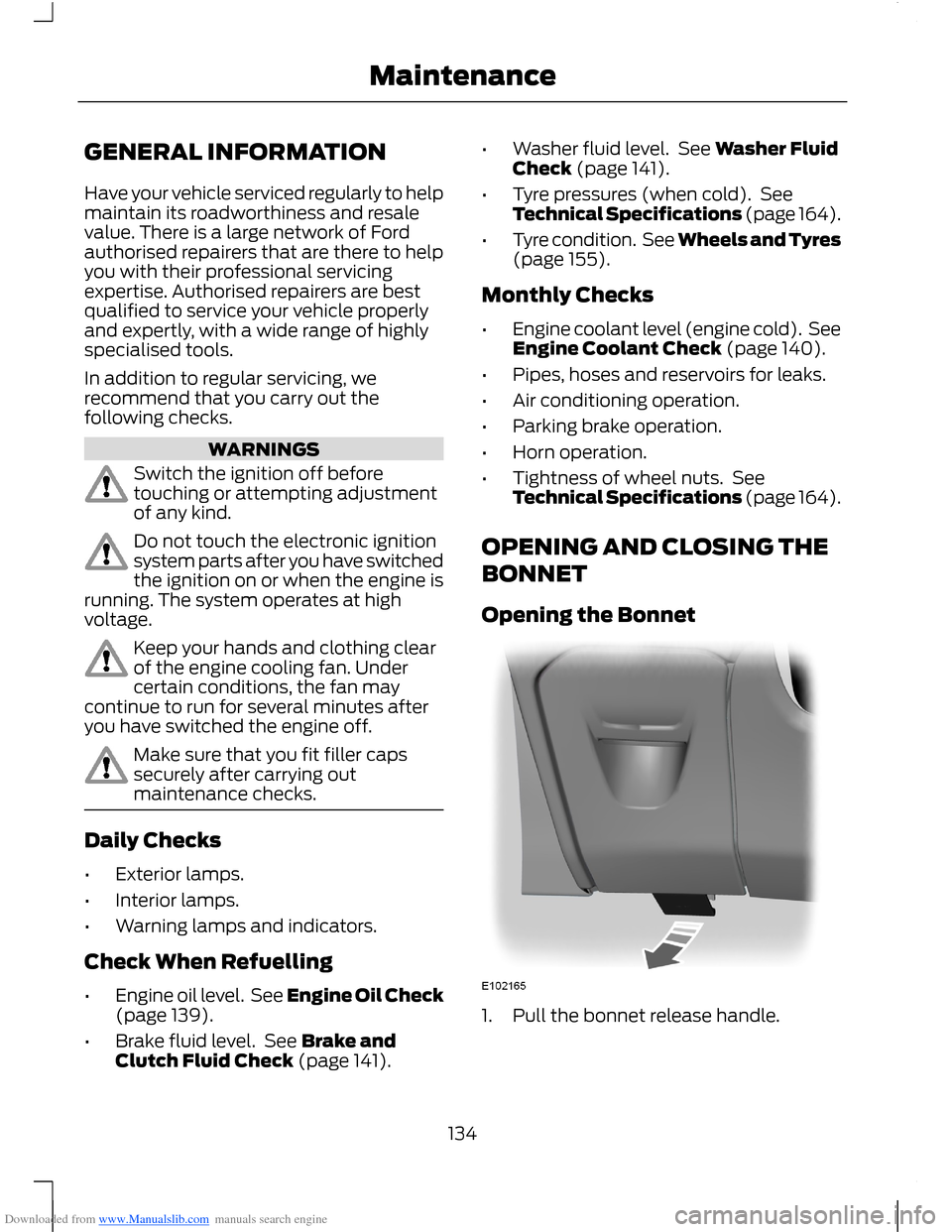
Opening the Bonnet
1.Pull the bonnet release handle.
134Maintenance
Page 142 of 256
Downloaded from www.Manualslib.com manuals search engine 3.Remove the dipstick and wipe it witha clean, lint free cloth. Replace thedipstick and remove it again to checkthe oil level.
If the level is at the MIN mark, top upimmediately.
Topping Up
WARNINGS
Only top up when the engine is cold.If the engine is hot, wait 10 minutesfor the engine to cool down.
Do not remove the filler cap whenthe engine is running.
Remove the filler cap.
WARNING
Do not top up further than the MAXmark.
Note:Soak up any spillage with anabsorbent cloth immediately.
Top up with fluid that meets the Fordspecification. See TechnicalSpecifications (page 150).
Replace the filler cap. Turn it until you feela strong resistance.
ENGINE COOLANT CHECK
WARNING
Do not allow the fluid to touch yourskin or eyes. If this happens, rinse theaffected areas immediately withplenty of water and contact your doctor.
Note:Make sure that the level is betweenthe MIN and the MAX marks.
Note:Coolant expands when it is hot. Thelevel may therefore extend beyond the MAXmark.
If the level is at the MIN mark, add coolantimmediately.
Adding Engine Coolant
WARNINGS
Only add coolant when the engine iscold. If the engine is hot, wait 10minutes for the engine to cool down.
Do not remove the filler cap whenthe engine is running.
Do not remove the filler cap whenthe engine is hot. Wait for the engineto cool down.
Undiluted coolant is flammable andmay ignite if spilt on a hot exhaust.
Note:In an emergency, you can add justwater to the cooling system to reach avehicle service station. Have the systemchecked by an authorised dealer as soon aspossible.
Note:Prolonged use of incorrect dilutionof the coolant can cause engine damagefrom corrosion, overheating or freezing.
Note:Do not add coolant further than theMAX mark.
1.Remove the filler cap. Any pressure willescape slowly as you unscrew the cap.
2.Add a 50/50 mixture of coolant andwater using fluid that meets the Fordspecifications. See TechnicalSpecifications (page 150).
3.Replace the filler cap. Turn it until youfeel a strong resistance.
140Maintenance
Page 152 of 256
Downloaded from www.Manualslib.com manuals search engine Power (watt)SpecificationLamp
5W5WLicence plate lamp
5W5WLuggage compartment lamp
1Fit a replacement with the same rating as the one you have removed.
Note:On some vehicles the lamps are LED.These are not serviceable items, see anauthorised dealer if they fail.
TECHNICAL SPECIFICATIONS
Vehicle Fluids
Note:Use fluids which meet the specifications or requirements defined. Use of other fluidsmay lead to damage which is not covered by your warranty.
Recommended fluidViscosityGradeSpecificationItem
Castrol or Ford EngineOil5W-20WSS-M2C948-BEngine oil - petrol enginesonly
Castrol or Ford EngineOil5W-30WSS-M2C913-CAlternative engine oil - allpetrol engines except 1.0LEcoBoost
Castrol or Ford EngineOil5W-30WSS-M2C913-CEngine oil - diesel engines
Motorcraft SuperPlusAntifreeze-WSS-M97B44-DAntifreeze
Motorcraft or Ford DOT4 LV High PerformanceBrake Fluid-WSS-M6C65-A2 orISO 4925 Class 6Brake fluid
Your engine has been designed to be used with Castrol and Ford Engine Oil, which givesa fuel economy benefit while maintaining the durability of your engine.
Adding oil: If you are unable to find an oil that meets the specification defined byWSS-M2C913-C or WSS-M2C948-B (petrol engines only), you must use SAE 5W-30that meets the specification defined by ACEA A5/B5.
Using oils other than the one specified can result in longer engine cranking periods, reducedengine performance, reduced fuel economy and increased emission levels.
Castrol engine oil recommended.
150Maintenance
Page 156 of 256
Downloaded from www.Manualslib.com manuals search engine Clean the seat belts with interior cleaneror water applied with a soft sponge. Letthe seat belts dry naturally, away fromartificial heat.
Instrument Cluster Screens, LCDScreens and Radio Screens
WARNING
Do not use abrasives, alcoholicsolvents or chemical solvents toclean them.
Rear Windows
WARNING
Do not use any abrasive materials toclean the interior of the rearwindows.
Note:Do not install stickers or labels to theinterior of the rear windows.
REPAIRING MINOR PAINT
DAMAGE
You should repair paintwork damagecaused by stones from the road or minorscratches as soon as possible. A choice ofproducts are available from an authoriseddealer.
Remove particles such as bird droppings,tree sap, insect deposits, tar spots, roadsalt and industrial fallout before repairingpaint chips.
Always read and follow the manufacturer’sinstructions before using the products.
CLEANING THE ALLOY
WHEELS
Note:Do not apply a cleaning chemical towarm or hot wheel rims and covers.
Note:Industrial-strength (heavy-duty)cleaners, or cleaning chemicals, incombination with brush agitation to removebrake dust and dirt, could wear away theclear coat finish over a period time.
Note:Do not use hydrofluoric acid-basedor high caustic-based wheel cleaners, steelwool, fuels or strong household detergent.
Note:If you intend parking your vehicle foran extended period after cleaning thewheels with a wheel cleaner, drive yourvehicle for a few minutes before doing so.This will reduce the risk of increasedcorrosion of the brake discs, brake pads andlinings.
Note:Some automatic car washes maycause damage to the finish on your wheelrims and covers.
Alloy wheels and wheel covers are coatedwith a clear coat paint finish. To maintaintheir condition we recommend that you:
•Clean them weekly with therecommended wheel and tyre cleaner.
•Use a sponge to remove heavydeposits of dirt and brake dustaccumulation.
•Rinse them thoroughly with apressurised stream of water when youhave completed the cleaning process.
We recommend that you use Ford servicewheel cleaner. Make sure that you readand follow the manufacturer’s instructions.
Using other non-recommended cleaningproducts can result in severe andpermanent cosmetic damage.
154Vehicle Care
Page 181 of 256
Downloaded from www.Manualslib.com manuals search engine Sound Button
This will allow you to adjust the soundsettings (for example bass, middle andtreble).
1.Press the sound button.
2.Use the up and down arrow buttons toselect the required setting.
3.Use the left and right arrow buttons tomake the necessary adjustment. Thedisplay indicates the level selected.
4.Press the OK button to confirm thenew settings.
Waveband Button
Press the RADIO button to select from thewavebands available.
You can use the selector to return to radioreception when you have been listening toanother source.
Alternatively, press the left arrow buttonto display the available wavebands. Scrollto the required waveband and press OK.
Station Tuning Control
DAB Service Linking
Note:The DAB service linking is as perdefault off.
Note:Service linking allowscross-referencing to other correspondingfrequencies of the same station, for exampleFM and other DAB ensembles.
Note:The system will automaticallychange to another corresponding station ifthe current one becomes unavailable, forexample when leaving the coverage area.
Switching DAB service linking on and off.See General Information (page 58).
Seek Tuning
Select a waveband and briefly press oneof the seek buttons. The unit will stop atthe first station it finds in the direction youhave chosen.
Manual Tuning
1.Press function button 2.
2.Use the left and right arrow buttons totune down or up the waveband in smallincrements or press and hold toincrement quickly, until you find astation you want to listen to.
3.Press OK to continue listening to astation.
Scan Tuning
Scan allows you to listen to a few secondsof each station detected.
1.Press function button 3.
2.Use the seek buttons to scan up ordown the selected waveband.
3.Press function button 3 again or OKto continue listening to a station.
Station Preset Buttons
This feature allows you to store yourfavourite stations, they can be recalled byselecting the appropriate waveband andpressing one of the preset buttons.
1.Select a waveband.
2.Tune to the station required.
3.Press and hold one of the presetbuttons. A progress bar and messagewill appear. When the progress barcompletes the station has been stored.The audio unit will also mutemomentarily as confirmation.
You can repeat this on each waveband andfor each preset button.
179Audio System
Page 186 of 256
Downloaded from www.Manualslib.com manuals search engine CD: Press the button to change source to CD, it will also cancel the menu orlist browsing.X
Volume: Turn the dial to adjust the volume.Y
Sound Button
This will allow you to adjust the soundsettings (for example bass, middle andtreble).
1.Press the SOUND button.
2.Use the up and down arrow buttons toselect the required setting.
3.Use the left and right arrow buttons tomake the necessary adjustment. Thedisplay indicates the level selected.
4.Press the OK button to confirm thenew settings.
Waveband Button
Press the RADIO button to select from thewavebands available.
You can use the selector to return to radioreception when you have been listening toanother source.
Alternatively, press the left arrow buttonto display the available wavebands. Scrollto the required waveband and press OK.
Station Tuning Control
DAB Service Linking
Note:The DAB service linking is as perdefault off.
Note:Service linking allowscross-referencing to other correspondingfrequencies of the same station, for exampleFM and other DAB ensembles.
Note:The system will automaticallychange to another corresponding station ifthe current one becomes unavailable, forexample when leaving the coverage area.
Switching DAB service linking on and off.See General Information (page 58).
Seek Tuning
Select a waveband and briefly press oneof the seek buttons. The unit will stop atthe first station it finds in the direction youhave chosen.
Manual Tuning
1.Press function button 2.
2.Use the left and right arrow buttons totune down or up the waveband in smallincrements or press and hold toincrement quickly, until you find astation you want to listen to.
3.Press OK to continue listening to astation.
Scan Tuning
Scan allows you to listen to a few secondsof each station detected.
1.Press function button 3.
2.Use the seek buttons to scan up ordown the selected waveband.
3.Press function button 3 again or OK tocontinue listening to a station.
Station Preset Buttons
This feature allows you to store yourfavourite stations, they can be recalled byselecting the appropriate waveband andpressing one of the preset buttons.
1.Select a waveband.
2.Tune to the station required.
184Audio System
Page 199 of 256
Downloaded from www.Manualslib.com manuals search engine Safety Information
WARNING
Driving while distracted can result inloss of vehicle control, collision andinjury. We strongly recommend thatyou use extreme caution when using anydevice that may take your focus off theroad. Your primary responsibility is the safeoperation of your vehicle. We recommendagainst the use of any handheld devicewhile driving, encourage the use ofvoice-operated systems when possibleand that you become aware of applicablecountry and local laws that may affect useof electronic devices while driving.
When using SYNC:
•Do not operate playing devices if thepower cords or cables are broken, splitor damaged. Carefully place cords andcables where they cannot be steppedon or interfere with the operation ofpedals, seats, compartments or safedriving abilities.
•Do not leave playing devices in yourvehicle during extreme conditions as itcould cause them damage. Refer toyour device's user guide for furtherinformation.
•Do not attempt to service or repair thesystem. See an authorised dealer.
Privacy Information
When a mobile phone is connected toSYNC, the system creates a profile withinyour vehicle that is linked to that mobilephone. This profile is created in order tooffer you more mobile features and tooperate more efficiently. Among otherthings, this profile may contain data aboutyour phone book, text messages (read andunread) and call history. Including thehistory of calls when your mobile phonewas not connected to the system. Inaddition, if you connect a media device,the system creates and retains an index ofsupported media content. The system alsorecords a short development log ofapproximately 10 minutes of all recentsystem activity. The log profile and othersystem data may be used to improve thesystem and help diagnose any problemsthat may occur.
The mobile phone profile, media deviceindex, and development log will remain inyour vehicle unless you delete it and aregenerally accessible only in your vehiclewhen the mobile phone or media player isconnected. If you no longer plan to use thesystem or your vehicle, we recommend youperform a master reset to erase all storedinformation.
System data cannot be accessed withoutspecial equipment and access to yourvehicle's SYNC module. We will not accessthe system data for any purpose other thanas described absent consent, a court order,or where required by law enforcement,other government authorities or other thirdparties acting with lawful authority. Otherparties may seek to access the informationindependently of us. For further privacyinformation, see the sections onemergency assistance.
197SYNC
Page 211 of 256
Downloaded from www.Manualslib.com manuals search engine You CanIf You Select
2. When Please begin pairing by appears in the display,search for SYNC on your device to start the pairingprocess. Refer to your mobile phone's user guide if neces-sary.3. When prompted on your mobile phone's display, enterthe six-digit PIN provided by SYNC in the radio display.The display indicates when the pairing is successful.4. Set phone name as the favorite mobile phone? Choosebetween Yes and No.5. Depending on the functionality of your mobile phone,you may be asked additional questions (i.e. if you wouldlike to download your phonebook). Press Yes or No toselect your responses.
Delete a paired mobile phone.DeletePress Delete and confirm with Yes when asked to deletethe selected device from SYNC. After deleting a mobilephone from the list, the mobile phone can only beconnected again by executing the pairing process.
Set a previously paired mobile phone as your primarymobile phone.Master
Press Master to select the desired mobile phone as theprimary mobile phone.SYNC attempts to connect with the primary mobile phoneevery time the ignition is switched on. When a mobilephone is selected as primary, it appears first in the list and
is marked with an asterisk*
Connect a previously paired bluetooth-enabled mobilephone. You can only have one device connected at a timeto use the mobile phone functionality. When anothermobile phone is connected, the previous mobile phonewill be disconnected for the telephone services. SYNCallows you to use different Bluetooth devices for themobile phone functionality and the BT Audio music play-back feature at the same time.
Conn.
Press Conn. to connect to the selected previously pairedmobile phone.
Disconnects the selected mobile phone. Press Discon.and confirm with Yes when asked. After disconnecting amobile phone, it can be connected again withoutperforming the full pairing process.
Discon.
209SYNC
Page 212 of 256
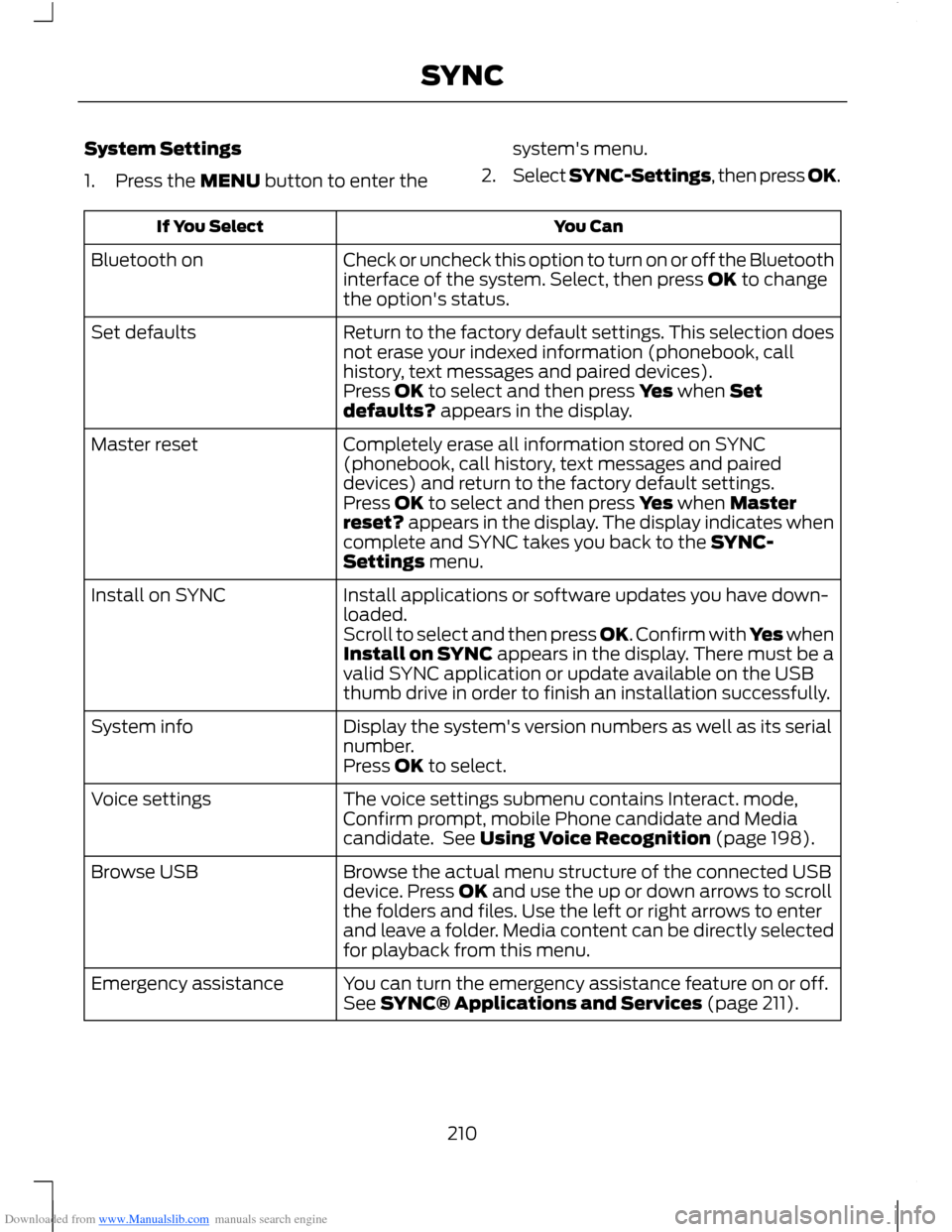
Downloaded from www.Manualslib.com manuals search engine System Settings
1.Press the MENU button to enter the
system's menu.
2.Select SYNC-Settings, then press OK.
You CanIf You Select
Check or uncheck this option to turn on or off the Bluetoothinterface of the system. Select, then press OK to changethe option's status.
Bluetooth on
Return to the factory default settings. This selection doesnot erase your indexed information (phonebook, callhistory, text messages and paired devices).
Set defaults
Press OK to select and then press Yes when Setdefaults? appears in the display.
Completely erase all information stored on SYNC(phonebook, call history, text messages and paireddevices) and return to the factory default settings.
Master reset
Press OK to select and then press Yes when Masterreset? appears in the display. The display indicates whencomplete and SYNC takes you back to the SYNC-Settings menu.
Install applications or software updates you have down-loaded.Install on SYNC
Scroll to select and then press OK. Confirm with Yes whenInstall on SYNC appears in the display. There must be avalid SYNC application or update available on the USBthumb drive in order to finish an installation successfully.
Display the system's version numbers as well as its serialnumber.System info
Press OK to select.
The voice settings submenu contains Interact. mode,Confirm prompt, mobile Phone candidate and Mediacandidate. See Using Voice Recognition (page 198).
Voice settings
Browse the actual menu structure of the connected USBdevice. Press OK and use the up or down arrows to scrollthe folders and files. Use the left or right arrows to enterand leave a folder. Media content can be directly selectedfor playback from this menu.
Browse USB
You can turn the emergency assistance feature on or off.See SYNC® Applications and Services (page 211).Emergency assistance
210SYNC
Page 213 of 256
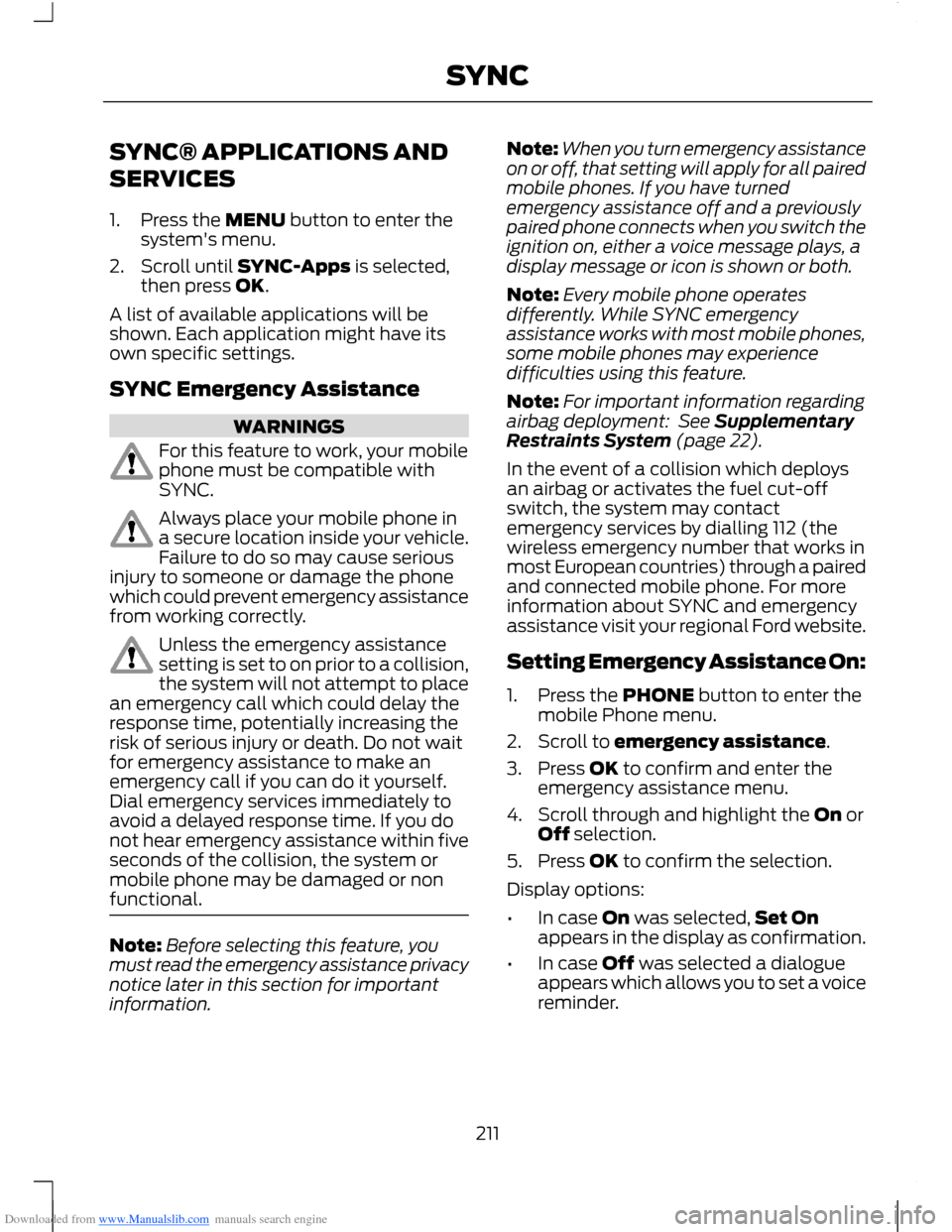
Downloaded from www.Manualslib.com manuals search engine SYNC® APPLICATIONS AND
SERVICES
1.Press the MENU button to enter thesystem's menu.
2.Scroll until SYNC-Apps is selected,then press OK.
A list of available applications will beshown. Each application might have itsown specific settings.
SYNC Emergency Assistance
WARNINGS
For this feature to work, your mobilephone must be compatible withSYNC.
Always place your mobile phone ina secure location inside your vehicle.Failure to do so may cause seriousinjury to someone or damage the phonewhich could prevent emergency assistancefrom working correctly.
Unless the emergency assistancesetting is set to on prior to a collision,the system will not attempt to placean emergency call which could delay theresponse time, potentially increasing therisk of serious injury or death. Do not waitfor emergency assistance to make anemergency call if you can do it yourself.Dial emergency services immediately toavoid a delayed response time. If you donot hear emergency assistance within fiveseconds of the collision, the system ormobile phone may be damaged or nonfunctional.
Note:Before selecting this feature, youmust read the emergency assistance privacynotice later in this section for importantinformation.
Note:When you turn emergency assistanceon or off, that setting will apply for all pairedmobile phones. If you have turnedemergency assistance off and a previouslypaired phone connects when you switch theignition on, either a voice message plays, adisplay message or icon is shown or both.
Note:Every mobile phone operatesdifferently. While SYNC emergencyassistance works with most mobile phones,some mobile phones may experiencedifficulties using this feature.
Note:For important information regardingairbag deployment: See SupplementaryRestraints System (page 22).
In the event of a collision which deploysan airbag or activates the fuel cut-offswitch, the system may contactemergency services by dialling 112 (thewireless emergency number that works inmost European countries) through a pairedand connected mobile phone. For moreinformation about SYNC and emergencyassistance visit your regional Ford website.
Setting Emergency Assistance On:
1.Press the PHONE button to enter themobile Phone menu.
2.Scroll to emergency assistance.
3.Press OK to confirm and enter theemergency assistance menu.
4.Scroll through and highlight the On orOff selection.
5.Press OK to confirm the selection.
Display options:
•In case On was selected,Set Onappears in the display as confirmation.
•In case Off was selected a dialogueappears which allows you to set a voicereminder.
211SYNC