Seat FORD B MAX 2012 1.G Owner's Manual
[x] Cancel search | Manufacturer: FORD, Model Year: 2012, Model line: B MAX, Model: FORD B MAX 2012 1.GPages: 256, PDF Size: 19.67 MB
Page 73 of 256
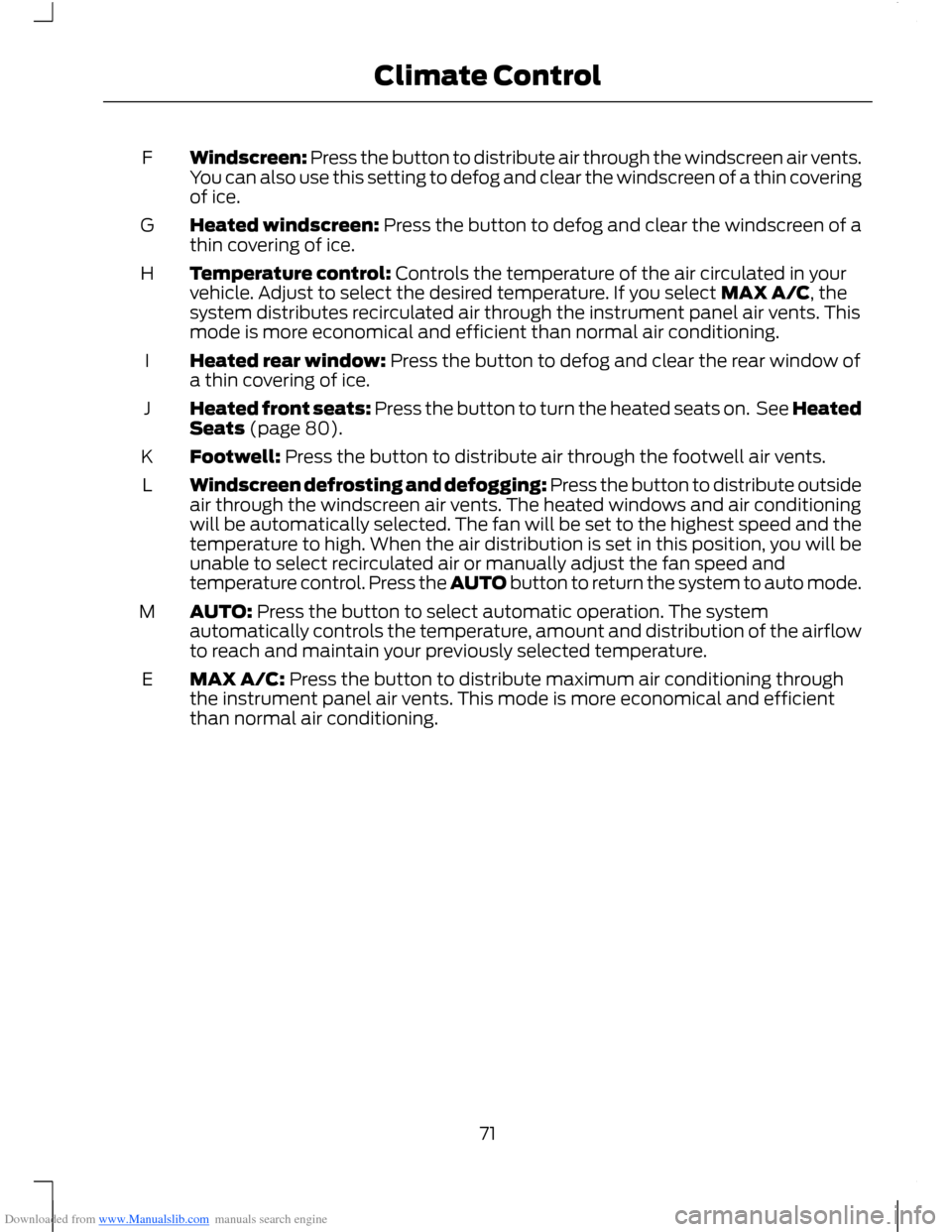
Downloaded from www.Manualslib.com manuals search engine Windscreen: Press the button to distribute air through the windscreen air vents.You can also use this setting to defog and clear the windscreen of a thin coveringof ice.
F
Heated windscreen: Press the button to defog and clear the windscreen of athin covering of ice.G
Temperature control: Controls the temperature of the air circulated in yourvehicle. Adjust to select the desired temperature. If you select MAX A/C, thesystem distributes recirculated air through the instrument panel air vents. Thismode is more economical and efficient than normal air conditioning.
H
Heated rear window: Press the button to defog and clear the rear window ofa thin covering of ice.I
Heated front seats: Press the button to turn the heated seats on. See HeatedSeats (page 80).J
Footwell: Press the button to distribute air through the footwell air vents.K
Windscreen defrosting and defogging: Press the button to distribute outsideair through the windscreen air vents. The heated windows and air conditioningwill be automatically selected. The fan will be set to the highest speed and thetemperature to high. When the air distribution is set in this position, you will beunable to select recirculated air or manually adjust the fan speed andtemperature control. Press the AUTO button to return the system to auto mode.
L
AUTO: Press the button to select automatic operation. The systemautomatically controls the temperature, amount and distribution of the airflowto reach and maintain your previously selected temperature.
M
MAX A/C: Press the button to distribute maximum air conditioning throughthe instrument panel air vents. This mode is more economical and efficientthan normal air conditioning.
E
71Climate Control
Page 74 of 256
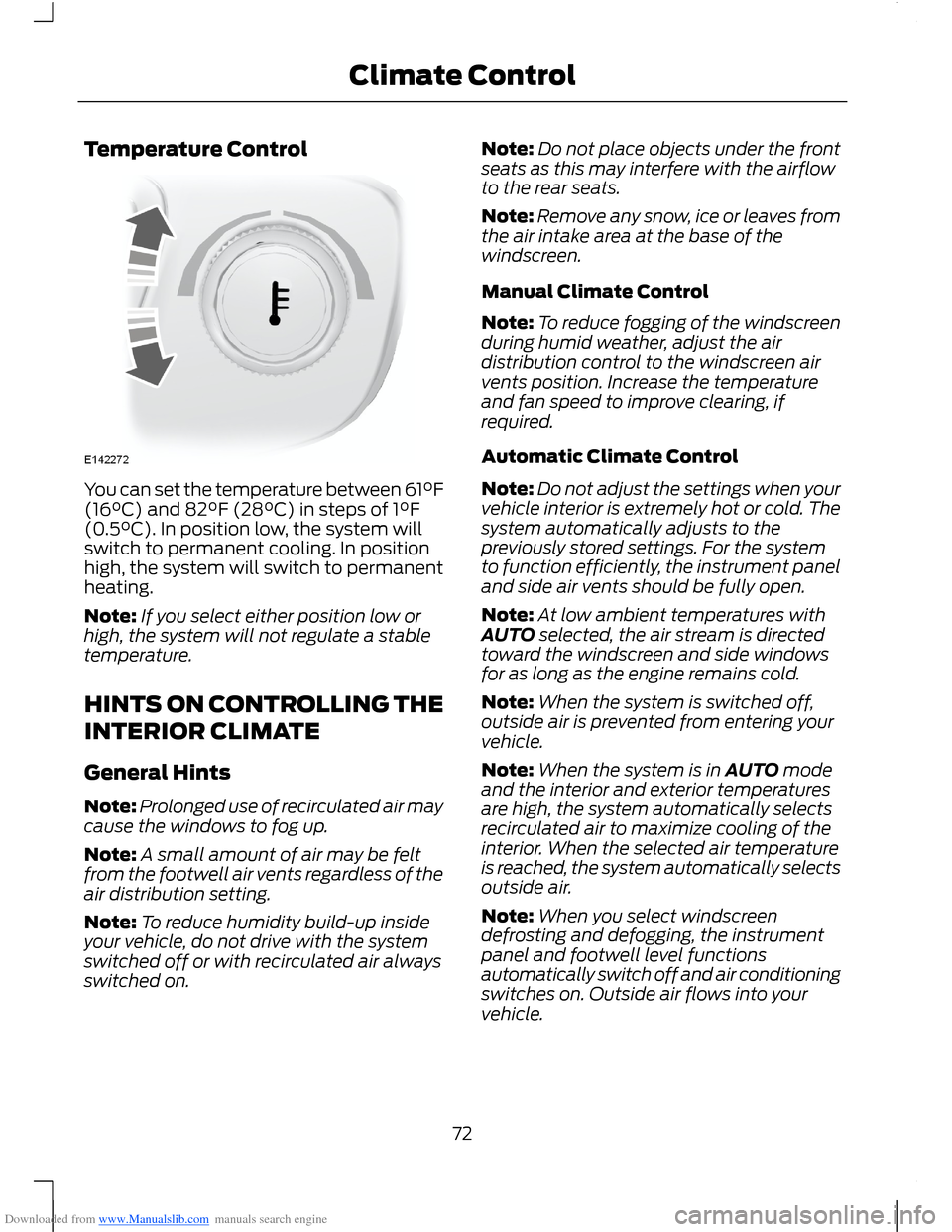
Downloaded from www.Manualslib.com manuals search engine Temperature Control
You can set the temperature between 61°F(16°C) and 82°F (28°C) in steps of 1°F(0.5°C). In position low, the system willswitch to permanent cooling. In positionhigh, the system will switch to permanentheating.
Note:If you select either position low orhigh, the system will not regulate a stabletemperature.
HINTS ON CONTROLLING THE
INTERIOR CLIMATE
General Hints
Note:Prolonged use of recirculated air maycause the windows to fog up.
Note:A small amount of air may be feltfrom the footwell air vents regardless of theair distribution setting.
Note:To reduce humidity build-up insideyour vehicle, do not drive with the systemswitched off or with recirculated air alwaysswitched on.
Note:Do not place objects under the frontseats as this may interfere with the airflowto the rear seats.
Note:Remove any snow, ice or leaves fromthe air intake area at the base of thewindscreen.
Manual Climate Control
Note:To reduce fogging of the windscreenduring humid weather, adjust the airdistribution control to the windscreen airvents position. Increase the temperatureand fan speed to improve clearing, ifrequired.
Automatic Climate Control
Note:Do not adjust the settings when yourvehicle interior is extremely hot or cold. Thesystem automatically adjusts to thepreviously stored settings. For the systemto function efficiently, the instrument paneland side air vents should be fully open.
Note:At low ambient temperatures withAUTO selected, the air stream is directedtoward the windscreen and side windowsfor as long as the engine remains cold.
Note:When the system is switched off,outside air is prevented from entering yourvehicle.
Note:When the system is in AUTO modeand the interior and exterior temperaturesare high, the system automatically selectsrecirculated air to maximize cooling of theinterior. When the selected air temperatureis reached, the system automatically selectsoutside air.
Note:When you select windscreendefrosting and defogging, the instrumentpanel and footwell level functionsautomatically switch off and air conditioningswitches on. Outside air flows into yourvehicle.
72Climate Control
Page 78 of 256
Downloaded from www.Manualslib.com manuals search engine SITTING IN THE CORRECT
POSITION
WARNINGS
Do not recline the seatback too faras this can cause the occupant toslide under the seat belt, resulting inserious injury in the event of a collision.
Sitting improperly, out of position orwith the seatback reclined too far,can result in serious injury or deathin the event of a collision. Always situpright against your seatback, with yourfeet on the floor.
Do not place objects higher than theseatback to reduce the risk of seriousinjury in the event of a collision orduring heavy braking.
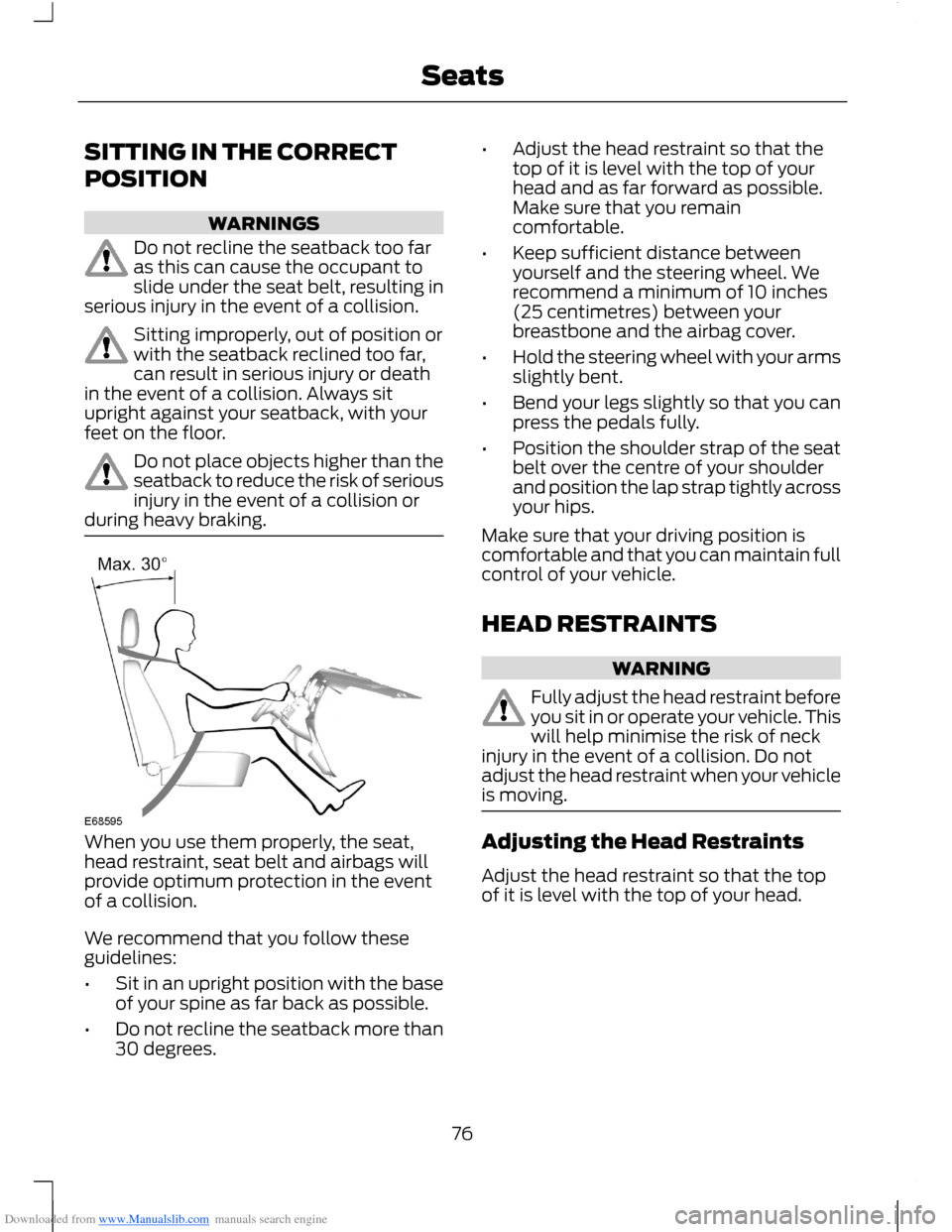
When you use them properly, the seat,head restraint, seat belt and airbags willprovide optimum protection in the eventof a collision.
We recommend that you follow theseguidelines:
•Sit in an upright position with the baseof your spine as far back as possible.
•Do not recline the seatback more than30 degrees.
•Adjust the head restraint so that thetop of it is level with the top of yourhead and as far forward as possible.Make sure that you remaincomfortable.
•Keep sufficient distance betweenyourself and the steering wheel. Werecommend a minimum of 10 inches(25 centimetres) between yourbreastbone and the airbag cover.
•Hold the steering wheel with your armsslightly bent.
•Bend your legs slightly so that you canpress the pedals fully.
•Position the shoulder strap of the seatbelt over the centre of your shoulderand position the lap strap tightly acrossyour hips.
Make sure that your driving position iscomfortable and that you can maintain fullcontrol of your vehicle.
HEAD RESTRAINTS
WARNING
Fully adjust the head restraint beforeyou sit in or operate your vehicle. Thiswill help minimise the risk of neckinjury in the event of a collision. Do notadjust the head restraint when your vehicleis moving.
Adjusting the Head Restraints
Adjust the head restraint so that the topof it is level with the top of your head.
76Seats
Page 79 of 256
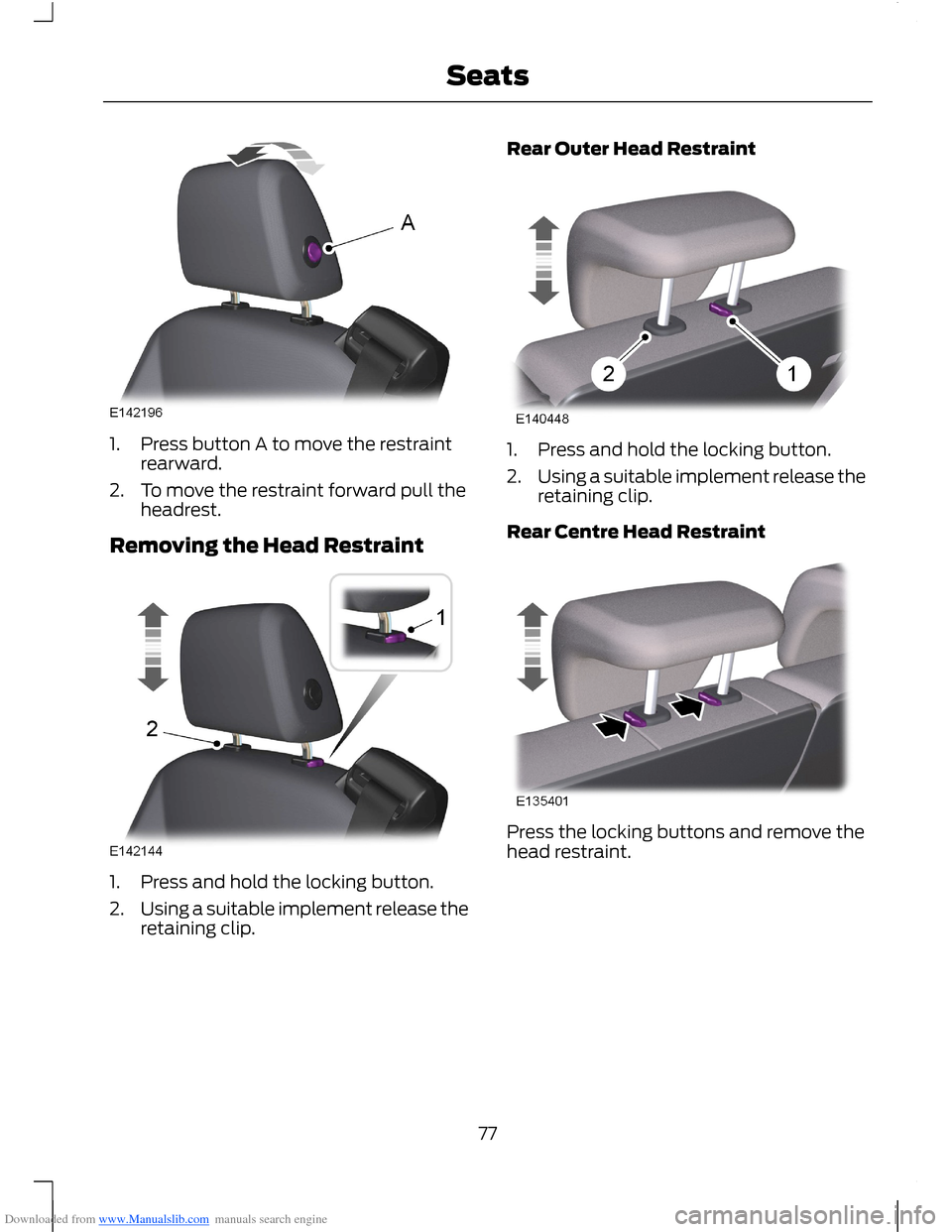
Downloaded from www.Manualslib.com manuals search engine 1.Press button A to move the restraintrearward.
2.To move the restraint forward pull theheadrest.
Removing the Head Restraint
1.Press and hold the locking button.
2.Using a suitable implement release theretaining clip.
Rear Outer Head Restraint
1.Press and hold the locking button.
2.Using a suitable implement release theretaining clip.
Rear Centre Head Restraint
Press the locking buttons and remove thehead restraint.
77Seats
Page 80 of 256
Downloaded from www.Manualslib.com manuals search engine MANUAL SEATS
WARNINGS
Do not place cargo or any objectsbehind the seatback before returningit to the original position. Pull on theseatback to make sure that it has fullylatched after returning the seatback to itsoriginal position. An unlatched seat maybecome dangerous if you stop suddenly orhave a collision.
Rock the seat backward and forwardafter releasing the lever to make surethat it is fully engaged in its catch.
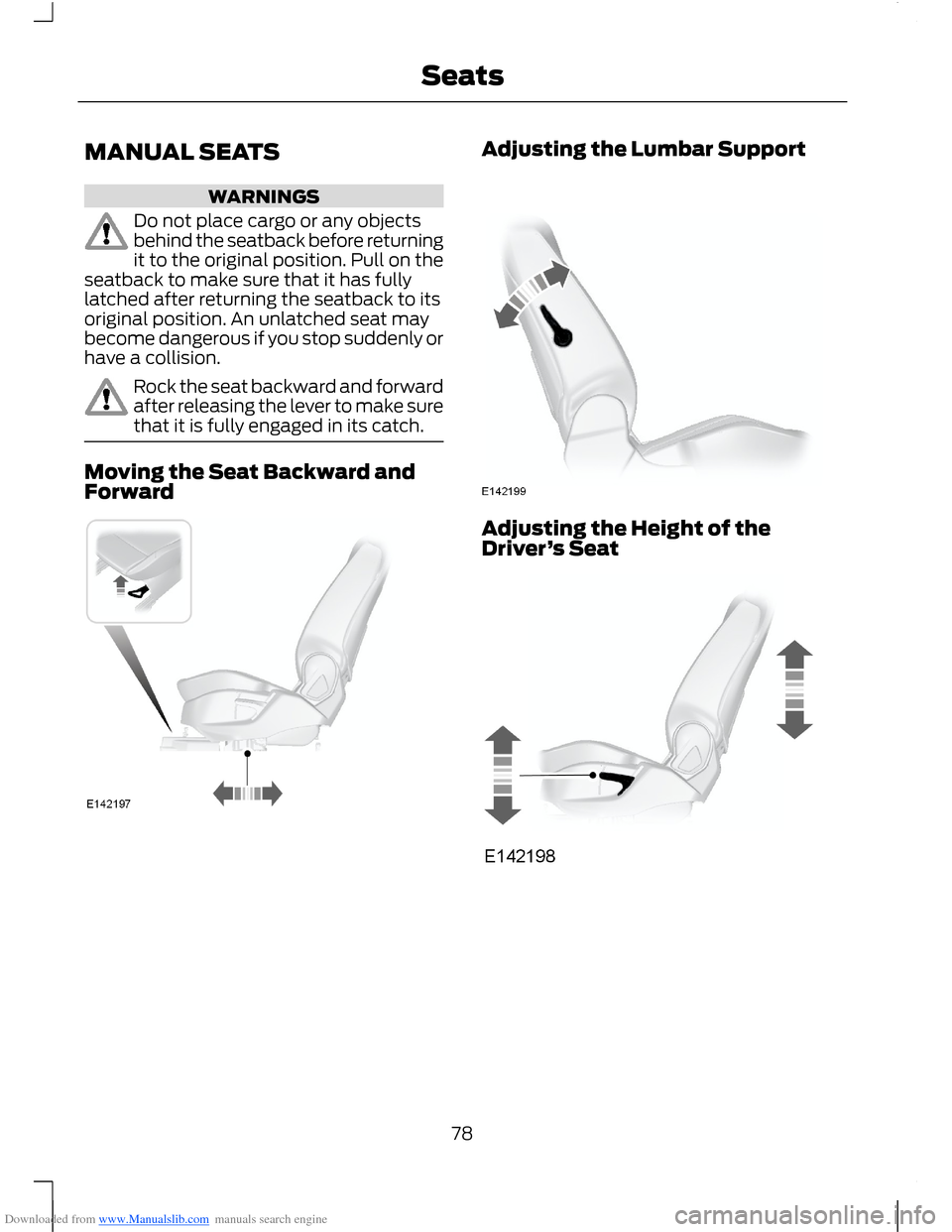
Moving the Seat Backward andForward
Adjusting the Lumbar Support
Adjusting the Height of theDriver’s Seat
78Seats
Page 81 of 256
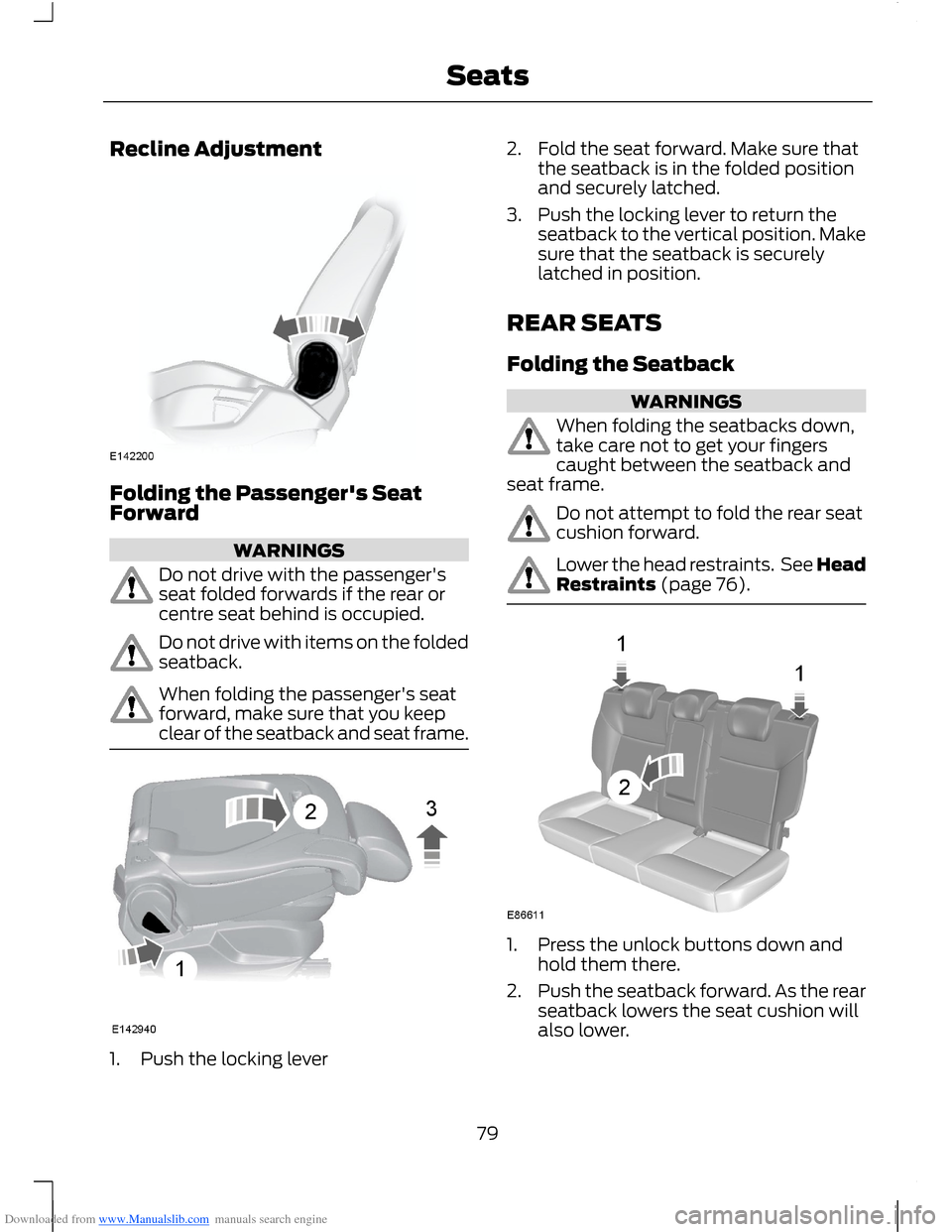
Downloaded from www.Manualslib.com manuals search engine Recline Adjustment
Folding the Passenger's SeatForward
WARNINGS
Do not drive with the passenger'sseat folded forwards if the rear orcentre seat behind is occupied.
Do not drive with items on the foldedseatback.
When folding the passenger's seatforward, make sure that you keepclear of the seatback and seat frame.
1.Push the locking lever
2.Fold the seat forward. Make sure thatthe seatback is in the folded positionand securely latched.
3.Push the locking lever to return theseatback to the vertical position. Makesure that the seatback is securelylatched in position.
REAR SEATS
Folding the Seatback
WARNINGS
When folding the seatbacks down,take care not to get your fingerscaught between the seatback andseat frame.
Do not attempt to fold the rear seatcushion forward.
Lower the head restraints. See HeadRestraints (page 76).
1.Press the unlock buttons down andhold them there.
2.Push the seatback forward. As the rearseatback lowers the seat cushion willalso lower.
79Seats
Page 82 of 256
Downloaded from www.Manualslib.com manuals search engine Unfolding the Seatback
WARNINGS
When folding the seatbacks up,make sure that the belts are visibleto an occupant and not caughtbehind the seat.
Make sure that the seats and theseatbacks are secure and fullyengaged in their catches.
HEATED SEATS
WARNING
People who are unable to feel painto their skin because of advancedage, chronic illness, diabetes, spinalcord injury, medication, alcohol use,exhaustion or other physical conditions,must exercise care when using the heatedseat. The heated seat may cause burnseven at low temperatures, especially ifused for long periods of time. Do not placeanything on the seat that insulates againstheat, such as a blanket or cushion. Thismay cause the heated seat to overheat.Do not puncture the seat with pins, needlesor other pointed objects. This may damagethe heating element which may cause theheated seat to overheat. An overheatedseat may cause serious personal injury.
Do not do the following:
•Place heavy objects on the seat.
•Operate the heated seat if water or anyother liquid is spilled on the seat. Allowthe seat to dry thoroughly.
•Operate the heated seats unless theengine is running. Doing so could drainyour vehicle battery.
For item location: See Climate Control(page 68).
The heated seat will only operate with theignition switched on.
The maximum temperature is reachedafter five or six minutes. It is regulatedthermostatically.
The heated seat will remain on until eitherthe heated seat switch or the ignition isswitched off.
FRONT SEAT ARMREST
80Seats
Page 91 of 256
Downloaded from www.Manualslib.com manuals search engine START-STOP
Note:For vehicles with start-stop thebattery requirement is different. It must bereplaced by one of exactly the samespecification as the original.
The system reduces fuel consumption andCO2 emissions by shutting down theengine when your vehicle is idling, forexample at traffic lights. The engine willautomatically restart when you press theclutch pedal or when required by a vehiclesystem, for example to recharge thebattery.
To obtain maximum benefit from thesystem, move the transmission selectorlever to neutral and release the clutchpedal during any stop of longer than threeseconds.
Using Start-Stop
WARNINGS
The engine may restartautomatically if required by thesystem.
Switch the ignition off beforeopening the bonnet or carrying outany maintenance.
Always switch the ignition off beforeleaving your vehicle, as the systemmay have shut down the engine butthe ignition will still be live.
Note:The system only operates when theengine is warm and the outside temperatureis between 32°F (0°C) and 86°F (30°C).
Note:If you stall the engine, and thendepress the clutch pedal within a shortperiod of time, the system will automaticallyrestart the engine.
Note:The start-stop indicator willilluminate green when the engine shutsdown. See Warning Lamps and Indicators(page 53).
Note:When the start-stop indicator flashesamber, move the transmission selector leverto neutral or depress the clutch pedal.
Note:If the system detects a malfunction,it will switch off. Have the system checkedby an authorised dealer.
Note:When you switch the system off, theswitch will illuminate.
Note:The system automatically turns onevery time you switch the ignition on. Toswitch the system off, press the switch inthe instrument panel. The system will onlybe switched off for the current ignition cycle.To turn it on, press the switch again. For itemlocation See At a Glance (page 8).
To Stop the Engine
1.Stop your vehicle.
2.Move the transmission selector leverto neutral.
3.Release the clutch pedal.
4.Release the accelerator pedal.
The system may not shut down the engineunder certain conditions, for example:
•To maintain the interior climate.
•Low battery voltage.
•The outside temperature is too low ortoo high.
•The driver's door has been opened.
•Low engine operating temperature.
•Low brake system vacuum.
•If a road speed of 3 mph (5 km/h) hasnot been exceeded.
•The driver's seat belt has not beenfastened.
89Unique Driving Characteristics
Page 116 of 256
Downloaded from www.Manualslib.com manuals search engine CARGO NETS
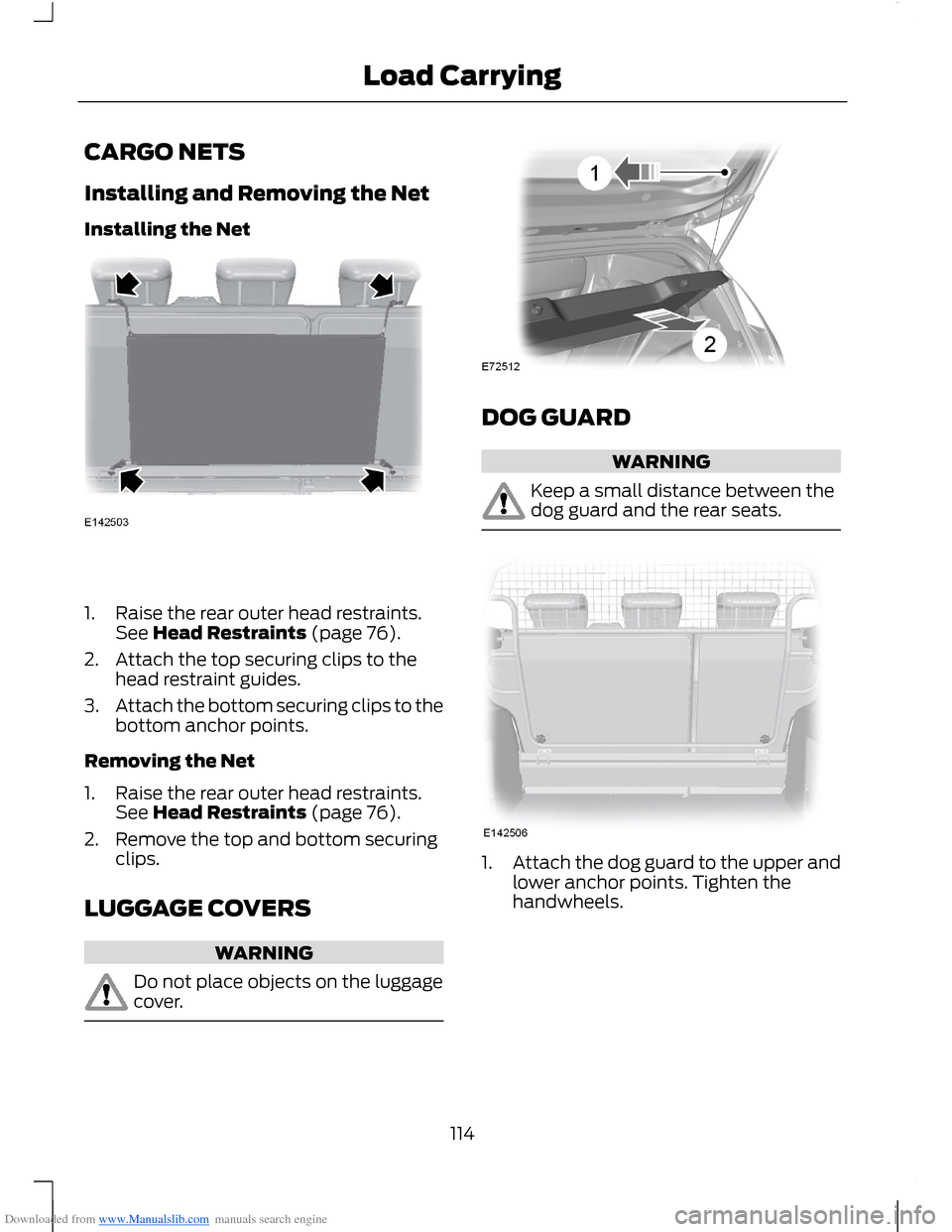
Installing and Removing the Net
Installing the Net
1.Raise the rear outer head restraints.See Head Restraints (page 76).
2.Attach the top securing clips to thehead restraint guides.
3.Attach the bottom securing clips to thebottom anchor points.
Removing the Net
1.Raise the rear outer head restraints.See Head Restraints (page 76).
2.Remove the top and bottom securingclips.
LUGGAGE COVERS
WARNING
Do not place objects on the luggagecover.
DOG GUARD
WARNING
Keep a small distance between thedog guard and the rear seats.
1.Attach the dog guard to the upper andlower anchor points. Tighten thehandwheels.
114Load Carrying
Page 118 of 256
Downloaded from www.Manualslib.com manuals search engine TOWING A TRAILER
WARNINGS
Do not exceed 62 mph (100 km/h).
The rear tyre pressures must beincreased by 3 psi (0.2 bar) abovespecification. See TechnicalSpecifications (page 164).
Do not exceed the maximum grosstrain weight stated on your vehicleidentification plate. See VehicleIdentification Plate (page 167).
Do not exceed the maximumpermissible nose weight, i.e. verticalweight on the tow ball, of 110 pounds(50 kilogrammes).
The electrical system is not suitablefor towing trailers with more thanone rear fog lamp.
Note:Not all vehicles are suitable orapproved to have tow bars fitted. Checkwith your dealer first.
Place loads as low and central to theaxle(s) of the trailer as possible. If you aretowing with an unladen vehicle, the loadin the trailer should be placed toward thenose, within the maximum nose load, asthis gives the best stability.
The stability of your vehicle to trailercombination is very much dependant onthe quality of the trailer.
In high altitude regions above 3 281 feet (1000 metres), the stipulated maximumpermitted gross train weight must bereduced by 10% for every additional 3 281feet (1 000 metres).
Steep Gradients
WARNING
The anti-lock braking system doesnot control the overrun brake on thetrailer.
Change down a gear before you reach asteep downhill gradient.
TOW BALL
WARNINGS
When not in use, always transportthe tow ball arm securely fastenedin the luggage compartment.
Take special care when fitting thetow ball arm as the safety of yourvehicle and the trailer depends onthis.
Do not use any tools for mounting ordismounting the tow ball arm.
Do not modify the trailer coupling.
Do not disassemble or repair the towball arm.
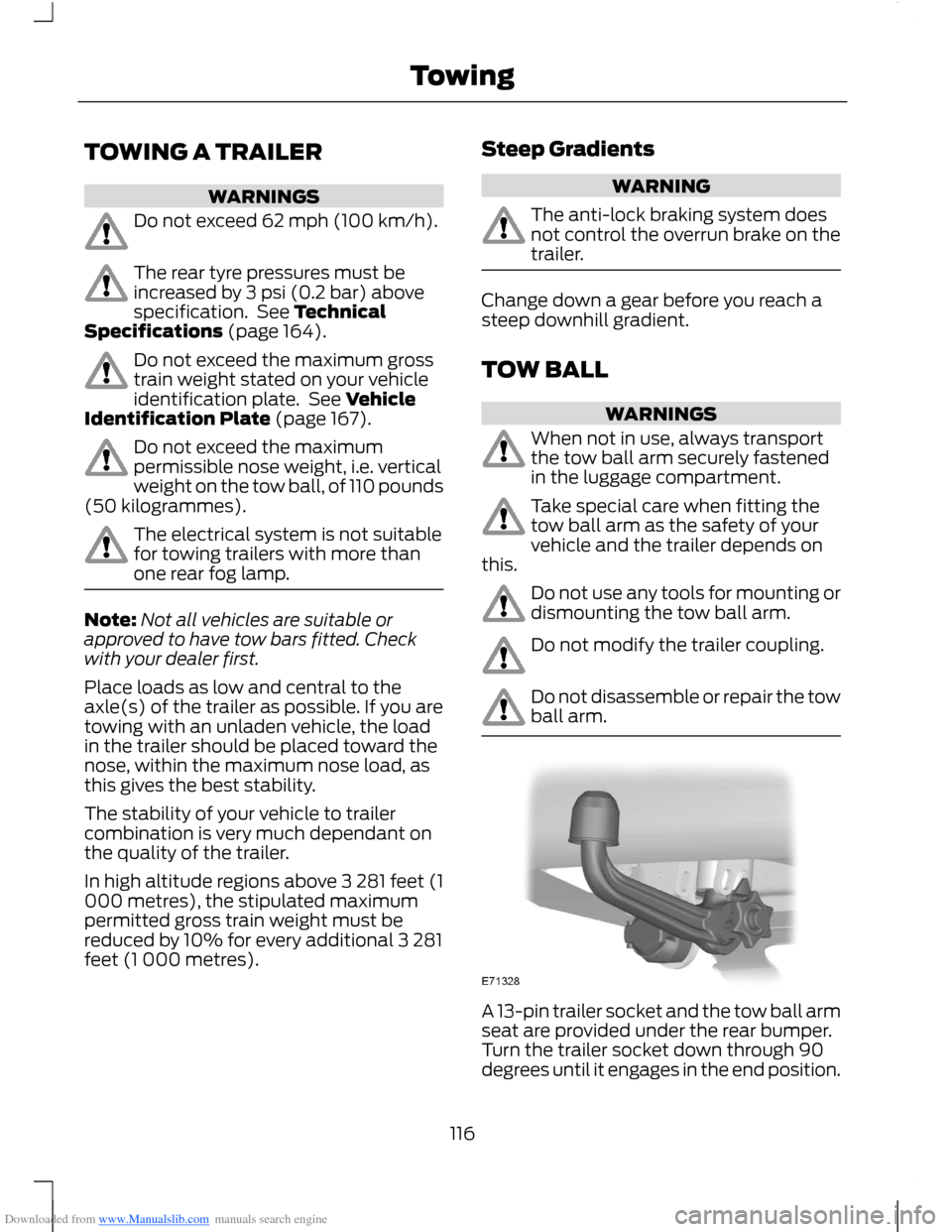
A 13-pin trailer socket and the tow ball armseat are provided under the rear bumper.Turn the trailer socket down through 90degrees until it engages in the end position.
116Towing